Owen Bradley
 Sooner or later every home network runs out of ports, and the fix looks simple until you start shopping. Two boxes sit side by side with the same number of sockets and the same gigabit label, but one costs a fraction of the other. The difference is management, and understanding it is the whole of the managed vs unmanaged switch decision. One is a silent traffic cop that needs no attention; the other gives you VLANs, monitoring, link aggregation and control you may never touch. This guide explains what each actually does, where the extra money genuinely helps a home network, and how to tell which side of the line your setup falls on.

What a Switch Does in the First Place
A switch multiplies the wired ports on your network. It learns which device sits on which port and forwards traffic only where it needs to go, rather than repeating everything everywhere the way an old hub did. Add a switch to a spare router port and one socket becomes five, eight or twenty-four, all sharing the router’s internet connection.
Importantly, a switch does not hand out addresses, run a firewall or connect to the internet by itself. Your router still does all of that. The switch simply moves frames between local devices quickly and, in most cases, at full speed simultaneously on every port. That is why a modest switch can feel like a bigger upgrade than expected: local transfers between a computer and network storage no longer contend with anything else.
Unmanaged Switches: Plug In and Forget
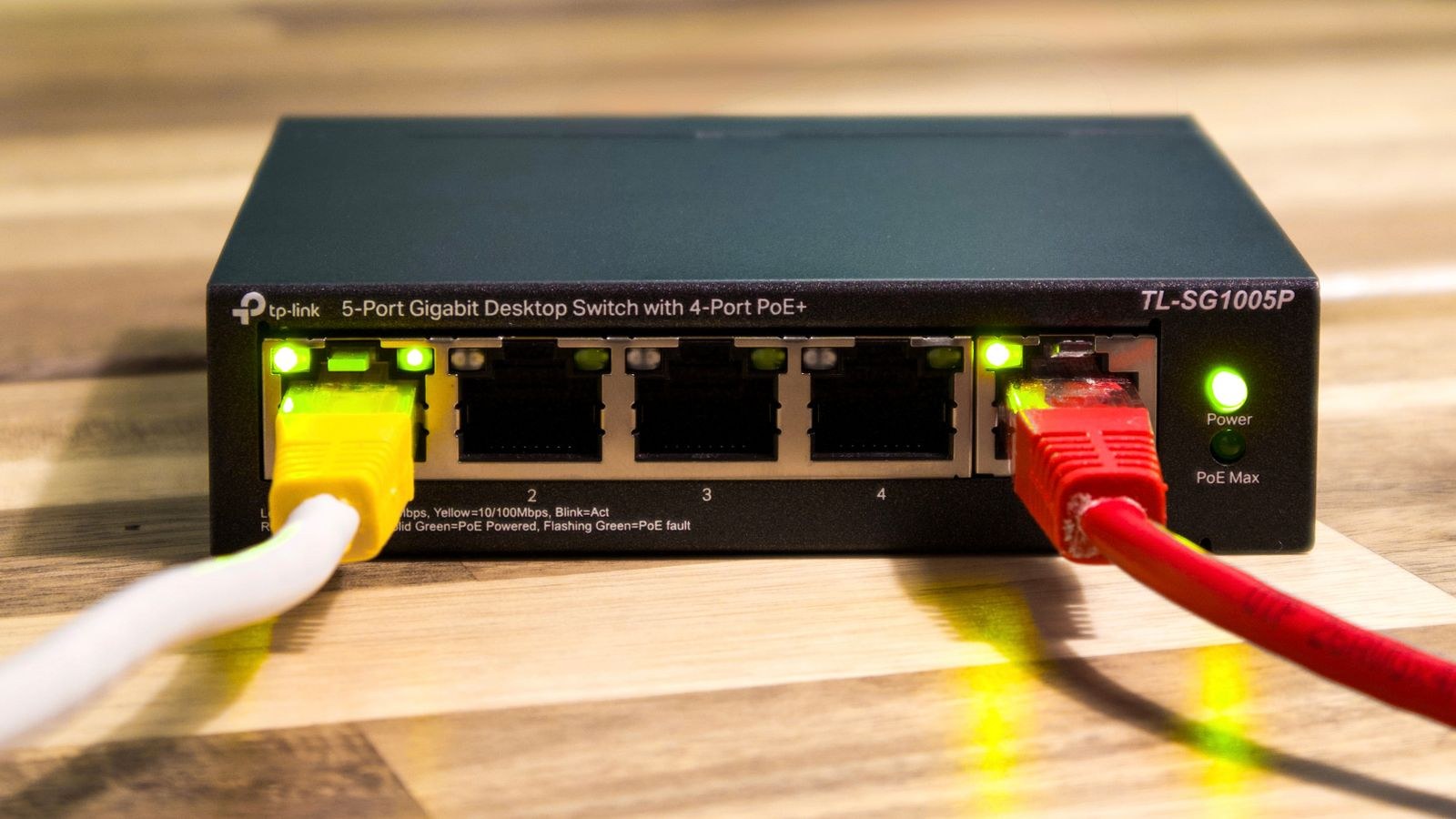
An unmanaged switch has no configuration at all. There is no web interface, no password, no settings. You connect it, the lights come on, and it forwards traffic. Everything it does is fixed in hardware, which is precisely why it is cheap, reliable and almost impossible to misconfigure.
For most homes this is genuinely all you need. If your requirement is “I have four devices behind the television and one wall socket”, an unmanaged switch solves it perfectly and will run for a decade without attention. They are also usually fanless and small enough to sit behind furniture, and many are metal-cased and passively cooled, drawing only a few watts.
The limitations only appear when you want the network to do something clever. There is no way to separate traffic, no visibility into which device is saturating the link, no ability to prioritise a video call, and no diagnostics beyond the link lights. When something goes wrong, you are troubleshooting blind. If a simple port expansion is all you need, our roundup of the best switches covers the sizes and speeds worth buying.
Managed Switches: Control and Visibility
A managed switch adds a configuration interface, usually a web page or an app, and with it a long list of capabilities. The four that matter most in a home are VLANs, quality of service, link aggregation and monitoring.
VLANs: Separating Traffic
A VLAN splits one physical switch into several logical networks that cannot see each other. This is the single most compelling reason a home user buys a managed switch. Put smart plugs, cameras and televisions on an isolated VLAN and they can reach the internet but not your laptop or your file server. Give guests their own segment. Keep a work machine separate from the rest of the household.
The security benefit is real, because cheap connected devices are a common weak point and rarely receive long-term updates. The cost is complexity: VLANs only work end to end if the router understands them too, and setting up tagged and untagged ports correctly takes some reading. Done wrong, you get devices that cannot reach anything.
Quality of Service and Prioritisation
QoS lets you mark certain traffic as more important, so a video call keeps its bandwidth while a large backup runs in the background. On a wired gigabit network this matters less than people expect, because the local links are rarely the bottleneck. It becomes useful when the internet connection is slow relative to household demand, though most routers already provide QoS at that boundary, which is usually the more effective place to apply it.
Link Aggregation
Aggregation bonds two or more ports into one logical link with combined bandwidth and automatic failover. In a home this is mostly relevant for network storage serving several users at once, or for the uplink between two switches carrying heavy traffic. It does not make a single file transfer faster, which is the most common misunderstanding: one connection still uses one physical link. The benefit shows up when multiple simultaneous streams share the bond.
Monitoring and Diagnostics
This is the underrated one. A managed switch shows you per-port traffic counters, error counts, negotiated link speeds and cable diagnostics. When a device is mysteriously slow, seeing that its port negotiated at 100 megabits instead of gigabit, or that it is accumulating CRC errors, turns a weekend of guesswork into a five-minute cable replacement. Port mirroring, which copies traffic from one port to another for inspection, is useful if you ever need to see what a device is actually sending.
Smart Switches: The Middle Ground
Between the two sits a category variously called smart, web-managed or lightly managed. These offer the features most homes actually want, typically VLANs, basic QoS, port statistics and link aggregation, through a simple web interface, while omitting the command-line access and enterprise routing features of a fully managed unit.
For home use this is very often the correct purchase. You get the isolation and visibility that make a network manageable, at a price much closer to unmanaged hardware, and without a configuration surface deep enough to get lost in. If you are weighing up whether to spend more, the smart tier is where the value sits for the overwhelming majority of households.
Do You Actually Need Management?
Answer these honestly. Do you want smart home devices or cameras isolated from your computers? Do you run network storage that several people use at once? Do you have a home office that should be separate from family traffic? Do you want to see which device is generating traffic when the network slows? Do you plan more than one wireless access point with separate guest and main networks?
One yes makes a smart switch worth considering. Two or more makes it worth buying. All no answers mean an unmanaged switch will serve you better, because it is cheaper, simpler and has nothing to misconfigure. There is no virtue in managing a network that does not need managing.
Remember too that the router remains the centre of everything. A managed switch cannot route between VLANs on its own, so the segmentation you set up must be matched by router support. Before spending on the switch, confirm the router can handle what you are planning; our guide to the best ethernet routers is a good place to check which models support VLAN tagging properly.
Specifications to Check Beyond Management
- Port count. Buy more ports than you need today; one uplink port is consumed connecting back to the router.
- Port speed. Gigabit is the sensible floor. Multi-gigabit ports are worth it only if devices at both ends support them.
- Switching capacity. Look for non-blocking throughput so every port can run at full speed simultaneously.
- Fanless design. Any switch in a living space should be passively cooled. Rack-style units with fans are genuinely loud.
- Metal chassis. Better heat dissipation and far more durable than plastic for a device that runs continuously.
- Power over Ethernet. Essential if you are feeding cameras or access points, and it removes the need for local power at each device.
PoE deserves particular attention because it changes the whole installation. A PoE switch delivers both data and power over one cable, which makes ceiling-mounted access points and outdoor cameras far easier to install. Check the total power budget rather than just the per-port figure, since a switch rated for a modest total cannot run eight demanding devices at once. If that is your plan, comparing the best PoE routers alongside switch options helps you work out where the power should come from.
Where a Switch Fits in the Home Network
The usual layout is simple: internet service enters the router, one router port feeds a switch, and the switch feeds everything wired. Wireless access points hang off the switch rather than off the router directly, which is both tidier and better performing because each access point gets a clean wired link back to the core. If you are adding wireless coverage this way, choosing from the best home wifi access points gives far better results than daisy-chaining wireless repeaters.
You can cascade switches when needed, connecting a second unit in a distant room to a port on the first. Keep the chain shallow, since every hop adds a small amount of latency and the uplink between them shares bandwidth for everything downstream. If several heavy devices sit behind a cascaded switch, that uplink is the place where link aggregation earns its keep. Storage appliances are the classic case, and matching your switch to a well-specified router matters there; the best routers for NAS comparison explains which features affect sustained transfer speed.
Common Mistakes to Avoid
- Buying managed and never configuring it. An unconfigured managed switch behaves like an unmanaged one you overpaid for.
- Forgetting the uplink port. An eight-port switch gives you seven usable ports once it is connected to the router.
- Expecting aggregation to speed up one transfer. A single connection still travels over a single physical link.
- Setting up VLANs without router support. Segmentation that the router cannot route between leaves devices stranded.
- Putting a fan-cooled rack switch in a bedroom or living room. The noise is far more intrusive than the specification suggests.
- Ignoring the PoE power budget. Per-port ratings mean nothing if the total is exhausted after three devices.
Frequently Asked Questions
Will a managed switch make my network faster?
Not by itself. Raw switching speed is essentially identical between managed and unmanaged units of the same port speed. Management improves control, isolation and diagnostics, not throughput. The exception is link aggregation, which raises capacity for multiple simultaneous transfers.
Can I use a managed switch without configuring it?
Yes. Almost all of them work out of the box exactly like an unmanaged switch, and you can enable features later. That makes a smart switch a reasonable purchase even if you are not ready to set up VLANs today, provided the price gap is small.
Do I need a managed switch for smart home devices?
You do not need one, but VLAN isolation is the most effective way to stop cheap connected devices reaching your personal computers. If you have a large number of them, or any device you do not fully trust, segmentation is worth the effort.
How many ports should I buy?
Count your wired devices, add the uplink, then add roughly half again for growth. Moving from five ports to eight costs very little, whereas discovering you need one more port means buying a second switch and cascading it.
Final Thoughts
The managed versus unmanaged question resolves neatly once you stop comparing feature lists and start listing what you want the network to do. If you simply need more wired ports, buy an unmanaged switch, plug it in and forget about it, because nothing in the managed tier will improve your day. If you want smart devices isolated, guest traffic separated, or the ability to see which port is misbehaving, a smart or lightly managed switch is one of the best value upgrades in home networking. Check the port count, insist on fanless operation, confirm your router supports what you plan to configure, and buy the simplest device that does the job. Get that balance right in 2026 and the switch becomes the part of your network you never have to think about again.