Owen Bradley
 A projector promises the one thing no television can match at the same price: sheer size. A 120-inch image for the cost of a mid-range 65-inch TV is a genuinely tempting trade. The catch is that projectors are far less forgiving than TVs, and the specification sheet is full of numbers that sound impressive but describe almost nothing useful about how the picture will look in your room. This projector buying guide walks through the figures that actually matter — real lumens, throw ratio, native contrast, resolution and light source — and shows how your room, not the box, decides which model belongs in it. Get these four decisions right and a projector will outperform expectations for years in 2026 and beyond.

Start With the Room, Not the Projector
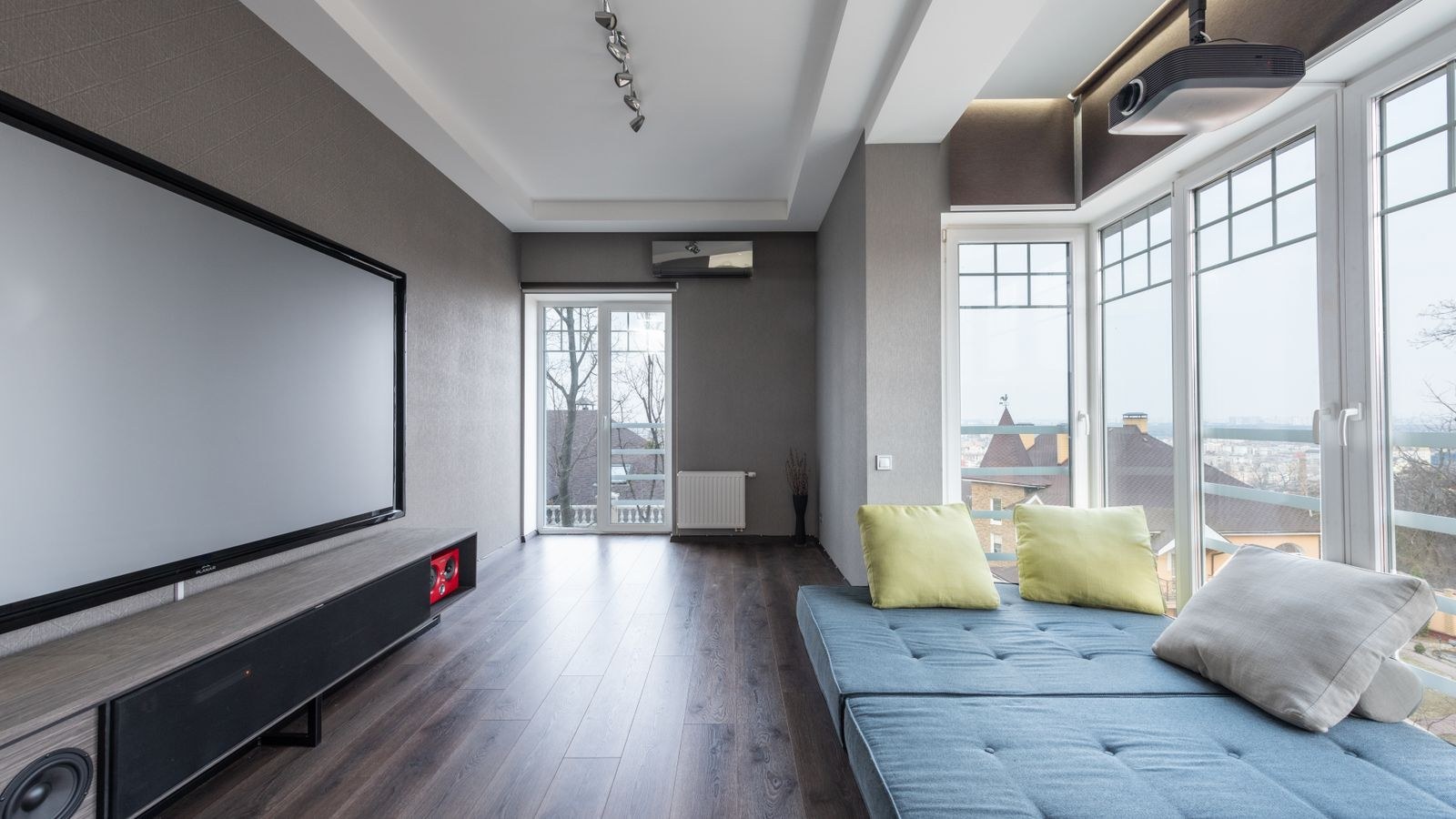
Everything in projector shopping flows from one question: how much light is in the room when you want to watch? A projector does not produce black. It produces light, and black is simply the absence of projected light. Any ambient light in the room — a lamp, a window, a white ceiling bouncing light around — lands on the screen and lifts those blacks toward grey. That is why the same projector can look breathtaking in a basement and washed out in a sunroom.
Sort your space into one of three honest categories. A dedicated dark room with controlled light and dark walls is the ideal case, and it lets you prioritize contrast over brightness. A flexible living room with blackout curtains you can close for movie nights sits in the middle: you need moderate brightness and benefit from a screen that rejects ambient light. A bright multipurpose room with windows you cannot cover demands the brightest projector you can afford, and you should accept that deep cinematic blacks are simply off the table there.
Lumens: Reading Brightness Claims Honestly
Brightness is measured in lumens, but not all lumen figures mean the same thing. ANSI lumens follow a standardized measurement procedure and are the only figure worth comparing between brands. Marketing terms like “LED lumens,” “light source lumens” or a bare “lumens” number with no standard attached are frequently inflated by a factor of two or three. If a listing quotes a huge number without the ANSI qualifier, treat it as unverified.
As rough targets: a fully dark dedicated room is well served by roughly 1,500 to 2,000 ANSI lumens on a modest screen. A living room with curtains you can draw generally wants 2,000 to 3,000. A room with real daylight benefits from 3,000 ANSI lumens or more, and even then you should pair it with the right screen material.
Remember that brightness spreads across area. Doubling the width of your image roughly quadruples the surface it must cover, cutting apparent brightness dramatically. A projector that looks punchy at 90 inches can look dull at 150. If you plan a very large image, size your brightness up accordingly. Our roundup of the best projectors for light rooms is a useful place to see which models genuinely hold up when you cannot control the sunlight.
Throw Ratio and Placement
Throw ratio is the relationship between projection distance and image width. A ratio of 1.5 means the projector must sit 1.5 times the image width away — so a 100-inch-wide image needs about 150 inches of distance. This single number decides whether a projector will work in your room at all, and it is the most commonly ignored specification among first-time buyers.
Standard, Short and Ultra Short Throw
A standard throw projector sits toward the back of the room or ceiling-mounted behind the seating, and it is the traditional home theater arrangement. A short throw model fills a large image from a few feet away, which helps in small rooms and reduces the chance of someone walking through the beam. An ultra short throw unit sits on a console inches from the wall and throws the image upward, functioning much like a television in placement terms. Ultra short throw costs more and is very sensitive to a perfectly flat screen, but it eliminates ceiling mounting and long cable runs entirely.
Lens Shift and Keystone Correction
Optical lens shift moves the image up, down or sideways without distorting it, and it is the flexible, quality-preserving way to align a picture. Digital keystone correction squashes the image electronically to square it up, which costs resolution and sharpness. Use keystone as a small last resort, never as your placement plan. Zoom range matters as well: a generous zoom lets one projector fill your screen from a range of distances rather than one exact spot.
Contrast: The Specification That Decides Picture Quality
If lumens determine whether you can see the picture, contrast determines whether it looks good. Contrast ratio expresses the difference between the brightest white and the darkest black a projector can produce. High contrast gives images depth, texture in shadows and a sense of three-dimensionality. Low contrast makes night scenes look like grey fog.
Be skeptical of “dynamic contrast” numbers in the millions. Those are achieved by dimming the light source during dark scenes and comparing across different moments, not within one frame. Native contrast — measured in a single frame — is the honest figure, and it is often buried or omitted. When a manufacturer publishes native contrast, that is usually a sign they are proud of it.
Resolution, HDR and Frame Handling
Native 1080p remains perfectly respectable on a projector, especially at normal seating distances, and it usually buys you better contrast at a given price than a 4K model in the same bracket. Native 4K delivers visible extra detail on large images and is worth the premium if you sit relatively close to a big screen. Between them sits pixel shifting, where a 1080p or intermediate chip rapidly shifts to display a higher-resolution-equivalent image. It looks sharper than 1080p and costs far less than native 4K, and for most living rooms it is an excellent compromise.
HDR support on projectors is a softer feature than on TVs. Projectors rarely reach the peak brightness that HDR content is mastered for, so what you get is tone mapping — an interpretation of the HDR signal within the projector’s limits. Good tone mapping genuinely improves the image; a checkbox “HDR compatible” claim on a dim projector often just makes everything look darker. Prioritize brightness and contrast over an HDR badge.
Light Source: Lamp, LED and Laser
Traditional lamp projectors use a high-pressure bulb. They are inexpensive up front and can be very bright, but the lamp dims noticeably over its life and needs replacing after a few thousand hours — a recurring cost and a maintenance chore. Lamps also need cooling, so fan noise tends to be higher.
LED light sources last far longer, switch on instantly, run cooler and quieter, and hold their color better over time. They generally produce fewer lumens than comparably priced lamp units, which makes them a natural fit for darker rooms and portable use.
Laser projectors combine long life with high brightness and instant on-off operation, with rated lifespans often quoted around 20,000 hours. They cost the most, but over a decade of use the absence of lamp replacements narrows the gap considerably. If you want a set-and-forget installation, laser is the low-hassle choice.
Sound: Plan to Bypass the Built-In Speakers
Almost every projector includes small speakers, and almost none of them are worth using for anything but a temporary setup. The projector is usually behind or above you, so the sound arrives from the wrong direction entirely, and fan noise sits right next to the driver. Budget for audio as part of the projector purchase rather than an afterthought.
A simple, effective path is a soundbar placed under the screen; our guide to the best soundbar speakers covers what to look for in size, connectivity and subwoofer pairing. If you want the full cinematic experience with directional effects, a discrete setup built around the best home theater speakers gives you far more control over placement and scale. Whichever route you take, check that the projector offers a clean audio output or that you can route sound from the source device directly to the audio system, since some projectors only pass audio in limited formats.
Portable, Novelty and Ambient Projectors
Not every projector needs to be a movie machine. A growing category exists purely for atmosphere and casual use, and these deserve to be judged on entirely different criteria — ease of setup, battery life, silence and effect quality rather than lumens and contrast.
Ambient lighting projectors that cast nebulae and moving fields of light have become popular for bedrooms, and our overview of the best space projectors compares the effects, coverage and timer features that matter for that use. For simpler nightlight-style ceiling effects, the best star projectors roundup covers models sized for children’s rooms and small spaces. Judge these on the mood they create, not on specification sheets built for cinema.
Portable video projectors sit in between. They typically offer modest brightness, a built-in battery and streaming apps on board, and they excel for camping, patios after dark and dorm rooms. Do not expect them to substitute for a home theater unit, but do expect them to be far more useful than their size suggests.
Budget Tiers and What Each One Buys
At the entry level, expect a lamp or LED light source, native 1080p or upscaled output, modest contrast and noticeable fan noise. These are ideal for occasional movie nights, backyard screenings and kids’ rooms, and they are genuinely good value if your expectations match the price.
The mid range is where most buyers should land. Here you get meaningfully better contrast, pixel-shifted or native 4K resolution, useful lens shift and zoom for flexible placement, and quieter operation. A projector in this tier in a properly darkened room delivers the “wow” experience people imagine when they picture a home cinema.
The high end brings laser light sources, strong native contrast, precise optics with wide lens shift, accurate color out of the box and quiet cooling. It is worth the money only if you have committed to a dark room and a quality screen; putting a premium projector in a bright white living room wastes most of what you paid for.
Common Projector Buying Mistakes
- Shopping on lumens alone. A bright projector with poor contrast looks flat and lifeless in a dark room.
- Ignoring throw ratio. Buying a projector that physically cannot fill your screen from your only mounting spot is the most expensive avoidable error.
- Trusting non-ANSI brightness claims. Inflated numbers set expectations the hardware cannot meet.
- Forgetting fan noise. Check the decibel rating. A projector at 35 dB above your head is distracting during quiet dialogue.
Frequently Asked Questions
How many lumens do I really need?
For a dark room with a screen around 100 inches, roughly 1,500 to 2,000 ANSI lumens is plenty. Add ambient light or screen size and move toward 3,000 ANSI lumens or higher.
Is 4K worth it on a projector?
On large images viewed from a normal distance, yes — but only after brightness and contrast are adequate. A high-contrast 1080p image usually looks better than a low-contrast 4K one.
Can I project onto a plain wall?
You can, and it works for casual viewing. A dedicated screen improves uniformity, color accuracy and contrast noticeably, and it is inexpensive relative to the projector itself.
How long do projectors last?
Lamp units need a bulb replacement every few thousand hours. LED and laser light sources are commonly rated around 20,000 to 30,000 hours, which for typical household use is well over a decade.
Final Thoughts
The best projector is the one matched to your room’s light, your throw distance and your realistic viewing habits — not the one with the largest number on the box. Decide first how dark your space can get, then measure the distance from your mounting point to the screen, then set a screen size. Those three facts narrow the field faster than any spec comparison. From there, prioritize verified ANSI brightness and native contrast, choose a light source that fits how much maintenance you want to do, and set aside part of the budget for a screen and real speakers. Do that, and the enormous image you were chasing will look as good as you imagined it.