
 Marcus Bell
 Choosing the Best Routers for NAS: A Complete Buying Guide
Running a network-attached storage (NAS) device at home or in a small office puts unique demands on your network. Unlike casual web browsing, a NAS constantly moves large files, streams media, backs up multiple devices, and often serves data to several users at once. That is why finding the best routers for NAS setups is about far more than raw internet speed. The right router keeps local transfers fast, connections stable, and your stored data accessible from anywhere. This guide walks you through what actually matters, how to match a router to your storage needs, and which models are worth a closer look.
Below is a curated list of routers that pair well with NAS deployments, from budget-friendly options to high-end multi-gig performers. Use it as a shortlist as you read through the guide.

Pros
- Total bandwidth of 6.5 Gbps across 2.4GHz and 5GHz bands with 6 spatial streams
- Two 2.5 Gbps ports (WAN/LAN and LAN) plus three 1 Gbps LAN ports
- Rated coverage up to 2,400 sq ft and 90 simultaneously connected devices
- USB 3.0 port for network-attached storage or printer sharing
- WPA3 encryption plus a separate managed network for IoT devices
Cons
- Dual-band design only, with no dedicated 6GHz band despite the Wi-Fi 7 label
- Full 5764 Mbps and 6.5 Gbps figures are only reached with Wi-Fi 7 client devices; older phones and laptops connect at lower legacy speeds
- Deeper security scanning and remote management run through the cloud-connected Tether app rather than working fully offline
This dual-band Wi-Fi 7 router combines a 5764 Mbps 5GHz band with a 688 Mbps 2.4GHz band for 6.5 Gbps of combined bandwidth across 6 spatial streams.
- Rated coverage of up to 2,400 sq ft with 6 external antennas and beamforming
- Supports up to 90 simultaneously connected devices
- Multi-Link Operation combines both bands for lower latency on supported clients
Because this is a dual-band design rather than tri-band, there is no dedicated 6GHz lane; devices without Wi-Fi 7 support fall back to standard 5GHz or 2.4GHz speeds rather than the peak combined figure. For a typical single-floor or small two-floor home, the antenna layout and beamforming keep signal consistent across rooms, though a very large multi-floor house may still benefit from a mesh add-on at the edges of the stated coverage area.

Pros
- Up to 1200 Mbps on 5 GHz plus 574 Mbps on 2.4 GHz for 1.8 Gbps of combined bandwidth
- Four high-gain external antennas with beamforming to focus signal toward distant devices
- OFDMA scheduling keeps dozens of smart-home devices from congesting the available airtime
- Joins an EasyMesh network, so a compatible extender shares one network name across a house
- Built-in OpenVPN and PPTP server plus a 2-year warranty on the hardware
Cons
- Dual-band only - there is no 6 GHz radio, so Wi-Fi 6E and 7 clients gain nothing extra
- WAN and LAN ports top out at gigabit, which bottlenecks any internet plan faster than 1 Gbps
- A separate modem is still required for most internet services, since none is built in
Bandwidth splits into up to 1200 Mbps on 5 GHz and up to 574 Mbps on 2.4 GHz, which is where the AX1800 label comes from. Those are link speeds shared across connected devices, not a guaranteed per-device figure.
- 5 GHz carries the fast traffic - 4K streaming, gaming, large downloads - over shorter distances.
- 2.4 GHz travels further through walls and is where most smart plugs, cameras and sensors live.
- Four high-gain antennas plus beamforming aim signal at devices rather than radiating evenly.
OFDMA lets the router talk to several devices within the same transmission slot, which is the practical Wi-Fi 6 gain in a busy household: fewer stalls when a dozen devices all want airtime at once.

Pros
- Combined throughput up to 2882 Mbps on 5GHz plus 688 Mbps on 2.4GHz across dual bands using Wi-Fi 7's Multi-Link Operation
- Two 2.5 Gbps ports (one WAN/LAN switchable) plus three 1 Gbps LAN ports break past the single-gigabit bottleneck of older routers
- 2.0GHz quad-core processor and 4 internal antennas with beamforming target coverage up to 2,000 sq. ft. for up to 60 connected devices
- EasyMesh compatibility lets it pair with additional routers or extenders to expand coverage without replacing the whole system
- USB 3.0 port adds local network storage or printer sharing that many entry routers skip entirely
Cons
- Dual-band only, so it does not include the 6GHz band found on tri-band Wi-Fi 7 routers, reducing available spectrum in congested networks
- 2,000 sq. ft. coverage figure is on the smaller end for whole-home Wi-Fi 7 systems, so larger homes may need an EasyMesh extender
- HomeShield's advanced security and parental control features typically require an ongoing subscription beyond the basic free tier
The Archer BE230 is a dual-band BE3600-class Wi-Fi 7 router with combined speeds up to 2882 Mbps on 5GHz and 688 Mbps on 2.4GHz, using 4-stream Multi-Link Operation to keep connections stable as devices roam between bands. Four internal antennas with beamforming push signal toward hard-to-reach corners, with coverage figures up to 2,000 sq. ft. and support for up to 60 connected devices at once.
- Combined throughput up to 2882 Mbps (5GHz) and 688 Mbps (2.4GHz)
- 4-stream Multi-Link Operation for Wi-Fi 7 devices
- Coverage figures up to 2,000 sq. ft. for up to 60 devices
- 4K-QAM modulation for added data capacity per stream
Because this is a dual-band model, it skips the 6GHz band found on tri-band Wi-Fi 7 routers, which matters most in dense apartment buildings with heavy 5GHz interference from neighboring networks.

Pros
- Trend Micro powered network protection runs with no ongoing subscription attached
- Four external antennas on a 2x2 dual-band radio using 1024-QAM and 80 MHz channels
- AiMesh support, so a second compatible unit extends one network name rather than adding a second SSID
- Instant Guard opens a one-click encrypted tunnel home from a laptop on public Wi-Fi
Cons
- 2x2 radios cap the 5 GHz band near 1201 Mbps, so a multi-gig line cannot be fully used
- No USB port, so a shared drive or printer cannot be attached to the router itself
- Dual-core processor and no 160 MHz channel support, which limits top single-client speed

Pros
- Tri-band WiFi 7 supports speeds up to 12 Gbps (BE12000) across 2.4, 5, and 6 GHz bands
- Coverage rated up to 3,000 sq. ft. and up to 120 connected devices
- 2.5 Gig WAN port plus three 1 Gig LAN ports for multi-gig wired connections
- 320 MHz channel width on the 6 GHz band supports high-bandwidth uses like 8K streaming
Cons
- Router only, with no built-in cable modem, so a separate modem is required for cable internet
- 2.5 Gig WAN port needs a compatible multi-gig internet plan to reach top wired speeds
- Compact single-unit design covers 3,000 sq. ft., smaller than mesh systems built for larger homes
The RS500 is built on WiFi 7 with a maximum wireless speed of BE12000 (up to 12 Gbps) spread across three bands, including the 6 GHz band with 320 MHz-wide channels. NETGEAR lists this as roughly 2.4x faster than a comparable WiFi 6 router under ideal conditions.
- Wireless coverage is rated up to 3,000 sq. ft.
- Supports up to 120 connected devices at once
- Product dimensions measure 9.8 x 5.9 x 4 inches
Real-world speeds depend on how many connected devices also support WiFi 7 and 6 GHz, since older client devices will negotiate down to WiFi 6 or 5 speeds.

Pros
- Five gigabit ports split as 1 fixed WAN, 2 configurable WAN/LAN and 2 fixed LAN
- A USB port accepts a 4G or 3G modem as a backup uplink when the main line drops
- Handles up to 20 LAN-to-LAN IPsec tunnels plus 16 each of OpenVPN, L2TP and PPTP
- Omada SDN management through a hardware, software or cloud controller
- SPI firewall with DoS defence and filtering by IP, MAC and URL
Cons
- No wireless radio at all, so access points have to be bought and cabled separately
- OpenVPN configuration requires an Omada SDN controller rather than being available from the standalone interface
- Five ports with no power over Ethernet output, so anything beyond a handful of wired devices needs a separate switch

Pros
- Three units combine to blanket homes up to 5,500 square feet under a single network name
- AC1900 3x3 dual-band radios support up to 100 connected devices
- Each unit carries 2 Gigabit Ethernet ports, 6 across the pack, and any one can act as the router
- Wired Ethernet backhaul is supported, so a Cat 5e run between floors frees the radios for clients
- Per-person profiles cap online time and block sites by category
Cons
- Wi-Fi 5 hardware, so Wi-Fi 6 phones and laptops gain none of the OFDMA benefits
- Two Ethernet ports per unit, and the main node loses one to the modem, leaving a single free socket there
- No USB port, so a shared drive or printer has to hang off something else

Pros
- Covers up to 1,500 sq ft from a single unit, roughly a 22 ft radius in open floor plans
- Supports internet plans up to 900 Mbps, which matches most gigabit-tier home connections
- Wi-Fi 6 radio handles 75 or more connected devices at once, useful once smart bulbs and sensors multiply
- Built-in Zigbee hub links compatible bulbs, plugs and locks without a separate bridge box
- Cross-compatible with the wider hardware family, so extra nodes can join the same network later
Cons
- Coverage from one unit stops at about 1,500 sq ft, so a two-storey or long narrow home will need extra nodes
- Just two auto-sensing Ethernet ports, and one is taken by the modem uplink, leaving a single wired client before you need a switch
- Advanced security filtering, ad blocking and parental controls require a separate eero Plus subscription

Pros
- Tri-band radios at 2402 Mbps on 6GHz, 2402 Mbps on 5GHz and 574 Mbps on 2.4GHz
- 2.5 Gbps port usable as either WAN or LAN, for multi-gig service or a wired NAS
- 1.0 GHz dual-core CPU with 512 MB of memory and six high-gain antennas with beamforming
- 160MHz channels on the 6GHz band, clear of legacy device traffic and neighbouring overlap
- Runs OpenVPN, PPTP and L2TP as both server and client, with WPA3 and a 2-year warranty
Cons
- Only Wi-Fi 6E clients can use the 6GHz band, and 6GHz signal attenuates faster through walls than 5GHz
- A separate modem is still required for most cable and DSL services
- Just one 2.5 Gbps port, so a second multi-gig wired device drops back to Gigabit
Three radios rather than two: 2402 Mbps on 6GHz, 2402 Mbps on 5GHz and 574 Mbps on 2.4GHz, making up the 5400 Mbps combined headline. The 6GHz band is the reason to buy a 6E unit at all, because it carries no legacy traffic from older devices and has room for 160MHz channels without overlapping the neighbours.
Six high-gain antennas with beamforming shape signal toward connected devices, and OFDMA plus true tri-band working raises capacity roughly fourfold against a comparable dual-band unit when many devices are active at the same time.
Behind the radios sit a 1.0 GHz dual-core CPU and 512 MB of memory, which is what stops throughput collapsing when dozens of clients, QoS rules and a VPN tunnel are all live at once. The housing is shaped for heat dissipation rather than stacking.
It works with any provider that hands off an Ethernet connection, including AT&T, Verizon, Xfinity, Spectrum, RCN, Cox, CenturyLink and Frontier. As with any standalone router, a separate modem is still needed for most cable and DSL services, so this replaces the router half of an existing gateway rather than the whole box.
On the client side, only Wi-Fi 6E devices can use the 6GHz band. Recent flagship phones, current laptops and newer 6E adapters qualify; anything older sits on 5GHz or 2.4GHz and sees no benefit from the third radio at all. Worth knowing too: 6GHz attenuates faster through walls than 5GHz, so the fastest band is also the shortest ranged.
OneMesh support lets a compatible extender join as a single roaming network name rather than appearing as a second SSID.
Pros
- Individual weight pouches allow customizable resistance levels
- Soft moisture-absorbing fabric cushions skin to prevent chafing
- Sturdy hook-and-loop closure straps hold weights firmly during movement
- Reinforced double stitching prevents internal filling leakage
- Ideal for walking routines, leg lifts, cardio, and physical therapy
Cons
- Requires securing straps tightly to prevent slipping during active runs
- Not recommended for high-impact jumping exercises to protect joints
Why Your Router Matters for a NAS
A NAS is only as useful as the network that connects it. When you copy a video project, back up a laptop, or stream a 4K movie from your storage box, that traffic flows through your router’s switch and, if you access files remotely, through its WAN and VPN features too. A weak or outdated router becomes the bottleneck that makes your fast drives feel slow.
The best routers for NAS use handle three jobs well: fast wired local transfers, reliable wireless coverage for the devices that read and write to your NAS, and secure remote access when you are away from home. Get those three right and your storage feels instant no matter where you connect from.
Local Transfer Speed Comes First
For NAS work, the local area network usually matters more than your internet plan. If your NAS and computers support 2.5 Gigabit Ethernet but your router only has standard gigabit ports, you cap every transfer at roughly 110 MB/s. Routers with multi-gig ports, such as the TP-Link BE6500 WiFi 7 or the TP-Link Archer BE230, unlock faster wired throughput and make a real difference when moving big libraries.
Remote Access and Security
Many people buy a NAS precisely so they can reach their files from anywhere. That means your router’s built-in VPN, firewall, and security features become part of your storage strategy. A wired VPN router like the TP-Link ER605 is designed for exactly this kind of secure remote connectivity, while consumer routers such as the ASUS RT-AX1800S bundle built-in VPN and network protection at a friendlier price.
Key Features to Look For in a NAS Router
Before you compare individual models, it helps to understand the specifications that separate a great NAS router from an average one. Focus on these areas and you will avoid the most common mistakes.
Multi-Gig Wired Ports
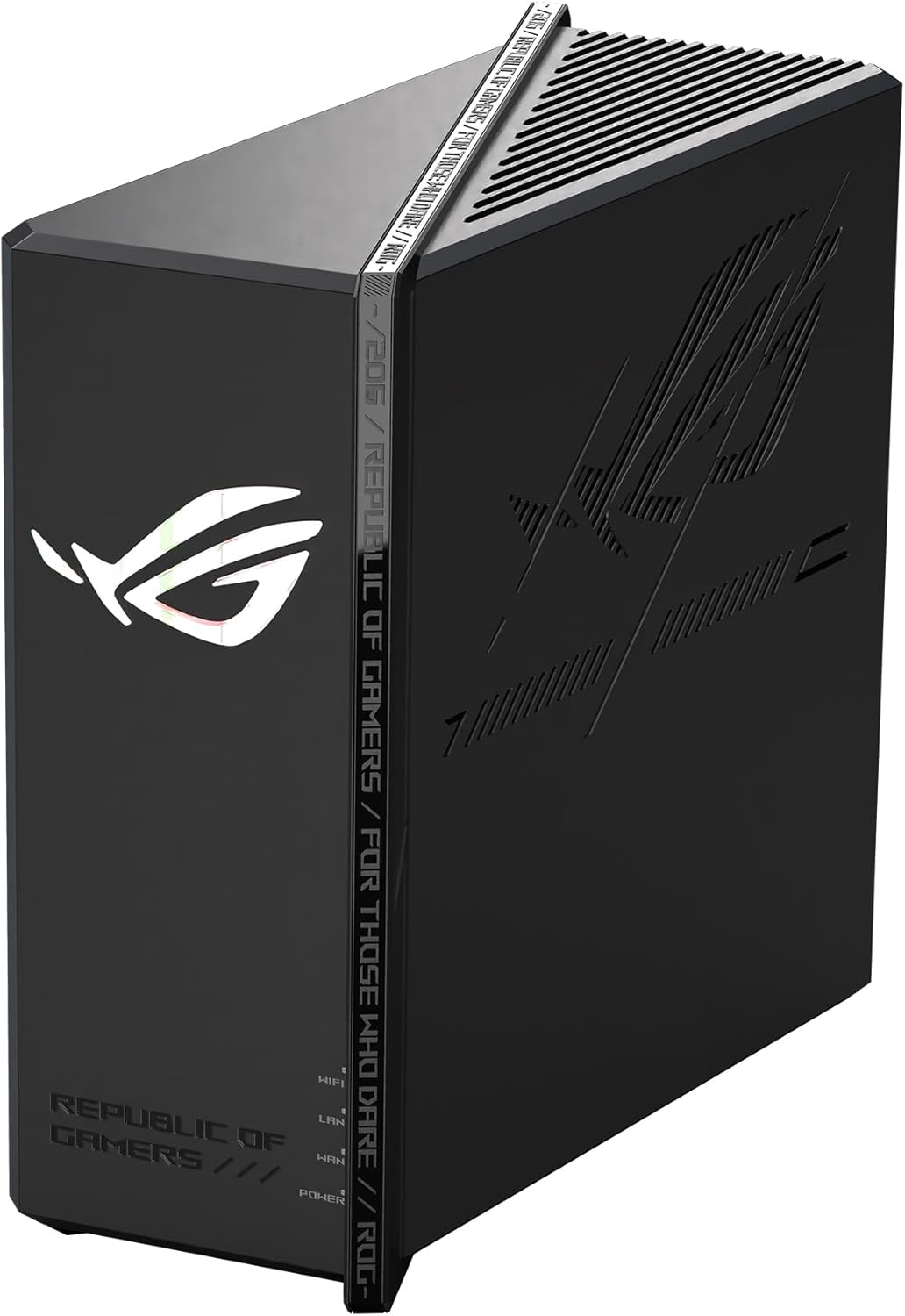
This is the single most important feature for NAS owners. Look for at least one 2.5 Gbps port so your storage device can push data faster than legacy gigabit allows. Routers like the NETGEAR Nighthawk RS500 and the gaming-focused ASUS ROG Strix GS-BE12000 include high-speed ports that keep pace with modern NAS hardware and multi-gig internet plans alike.
Processor and Memory
A router quietly runs a small computer inside. When many devices talk to your NAS at once, a quad-core CPU and generous memory keep everything smooth. Underpowered routers stutter under heavy simultaneous transfers, so a stronger processor pays off in a busy household or office.
Wireless Standard: WiFi 6, 6E, or WiFi 7
Wired connections give the best NAS performance, but wireless still matters for phones, tablets, and laptops that read from your storage. WiFi 6 routers such as the TP-Link Archer AX21 deliver excellent value, while WiFi 6E adds a clean 6 GHz band and WiFi 7 brings even higher throughput and lower latency. The tri-band TP-Link Archer AXE75 is a strong 6E option, and WiFi 7 models future-proof your network for years.
USB Ports and Basic NAS Features
Some routers include USB 3.0 ports that let you attach an external drive and create a simple, lightweight storage share. This will never replace a dedicated NAS, but it is handy for basic file access. If you want that flexibility, prioritize a model with USB 3.0 rather than the slower USB 2.0 standard.
Matching a Router to Your NAS Setup
There is no single best router for every situation. The right choice depends on your home size, how many people use the NAS, and whether you need whole-home coverage or targeted high-speed wired links. Here is how to think about it.
Small Homes and Single Users
If you live in an apartment or small home and mostly access your NAS from a couple of devices, you do not need to overspend. A capable dual-band router such as the TP-Link Archer AX21 or the ASUS RT-AX1800S covers the space and handles routine backups and media streaming without fuss. These offer gigabit wired links that suit NAS units without multi-gig networking.
Larger Homes That Need Mesh Coverage
Big houses and multi-floor layouts often suffer from dead zones, and a single router simply cannot reach every corner. Mesh systems solve this by spreading coverage across several nodes. A kit like the TP-Link Deco S4 blankets large areas, while the Amazon eero 6 offers simple setup and expandable coverage. With mesh, every room can reach your NAS at usable wireless speeds.
Power Users and Multi-Gig Networks
If you edit video, run backups for many machines, or have already invested in a 2.5 Gbps NAS, invest in a router that will not hold you back. The TP-Link BE6500 and TP-Link Archer BE230 bring WiFi 7 and multi-gig ports at reasonable prices, while the NETGEAR Nighthawk RS500 and ASUS ROG Strix GS-BE12000 sit at the premium end for those who want maximum headroom.
Wired, Wireless, or Both?
One decision shapes your whole NAS network: how the storage device connects. Whenever possible, connect your NAS to the router with an Ethernet cable. Wired links are faster, more stable, and free of the interference that plagues wireless. Save WiFi for the client devices that move around your home.
For the most demanding setups, a dedicated wired router or gateway earns its place. The TP-Link ER605 is a wired VPN router that excels at load balancing and secure remote access, making it a smart companion in a network where a separate access point or mesh system handles WiFi. This split approach – wired backbone plus wireless coverage – is a favorite among enthusiasts who want both speed and reach.
Common Mistakes to Avoid
Even experienced users trip over a few recurring issues when pairing a router with a NAS. Keep these in mind and you will save yourself frustration.
- Ignoring wired port speed: Buying a fast NAS and then plugging it into an old gigabit-only router wastes its potential. Match the port speed to your storage.
- Overpaying for internet speed you cannot use: A 12 Gbps router is impressive, but if your NAS and devices top out at 2.5 Gbps, you may not need the most expensive tier.
- Forgetting about coverage: A powerful router still cannot beam through thick walls. In a large home, plan for mesh or additional access points from the start.
- Neglecting security: Remote NAS access without a proper VPN and firewall exposes your files. Choose a router with strong built-in protection.
- Skimping on the processor: A weak CPU chokes under many simultaneous transfers. For busy networks, a quad-core router is worth the small premium.
How to Set Up Your Router for NAS
Once you have chosen hardware, a few setup steps get the most out of it. First, connect your NAS to the fastest wired port available and confirm the link negotiates at its full speed. Next, assign the NAS a static local IP address so it is always reachable at the same location. If you plan to access files remotely, enable the router’s VPN rather than exposing the NAS directly to the internet. Finally, keep the router firmware updated to patch security holes and improve stability over time.
With these basics in place, your NAS becomes a reliable, fast, and secure hub for everything from photo backups to a personal media library.
Final Thoughts on the Best Routers for NAS
The best routers for NAS come down to matching capability to need. If you run a modern multi-gig storage device, prioritize 2.5 Gbps ports and a strong processor found in WiFi 7 models like the TP-Link BE6500 or TP-Link Archer BE230. If coverage across a large home is your challenge, a mesh kit such as the TP-Link Deco S4 or Amazon eero 6 keeps every device connected. For secure remote access, a wired VPN router like the TP-Link ER605 shines, and value seekers are well served by the TP-Link Archer AX21 or ASUS RT-AX1800S.
Take stock of your storage speed, your home size, and how you access your files, then choose the router that removes the bottleneck rather than creating one. Do that, and your NAS will deliver the fast, dependable performance you bought it for. Ready to upgrade? Compare the models above and pick the one that fits your network today.


Comments are closed.
No reviews yet. Be the first to share your experience!