Owen Bradley
 Digital eye strain does not come from screens being inherently harmful. It comes from what screens make your eyes do: hold a single close focus for hours while your blink rate drops by more than half. The 20-20-20 rule is the simplest countermeasure ever devised for it, and it is deceptively easy to state and surprisingly easy to get wrong. Every 20 minutes, look at something 20 feet away, for 20 seconds. That is the whole thing. This guide explains why each of those three numbers matters, how to actually make the habit stick past the first week, and the monitor distance, brightness and lighting settings that determine whether the rule feels like relief or like a chore you abandon by Thursday.
What Actually Causes Digital Eye Strain
Three mechanisms do most of the damage, and none of them is the light itself. The first is sustained accommodation. The ciliary muscle inside your eye contracts to focus on near objects and stays contracted the entire time you read a screen. Hold any muscle in contraction for two hours and it aches; the eye is no different, and the result is blurred vision when you finally look up.
The second is convergence. Both eyes must rotate inward to aim at a near target, and the muscles doing that work also fatigue. This is the source of the dull ache behind the eyes and the temple headaches that build through the afternoon.
The third is dryness. Normal blink rate is roughly 15 to 20 times a minute. Concentrating on a screen drops it to around 5 to 7, and the blinks that do happen are often incomplete, meaning the eyelid never fully sweeps the tear film across the surface. Gritty, burning, watery eyes are almost always this, not brightness.
Why 20 Feet and 20 Seconds Specifically
Twenty feet is the practical threshold at which the eye’s focusing system relaxes to essentially neutral. Beyond that distance, the ciliary muscle does close to no work. Anything much closer still requires accommodation, which is why glancing at a colleague across the room does far less than looking out a window. Twenty seconds is roughly how long that relaxation takes to become meaningful rather than momentary. A two-second glance is not a break; it is an interruption.
Setting Up Before You Start
- A clear sightline to something genuinely distant: a window, a long corridor, or a doorway into another room.
- A timer that is not your phone, if you can manage it, since picking up a phone defeats the purpose of the break.
- A tape measure to set monitor distance properly the first time.
- Preservative-free artificial tears if your eyes run dry, kept within arm’s reach.
- A desk lamp for task lighting, so you are not relying on the screen as your only light source.
How to Actually Implement the 20-20-20 Rule
- Find your 20-foot target before you need it. Sit in your working position and identify a specific object at least twenty feet away: a tree through the window, a picture at the far end of the hallway, a building across the street. Naming it in advance removes the friction of hunting for something when the timer goes off. If your room is small, open a door or use a window; through glass, distance is effectively unlimited.
- Set a recurring 20-minute timer. Use a desk clock, a smart speaker, a browser extension or a calendar loop. Avoid your phone if you can, because unlocking it to dismiss an alert pulls you into another near-focus task and cancels the break entirely.
- When the timer fires, look away immediately. The instinct is to finish the sentence, the paragraph, the function. Five minutes later you have forgotten. Train yourself to break mid-thought; the work is still there when you return, and the reset is what you came for.
- Hold the distant gaze for a full 20 seconds. Count it or watch a clock, because subjective time is unreliable and almost everyone undershoots. Let your gaze soften and wander over the distant object rather than staring rigidly at one point.
- Blink deliberately, ten full blinks, during the break. Close the lids completely and slowly, feeling the upper lid meet the lower. This is the part everyone skips and it addresses dryness, which is the most common symptom of the three.
- Stand up on every third break. Combining the eye break with a brief postural change turns one habit into two and makes the interruption feel purposeful rather than like lost time.
- Track it for two weeks. A tally mark on a sticky note is enough. Habits become automatic through visible repetition, and two weeks of marks usually gets you past the point where the timer feels intrusive.
Monitor Settings That Do Half the Work
The rule works far better on a screen that is not fighting you. Get these five settings right once and the ongoing strain drops substantially.
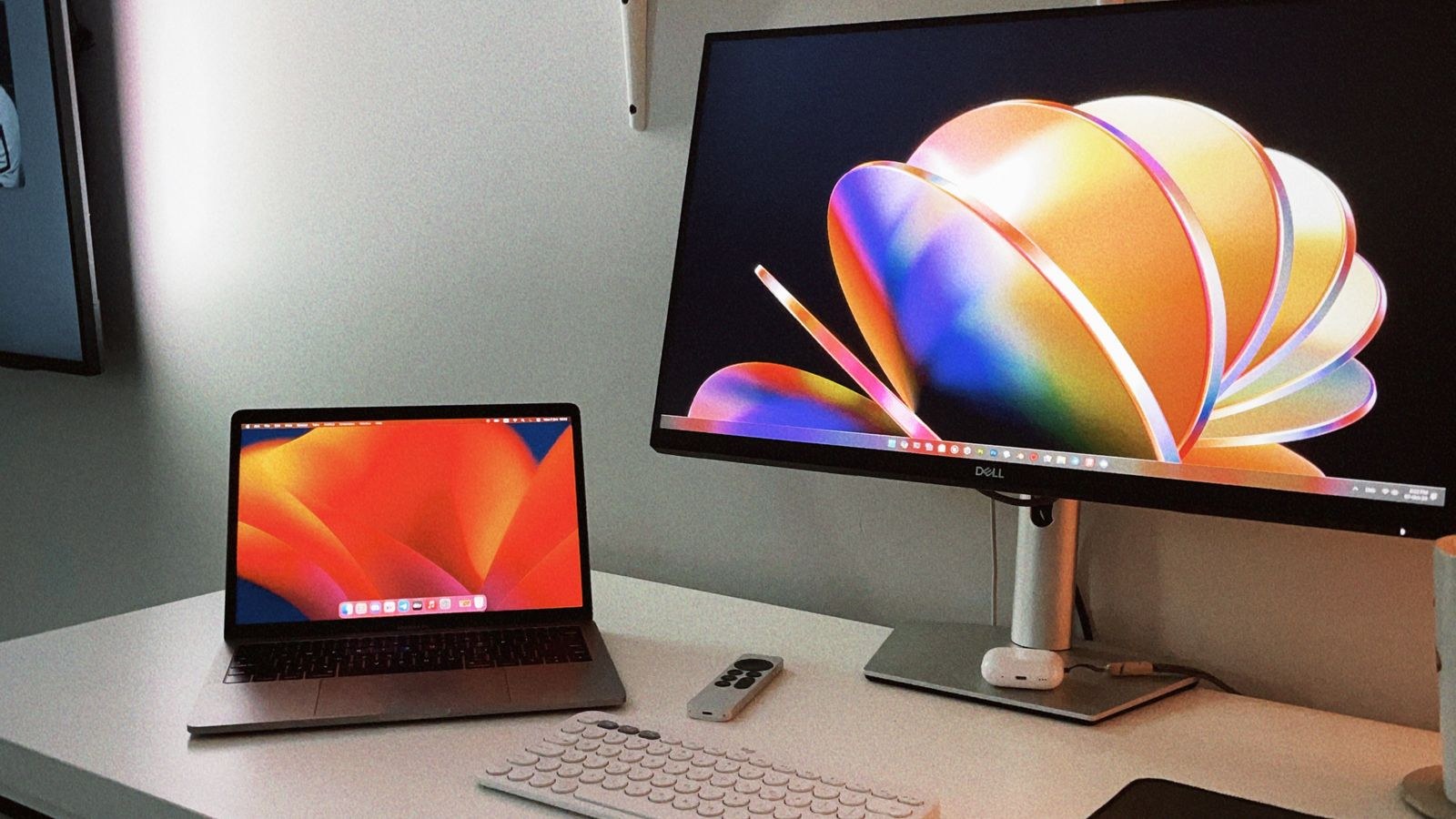
- Distance: 20 to 28 inches for a typical monitor. Sit normally and reach out; your fingertips should just about reach the screen. Larger displays need more distance, not less, so a 32-inch panel often wants 30 inches or more. If you find yourself leaning forward, the fix is bigger text, not a closer screen.
- Height: top of the screen at or slightly below eye level. A screen too high forces the eyes wide open, which accelerates tear evaporation. Looking slightly downward keeps the lids more closed and the eye surface better protected.
- Brightness: match the room, do not exceed it. Hold a sheet of white paper next to the display showing a white document. If the screen looks like a lightbox, turn it down; if it looks grey, turn it up. Screen brightness should never be the brightest thing in your field of view.
- Contrast and text size: high contrast, comfortable size. Dark text on a light background at high contrast is easiest for sustained reading. Increase system text scaling until you can read comfortably while sitting back rather than leaning in.
- Refresh rate and flicker: set the highest your panel supports. Low refresh rates and PWM backlight flicker at low brightness both contribute to fatigue. If your monitor lists a flicker-free mode, enable it. Resolution matters too, since a sharper panel needs less squinting; the trade-offs are covered in our guides to the best 1440p monitors and the wider range of best desktop computer monitors.
Lighting: The Overlooked Half of the Problem
Many people optimise their monitor and leave the room untouched, then wonder why their eyes still ache. The dominant issue is contrast between the screen and its surroundings. A bright display in a dark room forces the pupil to constantly readjust as your gaze moves; a dim display in a sun-flooded room does the same in reverse.
Aim for even, moderate ambient light with the screen roughly matching the brightness of the wall behind it. Position the monitor perpendicular to windows rather than facing or backing onto them, so daylight neither hits the screen nor sits directly behind it in your field of view. Add a task lamp positioned to the side, aimed at your documents rather than at the display, and biased away from your dominant hand to avoid shadows.
Glare is the other culprit. Reflections on the panel force your eyes to work through a competing image, and it is genuinely exhausting over hours. Matte screen finishes help, but the real fix is controlling the source. Our comparison of the best desk lamps for home office covers adjustable-arm models that let you aim light precisely, while the home office lighting guide covers overall room layout and fixture placement. For bulb choice specifically, our notes on how to choose bulbs to reduce glare explain why diffusion and colour temperature matter more than raw lumen figures.
Mistakes That Make the Rule Fail
The most common is checking your phone during the break. Your phone is 12 inches away; the entire point was to stop focusing at close range. Swapping one near target for another achieves nothing and often extends the near-focus block by several minutes.
The second is looking at something across the room instead of genuinely far away. Ten feet still requires accommodation. If your space cannot offer twenty feet, look through a window, which effectively gives you infinity.
The third is dismissing the timer repeatedly. Once you have ignored an alert three times, it stops registering. Change the sound, change the mechanism, or tie breaks to a natural task boundary instead.
The fourth is treating the rule as the whole solution. If your monitor is too close, too bright and facing a window, twenty seconds every twenty minutes will not rescue you. The rule manages accumulated fatigue; the setup determines how much accumulates.
Frequently Asked Questions
Do blue light glasses reduce eye strain?
The evidence for blue light filtering improving daytime eye strain is weak. The symptoms most people experience come from focusing effort and reduced blinking, neither of which a tint addresses. Blue light reduction in the evening may help sleep timing, which is a separate and better-supported benefit.
Is 20 minutes strict, or is 30 acceptable?
Twenty is the guideline, not a physiological cliff. A break every 30 minutes that you actually take is far better than a 20-minute rule you abandon. Start at whatever interval you will genuinely maintain and tighten it once the habit is automatic.
Does dark mode help?
It helps in dim environments by lowering overall screen luminance and reducing the contrast gap with the room. In bright rooms it often hurts readability, because light text on a dark background is harder to read at small sizes. Match it to your ambient lighting rather than using it universally.
When should I see an optometrist?
If strain persists despite good setup and consistent breaks, get an eye examination. Uncorrected refractive error, an outdated prescription, astigmatism, or a binocular vision problem such as convergence insufficiency will all produce these symptoms regardless of how disciplined your habits are. Sudden vision changes, double vision or severe headaches deserve prompt attention.
Final Thoughts
The 20-20-20 rule works because it interrupts the two things that cause digital eye strain: sustained near focus and suppressed blinking. It costs one minute per hour and requires no equipment. Pick your distant target now, set a recurring timer before you get back to work, and spend fifteen minutes this week fixing monitor distance, brightness and glare so the rule has less to undo. Those two changes together resolve the great majority of ordinary screen-related eye discomfort, and they hold up as long as you keep them.