Owen Bradley
 Most smart plugs simply turn things on and off. A smaller, more useful group also measures how much electricity flows through them and reports it back to an app. That single extra feature turns a cheap accessory into a diagnostic tool: it tells you what your old chest freezer really costs to run, whether a space heater is quietly dominating your power bill, and how much of your standby load is pure waste. Choosing an energy monitoring smart plug well means looking past the marketing bullet and asking harder questions about accuracy, data retention, and whether you can ever get that data out again. This guide walks through everything worth checking before you buy in 2026.
What Energy Monitoring Actually Measures
Inside a monitoring plug sits a small current sensor and a metering chip. It samples the current passing through the plug many times per second, combines that with the line voltage, and calculates real power in watts. Better chips also track power factor, which matters for motors and older appliances where the current and voltage waveforms fall out of step. The plug then reports instantaneous watts to the app and accumulates kilowatt-hours over time.
That is genuinely different from the “estimated usage” shown by some cheap plugs, which simply multiply a device wattage you typed in by the number of hours the plug was switched on. Estimation is worthless for anything that cycles, which includes refrigerators, freezers, dehumidifiers, aquarium heaters, and window air conditioners — precisely the devices you most want to measure. If the product listing says “energy tracking” without ever printing a watt figure in a screenshot, assume it is estimating.
Instantaneous Watts vs Accumulated kWh
Both numbers matter and they answer different questions. Instantaneous watts answers “how hard is this thing working right now” and is what you use to spot a compressor stuck on or a device that never truly sleeps. Accumulated kilowatt-hours answers “what does this cost me per month” and is what you multiply by your utility rate. A plug that shows only a live watt reading, with no running total, forces you to do the arithmetic yourself and to leave the app open to see anything. Insist on both.
How Accurate Are These Plugs, Really?
Consumer monitoring plugs are generally accurate to within a few percent at moderate loads, which is more than good enough for deciding whether to replace an appliance. Where they struggle is at the extreme low end. Many plugs cannot resolve loads below roughly 1 to 3 watts, so a phone charger sitting idle or a TV in standby may simply read zero. If your goal is hunting phantom standby draw across the house, look for a plug that explicitly advertises low-load sensitivity, and be prepared for the smallest loads to remain invisible.
None of this matters much for household decisions, but it does mean you should not treat these readings as a substitute for a calibrated meter. For a broad look at the reliability and feature set of the current field, our roundup of the best smart plugs is a sensible place to start comparing.
Watch the Reporting Interval
A plug that only uploads a reading every five minutes will completely miss short bursts, like a coffee maker’s heating cycle or a printer’s fuser warm-up. Plugs that sample every few seconds paint a far more honest picture of spiky loads. The reporting interval is rarely printed on the box, but reviews and app screenshots usually reveal it: look at how jagged the usage graph is. A suspiciously smooth line means heavy averaging.
The App Is Half the Product
The hardware in most monitoring plugs is broadly similar. The app is where products genuinely diverge, and it is where people are most often disappointed. Before buying, find out how much history the app keeps. Some manufacturers store only seven days of detail, then collapse everything older into a monthly total. Others keep a full year of hourly data. If you bought the plug to build a case for replacing an aging appliance, seven days of history will not carry you through a seasonal comparison.
Ask whether the app lets you set your electricity rate so it can display cost rather than raw kilowatt-hours. Ask whether it supports time-of-use rates if your utility bills that way, because a flat rate will badly misprice anything that runs overnight. And check whether usage alerts exist — a notification when a device exceeds a wattage threshold is how you catch a freezer whose door was left ajar.
Can You Export the Data?
This is the single most overlooked question. If you want to chart consumption in a spreadsheet, compare months, or feed the numbers into a home energy dashboard, you need CSV export or a local API. Many mainstream brands offer neither and keep your history locked inside their app forever. Enthusiasts often prefer plugs with local control or an accessible local endpoint precisely because the data belongs to them and keeps working if the manufacturer’s cloud goes dark. If long-term logging matters to you, make export a hard requirement rather than a nice-to-have.
Connectivity: WiFi, Thread, and Zigbee
Most monitoring plugs use WiFi and connect directly to your router with no hub required. That is the simplest path and the reason WiFi models dominate shelves. The trade-off is that every plug consumes a router client slot and depends on 2.4GHz coverage reaching the outlet, which is often on the far side of a masonry wall or behind a metal appliance. If you plan to deploy a dozen plugs, check your router’s realistic device ceiling first. Our guide to the best smart WiFi plugs covers the practical range and setup issues in more depth.
Zigbee and Thread plugs use a low-power mesh instead, which is more reliable at scale and does not clog your WiFi. They require a hub or border router, but mains-powered mesh plugs also act as repeaters, strengthening coverage for battery sensors elsewhere in the house. For a large deployment, mesh is usually the better long-term architecture even though the entry cost is higher.
Ecosystem and Voice Assistants
Nearly every plug supports at least one major voice platform, but energy data rarely crosses over. You can typically ask a voice assistant to switch a plug on, yet not to read out yesterday’s consumption — that stays in the manufacturer’s own app. If voice control is central to how your household operates, confirm the pairing path before buying; our list of the best smart plugs for Alexa highlights models with the least painful setup. Also verify whether the plug works with more than one ecosystem, since a household that mixes phones and speakers benefits enormously from a plug that talks to all of them.
Physical Fit and Electrical Limits
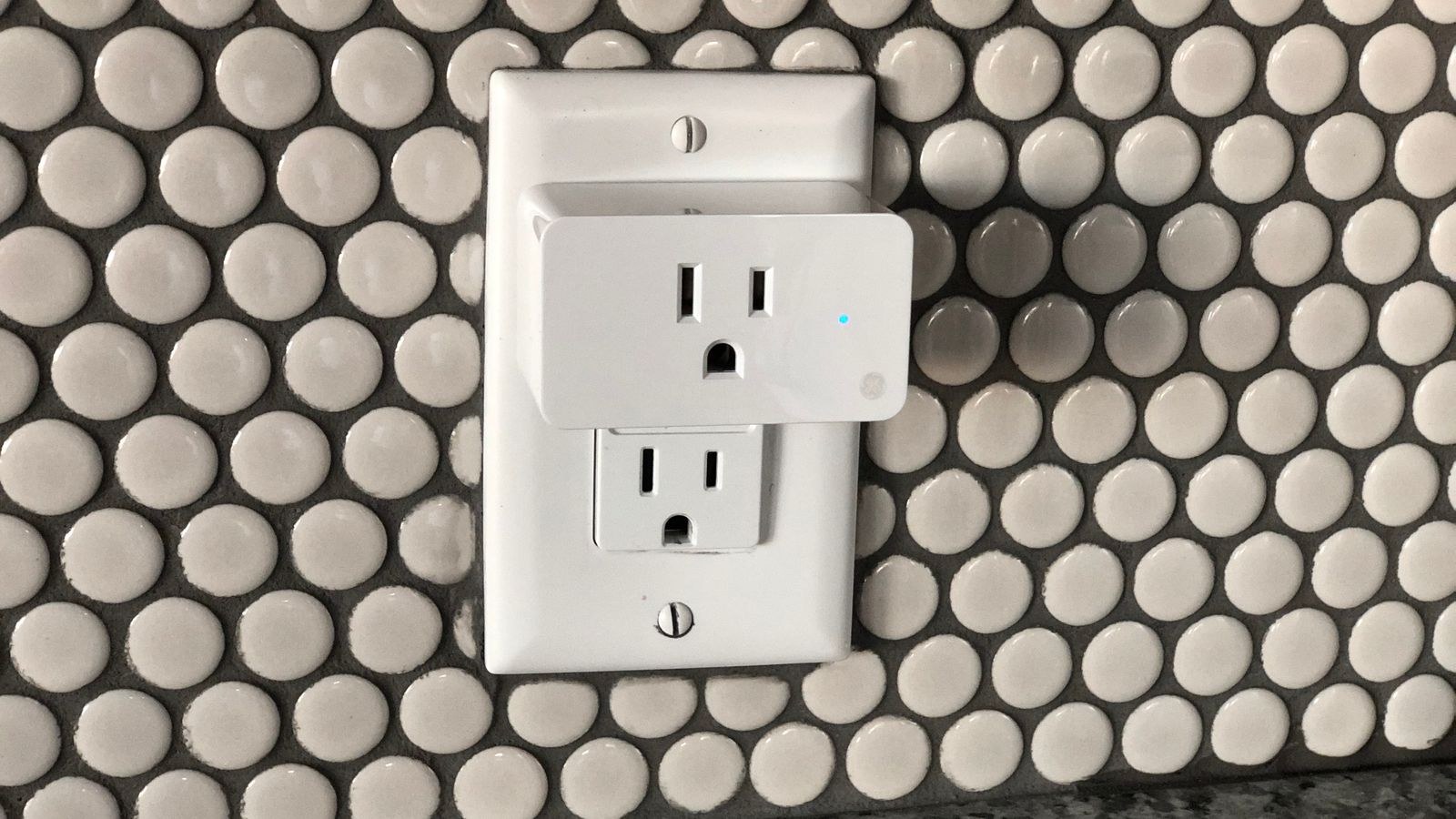
Monitoring circuitry makes a plug slightly bulkier than a basic model. Measure before you commit. A chunky plug in the lower socket of a duplex outlet frequently blocks the upper one, halving your usable outlets. Slim or side-oriented designs solve this, and some brands publish exact dimensions rather than making you guess from a photo.
Check the electrical rating as well. Household plugs are usually rated for 10A, 12A, or 15A depending on region and model. Resistive heating loads — space heaters, kettles, hair dryers, portable air conditioners — sit near or above those limits and should generally not be run through a smart plug at all. Ironically, these are the devices whose consumption you most want to see. Measure them with a dedicated meter instead, or use an in-wall monitoring outlet rated for the job. Never chain a monitoring plug into a power strip carrying multiple large loads.
Indoor Ratings Only
Standard monitoring plugs are indoor devices with no moisture protection. Garages, basements, and unheated porches are common failure sites because condensation forms inside the housing during temperature swings. If you need to measure a pond pump or holiday lighting, buy a plug with a proper outdoor ingress rating rather than sheltering an indoor unit under a bucket.
Budget Tiers and What Each Buys You
At the entry level, roughly $10 to $15 per plug, you get on/off control, basic scheduling, and a live watt reading with a rolling daily total. History is usually shallow and export is absent. These are fine for one-off investigations: plug in the old fridge for a month, learn what you needed, move on.
The middle tier, around $20 to $30, adds longer history, cost calculation with your own rate, usage alerts, and often a more compact housing that does not block the second socket. This is the sweet spot for most households and where multi-packs offer real savings if you plan to instrument several appliances.
Above that, you are paying for mesh radios, local API access, higher amperage ratings, or outdoor construction. Serious energy tracking — the kind that feeds a whole-home dashboard — lives here. If you are just starting out and want a survey of value options across price points, the general best WiFi plugs comparison is a useful baseline before you commit to a whole set.
Common Mistakes to Avoid
- Buying monitoring you will never look at. If you have no intention of opening the app after week one, save the money and buy a basic plug.
- Plugging in a space heater. High resistive loads are the leading cause of melted plug housings. Respect the amp rating.
- Assuming zero watts means off. A plug that cannot resolve low loads will show zero for devices still drawing a trickle.
- Ignoring data retention. Discovering your history vanishes after a week defeats the purpose of long-term measurement.
- Forgetting the neighbouring socket. Bulky housings routinely block the outlet next to them.
A Practical Way to Use Them
The most effective approach is rotational rather than permanent. Buy two or three monitoring plugs, install them on one appliance at a time for a full month, record the kilowatt-hours, then move them along. Within a season you will have measured most of the significant loads in the house without instrumenting every outlet. Keep them permanently installed only where the reading changes over time, such as a freezer whose seals degrade or a dehumidifier that works harder in humid months.
Pair the numbers with your utility rate to convert curiosity into decisions. An old refrigerator drawing 120W continuously costs far more over a decade than a modern efficient unit, and a monitoring plug makes that gap visible instead of theoretical.
Frequently Asked Questions
Do energy monitoring plugs use much power themselves?
Typically under 1W each, so a handful of plugs adds a negligible amount to your bill. A large deployment of twenty or more starts to be measurable, but it is still small relative to what they help you save.
Can I measure my whole house with them?
No. Plugs only see what is plugged into them, which excludes hardwired loads like ovens, water heaters, central HVAC, and most lighting. Whole-home measurement requires a panel-mounted energy monitor with current clamps on the mains.
Will the readings match my utility bill?
Only for the specific devices you measured. Utility meters record everything, including hardwired loads and losses. Use plug data for comparing devices to each other, not for auditing the meter.
Do they keep working if the internet goes down?
Depends on the model. Cloud-only plugs lose app control and often stop logging entirely, though the physical button still works. Plugs with local control keep switching and, in some cases, keep recording. If reliability matters, check this before buying — the smart plug buying guide goes deeper on local versus cloud control.
Is the data accurate enough to justify replacing an appliance?
Yes. A few percent of measurement error is irrelevant when the difference between an old and new appliance is often fifty percent or more. Measure for a full month to capture normal cycling and typical usage patterns.
Final Thoughts
An energy monitoring smart plug is one of the few smart home purchases that pays for itself in information rather than convenience. The important decisions are not about brand loyalty but about whether the plug reports real watts instead of estimates, keeps enough history to be useful, lets you attach your own electricity rate, and ideally allows you to export what it records. Match the connectivity to the size of your deployment, respect the amperage limit, and check the housing will not swallow the socket beside it. Get those right and a modest set of plugs will tell you more about your household electricity use than any bill ever has.