Owen Bradley
 The idea that a smart home costs thousands of dollars is a marketing artifact, not a fact. Most of the daily benefit people actually get from automation comes from a handful of inexpensive devices, and most of the money people spend goes to gear they stop using within a month. If you set a firm ceiling of $200 and buy in the right order, you can cover lighting, voice control, scheduling, and basic security across a whole apartment or small house. This guide ranks the cheap smart home devices by usefulness per dollar, suggests a buying sequence that avoids the classic beginner regrets, and explains which tempting bargains are actually traps.
What $200 Realistically Buys
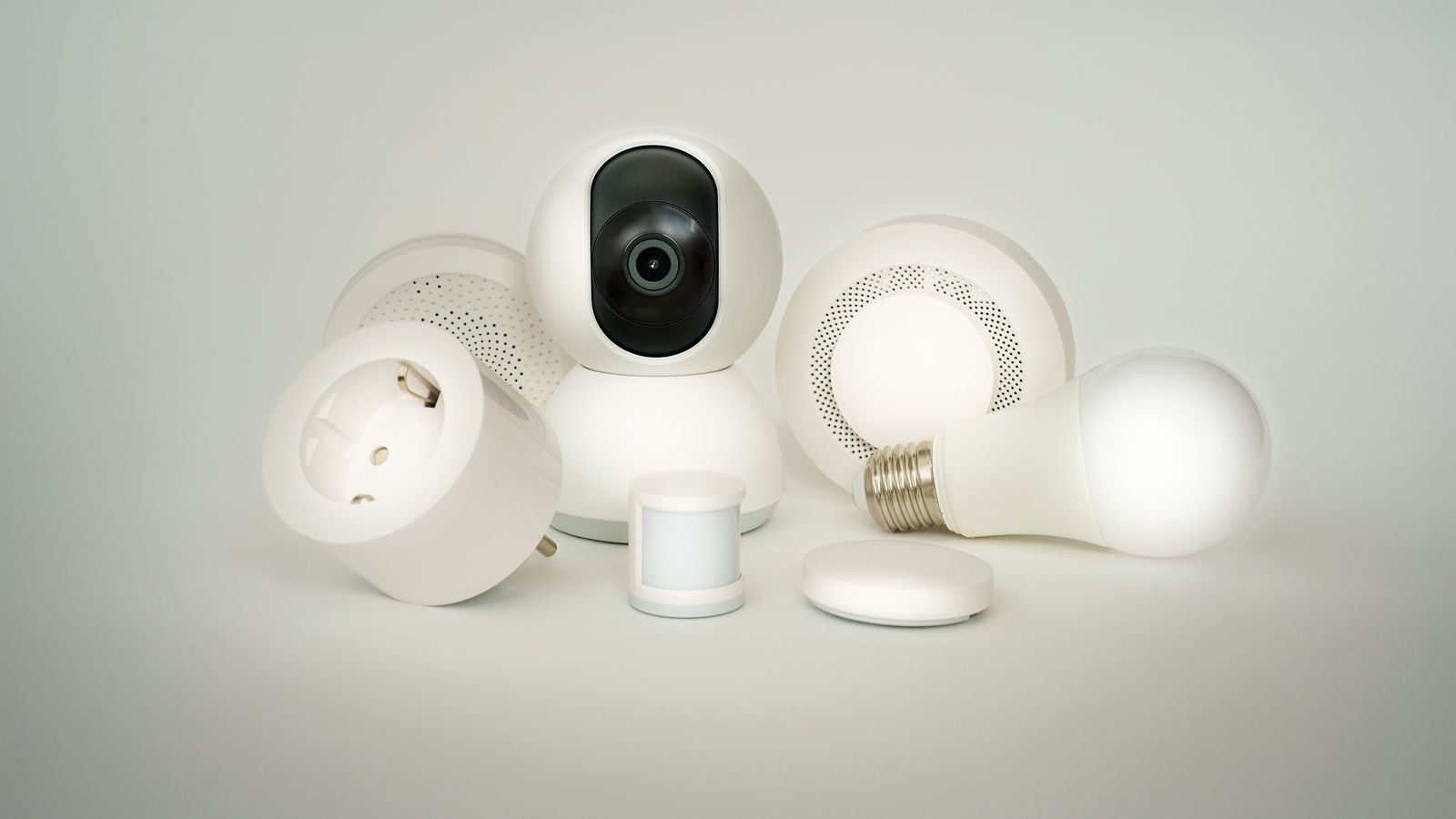
Two hundred dollars is more than enough for a genuinely useful system, provided you resist the urge to buy one of everything. A workable allocation looks like this: about $60 on smart plugs and bulbs, $30 to $50 on a voice speaker, $30 on sensors, and the remainder held back for the one device you discover you actually want after living with the basics for a month. That last reserve is the most important line item in the budget and the one people always skip.
What that budget will not buy is whole-home coverage of everything at once. You are not getting a smart thermostat, a video doorbell, a full camera system, and smart blinds for $200, and any product bundle promising all of that is cutting corners somewhere you will notice. The winning strategy is depth in a few categories rather than a thin layer across all of them.
The Ranking: Usefulness Per Dollar
1. Smart Plugs
Nothing else comes close on value. A four-pack often costs less than a single mid-range smart device and instantly automates lamps, fans, heaters, coffee makers, and anything else with a mechanical switch. They require no installation, no wiring, and no commitment. Energy monitoring versions cost a few dollars more and frequently pay for themselves by exposing an appliance drawing power around the clock. When comparing the best smart plugs, prioritize physical size and amperage rating over app features; a bulky plug that blocks the neighboring outlet is a daily annoyance no software fixes.
2. Smart Bulbs
Bulbs are the second-best value, especially tunable white models that shift from cool daylight to warm evening light. Color-changing bulbs cost more and get used less, so buy one or two for accent lamps and put plain tunable white everywhere else. Multipacks slash the per-bulb price dramatically. Check the lumen figure rather than trusting the wattage equivalent on the box, since budget bulbs are frequently dimmer than the fixture they replace. The current field of best smart bulbs shows just how far prices have fallen on basic dimmable models.
3. A Voice Speaker or Display
An entry-level smart speaker is the cheapest device in the whole category that changes how the house feels. It becomes the control surface for everything else, handles timers and reminders, and often acts as a lightweight hub for other gear. Small speakers go on deep discount several times a year and are frequently included free with other purchases. Comparing the best smart speakers mostly comes down to which assistant you prefer and whether you want a screen; the audio quality difference at the bottom of the range matters less than people expect for timers and light control.
4. Contact and Leak Sensors
Cheap, tiny, and disproportionately valuable. A leak sensor under the water heater or dishwasher costs about as much as two coffees and can prevent thousands in damage. Contact sensors on doors and windows enable both security alerts and useful automations, like turning on a light when a closet opens. They run on coin cells for a year or more.
5. Motion Sensors
Slightly lower on the list only because placement takes some thought. Get placement right and motion-triggered hallway, closet, and bathroom lighting is the automation people mention most often when describing what they love about their setup.
The Buying Order That Prevents Regret
- A multipack of smart plugs. Cheapest, most flexible, works with every ecosystem. Live with them for two weeks and notice which rooms you keep automating.
- Smart bulbs where lighting is worst. Not everywhere at once. Start with the bedroom and the room with the harshest overhead fixture.
- An entry-level speaker. Buy it on sale. This locks in your ecosystem, so do it after you have confirmed the plugs and bulbs you bought work with the assistant you want.
- Two leak sensors. Under the sink and near the washer. Pure insurance.
- One motion sensor. Try it in a hallway or bathroom before buying more.
- Your reserve purchase. By now you know whether you want a camera, a doorbell, a thermostat, or more of what you already have.
This order works because each step is cheap enough to be low-risk, and every step teaches you something before the next, larger commitment. Reversing it, which is what most beginners do by starting with an expensive camera or thermostat, is exactly how people end up with a drawer of abandoned gadgets.
Kits Versus Buying Piece by Piece
Starter bundles frequently undercut the sum of their parts by a meaningful margin, and they guarantee that everything pairs without troubleshooting. That is real value for a first purchase. The downside is that kits are assembled to hit a price, so they often include one or two devices you have no use for while omitting the one you actually need.
The practical test is simple: total up the retail price of only the items in the kit you would have bought anyway. If the kit still costs less, buy the kit. Comparing the best smart home kits against a la carte pricing takes ten minutes and often saves a third of the budget. For a broader view of how the pieces fit together before you commit money, the smart home starter guide explains hubs, protocols, and routines in plain terms, while building a smart home guide covers how a modest starter setup grows into a full system without wasted purchases.
Where Cheap Becomes Expensive
Some bargains are genuine and some are debt. The categories where the cheapest option usually disappoints are cameras, video doorbells, and locks. Ultra-budget cameras tend to have poor low-light performance, laggy live views, and subscription requirements that quietly exceed the hardware price within a year. Budget locks can have flimsy mechanisms and unreliable battery reporting, which is a much worse failure mode than a dim light bulb.
Watch for the subscription trap in general. A $30 camera with a $6 monthly plan costs $102 in the first year and $174 by the second, which is more than a better camera with free local storage. Always calculate two-year total cost, not sticker price. Similarly, be skeptical of devices requiring a proprietary hub sold separately, because that hidden $60 turns a bargain into an average deal.
Signs of a Bad Budget Device
- No published lumen, amperage, or decibel figures, only vague marketing claims.
- An app with a flood of recent one-star reviews mentioning devices going offline.
- No support for any common interoperability standard, meaning it works only in its own app.
- Required cloud account with no local control fallback whatsoever.
- Firmware that has not been updated in over a year on a security device.
How to Spend Nothing Extra on Infrastructure
Many budget builds get derailed by hub purchases. Check first whether a device you already own can serve as one. Many smart speakers, displays, streaming boxes, and even some televisions now include hub radios, which means the $60 you budgeted for a separate hub may be unnecessary. Similarly, your existing router is usually fine for a dozen or two devices; only when performance degrades is an upgrade worth the money.
Also resist paying for premium ecosystem versions of things you already have. If your lamps work fine, a plug is cheaper than replacing them. If your window AC has a remote, an infrared controller is cheaper than a new unit. The cheapest smart home is usually the one that makes existing appliances smarter rather than replacing them.
Sales Timing Matters More Than You Think
Smart home gear follows a predictable discount calendar, with the deepest cuts on speakers, plugs, and bulbs during major seasonal sale events. Discounts of 40 to 50 percent on entry-level speakers are routine rather than exceptional. If you are not in a hurry, building your system around two of those windows in 2026 can effectively double what your $200 buys. Set price alerts rather than buying at list price, and never pay full retail for a multipack of plugs or bulbs.
Frequently Asked Questions
Do cheap smart devices work with expensive ones?
Usually yes, provided both support the same platform or a common interoperability standard. Mixing brands is normal and rarely causes problems as long as you check compatibility before buying.
Is it worth buying a hub on a tight budget?
Not initially. Start with devices that connect over Wi-Fi or through a speaker you already own. Add a hub only when you have enough battery-powered sensors to justify it or when you specifically want local control.
How many devices can my home Wi-Fi handle?
Most modern routers manage 30 to 50 devices comfortably. Older or landlord-supplied equipment may struggle past 20. If lights start lagging, the network is usually at fault rather than the bulbs.
Should I buy the very cheapest bulbs available?
Bulbs are the safest place to go cheap, but check the lumen output and whether they flicker at low dimming levels. A bulb that cannot dim below 20 percent smoothly will annoy you every evening.
What single device gives the most benefit for under $20?
A smart plug, with a leak sensor a close second. Neither is exciting, and both change something you do every day or protect against something expensive.
Final Thoughts
Budget automation succeeds through sequencing, not sacrifice. Buy plugs first because they are cheap and flexible, add bulbs where lighting is genuinely bad, get a discounted speaker to tie it together, and protect yourself with a few sensors. Hold back a reserve so your last purchase is informed rather than speculative. Done this way, $200 delivers a system that feels complete and, more importantly, one you keep using long after the novelty of the first week wears off.