Owen Bradley
 A home office chair carries a workload that a dining chair or a repurposed kitchen stool was never designed for: six to nine hours a day, five days a week, supporting a body that stays largely still. Get it wrong and the cost arrives slowly as lower back ache, tight shoulders, numb legs and an afternoon slump. Get it right and you stop thinking about the chair entirely. This guide explains what “ergonomic” genuinely means, which adjustments matter and which are marketing, how to size a chair to your own body, and how much you realistically need to spend.

What Ergonomic Actually Means
Ergonomic is not a certification and not a shape. A chair is ergonomic only when it can be adjusted to fit the specific person sitting in it and the desk they sit at. A heavily contoured gaming-style seat with a fixed backrest is less ergonomic than a plain chair with proper height, depth and tilt adjustment, however aggressive the styling.
The goal is a neutral posture: feet flat on the floor, knees roughly level with or slightly below the hips, thighs supported without pressure behind the knee, lower back gently supported in its natural inward curve, shoulders relaxed, forearms roughly parallel to the floor, and eyes level with the top third of the screen. A chair’s job is to make that posture effortless to hold and easy to leave.
Equally important is movement. No posture is healthy for eight hours. Good chairs encourage small, constant shifts of weight rather than locking you into one position, which is why tilt behaviour matters as much as static support.
The Adjustments That Genuinely Matter
Ranked roughly by how much difference they make day to day:
- Seat height. Non-negotiable. A gas lift covering roughly 16 to 21 inches suits most adults, but check the range against your own leg length rather than assuming.
- Seat depth. A sliding seat pan lets you leave two to three fingers of clearance between the seat edge and the back of your knees. Too deep and you either lose back contact or compress the calves; too shallow and the thighs are unsupported. Shorter and taller users notice this more than any other feature.
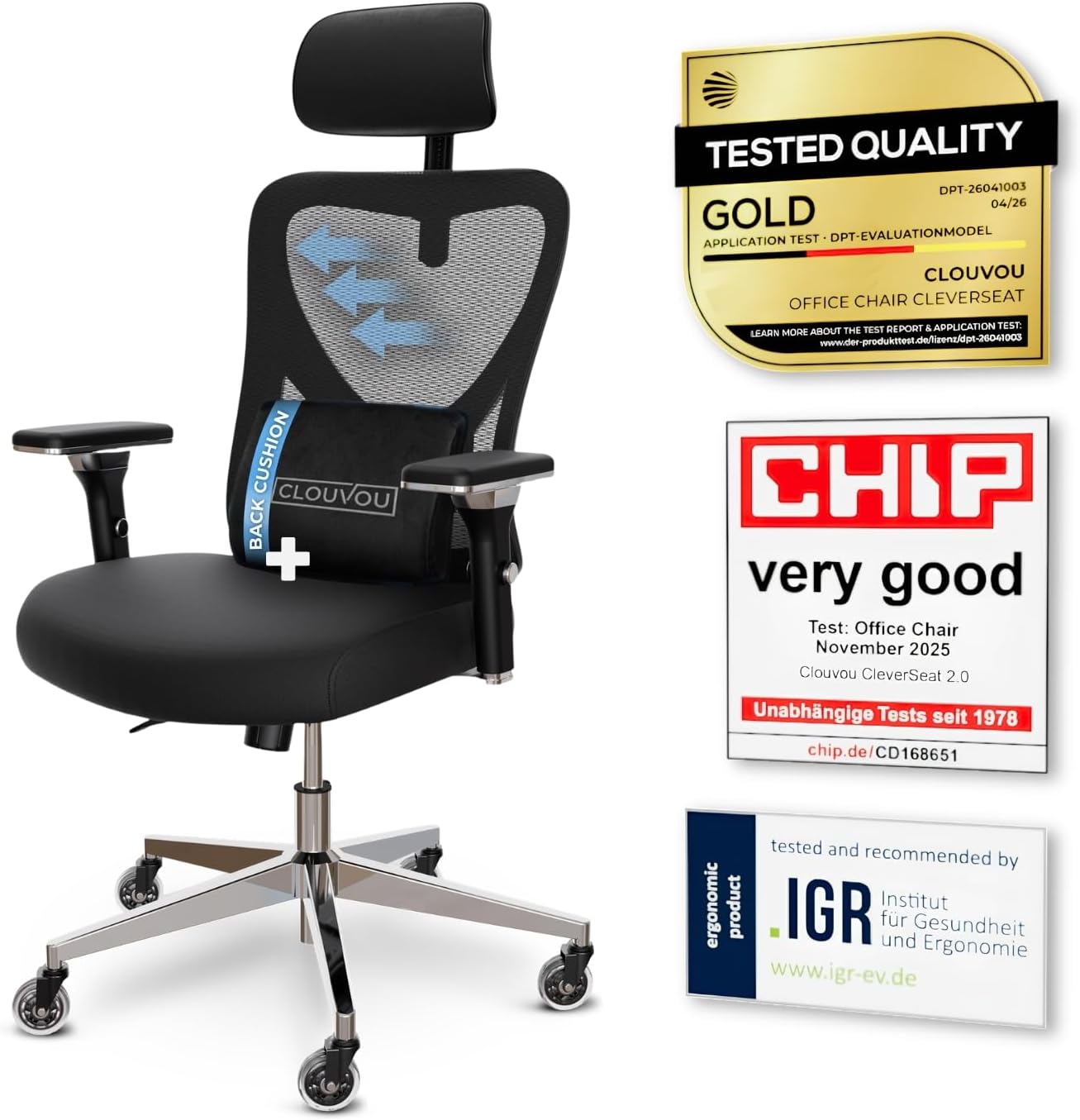
- Lumbar support. Adjustable in both height and depth is the ideal. A fixed lump in the wrong place is worse than none at all, since it pushes the spine into a shape that does not match your own curve.
- Backrest recline and tension. Look for a tilt that can be locked at several angles and a tension dial matched to body weight. Synchro-tilt mechanisms move the seat and back together at different rates, keeping you in contact with the backrest as you lean.
- Armrests. Height adjustment is essential; width and depth adjustment (often called 3D or 4D) is genuinely useful. Armrests should support the forearms so the shoulders can drop, and they must clear the desk so you can sit close.
- Headrest. Only valuable if you recline regularly for calls or reading. For upright typing work it is often redundant.
- Seat tilt. A slight forward tilt helps some people maintain the pelvic position needed for upright work; a rearward tilt suits reading and thinking.
If a chair only offers height adjustment, it is a stool with a back, whatever the listing claims. Comparisons of the best ergonomic chairs for office use are the quickest way to see how these adjustment sets differ between price bands.
Mesh, Foam or Leather: Choosing a Material
Mesh backs breathe better than anything else, which matters in a warm room or a loft office. Quality varies enormously: good elastomeric mesh is tensioned to give supportive flex, while cheap mesh sags into a hammock within a year and the frame edge starts to press. Mesh seats are less universally comfortable than mesh backs — some people find the front edge firm over long sessions.
Moulded foam with fabric upholstery is the traditional choice and still excellent. Look for high-density cold-cure foam rather than cut sheet foam; density predicts how the seat feels after two years far better than initial softness. A chair that feels plush in a showroom is often the one that bottoms out first.
Leather and faux leather look smart on camera and wipe clean, but they run hot and slippery. Genuine leather ages well; bonded and PU leather typically peel after a few years of skin contact and body heat. If a video-call-friendly appearance is the priority, consider leather on the back and breathable fabric on the seat.
Fitting the Chair to Your Body
Manufacturers design around an average that describes surprisingly few real people. Three body measurements matter more than any spec.
Height. Under about 5’4″, check the minimum seat height and consider a footrest; a chair whose lowest setting leaves your feet dangling will cause thigh pressure no amount of lumbar support fixes. Over about 6’2″, check maximum seat height, backrest height and seat depth, and treat a headrest as more useful than it would be for a shorter user.
Weight. Every chair has a rated capacity, usually between 250 and 400 lb. Buying near the limit shortens the life of the gas lift and mechanism. Heavier users should look for a reinforced base, a wider seat pan and a tension mechanism with enough range to actually resist their weight.
Hip width and thigh length. Seat width and depth should be chosen for your frame, not the room. A seat that is too wide forces armrests out of reach; one too narrow presses at the hips.

Budget Tiers and What Each Buys
Entry level. Mesh-back task chairs with height adjustment, a simple tilt and fixed or height-only armrests. Acceptable for occasional use or a few hours a day. Expect thinner foam, a plastic base, limited seat depth adjustment and a service life of two to four years under daily use.
Mid range. The value sweet spot for full-time home work. You get adjustable lumbar support, seat depth adjustment, 3D or 4D armrests, a synchro-tilt with tension control, a metal or reinforced nylon base and a warranty measured in years rather than months. Most people working from home permanently should aim here.
Premium. Engineered mechanisms, high-grade materials, weight-responsive tilt, fine-grained adjustment and warranties reaching ten or twelve years with spare parts availability. The cost per year of ownership is often lower than a chair replaced three times, and resale value is real.
Consider cost across the whole life rather than the ticket price. A chair used two thousand hours a year is one of the highest-utilisation objects you own.
The Rest of the Workstation Matters Too
A chair cannot compensate for a badly set-up desk. If the desk is too high, armrests and shoulders suffer no matter what you sit on; if the monitor is too low, the neck bends forward regardless of lumbar support. Set the chair to your body first, then set the desk and screen to the chair, adding a footrest or a monitor riser rather than compromising the seat height.
Environment plays a part in how long you can work comfortably. A stuffy room makes a mesh chair feel essential and a leather one unbearable, so a best tower fans comparison is worth a look for warm rooms, while air quality affects concentration enough that the best air purifiers for rooms are a common home-office upgrade. Lighting matters as much again: a desk-level best smart lamps option that shifts colour temperature through the day reduces eye strain far more effectively than a bright ceiling fitting.
Flooring, Casters and the Practical Details
Casters are usually specified for carpet by default and will scratch or skid on hard floors. Soft polyurethane or “blade” style casters are the fix for wood, laminate and tile, and they are a cheap swap on almost any chair. On thick carpet, larger-diameter casters roll far more easily.
Check the base material: aluminium is stronger and heavier than nylon and rarely cracks. Check the gas lift class — class 3 or 4 cylinders are rated for heavier use than the class 2 units common on budget chairs. Check whether a five-star base is wide enough to be stable when you lean back fully, and whether the chair will fit under your desk with the armrests at working height.
Common Mistakes to Avoid
- Buying by appearance or by a chair’s resemblance to a racing seat rather than by adjustment range.
- Choosing the softest seat in the shop; soft foam collapses and firm foam with good shaping lasts.
- Ignoring seat depth, which is the adjustment shorter and taller users need most.
- Setting the chair to the desk instead of the desk to the chair.
- Never actually adjusting the chair after unboxing — most people never touch the tension dial.
- Overlooking warranty terms and parts availability, which is where premium chairs earn their price.
Frequently Asked Questions
How much should I spend on a home office chair?
It depends entirely on hours. For occasional use, an entry-level task chair is fine. For full-time work, a mid-range chair with adjustable lumbar support, seat depth and a proper tilt mechanism is the minimum worth buying, and it will still cost less per year of use than the cheap chair you replace repeatedly.
Is a mesh or a cushioned seat better?
Mesh backs suit almost everyone and are the better choice in a warm room. Seats are more personal: cushioned foam is more forgiving over long sessions, while mesh seats stay cooler. If you can only try one part of a chair before buying, try the seat.
Do I need a headrest?
Only if you recline. For upright keyboard work the head is already balanced over the spine and the headrest does nothing; for long calls, reading or thinking time spent leaning back, it takes real load off the neck.
Are kneeling chairs, saddle stools and balance balls good alternatives?
They are useful as an occasional change of position, not as a primary chair. None of them offers back support, and using one all day simply shifts the strain elsewhere. Alternating between two seating positions through the day beats committing to either.
How long should a good chair last?
An entry-level chair typically gives two to four years of daily use, a mid-range chair five to eight, and a premium chair ten or more with replaceable parts. Gas lifts, casters and armrest pads are the usual first failures and are often replaceable.
Final Thoughts
Choose the chair that can be adjusted to you rather than the one that looks the most supportive. Prioritise seat height, seat depth, adjustable lumbar support and a tilt mechanism with real tension control; treat everything beyond that as refinement. Match the material to how warm your room gets, match the size to your own frame rather than an average, and then spend fifteen minutes genuinely setting it up on the day it arrives. A properly fitted mid-range chair outperforms an unadjusted expensive one every time.