
 Owen Bradley
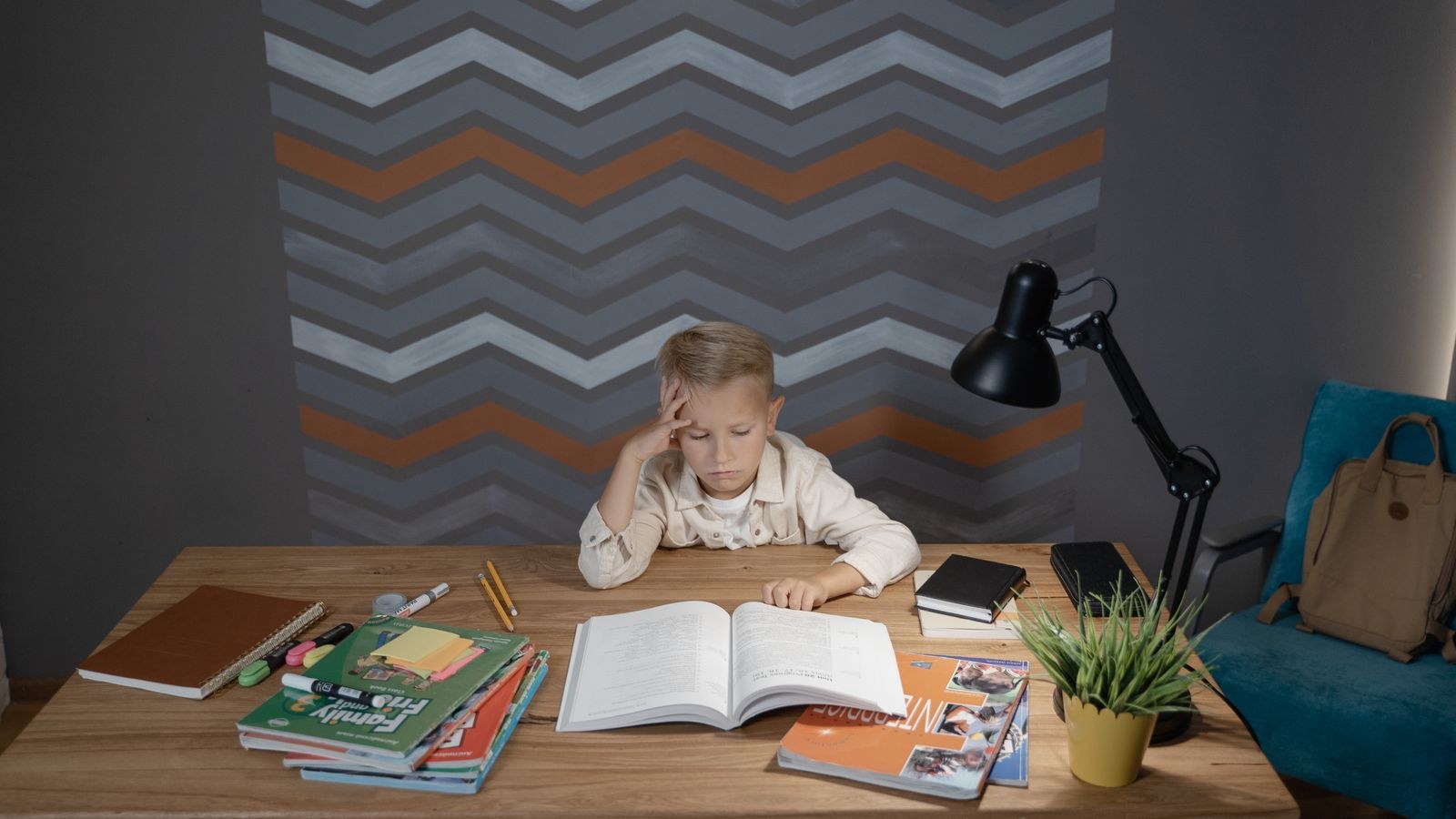
 A child’s homework desk gets bought once and used for years, which is exactly why so many of them are wrong. Adult-sized furniture leaves small feet swinging and shoulders hunched toward a screen that sits too high, and by the time a parent notices the slouch, it has become a habit. Setting up a kids homework desk properly is not complicated, but it does follow different rules than an adult workstation, because the goal is a setup that fits now and can be adjusted as they grow. This guide covers the sizing math, the footrest trick that fixes almost everything, and the lighting that protects young eyes.

What You Need
- A tape measure and a chair your child can sit in with feet flat.
- A desk with either adjustable height or a surface height matched to your child’s current size.
- A footrest, a sturdy box, or a stack of books to support feet if they do not reach the floor.
- A cushion or rolled towel for lower back support if the chair back is too deep.
- A task lamp with adjustable brightness and an arm that can angle away from the writing hand.
- Simple storage: a drawer unit, shelf, or two labeled boxes for supplies and finished work.
Getting the Sizing Right
The three measurements that matter are seat height, desk height, and screen height, and they must be set in that order. Seat height is correct when your child sits back in the chair with feet flat on the floor or a footrest, knees at roughly 90 degrees, and a small gap between the back of the knee and the seat edge. Desk height is correct when their forearms rest roughly parallel to the floor with shoulders relaxed, which usually means the surface sits at about elbow height while seated.
As a rough starting point, a child around 4 feet tall is typically comfortable with a desk near 22 to 24 inches high and a seat around 13 to 15 inches, while a child near 5 feet needs closer to 26 inches of desk and 16 to 17 inches of seat. Treat those as starting numbers only. The elbow test on your specific child always beats a chart.
Screen height comes last. For a laptop or tablet, the top of the display should sit at or just below eye level, which almost always requires a stand or a stack of books, because a laptop placed flat on a desk forces a child’s head down at an angle that stresses the neck within minutes.
Step-by-Step: Setting Up the Desk
- Choose the location before the furniture. Pick a spot with natural light from the side rather than in front of or directly behind the screen, away from the main household traffic path, and close enough to a room where an adult is usually present. Younger children work better within earshot than isolated behind a closed door.
- Set the chair first. Have your child sit fully back in the seat. Adjust height until knees are at roughly 90 degrees and thighs are level. If the seat is too deep and their back cannot reach the backrest, add a cushion behind them rather than letting them perch on the front edge.
- Add a footrest immediately if feet dangle. This is the single most valuable fix in a child’s setup. Dangling feet cause fidgeting, poor circulation, and a slumped posture that no amount of reminding will correct. Any stable surface works, as long as it lets the knees stay at about 90 degrees and does not slide.
- Check the desk height with the elbow test. With the chair set, have them relax their arms at their sides and bend the elbows to 90 degrees. The desk surface should meet their forearms. If the desk is too high, raise the chair further and extend the footrest. If it is too low, raise the desk on risers.
- Raise the screen to eye level. Put a laptop or tablet on a stand or a book stack and, if they type much, add a separate keyboard and mouse so the raised screen does not force raised arms. For handwriting-heavy homework, a sloped writing board of about 15 degrees reduces neck flexion noticeably.
- Position the lighting. Place the task lamp on the side opposite the writing hand so it does not cast a shadow across the page. Keep the room’s ambient light on as well, since a bright pool of light in a dark room creates harsh contrast that tires the eyes faster.
- Clear the surface. Leave a clear working rectangle wide enough for an open book plus a notebook, roughly 24 by 16 inches. Anything not used daily goes into storage. Children are far more sensitive to visual clutter than adults, and a busy desk genuinely reduces focus.
- Set up simple, reachable storage. Two or three labeled containers within arm’s reach for pencils, current work, and finished work is enough. Storage a child cannot reach without standing will not get used, and papers will accumulate on the surface instead.
- Establish a break rhythm. Younger children should stand and move roughly every 20 to 30 minutes, older children every 45. Pair it with the habit of looking at something far across the room for 20 seconds, which relieves the eye strain that close screen and book work builds up.
- Recheck the fit every few months. Children grow in bursts, and a setup that was correct in autumn is often wrong by spring. Repeat the elbow and knee test each school term and adjust the chair, footrest, and screen height.
Choosing Furniture That Grows With Them
Adjustability is worth more than any other feature in children’s furniture, because the alternative is replacing everything every couple of years. Look for a desk with a height range rather than a fixed surface, and a chair with both seat height and, ideally, seat depth adjustment. For younger children, a properly scaled set beats an adjusted adult one; our roundup of the best kids table and chairs covers sizing for the early school years.
For older children whose desk doubles as a gaming or hobby space, a slightly larger surface pays off. The best gaming desks for kids and the best desks for gaming and school roundups cover models sized for both homework and screen time without becoming full adult workstations. On the seating side, the best gaming chairs for kids list focuses on smaller seat dimensions, which matters far more than styling because an oversized seat pan is the main reason children slouch forward.
Lighting Deserves Its Own Budget Line
Homework involves long periods of close focus on paper and screens, and poor lighting turns that into headaches and reluctance. A good task lamp should be adjustable in both position and brightness, provide even light across the whole page without a hot spot, and sit high enough that the bulb is never in direct view. Our roundup of the best desk lamps for home office use covers the adjustable arms and dimming ranges that suit a homework desk just as well.
Safety Notes
Anchor any tall storage, shelving, or drawer unit to the wall. Tip-over accidents involving furniture are a genuine hazard with children, and a drawer unit that a child leans on or climbs is the most common culprit at a desk. Use the supplied anti-tip strap or a proper wall bracket.
Keep power strips and cables out of reach and off the floor where a chair can roll over them. Avoid extension cords running across walkways. If the desk is near a window, keep blind cords secured and well clear of the seating area. Finally, check that a rolling chair suits the floor: on hard floors, soft casters prevent skidding, and a chair with a wide five-star base is much less likely to tip when a child leans back.
Troubleshooting
Your child slouches no matter what. Check feet first. Nine times out of ten the feet are unsupported, and adding a footrest fixes the posture without a single reminder. If feet are supported, the seat is probably too deep.
They complain of neck ache after screen work. The display is too low. Raise it until the top edge reaches eye level and add an external keyboard so the hands can stay low.
They cannot focus at the desk. Reduce visual clutter, move the desk out of a high-traffic sightline, and check whether the lighting is too dim or too harshly contrasted with the room.
The desk is outgrown already. Before replacing it, try desk risers and a chair adjustment. A few inches of height often buys another year or two of useful life.
Mistakes to Avoid
- Buying an adult desk and hoping they grow into it. Years of poor fit do more harm than an early replacement costs.
- Skipping the footrest. It is the cheapest and most effective part of the whole setup.
- Leaving a laptop flat on the desk. This is the main cause of neck strain in children’s setups.
- Lighting only the page in a dark room. High contrast tires the eyes faster than dim light does.
- Setting it up once and never rechecking. Growth spurts invalidate the fit within months.
Frequently Asked Questions
What height should a child’s desk be?
Roughly elbow height when seated with feet supported, which is around 22 to 24 inches for a child near 4 feet tall and about 26 inches near 5 feet. Always confirm with the elbow test rather than relying on the chart.
Do children really need an ergonomic chair?
They need a correctly sized one more than an expensive one. A chair with adjustable height and a seat pan that is not too deep, paired with a footrest, outperforms a feature-heavy adult chair every time.
At what age should a child have their own desk?
Around the time homework becomes regular, typically six or seven. Before that, a properly sized table for drawing and reading is more useful than a formal workstation.
Should the desk face a window?
Sideways to a window is best. Facing a window creates glare behind the screen, while backing onto one puts reflections on the display. Light from the side gives useful daylight without either problem.
Final Thoughts
A homework desk that fits a child does more than prevent aches; it removes the low-level discomfort that makes sitting down to work feel like a chore. Set the chair first, support the feet without exception, raise the screen to eye level, light the work from the side, and keep the surface clear enough that the task is the only thing competing for attention. Then recheck the measurements each school term, because the setup that fits a growing child is never finished, only current.








