Owen Bradley
 Standing desks have moved from a niche trend to a home-office staple, and for good reason: alternating between sitting and standing can ease back strain, boost energy, and keep you more engaged through the day. But choosing the right one means understanding heights, motors, stability, and how a desk fits your space. This ultimate guide walks you through everything you need to pick a standing desk that works for your home office.

Why Use a Standing Desk?
The health value of a standing desk comes from movement and variety, not standing all day. Alternating postures reduces the steady pressure that sitting places on your spine, encourages better circulation, and helps many people stay focused. A good standing desk makes switching between sitting and standing effortless, so you actually do it rather than staying stuck in one position.
Manual vs Electric
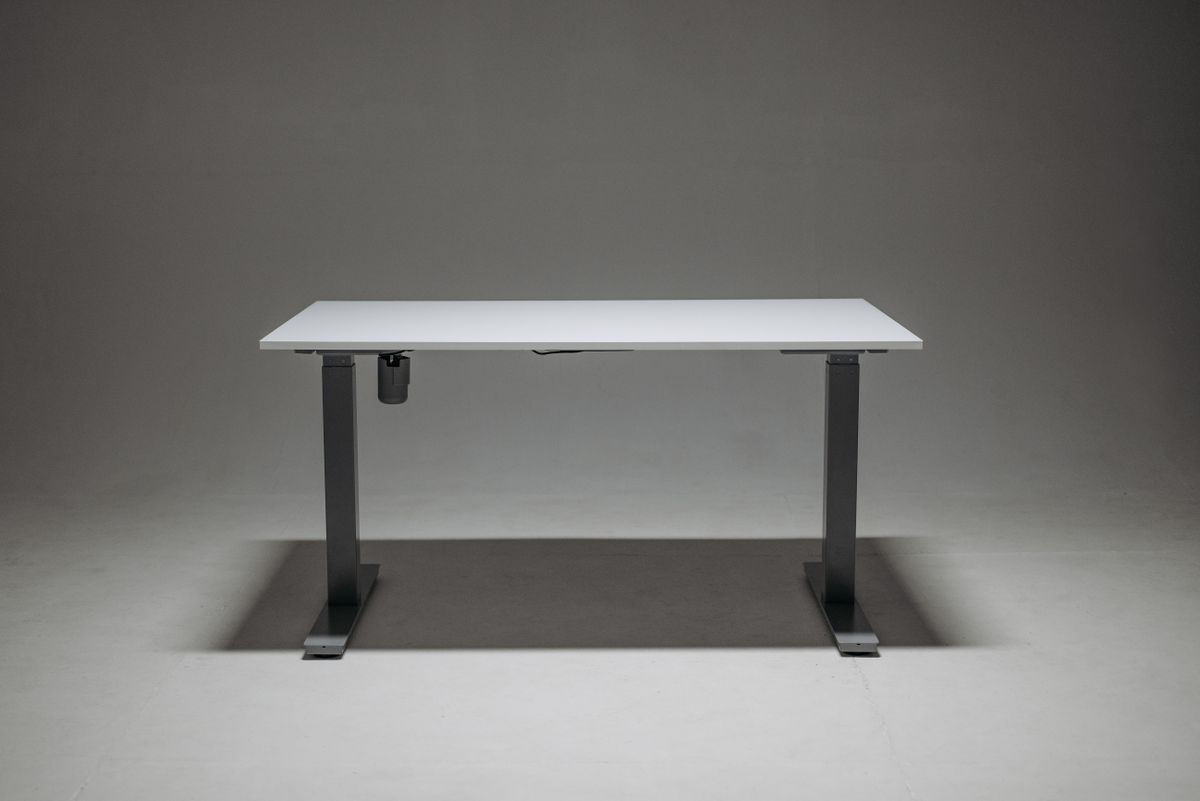
The first big decision is how the desk changes height. Manual desks use a hand crank or spring mechanism; they cost less and need no power but take effort to adjust. Electric desks raise and lower at the push of a button, making frequent changes painless, which is exactly what encourages healthy movement. For most home offices, an electric desk is worth it, and the best electric standing desks offer smooth, quiet motors with memory presets.
Key Features to Evaluate
Height Range
Make sure the desk reaches a comfortable standing height for you and lowers enough for proper sitting posture. Taller and shorter users especially should check the range, because many desks are built for average heights. When standing, your elbows should sit at roughly a 90-degree angle with the desktop.
Stability and Weight Capacity
A standing desk raised to full height can wobble if the frame is weak. Look for a sturdy dual-motor frame and a weight rating that comfortably exceeds the total load of your monitors, computer, and accessories. Stability is one of the biggest differences between budget and quality desks.
Desktop Size and Shape
Match the desktop to your equipment and your room. A deep surface keeps monitors at a healthy viewing distance, while the width should fit your setup without crowding. Measure your space before buying.
Memory Presets and Cable Management
Programmable height presets let you return to your ideal sitting and standing positions instantly, which removes friction from switching. Built-in cable trays keep cords tidy as the desk moves up and down.
Setting Up for Comfort
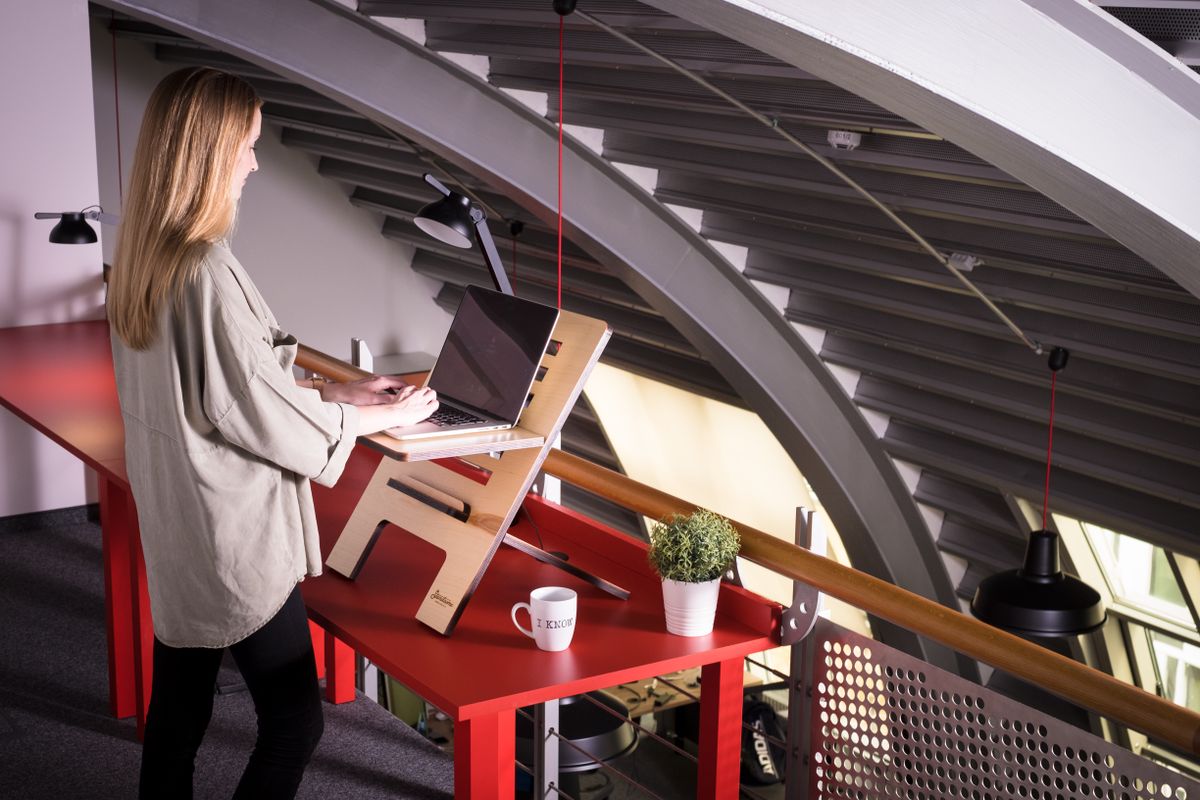
A standing desk only helps if you use it correctly. When standing, keep your wrists neutral, your elbows near 90 degrees, and the top of your monitor at eye level. Wear supportive shoes or stand on an anti-fatigue mat. Most importantly, alternate: start with short standing intervals and build up, rather than standing rigidly for hours. The goal is variety and movement, not endurance.
If you want a curated starting point, browse the best standing desks for versatile all-round options, or the best standing desks for home office for models sized and styled for home use. If you would rather keep your current desk, the best standing desk converters add sit-stand ability without replacing your furniture.
Useful Standing Desk Accessories
A few accessories turn a standing desk into a complete, comfortable workstation. An anti-fatigue mat cushions your feet and encourages subtle movement while you stand, making longer intervals easier. A monitor arm lets you position screens at the perfect height whether sitting or standing, protecting your neck. A cable management tray keeps cords from tangling as the desk moves. A keyboard tray or footrest can fine-tune your ergonomics further. None of these are essential on day one, but they meaningfully improve the experience once you settle into a sit-stand routine.
Common Standing Desk Mistakes to Avoid
Even a great desk disappoints if you use it poorly, so watch out for these frequent errors.
- Standing too long, too soon: Standing rigidly for hours causes its own fatigue. Build up gradually and alternate with sitting.
- Wrong monitor height: If the screen sits too low while standing, you will crane your neck. Raise it to eye level in both positions.
- Ignoring wrist posture: Keep your wrists neutral and elbows near 90 degrees whether sitting or standing.
- Skipping supportive footwear: Standing barefoot on a hard floor gets uncomfortable fast. Use a mat or supportive shoes.
Fitting a Standing Desk Into Your Space
Before you buy, plan how the desk will live in your room. Measure the footprint at both sitting and standing height, and make sure nothing above the desk, like a shelf or window sill, blocks its rise. Consider where power outlets sit, since electric desks need a nearby plug. Think about the desk in the context of your whole workflow: where the light falls, how you enter and leave the seat, and whether the surface fits your monitors and peripherals without crowding. A desk that suits your space gets used far more than one that feels awkward in the room.
Frequently Asked Questions
Are standing desks worth it?
For most desk workers, yes. The ability to alternate between sitting and standing reduces static strain and helps many people feel more energized and focused. The key is actually switching positions, which an easy-to-adjust desk encourages.
Electric or manual, which is better?
Electric desks make frequent height changes effortless, so people use them more. Manual desks cost less and need no power but require effort each time, which can discourage switching.
How long should I stand each day?
There is no fixed number. Start with short intervals, alternate regularly with sitting, and listen to your body. Variety and movement matter more than any specific standing duration.
Building a Sit-Stand Routine That Sticks
Buying the desk is the easy part; the real value comes from building a habit you keep. Start small by standing for short stretches a few times a day, then gradually extend them as your body adapts. Anchor position changes to natural breaks in your day, such as standing during phone calls or after finishing a task, so switching becomes automatic rather than something you have to remember. Use your desk’s memory presets to make each change a single button press, removing the friction that causes people to stop switching. Pay attention to how you feel: if your legs tire, sit; if you feel restless sitting, stand. Over a few weeks, alternating becomes second nature, and that steady variety, more than any single feature of the desk, is what delivers the energy and comfort benefits people buy a standing desk for. A desk that sits permanently at one height is just an expensive regular desk, so make the routine, not just the purchase, your goal.
Final Thoughts
The best standing desk for your home office is one that adjusts easily, stays stable at full height, fits your space, and reaches the right heights for your body. Favor an electric desk with a sturdy frame, adequate weight capacity, and memory presets if your budget allows. Set it up with good posture and alternate between sitting and standing, and your standing desk becomes a genuine upgrade to how you feel at work each day.
If your home workspace doubles as a creative studio, desk height becomes even more critical for ergonomics when playing an instrument. Setting a standing desk to exact elbow level supports better posture while practicing keyboard instruments, making our comprehensive Digital Piano Guide a useful next step for planning your dual-purpose setup. Balancing work productivity with creative comfort ensures your home office supports every part of your routine.
Creating an ergonomic workspace is just one component of building an accessible, supportive home environment, particularly for those managing joint discomfort or limited physical endurance. If you or a family member requires adaptive equipment to navigate between work areas and living spaces, consulting a Mobility Scooter Guide provides practical tips on clearances and turning radiuses. Designing a layout that accommodates every stage of movement ensures lasting comfort, safety, and daily independence.
If your home office doubles as a guest room or shared family space, vertical storage and layout efficiency become just as crucial as ergonomics. Maximizing floor area often requires creative furniture choices that keep your workspace open and uncluttered. For shared bedrooms where space is at a premium, our Bunk Bed Guide offers practical tips on selecting sturdy frames that fit tightly into multi-purpose floor plans.
Creating an ergonomic workspace often sparks broader home improvement projects, especially if you are repurposing basement or garage square footage for your new setup. Efficiently heating these converted areas and adjoining washrooms requires smart utility planning to maximize comfort and floor space. Consulting our Tankless Heater Guide can help you select compact, energy-efficient equipment that complements your streamlined home office environment.
While alternating between sitting and standing reduces daily physical strain, true workday wellness also depends on how well you recover in the evening. Pairing healthy ergonomic habits with restorative rest helps relieve lingering muscle tension and resets your body for the next day. For practical ways to improve nighttime comfort and ease physical fatigue, our Weighted Blanket Guide explains how deep pressure therapy can support better sleep.
Building healthier daily habits goes beyond your workspace, and stepping away from your computer to prepare nutritious meals offers another great way to keep moving during the workday. Just as the right desk setup reduces physical strain, consulting a reliable Cookware Guide can help you choose durable essentials for effortless meal prep. Pairing ergonomic workstation habits with efficient kitchen tools ensures your entire home environment supports your well-being.
Creating an efficient home office often goes hand in hand with optimizing the rest of your compact living space to reduce daily distractions. Just as an ergonomic desk frees up physical strain, small space-saving appliances can keep your midday routines smooth and clutter-free. If you want to streamline chores in a tight apartment setup, checking out a Countertop Dishwasher Guide provides practical ways to keep your kitchen tidy without losing precious square footage.
Once your ergonomic workspace is dialed in, focusing on how you disconnect after hours is just as vital for avoiding remote work burnout. Stepping away from the screen to cook outdoors offers a rewarding break, and consulting a detailed Pizza Oven Guide can help you choose the right setup for your patio. Balancing a productive office with relaxing evening hobbies ensures your home remains a place where you can both work efficiently and genuinely recharge.
Creating an ergonomic daily routine extends beyond the workspace, especially if you spend long breaks standing while cooking or baking. Consulting resources like Stand Mixer Hub helps streamline your countertop setup and reduce physical strain when preparing meals. Pairing a smart desk setup with an efficient kitchen environment keeps you comfortable and energized all day long.
Staying active with a standing desk is only one part of building a healthy remote routine, as stepping away for proper nutrition matters just as much. Preparing quick, hot meals with compact appliances keeps you energized without pulling you into lengthy kitchen prep during busy workdays. Explore our comprehensive Toaster Oven Guide to streamline your midday cooking habits and complement your productive home office setup.