Owen Bradley
 The shape of your desk quietly shapes how you work. An L-shaped desk and a straight desk each suit different rooms, workflows, and equipment, and choosing the wrong one can leave you cramped or wasting space. This home office layout guide compares L-shaped and straight desks across space, workflow, budget, and ergonomics so you can pick the shape that makes your office both comfortable and efficient.

The Core Difference
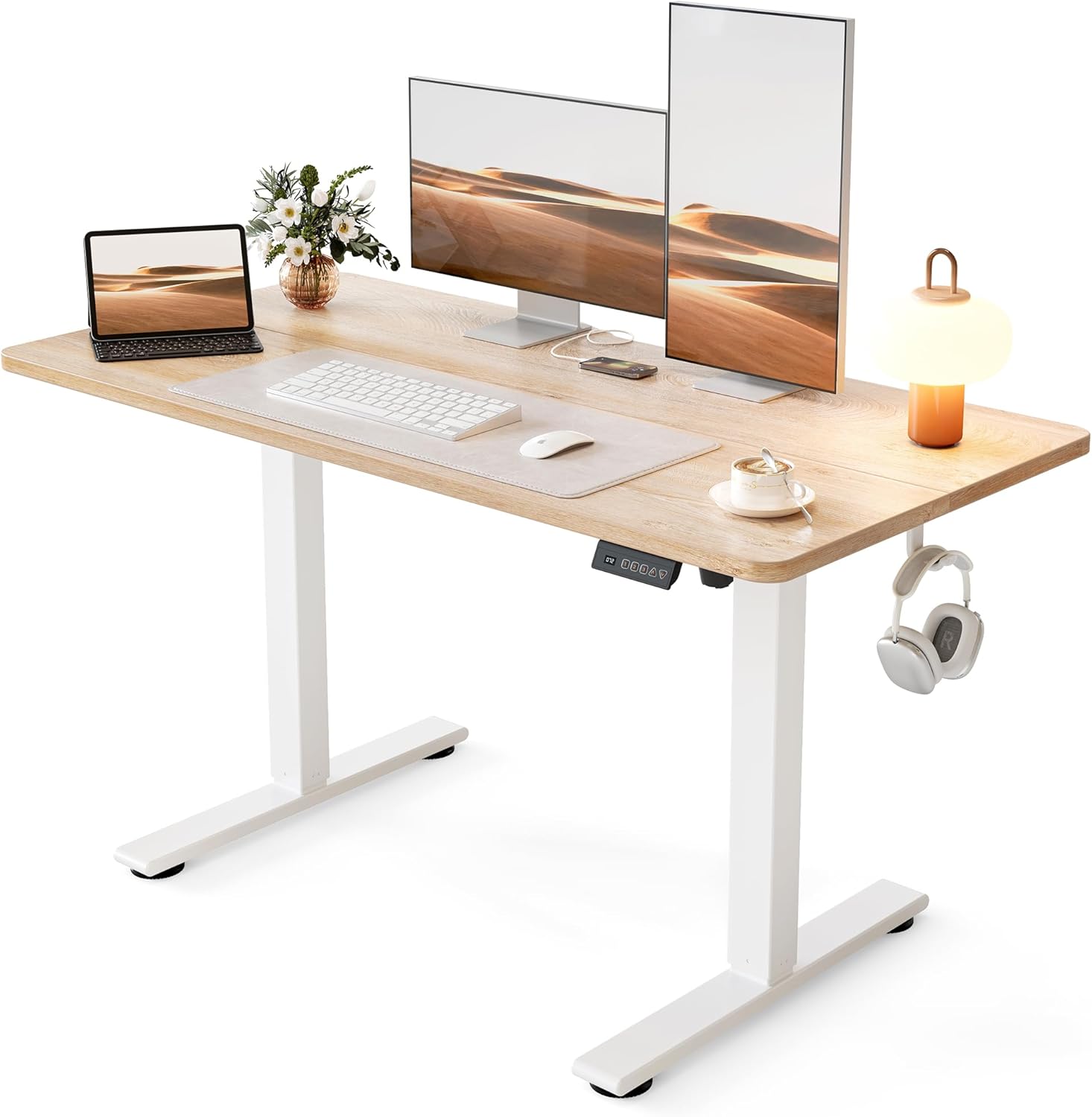
A straight desk is a single rectangular surface, simple and flexible. An L-shaped desk wraps around a corner with two connected surfaces, giving you far more usable area and a natural way to separate tasks. Straight desks fit almost anywhere; L-shaped desks turn a corner into a productive command center. Everything else follows from that basic distinction.
Space and Room Layout
Straight desks are the more adaptable choice for tight or shared rooms. They tuck against a wall, fit into narrow spaces, and leave the rest of the room open. L-shaped desks need a corner and a larger footprint, but they use that corner efficiently, often fitting well where a straight desk would waste the angle. If you have a spare corner or a dedicated office, an L-shaped desk maximizes it; if space is limited or the desk shares a multipurpose room, a straight desk keeps things flexible. Compare room-friendly options among the best desks for home office before committing to a shape.

Workflow and Multitasking
If you juggle multiple monitors, spread out paperwork, or switch between a computer and hands-on tasks, an L-shaped desk shines. The two surfaces let you dedicate one zone to your screens and another to writing, sketching, or secondary work, all within arm’s reach. A straight desk handles a focused single-monitor or laptop setup beautifully but fills up quickly when you add gear. Match the shape to how many things you do at once: heavy multitaskers benefit from the L, while streamlined workers do fine with a straight surface.
Ergonomics
Both shapes can be ergonomic, but the L-shape offers a subtle advantage for multi-monitor users. Placing your main monitor in the corner keeps both screens at a comfortable viewing angle without forcing you to turn your neck sharply. On a straight desk, wide dual-monitor setups can push the side screen too far to one side. Whichever shape you pick, pair it with an adjustable chair, position your monitor at eye level, and keep your keyboard close so your elbows stay near 90 degrees.
Standing Options
Both shapes come in standing versions, so you need not give up sit-stand flexibility to get the layout you want. Straight standing desks are common and affordable, while L-shaped standing desks bring height adjustment to a larger corner workstation. If you want the best of both, the best L-shaped standing desks combine generous surface area with the health benefits of alternating between sitting and standing.
Budget
Straight desks generally cost less because they use less material and simpler construction. L-shaped desks carry a higher price for the added surface and corner joinery, and standing versions of either cost more than fixed ones. Decide how much desk space your workflow truly needs; paying for a large L-shaped desk you never fill is as wasteful as cramming a full setup onto a tiny straight desk. Let your actual equipment and tasks, not just the price, guide the decision.
Assembly and Flexibility
Straight desks are quick to assemble and easy to reposition, which suits renters or anyone who rearranges often. L-shaped desks take longer to build and are harder to move once assembled, but many offer a reversible orientation so the long side can face left or right to fit your room. Think about how often you rearrange your space; frequent movers lean toward straight desks, while those settling into a permanent office can enjoy the L-shape’s stability.
Which Should You Choose?
Choose a straight desk if you have limited or shared space, run a streamlined single-monitor or laptop setup, want lower cost, or rearrange your room often.
Choose an L-shaped desk if you have a corner or dedicated office, use multiple monitors, multitask across zones, and want to maximize a permanent workspace.
If you have decided on the corner layout, the best L-shaped desks for home office offer designs sized and finished for real home offices, and for a sit-stand corner setup the best standing desks for home office are worth a look.
Frequently Asked Questions
Is an L-shaped desk worth it?
If you have the corner space and multitask or use multiple monitors, yes. The extra surface and task separation boost efficiency. For simple setups or tight rooms, a straight desk is more practical.
Do L-shaped desks take up more room?
They need a corner and a larger footprint, but they use that corner efficiently. In many rooms an L-shaped desk actually makes better use of otherwise wasted angle space than a straight desk would.
Can I get a standing version of either?
Yes. Both straight and L-shaped desks come in height-adjustable versions, so you can pair your preferred shape with sit-stand flexibility.
Planning Your Home Office Around the Desk
The desk is the anchor of a home office, so plan the room around it rather than squeezing it in as an afterthought. Start by measuring your available space carefully, including doorways and walkways, so the desk leaves room to move comfortably. Think about natural light: positioning the desk so a window sits to the side reduces screen glare and eye strain, while facing a bright window directly can wash out your monitor. Consider where power outlets and your internet connection sit, since a desk far from both means running cables across the room. Factor in storage too, because an L-shaped desk often provides surface area that reduces the need for extra furniture, while a straight desk may pair with a nearby shelf or drawer unit. Picture your daily workflow: where you enter and leave the chair, where you set a coffee cup or notebook, and where secondary devices live. A desk that fits not just the wall but the whole rhythm of your work will feel spacious and efficient, whereas a poorly placed desk feels cramped no matter its shape or size. Taking the time to plan the layout first ensures the desk you choose truly serves the way you work.
Final Thoughts
Choosing between an L-shaped and a straight desk comes down to your space, your workflow, and your budget. Straight desks are affordable, flexible, and perfect for compact rooms and focused setups. L-shaped desks reward corner space and multitaskers with generous surface area and better multi-monitor ergonomics. Measure your room, count your equipment, and picture how you actually work, then choose the shape that makes your home office feel spacious and efficient rather than cramped or empty.