Owen Bradley
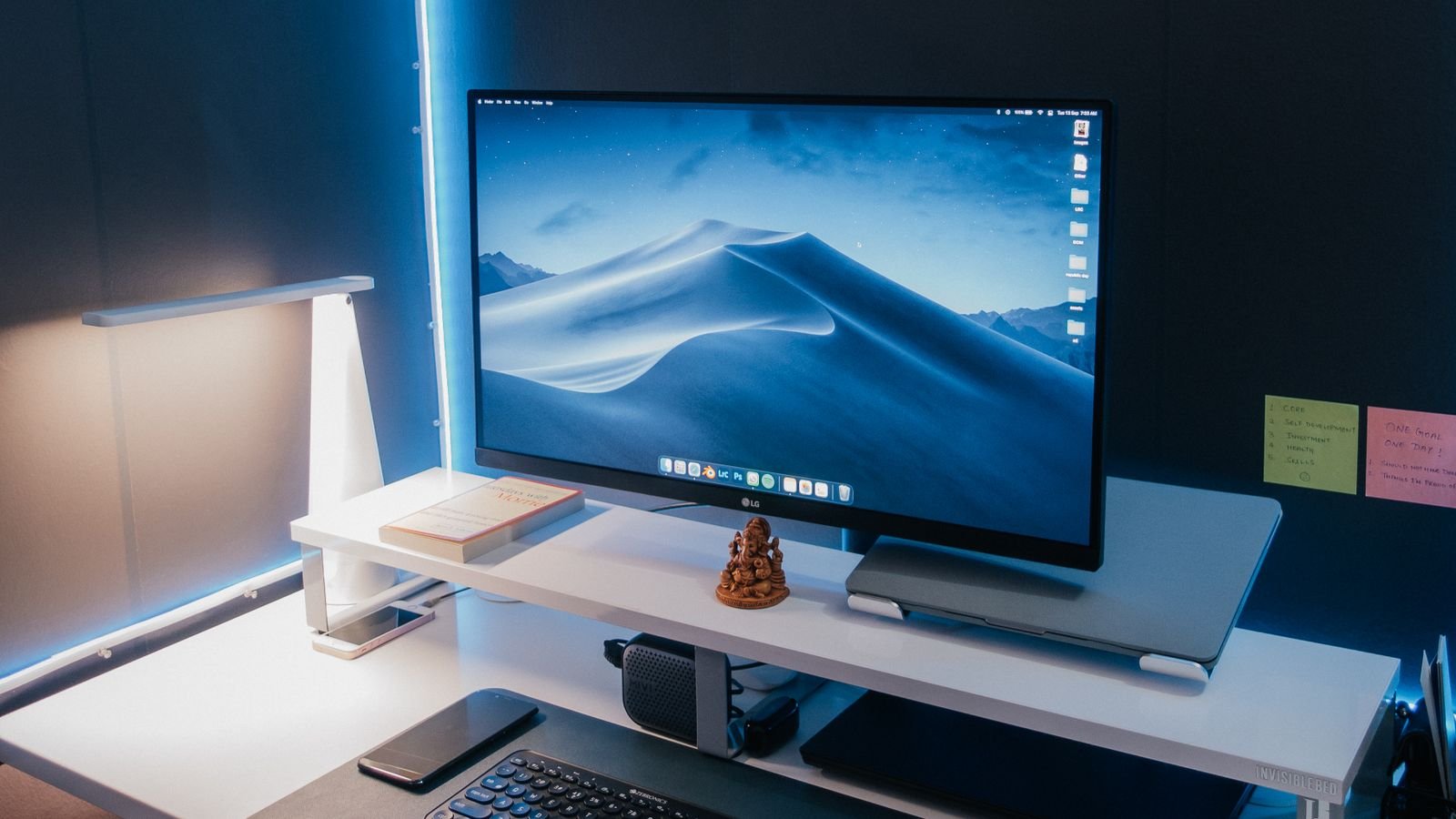
 Bias lighting behind a television is one of those upgrades that sounds like a gimmick until you live with it for a week. A strip of LEDs tucked behind the panel, washing the wall in soft light, does three genuinely useful things: it reduces the punishing contrast between a bright screen and a dark room, it makes blacks on the screen look deeper by resetting your eye’s white reference, and it cuts the eye strain that comes from staring at a glowing rectangle in a pitch-dark living room. Done badly, though, it becomes a distracting smear that ruins the picture. This guide covers what matters when buying LED strip lights for TV backlighting in 2026 — sizing, color accuracy, power, adhesion, and sync systems.
Why Bias Lighting Actually Works
Human vision judges brightness and color relative to surroundings, not in absolute terms. In a dark room, your pupils dilate to adapt to the darkness, then the bright screen overwhelms them — the constant re-adaptation is what produces that tired, gritty feeling after a long viewing session.
A modest amount of light behind the screen raises the ambient level just enough to stabilize your adaptation. Because the light is behind the panel rather than in front of it, it never washes out the image; it only lifts the surrounding wall. The result is a picture that appears to have more contrast, not less, alongside noticeably reduced fatigue.
There is also a color science element. When your eye has a neutral white reference nearby, it calibrates against it, and screen colors read more accurately. This is why the color temperature of your bias light matters far more than most people realize.
The 6500K Rule
If you want the technically correct answer, set your bias light to 6500K white. That value corresponds to D65, the reference white point that essentially all video content is mastered against. Matching your surround to the content’s white point means your eye’s reference and the screen’s reference agree, and colors on screen appear as the colorist intended.
This is one of the very few places in home lighting where a cool 6500K is the right choice rather than a mistake. Warm 2700K light behind a screen tints your perception and makes on-screen whites look bluish by comparison. If your strip has adjustable white or full RGB control, find the 6500K setting and leave it there for serious viewing — save color effects for parties and gaming.
For this reason, strips with a dedicated white channel (RGBW or RGBIC with white) are preferable to pure RGB, which can only approximate white by mixing three colored channels and usually lands somewhere slightly off.
Sizing the Strip to Your TV
Measure the back of your panel rather than trusting the diagonal size on the box. A useful approximation is the perimeter of the mounting area, minus the length of any side you choose to skip.
- 32 to 43 inch TVs — about 2 meters of strip.
- 50 to 55 inch TVs — about 3 meters.
- 60 to 70 inch TVs — about 4 meters.
- 75 inch and above — 5 meters or more.
Many people deliberately skip the bottom edge, especially on a stand-mounted TV where the bottom strip would shine down onto the media console and create a distracting hot spot. Running only the top and two sides — a U-shape — is a common and often better-looking configuration. Buy slightly long rather than short; you can cut at the marked points but you cannot extend without a connector and a visible seam.
Brightness: Far Less Than You Expect
The standard recommendation is that bias lighting should sit at roughly 10% of the screen’s peak brightness. In practice this means a fairly dim strip — most people are surprised by how little light is needed and how much better a low setting looks.
Strips in the 300 to 600 lumens per meter range are ample, and you will likely run them well below full output. This is why dimmability is non-negotiable: a strip that only runs at maximum will overpower the room and create glare on the screen surface. Look for smooth dimming to 10% or lower without flicker, which matters especially because flicker becomes visible in peripheral vision while you focus on the screen.
Mounting Position and Wall Distance
Where you place the strip determines whether the effect looks like professional bias lighting or a novelty. The strip should face the wall, not the room, and should sit set in from the edge of the panel by an inch or two so no LED is directly visible from your seating position.
Wall distance matters too. A TV mounted flush against the wall leaves almost no gap for light to spread, producing a tight hot band rather than an even glow. Two to four inches of clearance gives the light room to diffuse into a smooth wash. If you use a slim flush mount, consider running the strip on the wall itself just outside the TV outline instead of on the panel back.
Wall color also plays a role. A neutral white or light grey wall reflects the light accurately; a strongly colored wall will tint the reflected light and undermine the whole white-reference benefit. A deep blue or red wall still reduces eye strain but will not aid color perception.
USB Power vs Dedicated Adapters
Most TV backlight kits power from a USB port on the television, which has an elegant advantage: the strip turns on and off with the TV automatically, with no extra switch or smart integration required.
The limitation is power. A typical TV USB port supplies 5V at 0.5 to 1 amp, which is 2.5 to 5 watts — enough for a short 5V strip but not for a long or bright one. Symptoms of an overloaded port include dimming toward the far end, color shifting, or the TV disabling the port entirely.
For larger televisions or brighter strips, use a dedicated 12V or 24V adapter. You lose the automatic on-off behavior unless you add a smart plug or controller, but you gain consistent brightness across the full run. For a 75-inch panel this is usually the right call.
Screen-Sync and Ambient Systems
The premium tier of TV lighting synchronizes strip colors with what is on screen, extending the picture onto the wall. Two approaches dominate. Camera-based systems watch the screen from the front and are content-agnostic — they work with any source including cable and game consoles. HDMI-based systems sit in the signal path, analyze the video feed directly, and generally offer lower latency and better accuracy, but they can complicate HDR and high-refresh-rate passthrough.
Both require an addressable strip — RGBIC or individually addressable types where each segment can display a different color. A plain RGB strip can only show one color across its entire length and cannot sync meaningfully. Sync systems are genuinely impressive for gaming and cinematic content, and genuinely distracting for news or dialogue-heavy drama, so buy one only if you will actually use the mode. For everything else, plain 6500K white remains the better default, and the wider category of LED strip lights covers both options at a range of price points.
Adhesion: The Most Common Failure Point
Almost every complaint about TV backlight strips comes down to the adhesive letting go. The back of a television gets warm, and heat plus the strip’s own tension around corners is the enemy of factory tape.
Clean the panel back thoroughly with isopropyl alcohol and let it dry before applying anything. Press each section firmly for several seconds rather than laying it down loosely. At corners, use a proper corner connector or leave a small loop instead of forcing a sharp fold — a hard bend both stresses the adhesive and can crack the copper traces inside.
For a permanent installation, add small adhesive clips or mounting brackets at intervals so the strip is mechanically held rather than relying entirely on tape. If the strip has already fallen once, apply fresh double-sided tape; old adhesive will not stick again.
Smart Control and Room Integration
A TV backlight becomes far more pleasant when it does not need a remote. Options range from simple IR remotes through app control to full smart-home integration with scenes and schedules. The most useful setups link the light to the TV’s own state, either through USB power or via a smart plug triggered by your streaming device.
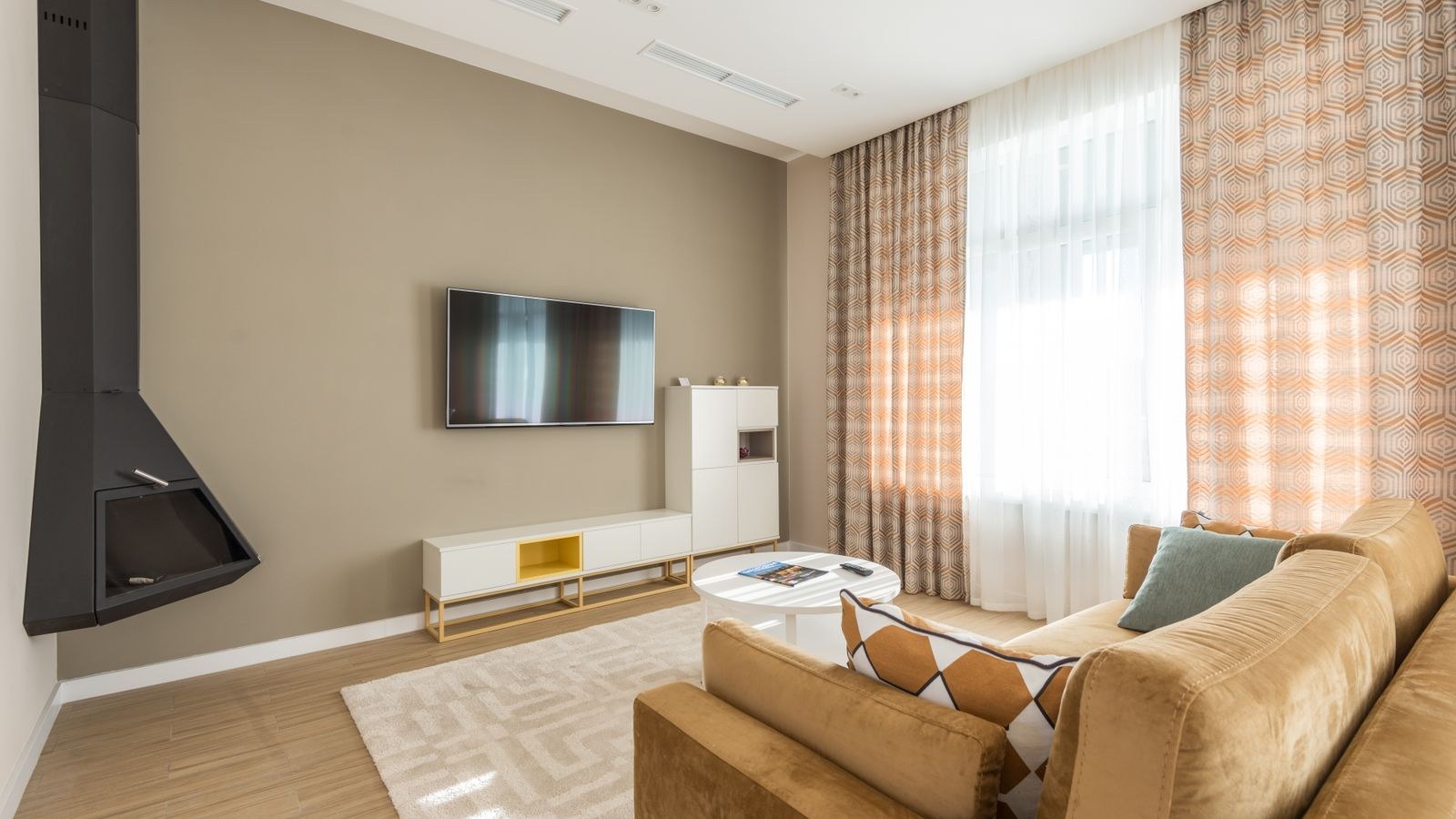
Many people extend the same lighting scheme around the rest of the room — behind a media console, along a shelf, or under the sofa — for a coherent look. If you are lighting more than the TV wall, review options among the best LED lights for living room use so the color temperatures and control systems match rather than fighting each other.
Budget Tiers
- $10–$20 — basic USB white or RGB kit for a small TV. Adequate for a bedroom set, limited brightness control.
- $25–$50 — the value tier: proper dimming, RGBW or adjustable white, decent adhesive, remote or app control. Right for most living rooms.
- $60–$120 — addressable RGBIC strips with app scenes, music reactivity, and high LED density.
- $150+ — full screen-sync systems with camera or HDMI capture. A real experience upgrade for gaming and film, overkill for casual viewing.
Bedroom setups have somewhat different priorities — lower output, warmer options for late viewing — and shortlists of the best LED strips for bedroom installations cover that use case better than living-room-focused kits do.
Mistakes to Avoid
- Running the strip at full brightness, which creates glare and defeats the contrast benefit.
- Using warm 2700K light behind the screen instead of 6500K, which skews color perception.
- Mounting the strip so the LEDs are visible from the couch.
- Cutting anywhere other than the marked copper pads.
- Overloading a TV USB port with a long, bright strip and blaming the strip for uneven output.
- Skipping surface prep, then re-taping the same failed adhesive back onto a warm panel.
- Buying a plain RGB strip expecting screen-sync functionality it cannot perform.
Frequently Asked Questions
What color should TV bias lighting be?
Neutral white at 6500K for accurate viewing, because that matches the D65 white point video content is mastered against. Colored light is fun for gaming and ambience but will shift how you perceive on-screen color, so switch back to white when picture quality matters.
Does bias lighting really reduce eye strain?
Yes. The strain comes from your eyes repeatedly adapting between a bright screen and a dark surround. Raising the ambient level behind the screen narrows that gap so your pupils stay comparatively stable, which most people notice within a single long viewing session.
How long should the strip be for my TV?
Measure the perimeter of the panel back and buy slightly more than that. Roughly 2 meters suits a 43-inch set, 3 meters a 55-inch, 4 meters a 65-inch, and 5 meters or more for 75 inches and up. Skipping the bottom edge is common and often looks better.
Can I power the strip from my TV’s USB port?
For short 5V strips, yes, and it conveniently turns the light on and off with the TV. Longer or brighter strips exceed what a typical TV port supplies and will dim toward the far end. In that case use a dedicated adapter and a smart plug if you want automatic switching.
Final Thoughts
TV backlighting is a small, cheap change with an outsized effect on how comfortable and how good your screen looks. Keep it dim, keep it neutral at 6500K, mount it facing the wall with a couple of inches of clearance, size the strip to your panel with the bottom edge optional, and match the power supply to the length so brightness stays even. Prep the surface properly and add mechanical clips if you want it to survive more than a season. Screen-sync systems are worth it only if you genuinely want the effect for gaming and film. Start by comparing the best LED strip lights for TV setups against the size of your panel and the way you actually watch, and you will end up with a room that is easier on the eyes every evening of 2026.