
 Owen Bradley
 Desk gadgets fall into two camps: the ones you use every hour without thinking about them, and the ones that live in a drawer within a month. The difference is rarely price. It is whether the gadget removes friction from something you already do many times a day, or whether it adds a novelty you have to remember to use. This guide sorts the desk gadgets worth buying from the ones that just consume surface area, working category by category through power, cable control, lighting, audio, and ergonomics. If you are upgrading a workspace in 2026, the goal is a desk that feels calmer, not one that has more objects on it.
The Test Every Desk Gadget Should Pass
Before spending anything, apply a three-part filter. Does it solve a problem you experience daily rather than occasionally? Does it save either time or physical discomfort, not just look tidy in a photo? And does it earn its footprint, given that desk surface is the scarcest resource in any workspace?
A charging hub passes all three: you charge devices every day, hunting for a free outlet costs real minutes, and it replaces several bricks with one object. A programmable macro pad passes for some people and fails for others, entirely depending on whether their work involves repeated shortcuts. A desktop mini vacuum for crumbs fails for nearly everyone, because it addresses a problem a cloth already solves.
Fix the Foundation First
No gadget compensates for a bad chair or a screen at the wrong height. If your monitor sits below eye level or your forearms angle upward to reach the keyboard, spend there before buying accessories. Our overview of desk accessories for building an ergonomic workstation covers the sequence in which upgrades actually pay off, and it is worth reading before any of the categories below.
Power and Charging: The Highest-Value Upgrade
Most desks are built around one wall outlet and a tangle of adapters. A single high-wattage USB-C charging hub replaces four or five separate power bricks. Look for a unit that can deliver at least 65W to a single port so it can run a laptop, with additional ports that share the remaining budget for phones, earbuds, and a tablet. Read the per-port distribution table rather than the headline number, because a 100W hub that drops to 20W per port when everything is connected will not keep a laptop charged under load.
The other half of the equation is the outlet itself. Wall receptacles with integrated USB-C ports remove the desktop adapter entirely, which is ideal for a permanent home office. Modern versions supply meaningful wattage rather than the trickle the first generation offered. Our roundup of the best USB outlets explains what charging speeds to expect and which models are worth an electrician’s visit for a workspace you plan to keep.
Wireless Charging Pads: Conditional Yes
A charging stand earns its space if you glance at your phone often during the day, because it holds the screen upright and visible while charging. A flat pad is less useful, since you have to pick the phone up to read anything, and it charges slower than a cable. If you buy one, get a stand rather than a pad, and place it where your eyes already go.
Cable Management: Boring and Transformative
Cable clutter is the single biggest visual and practical annoyance on most desks. Loose cables snag when a chair moves, fall behind the desk when unplugged, and make cleaning a chore. The fix costs little. Adhesive cable clips along the desk’s rear edge stop dropped cables. A tray or basket mounted under the desk holds the power strip and slack. Velcro straps bundle runs and, unlike zip ties, let you change one cable without cutting anything.
If you are buying furniture rather than retrofitting, look at desks designed with routing channels, grommets, and integrated trays built in. It solves the problem structurally instead of hiding it. Our comparison of the best cable management desks shows how much difference an integrated channel makes, particularly for a sit-stand desk where every cable has to tolerate movement.
The Sit-Stand Cable Problem
Height-adjustable desks add a specific complication: every cable must have enough slack for the full travel range without dragging on the floor at the low setting. Route all cables to a single point on the desk frame, then drop one bundled loop to the wall. Test the full range before finalizing anything, watching for cables that pull taut at maximum height, which is how monitors get yanked off desks. Purpose-built accessories, covered in our list of the best standing desk accessories, include spines and drag chains designed exactly for this.
Lighting: The Upgrade People Skip
Overhead room lighting is almost always wrong for desk work. It is too diffuse for reading paper, casts shadows from your own head onto the keyboard, and creates glare on glossy screens. A task lamp with adjustable brightness and color temperature fixes all three. Aim for a lamp with a wide, even light bar rather than a single bright point, positioned to the side of your dominant hand so your writing hand does not shadow the page.
Screen bars deserve a mention as a distinct category. Mounted on the top edge of the monitor, they light the desk in front of the screen without throwing light at the panel itself, which eliminates the reflection problem entirely. They are one of the few genuinely novel desk gadgets of recent years and consume zero desk space.
Behind the monitor, a simple LED strip providing bias lighting reduces the contrast between a bright screen and a dark wall, which measurably reduces eye fatigue during long evening sessions. Set it to a neutral white around 6500K rather than a color, since colored bias light distorts how you perceive what is on screen.
Audio: Speakers Versus Headphones
Most people default to headphones and never revisit the decision, but a pair of desktop speakers changes the character of a workspace. Speakers let you hear a call, a video, or music without wearing anything, which matters over an eight-hour day. They also keep you aware of your surroundings if you work at home with family nearby.
For a desk, prioritize compact enclosures with front-facing ports so they can sit close to a wall, and a physical volume knob you can reach without moving the mouse. Powered models with a USB-C or 3.5mm input are simplest. Our picks for the best desktop speakers concentrate on sets sized for a desk rather than a room, which is the distinction most buyers get wrong when they put full bookshelf speakers on a shallow desktop.
Placement matters as much as the speakers. Position them at ear height forming a rough triangle with your head, angled inward. Raising small speakers on inexpensive foam pads or stands lifts the tweeters toward your ears and decouples them from the desk, which cleans up bass considerably at no cost.
The Microphone Question
If calls are a meaningful part of your week, a dedicated USB microphone on a small arm is a legitimate upgrade over a laptop’s built-in mic. If you take two calls a month, it is not. Judge this one entirely by call volume, not by how the setup looks.
Small Ergonomic Gadgets That Pull Their Weight
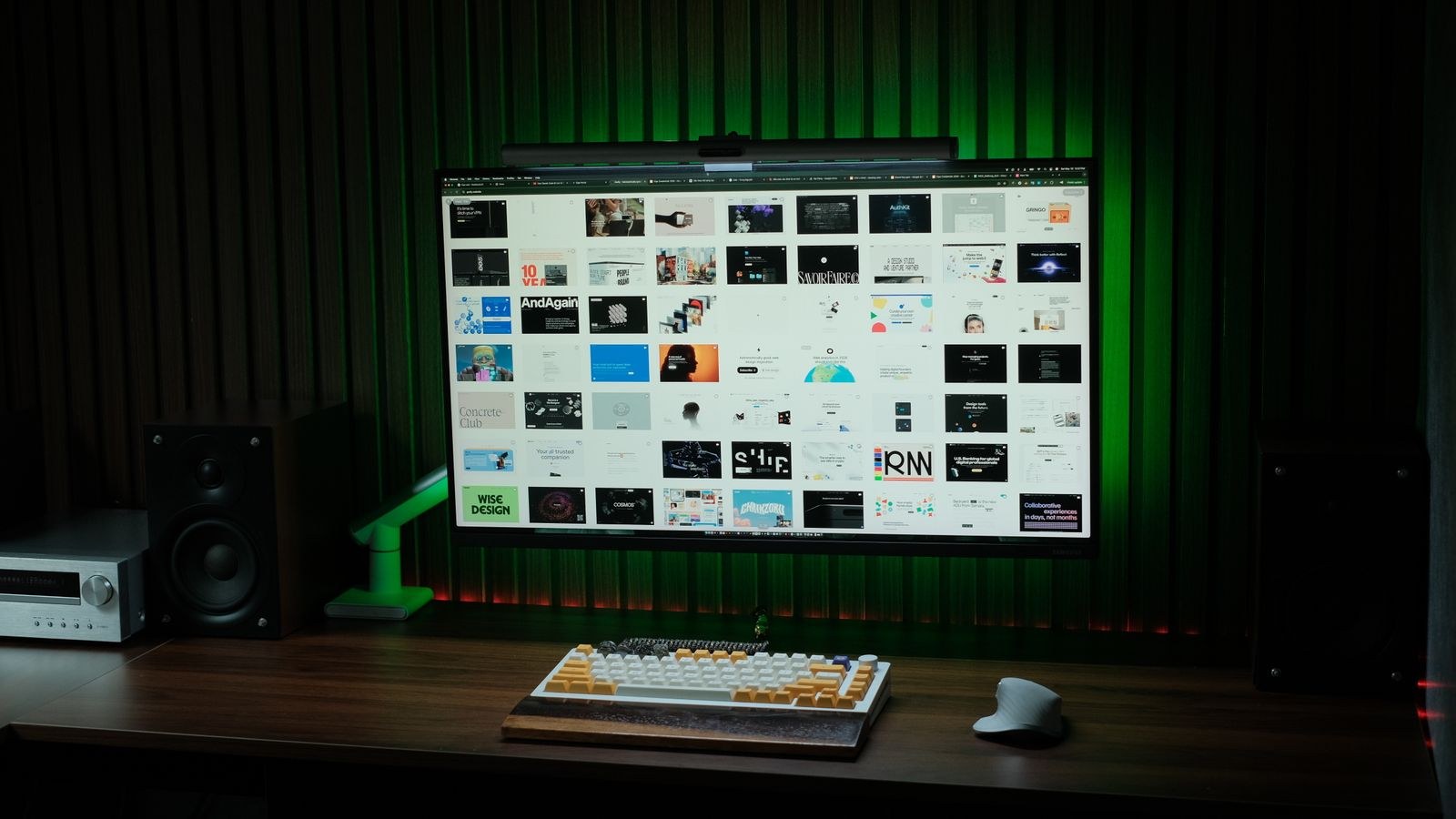
Several inexpensive items have an outsized effect on comfort. A monitor arm frees the desk surface under the screen and lets you adjust height and distance freely, which a fixed stand never does. A footrest matters if your feet do not rest flat once the chair is set to the correct height for your desk. A padded wrist rest helps only if it supports the heel of the hand rather than the wrist joint itself.
A laptop stand is worth having even in a docked setup, because it raises the second screen to a usable height and improves airflow under the machine. Combined with an external keyboard, it is the cheapest fix for the neck strain that comes from staring down at a laptop all day.
Gadgets That Usually Disappoint
Some popular accessories fail the daily-use test. Desktop mini fridges take a large footprint for a function a kitchen already performs. Novelty desk toys and kinetic sculptures are pleasant for a week. Wireless charging mouse pads charge slowly and restrict where you can place the mouse. Under-desk treadmills work for a minority who genuinely use them and become expensive floor storage for everyone else, so borrow before buying.
Also be skeptical of gadgets that require a proprietary app to function. Every additional app is a login, an update cycle, and a potential dead end if the company stops supporting it. Prefer accessories that work as plain hardware and treat software features as a bonus.
Frequently Asked Questions
What is the first desk gadget I should buy?
A multi-port USB-C charger, assuming your chair and screen height are already correct. It removes the most daily friction for the least money and reclaims outlet space you can use for everything else.
Do I need a powered USB hub?
If you connect drives, a webcam, and peripherals to a laptop, yes. Bus-powered hubs run out of current and cause devices to disconnect intermittently, which is a maddening fault to diagnose. A hub with its own power supply avoids it.
How many gadgets is too many?
When you have to move something to use something else, you have crossed the line. A functional desk keeps the surface clear enough for a notebook and a mug alongside the keyboard and mouse.
Are RGB accessories worth it?
For aesthetics only. They add nothing functional beyond bias lighting, which is better served by a plain white strip. If you enjoy them, buy them, but do not expect a productivity benefit.
Final Thoughts
The desk gadgets worth buying are unglamorous: a good charger, cable control, decent light, comfortable audio, and a screen at the right height. Each one removes a small daily irritation, and their combined effect is a workspace you can sit at for hours without noticing anything is wrong. Add them one at a time, live with each for a couple of weeks, and only buy the next once the last one has proven it stays out of the drawer.









