
 Owen Bradley
 Every standing desk listing leads with height range and lifting capacity, and almost none of them tell you the thing that determines whether you will enjoy using the desk: how much it moves when you type at full extension. Standing desk stability is the quiet make-or-break spec. A frame that feels planted at seated height can develop a noticeable sway once the columns are extended 15 inches higher, and that sway is what makes people quietly stop raising their desk after the first month. This guide explains what actually causes wobble, which frame details predict it, how weight capacity relates to rigidity, and what you can do about a desk that already shakes. Nothing here depends on which models are popular in 2026, because the physics has not changed.
Why Desks Wobble at Standing Height
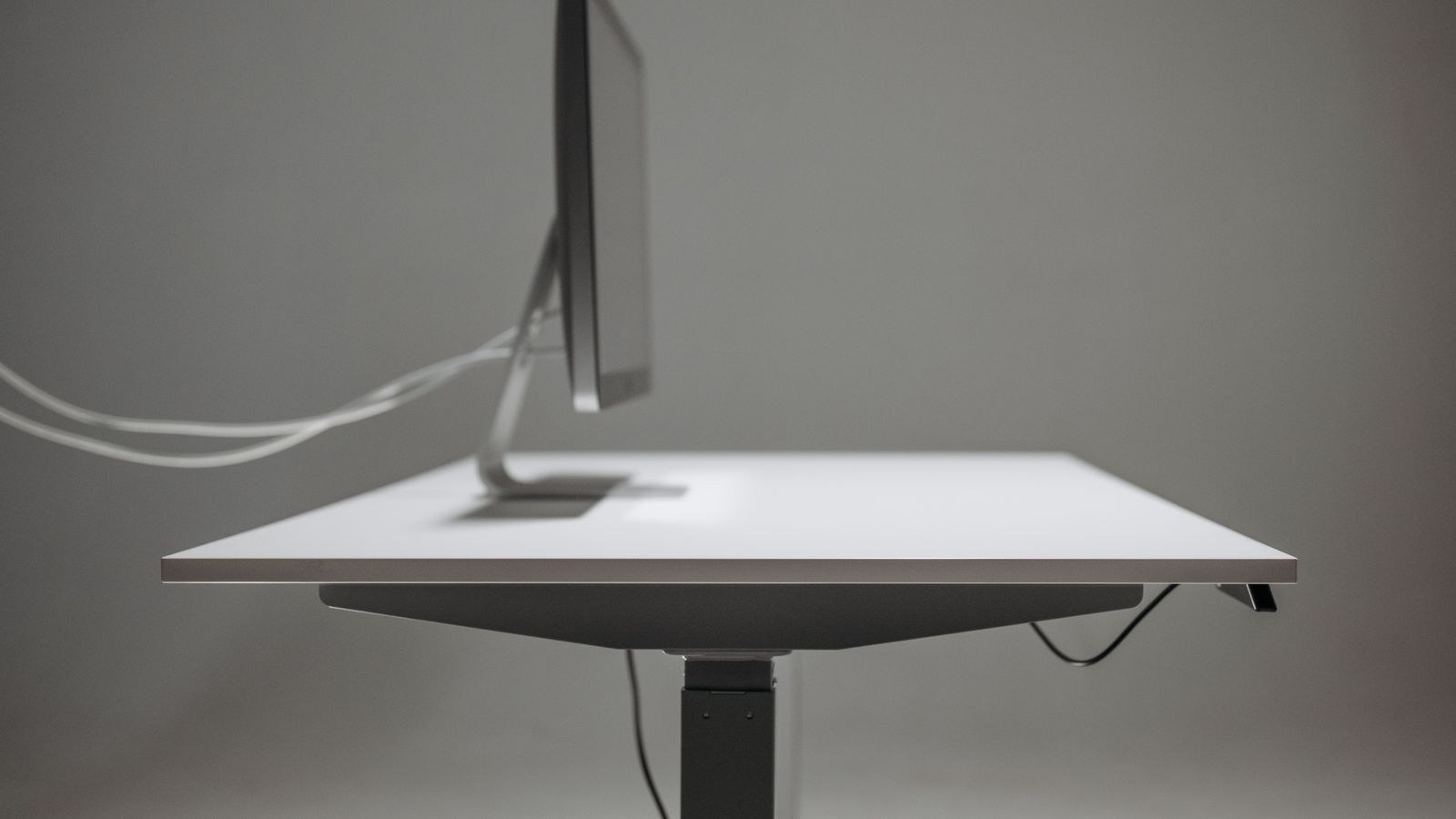
A raised standing desk is an inverted pendulum. The mass of the desktop and your gear sits high above a comparatively small footprint, so any small deflection low down gets multiplied at the top. Raise the desk by 40 percent and the sway you feel can easily double, because you have lengthened the lever while the base stayed the same size.
Two distinct motions get lumped together as wobble, and they have different causes. Front-to-back rocking is the more common complaint and comes from shallow feet and column play. Side-to-side sway comes mainly from a weak or missing crossbar and from a wide top flexing between the legs. Diagnosing which one you have tells you exactly what to fix.
The Difference Between Wobble and Bounce
Wobble is the frame moving. Bounce is the desktop flexing while the frame stays put, and it is common on wide, thin laminate tops with a large unsupported span between legs. If you press the centre of the desk and it dips while the legs stay still, the top is the culprit and no frame upgrade will help. Test both separately before deciding what to buy or replace.
Column Staging: The Single Biggest Factor
Lifting columns nest inside each other like a telescope, and every joint between segments is a source of play. Two-stage legs use two segments; three-stage legs use three, gaining travel and speed but adding another joint.
Counterintuitively, three-stage legs are usually the more stable choice despite that extra joint. The reason is overlap. At a given standing height, a three-stage column has all three segments engaged with a generous shared length, while a two-stage column at the same height has extended nearly to its limit with minimal overlap remaining. Overlap is what resists tilt. Two-stage frames feel fine at mid-height and get noticeably looser near the top of their range.
Inverted designs, where the widest segment sits at the top rather than the bottom, look sleek and place the thickest tube near the load, but they leave the thinnest section carrying the base and can feel less planted. Judge by the tube dimensions at each stage rather than the marketing photo. Comparing published leg specifications across the best standing desk frames makes the differences unusually easy to spot.
Crossbars, Feet, and Frame Geometry
A crossbar ties the two legs together and is the main defence against side-to-side sway. Crossbar-free designs exist and can be very stable, but they achieve it with much heavier columns and deeper feet, which is why they cost more. If you are comparing a budget crossbar-free frame against a budget frame with a crossbar, the crossbar usually wins.
Foot depth matters just as much. Feet that extend 24 to 28 inches front to back give the frame a genuine base against rocking; feet at 18 inches are cosmetic. Look for feet that are wider at the floor than at the column, with adjustable levelling glides at each end so the desk sits on four solid contact points rather than rocking on three.
Where the Top Attaches
Mounting matters more than people expect. A top bolted through many attachment points into a full-width mounting plate transmits load into the frame evenly. A top attached with four screws into small brackets concentrates stress and lets the surface flex independently. Check that every supplied screw hole gets used during assembly, and that the screws bite into solid material rather than stripping in particleboard.
How Weight Capacity Relates to Stability
Weight capacity is a motor and gearbox rating, not a rigidity rating. A frame rated to 350 lb can still sway if the columns have loose tolerances. Do not read a big number as a promise of solidity.
Weight does affect stability, though, and in a helpful direction. Mass on the desktop lowers the assembly’s natural frequency and damps small vibrations, so a loaded desk usually feels steadier than an empty one. A tower PC on a lower shelf near the floor helps most of all, since it adds mass without adding height. That is the cheapest stability upgrade available: put weight low, not high.
- Under 100 lb total load: most decent frames feel fine. Stability is mainly about geometry.
- 100 to 200 lb: three-stage columns and a crossbar start to matter noticeably.
- Over 200 lb: look at heavy-duty or four-leg frames, and check that the desktop itself can span the distance without sagging.
Desktop Size and Material
Width is the enemy of rigidity. A 48-inch top with legs near the ends is inherently stiffer than a 72-inch top with the same legs, because the unsupported span between and beyond the legs is shorter. Once you go past about 60 inches, the top’s own stiffness becomes a real factor and cheap laminate begins to flex.
Thickness and material both help. An inch of solid bamboo or hardwood resists flex far better than three quarters of an inch of particleboard core, and the added mass damps vibration as a bonus. If you want a wide desk without the flex, look for a top with a reinforcing rail underneath or choose a frame with a third leg. The best height adjustable desks list is a useful reference for which top materials pair with which frame widths.
How to Test Stability Before and After Buying
You can evaluate a desk in about a minute with three simple tests, all performed at your actual standing height rather than seated.
- The type test. Type quickly and firmly on a mechanical keyboard while watching a monitor’s top edge. Any visible oscillation of the screen means the frame is transmitting keystroke energy.
- The push test. Place a palm at the front edge and push straight back with moderate force, then release. Count how many times the desk rocks before settling. One return is good, three or more means poor damping.
- The lean test. Rest your forearms on the front edge with real weight, the way you would while reading. The desk should not shift or creak.
If a showroom is not an option, read reviews specifically for the phrase “at full height” and treat comments about monitor shake as the most reliable signal available. Curated lists help here too, since the best standing desks are generally selected with full-height rigidity in mind rather than headline specs.

Fixing a Wobbly Desk You Already Own
Before replacing anything, work through the cheap fixes in order. Most desks that develop wobble are simply loose.
- Re-torque every bolt. Frames settle after a few weeks. Go around the whole desk, especially the crossbar and foot bolts, and snug everything.
- Level the glides. A desk rocking on three of four contact points feels far worse than it is. Adjust until all four bear weight on your actual floor.
- Lower your standing height slightly. Even an inch of reduced extension increases column overlap and can noticeably calm the desk.
- Add mass low down. A CPU holder or a shelf near the feet damps oscillation without raising the centre of gravity.
- Anchor to a wall. A discreet bracket or an anti-tip strap into a stud eliminates front-to-back rocking almost entirely, and costs very little.
- Fit a stiffening rail. If the top is bouncing rather than the frame swaying, a length of steel or aluminium angle screwed under the span fixes it cheaply.
If none of that helps, the frame itself is the limit. Replacing just the legs is often possible while keeping your existing top; the best standing desk legs roundup covers frame-only options, and our guide on how to choose a standing desk frame walks through matching a new frame to a top you already have.
Common Mistakes When Shopping for Stability
- Testing only at seated height. Almost every frame feels solid low down. The problems live at the top of the range.
- Trusting capacity ratings as rigidity ratings. They measure what the motors can lift, not how little the frame moves.
- Buying maximum width by default. A 72-inch top magnifies every weakness. Buy the width you need, not the widest that fits.
- Dismissing the crossbar for looks. Crossbar-free is achievable but expensive to do well. On a budget frame it is a downgrade.
- Ignoring the floor. Thick carpet and uneven boards undo good engineering. Levelling glides or a hard mat solve it.
Frequently Asked Questions
Do all standing desks wobble at full height?
All of them move a little, because a raised desk is a tall structure on a small base. A well-built frame settles immediately after a nudge and shows no visible monitor shake while typing. Persistent oscillation is a design or assembly problem, not an inevitability.
Are three-stage legs really more stable than two-stage?
At standing height, usually yes. Three-stage columns keep more overlap between segments at any given height, and overlap is what resists tilting. Two-stage frames are near their limit at the same height and feel looser there.
Does a crossbar make a big difference?
For side-to-side sway, a large one. Crossbar-free frames can match it, but they do so with much heavier columns and deeper feet, which raises the price considerably.
Will adding weight to my desk reduce wobble?
Yes, particularly weight placed low, such as a PC on an under-desk shelf. Mass damps oscillation. Loading the top edge with heavy items high up helps less and can make rocking worse.
Can I stabilise a desk without replacing it?
Often. Re-torque all bolts, level the glides, add a low shelf with mass, and consider an anti-tip bracket into a wall stud. Together these fix the majority of complaints without spending much.
Final Thoughts
Stability is the spec that decides whether a standing desk becomes a daily habit or an expensive fixed-height desk you stopped raising. Skip the headline height range and capacity figure and look instead at column staging, tube dimensions, crossbar presence, and foot depth, then match the desktop width and thickness to that frame rather than buying the biggest surface available. Test at full extension, not seated. If you already own a desk that shakes, work through the cheap fixes first, because loose bolts and unlevel glides explain more complaints than genuine design flaws. Get the geometry right and the desk will feel as planted at standing height as it does sitting down.








