Owen Bradley
 Pick up a slim keyboard after years on a chunky mechanical board and the first thing you notice is how little your fingers have to move. Low-profile keyboards shave height off both the switch and the case, so the keys sit closer to the desk, travel a shorter distance, and ask your wrists to bend less to reach them. That combination has taken slim boards from a laptop-replacement niche to a serious option for office typists, travellers and even competitive players. This guide explains how a low profile keyboard differs mechanically from a standard one, how slim mechanical switches compare with scissor switches, and who genuinely benefits from the shorter typing angle rather than simply liking how it looks.

What Makes a Keyboard Low Profile
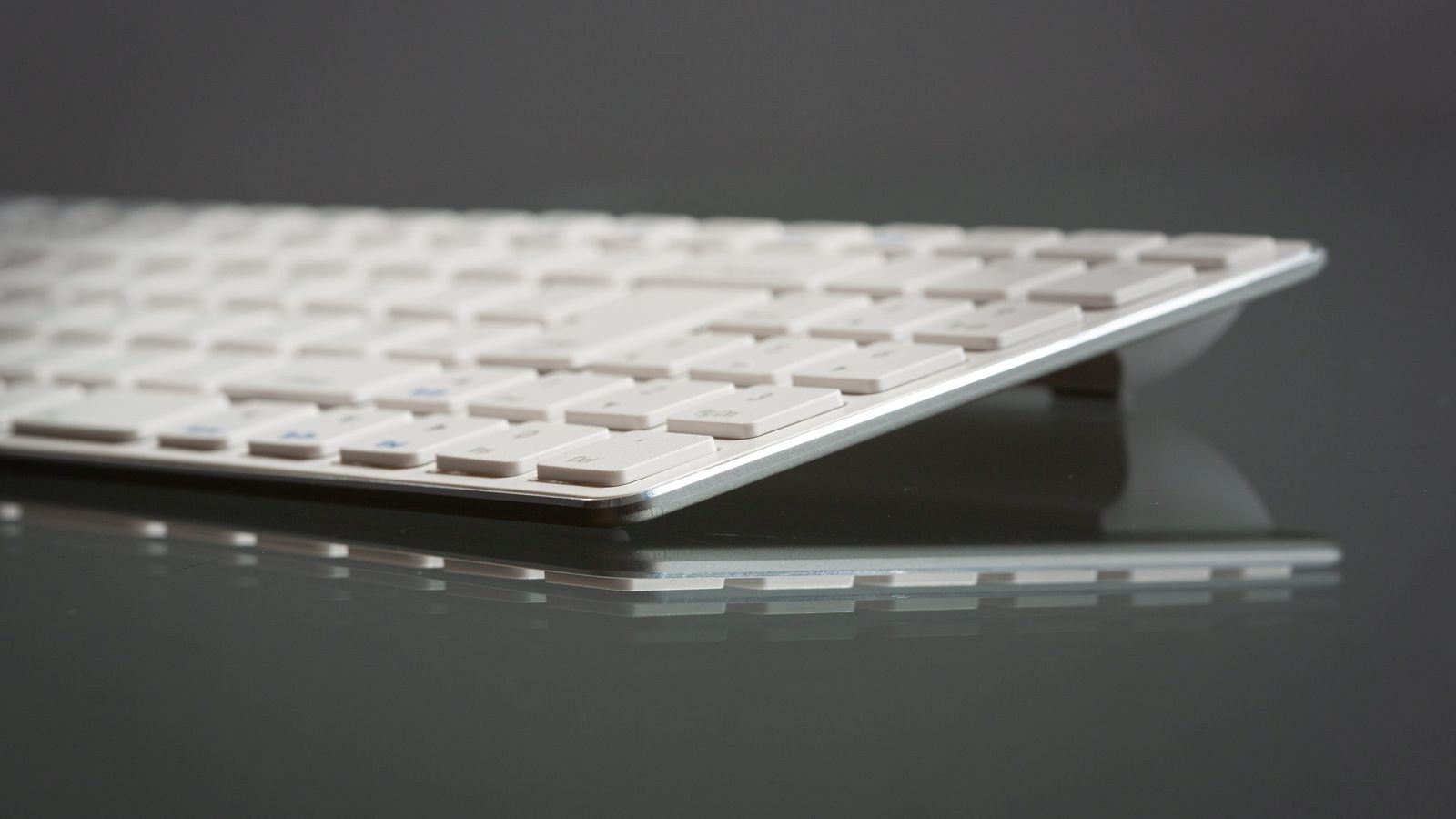
Height reduction happens in two places. The first is the switch itself: a low-profile mechanical switch is physically shorter than a standard one, with a stubbier stem, a shorter spring and a compressed housing. The second is the case, which uses a thinner plate and slimmer plastic or aluminium walls. A board can use one, the other, or both, which is why two keyboards described as low profile can differ noticeably in how tall the front edge sits.
The number that matters most is front-edge height, measured from the desk to the top of the front row. Standard mechanical boards commonly sit around 30 to 40mm at the front, while slim boards land closer to 15 to 22mm, and the flattest scissor designs come in under 15mm. The lower that figure, the less your wrist has to extend upward to clear the keys, and the less you need a palm rest to sit neutrally.
Travel Distance and Actuation Point
Standard mechanical switches typically travel about 4mm with actuation around 2mm. Low-profile mechanical switches usually travel roughly 3.2mm and actuate near 1.2 to 1.5mm. Scissor switches go shorter still, often 1.5 to 2mm total travel. Shorter travel means each keystroke is finished sooner, which some typists experience as faster and lighter and others experience as abrupt, because there is less cushioning before the key bottoms out.
Slim Mechanical Switches
Low-profile mechanical switches come in the same three families as their full-size relatives. Linear switches move smoothly from top to bottom with no bump, which suits fast repeated presses and gaming. Tactile switches add a small bump at the actuation point so you feel the moment the press registers, which many office typists prefer because it discourages bottoming out. Clicky switches add an audible snap on top of the bump; on slim switches the click is usually crisper and higher pitched than on full-size versions.
Slim mechanical switches keep the qualities people buy mechanical boards for: consistent feel across the whole board, a distinct actuation event, and long rated lifespans in the tens of millions of presses. They also keep the ability to replace a failed switch on hot-swappable models, though the keycap and switch ecosystem is much smaller than for standard switches. Expect fewer aftermarket options and be cautious about assuming a favourite keycap set will fit. If you want to compare designs across the category first, our roundup of the best low profile keyboards covers both mechanical and slim membrane options.
Actuation Force and Finger Fatigue
Slim switches usually sit in the 40 to 55 gram range. Lighter springs reduce the work per keystroke, which helps over long sessions but increases accidental presses if you rest your fingers heavily on the keys. If you type with a firm hand, a slightly heavier tactile switch will feel more controlled than the lightest linear option, even though the marketing tends to push light switches as inherently more comfortable.
Scissor Switches and the Membrane Alternative
Scissor switches use a crossed plastic mechanism under each cap that keeps the key level no matter where you press it, sitting above a rubber dome that provides resistance and completes the circuit. This is the mechanism in most laptop keyboards and in the slimmest standalone boards. The advantages are real: minimal height, very quiet operation, low cost and excellent stability on wide keys.
The drawbacks are equally real. Rubber domes soften over time, so feel drifts across the life of the board. Feedback is mushier, with no crisp actuation point. And a failed key generally cannot be repaired at home. For light typing, travel and shared spaces, scissor boards are excellent value. For heavy daily typing where consistency matters, slim mechanical switches age far better.
Optical and Hall Effect Slim Switches
Some slim boards use light beams or magnetic sensing rather than metal contacts. These remove the need for debounce delay and allow adjustable actuation depth on the more advanced models, meaning you can set how far a key must move before it registers. They are more expensive and less common in low profile, but if you want the shortest possible response from a slim board, they are the technology to look for.
Who Actually Benefits from a Low Profile
Four groups gain the most. People with wrist extension discomfort benefit because a lower front edge lets the hand sit closer to level with the forearm. Laptop users benefit because a slim external board feels almost identical to the built-in keyboard, so switching between the two costs no muscle memory. Frequent travellers benefit from the thickness and weight savings, which are substantial once a board goes into a bag every day. People with small or shallow desks benefit because slim boards are usually shorter front to back as well as flatter.
Some people gain less. If you like a deep, cushioned keystroke and enjoy the sound of a heavy board, low profile will feel thin and clacky by comparison. If you already type with a neutral wrist thanks to a good chair and desk height, the postural benefit is smaller than the marketing suggests. And if you own a large collection of standard keycaps, moving to low profile means leaving that ecosystem behind.
Size, Layout and Desk Footprint
Low profile is about height, but most slim boards also cut width. Tenkeyless layouts drop the number pad, bringing the mouse closer to your body and reducing shoulder abduction, which is a genuine ergonomic gain that often exceeds the benefit of the flatter profile itself. Compact 75 percent and 65 percent layouts squeeze arrows and navigation keys into the main block, saving more width while keeping arrows accessible.
Before you pick a layout, count how often you actually use the number pad and the function row. Data entry work argues for a full-size board; almost everything else does not. If desk space is your main constraint, our list of the best keyboards for small desks compares footprints directly so you can match one to your available depth.
Connectivity and Portability
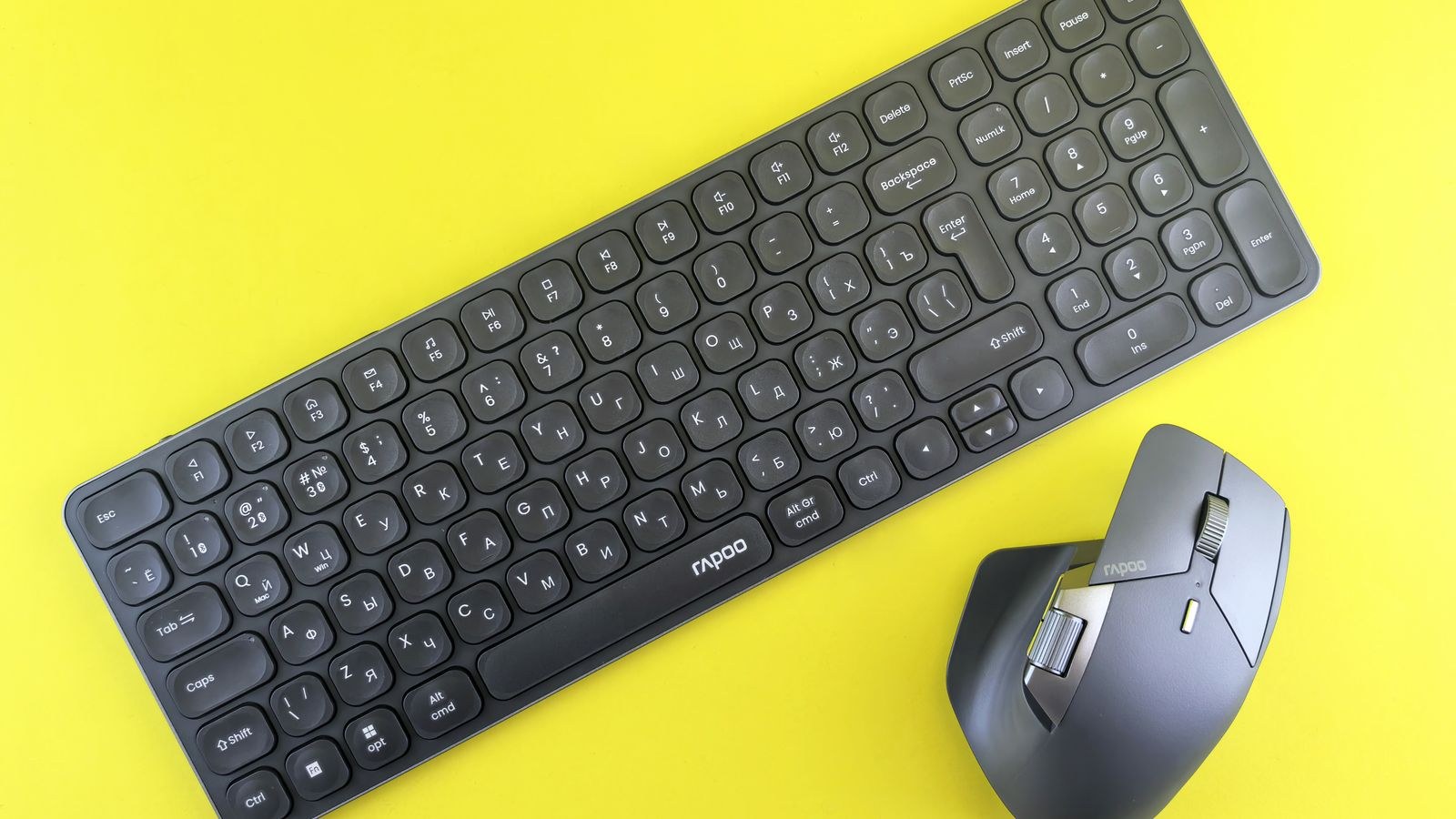
Most slim boards ship wireless because the whole design brief points toward tidy, mobile setups. Bluetooth is the common standard and is ideal for multi-device use, with many boards storing three profiles you switch with a single key. Its trade-off is a slightly higher and less consistent latency than a dedicated wireless receiver, and occasional reconnection delays after idle periods. If you switch between a laptop, a tablet and a desktop, that convenience usually outweighs the latency; our picks for the best bluetooth keyboards highlight models with reliable device switching.
A 2.4GHz dongle gives lower and more stable latency at the cost of a permanently occupied USB port and no easy device switching. Many boards now include both, plus a cable, which is the most flexible arrangement. For bag use, check battery capacity, whether the board charges over USB-C, and whether there is a hardware power switch, because a board that wakes in a backpack drains overnight. Genuinely travel-focused designs are gathered in our roundup of the best portable keyboards.
Noise, Build Quality and Stability
Slim boards are generally quieter than full-size mechanical boards simply because there is less air and less travel to generate sound. That said, a thin plastic case can rattle and amplify, so a cheap slim mechanical board is not automatically quiet. Aluminium top plates, internal foam and well-tuned stabilisers on the space bar and enter key make the biggest difference. Type on one in person if you can, or look for sound tests before ordering. If silence is your priority, cross-reference against our roundup of the best quiet keyboards, which weighs switch dampening and case construction together.
Flex is the other build concern. A thin case has less material to resist bending, so a poorly braced board will visibly deflect when you press hard in the middle. Look for a metal plate or a reinforced chassis, and treat a board that creaks when twisted as a warning about its long-term durability. Rubber feet matter too, because a light board slides on a smooth desk under fast typing.
Budget Tiers
Entry-level slim boards are scissor or membrane designs with plastic cases and basic wireless. They are quiet, cheap and perfectly serviceable for light use, but feel degrades over a couple of years of heavy typing. The mid tier introduces slim mechanical switches, aluminium top plates, backlighting and dual-mode wireless, and this is where most buyers get the best balance of feel and price.
Premium slim boards add hot-swap sockets, adjustable actuation, better internal damping, per-key lighting and longer battery life. They are worth it if you type professionally all day or want to tune switches over time. They are not worth it if you mainly want something flat and quiet for a couple of hours of email a day, where a good mid-tier board delivers most of the experience.
Common Mistakes
The most common error is assuming low profile automatically means comfortable. Height helps, but a keyboard tilted upward on its feet, on a desk that is too high, still forces wrist extension. Fold the feet down flat and fix the desk first. The second mistake is buying slim mechanical expecting the same sound and depth as a full-size board, which leads to disappointment rather than a bad product. The third is ignoring keycap compatibility and later discovering that standard sets sit too high for the switches. The fourth is choosing the very lightest switch available, then fighting accidental presses for months.
Frequently Asked Questions
Are low profile keyboards good for gaming?
Yes. Shorter travel means the actuation point arrives sooner, which some players find quicker for repeated presses. Choose a linear slim switch and a wired or 2.4GHz connection for the most consistent response.
Do low profile keyboards last as long as standard ones?
Slim mechanical switches carry similar lifetime ratings to full-size mechanicals. Scissor and membrane boards wear faster because the rubber dome softens with use.
Can I use normal keycaps on a low profile board?
Usually not. Slim switches use shorter stems and different spacing, so standard sets either will not seat or will sit far too tall. Buy caps made for your specific switch family.
Will a flat keyboard fix my wrist pain?
It can reduce wrist extension, which is one contributor. It does nothing for sideways wrist bend or forearm rotation, and persistent pain deserves a clinician’s assessment.
Is a wrist rest still needed?
Far less often than with a tall board. If you use one, keep it low and level with the front edge so it supports the palm rather than lifting the wrist.
Final Thoughts
A low profile keyboard is the right choice when your priority is a neutral wrist angle, a small footprint, a quiet desk, or easy movement between a laptop and a desktop. Decide first between slim mechanical feel and scissor quietness, then check front-edge height, layout width and connectivity against how you actually work. Get those three right and the flatter board will feel less like a compromise and more like the setup you should have been using all along in 2026.