Owen Bradley
 The keypad is the part of a home alarm system you touch every single day, which makes it the component that decides whether the system gets used at all. Sensors and sirens can be excellent, but if arming means fumbling with a cryptic panel in the dark while a thirty-second exit timer beeps at you, the alarm will quietly stop being set. A control panel is also the brain of the installation: it holds the user codes, decides what happens when a zone trips, and talks to the outside world. This guide covers what separates a keypad from a full control panel, how user codes and duress PINs should be structured, why cellular backup matters more than most buyers realise, and how many keypads a two-storey house genuinely needs in 2026.
Keypad Versus Control Panel: Know the Difference
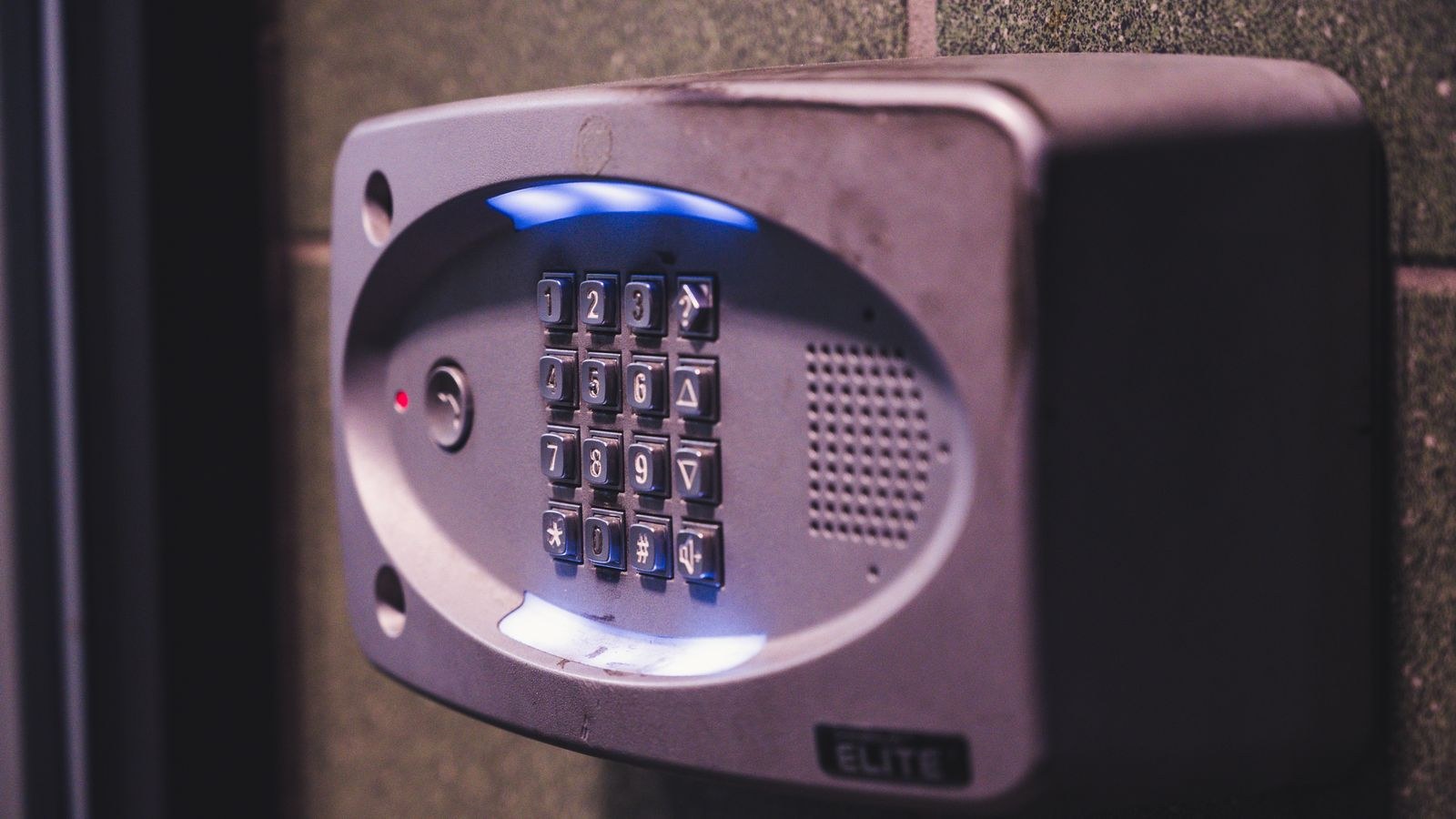
These terms get used interchangeably by marketing and they should not be. The control panel is the hub. It receives signals from every sensor, runs the arming logic, stores the codes, powers the backup battery, and communicates with a monitoring centre or your phone. A keypad is an input and display device wired or paired to that panel. Some products combine both in one wall-mounted unit; others keep the panel hidden in a cupboard or loft with slim keypads at the doors.
The split design is more secure and is standard in professionally installed systems. If the brain sits out of sight, an intruder who smashes the keypad by the door has destroyed an interface, not the system, and the alarm still sounds and still reports. All-in-one units are cheaper and far simpler to fit, which is why they dominate self-install kits. If you choose one, look for a crash-and-smash feature, where the panel reports an alarm immediately if it is destroyed during the entry delay rather than waiting for a disarm that never comes.
Touchscreen, Tactile Keys, or Both
Touchscreens look modern and handle menus, camera feeds, and automation nicely. They are also harder to use without looking, slower in a hurry, and they show fingerprint smudges that can hint at which digits your code uses. Physical keys give reliable tactile feedback, work with gloves and wet hands, and are usually cheaper. Backlighting matters on either type; a keypad you cannot read in a dark hallway is a keypad you will mistype. Many households find the best answer is one touchscreen at the main entrance for full control and simple tactile keypads elsewhere.
User Codes: Structure Them Properly
A good panel supports multiple user codes rather than one shared PIN, and this is worth using even in a household of two. Separate codes create an audit trail, so the event log tells you which code disarmed the system and when. That is how you find out the cleaner arrived early on Tuesday, or that a teenager’s code was used at midnight. A shared code tells you nothing.
Structure them by role. The master code belongs to one or two adults and is the only one that can add or delete other users and change system settings. Standard user codes go to household members and can arm and disarm but not reconfigure. Temporary or guest codes are ideal for cleaners, dog walkers, tradespeople, and holiday-let guests, particularly if the panel supports scheduling so a code only works between certain hours or expires on a set date. Delete a code the day someone stops needing it rather than letting the list grow indefinitely.
Choosing a PIN That Is Not Guessable
Most panels use four to six digits. Avoid birth years, house numbers, and sequential or repeated digits, all of which are the first thing anyone tries. Avoid the code you use for your bank card too, since an alarm panel is not protected to the same standard. If your panel supports six digits, use them; the extra two digits multiply the search space enormously at no cost in usability. Finally, watch for wear patterns on physical keypads. Four worn keys narrow a guess dramatically, so wipe the keypad occasionally and consider a code that reuses a digit.
Duress Codes and Panic Functions
A duress code, sometimes called an ambush code, is a separate PIN that appears to disarm the system normally while silently transmitting an emergency signal to the monitoring centre. There is no beep, no flashing light, and no siren, because the whole point is that someone forcing you to disarm must not realise help is coming. It is the single most underused feature on modern panels.
Set one up if your system and monitoring service support it, and make it a code nobody would enter by accident. Do not make it your normal code plus one, because that pattern is well known. Everyone in the household who might be forced to disarm should know it, and everyone should also know that it only works if you actually have monitoring, since a self-monitored system has nobody to receive a silent signal. Alongside duress, look for panic buttons on the keypad itself, usually a pair of keys held together for medical, fire, and police alerts. Test how sensitive they are, because a keypad within a toddler’s reach and a hair-trigger panic function is an expensive combination.
Communication Paths and Cellular Backup
A panel that cannot report an alarm is just a noisy box. Traditional systems reported over a landline, which is slow and trivially defeated by cutting a cable outside the house. Broadband reporting over your home network is fast and cheap but stops the moment your router loses power or your provider has an outage, and an intruder who kills the power kills the connection.
Cellular backup solves this by giving the panel its own mobile radio, independent of your wiring and your internet. Combined with a backup battery, usually sized for 12 to 24 hours, it means a cut cable and a tripped breaker change nothing about the panel’s ability to call for help. Most quality systems now offer dual-path reporting, using broadband as primary and cellular as automatic failover, and this should be considered essential rather than optional. It usually carries a small monthly cost. Our comparison of the best alarm systems for home shows which providers include dual-path reporting at each service tier and which charge extra.
Tamper and Supervision Features
Two panel features quietly separate serious systems from toys. Tamper detection triggers an alarm if a keypad or sensor housing is opened or removed from the wall, so defeating a device is itself an alarm event. Supervision means the panel expects a periodic check-in from every wireless device and raises a fault if one goes quiet, catching dead batteries, jamming attempts, and sensors that fell off a door frame. Without supervision, a wireless system can silently lose a zone and you would never know until you needed it.
How Many Keypads Does a Two-Storey House Need?
Start with the doors you actually use. Every entrance you routinely come in or go out through needs a keypad within the entry delay, which is typically 30 to 60 seconds. For most homes that means the front door and whichever back or side door leads to the garden, driveway, or garage. If you always enter through the utility room from the car, that door needs the keypad, not the never-used front porch.
Then add a bedroom keypad. On a two-storey house this is the one people skip and later regret, because it lets you arm the perimeter at night, disarm before coming downstairs, and hit a panic button without walking toward whatever woke you. That brings a typical two-storey family home to three keypads: two at used entrances and one upstairs. Larger homes with a separate annexe, converted garage, or basement entrance may need a fourth. Fewer than two is a false economy; more than four usually means a mobile app would serve better than another wall unit.
Mounting Height and Placement
- Mount at roughly 48 to 55 inches so it is comfortable standing and reachable from a seated position.
- Keep it out of sight of exterior windows and door glass so nobody can watch a code being entered.
- Place it inside the protected zone, never on an exterior wall or in a porch outside the sensors.
- Avoid direct sunlight, which washes out screens and shortens the life of touch panels.
- Check wireless signal at the location before drilling, especially through thick masonry or a metal-clad garage.
Budget Tiers and What Changes
Entry-level all-in-one keypad panels come bundled with self-install kits and cover the basics: a handful of user codes, app control, and broadband reporting. They suit flats and smaller homes with straightforward layouts, and the packages in our best DIY home security systems roundup show what typically ships in the box. The mid tier adds separate keypads, cellular backup, more user codes, scheduling, and proper event history, which is where most family homes should land.
The upper tier brings a hidden control panel with multiple wired keypads, extended backup batteries, full tamper and supervision, integration with cameras and locks, and professional monitoring with a duress protocol behind it. If you want a broader view of what each level of system costs to run rather than buy, our overview of the best home security systems compares monitoring fees and contract terms, and the home security system buying guide walks through sizing the whole installation before you commit to a platform. For the keypads themselves, the models in our best keypads comparison cover both touchscreen and tactile designs across those tiers.
Common Mistakes
The biggest is leaving the installer or factory default code active. Default codes are published in manuals available to anyone, and an active default is an open door. Change it during setup, not later. Closely behind is putting the keypad where it is visible through a glass front door, which lets someone stand outside and watch the code being typed.
Two more matter. Setting an entry delay far too long, sometimes 90 seconds or more, out of fear of false alarms gives an intruder ample time to find and destroy the panel; keep it as short as your household can comfortably manage. And giving everyone the same code destroys the audit trail and means a single leaked PIN requires reprogramming for the entire household rather than deleting one user.
Frequently Asked Questions
Can I use my phone instead of a keypad?
Partly. App control is excellent for remote arming and checking status, but you still want at least one physical keypad for guests, for anyone without the app, and for the moments when your phone is flat or your network is down.
What happens to my keypad in a power cut?
A decent panel runs on a backup battery for 12 to 24 hours and keeps reporting if it has cellular backup. Check the rated backup time before buying and replace the battery on the manufacturer’s schedule, typically every three to five years.
Is a duress code worth setting up?
Yes, if you have professional monitoring, because it silently signals for help while appearing to disarm. Without monitoring there is nobody to receive that signal, so it offers little benefit on a self-monitored system.
How many user codes should I create?
One per person who needs access, plus temporary codes for anyone visiting regularly. Delete codes as soon as they are no longer needed and review the full list at least once a year.
Final Thoughts
Pick the keypad around how your household actually moves through the house. Put one at every door you genuinely use, add an upstairs unit for night arming and panic access, mount them out of view of exterior glass, and keep the entry delay short. Give every person their own code, set a duress PIN if you are monitored, and insist on cellular backup and supervision so the system still works when the power and the broadband do not. Those decisions cost very little at purchase and determine whether your alarm is something you rely on or something you eventually stop switching on.