Owen Bradley
 Spending less than $100 on a router is a perfectly reasonable decision, and for a great many homes it is the correct one. What trips people up is not the price but the assumption that a cheap router is simply a slower version of an expensive one. It is not. Manufacturers hit a low price by making specific engineering cuts, and those cuts land in predictable places: fewer radio streams, a weaker processor, less memory, fewer and slower wired ports, and a shorter window of firmware support. This cheap router buying guide sets out exactly what disappears below the $100 line so you can decide whether those omissions matter in your house. Understood clearly, a budget router in 2026 can serve a flat or small home for years. Bought blind, it becomes the thing everyone in the household blames for a bad video call.

Where the Money Actually Goes in a Router
A router’s bill of materials is dominated by a handful of components. The wireless chipset and its radios determine how many simultaneous data streams the device can handle. The processor and RAM decide how many connected clients it can track without slowing down. The switch chip sets the speed of the wired ports. Antennas, amplifiers and shielding influence range and stability. Software development, testing and years of security patching are real costs too, even though they never appear on the box.
To reach a budget price, something in that list has to give. Manufacturers rarely cut everything at once; instead each model makes a different compromise, which is why two routers at the same price can behave very differently in the same house. Learning to spot which compromise a given model made is the entire skill of budget router shopping.
Fewer Streams and What That Costs You
Wireless throughput is delivered in spatial streams. A router advertised as 2×2 has two streams per band; a mid-range model may offer 4×4. More streams do not make a single device dramatically faster, because most phones and laptops only use two streams anyway. What extra streams buy is capacity: the ability to serve several devices at close to full speed at the same time rather than taking turns.
In a household with a handful of devices, a 2×2 budget router is genuinely fine. In a home where four people stream, game and take video calls simultaneously, the reduced stream count shows up as inconsistency rather than a low speed-test result. Everything works, then briefly does not, usually at the worst moment. That intermittent behaviour is the single most common complaint about inexpensive routers, and it is a capacity limitation rather than a fault.
Band Count Matters Too
Cheaper models are dual-band, offering one 2.4GHz and one 5GHz radio. That is the sensible configuration for most homes. Tri-band designs add a second 5GHz radio or a 6GHz band, which relieves congestion when device counts climb, and they almost always sit above the budget tier. If your area is dense with neighbouring networks, the extra band is one of the more defensible reasons to spend more.
Weaker Processors and Client Limits
Every connected device consumes a little of the router’s processing budget for tracking connections, applying firewall rules and handling encryption. A budget router with a slower single or dual-core processor and modest RAM copes comfortably with a modest device count, but once smart plugs, bulbs, speakers, cameras, televisions and phones push the total toward fifty, the processor becomes the bottleneck long before the radios do.
Symptoms are distinctive: web pages that hesitate before loading while a big download runs, a management interface that becomes sluggish, and occasional need for a reboot to restore normal behaviour. If your device count is already high or rising fast, this is the strongest argument for stepping above $100. Households counting devices in the dozens will find better matches among the best affordable Wi-Fi routers that pair a modest price with a more capable processor.
Wired Ports: The Cut Nobody Notices Until Later
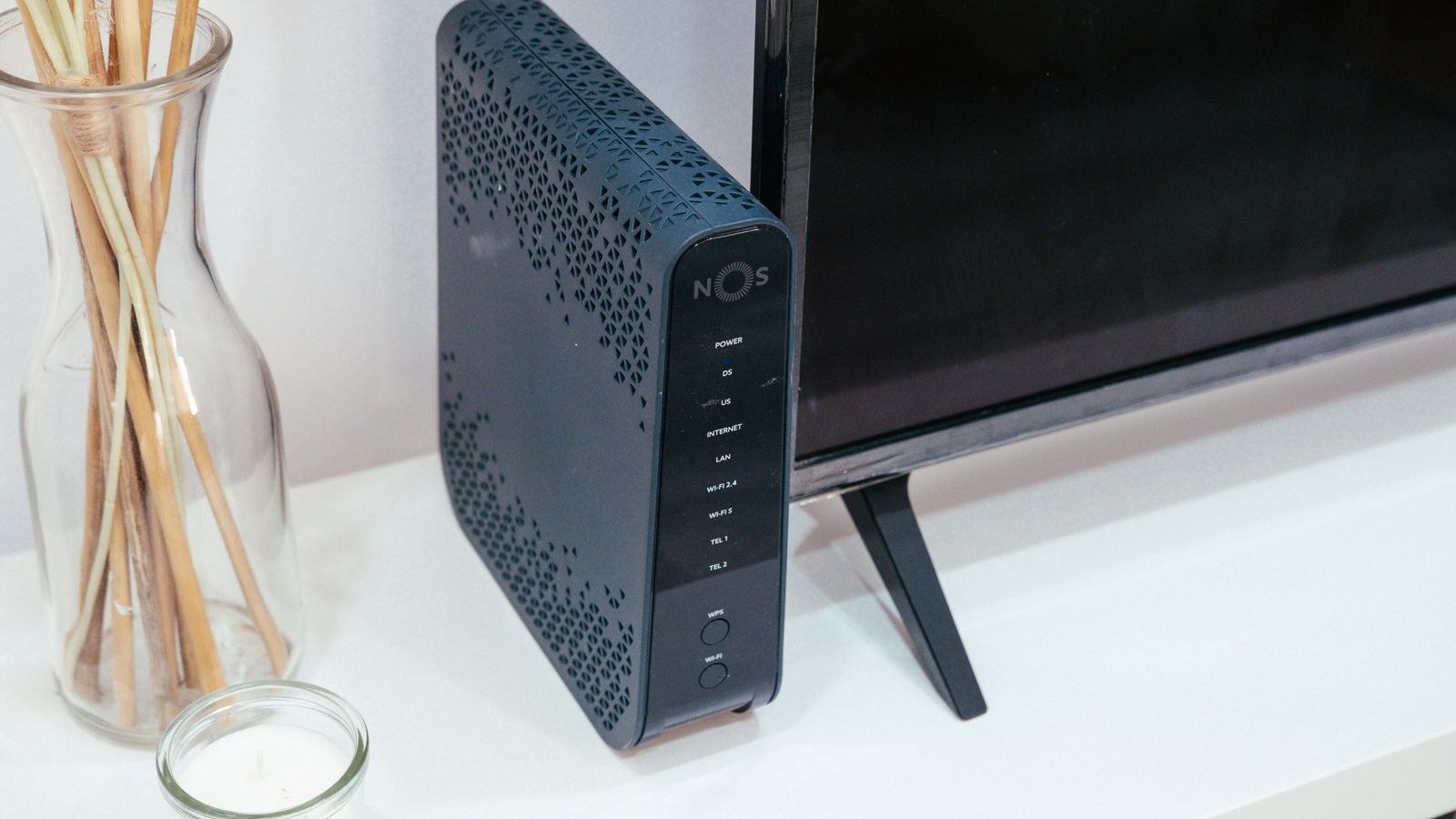
Many inexpensive routers still ship with 10/100 megabit LAN ports rather than gigabit. If your internet plan delivers more than 100 megabits, any device plugged into those ports is capped well below what you pay for, and the fault is invisible unless you test a wired connection specifically. Check the port specification on every candidate, because this is the easiest way to accidentally throttle a fast connection with a cheap purchase.
Port count deserves a look as well. Four LAN ports used to be standard; some budget models now ship with two or three. If a television, console, desktop and network storage box all want wired connections, either buy a model with enough ports or budget for an inexpensive switch. Also check whether the WAN port is gigabit, since a 100 megabit WAN port limits the entire household regardless of what the LAN side offers.
Firmware Support Windows
The least visible cut is the shortest one. Budget models are frequently retired from the security update cycle sooner than flagship hardware, because maintaining firmware for a large catalogue of low-margin products is expensive. A router that stops receiving patches is a device sitting on the public internet with known, unfixed flaws.
Before buying, find the support page for the exact model and look at the dates on its firmware releases. A model that has received updates within the last several months from a manufacturer with a broad track record is a far safer purchase than a superficially better-specified device that went quiet after launch. Prefer manufacturers with a visible, ongoing release history, and enable automatic updates the moment setup finishes.
What You Do Not Lose Below $100
The picture is not uniformly bleak, and it is worth being clear about what a modern budget router still does well. Current-generation wireless standards have filtered down into inexpensive models, so you generally get efficient handling of multiple clients rather than a decade-old radio design. Guest networks, basic parental scheduling, WPA3 encryption, automatic firmware updates and a competent mobile app are all common at this price now.
Range from a well-placed budget router is also better than reputation suggests. Antenna design has improved across the board, and a cheap router sitting centrally and out in the open frequently outperforms an expensive one hidden in a cupboard. If coverage is your main worry, fix placement before you fix budget. Shoppers holding an even tighter line can find workable options among the best routers under 50, though the compromises above become sharper at that level.
Who Should Stay Under $100
- Small flats and one- or two-bedroom homes where a single, centrally placed router covers everything comfortably.
- Internet plans up to a few hundred megabits, where the router is not the limiting factor in the first place.
- Households under roughly twenty-five connected devices, which stays within a modest processor’s comfortable range.
- Renters and short-term setups where the router may be replaced or left behind within a couple of years.
- Secondary locations such as a holiday home, garage workshop or spare-room office that only needs basic coverage.
If two or more of those describe you, spending more mainly buys capability you will never call upon. Curated shortlists for exactly this situation appear in our guide to the best routers under 100.
When Spending More Genuinely Pays
The threshold cases are worth naming plainly. Multi-gigabit internet service is the clearest: a budget router simply cannot pass that much traffic, and the plan is wasted. Large or multi-storey homes are the second, because a single unit of any price struggles with distance and dense walls, and a mesh system or a wired access point solves what a stronger single router cannot.
Heavy simultaneous use is the third case. Several 4K streams, a competitive gamer who notices latency spikes and a home worker on constant video calls together demand the capacity that extra streams and a faster processor provide. The fourth is a very high device count, typically driven by extensive smart home hardware. If none of these apply, extra spending mostly buys headroom you will not use. Buyers weighing the middle ground can compare options in our roundups of the best inexpensive routers and the best low cost routers, which straddle the boundary between budget and mid-range.

How to Shop the Budget Tier Well
Work through a short verification list before committing. Confirm the LAN and WAN ports are gigabit. Confirm the stream configuration and band count, and treat the aggregate speed number on the box as marketing rather than specification. Check the firmware release history for that specific model. Confirm WPA3 support and the presence of automatic updates. Finally, check whether any advertised security or parental control feature requires a subscription, because a monthly fee changes the value calculation entirely.
One more piece of practical advice: buy for the house you have rather than the house you might have. A budget router bought for a flat you will leave in two years does not need to anticipate a future four-bedroom home. Replace it then, likely for less money and with better technology than exists today.
Common Mistakes With Cheap Routers
The most expensive mistake is chasing the biggest advertised speed rating within the budget tier. Those aggregate figures add every band’s theoretical maximum together and correlate poorly with real performance. A model with a modest rating but a gigabit switch and a decent processor will beat a higher-rated one with 100 megabit ports every time.
The second is placing a budget router poorly and then blaming the price. Inside a cabinet, behind a television or on the floor in a corner, any router loses substantial signal. Elevated, central and open placement is free and often worth more than a tier upgrade. The third mistake is leaving default settings untouched: change the administrator password, enable WPA3 where supported and turn on automatic firmware updates during the first session.
Frequently Asked Questions
Will a cheap router slow my internet speed?
Only if it cannot pass your plan’s throughput. The usual culprits are 100 megabit wired ports or an underpowered processor. On plans up to a few hundred megabits, a properly specified budget router keeps up without difficulty.
Is a budget mesh kit better than one good router?
In a larger or awkwardly shaped home, yes, because coverage problems are geometric rather than a matter of raw power. In a small flat, a single well-placed router usually performs better than a cheap two-node kit relying on wireless backhaul.
How long will a budget router last?
Expect roughly three to five years, with the end usually set by firmware support ending or your internet plan outgrowing the hardware rather than by physical failure.
Should I use the router my provider supplied?
Provider hardware is often adequate but rarely generous with configuration options or coverage. A modest purchase of your own typically improves both, and lets you keep the same equipment when you change providers.
Final Thoughts
A router under $100 is not a compromise so much as a targeted purchase, and the trade-offs are entirely predictable once you know where to look: fewer streams, a slower processor, possibly slower wired ports and a shorter support window. Match those limits against your actual home size, plan speed and device count, verify gigabit ports and an active firmware history before buying, and place the unit sensibly once it arrives. Do that and a budget router will quietly do its job for years, leaving your money free for the parts of the setup you notice every day.