
 Owen Bradley
 Buying a used graphics card is one of the best ways to stretch a build budget, often saving hundreds compared to a new card of the same performance tier. It is also one of the easiest ways to get burned. A GPU is a complex, hard-worked part, and a used one might have spent its life mining, gaming under poor cooling, or already be quietly failing in ways a seller will not mention. The good news is that a handful of straightforward checks and a sense of fair pricing dramatically cut your risk. This guide covers the tests to run, the seller signals to read, and the price ranges that keep a mined-on or dying card out of your machine.
Why Buy Used at All
The case for a used graphics card is simple: performance per dollar. Cards depreciate quickly as new generations launch, so a model that was near the top a couple of years ago can now be had for a fraction of its original price while still handling modern games at high settings. For anyone building on a budget, the used market often delivers a tier of performance that would be out of reach at new prices.
The trade-off is uncertainty. You lose the guarantee of a fresh, unused part and, usually, the manufacturer warranty. That is why the goal of this guide is not to talk you out of buying used, but to help you buy used intelligently, so the savings are real and the risk is managed rather than blind. Knowing what a comparable new card costs, such as the options in our best GPUs under 300 and best GPUs under 500 guides, gives you the baseline you need to judge whether a used deal is actually a deal.
Understanding the Mining Question
The fear that dominates used GPU buying is mining. A card used for cryptocurrency mining ran continuously under load, which sounds alarming, but the reality is more nuanced. A mined card that ran at a steady temperature with good airflow can actually be in reasonable shape, because constant operation avoids the thermal cycling that stresses components. The bigger concerns are the fans, which spun nonstop and wear out, and thermal paste that has long since dried.
What you want to avoid is a card that was mined hard in a hot, dusty environment and then cleaned up for sale. Signs include worn or noisy fans, residue or heavy dust, and a seller who is evasive about the card’s history. A mined card is not automatically bad, but it should be priced to reflect the added risk and the likely need for new fans or fresh paste. Never pay near-new money for one.
The Physical Inspection
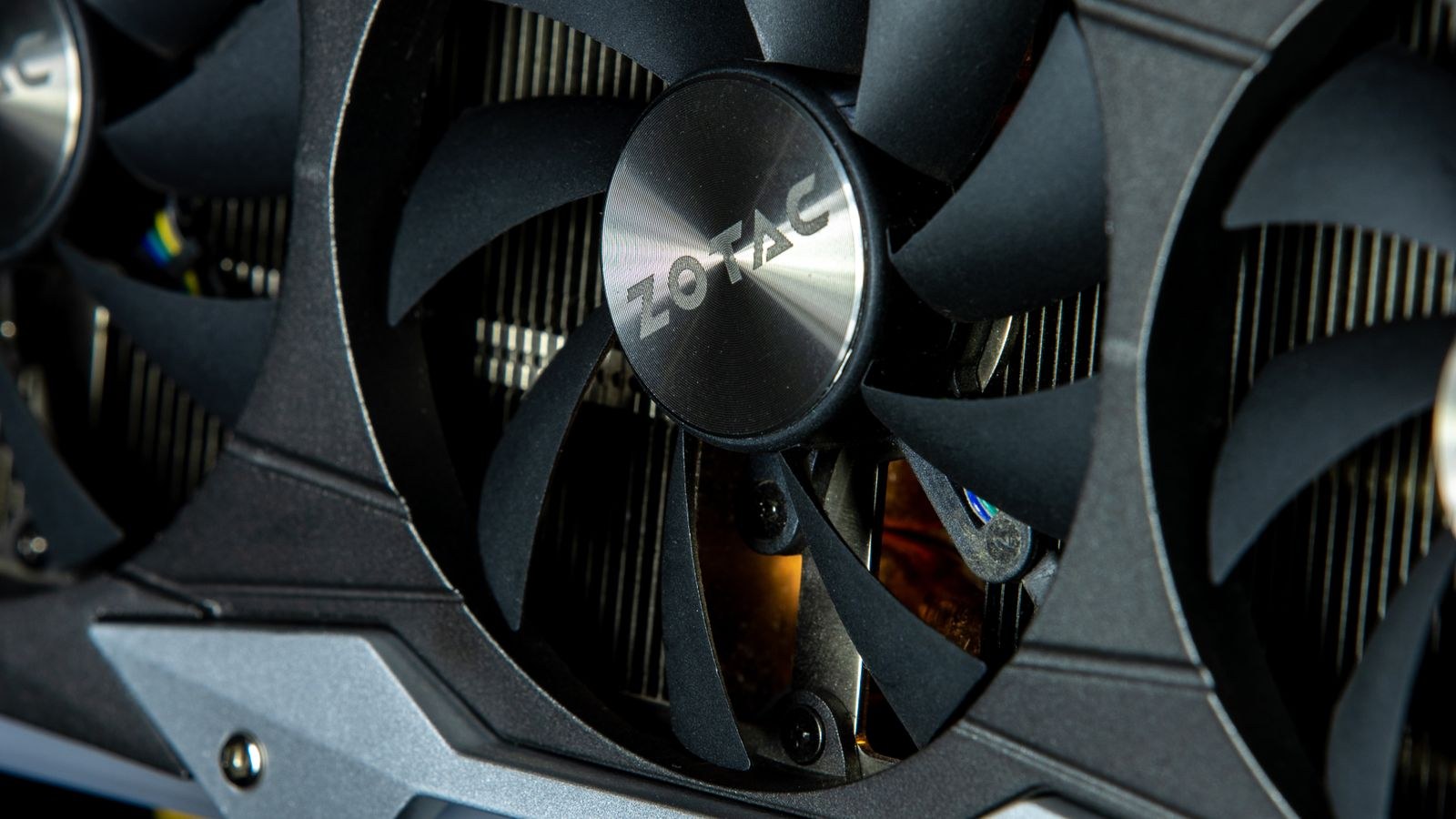
Whenever possible, inspect the card in person or demand detailed photos. Look at the fans first: check for chips or cracks in the blades, and if you can power it, listen for grinding, rattling, or a fan that fails to spin. Worn fan bearings are one of the most common issues on used cards, and while fans can be replaced, it is a cost and hassle you should factor in.
Next examine the circuit board and connectors. The PCI Express edge connector should be clean and gold, not scratched or corroded, and the power connectors should show no scorching or melting, which is a serious red flag pointing to past electrical stress. Check for bent brackets, signs of a previous repair, or a heatsink that looks like it has been removed and refitted, which may hint at an amateur paste job or worse. A tidy, dust-free card from a careful owner is a much safer bet than one that looks abused.
The Tests That Actually Matter
If you can test the card before money changes hands, do it, because a running test reveals problems no photo can. Install it, boot the system, and confirm the card is detected and displays a clean image with no strange colors, flickering, or scattered dots on screen, which are classic symptoms of failing memory. Then load it up: run a graphically demanding game or a benchmark for a sustained period and watch the temperatures.
A healthy card should hold stable temperatures under load without artifacts, crashes, or sudden shutdowns, and its fans should ramp smoothly. Visual artifacts, driver crashes, or a system that reboots under load are signs of a dying card that you should walk away from. Compare the performance you see against typical numbers for that model; if it scores well below where it should, something is wrong. Knowing the expected results for popular families, like those in our best RTX series GPUs and best AMD graphics cards roundups, makes it easy to spot an underperformer.
Reading the Seller
The seller is as important as the hardware. A trustworthy seller answers questions directly, provides clear photos including the actual card rather than a stock image, and can tell you the card’s history: how long they owned it, what it was used for, and why they are selling. Vague answers, refusal to show the specific unit, or pressure to complete the sale quickly are all reasons to be cautious.
Favor platforms and payment methods that offer some buyer protection over pure cash-in-hand deals with strangers, and check a seller’s ratings or history where available. If a deal seems dramatically cheaper than everything comparable, ask why; there is sometimes a legitimate reason, but often the price reflects a problem the seller is not volunteering. Trust the pattern of the whole interaction, not just the specification listed.
Fair Price Ranges
Pricing a used card comes down to one anchor: what does equivalent new performance cost? Start by identifying the card’s performance tier and the price of a new card that matches it. A used card should sell for meaningfully less than that new equivalent, with the discount growing as the card ages, as its warranty shrinks, and as its risk profile rises. A card near the end of any warranty, or one with mining history, should carry a steeper discount than a lightly used, recently bought unit.
As a rough framework, a clean, recent used card from a private seller often sits somewhere below new pricing but above bargain-bin levels, while an older or higher-risk card should be well under half of what it once cost. Always weigh the used price against a new budget card first, because sometimes a modest new card from the best GPUs for gaming lineup, with a full warranty, beats a marginally faster used card once you account for the risk. If the used discount is small, the new card is usually the smarter buy.
After You Buy
Getting the card home is not quite the end. Before you rely on it, run your own extended stress test and monitor temperatures over a longer session than a quick seller demo allowed. This is your window to catch a problem while a return or dispute is still possible. Watch for artifacts, throttling, or instability across a range of games and workloads, not just one quick benchmark.
If the fans were noisy or temperatures ran high, consider replacing the thermal paste and pads, which is a low-cost job that can meaningfully improve a used card’s temperatures and longevity. A thorough dust cleaning helps too. A little maintenance up front often turns a slightly tired used card into one that runs cool and quiet for years, protecting the savings that drew you to the used market in the first place.
Frequently Asked Questions
Is it safe to buy a graphics card that was used for mining?
It can be, if it ran at steady temperatures with good cooling, but you should price in worn fans and old thermal paste. Avoid cards that were run hard in hot, dusty conditions, and never pay near-new prices for a mined card. Treat mining history as a reason for a bigger discount, not an automatic dealbreaker.
What are the warning signs of a dying GPU?
Visual artifacts like colored dots, lines, or flickering, crashes and reboots under load, failure to display an image, and grinding or dead fans are the main red flags. Temperatures that spike unusually high or performance well below the model’s normal scores also point to a card in trouble.
How much should I expect to save buying used?
It varies, but a used card should always cost meaningfully less than a new one of equivalent performance, with older and higher-risk cards discounted more steeply. If the saving over a comparable new card with a warranty is small, the new card is usually the better choice.
Can I test a graphics card before buying?
If at all possible, yes, and it is the single most valuable check you can make. Watching the card display cleanly and hold stable temperatures under a sustained load reveals failing memory or cooling that photos cannot. If in-person testing is not possible, insist on detailed photos and a clear account of the card’s history.
Final Thoughts
A used graphics card can be a genuinely smart purchase, delivering a big step up in performance for far less than new. The savings only make sense, though, when you protect yourself with a few disciplined checks: inspect the physical card, test it under real load whenever you can, read the seller as carefully as the specs, and anchor every price against what equivalent new performance costs. Do that groundwork and you turn a gamble into a calculated buy, keeping the tired, abused, and dying cards out of your build while pocketing the difference for the rest of your system.









