Owen Bradley
 Every smart bulb box lists a wireless protocol somewhere on the back, and that one line determines more about your experience than brightness or color range ever will. It decides whether you need a hub, how far the bulb can sit from your router, how fast it responds, how many bulbs you can add before things get unstable, and whether the light still works when your internet goes down. The zigbee vs wifi smart bulbs debate, with Bluetooth as a third contender, is really a debate about network architecture in your home. This guide explains what each protocol does well, where each falls apart, and which one suits a studio apartment versus a three-story house in 2026.
The Three Protocols in Plain Terms
Wi-Fi bulbs join your home network exactly like a laptop or phone. Each bulb gets its own IP address and talks to your router directly, usually relaying commands through a manufacturer’s cloud service. No extra hardware is required beyond what you already own.
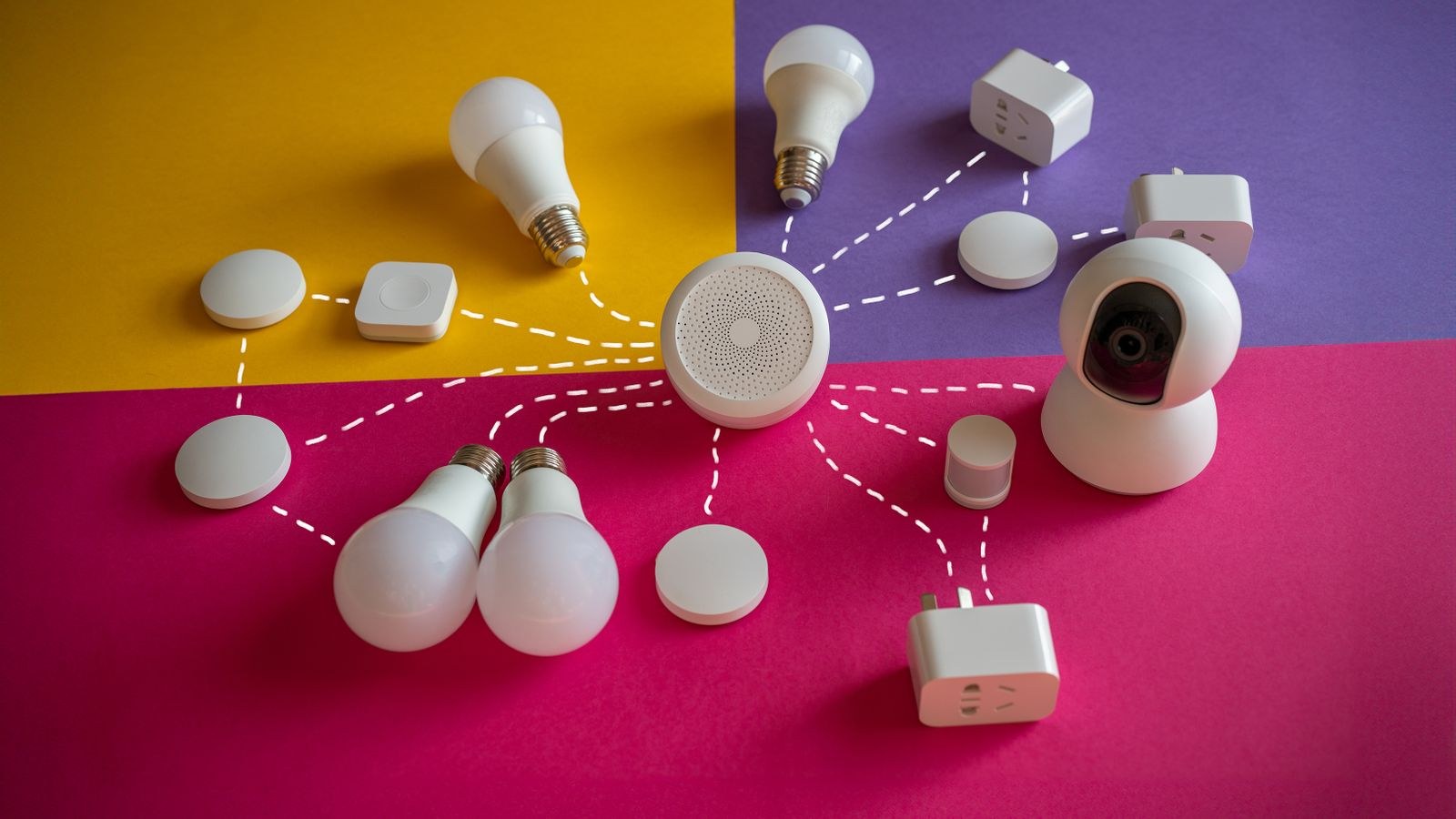
Zigbee bulbs use a low-power mesh protocol on the 2.4 GHz band. They do not talk to your router at all. Instead they talk to a hub or bridge, and crucially each mains-powered bulb also relays messages for its neighbors, so the network extends itself as you add devices.
Bluetooth bulbs pair directly with your phone over short-range radio. Some use Bluetooth Mesh, which lets bulbs relay to each other, and many pair Bluetooth for setup with a second protocol for ongoing control.
Think of it as three architectures: Wi-Fi is a star pointing at your router, Zigbee is a self-healing web anchored to a hub, and Bluetooth is a direct handshake with whatever device is in the room.
Hub Required or Not
This is the first practical fork. Wi-Fi and Bluetooth bulbs need no hub, which makes the first purchase cheap and the setup fast. Screw in the bulb, open the app, join the network, done in three minutes. That simplicity is why Wi-Fi bulbs dominate impulse purchases and starter kits.
Zigbee requires a bridge, and that upfront cost is real. But the hub is a one-time purchase that serves dozens of devices, and it brings advantages that compound: local control, faster group commands, and a single pairing process rather than one per bulb. Many modern smart speakers and displays now include Zigbee radios, which removes the separate purchase entirely.
The rule of thumb is straightforward. Under about six or eight smart lights, skipping the hub genuinely saves money and effort. Past that point, the hub pays for itself in reliability. If you are starting small and want the fastest path to working lights, our roundup of the best Wi-Fi light bulbs covers models that need nothing but your existing router.
Range and Coverage
Wi-Fi range is whatever your router provides. In an apartment or a small single-floor home, that is usually plenty. In a larger house, bulbs in the far bedroom or the detached garage will sit at the edge of coverage, and a bulb with a marginal signal drops offline in ways that are maddening to diagnose. Mesh Wi-Fi systems help substantially here.
Zigbee has short individual range, roughly 30 to 60 feet indoors per hop, but the mesh behavior changes everything. Every mains-powered Zigbee device repeats signals, so a bulb in the hallway extends coverage to the bulb in the back bedroom, which extends it further still. A Zigbee network genuinely gets stronger and more reliable as you add devices, which is the opposite of how Wi-Fi behaves.
Bluetooth has the shortest range of the three, typically 30 feet or less through walls, and standard Bluetooth requires your phone to be present. Walk out the door and you lose control entirely unless the system includes a bridge. Bluetooth Mesh improves in-home coverage but does not solve remote access on its own.
Router Load and Device Limits
Here is the failure mode people rarely anticipate. Consumer routers have practical limits on how many clients they handle gracefully, often somewhere between 30 and 60 devices before performance degrades. Between phones, laptops, TVs, consoles, cameras, and speakers, a modern household already uses a substantial chunk of that. Add twenty Wi-Fi bulbs and you can push a router into flaky territory where everything on the network suffers, not just the lights.
Each Wi-Fi bulb also maintains a persistent connection and periodic cloud check-ins, generating constant low-level chatter on the 2.4 GHz band. Zigbee sidesteps this completely: the hub is one device on your network no matter whether it manages five bulbs or a hundred and fifty. For anyone planning to light a whole house, that architectural difference is decisive, and comparing the best Zigbee bulbs is worth doing before you commit to a protocol you will be stuck with.
Speed and Responsiveness
Perceived speed matters more than raw specification. A typical Wi-Fi bulb sends your command to the cloud and back, adding latency that ranges from barely noticeable to a full second depending on your connection and the manufacturer’s servers. Turning on one bulb feels fine. Triggering a scene across eight Wi-Fi bulbs often produces a visible popcorn effect as they respond one after another.
Zigbee commands are handled locally by the hub and support true group messaging, so a whole room switches in one synchronized moment. That difference is subtle in a spec sheet and obvious in daily use. Bluetooth is fast when your phone is in range, since the link is direct, but it becomes useless the moment you leave.
What Happens When the Internet Drops
Most Wi-Fi bulbs depend on a cloud service for app control, and many depend on it for voice commands too. If your ISP has an outage, or the manufacturer’s servers have a bad afternoon, your lights may become unresponsive to everything except the wall switch. Some brands support local control as a fallback; many do not, and the packaging rarely says so.
Zigbee with a local hub keeps working through an internet outage because the hub processes commands itself. Automations, schedules, sensors, and in-app control continue normally; only remote access from outside the house stops. Bluetooth also works offline by nature, since it never needed the internet in the first place. If uninterrupted operation matters to you, that alone narrows the field considerably.
Interference and the 2.4 GHz Crowd
Wi-Fi and Zigbee both live on 2.4 GHz, along with Bluetooth, microwaves, baby monitors, and your neighbors’ networks. Overlap causes dropped commands and sluggish response. The practical fix is to check which channel your router uses and set your Zigbee hub to a channel that does not overlap it. Zigbee channels 15, 20, and 25 sit in relatively clean space compared with common Wi-Fi channels 1, 6, and 11.
Physical placement helps too. Keep the hub away from the router itself, away from large metal appliances, and off the floor. A hub tucked behind a media cabinet next to a router is the single most common cause of a Zigbee network that feels unreliable for no apparent reason.
Ecosystem and Compatibility
Protocol choice also determines which assistants and apps can reach your lights. Wi-Fi bulbs generally integrate with major voice assistants through cloud connections, which is convenient but means an account and a linked service for each brand. Zigbee bulbs integrate through whatever your hub supports, which is often broader and more consistent, and modern hubs increasingly bridge Zigbee devices into cross-platform standards so the underlying protocol becomes invisible.
Mixing brands within Zigbee usually works but not always perfectly, since manufacturers layer proprietary features on top of the standard. Sticking to one hub ecosystem avoids most surprises. Bluetooth bulbs tend to be the most siloed, often locked to a single manufacturer app with limited automation options. For a broad look at how these categories compare in real fixtures, our guide to the best smart bulbs spans all three protocols.
Which Protocol Fits Your Home
- Studio or one-bedroom apartment, under 8 bulbs: Wi-Fi. No hub cost, short distances, minimal router strain.
- Two- or three-bedroom home, 10 to 30 bulbs: Zigbee. The hub cost is recovered in reliability and the mesh handles the square footage.
- Large or multi-story house, 30+ devices: Zigbee without hesitation. Wi-Fi at this scale becomes a router problem.
- Single lamp or a dorm room: Bluetooth is fine and often cheapest, provided you accept phone-only, in-room control.
- Rental where you want zero infrastructure: Wi-Fi or Bluetooth, nothing to install or leave behind.
- Homes with poor or intermittent internet: Zigbee with a local hub, so lighting never depends on the ISP.
If you want the low-friction, phone-paired experience without any network configuration at all, comparing the best Bluetooth light bulbs shows what that simplicity costs in range and automation.
Common Mistakes to Avoid
- Buying twenty Wi-Fi bulbs one at a time and only discovering the router limit after the network starts misbehaving.
- Putting the Zigbee hub next to the router, guaranteeing channel and proximity interference.
- Assuming Bluetooth bulbs can be controlled remotely. Without a bridge, they cannot.
- Ignoring whether a brand supports local control until the day the cloud service is down.
- Mixing three protocols and three apps across one house, which multiplies troubleshooting for no benefit.
- Connecting bulbs to a 5 GHz network. Nearly all smart bulbs are 2.4 GHz only, and a combined-band network sometimes needs splitting during setup.
Frequently Asked Questions
Can I mix Wi-Fi and Zigbee bulbs in the same house?
Yes, and many people do. They will live in separate apps unless a hub or platform bridges them, so keep the split logical, such as Zigbee for whole-house fixtures and Wi-Fi for a couple of lamps.
Is Zigbee being replaced by newer standards?
Zigbee remains widely supported and continues to ship in new products, and modern hubs bridge it into current cross-platform standards. Buying Zigbee today does not strand you.
Why won’t my smart bulb connect during setup?
The usual cause is the 5 GHz band. Temporarily separate your network bands or connect your phone to the 2.4 GHz SSID during pairing, then reconnect normally afterward.
Do Zigbee bulbs work if I turn off the wall switch?
No, and worse, they stop repeating for the mesh. Any mains-powered Zigbee device that loses power creates a hole in your network coverage, so leave those switches on.
Which protocol uses the least standby power?
Zigbee and Bluetooth are designed for low power and draw noticeably less at idle than a Wi-Fi radio. Across a large installation the difference is small in dollars but real.
Final Thoughts
Protocol choice is the one smart lighting decision that is genuinely hard to reverse, because it determines what your next thirty purchases have to be. Wi-Fi is the fastest start and the right answer for small installations where a hub would be overkill. Zigbee is the architecture that scales, keeps working offline, responds instantly in groups, and grows stronger with every device added. Bluetooth serves a narrow but legitimate role for single rooms and single lamps where nothing needs to happen while you are away. Decide based on how many lights you expect to own two years from now rather than how many you are buying today, and you will avoid the expensive re-buy that catches most people midway through their smart home.