
 Owen Bradley
 Almost everyone who takes recording seriously runs into the USB vs XLR microphone question within a week of starting. One camp says USB is a toy and real audio requires an interface; the other says modern USB mics are excellent and the extra gear is a waste. Both positions oversimplify. The honest answer depends on what you record, how many people you record at once, whether you plan to grow the setup, and how much you enjoy troubleshooting. This buying guide for 2026 explains what each connection actually does, what an audio interface adds, when USB is genuinely enough, and the sensible upgrade path if you outgrow it.
What the Connection Type Really Means
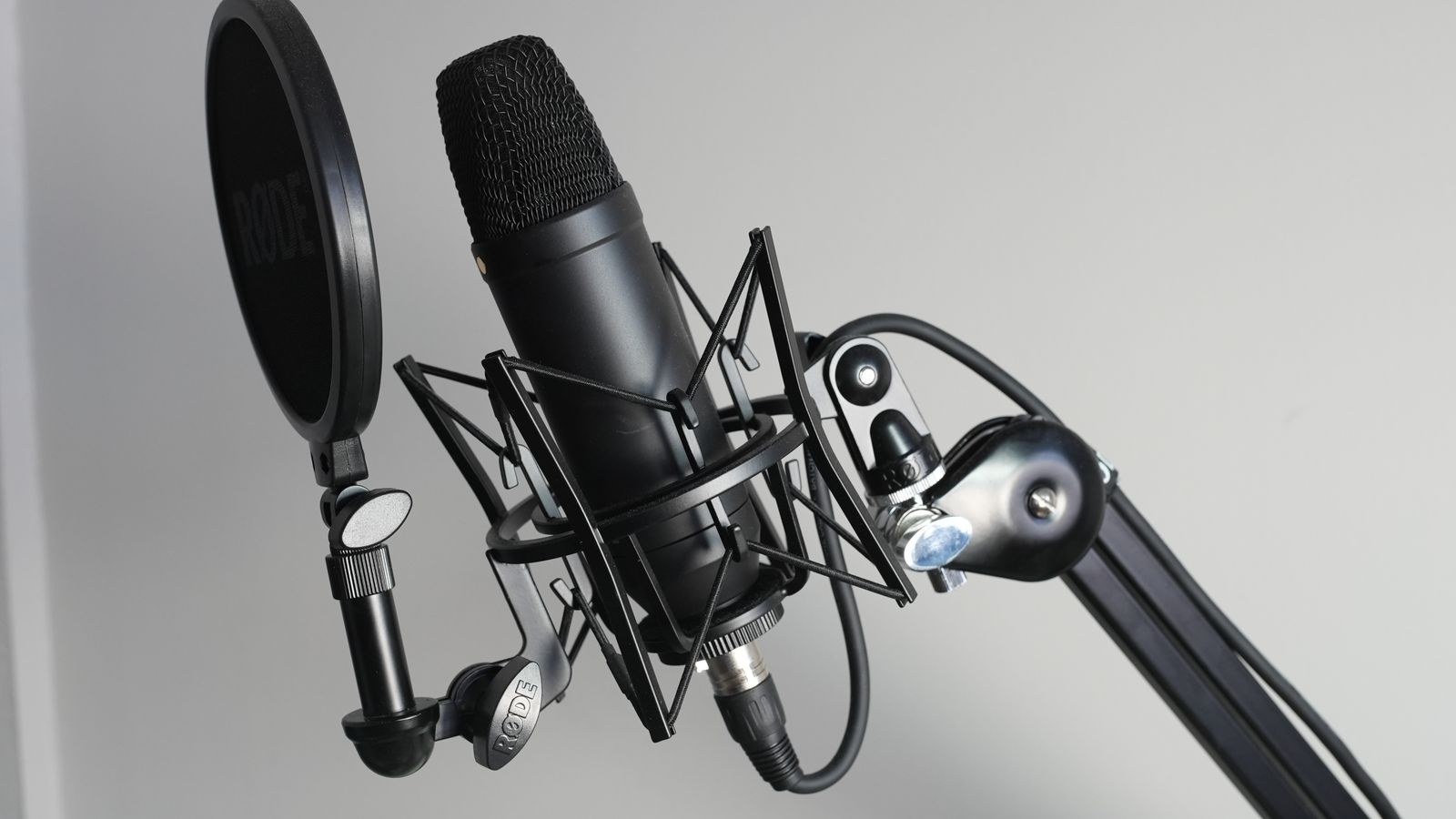
The USB versus XLR distinction is about how the microphone’s signal gets converted and delivered, not about the microphone capsule itself. A USB microphone contains everything in one body: the capsule, a preamp to boost the tiny signal it produces, and an analogue-to-digital converter that turns it into data your computer understands. One cable carries the finished digital audio straight into a USB port.
An XLR microphone outputs an analogue signal through a three-pin balanced connector and stops there. It has no preamp and no converter, so it needs an audio interface or mixer to supply gain, provide phantom power if it is a condenser, and perform the conversion. The capsule technology inside can be identical in both cases; many manufacturers sell essentially the same microphone in both formats.
That is the crucial takeaway. USB does not mean lower quality by definition. It means the electronics are fixed and bundled. XLR means those electronics are yours to choose and upgrade later.
What an Audio Interface Actually Adds
If you go the XLR route, the interface is doing real work, not just acting as an adapter. It supplies clean gain through a dedicated preamp, which matters enormously for dynamic microphones that need a lot of it. It delivers 48V phantom power to condensers. It converts the analogue signal with converters that are usually better than the ones squeezed into a microphone body.
Just as importantly, an interface gives you zero-latency direct monitoring, so you hear yourself through headphones with no perceptible delay. It provides a proper headphone amplifier with its own volume control, physical gain knobs you can adjust without opening software, and usually a second input so you can record a guest, an instrument, or a second host on a separate track. Balanced XLR cabling also resists interference over long runs in a way that USB cables do not.
Entry-level two-input interfaces start around $100 to $150 and are genuinely good these days. That is the real cost of the XLR path on top of the microphone itself, and it is the number people forget when comparing prices.
Sound Quality: The Honest Comparison
At the budget end, from roughly $60 to $120, good USB microphones often beat XLR setups at the same total price, because a $70 XLR mic plus a $110 interface is a worse allocation than a $150 all-in-one. The maths only starts favouring XLR once your total budget clears about $250.
Above that, XLR pulls ahead steadily. The best preamps and converters are simply not available in microphone-sized packages, and the difference shows up as lower noise floor, more headroom, and better behaviour when you push the gain. A dynamic broadcast microphone through a clean interface preamp will sound noticeably fuller and quieter than most USB equivalents. But be realistic about the size of the gap: for a podcast listened to on phone speakers or a stream compressed to a fraction of its original bitrate, the difference is far smaller than what you gain from better mic placement and a quieter room.
When USB Is Genuinely Enough
USB is the right answer more often than audio forums admit. Choose it confidently if you record alone, from one location, straight into your computer. Choose it if you are a solo streamer, a voiceover hobbyist, a remote worker who wants to sound professional on calls, or a musician recording rough demos. Choose it if desk space is limited or if you value not owning another box with cables.
Modern USB microphones frequently include features the equivalent XLR mic does not: a headphone jack with direct monitoring, a physical mute button, a gain dial, selectable polar patterns, and sometimes onboard compression or noise suppression. Plugging in and speaking, with no drivers and no gain staging, has genuine value when you are trying to publish rather than tinker. If your main goal is clear voice for calls and light content work, a solid USB mic or even one of the best USB headsets will get you there with far less setup.
When You Genuinely Need XLR
Certain situations make XLR the only sensible choice. The first is multiple microphones. USB mics do not share a clock, so running two on one computer causes drift and driver conflicts, whereas an interface with two or four inputs records everyone on separate tracks in perfect sync. If you interview guests in person, this alone settles it.
The second is long cable runs. Balanced XLR happily runs 25 feet or more without picking up hum; USB starts degrading past about 15 feet without a powered extender. The third is outboard gear, such as hardware processors, cloudlifters, or mixers, which expect analogue signals. The fourth is modularity: with XLR you can swap the mic without changing the interface, or upgrade the interface without changing the mic, and everything you buy keeps working. Finally, if you may ever record in a studio or on location, XLR is the universal professional standard and your gear will simply plug in.
Condenser or Dynamic Matters More Than the Connector
People obsess over the connection and underthink the capsule, which has a far bigger effect on how you sound. Condenser microphones are sensitive and detailed, capturing air and nuance beautifully. They also capture your air conditioner, your keyboard, your neighbour’s dog, and every reflection off a bare wall. They belong in quiet, treated rooms.
Dynamic microphones are less sensitive and typically have tighter pickup patterns, so they hear you and much less of your room. That is why broadcast studios and live venues use them almost exclusively. If your recording space is a bedroom with hard floors and untreated walls, a dynamic microphone placed close to your mouth will produce a cleaner, more professional result than a far better condenser two feet away. Choose the capsule type based on your room first, then decide on the connector.
Budget Tiers and What Each Buys
- Under $100: entry USB microphones. Big step up from a laptop or webcam mic. Expect a plastic body, a fixed cardioid pattern, and a small desk stand you should replace with an arm.
- $100 to $200: the sweet spot for USB. Metal bodies, headphone monitoring, gain controls, sometimes multiple patterns. Also the range where a very basic XLR mic plus interface first becomes viable.
- $200 to $400: quality XLR dynamic or condenser plus a decent two-channel interface, or a premium hybrid USB and XLR microphone. This is where most serious podcasters land.
- $400 and above: better preamps, more inputs, higher-end capsules. Returns diminish quickly unless your room is treated, at which point acoustic panels are the better purchase.
Whatever tier you choose, reserve roughly a quarter of the budget for accessories. A boom arm, a shock mount, and a pop filter are not luxuries; they eliminate desk thumps, handling noise, and plosives that no amount of editing fully removes.
Hybrid Microphones: The Hedge
A growing number of microphones offer both USB and XLR outputs in one body. You start plug-and-play over USB, then move to an interface later without buying a new microphone. The compromise is that the onboard converters are usually modest and the price sits above a pure USB equivalent, but as a hedge against not knowing where your setup is going, they are a smart, low-regret purchase.
Setting Up Either Path Well
Whichever route you take, the same fundamentals govern how good you sound. Position the microphone four to eight inches from your mouth, slightly off-axis so your breath does not hit the capsule directly. Mount it on an arm rather than a desk stand so keystrokes do not travel through the surface. Set gain so normal speech peaks around minus twelve decibels, leaving headroom for laughter and emphasis.
Then treat the room. Soft furnishings, curtains, a rug, a bookshelf, and a duvet behind the microphone do more for your sound than a hardware upgrade twice the price. Record a thirty-second test, listen on headphones, and adjust before you commit to a long session. If you are building a complete broadcast desk, plan how audio, capture, and system load fit together before you buy, because encoding load and fan noise reach the microphone too.
Common Mistakes
The most expensive mistake is buying a sensitive condenser for a noisy, untreated room and then trying to fix it with software noise suppression, which strips life from your voice along with the hum. The second is underestimating the total cost of XLR by comparing only the microphone prices and forgetting the interface, cable, and arm.
Third is poor gain staging: recording too quietly and normalising afterwards raises the noise floor with the voice, while recording too hot clips permanently. Fourth is neglecting the visual side of the setup, since a microphone on a boom arm can block your camera framing; if you are on camera, plan the mic position around the shot. Anyone assembling a full recording rig should also sort out video early, and the best webcams for podcasting and best webcams with microphone lists show which options handle both jobs.
Frequently Asked Questions
Is XLR always better than USB?
No. At the same total budget below about $250, a good USB microphone usually sounds better than a cheap XLR mic through a cheap interface. XLR wins on ceiling, flexibility, and multi-mic recording, not automatically on sound.
Can I plug an XLR microphone straight into my computer?
Not usefully. The signal is analogue and far too quiet, and condensers additionally need phantom power. You need an interface or mixer between the two. Adapter cables that appear to do this produce very poor results.
Do I need phantom power for a dynamic microphone?
No. Dynamic microphones generate their own signal and need no power, though many need a lot of clean gain, so pair them with an interface that has strong preamps or add an inline gain booster.
Will a better microphone fix my echoey room?
No, and it may make it worse by capturing reflections in more detail. Move closer to the microphone, use a dynamic capsule, and add soft materials to the space. Acoustics come first, gear second.
Can I use my headset mic instead while I decide?
Absolutely, and it is a sensible interim step. A quality boom is perfectly clear for calls and casual streams; models covered in our best headsets with microphone and best headsets for streaming guides will hold you over until you know what you need.
Final Thoughts
Choose USB if you record alone, in one place, into one computer, and you want to spend your time producing rather than configuring. Choose XLR if you record more than one person, need long cable runs, want to upgrade in stages, or expect your setup to become a serious part of your work. Consider a hybrid microphone if you genuinely cannot predict which describes you in a year.
Above all, remember the order of impact: room acoustics, then microphone placement, then capsule type, and only then the connection standard. Get the first three right and either path will sound good. Get them wrong and no amount of spending on the fourth will rescue you.










