Owen Bradley
 Swapping keycaps is the easiest way to make a keyboard feel like yours, and it is also the easiest way to snap a switch stem if you rush it. A full set changes the look, the sound and even the typing angle of a board, all without touching a soldering iron. But the job hides a few traps: profiles that do not match your board’s row layout, bottom rows that are the wrong width, stabilised keys that fight back, and the delicate cross-shaped stems that break under sideways force. This guide walks through checking compatibility before you buy, pulling and fitting caps safely, dealing with the spacebar and other stabilised keys, and giving the board a proper clean while it is stripped bare.
Check Compatibility Before You Buy
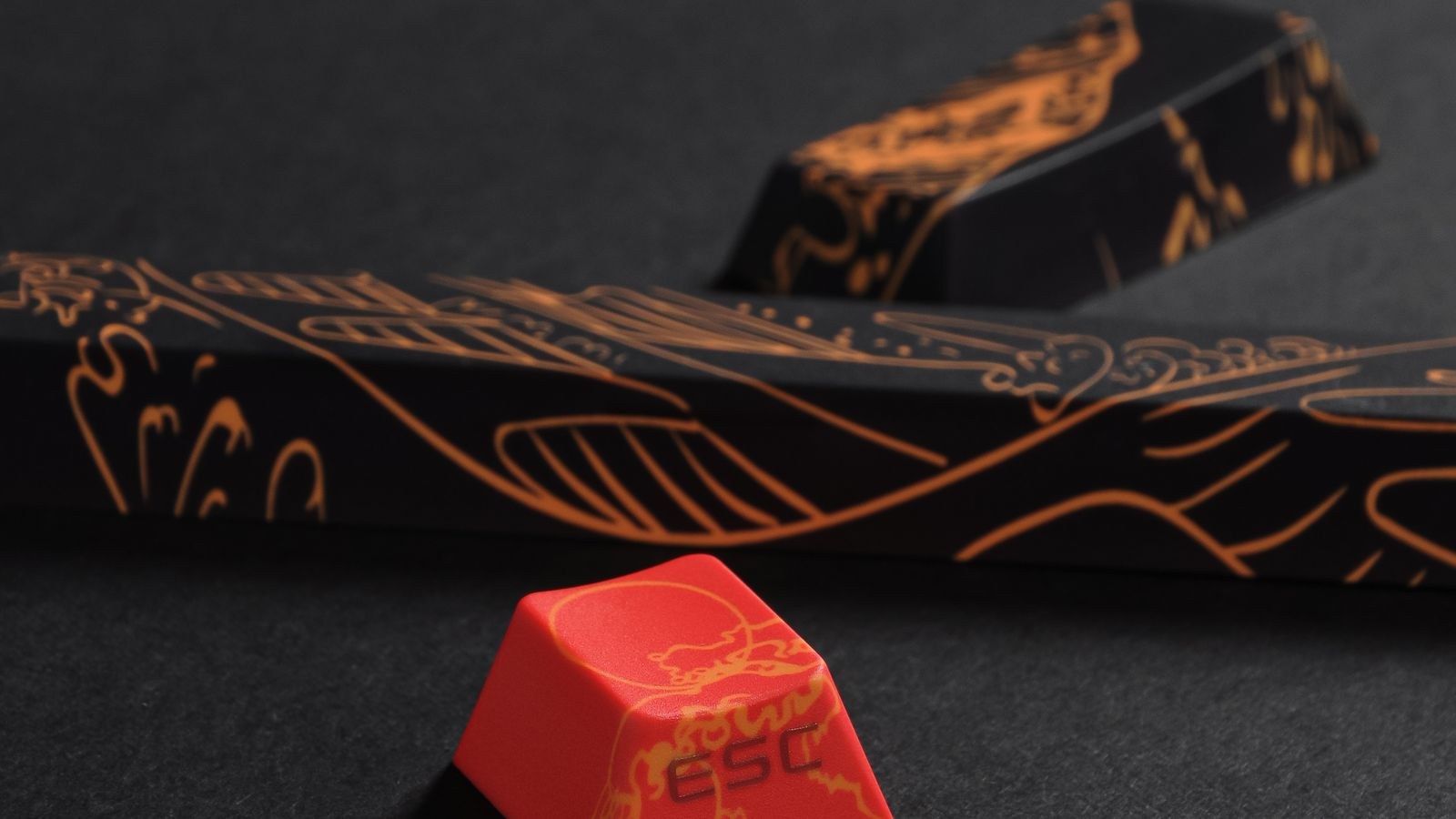
Most disappointing keycap purchases fail before they arrive, because the set does not physically fit the board. Four things decide it.
Stem Type
The overwhelming majority of mechanical keyboards use a cross-shaped MX-style stem, and virtually all aftermarket sets are cut for it. The exceptions matter, though. Low-profile switches, older Topre boards, Alps switches and some laptop-style scissor keyboards all use entirely different mounts, and no MX set will fit them. Pull one keycap off and look at the stem before you spend anything.
Layout and Bottom Row
The top rows are almost always standard. The bottom row is where sets fail. A standard bottom row uses 1.25u modifiers either side of a 6.25u spacebar; many gaming and compact boards use 1.5u modifiers, a 7u spacebar, or a split spacebar. Compact layouts add more variation: arrow clusters squeezed into the bottom row, shortened right shift keys and non-standard function keys are all common. Check the set’s included kit list against your board’s exact key sizes, especially if you own one of the best 60 percent keyboards, where compact bottom rows vary a lot between models.
Profile
Profile is the shape and height of the caps. Sculpted profiles such as Cherry, OEM and SA give each row a different height and angle, so the caps must go back in their correct rows. Uniform profiles such as DSA and XDA are the same height everywhere, which makes them forgiving on odd layouts because any cap fits any row. Taller profiles noticeably change your wrist angle and the board’s sound, so if you type for hours, consider that alongside looks.
Material and Legends
ABS plastic feels slightly softer, produces a higher-pitched sound and develops a shine over time. PBT is more textured, resists shine and sounds deeper, but not every PBT set supports backlighting. If your board’s lighting is a feature you actually use, look for shine-through legends specifically, since standard doubleshot PBT blocks light almost entirely. That trade-off is worth weighing if you own one of the best keyboards with RGB lighting and want the glow to still show through.
What You Need
- A wire keycap puller. The plastic ring-style pullers that ship with cheap boards scratch the sides of caps; the wire type grips underneath and is far safer.
- Your new keycap set, laid out and sorted before you start.
- A phone camera to photograph your existing layout so you can rebuild it exactly.
- A soft brush and compressed air or a blower for the cleaning pass.
- A container or towel to hold the old caps so nothing rolls off the desk.
- A small tray for stabiliser parts if you plan to touch them.
How to Swap Keycaps Step by Step
- Photograph the board first. Take a clear overhead shot of the whole keyboard. Compact layouts often have function legends and modifier arrangements you will not remember, and this photo saves a lot of guesswork later.
- Unplug the keyboard. Not strictly required, but pulling caps generates stray keypresses and you do not want a hundred random characters landing in an open document.
- Position the puller correctly. Slip the two wire ends under diagonally opposite corners of the cap, not under adjacent sides. Diagonal placement distributes the force evenly and stops the cap tilting as it lifts.
- Pull straight up with a slight wiggle. The motion should be vertical. If you angle the puller, you put lateral force on the switch stem, and MX stems are brittle plastic crosses that shear off cleanly under sideways pressure. A gentle rocking of a millimetre or two is fine; levering is not.
- Take extra care with stabilised keys. The spacebar, enter, backspace and both shift keys sit on stabilisers as well as a switch. Pull these dead straight and slowly, lifting from the centre. Yanking one end first can pop the stabiliser wire out of its housing or bend it.
- Work in sections and keep the old caps ordered. Remove a row at a time and lay it out in the same shape in your container. If the new set turns out to be incompatible, you will be very glad the old set is still sorted.
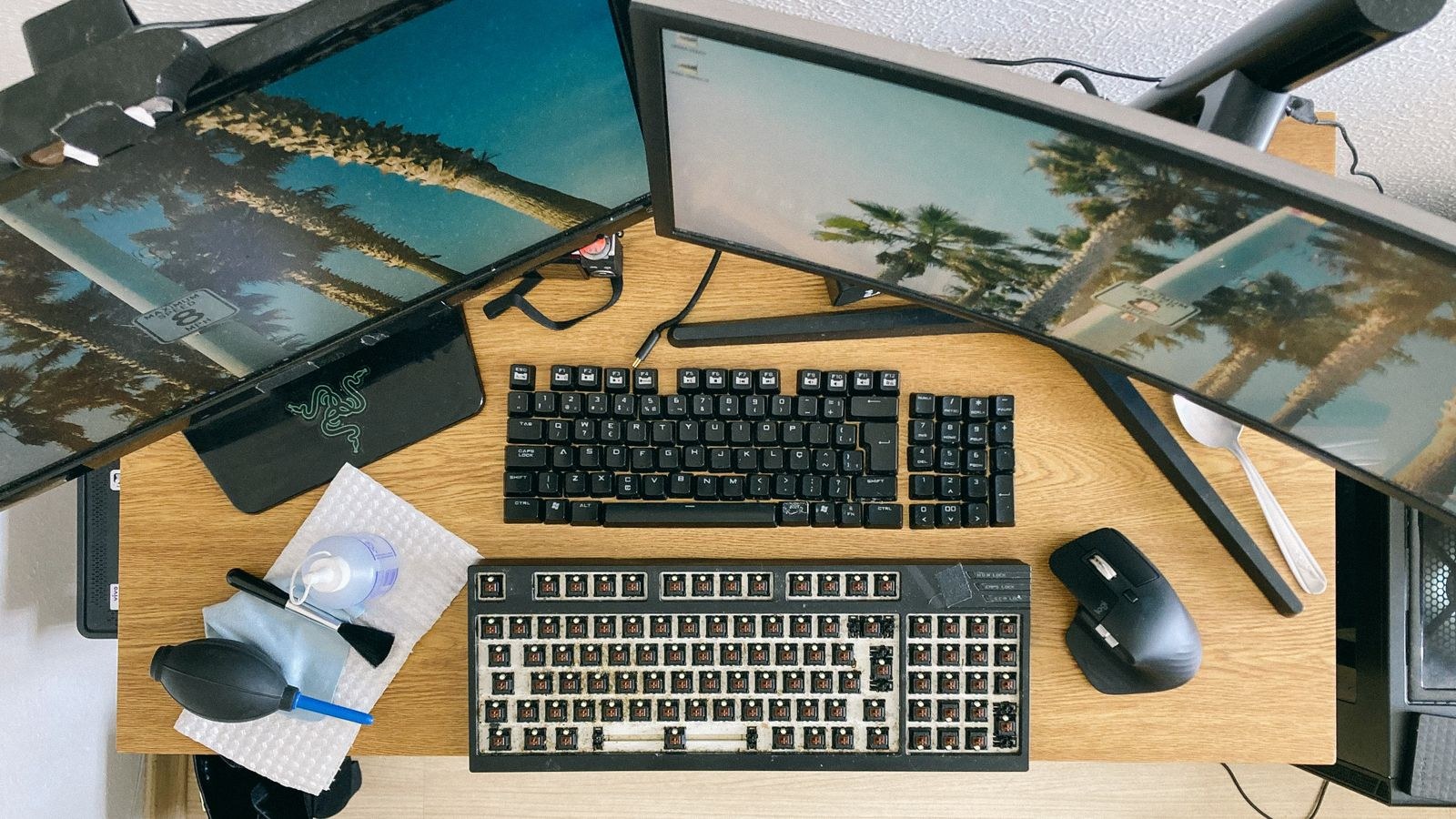
- Clean the exposed board. With every cap off, this is the only easy chance you will get. Blow out the loose debris, then brush between the switches. Details are in the next section.
- Sort the new set before fitting anything. Lay the new caps out in layout order on a towel. Sculpted sets are marked by row, usually R1 through R4, and fitting a row-three cap into row one produces a keyboard that looks and feels subtly wrong.
- Press each cap on squarely. Align the cross socket with the switch stem, then press straight down until it seats with a soft click. It should require light, even pressure. If it resists, you are misaligned; stop and re-seat rather than forcing it, because forcing a misaligned cap splits the socket.
- Fit stabilised keys last. Line the cap up so both stabiliser stems and the central switch stem all enter their sockets at the same time, then press down evenly across the whole cap with two fingers. Pressing one end first is what bends stabiliser wires.
- Test every key. Plug the board in and open an online key tester or a text document, then press every single key including the modifiers and function layer. Catching a dead key now is much easier than discovering it mid-task next week.
Clean the Board While It Is Open
A stripped keyboard is a rare opportunity, so take twenty extra minutes. Start by turning the board upside down over a bin and tapping the back firmly; you will be unpleasantly impressed by what falls out. Then blow the remaining dust out from one side to the other so it exits rather than redistributing.
Next, brush between the switches with a soft brush, working the bristles into the corners of the plate. For the plate itself, a cloth barely dampened with isopropyl alcohol lifts skin oil and grime, but keep it away from the switch openings, since liquid inside a switch causes far more trouble than the dirt it removes.
The old keycaps can go into a bowl of warm water with a drop of dish soap for a couple of hours, then get a soft-brush scrub and a full air dry. Never put keycaps in a dishwasher, where the heat warps them and can strip printed legends. Make sure they are bone dry before storing, because trapped moisture inside a cap turns musty.
Troubleshooting
- A key does not register after the swap. Usually the cap is not fully seated, so it never reaches the switch. Pull it and re-fit it. If it still fails, check the switch stem for a broken arm.
- A cap sits noticeably higher than its neighbours. Either it is not pressed all the way down, or it is from the wrong row of a sculpted set.
- The spacebar rattles. The stabiliser wire has probably shifted in its housing during removal. Pop the cap off, re-seat the wire ends in their clips, and add a little grease to the pivot points.
- A cap wobbles loosely. The socket may be worn from repeated swaps, or the switch stem is slightly damaged. Move the cap to a less-used position and check the stem.
- The set does not cover every key. Compact and gaming layouts frequently need extra kits. Fill gaps with the old caps until you can source the right ones; there is no harm in a mixed board.
- Something snapped. A broken MX stem means replacing that switch. On a hot-swap board that takes seconds, which is one of the strong arguments for the best hot-swappable keyboards if you like to tinker.
Mistakes to Avoid
The mistakes that actually cost money are few. Do not use the ring-style plastic puller on caps you care about, because it scars the sides. Do not pull caps at an angle, which is the origin of nearly every broken stem. Do not buy a set without confirming your bottom row, since a beautiful set with a 6.25u spacebar is useless on a 7u board. Do not force a cap that resists; misalignment is the cause and pressing harder only breaks the socket. And do not skip photographing the layout first, because rebuilding an unfamiliar compact board from memory is genuinely frustrating.
It is also worth being realistic about what new caps change. They alter the look, the surface texture and the pitch of the sound, and a taller profile changes your wrist angle. They do not change how a switch actuates, and they will not rescue a board with a poor typing feel. If that is what you are chasing, the fix lies in the switches or in a different board entirely, and the roundups of the best mechanical keyboards and the best gaming keyboards are better starting points than a keycap set.
Frequently Asked Questions
Will any keycap set fit my keyboard?
Only if the stem type, layout and bottom row all match. MX-style stems cover most boards, but compact layouts and non-standard bottom rows regularly need specific kits, so check the set’s kit list against your key sizes first.
Do I need to remove the switches to change keycaps?
No. Keycaps sit on top of the switches and pull off independently. Removing switches is only necessary if one is damaged or you are lubing them.
How do I stop breaking switch stems?
Use a wire puller placed on diagonal corners, and lift straight up with no lateral leverage. The vast majority of broken stems come from tilting the puller rather than from pulling too hard.
Are PBT keycaps always better than ABS?
PBT resists shine and has a drier texture, which many people prefer for long-term use. ABS sets often have sharper legends and a wider range of designs, and high-quality ABS is far from bad. It is a preference, not a ranking.
Final Thoughts
Swapping keycaps is a twenty-minute job that goes wrong only when compatibility is assumed rather than checked. Confirm the stem type, the profile and above all the bottom row before buying, photograph your layout, then pull each cap with a wire puller straight up from diagonal corners and press the new ones on square. Give the exposed board a proper clean while you are there and fit the stabilised keys last with even pressure across the cap. Do that and the board you plug back in will look completely different and work exactly as reliably as it did before.