Owen Bradley
 Two people can use the same mouse and reach opposite conclusions about it, because they are not holding it the same way. Mouse grip style, the specific arrangement of palm, fingers and wrist you settle into, determines which shell shape feels natural and which one leaves your hand aching after three hours. Add hand size to the equation and you get the two measurements that predict comfort far better than any spec sheet. This tutorial shows you how to identify your grip honestly, measure your hand properly, and translate both into a shell shape and size you can buy with confidence instead of guessing.
What You Need Before You Start
- A ruler or tape measure marked in millimetres. Centimetres work, but mouse specifications are almost always listed in millimetres, so you will avoid conversion errors.
- A flat vertical surface such as a door frame or wall, for measuring hand length accurately.
- Your current mouse and a phone camera. Photographing your own hand mid-use is the single most reliable way to identify grip, because what you think you do and what you actually do rarely match.
- Five minutes of normal work before you look. Grip changes when you are conscious of it, so you need a natural sample.
Step by Step: Identify Your Grip and Size
- Work normally for five minutes, then freeze. Open your usual applications and get absorbed in something. Without adjusting anything, stop and look down at your hand. That frozen position is your true grip, not the deliberate one you would adopt if you knew you were being watched.
- Photograph your hand from the side. Use your other hand or a propped phone to capture a side profile. Look at two things: whether the heel of your palm touches the back of the shell, and whether your fingers are straight or arched.
- Classify the grip. Palm grip means your whole hand rests on the shell with fingers laid flat along the buttons and the palm heel in contact. Claw grip means the palm heel touches but the fingers arch sharply, with fingertips pressing down almost vertically. Fingertip grip means the palm never touches the shell at all and only your fingertips control the mouse.
- Check for a hybrid. Many people sit between categories, most often a relaxed claw with light palm contact. If you cannot decide between two, treat yourself as the one with less palm contact when choosing shell height, because a shell that is too tall is more uncomfortable than one slightly too short.
- Measure hand length. Place the base of your palm, the crease where hand meets wrist, at a fixed edge and measure straight to the tip of your middle finger. Keep the hand flat and relaxed, not stretched. Record the number in millimetres.
- Measure hand width. Measure across the widest part of the palm, excluding the thumb, at the knuckles. This number determines whether a wide ergonomic shell will splay your fingers uncomfortably or fit naturally.
- Match measurements to size bands. As a working guide, hand length under about 170mm is small, 170 to 195mm is medium, and above 195mm is large. Width tracks roughly with length, but a narrow long hand or a wide short hand should prioritise whichever dimension is more extreme.
- Cross-reference grip with size. Grip decides shape, size decides scale. A large-handed claw user and a small-handed claw user both want a shell with a pronounced rear hump, just at different lengths. Never let a size recommendation override a shape that matches your grip.
- Test the shortlist physically if possible. Hold candidates in a store or borrow from a colleague. Rest your hand on the shell without gripping. If you must clench to keep control, the mouse is too small or too slippery for your grip.
What Each Grip Style Needs From a Shell
Palm Grip
Palm grip spreads contact across the whole hand, which is the most relaxed option for long office days and the reason it dominates among people who use a mouse for eight hours rather than eight rounds. It needs a tall shell with a rear hump that fills the space under your palm, a longer body so your fingers are supported to the second knuckle, and enough width that your hand does not overhang the sides. Weight matters less here because the arm, not the wrist, does most of the movement. Shells built specifically for this contact pattern, covered in our roundup of the best palm grip mouse options for full hand support, prioritise back height above almost every other dimension.
Claw Grip
Claw grip trades some relaxation for faster, more precise clicks. The arched fingers act like springs, so click response and button separation matter more. The ideal shell is shorter than a palm mouse, with a distinct hump positioned toward the rear so the palm heel has something to anchor against while fingers stay clear. Lighter weight helps, since the wrist contributes more to movement. If your fingers cramp on a long flat shell, this is usually why, and the shapes in our guide to the best claw grip mouse designs address it directly.
Fingertip Grip
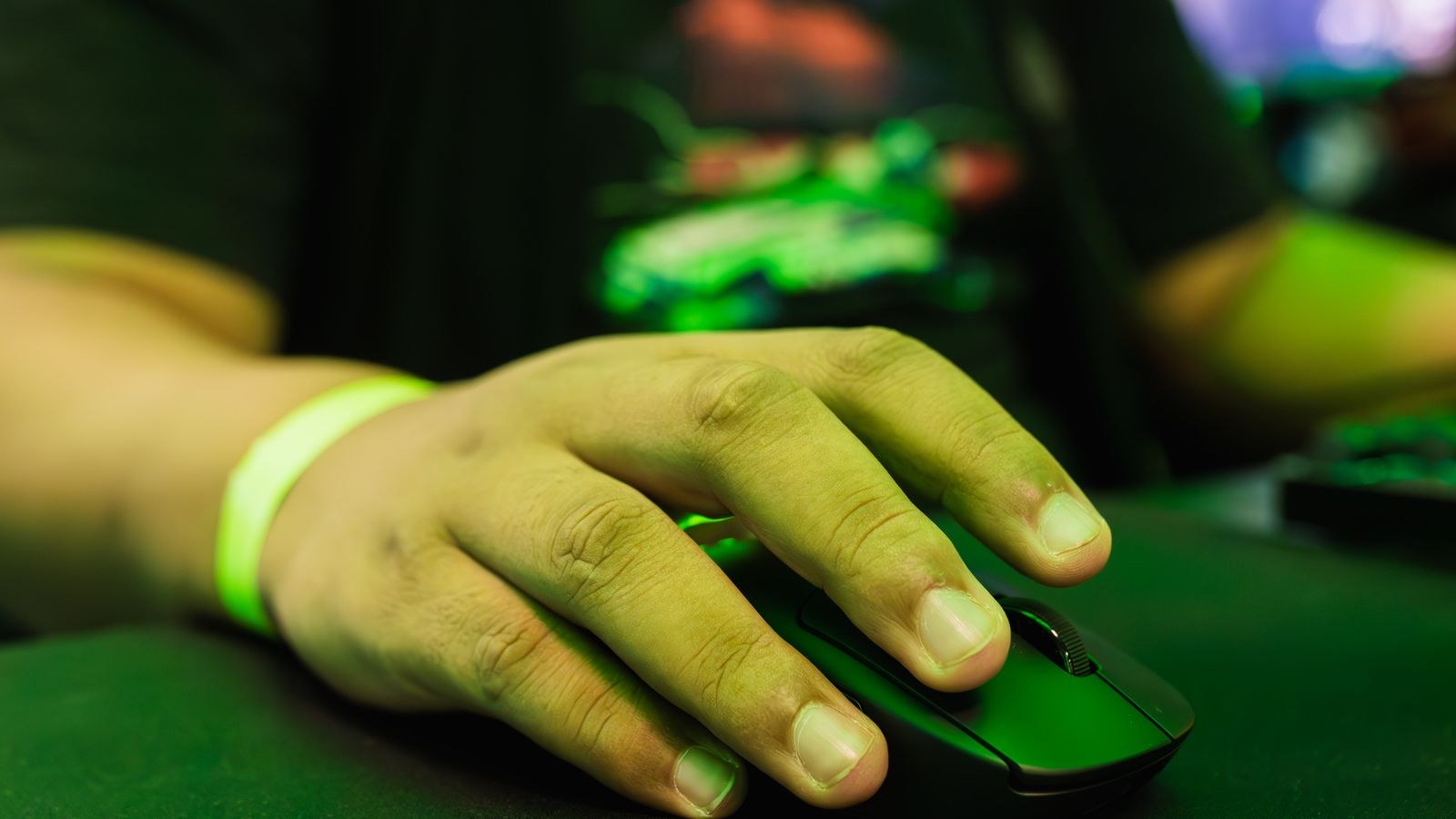
Fingertip grip gives the most agility and the least support. With no palm contact, the mouse must be light, low, and short, because every gram is controlled by three fingers alone. A tall hump actively gets in the way. Fingertip users are also the most sensitive to shell coating, since grip security comes entirely from friction at the fingertips rather than from the weight of a resting palm. Our overview of the best fingertip grip mouse shapes explains why low profile bodies suit this style.
Reading Mouse Dimensions Correctly
Manufacturer listings give three numbers: length, width and height. Height is the one people ignore and the one that causes most discomfort. For palm grip, aim for a height around 40mm or more; for claw, roughly 38 to 42mm with the peak set well back; for fingertip, under about 38mm is usually more comfortable. Length should sit close to your hand length minus roughly 40 to 60mm for palm grip, and further below that for claw and fingertip since your hand does not span the whole shell.
Width deserves the same attention. A shell narrower than your comfortable thumb-to-ring-finger span forces a pinch that fatigues the hand within an hour. A shell that is too wide splays the fingers and reduces click accuracy. When the numbers conflict, favour matching width and height, then accept a small compromise on length, because length is the dimension your hand adapts to most easily.
Adjusting for Large and Small Hands
Large hands run into a specific problem: most mainstream mice are built around a medium hand, so a large palm user ends up with fingers hanging off the front edge and the palm unsupported. That leads to a claw grip adopted by necessity rather than preference, which then causes finger strain. If your hand length exceeds roughly 195mm, look deliberately at oversized shells rather than assuming a standard body will do; the options in our list of the best mouse for large hands exist precisely because scaling up matters.
Small hands face the mirror problem. An oversized shell forces the thumb to stretch for side buttons, tips the wrist inward, and makes lifting the mouse for a repositioning stroke genuinely difficult. Weight becomes critical here, because a heavy mouse relative to hand strength causes fatigue quickly. Shorter, lighter shells such as those in our guide to the best mouse for small hands restore proper thumb reach and let you lift the mouse without gripping hard.
Common Mistakes to Avoid
- Assuming your current grip is your natural one. If your existing mouse is badly sized, you may have adapted into a grip that is not comfortable. Test on a correctly sized shell before locking in a classification.
- Buying by weight alone. Very light mice are marketed heavily, but a fingertip-friendly weight in a palm-shaped shell still leaves your palm unsupported.
- Ignoring height. Length and width are quoted everywhere; height determines whether your palm is filled or hollow, which is what actually causes ache.
- Measuring a stretched hand. Spreading the fingers inflates your length measurement by several millimetres and pushes you into the wrong size band.
- Forcing one grip because it is described as better. No grip is superior. The right one is whichever you fall into naturally when you are not thinking about it.
Confirming Your Choice After Purchase
Give any new shape a full week before judging. Your hand has muscle memory tuned to the old mouse, and the first two days will feel wrong even when the fit is correct. What you are watching for at the end of the week is specific: no ache in the base of the thumb, no need to clench to lift the mouse, no fingers hanging past the front edge, and no wrist bent sharply upward. If any of those persist after a week of normal use, the size band is wrong rather than the grip classification.
Small adjustments can rescue a near miss. Lowering your desk or chair so the forearm sits level reduces wrist extension. A wrist rest positioned behind, not under, the wrist keeps the arm neutral. Grip tape adds friction for fingertip users on a slick shell. None of these fix a genuinely wrong size, but they can make a good match excellent.
Frequently Asked Questions
Can my grip style change over time?
Yes. It shifts with the mouse you use, your desk height, and how many hours you work. Recheck with the photograph method whenever you change desk setup or notice new discomfort.
Does grip style matter for office work or only gaming?
It matters more for office work, because you hold the position for far longer stretches. Fatigue and strain accumulate over hours, not over short bursts of intense movement.
What if I fall between two grip styles?
Choose the shell suited to the grip with less palm contact. A slightly low shell allows either style, while an overly tall one blocks the arched fingers a claw grip needs.
Should hand length or hand width decide the size?
Length sets the broad size band, but width and shell height decide comfort within it. If your measurements disagree, follow the more extreme of the two.
Do vertical mice follow the same grip rules?
Partly. Vertical shells rotate the wrist to a neutral position and mostly suit palm-style contact. Hand size still applies, and an undersized vertical mouse causes the same thumb strain as a flat one.
Final Thoughts
Finding your mouse grip style and size takes ten minutes and removes almost all the guesswork from your next purchase. Photograph your hand mid-work to classify the grip honestly, measure length and width in millimetres rather than estimating, then use grip to choose the shape and measurements to choose the scale. Pay particular attention to shell height, the specification most listings bury and most hands notice. Get those two answers right and comfort follows automatically, no matter which brand you eventually buy or how the model names change from one year to the next.