Owen Bradley
 Not all case fans are built for the same job. Walk through any specification sheet and you will see fans described as either high static pressure or high airflow, and the two are optimized for opposite situations. Put the wrong type in the wrong spot and you quietly lose cooling performance, gain noise, or both. This guide explains what static pressure and airflow really mean, which fan belongs on radiators, filters and open panels, and how to build a system that moves air efficiently without turning into a wind tunnel.

Airflow vs Static Pressure: The Core Difference
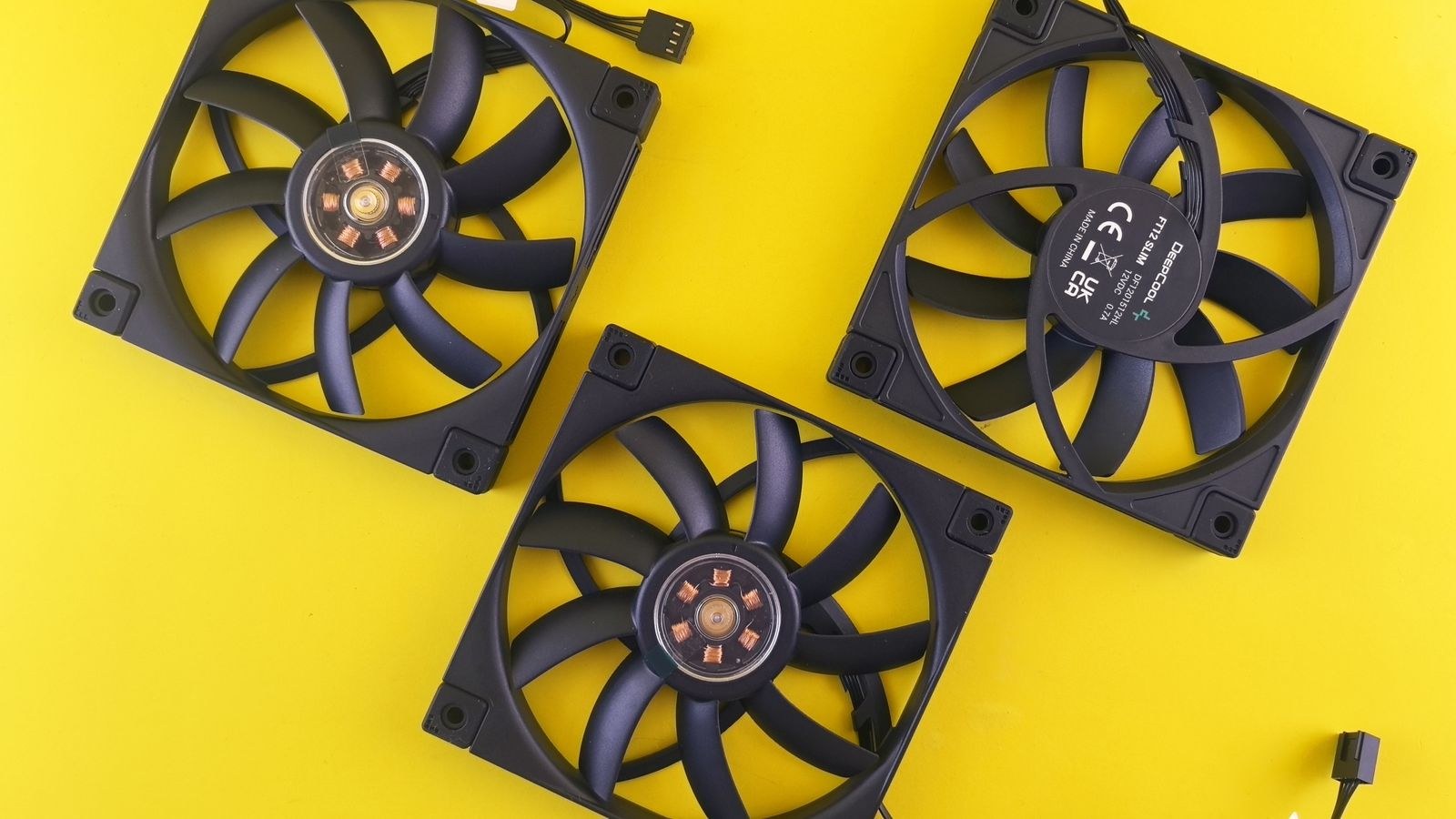
Airflow, usually measured in cubic feet per minute (CFM), describes how much air a fan moves when there is nothing in its way. An airflow-optimized fan has widely spaced blades designed to shift a large volume of air across open space. It excels when it can breathe freely.
Static pressure, measured in millimeters of water (mmH2O), describes how forcefully a fan can push air against resistance. A static-pressure fan has broader, more closely spaced blades that build up pressure, letting it drive air through obstacles like dense radiator fins or restrictive dust filters. It trades some open-air volume for the ability to punch through resistance.
The critical insight is that these strengths are situational. A high-airflow fan bolted to a dense radiator will stall against the resistance and move surprisingly little air through it. A high-static-pressure fan mounted on a wide-open panel will move less air than a proper airflow fan would in that same unobstructed spot. Neither is better in the abstract; each is better in its place.
Where Static Pressure Fans Belong
Use static pressure fans anywhere air must be forced through a dense obstruction. The classic locations are:
- Radiators: AIO and custom loop radiators pack tightly spaced fins that create heavy resistance. Static pressure fans push air through them effectively, which is why the fans bundled with liquid coolers are almost always pressure-optimized.
- Dust filters: A fan drawing air through a fine mesh filter faces resistance, so pressure helps maintain intake volume.
- Dense heatsinks: Air coolers with tightly packed fin stacks benefit from pressure to drive air between the fins.
- Restricted intakes: Front panels with limited ventilation act like a filter, favoring pressure.
If your build centers on liquid cooling, matching pressure-optimized fans to the radiator is essential, and it pairs naturally with choosing hardware from among the best CPU coolers with high airflow designed to keep pace with a demanding processor. The fan and the heat exchanger have to be considered together.
Where Airflow Fans Belong
Use airflow fans wherever air moves through open space without a dense barrier in front of it:
- Open exhaust ports: A rear or top exhaust venting straight out of the case has little resistance, so an airflow fan clears hot air efficiently.
- Unobstructed intakes: A mesh-fronted case with wide-open intakes lets airflow fans pull in large volumes of cool air.
- General case circulation: Fans whose job is simply to keep air moving through the chassis interior work best when unobstructed.
The trend toward high-airflow chassis has made this easier, because a well-ventilated case removes most of the resistance airflow fans dislike. If you are building around cool, quiet operation, pairing airflow fans with the best PC cases for airflow lets those fans do exactly what they are designed to do. Restrictive cases, by contrast, blunt an airflow fan’s advantage.
Balanced Fans and Why They Exist
Between the two extremes sit balanced fans that aim to do both jobs reasonably well. They are a sensible default when you want to buy one set of fans for an entire build and not think too hard about placement. A balanced fan on a radiator will underperform a dedicated pressure fan, and on an open panel it will trail a dedicated airflow fan, but the gap is often modest.
For many mainstream builders, a good balanced fan across the whole case is a practical compromise that keeps things simple. The purists split their fan types by location; the pragmatists buy one versatile model. Both approaches work, and the right call depends on how much you care about squeezing out the last few degrees. Quality fans, whichever type, come from the same short list of trusted models, so it is worth starting from the best cooling fans for PCs and choosing the variant that suits each mount.
Matching Fans to Your Case Design
Your case dictates how much either fan type can help. A tightly closed case with solid panels and small vents behaves like one big restriction, so even airflow fans there fight resistance and static pressure fans become the safer default throughout. An open, mesh-heavy chassis flips the equation, letting airflow fans breathe and rewarding you with high volume at low speed. The physical layout, the number of mounts, and the amount of ventilation all shape which fans deliver their strengths.
This is why fan selection and case selection are really one decision. If your goal is the coolest possible interior, building around the best high-airflow PC cases gives airflow fans the open path they need while still leaving room for pressure fans on any radiator you add. Choose the case with your fan strategy in mind, not as an afterthought, and both work together instead of fighting each other.
The Cost of Getting It Wrong
Why does this matter enough to plan around? Because a mismatch is a silent tax on your system. Put airflow fans on a radiator and the loop runs warmer than it should; your CPU temperatures creep up and you may never realize a simple fan swap would fix it. Put pressure fans on a wide-open exhaust and you get slightly less air movement plus, often, more noise, because pressure fans tend to be louder at the same speed in unobstructed use.
Noise is the second hidden cost. When a fan fights resistance it does not suit, it has to spin faster to compensate, and faster fans are louder. Matching the fan type to the mount lets each fan run at a lower, quieter speed for the same cooling result. That is the same principle behind choosing the best CPU coolers with PWM fans, which vary speed intelligently so the fans only work as hard as the moment demands.
Building a Sensible Fan Layout
Here is a practical way to plan a whole system:
- Identify every obstructed mount. Radiators, filtered intakes and dense heatsinks all count. Assign static pressure fans to these.
- Identify every open mount. Unfiltered exhausts and wide-open intakes get airflow fans.
- Set an intake and exhaust balance. A slight positive pressure, with a little more intake than exhaust, helps keep dust out by forcing air through filtered intakes rather than unfiltered gaps.
- Tune the fan curves. Let the fans ramp with temperature so they stay quiet at idle and only speed up under load.
Positive pressure deserves a note. When intake pushes slightly more air than exhaust removes, the case interior sits at a higher pressure than the room, so air escapes through cracks instead of entering through them, dragging dust with it. This keeps the interior cleaner over time and reduces how often you need to clean filters, which is a genuine long-term quality-of-life benefit.
Frequently Asked Questions
Can I just use airflow fans everywhere?
You can, and in a very open case with no radiators or filters they will perform well. The moment you add a radiator or a restrictive filter, airflow fans lose effectiveness against that resistance, and static pressure fans there will cool better and often quieter.
Are static pressure fans louder than airflow fans?
In unobstructed use they can be, because their blade design is optimized for resistance rather than free airflow. Mounted where they belong, against a radiator or filter, they run efficiently and the noise difference shrinks. The louder outcomes usually come from using either fan in the wrong location.
Do I really need to buy two different fan types?
Not necessarily. A good balanced fan across the whole build is a fine compromise for most users. Splitting into dedicated pressure and airflow fans by location squeezes out the best performance, but the gains are incremental rather than dramatic.
Should intake or exhaust be stronger?
A slight positive pressure, meaning marginally more intake than exhaust, is the popular choice because it pushes air out through gaps and pulls fresh air in through filtered intakes, keeping the interior cleaner. Roughly balanced setups also work; heavy negative pressure tends to invite dust.
Final Thoughts
Static pressure and airflow fans are tools for two different jobs, and understanding which is which turns a confusing spec into a simple placement rule. Put pressure fans where air must fight through radiators, filters and dense fins; put airflow fans where air moves freely through open exhausts and unobstructed intakes; and reach for a balanced fan when you would rather not fuss over every mount. Plan the layout with a slight positive pressure and sensible fan curves, and your PC in 2026 will run cooler and quieter than one that treats every fan as interchangeable.