Owen Bradley
 Buying hardware for GPU mining is less about chasing the fastest card and more about understanding efficiency, power draw, and the math that decides whether a rig ever pays for itself. Enthusiasm alone has burned a lot of first-time miners who bought powerful cards, plugged them into undersized power supplies, ran them hot in cramped cases, and never ran the numbers on payback. This guide takes a practical, hardware-focused look at what actually matters: card efficiency, sizing your power supply correctly, cooling for open-air rigs, and working out payback before you spend anything. Treat mining as an investment in equipment, and the decisions become far clearer.
Efficiency Matters More Than Raw Speed
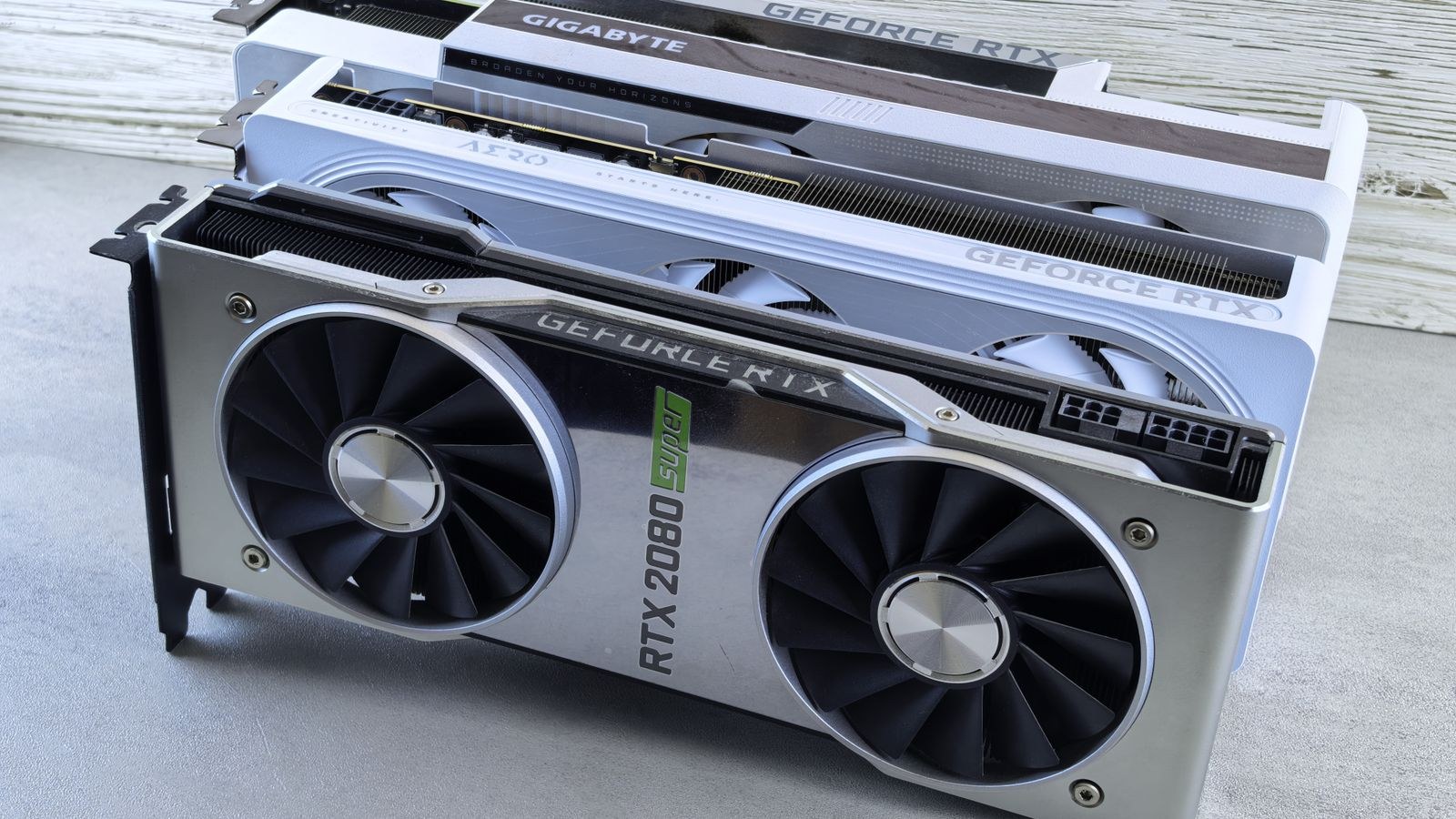
The single most important concept in mining hardware is efficiency, usually expressed as performance per watt. A card that produces a high hash rate but consumes enormous power may earn less net profit than a slightly slower card that sips electricity, because your ongoing cost is dominated by the power bill. Raw output is only half the equation; what you keep after electricity is what counts.
When you evaluate cards, look at both their output and their power consumption together, then compare the ratio. The most efficient options let you run more of them within a given power and cost budget. Our guide to the best graphics cards for mining ranks cards with this efficiency-first mindset, which is exactly the lens a serious miner should use.
Choosing Cards for Your Goals
Not every miner wants the same thing. Some prioritize maximum output per card and are willing to pay more up front, while others want the lowest possible entry cost to test the waters or to build a large rig cheaply. Your strategy shapes which cards make sense.
If your aim is the best long-term efficiency for a dedicated setup, focus on cards known for strong performance per watt. If you want to minimize initial spend, there are budget-friendly options that still mine respectably. Our roundups of the best graphics cards for crypto mining and the cheapest mining graphics cards cover both ends of that spectrum, so you can align your hardware with whether you are optimizing for efficiency or for the lowest cost of entry.
Sizing the Power Supply Correctly
Power supply sizing is where many mining rigs go wrong, and it is a safety issue as much as a performance one. Multiple graphics cards under sustained full load draw far more continuous power than a typical gaming PC, and running a power supply near its limit for hours on end is a recipe for instability and premature failure. You want meaningful headroom above your rig’s total draw.
Add up the power consumption of all your cards plus the rest of the system, then choose a unit with comfortable margin so it runs well within its rated capacity. For multi-card rigs, high-wattage units are often necessary; our list of the best 1200W power supplies covers units with the capacity to feed several demanding cards at once with room to spare.
Why Power Supply Efficiency Pays You Back
Beyond raw capacity, the efficiency rating of your power supply directly affects your electricity cost, and in mining that runs continuously, small percentages add up. A higher efficiency rating means less energy is wasted as heat, which both lowers your bill and reduces the heat your rig dumps into the room.
For a machine running around the clock, an 80 Plus Platinum unit can be worth the premium over a lower rating because the energy savings compound over months of continuous operation. Our guide to the best 80 Plus Platinum power supplies highlights units that combine high efficiency with the reliability a nonstop workload demands, which is precisely what a mining rig needs.
Cooling and Airflow for Open Rigs
Mining generates a lot of continuous heat, and heat is the enemy of both performance and hardware longevity. Cards running hot will throttle, lose efficiency, and wear faster. This is why so many miners use open-air frames rather than enclosed cases, since open frames give cards abundant fresh air and space between them.
Good airflow means spacing cards apart, adding fans to move air across them, and keeping the room itself well ventilated and reasonably cool. Ambient temperature matters more than beginners expect, because a hot room undermines even a well-built rig. Plan your cooling and placement before you power on, not after you notice temperatures climbing during long runs.
Working Out Payback Before You Buy
Payback is the calculation that separates a hobby from an investment, and it is worth doing before any purchase. The basic idea is simple: estimate your daily earnings, subtract your daily electricity cost, and divide your total hardware spend by that net daily figure to see how many days until the rig breaks even.
To do this honestly you need three inputs: your hardware cost, your local electricity price, and a realistic estimate of earnings, which can vary considerably. Because earnings and difficulty change over time, build in a margin of safety and avoid assuming best-case conditions will last. A rig that only pays back under perfect assumptions is a fragile investment.
- Hardware cost: the total you spend on cards, power supply, frame, and supporting parts.
- Electricity cost: your local rate multiplied by the rig’s continuous power draw over time.
- Net daily earnings: estimated income minus daily power cost, kept deliberately conservative.
Running these numbers first tells you whether a build makes financial sense, and it often reveals that the most efficient hardware, not the most powerful, offers the shortest and most reliable payback.
Reliability and Continuous Operation
Mining hardware runs far harder than a typical desktop, often at full load continuously for long stretches. That makes component quality and reliability central rather than optional. A cheap power supply that fails can damage expensive cards, and poor cooling that shortens card life erodes any profit you calculated. Investing in a quality power supply and solid cooling is really investing in the uptime and lifespan that make payback achievable.
Supporting Components and the Rest of the Rig
The cards and power supply get most of the attention, but a mining rig needs a few supporting pieces to run reliably. A basic motherboard with enough PCIe slots or the ability to use risers lets you connect multiple cards, while a modest processor and a small amount of memory are enough since mining leans almost entirely on the graphics cards. A simple, reliable storage drive holds the operating system and mining software.
The frame that holds everything together matters more than it seems. Open-air mining frames are designed to space cards apart and expose them to fresh air, which is why they are so popular over enclosed cases. Add powered risers to position cards safely, keep power cables rated for the load, and make sure the whole rig sits somewhere with good ventilation and stable, adequate electrical supply. These unglamorous details are what keep a rig running month after month.
Common Mistakes to Avoid
The most common beginner error is buying cards for hash rate alone while ignoring efficiency, then watching the power bill erase the profit. Close behind is undersizing the power supply, which causes instability and risks hardware damage under sustained load. Others skip cooling planning and let cards throttle in a hot, cramped space, or they never calculate payback and only later discover the rig will not break even at their electricity rate. Avoiding these four traps puts you far ahead of most first-time miners.
Frequently Asked Questions
Is a more powerful graphics card always better for mining?
No. Efficiency, meaning performance per watt, usually matters more than raw output because electricity is your main ongoing cost. A slightly slower but far more efficient card can be more profitable over time.
How big should my power supply be?
Add up the draw of all your cards plus the rest of the system, then choose a unit with comfortable headroom so it never runs near its limit. Multi-card rigs often need high-wattage, high-efficiency units for stability and safety.
Do I need an open-air frame?
Open-air frames are popular because they give cards excellent airflow and spacing, which helps them run cooler and last longer under continuous load. Enclosed cases can work for small setups but demand careful cooling.
How do I know if mining will be profitable?
Calculate payback by dividing your total hardware cost by your net daily earnings, which is estimated income minus electricity cost. Use conservative estimates and a margin of safety, since earnings and difficulty change over time.
Final Thoughts
Successful GPU mining is a hardware and math exercise, not a hardware race. Prioritize cards with strong efficiency, size your power supply with real headroom, choose a high-efficiency unit to cut ongoing costs, cool your rig properly with good airflow, and always calculate payback with conservative numbers before you buy. Approach it this way through 2026 and you will avoid the expensive mistakes that catch enthusiasts who chase raw power without doing the math. Treat every component as part of an investment, and let efficiency and realistic payback guide every purchase you make.