
 Owen Bradley
 When you are choosing case fans, the size question comes up almost immediately: should you go with the ubiquitous 120mm fan or step up to the larger 140mm? Both are standard, both mount in most modern cases, and both can cool a system well. Yet they behave differently when it comes to airflow, noise and compatibility, and those differences add up across a full build. This guide compares 120mm vs 140mm case fans head to head so you can decide which size gives you the cooler, quieter PC you are after.
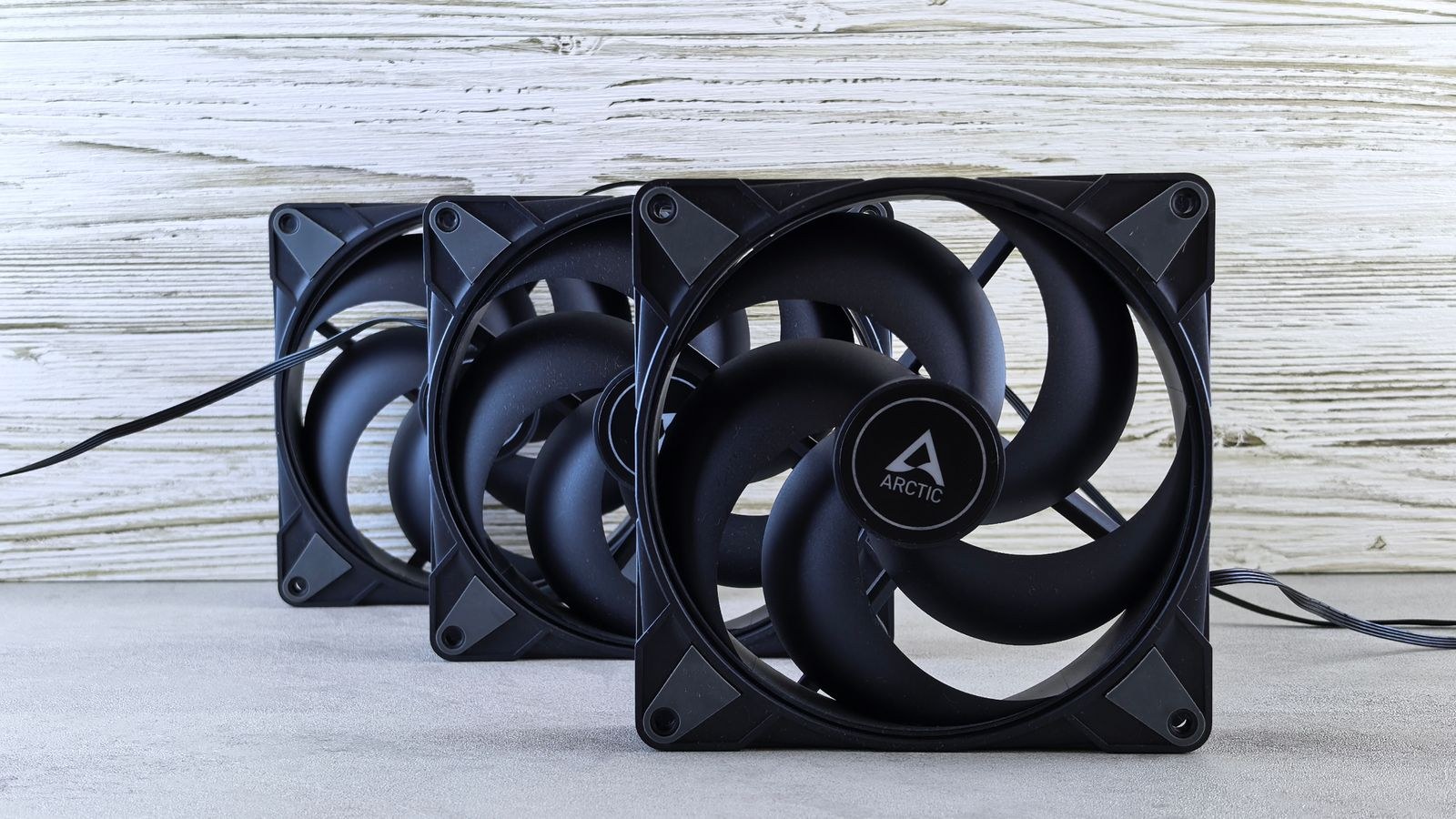
The Basic Size Difference
A 120mm fan measures 120mm across its frame; a 140mm fan measures 140mm. That 20mm gap sounds small, but because area scales with the square of the dimension, a 140mm fan has meaningfully more blade surface. More blade area means the fan can move more air per rotation. In practice this is the root of every other difference between the two sizes: the larger fan does more work per turn, which lets it either move more air or spin slower for the same result.
Both sizes share the same mounting logic and connector types, so from a wiring and control standpoint they are interchangeable. The differences that matter are physical and acoustic, and they only reveal themselves once you look at airflow and noise at matched speeds.
Airflow: Bigger Blades, More Air
At the same rotational speed, a 140mm fan moves more air than a 120mm fan because its larger blades sweep a bigger area with each rotation. If raw air volume is your goal and the fan has room to breathe, the 140mm has the edge. This makes larger fans attractive for high-airflow builds where the priority is shoving as much cool air through the case as possible.
There is a caveat. In restrictive mounts, such as against a dense radiator or a fine dust filter, the larger fan’s airflow advantage narrows because both fans are fighting resistance rather than moving air freely. In open intake and exhaust positions, though, the 140mm’s extra volume is real and useful. If you are building for maximum cool air movement, pairing 140mm fans with the best high-airflow PC cases lets those larger blades work in the open space they prefer.
Noise: The 140mm Advantage at Matched Airflow
Here is where the larger fan often wins hearts. Because a 140mm fan moves more air per rotation, it can spin slower than a 120mm fan to deliver the same airflow. Slower rotation means less turbulence and a lower-pitched, less intrusive sound. Two fans pushing identical CFM will usually sound different: the larger, slower fan produces a softer whoosh, while the smaller, faster fan produces a higher-pitched whir that the ear tends to notice more.
This is the core reason quiet-focused builders gravitate toward 140mm fans. For the same cooling, they are typically quieter, and lower-frequency noise is generally less annoying than high-frequency noise even at the same measured volume. If a silent PC is your target, this acoustic edge is the single biggest argument for going larger, and it complements choosing a chassis from among the best quiet PC cases with sound-dampening design.
Noise at Matched RPM
The picture flips if you compare the two sizes at the same RPM rather than the same airflow. At an identical rotational speed, a 140mm fan moves more air but can also generate more total noise simply because it is displacing more air. So the phrase “quieter” only holds true when you compare fans doing the same amount of cooling work. If you were to run both fans flat out at maximum RPM, the larger one is not automatically the quieter of the two.
The practical lesson is to think in terms of the cooling you need, then pick the fan and speed that deliver it most quietly. A 140mm fan reaching your target airflow at a low speed is the winning combination. This is also why intelligent speed control matters so much, the same reasoning behind selecting the best CPU coolers for low noise that ramp fans only as far as the workload demands.

Case Compatibility: The Deciding Factor
The larger fan is only an option if your case has mounts for it, and this is where many decisions are made for you. Almost every case supports 120mm fans; 140mm support is common but not universal, especially in compact and budget chassis. Before committing to 140mm, check each mounting location:
- Front intake: Many cases fit either two 140mm or three 120mm fans here. More small fans versus fewer large fans is a genuine trade-off.
- Top mount: Top mounts often support 140mm but may collide with tall motherboard components or radiators.
- Rear exhaust: The rear slot is frequently 120mm only, since it sits in a fixed spot near the I/O.
Because rear exhaust mounts are so often 120mm-only, most builds end up with at least one 120mm fan regardless of preference. Mid-tower cases give you the most flexibility to mix sizes, so if you want freedom to choose, starting from the best mid-tower PC cases ensures you have mounts for whichever size you prefer.
Price and Availability
Pricing between the two sizes is usually close, with 140mm fans sometimes costing a little more within the same product line. The bigger budget consideration is quantity. A front intake that fits three 120mm fans but only two 140mm fans changes the math: three smaller fans may cost more in total but also cover more surface area. Weigh the number of fans a mount accepts, not just the per-fan price.
Availability rarely limits you for either size, since both are industry standards stocked by every fan maker. Whatever you choose, buying quality matters more than size, because a well-engineered fan of either dimension outperforms a cheap one, and both sizes appear on any list of the best cooling fans for PCs.
Static Pressure and Airflow Still Apply
Size is not the only property that matters; the same fan diameter comes in both airflow-optimized and static-pressure versions. A 140mm airflow fan on an open intake and a 140mm static-pressure fan on a radiator behave very differently, and swapping their positions costs you cooling. So when you decide between 120mm and 140mm, remember to also match each fan’s design to its mount. The larger size gives you a quieter starting point, but a pressure-oriented 140mm still belongs against dense obstructions while an airflow-oriented one belongs in the open.
In other words, treat diameter and blade design as two separate choices. Pick the size your case supports and your ears prefer, then pick the airflow or pressure variant that suits where the fan will sit. Getting both right is what separates a merely adequate cooling setup from one that runs cool and quiet at the same time.
Which Should You Choose?
Run your build through these questions:
- Is quiet operation your top priority? Favor 140mm where your case allows, for lower-speed, lower-pitch cooling.
- Do your mounts only support 120mm? Then 120mm it is, and a good one will cool your system just fine.
- Do you want maximum airflow in an open case? Larger fans move more air in unobstructed positions.
- Does a mount fit more 120mm fans than 140mm? Consider whether more small fans beat fewer large ones for that location.
For most people the honest answer is a mix. Use 140mm fans in the front and top where they fit and their quiet advantage pays off, and accept a 120mm rear exhaust. That blended approach captures the best of both sizes without forcing an all-or-nothing choice.
Frequently Asked Questions
Are 140mm fans always quieter than 120mm fans?
Only when compared at the same airflow. Because a 140mm fan moves more air per rotation, it can spin slower to hit a given airflow target, which lowers noise. At the same RPM the larger fan can actually be louder, so the quiet advantage depends on matching them by cooling output, not speed.
Can I mix 120mm and 140mm fans in one build?
Absolutely, and most builds do. A common layout uses 140mm fans in the front and top mounts for quiet airflow and a 120mm fan in the rear exhaust, since that slot is often 120mm only. Mixing sizes has no downside as long as each fits its mount.
Do 140mm fans cool better than 120mm fans?
In open positions they move more air at the same speed, which can translate to better cooling. Against dense radiators or filters the gap narrows because both fight resistance. The real-world difference on a well-designed system is modest, so fan quality and placement matter as much as size.
Will a 140mm fan fit where a 120mm fan goes?
Not automatically. The mounting holes are spaced differently, so a location must specifically support 140mm. Many cases offer both, but rear exhaust mounts in particular are frequently 120mm only. Always check your case specifications before buying larger fans.
Final Thoughts
The 120mm versus 140mm decision comes down to your case’s mounts and your priorities. Larger 140mm fans shine when you want quiet cooling, because they can move the same air at lower speeds and a softer pitch, and when you have open mounts for them to breathe. The 120mm fan remains the universal standard, fits everywhere, and cools any mainstream system perfectly well. Most great builds simply mix the two, placing large fans where they fit and small fans where they must. Decide based on your mounts and your noise tolerance, and either path will give you a cooler, quieter PC in 2026.









