Owen Bradley
 A smart plug is the cheapest useful device in home automation, and also the most underused. Most people buy one, put a lamp on it, schedule the lamp, and stop there. That single application barely scratches what a device costing less than a takeaway meal can do. Because a smart plug controls anything with a simple mechanical on-off switch, it can automate lighting, comfort, energy tracking, security, appliances, pets, plants, and seasonal decoration without touching a single wire. This guide collects the automation ideas that genuinely earn their place, organised by room and by purpose, so you can put your plugs to work in 2026.
What Smart Plugs Can and Cannot Control
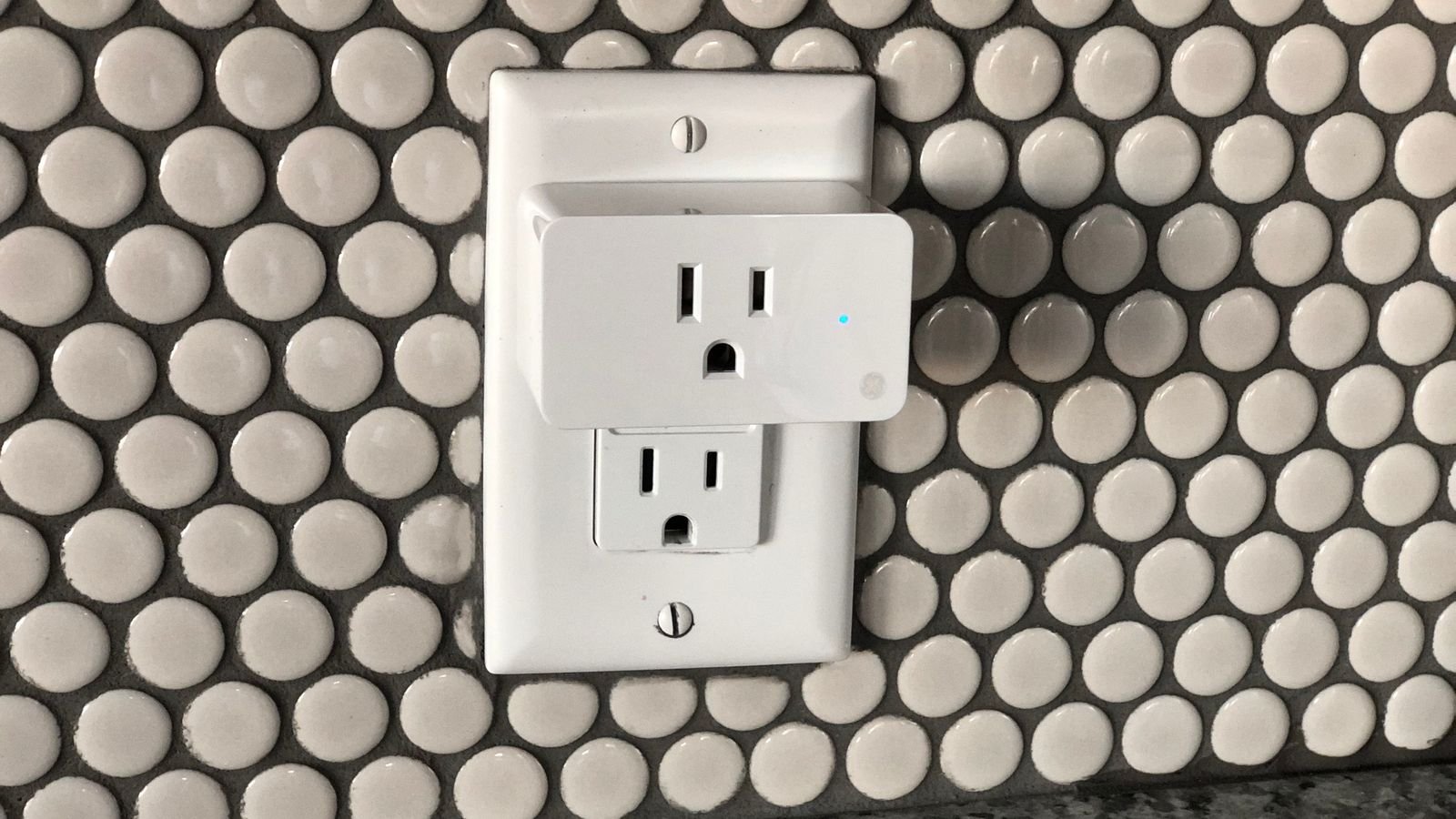
The rule is simple: a smart plug works with anything that resumes its previous state when power is restored. A lamp with a rocker switch left in the on position works perfectly. A device with a soft-touch electronic power button that requires a press after power returns does not, because the plug can only supply electricity, not press buttons.
Before automating anything, run a five-second test. Turn the device on, unplug it at the wall, plug it back in, and see whether it starts on its own. If it does, it is a candidate. If it sits dark waiting for a button press, it is not.
Also check the load rating. Most plugs handle 10A to 15A, which covers lamps, fans, and small appliances comfortably. Space heaters, window air conditioners, and pumps push closer to the limit and need a plug explicitly rated for the wattage. Reviewing the practical range of the best uses for smart plugs is a useful sanity check before committing a device to something demanding.
Lighting Automations Worth Setting Up
Lighting is the obvious starting point, but there is more to it than a nightly timer.
- Sunset-linked lamps. Rather than a fixed clock time, tie lamps to local sunset so they follow the seasons automatically and never look mechanically scheduled.
- Wake-up lighting. A bedside lamp on twenty minutes before the alarm makes winter mornings noticeably easier.
- Arrival lighting. Geofencing turns on the entry lamp when your phone approaches, so you never walk into a dark house.
- Random evening patterns. Two or three plugs on different randomised schedules simulate occupancy far more convincingly than a single lamp switching at exactly the same time nightly.
- Reading nook shutdown. A voice command that kills every lamp in a room without walking to each one.
- Seasonal decoration. Holiday lights on a dusk-to-eleven schedule, set once and forgotten for six weeks.
Comfort and Climate
Fans, heaters, humidifiers, and dehumidifiers are ideal smart plug candidates because they almost all use mechanical switches.
Schedule a bedroom fan to start half an hour before bedtime so the room is already cool. Run a space heater in a home office for the first hour of the working day rather than heating an empty house overnight. Set a humidifier to run only while the house is occupied. Where a plug supports temperature or humidity triggers through a paired sensor, you can move from schedules to genuine conditions, running a dehumidifier in a basement only when humidity crosses a threshold.
One important caution: heaters demand attention. Only use a plug rated for the full wattage, never leave a heater running unattended on a schedule in a room with fabric or clutter nearby, and prefer heaters with their own tip-over and thermal protection. Automation should not defeat a safety feature.
Energy Monitoring and Cost Control
Plugs with energy monitoring turn vague suspicion into numbers. Put one on the old chest freezer in the garage and find out what it actually costs to run each year. Measure the entertainment centre’s standby draw across a month. Compare two dehumidifiers before deciding which to keep.
The results frequently change behaviour. Standby power across a typical home’s electronics adds up to a meaningful share of a bill, and once you can see which devices are responsible, scheduling them off overnight becomes an obvious win. Automations built on measured consumption also enable useful triggers: notify me if the sump pump draws power for more than a few minutes, or alert me when the washing machine’s draw falls to idle because the cycle has finished.
Security and Away-From-Home Automations
Occupancy simulation is the classic security use and it works, provided you do it convincingly. Use at least three plugs in different rooms, vary the timings by twenty or thirty minutes with a randomiser, and include a radio or television in the pattern rather than lights alone. A house where one lamp switches on at exactly the same moment every evening for two weeks signals absence rather than presence.
Beyond simulation, plugs let you shut off risk while you travel. Cut power to the coffee maker, the iron’s charging base, the hair straightener, and the space heaters with a single away routine. Combine that with a return routine that brings the entry light and the bedroom fan back on as you approach, and the whole trip is bookended by two taps. Roundups of the best uses of smart plugs often highlight these travel routines as the ones owners keep using longest.
Kitchen, Laundry, and Appliance Ideas
- Coffee maker on a weekday schedule, using a machine with a mechanical switch left in the on position.
- Slow cooker cut-off, switching to keep-warm behaviour by timing the power rather than trusting a manual dial.
- Washing machine completion alerts based on power draw dropping to idle, so laundry never sits damp overnight.
- Kettle or urn scheduling for gatherings, so hot water is ready without anyone remembering.
- Garage freezer monitoring, with an alert if power stops unexpectedly, which is the automation that saves an entire freezer of food.
- Toaster oven and countertop appliance shutoff at night as a simple safety habit.
Plants, Pets, and Hobbies
Grow lights are one of the best smart plug applications, because seedlings need consistent long photoperiods and a plug delivers that without thought. Aquarium lights, heaters, and pumps benefit from reliable cycles too, though anything life-supporting should never depend on a single point of failure.
Pet owners use plugs for feeder lighting, heated pet beds on cold-weather schedules, and aquarium routines. Hobbyists automate soldering station power, 3D printer enclosure fans, workshop dust collection, and battery chargers that should not be left connected indefinitely. In every case the value is the same: something that should run on a schedule now does, without anyone remembering.
Building Better Routines
The difference between a novelty and a genuinely useful smart home is routine design. A few principles help.
- Group by moment, not by device. A bedtime routine touching six plugs beats six individual schedules.
- Prefer conditions over clocks where possible. Sunset, arrival, and sensor thresholds age better than fixed times.
- Name everything by room and function. Voice control fails on ambiguous names more than any other cause.
- Always keep manual control usable. Anyone in the house should be able to switch a lamp without an app.
- Start with three routines and only add more once those run without complaint for a month.
- Document what you built. A short note prevents mystery behaviour a year later.
Choosing the Right Plug for the Job
Not all plugs suit all tasks. Compact bodies matter where you need both sockets of a duplex outlet. Energy monitoring matters where you want measurement rather than just control. Outdoor-rated models with proper weather sealing and a stated cold-weather operating range are essential for anything outside, and a standard indoor plug under a bubble cover is not an acceptable substitute.
Consider connection type as well. Wi-Fi plugs need no hub and suit small deployments; mesh-protocol plugs scale better once you pass fifteen or twenty devices. Local control capability is worth seeking, because a plug that continues running its schedule during an internet outage is meaningfully more reliable than one that goes dumb. Comparing the broader best smart plugs field alongside the best outdoor smart plugs makes those distinctions easy to see, and the best timer plugs comparisons show where a simple non-connected timer is the more sensible purchase.
Mistakes to Avoid
- Automating devices with electronic power buttons. Run the unplug test first.
- Exceeding the load rating. Heaters and air conditioners are the usual offenders.
- Using indoor plugs outdoors. Moisture and cold both cause failures.
- Building elaborate automation chains. Complexity produces behaviour nobody can diagnose.
- Automating anything safety-critical. Medical equipment and life-support systems belong on dedicated circuits.
- Blocking the second socket. Measure the plug body before buying six of them.
Frequently Asked Questions
Can smart plugs control any appliance?
Only appliances that resume operation when power returns. Devices with electronic soft-touch power buttons stay off after a power cycle, so a plug cannot start them regardless of scheduling.
Do smart plugs work without internet?
It depends on the model. Plugs with local control keep running schedules and respond to local hub commands during an outage. Cloud-dependent plugs lose scheduling and remote control until the connection returns.
Is it safe to run a space heater on a smart plug?
Only on a plug explicitly rated for the heater’s full wattage, and preferably a heavy-duty model. Never schedule an unattended heater in a cluttered room, and always keep the heater’s own safety protections active.
How much power do smart plugs use themselves?
Typically well under a watt each in standby. Across a dozen plugs the total is small, and it is usually offset many times over by the standby draw they eliminate on the devices they control.
How many smart plugs can I run on my Wi-Fi?
Consumer routers commonly handle twenty to forty connected clients comfortably. Beyond that, plugs using a mesh protocol with a hub perform far more reliably than adding more Wi-Fi devices.
Final Thoughts
Smart plugs reward experimentation because the cost of trying an idea is so low. Start by running the unplug test on the devices you already own, then pick three automations that solve real irritations rather than impressive demonstrations: lighting tied to sunset, a heater or fan that runs only when a room is occupied, and an away routine that cuts everything you would otherwise worry about. Add energy monitoring to one questionable appliance and let the numbers guide the next purchase. Within a month you will know which ideas earned their place, and expanding from there costs very little.