
 Daniel Okafor
 How to Choose the Best Office Desktop Computers in 2026
Picking from the best office desktop computers is less about chasing the flashiest specs and more about matching a machine to the way you actually work. Whether you run a busy front desk, manage spreadsheets all day, or juggle design files and video calls, the right desktop keeps you productive without draining your budget. In this buying guide we break down the form factors, the specs that matter, and the practical questions you should ask before you check out – so you can shop with confidence instead of guesswork.
Below you will find a curated shortlist of reliable office desktops across every price point, from compact mini PCs to full towers and sleek all-in-ones. Use it as a starting point, then read the rest of the guide to understand which type fits your desk, your tasks, and your team.

Pros
- Intel N100 quad-core processor with a 6MB cache and Max Turbo up to 3.40GHz for everyday office tasks
- 16GB DDR4 RAM paired with a 256GB PCIe NVMe SSD for multitasking and fast boot times
- 23.8" FHD IPS panel rated at 250 nits with 99% sRGB coverage and an anti-glare coating
- Wi-Fi 6 (802.11ax 2x2) and Bluetooth 5.2 for current-generation wireless connectivity
- Includes 4 USB-A ports (2x USB 2.0, 2x USB 3.2 Gen 2 at 10Gbps), HDMI-out, and Ethernet for wired peripherals and displays
Cons
- Single M.2 slot limits internal storage expansion to one additional drive
- No touch functionality on the 23.8" display, so on-screen input relies entirely on the included wireless keyboard and mouse
- Integrated Intel UHD graphics only, without a discrete GPU, so it is built for office and productivity tasks rather than graphics-heavy work
This all-in-one desktop pairs an Intel N100 processor (4 cores / 4 threads, 6MB cache, Max Turbo up to 3.40GHz) with 16GB of DDR4 RAM and a 256GB PCIe NVMe SSD.
- The 23.8" FHD (1920x1080) IPS display is rated at 250 nits with 99% sRGB coverage and an anti-glare coating, though it is non-touch
- Graphics run on integrated Intel UHD Graphics rather than a discrete GPU
- The unit measures 7.3 x 21.23 x 16.65 inches and weighs around 4.3 kg (9.47 lbs)
This spec combination is oriented toward office productivity, browsing, and document work rather than gaming or video editing, where the integrated graphics and 4-thread processor would become limiting.

Pros
- Intel Core 3 processor 100U with 8GB DDR5 memory and a 512GB PCIe NVMe SSD
- 23.8-inch FHD IPS display covers 99% sRGB with 50% higher contrast than the prior generation
- Dell ComfortView Plus reduces blue light output during long screen sessions
- Comes with 1 Year Onsite Service plus 6 Months Dell Migrate for moving files to the new PC
Cons
- 8GB of DDR5 memory is on the lower end for multitasking-heavy workloads
- Uses integrated Intel Graphics rather than a discrete GPU, limiting demanding creative or gaming workloads
- All-in-one design bundles the display and PC together, so upgrading the screen alone is not possible
This all-in-one runs an Intel Core 3 processor 100U paired with integrated Intel Graphics, 8GB of DDR5 memory, and a 512GB PCIe NVMe SSD, all built around a 23.8-inch FHD IPS display. That display covers 99% sRGB with 50% higher contrast and a narrower border than the previous generation, plus a higher refresh rate for smoother everyday viewing.
- CPU: Intel Core 3 processor 100U; Graphics: integrated Intel Graphics
- Memory: 8GB DDR5; Storage: 512GB PCIe NVMe SSD
- Display: 23.8" FHD IPS, 99% sRGB coverage

Pros
- Dimensions of 11.54 x 3.74 x 11.95 inches engineered for optimal spatial fitting
Cons
- Requires verifying placement clearance for 11.54 x 3.74 x 11.95 inches prior to installation

Pros
- 𝗗𝗲𝘀𝗸𝘁𝗼𝗽-𝗖𝗹𝗮𝘀𝘀 𝗔𝗜 𝗣𝗼𝘄𝗲𝗿 𝗳𝗼𝗿 𝗡𝗲𝘅𝘁-𝗚𝗲𝗻 𝗪𝗼𝗿𝗸𝗳𝗹𝗼𝘄𝘀 - Powered by AMD
- 𝗣𝗿𝗼𝗳𝗲𝘀𝘀𝗶𝗼𝗻𝗮𝗹 𝗩𝗶𝗱𝗲𝗼 𝗘𝗱𝗶𝘁𝗶𝗻𝗴, 𝟯𝗗 𝗥𝗲𝗻𝗱𝗲𝗿𝗶𝗻𝗴 & 𝗖𝗼𝗻𝘁𝗲𝗻𝘁 𝗖𝗿𝗲𝗮𝘁𝗶𝗼𝗻 -
- 𝗔𝗔𝗔 𝗚𝗮𝗺𝗶𝗻𝗴 & 𝗟𝗶𝘃𝗲 𝗦𝘁𝗿𝗲𝗮𝗺𝗶𝗻𝗴 𝗥𝗲𝗮𝗱𝘆 - Radeon 890M Graphics delivers
- 𝗣𝗿𝗲𝗺𝗶𝘂𝗺 𝗔𝗹𝗹-𝗠𝗲𝘁𝗮𝗹 𝗖𝗵𝗮𝘀𝘀𝗶𝘀 & 𝗟𝗮𝗯-𝗧𝗲𝘀𝘁𝗲𝗱 𝗥𝗲𝗹𝗶𝗮𝗯𝗶𝗹𝗶𝘁𝘆 - Built with a
- Dimensions of 5.32 x 5.2 x 1.8 inches engineered for optimal spatial fitting
Cons
- Requires verifying placement clearance for 5.32 x 5.2 x 1.8 inches prior to installation

Pros
- Core Ultra 7 265 processor with 20 cores, 30 MB total cache and a 2.4 GHz base clock
- 32 GB of DDR5-5600 memory fitted as a single module, leaving the second slot free for later expansion
- 1 TB M.2 PCIe NVMe solid state drive plus a 3.0 SD card reader for pulling RAW files off a camera
- Eight USB ports with four on the front panel, HDMI 2.1 and DisplayPort 1.4a driving up to four FHD screens
- Tool-less side panel, hardware TPM chip, Wi-Fi 6 and a lock slot, with one year of onsite service included
Cons
- Graphics are integrated Intel UHD only, so 3D gaming or GPU rendering needs a card added later
- The 32 GB is a single stick, so memory runs single-channel until a matching module is added
- The chassis is 11.54 x 6.06 x 12.77 in, which limits full-length graphics cards and larger power supplies
The core specification is aimed at productivity rather than gaming.
- Core Ultra 7 265: 20 cores, 30 MB of total cache, 2.4 GHz base clock, with an on-package AI accelerator for newer Windows features.
- 32 GB DDR5 at 5600 MT/s, supplied as one 32 GB module.
- 1 TB M.2 PCIe NVMe SSD as the boot and data drive, so there is no mechanical drive to slow start-up.
- Intel UHD graphics integrated into the processor, sufficient for multi-monitor office work and video playback.
Windows 11 Home is pre-installed, and a wired keyboard and mouse are supplied. For spreadsheets, browser-heavy work, photo editing and video calls, that combination leaves plenty of headroom.
Pros
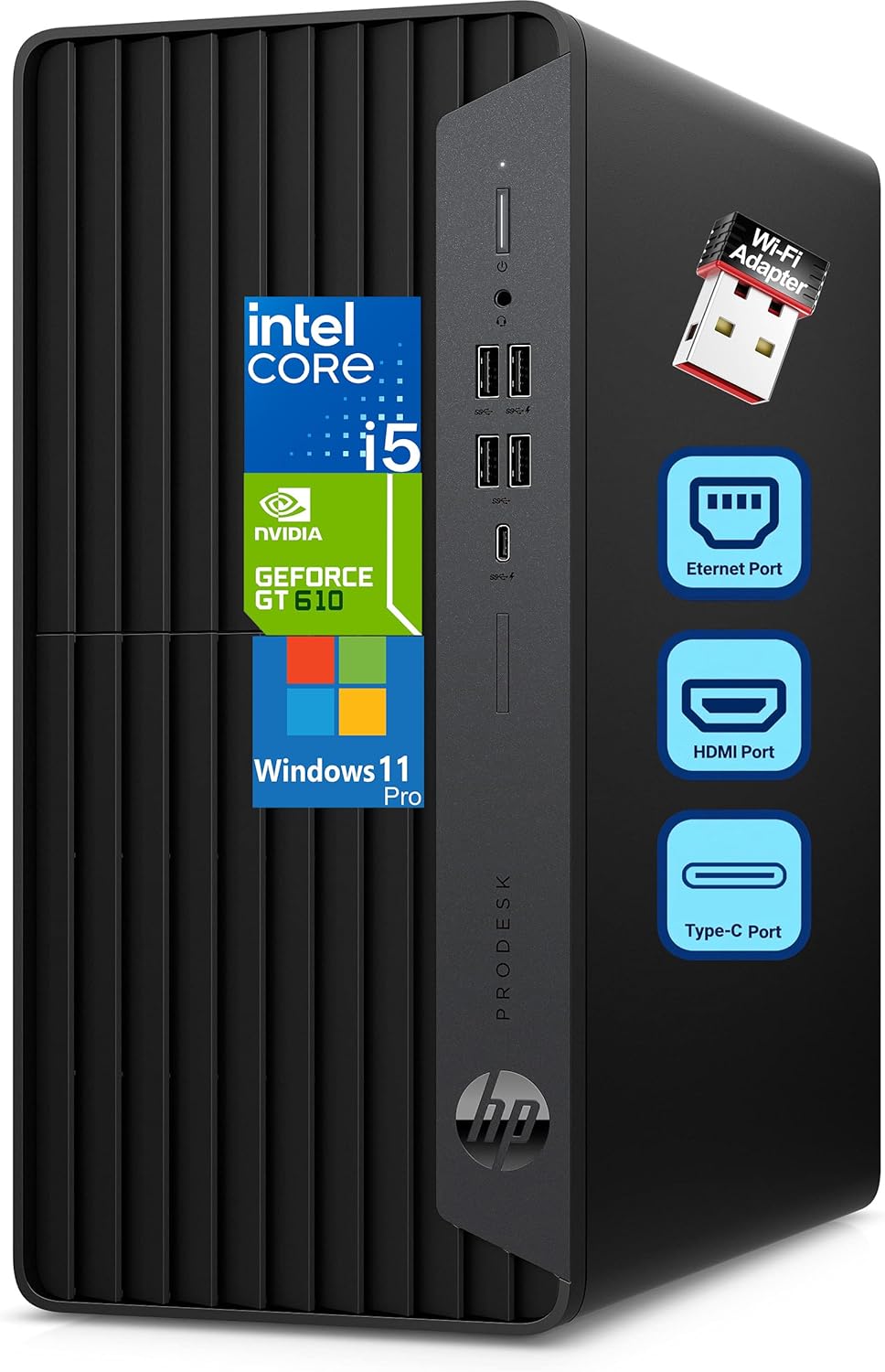
- 6-core i5-10400F runs at 2.90GHz base with turbo up to 4.30GHz for multitasking across business apps
- 512GB PCIe NVMe SSD paired with 16GB DDR4 RAM speeds boot and file access over a SATA-drive equivalent
- GT 610 2GB graphics card drives multiple monitors via HDMI, DVI-I and VGA outputs at once
- Front panel includes a 10Gbps USB-C port plus four additional USB-A ports for fast peripheral and drive transfers
- Microtower footprint of 5.98 x 11.93 x 13.27 inches and roughly 5.0kg weight fits on or under a desk easily
Cons
- GT 610 is an entry-level graphics card meant for multi-monitor productivity work, not gaming or GPU-accelerated tasks
- Wired keyboard and mouse are included rather than wireless, so a separate purchase is needed for a cable-free desk
- Wi-Fi comes through an included adapter rather than a built-in antenna, so it occupies a USB or expansion slot rather than being integrated on the motherboard
The system runs an Intel 6-core i5-10400F at a 2.90GHz base clock, turboing to 4.30GHz, paired with 16GB of DDR4 RAM for smooth multitasking across spreadsheets, browsers and business applications. A 512GB PCIe NVMe SSD holds Windows 11 Pro and program files, giving fast boot times and near-instant file access compared with a traditional hard drive. Graphics run through a dedicated GeForce GT 610 2GB card rather than integrated graphics, which is enough for driving multiple displays and everyday desktop work but not demanding 3D or GPU-accelerated workloads.
The microtower case measures 5.98 x 11.93 x 13.27 inches and weighs approximately 5.0kg, a compact form factor that trades some internal expansion room for desk-friendly size compared with a full or mid-tower case. It runs on a 180W power supply, which limits how much additional graphics or storage hardware can be added later compared with systems built around larger PSUs. 16GB of RAM covers current business workloads comfortably, and the NVMe SSD leaves room for additional internal storage if the case supports a second drive bay, making light storage upgrades more realistic than a graphics card upgrade given the power ceiling.
Pros
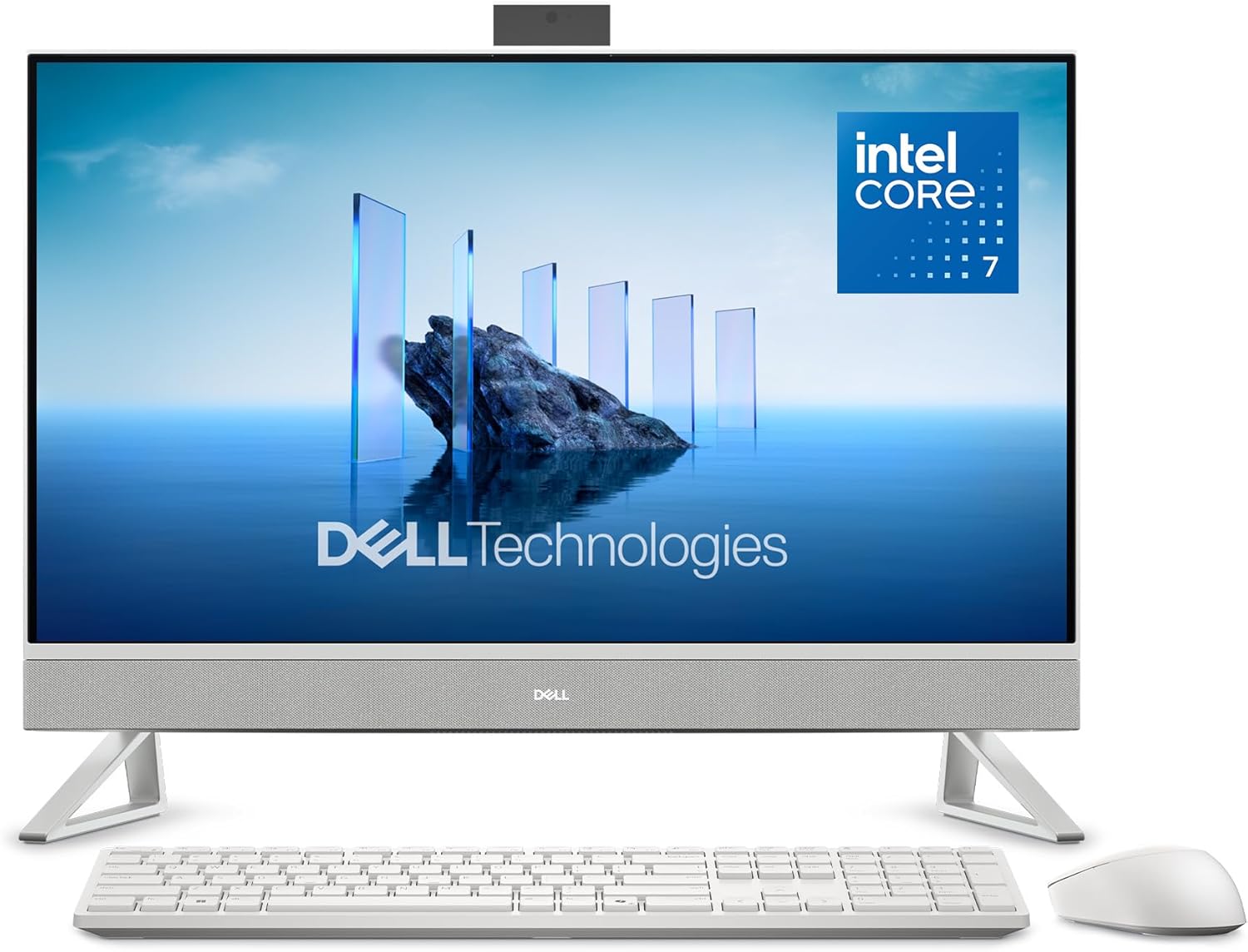
- Keep your area clutter-free with an innovative stand that provides the
- Physical footprint measures 1.64 x 24.2 x 15.73 inches for spatial placement
Cons
- High-efficiency thermal cooling required for Dell 27 All-in-One Des
- Motherboard socket and BIOS compatibility must be verified for Dell 27 All-in-One Des


Pros
- Intel Core i5-12500 offers 6 cores, 12 threads, and 18MB cache, boosting up to 4.6GHz
- 16GB DDR4 RAM paired with a 512GB PCIe NVMe SSD for fast boot and file access
- 8 total USB ports (4x USB 3.0 front, 4x USB 2.0 rear) plus HDMI, VGA, and RJ-45 Ethernet
- TPM 2.0 security chip and a padlock loop support basic business-grade physical and data security
- Compact tower measures 11.92 x 6.1 x 13.27 inches and weighs 10.5 lbs for tight desk spaces
Cons
- Intel UHD Graphics 770 is integrated only, so demanding creative or gaming graphics work needs a discrete GPU add-in
- Rear ports are USB 2.0 rather than 3.0, so faster external drives should use the front USB 3.0 ports instead
- VGA output is legacy analog; newer monitors relying solely on DisplayPort will need an adapter
This desktop runs a 12th Gen Intel Core i5-12500 processor with 6 cores, 12 threads, and 18MB of cache, boosting up to 4.6GHz on the Intel H670 chipset. Memory is 16GB of DDR4 RAM alongside a 512GB PCIe NVMe SSD, and graphics are handled by the integrated Intel UHD Graphics 770 rather than a discrete card.
- Intel Core i5-12500, 6 cores/12 threads, up to 4.6GHz
- 16GB DDR4 RAM, 512GB PCIe NVMe SSD
- Intel UHD Graphics 770 (integrated)
- Windows 11 Home pre-installed
An 80 Plus Gold-certified 180W external power supply runs the system, and the build includes a TPM 2.0 security chip along with 15% post-consumer recycled materials in its construction.

Pros
- AMD Ryzen 9 7940HS processor with 8 cores and 16 threads boosts up to 5.2GHz for multitasking and creative workloads
- 16GB DDR5 memory paired with a 1TB SSD covers a modern OS and working files without an immediate upgrade
- Radeon 780M integrated GPU supports ray tracing and FSR 3 for 1080p gaming without a discrete graphics card
- All-aluminum chassis with dual copper heat pipes and an enlarged fan spreads heat across a compact frame
- Measures 5.47 x 5.2 x 1.71 inches, small enough to mount behind a monitor with VESA hardware
Cons
- Integrated Radeon 780M graphics will not match a discrete GPU for demanding modern AAA titles at high settings
- Storage and memory expansion require opening the chassis, so it is not a tool-free upgrade
- Runs on Windows 11 Pro pre-installed, with no listed option for a bare or Linux configuration
At the core is an AMD Ryzen 9 7940HS, an 8-core, 16-thread mobile-class processor that boosts up to 5.2GHz, paired with 16GB of DDR5 memory and a 1TB SSD. DDR5 runs roughly 70% faster than the DDR4 still used in many entry mini PCs, which matters for multitasking and data-heavy creative applications.
- AMD Ryzen 9 7940HS, 8 cores / 16 threads, up to 5.2GHz boost
- 16GB DDR5 system memory
- 1TB SSD storage, expandable internally
- Radeon 780M integrated graphics based on RDNA 3 architecture
Four selectable performance modes let the system trade fan noise and power draw against sustained clock speed, useful for switching between quiet office tasks and heavier rendering jobs.
Why the Right Office Desktop Still Matters
Laptops get a lot of attention, but for a fixed workspace a desktop remains the smarter long-term investment. You get more performance for your money, better cooling for all-day use, easier upgrades, and a comfortable setup with a full-size keyboard and monitor. For office work – documents, email, browser tabs, accounting software, and the occasional media task – a well-chosen desktop simply lasts longer and frustrates you less.
The trick is knowing where to spend. Overbuying wastes money you could put toward a better monitor or chair, while underbuying leaves you staring at spinning cursors within a year. This guide helps you land in the sweet spot.
The Three Main Types of Office Desktops
Before comparing individual models, decide which form factor suits your environment. Each has clear strengths and trade-offs.
All-in-One Desktops
An all-in-one (AIO) packs the computer inside the monitor, so you get a tidy, cable-light setup that is perfect for reception areas, small offices, and home workspaces where clean looks matter. They are easy to deploy and take up almost no room. If a clutter-free desk is a priority, an AIO like the Lenovo 24″ All-in-One or the Dell 24 All-in-One is a natural fit. Need a larger canvas for side-by-side windows? A 27-inch option such as the Dell 27 All-in-One gives you more room to work without adding a second screen.
Tower and Slim Desktops
Towers are the workhorses of the office. They offer the best performance for the price, the most ports, and the easiest path to upgrades – add RAM, swap drives, or drop in a graphics card years down the line. A full tower like the Dell Tower ECT1250 or a business-focused HP Pro Tower 290 suits power users and IT-managed fleets. If desk space is tight but you still want expandability, a compact model such as the Dell Slim ECS1250 or a refurbished-value pick like the HP ProDesk 600 strikes a smart balance.
Mini PCs
Mini PCs have quietly become one of the best options for modern offices. They are tiny enough to mount behind a monitor, sip power, and stay whisper-quiet, yet the latest models deliver serious speed. Budget-friendly units like the GEEKOM A5 Mini PC handle everyday tasks with ease, while high-performance builds such as the GEEKOM A9 Max and the GEEKOM A7 Max take on creative work and heavy multitasking. For anyone who wants power without the footprint, a mini PC deserves a serious look.
Key Specifications to Compare
Once you know the form factor, focus on the specs that actually affect daily office performance. Marketing sheets list dozens of numbers, but only a handful move the needle.
Processor (CPU)
The processor is the engine of your desktop. For light office duties – web, email, word processing – a modern entry-level chip is plenty. For heavier multitasking, big spreadsheets, or many browser tabs, step up to a mid-range or Core Ultra class processor. If you edit media or run demanding software, choose a higher-tier CPU so you are not waiting on the machine.
Memory (RAM)
RAM determines how many things you can run smoothly at once. In 2026, treat 8GB as the bare minimum, 16GB as the comfortable standard for most offices, and 32GB as ideal for creators and power users. More RAM is one of the most noticeable upgrades you can make, so favor it over minor CPU bumps when budgets are tight.
Storage
Always choose a solid-state drive (SSD) over an old spinning hard disk – it is the single biggest reason a computer feels fast. A 256GB SSD works for basic use, 512GB is a safe all-rounder, and 1TB gives breathing room if you store lots of files locally. NVMe SSDs are faster still and now common even on affordable machines.
Connectivity and Ports
Think about what you plug in. Dual-monitor support boosts productivity dramatically, so check for the video outputs you need. Look for enough USB ports, modern Wi-Fi 6 or Wi-Fi 7, and Bluetooth for wireless peripherals. Business towers and mini PCs often lead here, while all-in-ones keep things minimal but tidy.
Operating System and Support
Most office desktops ship with Windows 11 Home or Pro. Pro adds business features like BitLocker encryption and domain joining, which matter for managed IT environments. Also weigh warranty and onsite service – several models include multi-year coverage that is well worth having for a machine you rely on daily.
Matching a Desktop to Your Work
Instead of ranking machines against each other, it helps to match categories of desktops to categories of users. Here is a simple way to think about it.
- Basic office and admin work: If your day is email, documents, and web apps, a value all-in-one or an affordable mini PC such as the GEEKOM A5 covers everything without overspending.
- Everyday business with room to grow: A slim or mid-tower like the Dell Slim ECS1250 or HP ProDesk 600 balances speed, ports, and upgrade options for the long haul.
- Managed fleets and IT departments: Business towers such as the HP Pro Tower 290 and Dell Tower ECT1250 offer standardized builds, security features, and easy servicing.
- Clean, space-saving setups: All-in-ones like the Lenovo 24″ AIO, Dell 24 AIO, or the roomier Dell 27 AIO keep desks tidy and deployment simple.
- Creative and high-performance work: Compact powerhouses such as the GEEKOM A9 Max and GEEKOM A7 Max handle editing, rendering, and heavy multitasking in a tiny chassis.
Setting a Realistic Budget
Office desktops span a wide price range, and each tier serves a purpose. Entry-level machines around the lower end of the market handle routine work perfectly well and are ideal for tight budgets or large rollouts. Mid-range desktops add faster processors, more RAM, and better storage, making them the sweet spot for most professionals who want a machine to stay smooth for years. Premium models bring top-tier CPUs, generous memory, and expandability for demanding or creative workloads.
A useful rule: buy slightly more computer than you need today so it stays comfortable tomorrow. RAM and SSD headroom age far better than a rock-bottom price. At the same time, resist paying for graphics horsepower or extreme specs you will never use in typical office tasks.
Practical Tips Before You Buy
A few final checks will save you regret and returns:
- Confirm the monitor situation. All-in-ones include a screen; towers and mini PCs do not, so budget for one if needed.
- Check bundled peripherals. Many desktops include a keyboard and mouse, which is handy for quick deployment.
- Verify warranty and service. Onsite or multi-year coverage is a real value on a daily-driver machine.
- Plan for the future. If you expect growing workloads, prioritize upgradeable RAM and storage.
- Measure your space. A mini PC or slim tower can transform a cramped desk, while a full tower needs a dedicated spot.
Frequently Asked Questions
Is a desktop better than a laptop for office work?
For a fixed workspace, yes. Desktops deliver more performance per dollar, run cooler for all-day use, are easier to upgrade, and encourage an ergonomic setup with a proper monitor and keyboard.
How much RAM do I need for an office desktop?
16GB is the comfortable standard for 2026. Choose 8GB only for the lightest tasks, and 32GB if you handle creative work or run many heavy applications at once.
Are mini PCs powerful enough for real work?
Absolutely. Today’s mini PCs range from affordable everyday machines to high-end creator systems, and they save space and power while staying quiet – making them one of the best modern choices for offices.
Final Thoughts
The best office desktop computers are the ones matched to your actual workflow, space, and budget – not simply the most expensive option on the shelf. Decide on a form factor first, prioritize a fast SSD and enough RAM, and pick a processor tier that fits your workload. Do that, and any of the desktops highlighted in this guide will keep you productive for years. Compare the options above, weigh the trade-offs, and choose the machine that fits your desk and your work best.


