

Menu

We independently review everything we recommend. When you buy through our links, we may earn a commission. As an Amazon Associate we earn from qualifying purchases.

Computer

Best Modems for Comcast Xfinity: 2026 Buying Guide

Marcus Bell Marcus Bell Jul 28, 2026 8 min read 4 views

This guide contains affiliate links. As an Amazon Associate we earn from qualifying purchases — at no extra cost to you. Prices and availability shown are accurate as of the time of publishing and may change.

Try Amazon Prime free for 30 days Fast delivery, Prime Video and Prime Music Start free trial

If you are tired of paying a monthly rental fee for your internet provider’s equipment, buying your own modem is one of the smartest money-saving moves you can make. Finding the best modems for Comcast Xfinity not only ends those recurring charges but can also unlock faster, more reliable speeds tailored to your specific plan. With so many models on the market, though, choosing the right one can feel overwhelming. This guide walks you through everything you need to know before you buy, so you can match the perfect modem to your Xfinity plan and enjoy better performance for years to come.

Below is a curated selection of top-rated Xfinity-compatible modems to help you compare your options at a glance.

1
Prime Best Seller

Motorola MB7621 DOCSIS 3.0 Cable Modem

★ ★ ★ ★ ★
4.5 (11.9K)
Updated: Aug 1, 2026
Last update on Aug 1, 2026 / Affiliate links / Images, Product Titles, and Product Highlights from Amazon Creators API.
Pros & Cons

Pros

  • Handles cable plans up to 900 Mbps, with a Full-Band Capture tuner that locks onto channels faster than older tuner designs
  • Single Gigabit Ethernet port pairs with any router you like, including mesh kits and gaming routers
  • Upright 7.25 by 2.25 by 7.88 inch body takes almost no shelf depth beside a router
  • Certified with Comcast Xfinity, Cox and Charter Spectrum, so activation follows a documented path
  • Three connections total, power, coax and Ethernet, which keeps fault-finding down to a short list

Cons

  • No Wi-Fi inside, so a separate router is mandatory for any wireless device in the house
  • No telephone ports, which rules it out for bundled cable voice service
  • Not compatible with Verizon Fios, AT&T, CenturyLink or any fibre, DSL or satellite connection
Speeds and Wired Throughput

This is a modem and nothing more, which is exactly why it holds its speed ceiling well.

  • Sized for actual cable service speeds up to 900 Mbps, so it comfortably covers the 400 to 800 Mbps tiers most households sit on
  • A Full-Band Capture digital tuner scans the whole spectrum at once rather than hunting channel by channel, which shortens lock times after a reboot
  • The Gigabit Ethernet port is the single outlet for all traffic, so the router you attach becomes the real determinant of Wi-Fi performance

If the Ethernet port is not feeding a router, it will drive a computer, smart TV or games console directly. That makes it a reasonable choice for a single-desk setup where wireless is not needed at all.

Three Cable Installation

Installation comes down to three leads and one registration step with your provider.

  • Coax from the wall plate to the modem, hand-tightened until snug rather than wrenched
  • Power from the supplied adapter
  • Ethernet out to the WAN port of your router

After that, the provider has to register the modem MAC address and serial number, both printed on the label. Photograph them before the unit goes behind furniture, because reading a label in a cupboard later is a chore. Give the modem several minutes on first power-up while it downloads its configuration file. The upright body has a small footprint but wants airflow around it, so avoid stacking a router directly on top of the case.

Provider Compatibility Checks

Compatibility is the single thing to confirm before ordering, because a cable modem is useless on the wrong network type.

  • Certified with Comcast Xfinity, Cox, Charter Spectrum and a number of other cable operators
  • Not compatible with Verizon Fios, AT&T, CenturyLink and any other fibre optic, DSL or satellite service
  • No voice capability, so households on a cable telephone bundle need the provider supplied eMTA and cannot swap this in

One more check worth making is the plan tier. DOCSIS 3.0 here is matched to plans up to 900 Mbps, so a multi-gigabit service would need a DOCSIS 3.1 unit instead. Because there is no router inside, you also need a working router or mesh system ready before the changeover.

2
Prime Editor's Pick

ARRIS SURFboard SB8200 DOCSIS 3.1 Cable Modem

ARRIS
★ ★ ★ ★ ★
4.4 (0)
Updated: Aug 1, 2026
Last update on Aug 1, 2026 / Affiliate links / Images, Product Titles, and Product Highlights from Amazon Creators API.
Pros & Cons

Pros

  • DOCSIS 3.1 with wide OFDM channels, supporting cable plans advertised up to 2 Gbps downstream
  • Two 1 Gigabit Ethernet ports, with the second able to carry a separate IP where the provider supports it
  • CableLabs certified and qualified for Xfinity, Cox and Spectrum, so activation follows the standard self-install path
  • Compact 5.13 x 1.75 x 5.25 in footprint standing vertically in a narrow media cabinet
  • Separate LED indicators for power, upstream, downstream and online status, which makes a failed activation easy to diagnose

Cons

  • Modem only, so a separate router or mesh system is required for any Wi-Fi at all
  • Each Ethernet port is capped at 1 Gbps, meaning a single router link cannot carry a full 2 Gbps plan
  • Works on cable coax only, with no support for fiber, DSL or satellite lines, and no telephone ports for cable voice service
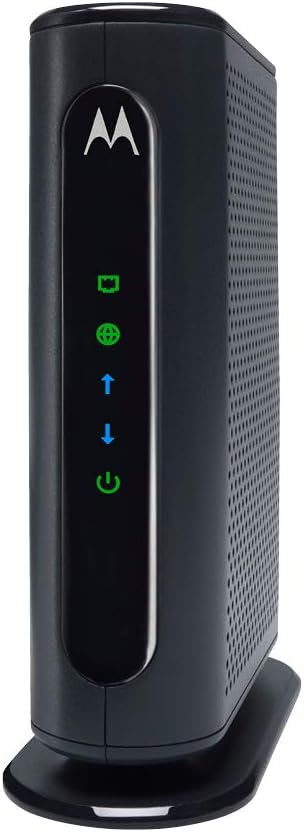
DOCSIS 3.1 Throughput

This is a DOCSIS 3.1 modem, which uses wide OFDM channels rather than bonding many narrow DOCSIS 3.0 carriers. The practical result is support for cable plans advertised up to 2 Gbps downstream, along with lower latency under heavy load than the previous generation manages.

  • Two 1 Gigabit Ethernet ports on the rear panel
  • Each port is capped at 1 Gbps, so no single link carries a full 2 Gbps plan
  • The second port can carry a separate IP where the provider supports it

That port ceiling is the detail to check against a service plan. On a gigabit tier it is irrelevant. On a multi-gig tier the throughput exists at the coax side but arrives on the LAN split across two ports, which needs a router able to use both, or acceptance that a single link tops out at a gigabit.

Activation and Wiring

Installation follows the standard self-install path: run the coax from the wall outlet to the modem, connect power, wait for the front indicators to settle, then register the device MAC address with the provider through the companion app, a web portal or a phone call. The LEDs report power, upstream, downstream and online status separately, which makes diagnosing a stalled activation straightforward.

  • Cabinet footprint of about 5.13 x 1.75 x 5.25 in standing vertically
  • No wireless configuration to do, because the unit has no radio inside
  • A router or mesh node plugs into the first Ethernet port

Keep the coax run short and avoid splitters wherever possible. Every split drops signal level at the modem, and that is the usual cause of intermittent downstream errors appearing days after an otherwise clean install.

ISP and Home Gear Compatibility

Every modem in this line is CableLabs certified, and this model is tested and qualified for Xfinity, Cox and Spectrum. Providers keep their own approved device lists, so confirming the model against a specific plan beforehand avoids an activation refusal on the day.

  • Cable coax service only, with no support for fiber, DSL or satellite lines
  • This is a modem only, so a router or mesh system is required for Wi-Fi
  • No telephone ports, meaning cable voice service still needs the provider's own device

That separation is a design decision rather than an omission. Keeping the modem and the router as separate boxes means the wireless side can be upgraded to a newer standard, or swapped for a mesh set, without touching the part that has to stay certified with the cable provider.

3
Prime Limited Time

Motorola MB7420 16x4 DOCSIS 3.0 Cable Modem

★ ★ ★ ★ ★
4.4 (0)
Updated: Aug 1, 2026
Last update on Aug 1, 2026 / Affiliate links / Images, Product Titles, and Product Highlights from Amazon Creators API.
Pros & Cons

Pros

  • DOCSIS 3.0 with 16x4 channel bonding supports service speeds up to 686 Mbps
  • Full-Band Capture Digital Tuner improves connection reliability over older single-tuner modems
  • One Gigabit Ethernet port connects directly to a router, PC, or streaming device
  • Compact 4.9 x 2 x 6.1 inch design with a two-year warranty and surge protection circuits
  • Certified for Comcast Xfinity, Charter Spectrum, Cox, and other major cable providers

Cons

  • Actual real-world speeds are recommended only up to 375 Mbps, well below the theoretical 686 Mbps ceiling
  • No built-in Wi-Fi router or phone support, so a separate router is required for wireless devices
  • Not compatible with Verizon, AT&T, CenturyLink, or other fiber, satellite, or DSL services
Speed & Channel Bonding

The MB7420 uses DOCSIS 3.0 with 16x4 channel bonding, giving it a theoretical ceiling of 686 Mbps, though the manufacturer recommends it for actual cable service speeds up to 375 Mbps in real-world conditions. A Full-Band Capture Digital Tuner helps stabilize the connection compared with older single-tuner modem designs, reducing dropouts during peak usage hours.

A single Gigabit Ethernet port handles the wired connection out to a router, PC, HDTV, or game console. This modem has no built-in Wi-Fi radio, so it needs to be paired with a separate router, of any brand, to distribute a wireless signal through the home.

Setup & Physical Design

Setup involves three connections: power, coax cable, and Ethernet, and typically finishes with a call to your provider to activate the modem on their network. The compact chassis is designed to minimize shelf space and improve cooling airflow, and it includes a two-year warranty along with surge and lightning protection circuits built into the hardware.

USA-based phone and web support is available in English and Spanish if setup runs into issues. The MB7420 has no telephone jacks, so it will not support any voice-over-cable service that some providers bundle with internet.

Provider Compatibility

This modem is certified for Comcast Xfinity, Charter Spectrum, Cox, BrightHouse, and other major cable internet providers, so it should activate without issue on any of those networks. It plugs into any router you choose, including mesh or gaming routers, since the modem and wireless router functions are handled by separate hardware here.

It is explicitly not compatible with Verizon, AT&T, CenturyLink, or other fiber-optic, satellite, or DSL services, since those use different signal delivery methods than cable. Before buying, confirm your provider supports customer-owned modems and that the MB7420 specifically appears on their approved device list.

4
Top Rated

ARRIS SURFboard mAX Pro 16x4 DOCSIS 3.0 Cable Modem

ARRIS
★ ★ ★ ★ ★
4.4 (2.3K)
Updated: Aug 1, 2026
Last update on Aug 1, 2026 / Affiliate links / Images, Product Titles, and Product Highlights from Amazon Creators API.
Pros & Cons

Pros

  • 16x4 DOCSIS 3.0 bonded channel design supports cable internet plans up to 400 Mbps
  • Single 1-Gigabit Ethernet port passes full plan speed through to a router or connected device
  • Approved for major U.S. cable providers including Cox, Spectrum and Xfinity, easing provider activation
  • SURFboard Central app walks through setup, removing the need to call the ISP to activate the modem

Cons

  • Not compatible with AT&T, Verizon, CenturyLink or other DSL/fiber services, so it only works with cable internet
  • No built-in Wi-Fi, so a separate router is required to create a wireless network
  • Does not support a cable telephone/voice feature, so landline-over-cable service needs separate equipment
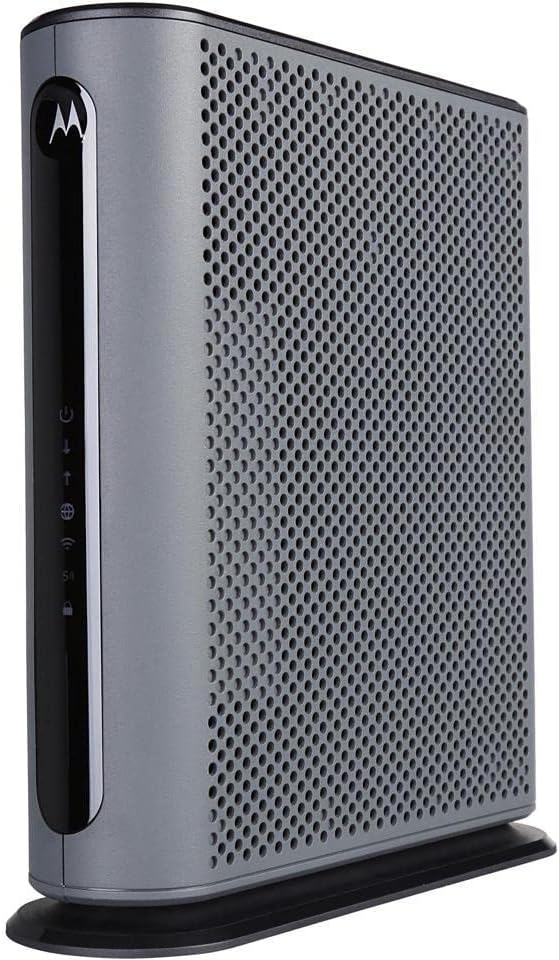
Throughput & Channel Bonding

The mAX Pro bonds 16 downstream and 4 upstream DOCSIS 3.0 channels, a configuration built to handle cable internet plans up to roughly 400 Mbps. A single 1-Gigabit Ethernet port passes that bandwidth on to a connected router or device without a wireless bottleneck built into the modem itself.

  • 16x4 DOCSIS 3.0 bonded channels
  • Supports cable plans up to about 400 Mbps
  • 1 Gigabit Ethernet port for a downstream router or device

Because this is a modem only, achieving full plan speed over Wi-Fi still depends on pairing it with a separate router capable of matching that throughput.

Setup & App Activation

Initial setup is handled through the SURFboard Central app, which walks through activation step by step so the modem can typically go online without a phone call to the internet provider. This is meant to shorten the usual wait time between unboxing and having working internet.

  • SURFboard Central app guides activation and setup
  • Designed to reduce or remove ISP phone activation calls
  • Single Ethernet port simplifies connecting one router or device

Buyers replacing a rented ISP modem should also confirm their provider allows customer-owned equipment before purchase, since some plans require specific modem certifications.

ISP & Service Compatibility

This modem is approved for major U.S. cable internet providers, including Cox, Spectrum, and Xfinity, among others, but it is explicitly not compatible with AT&T, Verizon, CenturyLink, or other DSL and fiber-based services. An active cable internet subscription is required, and the modem does not include Wi-Fi or support a cable telephone feature.

  • Approved for Cox, Spectrum, Xfinity, and similar cable ISPs
  • Not compatible with DSL or fiber services such as AT&T or CenturyLink
  • No built-in Wi-Fi or cable telephone support

Confirming provider compatibility before ordering avoids the most common mismatch issue with cable modems: incompatible internet service type.

5
Prime

Motorola MG7550 16x4 DOCSIS 3.0 Cable Modem WiFi Router

★ ★ ★ ★ ★
4.3 (0)
Updated: Aug 1, 2026
Last update on Aug 1, 2026 / Affiliate links / Images, Product Titles, and Product Highlights from Amazon Creators API.
Pros & Cons

Pros

  • 16x4 DOCSIS 3.0 channel bonding supports actual cable service speeds up to 375 Mbps
  • AC1900 dual-band Wi-Fi runs 2.4GHz and 5GHz simultaneously alongside 4 Gigabit Ethernet ports
  • Built-in DFS support opens extra 5GHz channels that most routers cannot access, cutting neighbor interference
  • Broadcom modem chipset adds denial-of-service attack protection at the hardware level
  • Combines modem and router into one unit, removing a second power cable and box from the desk

Cons

  • No phone jack, so it cannot be used for any landline or VoIP calling service
  • Only compatible with cable internet; fiber, DSL and satellite services such as Verizon, AT&T or CenturyLink will not work with it
  • AC1900 Wi-Fi standard predates Wi-Fi 6, a ceiling for the newest high-throughput client devices
Throughput & Coverage

The modem side uses 16x4 DOCSIS 3.0 channel bonding, rated for actual cable internet service speeds up to 375 Mbps. The router side runs AC1900 dual-band Wi-Fi across 2.4GHz and 5GHz simultaneously, with Power Boost amplifying the wireless signal to the FCC-allowed limit for extended range.

  • Four Gigabit Ethernet LAN ports handle wired connections to PCs, game consoles or streaming boxes
  • DFS channel support opens additional 5GHz spectrum that standard routers cannot use, reducing crowding from neighboring Wi-Fi networks
  • AnyBeam beamforming focuses the wireless signal toward connected devices instead of broadcasting evenly in all directions

Larger homes with multiple floors may still see weaker signal at the far edges, since this is a single-unit router rather than a mesh system.

Setup & Ethernet Ports

Because the modem and router are combined into one unit, setup involves connecting a single coax cable from the wall and a single power cord, rather than pairing two separate boxes. Activation is completed with the cable provider using the device's serial number and MAC address.

  • Four Gigabit Ethernet ports are ready for immediate wired connections out of the box
  • A built-in firewall and Broadcom chipset add protection against denial-of-service attacks by default
  • No phone jack is present, so this model cannot support telephone or VoIP service

Since it is not a mesh unit, homes with dead zones will need a separate access point added to the network.

ISP & Service Compatibility

This modem is approved for use with Comcast Xfinity (including X1), Cox, Charter Spectrum, Time Warner Cable, Suddenlink, WOW!, CableOne and several other cable internet providers. Buyers should confirm their specific provider's approved device list before ordering, since approval can vary by region.

  • Not compatible with fiber, DSL or satellite services from Verizon, AT&T, CenturyLink, Frontier and similar providers
  • Requires an active cable internet subscription; it does not work as a standalone Wi-Fi router without one
  • Replaces a rented modem/router combo from the provider, removing that unit from the account once activated

Anyone switching providers in the future should re-check the approved device list, since not every cable company accepts every third-party modem model.

6
Prime

Netgear Nighthawk C7000 Cable Modem Router (Renewed)

Amazon Renewed
★ ★ ★ ★ ★
4.3 (0)
Updated: Aug 1, 2026
Last update on Aug 1, 2026 / Affiliate links / Images, Product Titles, and Product Highlights from Amazon Creators API.
Pros & Cons

Pros

  • Combines a DOCSIS 3.0 cable modem and an AC1900 dual-band router in one chassis, removing a second power lead
  • Certified for Xfinity by Comcast and Cox cable service on plans up to 800 Mbps
  • Gigabit Ethernet ports on the rear for a console or desktop that needs a stable wired link
  • Sold through the Amazon Renewed programme, inspected and reset to factory defaults before dispatch

Cons

  • Not compatible with Verizon, Spectrum, AT&T, CenturyLink, DSL providers, DirecTV or DISH
  • No support for bundled cable voice service, so a phone line needs a separate eMTA modem
  • Wi-Fi 5 radios only, so Wi-Fi 6 and 6E clients connect at Wi-Fi 5 rates with no 6GHz band
Cable provider compatibility

This is the first thing to check and the reason most returns happen. The unit is certified for Xfinity by Comcast and Cox cable networks, and it is explicitly not compatible with Verizon, Spectrum, AT&T, CenturyLink, any DSL provider, DirecTV or DISH.

It also does not support bundled cable voice service. If your account includes a home phone line through the cable provider, this cannot carry it, and you will need an eMTA modem with telephony ports instead.

Provisioning follows the usual route: register the device MAC address with the provider through their app or by phone, then wait for the downstream and upstream lights to lock before testing anything. Keep the account details to hand, because activation is the step where a self-installed modem most often stalls for an evening.

Speed tiers and wired ports

The unit combines a DOCSIS 3.0 cable modem and an AC1900 dual-band router in a single chassis, so one power lead and one coax feed replace two boxes plus the Ethernet cable between them, and there is one fewer thing to reboot.

It is specified for cable plans up to 800 Mbps. Treat that as the practical ceiling: a plan above that figure will be constrained by the modem rather than by the line, so households on multi-gig service should be looking at a DOCSIS 3.1 unit instead.

Wired devices connect over Gigabit Ethernet on the rear, which is the connection to use for a desktop, a games console or a heavy-streaming TV, since a wired link sidesteps Wi-Fi congestion completely. The wireless side is dual-band Wi-Fi 5.

What renewed condition means

This unit is sold through the Amazon Renewed programme rather than as new stock. In practice that means it has been inspected and tested by a qualified supplier, cleaned, and reset to factory defaults so that no previous owner's settings or credentials remain on it.

Two things follow. Packaging and accessories are not guaranteed to match a new retail box, so a coax lead or an Ethernet patch cable may or may not be in the carton; check before assuming. And light cosmetic marks are possible, because the standard applied is functional rather than visually pristine.

Before activation, run a factory reset yourself with the recessed rear button, then set a new admin password and a new Wi-Fi passphrase. After that, check for a firmware update, because a unit that has been sitting in stock will be behind on security patches.

7
Prime

NETGEAR Nighthawk DOCSIS 3.1 Mid high-Split Cable Modem

NETGEAR
★ ★ ★ ★ ★
4.3 (0)
Updated: Aug 1, 2026
Last update on Aug 1, 2026 / Affiliate links / Images, Product Titles, and Product Highlights from Amazon Creators API.
Pros & Cons

Pros

  • Mid/high-split DOCSIS 3.1 cable modem delivers up to 2Gbps of
  • Unlock faster cable internet speeds, such as Xfinity’s 900Mbps
  • Faster download speeds powers your digital lifestyle with enhanced
  • 10x faster upload speeds for seamless multi-family gaming, video

Cons

  • Requires proper surface alignment during initial installation
  • Periodic visual inspection recommended to ensure component tightness
Ergonomics and Usability Standards

Crafted with attention to functional details, the NETGEAR NETGEAR Nighthawk DOCSIS 3.1 Mid high-Split Cable Modem brings efficient performance to your Modems. Practical hands-on evaluation highlights core functional attributes including Mid/high-split DOCSIS 3.1 cable modem delivers up to 2Gbps of download speeds and 1Gbps of upload speeds. Furthermore, features like Unlock faster cable internet speeds, such as Xfinity’s 900Mbps download speeds and 100Mbps upload speeds. Works with all major US internet providers. Not compatible with Xfinity Voice plans ensure seamless adaptability across varied spatial layouts. Precision engineering delivers a stable foundation tailored for active household demands.

Setup Placement and Maintenance

High standards of material craftsmanship ensure the framework manages daily physical loads easily. Materials engineering centers on Faster download speeds powers your digital lifestyle with enhanced speed, capacity, efficiency, and response times, preserving visual appeal and physical integrity over time. Thoughtful material placement preserves functional responsiveness throughout continuous service. Precision engineering delivers a stable foundation tailored for active household demands. Carefully selected components ensure minimal maintenance overhead over long service life. Attention to manufacturing details ensures reliable utility for your Modems. Using proper installation techniques maintains physical stability across daily activities. This balanced configuration fits smoothly into existing interior designs while maximizing efficiency.

Structural Dimensions and Load Specs

To optimize operational lifespan and maintain visual quality, proper setup and care routines are recommended. With user-friendly details such as 10x faster upload speeds for seamless multi-family gaming, video conferencing and uploading even the largest files—simultaneously. Plus provides easy remote access to your home security cameras and files on your NAS, setting up the equipment requires minimal effort. Routine visual checks ensure that mounting hardware and structural screws stay properly tightened. Precision engineering delivers a stable foundation tailored for active household demands. Carefully selected components ensure minimal maintenance overhead over long service life. Attention to manufacturing details ensures reliable utility for your Modems.

8

NETGEAR CM1000 DOCSIS 3.1 Gigabit Cable Modem (Renewed)

Amazon Renewed
★ ★ ★ ★ ★
4.3 (3.5K)
Updated: Aug 1, 2026
Last update on Aug 1, 2026 / Affiliate links / Images, Product Titles, and Product Highlights from Amazon Creators API.
Pros & Cons

Pros

  • DOCSIS 3.1 with 32x8 channel bonding, built for cable internet plans up to 1 Gbps
  • Certified for Xfinity speeds up to 800 Mbps and for Cox and Spectrum up to 1 Gbps
  • Single Gigabit Ethernet port passes full-speed traffic through to a separate Wi-Fi router
  • Compact 7.24" x 4.53" x 10.24" footprint, small enough for a shelf beside a router

Cons

  • Modem only, with no built-in Wi-Fi router, so a separate router is required for wireless coverage
  • Not compatible with Verizon, AT&T, CenturyLink, DSL, DirecTV, or DISH service
  • Sold as Amazon Renewed, meaning cosmetic wear is possible even though function is tested
Speed & Channel Bonding

The CM1000 is built on DOCSIS 3.1, the current standard for high-speed cable internet, and uses 32x8 channel bonding to support plans up to 1 Gbps download.

  • Standard: DOCSIS 3.1, backward compatible with DOCSIS 3.0
  • Channel bonding: 32 downstream x 8 upstream
  • Ports: 1 Gigabit Ethernet port for a router or single device

Because it only carries a single Ethernet port, the CM1000 is designed to feed one downstream device directly, most commonly a separate Wi-Fi router that then distributes the connection to a household. Anyone wanting wireless coverage straight out of the box will need to add that router separately, since this unit handles only the cable-to-Ethernet conversion and does not broadcast Wi-Fi on its own.

Setup & ISP Compatibility

Setup involves connecting the coax line from the wall to the modem and an Ethernet cable from the modem to a router or computer, then activating the modem with the internet provider.

  • Certified with: Spectrum and Cox at up to 1 Gbps, Xfinity at up to 800 Mbps
  • Not compatible with: Verizon, AT&T, CenturyLink, DSL providers, DirecTV, or DISH
  • Region: intended for use within the United States only

Because certification varies by provider, the practical top speed depends on which cable company supplies the connection rather than the modem's 1 Gbps ceiling; Xfinity customers in particular are capped at 800 Mbps on this hardware regardless of the plan purchased. Confirming the current provider list before ordering avoids buying a modem that will not activate on a given account.

Renewed Condition Notes

This listing is sold through the Amazon Renewed program, meaning the unit is a professionally inspected and tested return or refurbished device rather than new-in-box stock.

  • Condition: Amazon Renewed, function-tested prior to resale
  • Packaging: generic box rather than original retail packaging in most Renewed listings
  • Physical size: 7.24"L x 4.53"W x 10.24"H, similar to a small paperback stood upright

Because Renewed units come from returned or refurbished stock, minor cosmetic wear such as light scuffing on the case is possible even when the internal hardware passes functional testing. Buyers who need pristine cosmetic condition or full original retail packaging should factor that into the decision, though the DOCSIS 3.1 chipset and port configuration remain identical to a new unit of the same model.

9
Prime

Arris Surfboard TM822R DOCSIS 3.0 Cable Modem for Xfinity

ARRIS
★ ★ ★ ★ ★
4.3 (0)
Updated: Aug 1, 2026
Last update on Aug 1, 2026 / Affiliate links / Images, Product Titles, and Product Highlights from Amazon Creators API.
Pros & Cons

Pros

  • 8x4 DOCSIS 3.0 channel bonding supports up to 343 Mbps of maximum download speed
  • Built-in telephone capability supports 2 phone lines through Xfinity Voice, combining internet and phone into one device
  • Certified specifically for Comcast Xfinity, so it's pre-cleared for activation on that network without a compatibility guessing game

Cons

  • Certified for Comcast Xfinity only, so it won't activate on other ISPs like Spectrum or Cox
  • DOCSIS 3.0 tops out at 343 Mbps, below the multi-gigabit speeds DOCSIS 3.1 modems support on newer Xfinity plans
  • No built-in Wi-Fi router functionality, so a separate router is needed to distribute a wireless signal
Throughput & Channels

The TM822R uses 8x4 DOCSIS 3.0 channel bonding, combining 8 downstream and 4 upstream channels to support a maximum download speed of 343 Mbps. That places it at the upper end of DOCSIS 3.0 hardware, suited to internet plans up to roughly that speed tier, though it doesn't reach the multi-gigabit ceilings that newer DOCSIS 3.1 modems support on higher-tier Xfinity plans.

  • 8x4 DOCSIS 3.0 channel bonding
  • Up to 343 Mbps maximum download speed
  • No built-in Wi-Fi router functionality

Plans exceeding 343 Mbps will bottleneck at this modem's ceiling regardless of what speed tier is subscribed to.

Setup

As a modem-only device, setup involves connecting it to the coaxial cable line and activating it on the account before it passes internet traffic to a separate router. Because it includes built-in telephone capability for 2 lines, activating Xfinity Voice service alongside internet lets a single device handle both, cutting down on the number of separate boxes needed in the setup.

  • Modem-only device, requires a separate router for Wi-Fi
  • Built-in support for 2 phone lines via Xfinity Voice
  • Ships new in box, ready for activation

Activation and account setup still needs to go through Comcast/Xfinity directly before the modem passes traffic.

ISP Compatibility

This modem is certified specifically for Comcast Xfinity, meaning it has been tested and approved for activation on that network without the guesswork of checking a generic compatibility list. That certification is also a limitation: it is not built or certified to activate on other cable ISPs like Spectrum, Cox, or Mediacom, so switching providers later would mean replacing the modem.

  • Certified for Comcast Xfinity activation
  • Not compatible with other cable ISPs
  • Ships brand new in box with included accessories

Buyers who might switch ISPs in the future should weigh this single-provider certification before purchasing.

10

NETGEAR Nighthawk CM3000 DOCSIS 3.1 Cable Modem

NETGEAR
★ ★ ★ ★ ★
4.4 (457)
Updated: Aug 1, 2026
Last update on Aug 1, 2026 / Affiliate links / Images, Product Titles, and Product Highlights from Amazon Creators API.
Pros & Cons

Pros

  • Mid/high-split DOCSIS 3.1 support unlocks upload speeds up to 1Gbps, well above the roughly 100Mbps ceiling of standard-split DOCSIS 3.1 modems on the same plan
  • Download speeds up to 2.5Gbps line up with multi-gig internet plans rather than capping out at older 1Gbps modem tiers
  • Includes one 2.5G Ethernet port alongside two 1G ports, so a multi-gig router or NAS device can connect at full speed
  • Compatible with all major US cable providers, including Xfinity, Spectrum, and Cox, rather than being locked to a single ISP

Cons

  • Mid/high-split upload speeds only reach their advertised ceiling on ISP plans that support the mid/high-split standard, such as certain Xfinity tiers
  • Modem hardware alone provides no Wi-Fi, so a separate router or mesh system such as an Orbi is required for wireless coverage
  • Built for use in the US only, so it is not certified for cable networks in other countries
Speed & Throughput

The CM3000 supports DOCSIS 3.1 mid/high-split technology, enabling download speeds up to 2.5Gbps and upload speeds up to 1Gbps on cable plans built to take advantage of it. This is a meaningful step up from standard-split DOCSIS 3.1 modems, which typically cap uploads around 100-200Mbps regardless of the plan.

  • Download speeds scale up to 2.5Gbps on qualifying multi-gig cable plans
  • Upload speeds reach up to 1Gbps, well above many standard-split modems
  • One 2.5G Ethernet port plus two 1G ports allow link aggregation for combined throughput up to 2Gbps

Actual speeds still depend on the specific internet plan purchased from the cable provider, since the modem only unlocks the ceiling the plan allows.

Quick Setup

Setup follows the standard modem activation process: connect the modem to a cable outlet and a router or computer, then activate the device with the internet provider using the built-in setup guide. No additional software installation is required beyond initial browser-based activation.

  • Works as a standalone modem; a separate router is still needed for Wi-Fi
  • Ethernet ports connect directly to a router's multi-gig or gigabit ports for full-speed wired networking
  • Pairing with a WiFi 6E, WiFi 7, or Orbi system is recommended to make full use of the modem's top speeds wirelessly

Because it uses the mid/high-split standard, some providers may require a brief provisioning step to enable the higher upload speeds.

ISP Compatibility

This modem is built to work across all major US cable internet providers, including Xfinity, Spectrum, and Cox, rather than being tied to one company's approved device list. Xfinity's mid/high-split plans, which offer higher upload speeds, are a direct match for this modem's capabilities.

  • Compatible with Xfinity, Spectrum, Cox, and other major US cable providers
  • Best upload speeds are unlocked specifically on mid/high-split cable plans
  • Intended for US cable networks only, not for use with international cable or fiber services

Checking with the specific provider on plan-level upload speed support helps confirm the full benefit of the mid/high-split modem.

Why Buy Your Own Xfinity Modem?

Comcast Xfinity charges a monthly gateway rental fee that can add up to well over $150 per year. Since a quality modem often costs about the same as a single year of rental charges, purchasing your own device typically pays for itself in 12 months or less. After that, everything you save is money back in your pocket.

Beyond the cost savings, owning your modem gives you control. You can choose a device built for your exact speed tier, upgrade whenever you want, and avoid the outdated hardware that providers sometimes hand out. Whether you pick a budget-friendly unit like the ARRIS Surfboard TM822R or a high-end powerhouse, you own the equipment and control your setup.

There are a few things to confirm first. Make sure the modem you want is officially approved for Xfinity, and check that it supports your plan’s download speed. Every model featured here is certified to work with Comcast, so compatibility is one less thing to worry about.

Understanding DOCSIS Standards

The single most important spec to understand is the DOCSIS version. DOCSIS (Data Over Cable Service Interface Specification) is the technology that lets your modem communicate with Comcast’s cable network. Choosing the correct standard is the difference between a modem that lasts for years and one that becomes obsolete quickly.

DOCSIS 3.0

DOCSIS 3.0 is the older but still widely used standard. It is perfectly capable for plans up to around 900 Mbps and represents excellent value for most households. Modems like the Motorola MB7621 and the Motorola MB7420 use DOCSIS 3.0 and are ideal if you have a mid-tier plan and want to save money without sacrificing dependable performance.

DOCSIS 3.1

DOCSIS 3.1 is the current-generation standard, offering dramatically higher capacity, lower latency, and future-proofing for gigabit and multi-gig plans. If you subscribe to a fast tier now or plan to upgrade soon, a DOCSIS 3.1 model such as the ARRIS SURFboard SB8200 or the Netgear CM1000 is the smarter long-term investment. These modems handle today’s fastest speeds and are ready for the plans of tomorrow.

Match the Modem to Your Internet Speed

Buying a modem that cannot keep up with your plan is a common and frustrating mistake. Just as costly is overpaying for a multi-gig modem when you only subscribe to a modest tier. The key is to match the hardware to your actual speed.

  • Up to 300 Mbps: An affordable DOCSIS 3.0 modem is more than enough. The ARRIS Surfboard mAX Pro is a solid pick for smaller plans and everyday browsing, streaming, and video calls.
  • 300 to 900 Mbps: A robust DOCSIS 3.0 unit like the Motorola MB7621 covers this popular range comfortably and keeps a household of connected devices running smoothly.
  • 1 Gbps and up: Step up to DOCSIS 3.1. The Netgear Nighthawk CM2500 supports plans up to 2 Gbps, while the Netgear Nighthawk CM3000 pushes even further for plans up to 2.5 Gbps.

A good rule of thumb is to buy a modem rated for at least the speed of your current plan, and ideally a little higher. That small amount of headroom means you will not need to replace it the moment you upgrade your subscription. It also helps during peak evening hours, when heavy neighborhood traffic can slow down a modem that is already running at the edge of its capacity.

It is also worth thinking about how many devices connect at once. A household streaming on several televisions, gaming online, and running video calls at the same time places far more demand on a modem than a single user browsing the web. When in doubt, choosing a slightly more capable model like the Motorola MB7420 gives you room to grow without a noticeable jump in cost.

Modem Only vs. Modem-Router Combo

One of the biggest decisions you will make is whether to buy a standalone modem or an all-in-one modem-router combo. Both approaches have real advantages, and the right choice depends on your home and your priorities.

Standalone Modems

A modem-only device does one job and does it well. You pair it with a separate WiFi router of your choosing, which gives you maximum flexibility. Want a mesh system for a large home or a gaming router with advanced features? A standalone modem like the Motorola MB7621 or the ARRIS SURFboard SB8200 lets you mix and match. This route is also easier to troubleshoot and upgrade, since you can replace the modem or router independently.

Modem-Router Combos

If you prefer simplicity and a tidy setup, an all-in-one unit combines the modem and WiFi router into a single box. The Motorola MG7550 pairs a DOCSIS 3.0 modem with an AC1900 dual-band router, while the Netgear Nighthawk C7000 offers a popular combo built for Xfinity. Combos reduce clutter, use fewer power outlets, and are quick to set up, which makes them great for smaller homes and apartments.

Key Features Worth Considering

Once you have settled on a DOCSIS version and a form factor, a few extra features can help you narrow down your final pick.

  • Channel bonding: More channels (expressed as numbers like 16×4 or 32×8) generally means better performance under load. A 32×8 modem like the Netgear CM1000 handles congestion better than an entry-level 8×4 unit.
  • Ethernet ports: Multi-gig plans benefit from modems with 2.5G or higher Ethernet ports. The ARRIS SURFboard SB8200 includes dual Gigabit ports for flexible wired connections.
  • Telephone support: If you use Xfinity Voice, look for a telephony modem. The ARRIS Surfboard TM822R supports up to two phone lines alongside your internet.
  • Build quality and warranty: A trusted brand with strong reviews and a solid warranty offers peace of mind for a device you will run around the clock.

Budget Considerations

Modems span a wide price range, and spending more is not always better for your situation. Entry-level and renewed units keep costs low, mid-range models balance price with future-proofing, and premium modems target power users with the fastest plans.

For tight budgets, a certified renewed model such as the Netgear Nighthawk C7000 or the Netgear CM1000 delivers strong performance at a fraction of the new price. If you want the latest technology and multi-gig readiness, the Netgear Nighthawk CM3000 sits at the top of the range but rewards you with headroom for the fastest Xfinity plans available. Remember that even a premium modem often pays for itself within a year or two thanks to eliminated rental fees.

How to Set Up Your New Xfinity Modem

Activating a self-purchased modem is easier than most people expect. After you have chosen a certified device, the process usually takes just a few minutes.

  • Connect the coaxial cable from your wall outlet to the modem, then plug in the power adapter.
  • Attach an Ethernet cable to your router (or to your computer if you bought a combo unit).
  • Wait for the modem’s status lights to stabilize, which indicates it has connected to the network.
  • Activate the device through the Xfinity app or the activation website, entering the modem’s model and serial numbers when prompted.

Keep your modem’s information handy, since you will need it during activation. Once the process completes, your connection should come online within a few minutes, and you are ready to enjoy fee-free internet.

Frequently Asked Questions

Will any modem work with Comcast Xfinity?

No. You must use a modem that is officially certified for Xfinity. Every model in this guide is approved, so you can buy with confidence knowing it will activate on the network.

Do I need a separate router?

If you buy a modem-only device like the Motorola MB7420, yes, you will need a WiFi router to create a wireless network. If you prefer an all-in-one solution, choose a combo unit such as the Motorola MG7550 instead.

Is a DOCSIS 3.1 modem worth it?

For gigabit and multi-gig plans, absolutely. DOCSIS 3.1 offers better speed, lower latency, and future-proofing. If you only have a modest plan, a quality DOCSIS 3.0 modem will save you money and still perform reliably.

Final Thoughts

Choosing among the best modems for Comcast Xfinity comes down to three simple questions: What speed is your plan, do you want a standalone or combo device, and how much future-proofing do you need? Answer those, and the right modem practically picks itself. A DOCSIS 3.0 unit like the Motorola MB7621 is ideal for most households, while a DOCSIS 3.1 model such as the ARRIS SURFboard SB8200 or Netgear Nighthawk CM2500 is the way to go for gigabit speeds. Whichever you choose, buying your own certified modem means faster, more reliable internet and no more monthly rental fees. That is a win worth setting up today.

Try Amazon Prime free for 30 days Fast delivery, Prime Video and Prime Music Start free trial

More reviews across the web

7