
 Marcus Bell
 Lag spikes, high ping, and dropped connections can turn a winning match into a frustrating loss. If your online sessions stutter at the worst possible moment, the problem often is not your internet plan but the hardware routing your traffic. That is why choosing from the best gaming routers is one of the smartest upgrades you can make for a smoother, more responsive online experience. A dedicated gaming router prioritizes your game data, reduces latency, and keeps every device on your network happy at the same time.
This guide walks you through everything that matters when shopping for a gaming router in 2026, from Wi-Fi standards and Quality of Service to mesh support and port speeds. Instead of ranking products one by one, we focus on how to match the right router to your home, your connection, and your play style so you can buy with confidence.

Pros
- ***Please update the firmware upon initial setup of the router, as

Pros
- 1.8 GHz quad-core processor keeps NAT and QoS from bottlenecking a gigabit fibre line
- A 2.5 Gbps LAN port sits alongside the gigabit ports, ready for multi-gig switches and network cards
- Tri-band layout lets one entire 5 GHz radio be reserved for consoles and PCs only
- Eight external antennas can be angled per floor rather than sealed inside the shell
- AiMesh support means it can adopt other compatible units as satellites instead of being replaced
Cons
- Wi-Fi 6 only, so newer 6E and 7 clients fall back to the 5 GHz bands and gain nothing from a 6 GHz radio
- The eight-antenna chassis needs open shelf space and cannot be hidden in a cupboard without hurting coverage
- Powered by a 19 V 3.42 A external brick rather than a slim inline supply
Three radios split the load: a 2.4 GHz band for smart plugs and older phones, and two 5 GHz bands. The second 5 GHz band can be walled off for gaming so a 4K stream in another room never competes with your session.
- Eight external antennas give directional control, which matters across floors more than across open plan rooms
- Dynamic frequency selection opens extra 5 GHz channels where neighbouring networks are crowded
- The 2.5 Gbps port is the one to feed a multi-gig switch or a workstation network card
In a typical three-bedroom house it works as a single hub. In a long or stone-walled property, plan on adding an AiMesh node rather than expecting one unit to blanket everything.
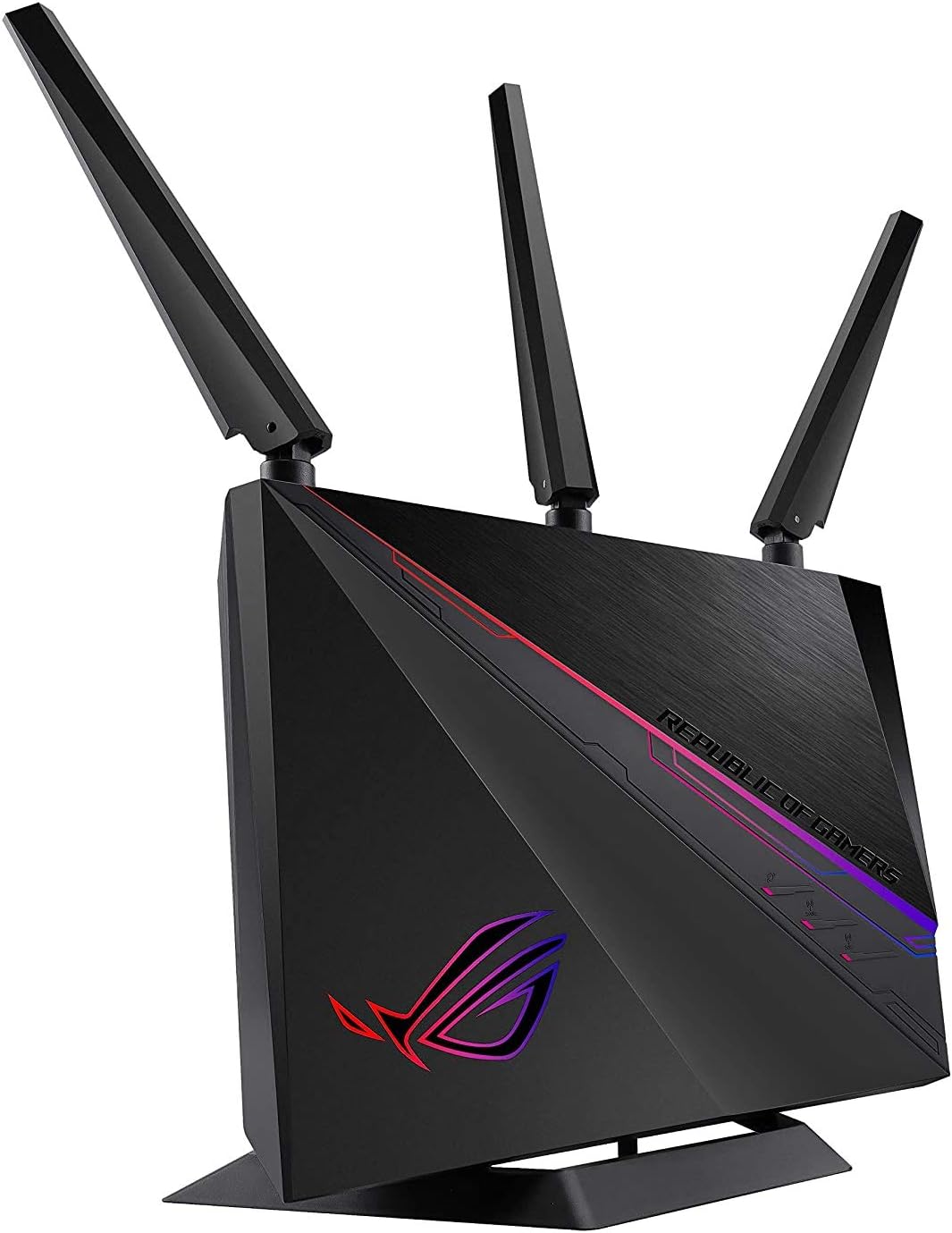
Pros
- Triple-level game acceleration prioritises game packets from the device, through the router and out towards the game server
- Listed as a GeForce NOW recommended router, aimed at cloud gaming sessions where latency matters more than raw throughput
- AiMesh teams it with other compatible ASUS units to form one roaming network instead of separate network names
- AiProtection Pro from Trend Micro is included for the life of the unit with no separate plan required
- Aura RGB lighting can be configured to reflect network status rather than only cycle colours
Cons
- 802.11ac dual-band rather than Wi-Fi 6, so there is no OFDMA and none of the airtime efficiency newer clients expect
- Gigabit WAN and LAN ports only, which caps any multi-gigabit internet plan
- No modem inside, so a separate cable modem or fibre ONT is still required

Pros
- Up to 1200 Mbps on 5 GHz plus 574 Mbps on 2.4 GHz for 1.8 Gbps of combined bandwidth
- Four high-gain external antennas with beamforming to focus signal toward distant devices
- OFDMA scheduling keeps dozens of smart-home devices from congesting the available airtime
- Joins an EasyMesh network, so a compatible extender shares one network name across a house
- Built-in OpenVPN and PPTP server plus a 2-year warranty on the hardware
Cons
- Dual-band only - there is no 6 GHz radio, so Wi-Fi 6E and 7 clients gain nothing extra
- WAN and LAN ports top out at gigabit, which bottlenecks any internet plan faster than 1 Gbps
- A separate modem is still required for most internet services, since none is built in
Bandwidth splits into up to 1200 Mbps on 5 GHz and up to 574 Mbps on 2.4 GHz, which is where the AX1800 label comes from. Those are link speeds shared across connected devices, not a guaranteed per-device figure.
- 5 GHz carries the fast traffic - 4K streaming, gaming, large downloads - over shorter distances.
- 2.4 GHz travels further through walls and is where most smart plugs, cameras and sensors live.
- Four high-gain antennas plus beamforming aim signal at devices rather than radiating evenly.
OFDMA lets the router talk to several devices within the same transmission slot, which is the practical Wi-Fi 6 gain in a busy household: fewer stalls when a dozen devices all want airtime at once.

Pros
- Rated up to 5400 Mbps combined throughput on WiFi 6 with 160MHz channel support
- 1.5GHz tri-core processor handles simultaneous device traffic without a separate mesh node
- One of the 4 Gigabit LAN ports is hardwired to auto-prioritize gaming traffic
- AiMesh compatibility lets you add another ASUS router later to erase dead zones instead of replacing the whole setup
- Includes lifetime AiProtection Pro network security powered by Trend Micro, no separate subscription needed for that layer
Cons
- Wired ports are standard Gigabit Ethernet, not multi-gig, so pairing with a 2.5Gbps+ ISP plan requires an additional switch to use the full line speed
- Instant Guard VPN and AiProtection Pro run through the ASUS Router app, so setup outside the app is not offered
- Dual-band only (2.4GHz/5GHz), with no dedicated 6GHz WiFi 6E band for the newest client devices
The RT-AX82U is built on WiFi 6 (802.11ax) with 160MHz channel support, rated for combined dual-band speeds up to 5400 Mbps. A 1.5GHz tri-core processor manages the radios and handles multiple simultaneous device connections without the router becoming the bottleneck.
- Dual-band 2.4GHz and 5GHz radios, no 6GHz WiFi 6E band
- 160MHz channels for higher peak throughput on supported client devices
- AiMesh support extends coverage by adding compatible ASUS routers as nodes
Actual throughput and range depend on building materials, interference, and how many devices are connected at once, so real-world speeds will sit below the rated maximum.

Pros
- Tri-band layout with one 2.4GHz band and two independent 5GHz bands, so a gaming PC can be given a lane of its own
- 2.5 Gbps WAN port ahead of eight Gigabit LAN ports, leaving headroom past a 1 Gbps fibre connection
- Eight external antennas with beamforming spread across a 14.37 by 11.42 inch chassis
- Wi-Fi 6 OFDMA and MU-MIMO so dozens of smart home clients share airtime instead of queuing behind each other
- USB 3.0 Type-A and USB-C ports for attaching network storage or a printer directly
Cons
- 14.37 by 11.42 inch footprint with eight antennas, so it will not tuck discreetly into a media cabinet
- Wi-Fi 6 rather than Wi-Fi 6E, meaning no access to the far less congested 6GHz band
- Every LAN port is Gigabit, capping wired transfers to a network drive at 1 Gbps despite the faster WAN port
The tri-band design is what separates this from a standard dual-band router. Instead of one 2.4GHz and one 5GHz band, there are two separate 5GHz radios, which means high-bandwidth clients can be split across them rather than competing on one.
- Eight external antennas with beamforming toward connected clients
- Wi-Fi 6 with OFDMA and MU-MIMO for dense client counts
- Two 5GHz bands that can be named and assigned separately
OFDMA is the feature that matters in a busy home. It lets the router serve several small transmissions inside one airtime slot rather than handling them one after another, which is exactly the traffic pattern smart plugs, sensors and phones generate. The result is lower latency for everything else sharing the network.

Pros
- Total bandwidth of 6.5 Gbps across 2.4GHz and 5GHz bands with 6 spatial streams
- Two 2.5 Gbps ports (WAN/LAN and LAN) plus three 1 Gbps LAN ports
- Rated coverage up to 2,400 sq ft and 90 simultaneously connected devices
- USB 3.0 port for network-attached storage or printer sharing
- WPA3 encryption plus a separate managed network for IoT devices
Cons
- Dual-band design only, with no dedicated 6GHz band despite the Wi-Fi 7 label
- Full 5764 Mbps and 6.5 Gbps figures are only reached with Wi-Fi 7 client devices; older phones and laptops connect at lower legacy speeds
- Deeper security scanning and remote management run through the cloud-connected Tether app rather than working fully offline
This dual-band Wi-Fi 7 router combines a 5764 Mbps 5GHz band with a 688 Mbps 2.4GHz band for 6.5 Gbps of combined bandwidth across 6 spatial streams.
- Rated coverage of up to 2,400 sq ft with 6 external antennas and beamforming
- Supports up to 90 simultaneously connected devices
- Multi-Link Operation combines both bands for lower latency on supported clients
Because this is a dual-band design rather than tri-band, there is no dedicated 6GHz lane; devices without Wi-Fi 7 support fall back to standard 5GHz or 2.4GHz speeds rather than the peak combined figure. For a typical single-floor or small two-floor home, the antenna layout and beamforming keep signal consistent across rooms, though a very large multi-floor house may still benefit from a mesh add-on at the edges of the stated coverage area.

Pros
- Five 2.5G Ethernet ports, so wired clients and a NAS are not limited to gigabit
- WireGuard and OpenVPN throughput quoted up to 680 Mbps on the same hardware
- Tri-band Wi-Fi 7 including the 6 GHz band, with Multi-Link Operation across bands
- AdGuard Home built in for DNS-level ad and tracker filtering across every device
- Rated for more than one hundred connected clients, with plugin support on the stock firmware
Cons
- Wi-Fi 7 and 6 GHz gains require clients that support them, so older phones stay on 5 GHz
- The OpenWrt-based interface exposes far more settings than a typical consumer router, which takes time to learn
- No cellular modem or SIM slot, so it depends entirely on a wired broadband line
Three radios total BE9300 across 2.4 GHz, 5 GHz and the newer 6 GHz band opened up by Wi-Fi 7.
- Multi-Link Operation lets a capable client use two bands at once
- 4K-QAM packs more bits into each symbol than 1024-QAM Wi-Fi 6
- Enhanced OFDMA and multiple resource units cut latency in crowded rooms
- Rated for more than one hundred connected devices
The 6 GHz band is clean and fast but short-ranged, so treat it as a same-room band for a desktop, headset or laptop while 5 GHz does the whole-home work. MLO matters most for gaming, because a dropped packet on one band can be covered by the other rather than causing a visible stall. Older devices connect normally at their own standard.

Pros
- Quad-band WiFi 6E design adds a dedicated 6GHz band alongside 2.4GHz and dual 5GHz bands
- Combined bandwidth reaches up to 16000 Mbps across all four bands under ideal conditions
- Dual 10 Gbps WAN/LAN ports handle high-throughput wired transfers for NAS or workstation setups
- 2.5 Gbps WAN port prioritizes network traffic ahead of the standard Gigabit connections
- AiMesh support extends coverage by pairing with other AiMesh-compatible routers into one unified network
Cons
- Actual throughput and coverage vary with building materials, interference and network traffic, per the manufacturer's own disclaimer
- Full 10G and 2.5G port speeds require an internet plan and devices that can actually use them
- Quad-band radios and RangeBoost Plus draw more power than a simpler dual-band router
This router runs quad-band WiFi 6E, combining 2.4GHz, two 5GHz bands and a new 6GHz band for a combined theoretical throughput of up to 16000 Mbps. Built-in RangeBoost Plus technology is designed to extend signal range and improve overall coverage across a home.
- Quad-band design: 2.4GHz, dual 5GHz bands, and 6GHz
- Combined theoretical speeds up to 16000 Mbps across all bands
- RangeBoost Plus technology aimed at extending signal range
As with any wireless router, real-world throughput and coverage will vary based on network traffic volume, building materials and construction, and general network overhead, so actual speeds will run below the theoretical maximum.
Wired connectivity centers on dual 10 Gbps WAN/LAN ports for high-throughput transfers, plus a dedicated 2.5 Gbps WAN port that prioritizes network traffic ahead of standard Gigabit connections. The router runs on AC input of 110V-240V (50-60Hz) with a DC output of 19V at up to 3.42A.
- Two 10 Gbps WAN/LAN ports for bandwidth-heavy wired devices
- Dedicated 2.5 Gbps WAN port for prioritized traffic
- Universal AC power input supports 110V-240V outlets
Getting full benefit from the 10G ports means pairing them with a NAS, switch or PC that also has 10 Gbps networking hardware; connecting a standard Gigabit device to a 10G port will only run at that device's own speed ceiling.

Pros
- High-efficiency WiFi 6 – Ultrafast WiFi 6 tri-band boosts speeds up
- Expanded coverage – Exclusive ASUS RangeBoost Plus improves signal
- Flexible networking ports – One 2.5 G port and one 10 G port can be
- Extreme quad-core CPU power – High-performance WiFi chipsets and
Why a Gaming Router Makes a Real Difference
A standard router sends data on a first come, first served basis. When a family member streams video, downloads an update, or joins a video call, your game packets have to wait in line. That waiting is what creates the lag and jitter that ruin competitive play. Gaming routers solve this with smarter traffic management, faster processors, and radios designed to keep latency low even when the network is busy.
The payoff is not just lower ping. A quality gaming router also gives you stronger coverage, better handling of dozens of connected devices, and features that reduce the chance of a sudden disconnect. Whether you play on a console, a gaming PC, or a handheld, a router built for gaming keeps your connection stable when it counts most.
Understand Wi-Fi Standards First
The single most important spec to understand is the Wi-Fi generation, because it shapes speed, capacity, and how future-proof your purchase will be.
Wi-Fi 6 and Wi-Fi 6E
Wi-Fi 6 is the sweet spot for most gamers today. It delivers high throughput, lower latency, and much better performance when many devices are online at once. Popular Wi-Fi 6 options such as the GL.iNet Flint 2 and the ASUS RT-AX82U show how affordable strong performance has become. If you want an extra radio band with less interference, Wi-Fi 6E adds the 6 GHz spectrum. A quad-band unit like the ASUS ROG Rapture GT-AXE16000 opens up that clean 6 GHz lane for your most demanding devices.
Wi-Fi 7 for the Future
Wi-Fi 7 is the newest standard and brings features like Multi-Link Operation, which lets a device use several bands at once for lower latency and better reliability. If you plan to keep your router for years, a Wi-Fi 7 model such as the TP-Link BE6500 or the tri-band GL.iNet Flint 3 is worth considering. Just remember that you need Wi-Fi 7 client devices to unlock the full benefit, so match your upgrade to the gear you actually own.
Single Band, Dual Band, or Tri-Band
The number of bands tells you how the router splits its traffic. Dual-band routers use 2.4 GHz and 5 GHz, which is plenty for most households and keeps your gaming devices on the faster, less crowded 5 GHz lane. Tri-band and quad-band routers add extra 5 GHz or 6 GHz radios, which is valuable if you have many simultaneous users or want to dedicate a band purely to your console or PC.
For a busy home with streaming, smart devices, and multiple gamers, a tri-band model like the ASUS ROG Rapture GT-AX11000 or the TP-Link Archer AX11000 gives you room to breathe. If your setup is simpler, a solid dual-band router will serve you well without the extra cost.
Quality of Service and Game Acceleration
Quality of Service, usually shortened to QoS, is the feature that separates a true gaming router from an ordinary one. QoS lets you prioritize game traffic over everything else, so your packets jump to the front of the line even when the network is under load. Many gaming routers add game specific acceleration that automatically detects gaming traffic and optimizes the route to the game server.
Some ASUS models include triple level game acceleration and built in services that find faster paths to distant servers, which can meaningfully reduce ping on international matches. The ASUS ROG Rapture GT-AX11000 Pro is a good example of a router built around these acceleration tools. If you play competitively, look closely at how each router handles traffic prioritization, because that is where the felt difference in latency comes from.
Coverage, Range, and Mesh Support
A fast router is useless if the signal does not reach your gaming space. Consider the size and layout of your home before you buy. Thick walls, multiple floors, and long distances all weaken a signal. Routers with high gain antennas and range boosting technology help push coverage further, and many of today’s gaming routers advertise coverage figures to help you plan.
If a single router cannot blanket your whole home, look for mesh support. ASUS AiMesh and similar systems let you link compatible routers into one seamless network with a single name, so you roam from room to room without dropping your connection. The ASUS ROG Rapture GT-AC2900 and the mesh friendly TP-Link Archer AX21 both make it easy to expand later by adding a second unit. Buying a mesh capable router now saves you money and hassle if your coverage needs grow.
Ports and Wired Connections Still Matter
Wireless gets the headlines, but a wired connection remains the gold standard for competitive gaming. Look at the Ethernet ports on the back of any router you consider. Gigabit ports are the baseline, but many of the best gaming routers now include 2.5G or even 10G ports for far higher wired speeds. A 2.5G port is especially useful if you have a fast fiber plan or want the lowest possible latency to your console.
Some routers also include a dedicated gaming port that automatically prioritizes whatever device is plugged into it, which is a simple way to guarantee your main rig always gets top priority. If you use network storage or want to share files, a USB 3.0 port is a handy bonus. Multi-gig ports on models like the GL.iNet Flint 3 future-proof your wired setup as internet plans keep getting faster.
Processing Power and Number of Devices
Modern homes are packed with connected devices, from phones and laptops to smart bulbs, cameras, and voice assistants. Each one adds load to your router. A powerful multi-core processor keeps everything running smoothly and prevents slowdowns when the network is crowded. If you count more than a couple dozen active devices, prioritize a router with a strong quad-core CPU and generous device capacity.
Routers designed for heavy households advertise how many devices they can handle at once, which is a useful shortcut when comparing options. Pairing plenty of processing headroom with good QoS means your game stays responsive even during a busy evening with everyone online.
Security, Software, and Ease of Use
Security is easy to overlook until something goes wrong. Many gaming routers include built in protection that guards every device on your network against malicious sites and intrusions, and the best ones offer these services with no ongoing subscription fee. Look for automatic firmware updates, a guest network option, and parental controls if you share the network with family.
The companion app matters too. A clean mobile app makes it simple to set up the router, monitor traffic, run speed tests, and toggle a gaming mode without digging through confusing menus. If you value privacy and advanced control, some routers offer strong built in VPN support, letting you route traffic securely or access region specific content. Brands like GL.iNet are well known for flexible, VPN friendly firmware.
Matching a Router to Your Budget
You do not have to spend a fortune to get a great gaming experience. Entry level routers offer excellent value and handle most homes with ease, making them ideal for casual players or a first upgrade. The affordable TP-Link Archer AX21 proves you can get reliable Wi-Fi 6 performance without breaking the bank.
Mid-range routers add stronger processors, more bands, and richer gaming features, striking a balance that suits most serious gamers. At the top end, flagship models bring quad-band radios, 10G ports, and the most advanced acceleration tools for enthusiasts who want the absolute best. Decide how much performance headroom you actually need, then choose the tier that fits both your setup and your wallet.
How to Choose the Right Gaming Router for You
Bringing it all together, start with your internet plan and the devices you own. If most of your gear supports Wi-Fi 6, a strong Wi-Fi 6 or 6E router will feel excellent and often costs less. If you are buying to last and own newer devices, a Wi-Fi 7 model gives you the most future-proof foundation. Next, size the router to your home. Larger spaces benefit from tri-band coverage and mesh support, while smaller apartments do fine with a capable dual-band unit.
Finally, weigh the features that match your play style. Competitive players should prioritize low latency QoS, game acceleration, and a fast wired port. Households with many users should focus on processing power and device capacity. Once you know these priorities, comparing the specs in the list above becomes far easier, and any of the top options will deliver the stable, low ping connection that makes online gaming so much more enjoyable.
Final Thoughts
The right router is the quiet hero behind every smooth match, fast download, and lag free stream. By understanding Wi-Fi standards, QoS, coverage, ports, and security, you can cut through the marketing and pick hardware that truly fits your needs. Take a moment to compare the models featured here, weigh them against your home and budget, and invest in a router that keeps you connected when every millisecond matters. A better connection is waiting, and the perfect gaming router to deliver it is just a click away.


