
 Marcus Bell
 Best Gaming Routers for Xbox One: How to Choose the Right One
Finding the best gaming routers for Xbox One can be the difference between a smooth, lag-free session and a frustrating night of rubber-banding, disconnects, and lost matches. Your console is only as fast as the network behind it, and a stock ISP router often struggles to keep pace with modern online play, party chat, and 4K streaming happening at the same time. If you are serious about competitive gaming, upgrading the router is one of the smartest, most affordable improvements you can make.
This guide is not a product-by-product review. Instead, it walks you through what actually matters when shopping for a gaming router, how to match features to your setup, and which trusted options are worth a closer look. By the end, you will know exactly what to prioritize so your Xbox One gets the stable, low-latency connection it deserves.

Pros
- 1.8 GHz quad-core processor keeps NAT and QoS from bottlenecking a gigabit fibre line
- A 2.5 Gbps LAN port sits alongside the gigabit ports, ready for multi-gig switches and network cards
- Tri-band layout lets one entire 5 GHz radio be reserved for consoles and PCs only
- Eight external antennas can be angled per floor rather than sealed inside the shell
- AiMesh support means it can adopt other compatible units as satellites instead of being replaced
Cons
- Wi-Fi 6 only, so newer 6E and 7 clients fall back to the 5 GHz bands and gain nothing from a 6 GHz radio
- The eight-antenna chassis needs open shelf space and cannot be hidden in a cupboard without hurting coverage
- Powered by a 19 V 3.42 A external brick rather than a slim inline supply
Three radios split the load: a 2.4 GHz band for smart plugs and older phones, and two 5 GHz bands. The second 5 GHz band can be walled off for gaming so a 4K stream in another room never competes with your session.
- Eight external antennas give directional control, which matters across floors more than across open plan rooms
- Dynamic frequency selection opens extra 5 GHz channels where neighbouring networks are crowded
- The 2.5 Gbps port is the one to feed a multi-gig switch or a workstation network card
In a typical three-bedroom house it works as a single hub. In a long or stone-walled property, plan on adding an AiMesh node rather than expecting one unit to blanket everything.

Pros
- Tri-band layout with one 2.4GHz band and two independent 5GHz bands, so a gaming PC can be given a lane of its own
- 2.5 Gbps WAN port ahead of eight Gigabit LAN ports, leaving headroom past a 1 Gbps fibre connection
- Eight external antennas with beamforming spread across a 14.37 by 11.42 inch chassis
- Wi-Fi 6 OFDMA and MU-MIMO so dozens of smart home clients share airtime instead of queuing behind each other
- USB 3.0 Type-A and USB-C ports for attaching network storage or a printer directly
Cons
- 14.37 by 11.42 inch footprint with eight antennas, so it will not tuck discreetly into a media cabinet
- Wi-Fi 6 rather than Wi-Fi 6E, meaning no access to the far less congested 6GHz band
- Every LAN port is Gigabit, capping wired transfers to a network drive at 1 Gbps despite the faster WAN port
The tri-band design is what separates this from a standard dual-band router. Instead of one 2.4GHz and one 5GHz band, there are two separate 5GHz radios, which means high-bandwidth clients can be split across them rather than competing on one.
- Eight external antennas with beamforming toward connected clients
- Wi-Fi 6 with OFDMA and MU-MIMO for dense client counts
- Two 5GHz bands that can be named and assigned separately
OFDMA is the feature that matters in a busy home. It lets the router serve several small transmissions inside one airtime slot rather than handling them one after another, which is exactly the traffic pattern smart plugs, sensors and phones generate. The result is lower latency for everything else sharing the network.

Pros
- Quad-band WiFi 6E design adds a dedicated 6GHz band alongside 2.4GHz and dual 5GHz bands
- Combined bandwidth reaches up to 16000 Mbps across all four bands under ideal conditions
- Dual 10 Gbps WAN/LAN ports handle high-throughput wired transfers for NAS or workstation setups
- 2.5 Gbps WAN port prioritizes network traffic ahead of the standard Gigabit connections
- AiMesh support extends coverage by pairing with other AiMesh-compatible routers into one unified network
Cons
- Actual throughput and coverage vary with building materials, interference and network traffic, per the manufacturer's own disclaimer
- Full 10G and 2.5G port speeds require an internet plan and devices that can actually use them
- Quad-band radios and RangeBoost Plus draw more power than a simpler dual-band router
This router runs quad-band WiFi 6E, combining 2.4GHz, two 5GHz bands and a new 6GHz band for a combined theoretical throughput of up to 16000 Mbps. Built-in RangeBoost Plus technology is designed to extend signal range and improve overall coverage across a home.
- Quad-band design: 2.4GHz, dual 5GHz bands, and 6GHz
- Combined theoretical speeds up to 16000 Mbps across all bands
- RangeBoost Plus technology aimed at extending signal range
As with any wireless router, real-world throughput and coverage will vary based on network traffic volume, building materials and construction, and general network overhead, so actual speeds will run below the theoretical maximum.
Wired connectivity centers on dual 10 Gbps WAN/LAN ports for high-throughput transfers, plus a dedicated 2.5 Gbps WAN port that prioritizes network traffic ahead of standard Gigabit connections. The router runs on AC input of 110V-240V (50-60Hz) with a DC output of 19V at up to 3.42A.
- Two 10 Gbps WAN/LAN ports for bandwidth-heavy wired devices
- Dedicated 2.5 Gbps WAN port for prioritized traffic
- Universal AC power input supports 110V-240V outlets
Getting full benefit from the 10G ports means pairing them with a NAS, switch or PC that also has 10 Gbps networking hardware; connecting a standard Gigabit device to a 10G port will only run at that device's own speed ceiling.
Pros
- Individual weight pouches allow customizable resistance levels
- Soft moisture-absorbing fabric cushions skin to prevent chafing
- Sturdy hook-and-loop closure straps hold weights firmly during movement
- Reinforced double stitching prevents internal filling leakage
- Ideal for walking routines, leg lifts, cardio, and physical therapy
Cons
- Requires securing straps tightly to prevent slipping during active runs
- Not recommended for high-impact jumping exercises to protect joints

Pros
- 𝐁𝐥𝐚𝐳𝐢𝐧𝐠-𝐅𝐚𝐬𝐭 𝐁𝐄𝟏𝟏𝟎𝟎𝟎 𝐓𝐫𝐢-𝐁𝐚𝐧𝐝 𝐖𝐢-𝐅𝐢 𝟕 - Achieve up to 5764 Mbps (6
- 𝐇𝐢𝐠𝐡𝐞𝐫 𝐒𝐩𝐞𝐞𝐝𝐬 𝐭𝐨 𝐏𝐨𝐰𝐞𝐫 𝐘𝐨𝐮𝐫 𝐃𝐞𝐯𝐢𝐜𝐞𝐬 - Experience online gaming like
- 𝟔 𝐆𝐇𝐳 𝐁𝐚𝐧𝐝 𝐅𝐮𝐧𝐜𝐭𝐢𝐨𝐧𝐚𝐥𝐢𝐭𝐲 - The innovative 6 GHz band introduces up
- 𝐌𝐮𝐥𝐭𝐢-𝐆𝐢𝐠𝐚𝐛𝐢𝐭 𝐏𝐨𝐫𝐭𝐬 - With 1× 5 Gbps WAN, 1× 5 Gbps LAN, and 3× 2.5
Pros
- Tri-band Wi-Fi 6E with a dedicated 6 GHz band delivers up to 5.4 Gbps combined link rate across three bands
- 2.5 Gbps WAN port plus four 1 Gbps LAN ports pair with a multi-gig modem without a separate switch
- Quad-core processor with a dedicated game panel and gear-level acceleration targets Steam and Origin traffic to cut jitter and lag
- Supports up to 100 connected devices, covering a household mixed with consoles, PCs, and smart home gear
- EasyMesh compatibility lets coverage extend with other EasyMesh routers or extenders instead of forcing a single-brand mesh kit
Cons
- 6 GHz band gains only apply to Wi-Fi 6E devices, so older laptops and phones still fall back to the 5 GHz or 2.4 GHz bands
- Only one 2.5 Gbps port is included next to four 1 Gbps LAN ports, so a multi-gig switch is needed to wire more than one high-speed device
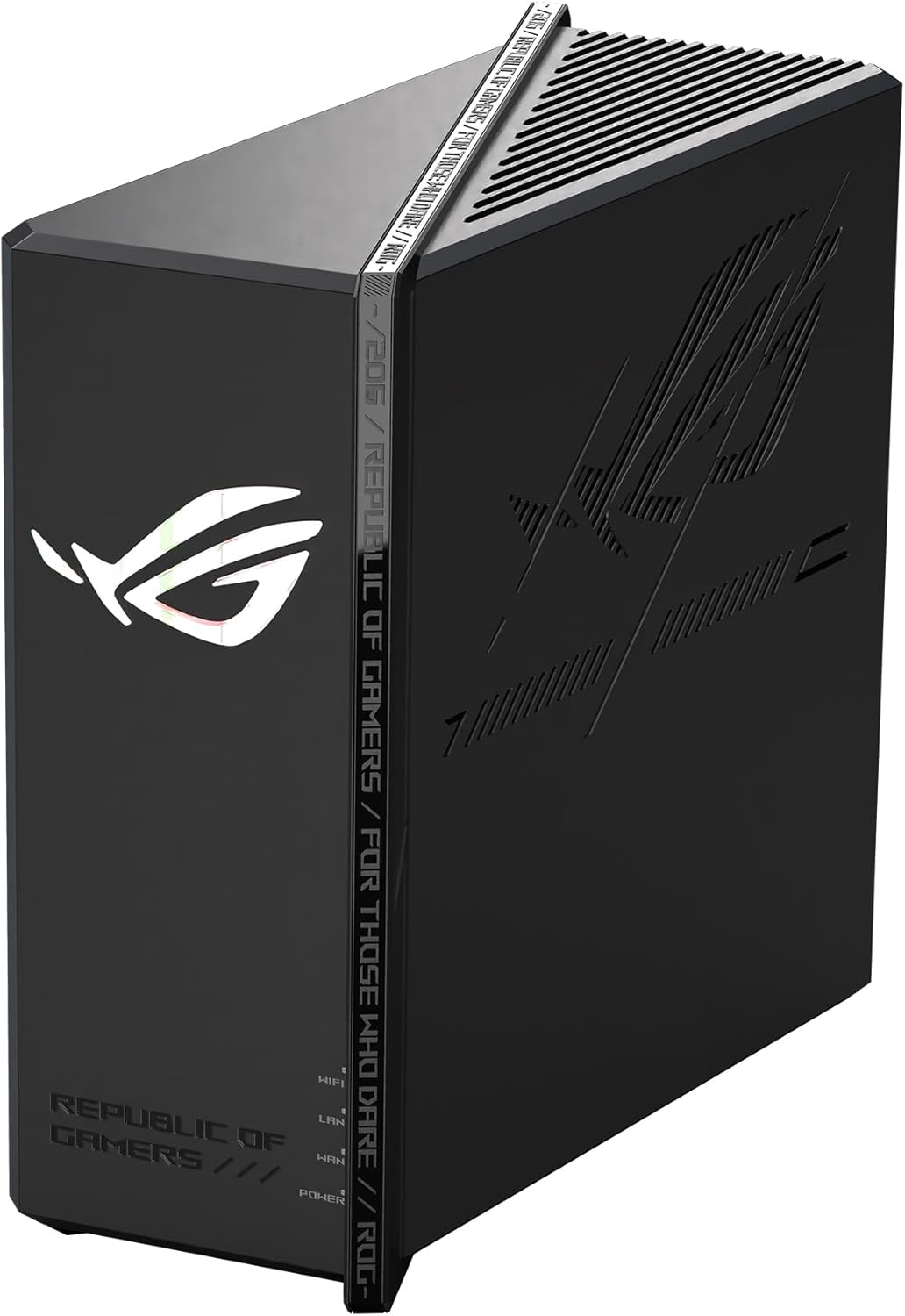
- Case measures 9.33"L x 7.6"W x 5.1"H with RGB lighting and a vertical gaming design, taking up more visible desk space than a flat travel router
This is a tri-band AXE5400 router, combining a 2.4 GHz band at 574 Mbps, a 5 GHz band at 2402 Mbps, and a dedicated 6 GHz Wi-Fi 6E band also at 2402 Mbps for a combined 5.4 Gbps link rate across all three. The 6 GHz band gives Wi-Fi 6E devices access to wider, less congested channels than the crowded 2.4 GHz and 5 GHz bands typically carry in dense apartment buildings.
A quad-core processor handles the traffic load, and the router is built to support up to 100 connected devices, enough for a household running consoles, phones, laptops, and smart home accessories at the same time. EasyMesh support means coverage can be extended later by adding other EasyMesh-compatible routers or extenders rather than forcing a matched mesh system from a single lineup.

Pros
- WiFi 6 (802.11ax) with speeds up to 5400 Mbps
- Tri-band 2.4GHz + 5GHz + 6GHz; latest WiFi 6E supports 8-streams on tri-band simultaneously, up to 6
- Powerful processor; 1.8 GHz quad core processor delivers ultra fast and reliable connections
- Supports mesh networking with AiMesh
- Lifetime free AiProtection Pro security
Cons
- Some customers reported build quality or durability issues in reviews
- Aura RGB lighting feature adds to power consumption during operation

Pros
- Tri-band WiFi 6 covers 2.4GHz, 5GHz and a dedicated band for reduced congestion in multi-device homes
- Includes both a 10G and a 2.5G port for high-throughput wired connections to a NAS or gaming PC
- ASUS RangeBoost Plus is built to extend signal range and stability across larger homes
- Triple-Level Game Acceleration prioritizes gaming traffic at the router, driver and packet level
- WPS button allows quick device pairing without manually entering a Wi-Fi password
Cons
- Sold as an Amazon Renewed unit, so it ships as a refurbished item rather than new factory-sealed stock
- Extendable mesh coverage depends on adding compatible ASUS nodes, which aren't included with this router alone
- High-throughput features like the 10G port only reach full speed with matching wired networking hardware on both ends

Pros
- WiFi 7 delivers 9.7 Gbps speeds across three bands
- Responsive customer support assists with questions
Cons
- Wired connection only restricts placement options

Pros
- Tri-band radios at 2402 Mbps on 6GHz, 2402 Mbps on 5GHz and 574 Mbps on 2.4GHz
- 2.5 Gbps port usable as either WAN or LAN, for multi-gig service or a wired NAS
- 1.0 GHz dual-core CPU with 512 MB of memory and six high-gain antennas with beamforming
- 160MHz channels on the 6GHz band, clear of legacy device traffic and neighbouring overlap
- Runs OpenVPN, PPTP and L2TP as both server and client, with WPA3 and a 2-year warranty
Cons
- Only Wi-Fi 6E clients can use the 6GHz band, and 6GHz signal attenuates faster through walls than 5GHz
- A separate modem is still required for most cable and DSL services
- Just one 2.5 Gbps port, so a second multi-gig wired device drops back to Gigabit
Three radios rather than two: 2402 Mbps on 6GHz, 2402 Mbps on 5GHz and 574 Mbps on 2.4GHz, making up the 5400 Mbps combined headline. The 6GHz band is the reason to buy a 6E unit at all, because it carries no legacy traffic from older devices and has room for 160MHz channels without overlapping the neighbours.
Six high-gain antennas with beamforming shape signal toward connected devices, and OFDMA plus true tri-band working raises capacity roughly fourfold against a comparable dual-band unit when many devices are active at the same time.
Behind the radios sit a 1.0 GHz dual-core CPU and 512 MB of memory, which is what stops throughput collapsing when dozens of clients, QoS rules and a VPN tunnel are all live at once. The housing is shaped for heat dissipation rather than stacking.
It works with any provider that hands off an Ethernet connection, including AT&T, Verizon, Xfinity, Spectrum, RCN, Cox, CenturyLink and Frontier. As with any standalone router, a separate modem is still needed for most cable and DSL services, so this replaces the router half of an existing gateway rather than the whole box.
On the client side, only Wi-Fi 6E devices can use the 6GHz band. Recent flagship phones, current laptops and newer 6E adapters qualify; anything older sits on 5GHz or 2.4GHz and sees no benefit from the third radio at all. Worth knowing too: 6GHz attenuates faster through walls than 5GHz, so the fastest band is also the shortest ranged.
OneMesh support lets a compatible extender join as a single roaming network name rather than appearing as a second SSID.
Why the Xbox One Needs a Dedicated Gaming Router
The Xbox One handles a lot at once. During a single online session it manages matchmaking data, real-time gameplay packets, voice chat, and sometimes background downloads or a second device streaming video. A basic router treats all of that traffic equally, which means a large download can starve your game of the tiny, time-sensitive packets it needs to stay responsive.
A dedicated gaming router fixes this by prioritizing game traffic, reducing latency, and giving you far more control over how bandwidth is shared. The result is a connection that stays consistent even when the whole household is online. For anyone chasing a stable ping, a strong gaming router is a worthwhile investment.
Latency Matters More Than Raw Speed
Many gamers assume a bigger internet plan solves everything, but online gaming uses very little bandwidth. What matters is latency, the delay between your input and the server’s response. A good gaming router keeps latency low and, just as importantly, keeps it stable. A steady 30ms ping will always beat a jittery connection that swings between 20ms and 120ms.
Key Features to Look For in a Gaming Router
Before you buy, it helps to understand the core features that separate a true gaming router from a generic one. Not every feature is essential for every setup, but knowing what each one does lets you spend wisely.
Quality of Service (QoS) and Game Acceleration
QoS is the single most valuable feature for a console. It lets the router flag your Xbox One or a specific game as high priority, so its traffic jumps to the front of the line. Many modern routers go further with dedicated gaming ports and built-in acceleration engines that optimize the route your packets take to the game server. Options like the TP-Link Archer GE650 and the TP-Link Archer GXE75 are designed with exactly this kind of gaming-first prioritization in mind.
Wi-Fi Standard: Wi-Fi 6, 6E, and Wi-Fi 7
The Xbox One uses Wi-Fi 5 (802.11ac), so it cannot directly tap the fastest new bands. However, a newer router still helps enormously by handling more devices efficiently and freeing up airtime for your console. A Wi-Fi 6 router like the TP-Link Archer AX11000 is a strong, future-proof baseline. If you want extra headroom for other devices, Wi-Fi 6E models such as the ASUS ROG Rapture GT-AXE16000 add a clean 6 GHz band, while Wi-Fi 7 routers like the ASUS ROG Strix GS-BE12000 and the TP-Link Archer BE600 offer the most long-term value for a growing home network.
Wired Ports and Ethernet Backhaul
The best connection for any console is a wired one. A quality gaming router should offer several gigabit LAN ports, and ideally a 2.5G or 10G port so nothing bottlenecks your Xbox. Plugging your console directly into the router removes wireless interference entirely and delivers the most consistent latency. When you compare models, count the ports and check their speeds – features found on routers like the ASUS ROG Rapture GT-AX11000 and its GT-AX11000 Pro variant.
Tri-Band and Multi-Band Design
A dual-band router shares two channels among every device. A tri-band or quad-band router adds extra channels, letting you dedicate one band to gaming while phones, tablets, and smart devices use the others. This separation keeps your Xbox One clear of congestion. Tri-band options such as the MSI Radix AXE6600 give you that breathing room without stepping up to the most expensive flagship tier.
How to Match a Router to Your Setup
The right router depends less on picking the “best” model and more on matching features to your home, budget, and how many people share the connection. Use the following checkpoints to narrow the field.
Consider Your Home Size and Layout
If your Xbox One sits in the same room as the router, coverage is a minor concern and you can focus your budget on QoS and wired ports. For larger homes or consoles placed far from the router, look for mesh-capable models. Many gaming routers support mesh systems that let you add nodes later, extending strong coverage to every corner without buying an entirely new system.
Count Your Connected Devices
A modern household can easily run twenty or more connected devices. If yours is busy, prioritize a tri-band or quad-band router with strong MU-MIMO support so the network handles many clients at once. A router built for high device counts, like the TP-Link Archer BE600, keeps your Xbox responsive even during peak evening hours when everyone is online.
Set a Realistic Budget
Gaming routers span a wide price range. You do not need to spend the most to get an excellent experience with the Xbox One. Mid-range models such as the TP-Link Archer AXE75 deliver serious gaming features at an approachable price, while flagship units like the ASUS ROG Strix GS-BE12000 are aimed at enthusiasts who want maximum headroom and the newest standards. Decide what tier fits your needs before you shop, and you will avoid overpaying for features you will never use.
Wired vs. Wireless for the Xbox One
Whenever possible, connect your Xbox One to the router with an Ethernet cable. A wired link eliminates interference from walls, microwaves, and neighboring networks, and it consistently delivers the lowest, most stable latency. If running a cable is not practical, position the console within clear line of sight of the router and choose a model with strong antennas and range-boosting technology.
For gamers who must go wireless, a tri-band router lets you reserve one band exclusively for the Xbox, mimicking some of the stability of a wired connection. Combining a dedicated gaming band with QoS is the closest you can get to wired performance over Wi-Fi.
Setting Up Your Gaming Router for Best Results
Buying a great router is only half the job. A few setup steps make a real difference in how your Xbox One performs day to day.
- Enable QoS and prioritize your console: Flag the Xbox One or its MAC address as top priority so game traffic always wins.
- Open the right ports: Setting your Xbox to an Open NAT type through UPnP or port forwarding improves matchmaking and party chat reliability.
- Use the 5 GHz or a dedicated gaming band: These bands are less crowded than 2.4 GHz and offer lower latency for nearby devices.
- Keep firmware updated: Manufacturers regularly release updates that improve stability, security, and gaming performance.
- Position the router centrally: Elevate it, keep it away from thick walls and metal, and point antennas for the best coverage.
Common Mistakes to Avoid
Even a top-tier router underperforms if you overlook the basics. Avoid these frequent missteps when upgrading your network.
- Chasing speed numbers alone: A router’s headline throughput rarely reflects real gaming latency. Focus on QoS and stability instead.
- Ignoring wired options: If your Xbox One is near the router, skipping an Ethernet cable leaves easy performance on the table.
- Overcrowding one band: Push smart-home gadgets to 2.4 GHz and keep a cleaner band free for gaming.
- Skipping firmware updates: Outdated firmware can cause instability and security gaps that ruin your sessions.
Balancing Value and Performance
The best gaming router for you is the one that matches your household and habits, not simply the priciest box on the shelf. Casual players in a smaller home may be perfectly served by an affordable Wi-Fi 6 or 6E model with solid QoS, such as the TP-Link Archer GXE75. Competitive players or busy households with many devices will benefit from the extra bands and future-proofing of higher-tier units like the ASUS ROG Rapture GT-AXE16000. Think about where you fall on that spectrum before you commit.
Frequently Asked Questions
Does the Xbox One support Wi-Fi 6?
No, the Xbox One uses the older Wi-Fi 5 standard. That said, buying a Wi-Fi 6, 6E, or Wi-Fi 7 router still improves your experience by reducing overall network congestion and prioritizing game traffic, which keeps your console’s connection stable.
Is a wired connection really better than Wi-Fi?
Yes. A wired Ethernet connection almost always delivers lower and more consistent latency than Wi-Fi because it avoids interference. If you can run a cable to your Xbox One, you should.
Do I need the most expensive router for good gaming?
Not at all. Since online gaming uses little bandwidth, a well-featured mid-range router with strong QoS often performs just as well for the Xbox One as a flagship model. Spend based on your home size, device count, and desire for future-proofing.
Final Thoughts
Choosing among the best gaming routers for Xbox One comes down to prioritizing the right features rather than the biggest specs. Focus on QoS and game acceleration, plenty of fast wired ports, a multi-band design that keeps your console clear of congestion, and coverage suited to your home. Match those factors to your budget and the number of devices you run, set the router up correctly, and your Xbox One will reward you with the smooth, low-latency connection that competitive play demands. Explore the options above, weigh them against your own setup, and pick the one that fits your gaming life best.


