
 Marcus Bell
 Choosing among the best modem routers can feel overwhelming, especially when your monthly internet bill still includes a rental fee for equipment you could easily own outright. A modem router combo bundles two devices into one unit: the cable modem that connects to your internet provider and the wireless router that broadcasts Wi-Fi throughout your home. Buying your own combo eliminates rental charges, gives you control over your network, and often delivers better performance than the generic gateway your provider hands out. This guide walks you through everything that matters so you can pick the right unit with confidence.
Below you will find a curated shortlist of popular combos, followed by a practical breakdown of the specifications, compatibility rules, and features that separate a good purchase from a frustrating one. Instead of ranking each product one by one, we focus on helping you understand what to look for so the final decision fits your specific home, plan, and budget.


Pros
- DOCSIS 3.0 with 16 downstream and 4 upstream bonded channels, sized for cable plans up to 400 Mbps
- Built-in AC1600 dual-band Wi-Fi removes a second box and a second power outlet from the shelf
- SURFboard Central app handles activation, then adds per-device time limits and an internet pause control
- Gigabit Ethernet port feeds a desktop, console or switch directly rather than over the air
- Certified with most major US cable providers, so activation follows a documented path
Cons
- Only one Gigabit Ethernet port, so a second wired device needs a separate switch
- Wi-Fi is 802.11ac AC1600, without the OFDMA and 160 MHz channels of Wi-Fi 6 units
- Cable coax only, so DSL, fibre and satellite subscribers cannot use it at all

Pros
- 24x8 DOCSIS 3.0 channel bonding supports cable plans up to 800 Mbps
- AC1900 dual-band Wi-Fi covers both 2.4GHz and 5GHz devices from one unit
- Four Gigabit Ethernet ports handle wired connections for desktops, consoles or smart TVs
- Power Boost amplifiers extend Wi-Fi signal strength and range beyond a standard router
- Approved for use with Comcast Xfinity, Cox and Charter Spectrum cable service
Cons
- Not compatible with fiber, DSL or satellite internet service, cable only
- Does not support home telephone service through the modem
- Residential use only, ruling out business-tier deployments needing higher device counts
Pros
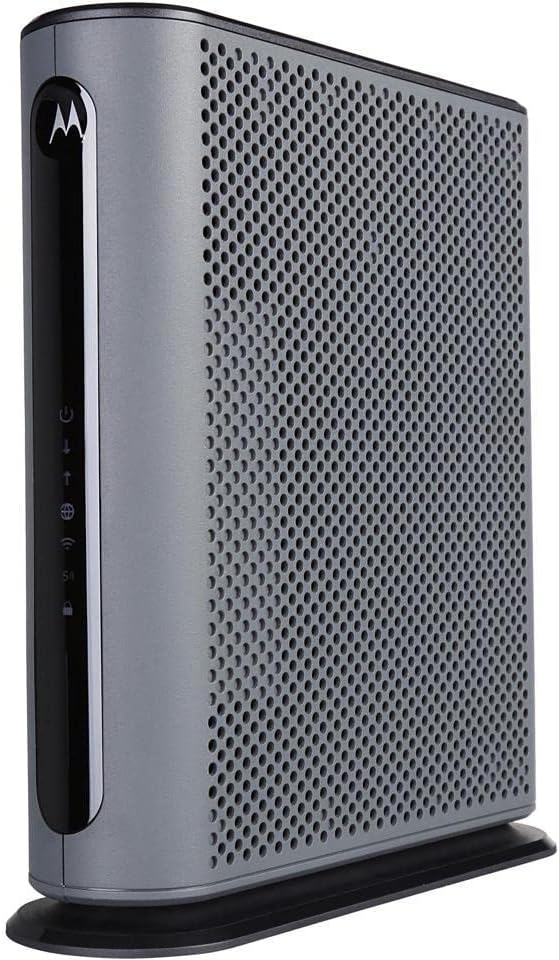
- 16x4 DOCSIS 3.0 channel bonding supports actual cable service speeds up to 375 Mbps
- AC1900 dual-band Wi-Fi runs 2.4GHz and 5GHz simultaneously alongside 4 Gigabit Ethernet ports
- Built-in DFS support opens extra 5GHz channels that most routers cannot access, cutting neighbor interference
- Broadcom modem chipset adds denial-of-service attack protection at the hardware level
- Combines modem and router into one unit, removing a second power cable and box from the desk
Cons
- No phone jack, so it cannot be used for any landline or VoIP calling service
- Only compatible with cable internet; fiber, DSL and satellite services such as Verizon, AT&T or CenturyLink will not work with it
- AC1900 Wi-Fi standard predates Wi-Fi 6, a ceiling for the newest high-throughput client devices
The modem side uses 16x4 DOCSIS 3.0 channel bonding, rated for actual cable internet service speeds up to 375 Mbps. The router side runs AC1900 dual-band Wi-Fi across 2.4GHz and 5GHz simultaneously, with Power Boost amplifying the wireless signal to the FCC-allowed limit for extended range.
- Four Gigabit Ethernet LAN ports handle wired connections to PCs, game consoles or streaming boxes
- DFS channel support opens additional 5GHz spectrum that standard routers cannot use, reducing crowding from neighboring Wi-Fi networks
- AnyBeam beamforming focuses the wireless signal toward connected devices instead of broadcasting evenly in all directions
Larger homes with multiple floors may still see weaker signal at the far edges, since this is a single-unit router rather than a mesh system.

Pros
- Combines a DOCSIS 3.0 cable modem and an AC1900 dual-band router in one chassis, removing a second power lead
- Certified for Xfinity by Comcast and Cox cable service on plans up to 800 Mbps
- Gigabit Ethernet ports on the rear for a console or desktop that needs a stable wired link
- Sold through the Amazon Renewed programme, inspected and reset to factory defaults before dispatch
Cons
- Not compatible with Verizon, Spectrum, AT&T, CenturyLink, DSL providers, DirecTV or DISH
- No support for bundled cable voice service, so a phone line needs a separate eMTA modem
- Wi-Fi 5 radios only, so Wi-Fi 6 and 6E clients connect at Wi-Fi 5 rates with no 6GHz band

Pros
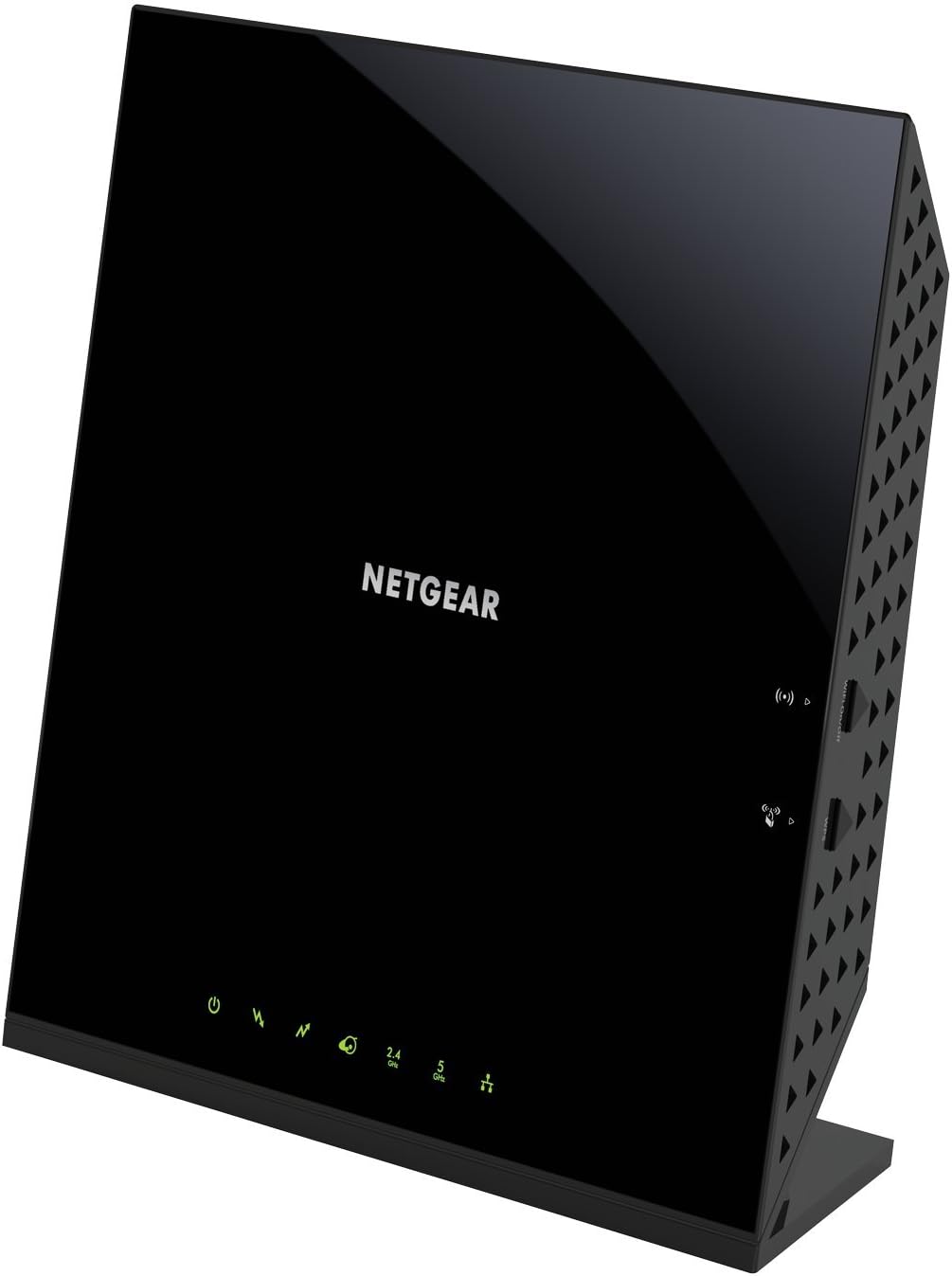
- Combines a DOCSIS 3.0 modem and AC1900 WiFi 5 router in one device, cutting down on separate equipment
- 24x8 channel bonding supports up to 30 connected devices across 2.4GHz and 5GHz bands
- Four Gigabit Ethernet LAN ports handle wired connections for consoles, PCs, and storage drives
- Certified for use with Xfinity, Spectrum, and Cox cable internet plans
- WPA/WPA2 encryption plus a double firewall are built in for network security at no extra setup step
Cons
- Not compatible with fiber, DSL, satellite, or bundled voice services, and it will not work on Verizon, AT&T, CenturyLink, DirecTV, or DISH lines
- Only one USB 2.0 port for additional device connectivity, rather than USB 3.0 speeds
- ISP activation is required after setup, adding an extra call or online step before the connection goes live

Pros
- Compatible with major cable internet providers including Xfinity,
- Coverage up to 2,000 sq. ft. and 25 concurrent devices with
- NETGEAR devices come with security measures built in as well as
- 4 X 1 Gig Ethernet ports (supports port aggregation) and 1 USB 3.0

Pros
- Covers up to 2,000 sq. ft. and supports 25 concurrent devices on dual-band WiFi 6 AX2700
- Combines a DOCSIS 3.1 cable modem with a WiFi 6 router, removing the need for two separate boxes
- 4 Gigabit Ethernet ports plus port aggregation for wired devices that need maximum throughput
- 1 USB 3.0 port available for connecting external storage or a printer
- 32x8 channel bonding on the modem side supports fast, stable cable internet plans
Cons
- Not compatible with Verizon, AT&T, CenturyLink, DSL providers, DirecTV, or DISH, so it only works with select cable ISPs
- Included security suite runs on only a 30-day trial before a subscription is needed to keep using it
- 2,000 sq. ft. coverage may need a satellite or extender in larger or multi-story homes
Pros
- WiFi 6, AX2700, delivers up to 2.7 Gbps combined wireless speed across dual bands
- DOCSIS 3.1 modem with 32x8 channel bonding supports cable plans up to 2Gbps
- Covers up to 2,000 sq ft and 25 concurrent devices from a single unit
- 4x 1 Gig Ethernet ports plus 1 USB 3.0 port cover wired devices like consoles, storage drives, and streaming boxes
- Combines modem and router into one unit, eliminating a second box and its power cable
Cons
- Not compatible with Verizon, AT&T, CenturyLink, DSL, DirecTV, DISH, or bundled voice services, limiting it to specific cable providers
- 2,000 sq ft coverage may require a mesh add-on or extender in larger homes or multi-floor layouts
- NETGEAR Armor's advanced protection suite includes only a 30-day trial before a subscription is needed to continue
Why Choose a Modem Router Combo?
The single biggest reason people shop for a combo unit is to stop paying rental fees. Most cable providers charge somewhere between ten and fifteen dollars a month for equipment, which adds up to well over a hundred dollars a year. A quality combo like the Motorola MG7700 or the ARRIS SBG10 can pay for itself within a year and continue saving you money for the life of the device.
Beyond savings, a combo simplifies your setup. Rather than juggling two separate boxes, cables, and power adapters, you get one tidy unit that handles both the modem and router roles. For apartments, condos, and small to medium homes, this all-in-one approach keeps your setup clean and easy to manage. The tradeoff is flexibility: because the modem and router are fused together, you cannot upgrade one half without replacing the whole unit. If you value the convenience and the cost savings more than modular upgrades, a combo is the right call.
Confirm Compatibility With Your Internet Provider First
This is the step most shoppers skip, and it is the one that causes the most headaches. A modem router combo only works if your internet provider certifies it on their network. Nearly every unit on the market lists the providers it supports, and combos such as the Netgear Nighthawk C7000 and the Motorola MG7700 are explicitly approved for major names like Xfinity by Comcast, Cox, and Spectrum.
Before you buy, check two things. First, confirm your provider is on the device compatibility list. Second, make sure you have cable internet rather than fiber or DSL, because these combos are built for DOCSIS cable networks and will not work on other connection types. If you are on a gigabit plan, double-check that the modem is rated for those speeds. When in doubt, call your provider or check their approved equipment page. A quick five-minute verification saves you the hassle of a return.
Understand DOCSIS Standards and Speed Ratings
DOCSIS is the technical standard that governs how cable modems talk to your provider. The two versions you will encounter today are DOCSIS 3.0 and the newer DOCSIS 3.1. Getting this right is central to future-proofing your purchase.
DOCSIS 3.0 for Everyday Plans
DOCSIS 3.0 remains the workhorse standard and is perfectly capable for the majority of households. Units like the Motorola MG7550 and the Netgear C6250 use DOCSIS 3.0 and handle plans ranging from a few hundred megabits up to around 800 Mbps depending on the channel configuration. You will often see this described as a channel count, such as 16×4, which refers to the number of download and upload channels. More channels generally mean more bandwidth. For plans up to roughly 600 to 800 Mbps, a strong DOCSIS 3.0 combo is a smart, economical choice.
DOCSIS 3.1 for Gigabit and Beyond
If you subscribe to a gigabit plan now, or expect to upgrade soon, DOCSIS 3.1 is the standard you want. It offers dramatically higher throughput and better efficiency, making it the future-proof option. The Netgear Nighthawk CAX30S and the Netgear Nighthawk CAX30 both use DOCSIS 3.1 and pair it with modern Wi-Fi. These units cost more upfront, but they protect your investment as internet plans keep getting faster. If you want equipment that will still feel current in five years, this is where to spend.
Match the Wi-Fi Standard to Your Devices
The router half of the combo determines your wireless experience, and the Wi-Fi standard is the key specification. You will see labels like AC1600, AC1900, AC2350, and the newer AX designations.
The AC ratings refer to Wi-Fi 5, a mature and reliable standard that covers most homes well. An AC1600 unit like the ARRIS SBG10 suits smaller homes and lighter usage, while an AC1900 combo such as the Netgear C7000 or the higher AC2350 rating of the ARRIS SBG7400AC2 delivers more bandwidth for busy households with many connected devices.
The newer AX label indicates Wi-Fi 6, found in the Nighthawk CAX30 series. Wi-Fi 6 is more efficient at handling many devices simultaneously, which matters in homes packed with phones, laptops, smart TVs, and smart home gadgets. If your household streams on multiple screens, hosts video calls, and runs a dozen or more connected devices at once, Wi-Fi 6 delivers a noticeably smoother experience. For lighter use, a solid Wi-Fi 5 combo is still an excellent value.
Consider Your Home Size and Layout
Even the fastest modem cannot fix weak wireless coverage caused by thick walls, multiple floors, or a large footprint. Think honestly about where the combo will sit and how far the signal needs to travel.
For a one-bedroom apartment or a compact home, a mid-range combo like the Netgear C6250 provides ample coverage. For larger multi-story houses, look for units with higher-power radios and features designed to extend range. Some combos, including the Motorola models, include a power boost feature that strengthens the wireless signal to reach farther corners of your home. Placement matters too: position the unit centrally and elevated, away from metal objects and dense walls, to get the most from whatever combo you choose. If your home is genuinely large, you may still need mesh extenders, but a strong combo forms the reliable core of that network.
Balance Your Budget Against Your Internet Plan
Price ranges widely across the modem router category, and the right amount to spend depends on your internet plan rather than a desire for the most expensive box. Spending on capability you will never use is wasted money, while underbuying leaves speed on the table.
- Budget-friendly picks: If you have a plan under 400 Mbps, an affordable DOCSIS 3.0 combo like the Motorola MG7700 or the ARRIS SBG10 covers your needs without overspending.
- Mid-range performance: For plans in the 400 to 800 Mbps range, a capable AC1900 unit such as the Motorola MG7550 or the ARRIS SBG7400AC2 hits the sweet spot of price and speed.
- Premium and future-proof: For gigabit plans or long-term investment, a DOCSIS 3.1 Wi-Fi 6 combo like the Netgear Nighthawk CAX30S justifies its higher price with headroom to spare.
Remember that the rental savings offset the purchase cost over time. Even a premium unit typically breaks even within a couple of years compared to renting, so weigh the upfront number against years of ownership.
Ports, Security, and Extra Features Worth Noting
The wired side of your network still matters. Look at the Gigabit Ethernet ports on the back of the unit. Combos like the ARRIS SBG7400AC2 offer four Gigabit ports, letting you hardwire a desktop, game console, or smart TV for the most stable connection possible. If you rely on wired devices, port count and speed deserve attention.
Security features are an increasingly important consideration. Some premium combos, such as the Nighthawk CAX30 series, bundle software that monitors your network for threats and helps protect connected devices. Companion apps also make setup and management far easier, letting you check speeds, manage connected devices, and set parental controls from your phone. These extras will not make or break a purchase for everyone, but they add real value if you want a network that is simple to oversee.
Renewed and Certified Units Can Save Money
If you are watching your budget closely, a renewed or refurbished combo is worth considering. Options like the Netgear Nighthawk C7000 renewed deliver the same core capability as a new unit at a lower price. Renewed devices are tested and restored to working condition, and they typically come with a return window for peace of mind. Just confirm the seller’s warranty terms and verify provider compatibility exactly as you would with a new unit. For a proven, mature model, buying renewed is a sensible way to stretch your dollar.
Making Your Final Decision
Choosing the right modem router combo comes down to matching the device to your reality rather than chasing the highest specifications. Start by confirming your provider certifies the unit and that your plan speed is supported. Then decide between DOCSIS 3.0 for everyday plans and DOCSIS 3.1 if you have gigabit service or want to future-proof. Match the Wi-Fi standard to how many devices your household runs, factor in your home size, and set a budget that reflects your plan instead of the flashiest box on the shelf.
For most households on a mid-tier plan, a reliable DOCSIS 3.0 combo like the Motorola MG7700 or Motorola MG7550 offers the best blend of value and performance. Heavy users and gigabit subscribers will appreciate the headroom of a Nighthawk CAX30 with Wi-Fi 6. Whichever direction you lean, owning your equipment ends those monthly rental fees and puts you in control of your home network. Take a few minutes to verify compatibility, weigh the factors above, and you will land on a combo that keeps you connected reliably for years to come.


