
 Owen Bradley
 Few debates in PC building are as long-running or as heated as air versus liquid CPU cooling. One camp swears by the reliability and simplicity of a big metal tower cooler; the other loves the performance and clean looks of an all-in-one liquid cooler. The truth is that both approaches work extremely well when matched to the right build, and the “best” choice depends entirely on your processor, your case, your noise tolerance, and your budget. This guide compares air vs liquid CPU cooling on the factors that actually matter, with clear recommendations for stock, overclocked, and small-case systems, so you can stop reading forum arguments and just pick the right one.
How Each Cooling Method Works
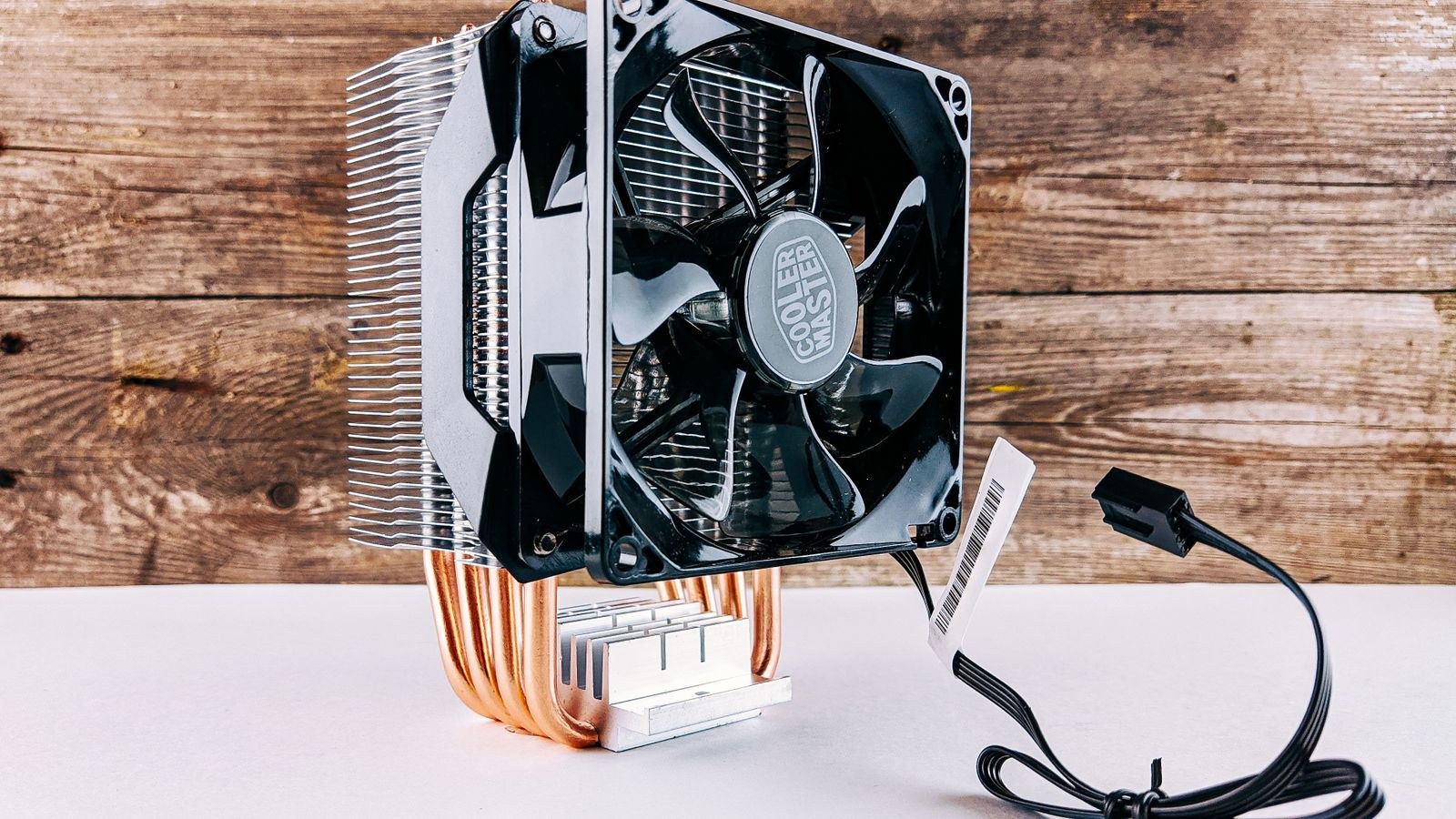
Understanding the basic mechanics makes the trade-offs obvious. An air cooler pulls heat from the CPU into a metal baseplate, moves it through heat pipes into a stack of metal fins, and blows that heat away with one or two fans. It is a purely mechanical, sealed-metal system with no fluid to move around.
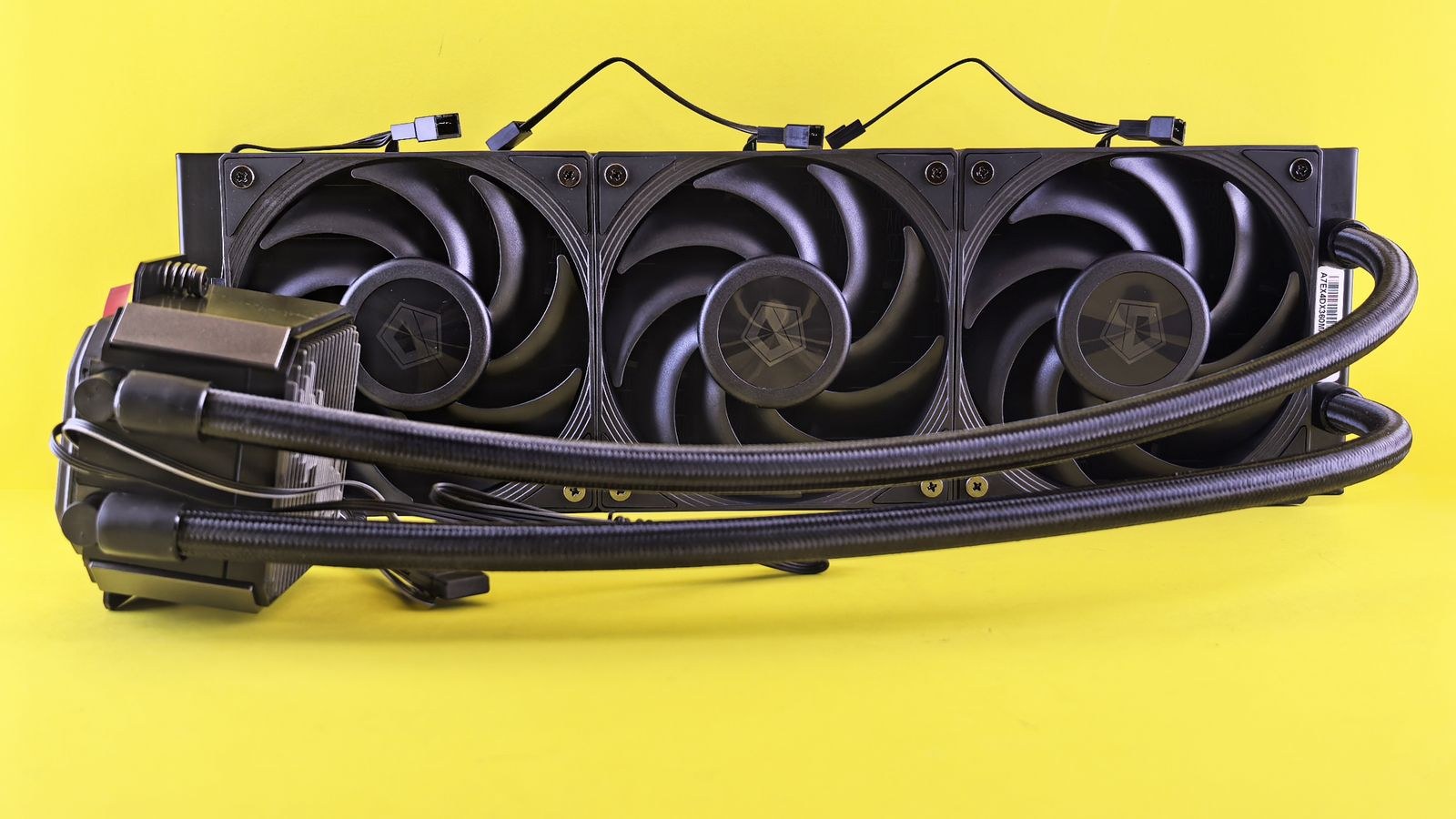
A liquid cooler, in its common all-in-one (AIO) form, uses a pump to circulate coolant through a block on the CPU, out to a radiator mounted on the case, where fans dissipate the heat, and back again. It relocates the heat from the cramped area around the socket to a radiator with more surface area and better airflow. That relocation is the key advantage liquid cooling offers.
Cooling Performance and Temperatures
At the top end, the best large air coolers and the best 240mm or 360mm liquid coolers are surprisingly close in raw performance. A premium dual-tower air cooler can match or beat a smaller AIO, while a big 360mm radiator generally pulls ahead on the hottest, highest-core-count chips because it has more surface area to shed heat.
Where liquid cooling clearly wins is sustained heavy load on power-hungry processors. If you run a high-core-count CPU at full tilt for long stretches, a large radiator handles the heat more gracefully and keeps clocks higher. For typical gaming and everyday use, though, a quality air cooler keeps temperatures perfectly safe. If you want to see how far metal towers can go, our roundup of the best air CPU coolers covers the strongest performers, while the best liquid CPU coolers shows what radiators bring to the table.
Noise Levels
Noise is more nuanced than a simple winner. Air coolers have one noise source: the fans. A large air cooler with a big, slow-spinning fan can be exceptionally quiet because the sheer size of the fin stack means the fan does not have to work hard.
Liquid coolers have two potential noise sources: the radiator fans and the pump. Good AIOs run quiet pumps, but a cheap or aging pump can produce a persistent hum or gurgle that some people find more annoying than fan noise. Radiator fans can also be loud if the cooler ramps them aggressively. In practice, a well-chosen unit of either type can be very quiet; it is the budget end where air often holds a noise advantage.
Reliability and Lifespan
This is where air cooling has a genuine, structural edge. An air cooler is essentially a block of metal and a fan. The only moving part is the fan, and fans are cheap and easy to replace. Barring physical damage, a good air cooler can outlast several PC builds.
A liquid cooler adds a pump, which is a moving part that can eventually fail, and a sealed loop that can slowly lose coolant to evaporation over many years. Quality AIOs are reliable and typically carry long warranties of five or six years, but the failure mode is more serious: if the pump dies, cooling stops abruptly. An air cooler that loses its fan still radiates some heat passively. For a build-it-and-forget-it machine, air cooling is the lower-risk choice.
Installation and Case Fit
Installation difficulty cuts both ways. Large air coolers are heavy and can be awkward to mount, they sometimes block tall memory modules, and their sheer height demands a case with generous CPU cooler clearance. A very heavy cooler also puts stress on the motherboard, though quality mounting kits handle this well.
Liquid coolers spread their weight out. The block on the CPU is small and light, and the radiator bolts to the case. That makes them a natural fit where a huge air tower will not physically fit, and they leave the area around the socket open for tall RAM. The catch is that your case must support the radiator size, so you need to confirm radiator mounting options before you buy. Understanding how radiators, fans, and case airflow interact is worth the effort, and our overview of PC cooling fans and liquid cooling airflow explains how to set it up well.
Small Cases and Clearance
In compact and small-form-factor builds, clearance often makes the decision for you. Many small cases simply cannot fit a tall tower cooler, which leaves a slim low-profile air cooler or a compact liquid cooler as the only options. A 240mm AIO mounted to the front or top of a small case can cool a strong CPU without the height a big air cooler demands.
On the other hand, some small cases have no room for a radiator either, in which case a low-profile air cooler is the answer. The point is to measure first: cooler height, radiator support, and RAM clearance decide what is even possible before performance enters the conversation.
Cost and Value
Air cooling generally offers better value. A mid-range air cooler delivers excellent performance for a modest price, and even flagship air coolers usually cost less than a comparable large AIO. Liquid coolers command a premium for the pump, radiator, tubing, and often the lighting that comes with them.
That premium can be worth it for the looks, the clean socket area, and the top-end performance on demanding chips. But if you are optimizing purely for cooling per dollar, air wins. Spend the difference on other components unless liquid cooling solves a specific problem for your build.
Maintenance and Dust Over Time
Long-term upkeep favors air cooling for its simplicity. An air cooler collects dust in its fin stack and on its fan, and a periodic blast of compressed air restores it to full performance. There is nothing else to think about, and the cooler behaves the same way in year five as it did on day one.
A liquid cooler asks a little more attention over the years. The radiator fins trap dust just like an air cooler, but they are often mounted where they are harder to reach, and the pump slowly ages as a mechanical part. Sealed AIOs need no fluid top-ups, so maintenance is still light, but the pump’s finite lifespan means the whole unit has a definite service life in a way a simple metal heatsink does not. Factoring this in helps set realistic expectations for how long each solution will keep performing at its best.
Which Should You Choose?
Here is the recommendation by build type, cutting through the noise:
- Stock or mainstream builds: A good air cooler is the smart, reliable, cost-effective choice. It keeps a standard CPU cool and quiet with zero long-term worries.
- Overclocked or high-core-count CPUs: A large 280mm or 360mm liquid cooler, or a top-tier dual-tower air cooler, handles the sustained heat best. Liquid pulls ahead on the hottest chips. Enthusiasts should compare the best AIO CPU coolers against premium options like the best dual-tower CPU coolers.
- Small cases: Let clearance decide. A compact AIO or a low-profile air cooler, whichever your case supports, is the practical pick.
- Looks and clean aesthetics: Liquid cooling frees up the space around the socket and offers a sleek, modern appearance that many builders prize.
Frequently Asked Questions
Is liquid cooling always better than air cooling?
No. The best large air coolers rival many liquid coolers in performance, cost less, and are more reliable. Liquid cooling pulls ahead mainly on very hot, high-core-count or overclocked CPUs and in cases where a tall air cooler will not fit.
Can an AIO liquid cooler leak?
It is rare with quality units, which are sealed and tested, but not impossible. The more common failure is the pump wearing out over many years. Reputable AIOs carry long warranties, and the risk is low, but air coolers have no fluid to leak at all.
Do air coolers cool as well as liquid coolers?
For most CPUs, yes. A strong air cooler keeps a typical gaming or productivity chip well within safe temperatures. The gap only opens up on the most power-hungry processors under sustained full load, where a large radiator has the advantage.
Which is quieter, air or liquid?
It depends on the specific models. A large air cooler with a slow fan can be extremely quiet, while liquid coolers add a pump that can hum. At the budget end air often wins on noise; at the premium end both can be very quiet.
Final Thoughts
Air versus liquid is not a battle with a single winner; it is a matter of matching the cooler to the build. Air cooling gives you reliability, value, and quiet operation with almost nothing to worry about over the years, which makes it the default recommendation for the majority of systems. Liquid cooling earns its premium on the hottest processors, in cases where a tall tower will not fit, and for builders who want the clean look and top-end thermal headroom. Decide based on your CPU’s heat output, your case’s clearance, and how much you value looks versus long-term simplicity, and either path will keep your processor running cool.









