Owen Bradley
 Your router is the single device every connected gadget in your home relies on, yet it is often the most overlooked. A good router delivers fast, stable, whole-home coverage; a poor one leaves you with dead zones, buffering, and dropped connections no matter how fast your internet plan is. This complete router buying guide for 2026 explains every specification that matters so you can choose a router that keeps your entire home online and running smoothly.

Why Your Router Matters
Think of your internet plan as the water supply and your router as the plumbing. Even the fastest plan feels slow if the router cannot distribute that speed reliably across your home. The router manages every device, handles security, and determines your real-world Wi-Fi performance. Upgrading an old or basic router is often the cheapest, most effective way to fix slow or unreliable home internet.
Wi-Fi Standards
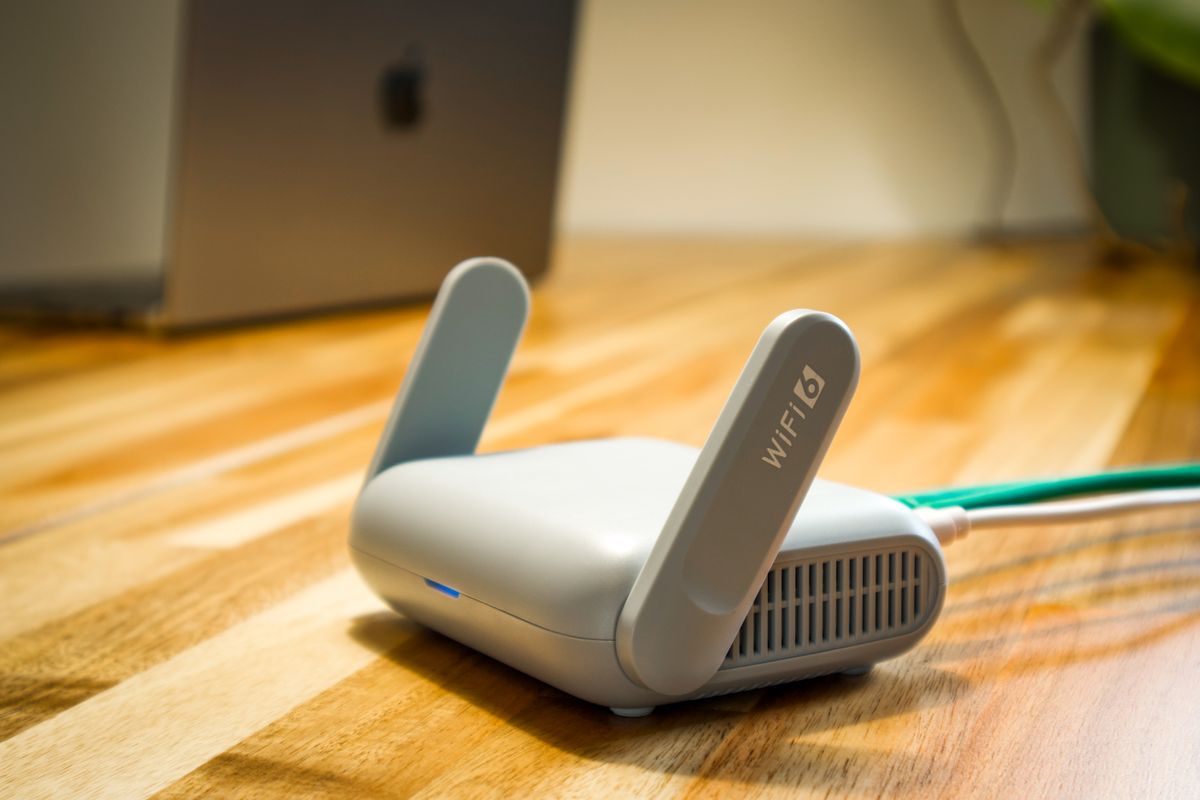
Wi-Fi standards evolve, and buying current technology protects your investment. Newer standards deliver higher speeds, better efficiency in homes packed with devices, and improved performance in congested areas. In 2026, look for a router that supports the latest widely available Wi-Fi generation rather than an older one, so it can keep up with modern phones, laptops, and smart-home gear. A current standard also handles many simultaneous connections more gracefully, which matters as households add more devices every year.
Single, Dual, or Tri-Band
Routers broadcast on one or more frequency bands. A single-band router is basic and best avoided for busy homes. A dual-band router uses both 2.4 GHz for range and 5 GHz for speed, which suits most households. A tri-band router adds an extra high-speed band to handle many devices at once without slowdowns, ideal for larger homes or heavy users. Match the band count to how many devices you run and how demanding your usage is. For most homes, a strong dual-band or tri-band model from the best wireless routers hits the sweet spot.
Coverage and Home Size
A router’s range must match your home. A single router covers a small or medium home well, but larger homes, multiple floors, or thick walls create dead zones that one unit cannot reach. If you have a big or awkwardly shaped home, consider a mesh system that uses several units to blanket every room in coverage. Measure your space and note where you use Wi-Fi most before deciding between a single powerful router and a mesh setup. The best internet routers include options suited to a range of home sizes.
Speed Ratings
Routers advertise combined speed numbers, but those figures represent theoretical maximums across all bands, not the speed any single device sees. Focus instead on whether the router can comfortably exceed your internet plan’s speed and handle your household’s simultaneous activity, such as streaming, gaming, and video calls at once. A router that outpaces your plan leaves headroom for peak times, while one that barely matches it will bottleneck during busy periods.

Ports and Connectivity
Wired connections still matter for the fastest, most stable links. Check that the router has enough Ethernet ports for your desktop, game console, or smart-home hub, and that those ports support high speeds. A USB port lets you share a drive or printer across the network. If you have gigabit internet, confirm the WAN port can handle it, otherwise the router will cap your plan’s speed before it ever reaches your devices.
Security Features
Your router is the front door to your home network, so security is essential. Look for the latest Wi-Fi security encryption, automatic firmware updates that patch vulnerabilities, and a built-in firewall. A guest network keeps visitors off your main network, and some routers add ongoing threat protection. Strong, up-to-date security protects every device in your home, from laptops to smart cameras, so never treat it as an afterthought.
Useful Extra Features
Modern routers offer features that improve daily life. Quality of Service settings prioritize important traffic like video calls or gaming so they stay smooth when the network is busy. Parental controls let you manage access and screen time for children. An easy setup app simplifies installation and management from your phone. Beamforming and smart band steering direct the signal to your devices more efficiently. Decide which of these matter to your household and weigh them alongside raw performance.
Mesh vs Traditional Router
The biggest choice for many buyers is a single traditional router versus a mesh system. A single router is simpler and cheaper and works well in smaller homes. A mesh system uses multiple nodes to eliminate dead zones in larger or multi-floor homes, delivering seamless coverage as you move around. If dead zones are your main frustration, a mesh setup from the best mesh routers usually solves them more effectively than a single powerful unit. Whole-home best mesh systems take this further with several coordinated nodes.
Frequently Asked Questions
How often should I replace my router?
Every few years is a reasonable guideline, or sooner if your router lacks current Wi-Fi standards and security. As you add devices and upgrade your internet plan, an old router quickly becomes the bottleneck.
Do I need a mesh system?
Only if you have dead zones a single router cannot reach, typically in larger or multi-floor homes. For small or medium homes, a strong single router is simpler and more affordable.
Will a better router increase my internet speed?
It cannot exceed your plan’s speed, but a better router helps you actually reach that speed reliably across your home and handle many devices at once without slowdowns.
Matching a Router to Your Household
The best router for you depends less on chasing top specifications and more on matching capability to how your household actually uses the internet. A small household with a few devices and light browsing needs far less than a busy family streaming on several screens while someone games and another works from home. Start by counting your connected devices, including phones, laptops, televisions, game consoles, and smart-home gadgets, because modern homes often run dozens at once, and a router built for many simultaneous connections will keep them all responsive. Next, consider your heaviest activities: video calls and online gaming demand low, stable latency, while 4K streaming demands sustained bandwidth, and Quality of Service settings help prioritize whichever matters most to you. Then factor in your home’s size and construction, since coverage needs grow with square footage, extra floors, and thick walls. Finally, think ahead a few years, because device counts and internet plans only increase, so buying a router with headroom today saves you from upgrading again too soon. By profiling your household honestly rather than simply buying the fastest-sounding model, you land on a router that fits your real needs and your budget, delivering smooth, reliable Wi-Fi for everyone under your roof.
Final Thoughts
Choosing a router in 2026 comes down to matching its capabilities to your home and your habits. Prioritize a current Wi-Fi standard, the right band count, coverage that fits your space, speed headroom above your plan, strong security, and the extra features your household values. Whether you pick a single powerful router or a mesh system, the right choice turns a frustrating, patchy network into fast, reliable Wi-Fi in every room.