Owen Bradley
 Packing tech for a long trip is a balancing act. Take too little and you spend the first evening hunting for a charger in an unfamiliar city; take too much and you carry a kilo of cables you never open. The travel tech essentials that actually earn their space share three traits: they solve a problem you will definitely have, they work in more than one situation, and they weigh less than the inconvenience of doing without. This guide walks through what to pack, how to choose each category, and which gadgets quietly stay home. Whether your trip in 2026 is two weeks of hostels or three months of remote work, the framework below scales to any itinerary.
Start With the Trip, Not the Gear List
Before you buy anything, sketch the shape of your trip. Three questions decide almost every packing choice. First, how long between reliable power outlets? A day hiking or a 14-hour bus ride changes your battery needs entirely. Second, will you work, or only consume? A traveler answering emails needs a very different kit from one watching films on a plane. Third, how many countries, and do they share a plug standard?
Answer those and the list writes itself. A two-week beach holiday with nightly hotel power might need nothing more than a phone, a multi-port charger, and headphones. A month across three countries with train days and coworking sessions justifies a power bank, a travel router, a compact laptop stand, and redundant storage. The mistake is packing for an imagined trip rather than the one on your calendar.
The Weight-to-Usefulness Test
For every item, ask what it would cost you if it stayed home. If the answer is “an inconvenient afternoon,” pack it. If the answer is “I would buy a cheap replacement locally for a few dollars,” leave it. Items that fail this test consistently include spare mice, dedicated e-readers when you already carry a tablet, and second cameras. Items that almost always pass include a good charger, one high-capacity battery, and noise-isolating audio.
Power: The Category Worth Getting Right
Charging is where most travel tech frustration lives. Modern gallium nitride chargers pack 65W or more into something the size of a deck of cards and can run a laptop, a phone, and earbuds at once. One multi-port charger replaces three bricks and one wall outlet, which matters enormously in hotel rooms with a single accessible socket behind the bed.
Pair it with a power bank sized to your habits rather than the largest one on the shelf. A 10,000mAh pack refills most phones twice and slips into a jacket pocket. A 20,000mAh pack with USB-C Power Delivery can top up a laptop but pushes toward airline carry-on limits, which typically cap lithium batteries around 100Wh. Check the printed watt-hour figure before you fly; anything above that threshold is likely to be confiscated at security.
Adapters and Cables
Buy one universal adapter with built-in USB ports rather than a bag of regional plugs. Remember that an adapter changes plug shape, not voltage, so confirm your devices accept 100 to 240V input, which nearly all modern chargers do. For cables, pack two USB-C cables of different lengths plus one legacy cable for older accessories. A short 30cm cable is ideal for power banks in a bag; a longer 2m cable saves you when the only outlet is across the room.
Connectivity: Staying Online Without the Roaming Bill
Hotel and cafe Wi-Fi is uneven, often limited to one device, and rarely secure. A pocket travel router fixes several problems at once: it logs into the captive portal once and shares that connection with your phone, laptop, and tablet, it creates a private network segment between your devices and strangers on the same hotspot, and many models accept a SIM or tether to your phone as a backup link.
If you travel with more than two devices or work on the road, the category is one of the highest-value purchases you can make. Compare the options in our roundup of the best travel routers, which covers the range from pocket repeaters to full LTE gateways, and the more size-focused best portable routers if bag space is your binding constraint. For a deeper explanation of how these devices actually behave on hotel networks and trains, our walkthrough on using a travel mobile router to stay connected anywhere is a useful primer before you buy.

eSIM, Local SIM or Roaming
Connectivity outside Wi-Fi comes down to three routes. Roaming with your home carrier is simplest but usually the most expensive per gigabyte. A local physical SIM is cheapest in most countries but costs you an errand on arrival. An eSIM data plan sits in between: activate before you land, no shop visit, moderate pricing. Many travelers now run an eSIM for data and keep the home SIM active for calls and two-factor codes, which is the most resilient setup if your phone supports dual SIM.
Audio: The Most Used Item in the Bag
Audio gets more hours of use on a long trip than any other gadget. Over-ear noise-cancelling headphones win on flights and long train rides where engine drone is constant, and their passive isolation helps in noisy hostels. Earbuds win everywhere else: they disappear into a pocket, survive a walk in light rain, and never make you choose between wearing them and packing them.
If you take calls on the road, prioritize microphone quality over headline sound quality, because a headset that sounds great to you but muffled to a client costs you credibility. Our list of the best portable headsets focuses on models that fold small and hold up to daily travel abuse. Also check battery life honestly: a set rated for 30 hours means one charge covers a long-haul flight in each direction, which is worth more than a marginal sound upgrade.
Security: Protecting the Gear You Packed
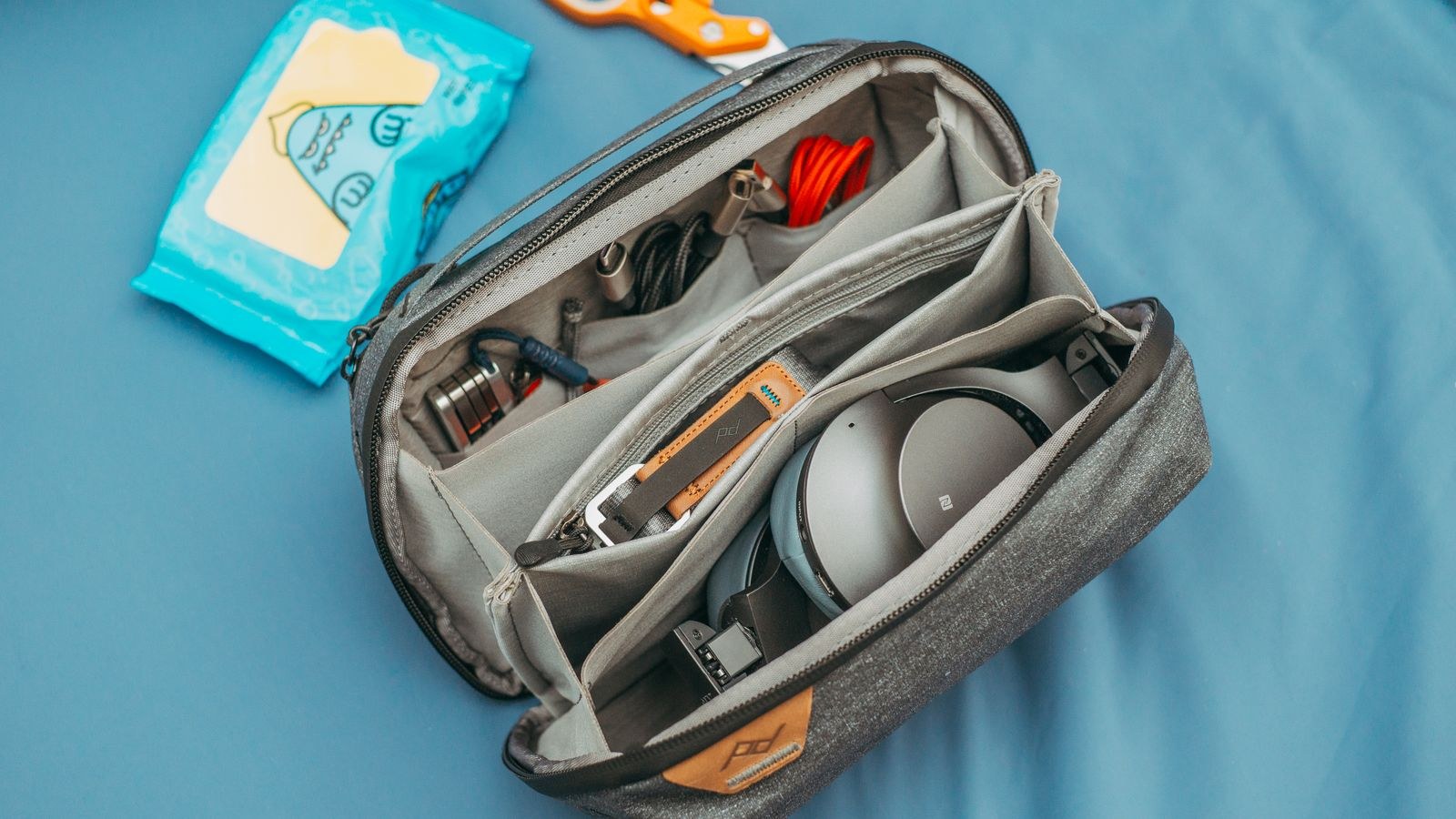
Once you carry a laptop, a phone, and a camera, your day bag becomes worth more than most of your luggage. Physical security is mostly about friction. Lockable zips, slash-resistant panels, and hidden rear pockets do not stop a determined thief but they defeat the opportunist working a crowded metro car, which is who actually takes travelers’ bags. A well-designed bag also organizes cables so you stop digging in public.
Look at the padded laptop sleeve position too. A sleeve suspended off the bottom of the bag protects your machine if you set the bag down hard. Our comparison of the best anti-theft backpacks for travel explains which security features matter in practice and which are marketing. Alongside the bag, run the digital basics: full-disk encryption, a screen lock with a real passphrase, device tracking enabled, and a cloud backup running before you leave home.
Backups and Redundancy
Assume one device will fail, be stolen, or be left in a taxi. Photos are the usual casualty. Carry a small USB-C flash drive or a slim SSD and copy the day’s photos before bed, or back up to cloud storage whenever you hit decent Wi-Fi. Keep scans of your passport, insurance, and tickets in an encrypted note that is reachable from any device, not only the phone you might lose. Redundancy costs almost nothing in weight and is the single best insurance policy in your bag.
Working From the Road
If your trip includes real work, three small additions transform cafe and apartment desks. A folding laptop stand raises the screen to a neck-friendly height and costs a few hundred grams. A compact wireless keyboard makes that raised screen usable. A slim wireless mouse beats a trackpad for spreadsheet or editing work. Together they weigh less than a paperback and turn any table into a workable setup.
Consider one more item if you take video calls: a small clip-on light. Apartment lighting is often warm and overhead, which is the least flattering combination for a webcam. A pocket LED panel with adjustable temperature fixes it instantly and doubles as a reading light in dim hostels.
Budget Tiers: What to Spend Where
Not every category deserves the same investment. Spend the most on the items you touch daily and that fail loudly: your charger, your headphones, and your bag. A charger that dies leaves everything else useless, so buy a reputable one rather than the cheapest listing. Spend moderately on the power bank and travel router, where mid-range models perform close to premium ones. Spend the least on cables and adapters, but buy from a brand that lists real specifications, since counterfeit cables are a genuine fire and data risk.
A sensible entry kit is a multi-port charger, a 10,000mAh power bank, a universal adapter, three cables, and earbuds. A mid-tier kit adds a travel router, noise-cancelling headphones, and a portable SSD. A full remote-work kit layers on the laptop stand, keyboard, mouse, and light. Build upward as your trips get longer rather than buying everything before your first departure.
What to Leave at Home
Some gear looks essential in a packing video and dead weight on day three. Full-size laptop chargers are redundant once you carry a capable USB-C brick. Multiple cameras almost always collapse into one. Travel-specific gadgets with a single narrow function, like dedicated currency converters or clip-on phone lenses you have never tested, rarely leave the bag. Bulky portable speakers are heavier than the enjoyment they add, and a smaller pair of earbuds usually covers the need.
Also reconsider redundant chargers. Many travelers pack a wall charger, a car charger, and a wireless charging pad, then use only the first. Pick the one that matches how you actually travel and drop the others. The test is simple: if you cannot remember using it on your last trip, it is not an essential.
A Pre-Departure Checklist
- Every device charged to full, including the power bank.
- Watt-hour rating on batteries confirmed against airline limits.
- Chargers confirmed as 100 to 240V compatible.
- Offline maps, tickets, and documents downloaded to the phone.
- Cloud backup completed and device tracking switched on.
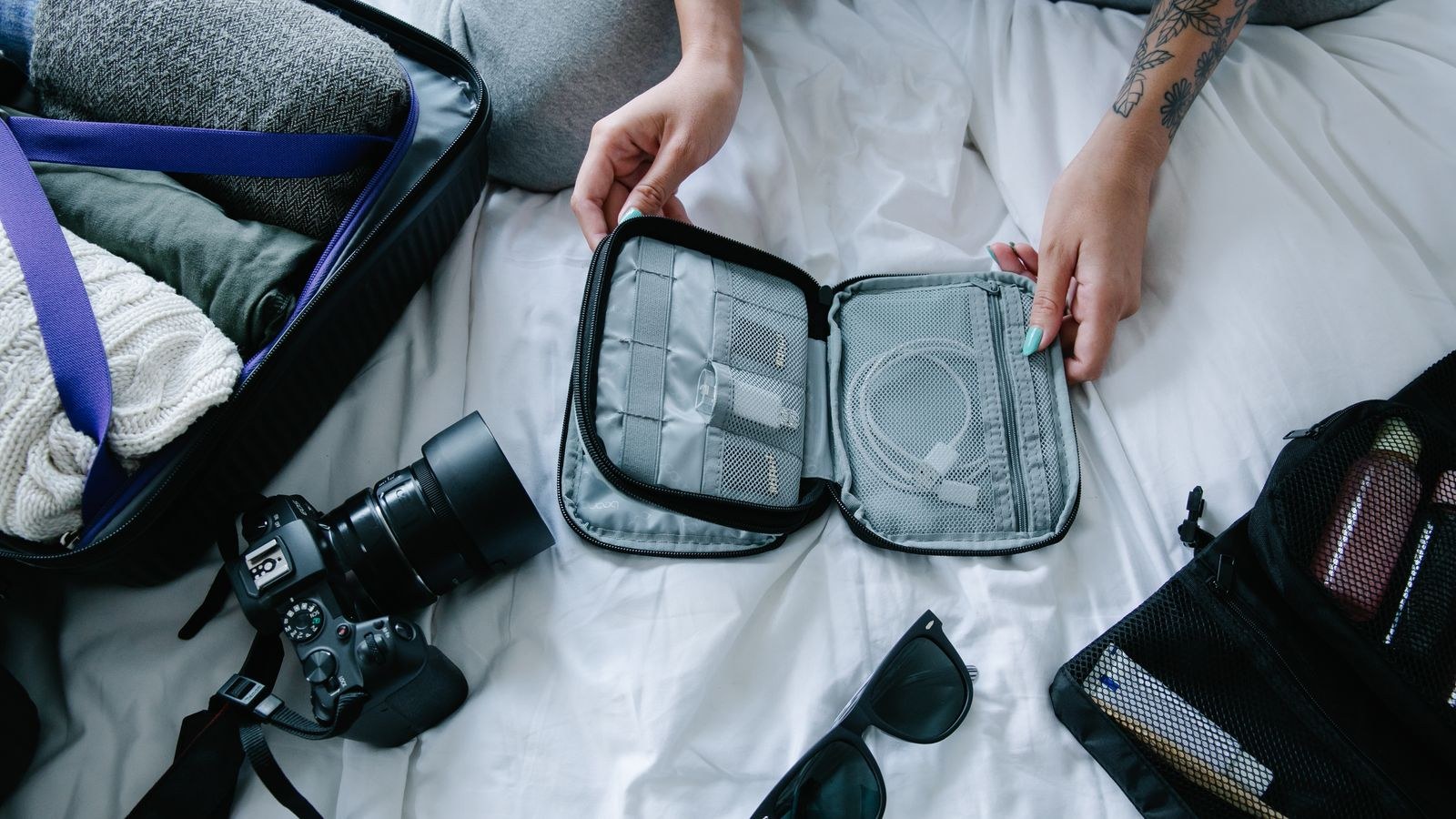
- Cables and adapters consolidated into one pouch, not scattered.
- Firmware and app updates done on home Wi-Fi, not airport Wi-Fi.
Frequently Asked Questions
How many power banks should I bring?
One is usually enough if it is sized correctly. Two smaller packs only make sense if you travel with a partner or spend multiple consecutive days away from mains power. Airlines require lithium batteries in carry-on baggage, never checked, and most limit you to two spare batteries per passenger.
Is a travel router worth it for a short trip?
For a week in one hotel, probably not. For a multi-stop trip, or any trip where you work, it pays for itself the first time you connect four devices through one paid Wi-Fi login and skip the captive portal on every device.
Should I bring a laptop or just a tablet?
If your work involves anything beyond email and documents, bring the laptop. A tablet with a keyboard case is lighter and fine for reading, media, and light writing, but file management and multi-window work remain slower. Choose based on your heaviest task, not your average one.
How do I keep everything organized in the bag?
Use one dedicated tech pouch with elastic loops, and give every cable a fixed home. The goal is being able to find any item without unpacking, which matters most at security checkpoints and in shared dorm rooms where digging through a bag draws attention.
Final Thoughts
The best travel tech kit is the one you stop noticing. It charges everything from one plug, keeps you online without a roaming bill, blocks out an engine for eight hours, and lives in a bag that does not advertise its contents. Build around those four jobs, buy quality where failure would ruin a day, and be ruthless about anything that only earns its weight in theory. Pack that way and your gear supports the trip instead of becoming another thing to manage.