
 Daniel Okafor
 Why the Best Travel Routers Matter for Modern Travelers
Staying connected on the road is no longer a luxury – it is a necessity. Whether you are working remotely from a hotel, streaming on a cruise, or managing multiple devices in an RV, the best travel routers give you a private, reliable network wherever you go. Instead of trusting sketchy public Wi-Fi, a good travel router lets you create your own secure bubble, share a single connection across all your gadgets, and even run a VPN for extra privacy.
This guide is not a product-by-product review. Instead, it is a practical buying guide that helps you understand what really matters when choosing a travel router, so you can confidently pick the model that fits your trips, your budget, and your tech needs. Below you will also find a curated list of popular options to explore.

Pros
- 2402 Mbps on 5 GHz and 574 Mbps on 2.4 GHz over Wi-Fi 6, from a unit that fits in a jacket pocket
- A 2.5 Gbps multi-gigabit WAN port alongside a gigabit LAN port and USB 3.0
- WireGuard reaches about 300 Mbps and OpenVPN about 150 Mbps, both pre-installed and compatible with 30-plus providers
- OpenWrt 21.02 firmware with more than 5,000 installable packages managed from a no-code panel
- MT7981B dual-core processor at 1.3 GHz with 512 MB of DDR4 and 256 MB of NAND flash
Cons
- No SIM slot, so it always needs an existing Ethernet, Wi-Fi or tethered connection to repeat from
- No EAP support, which puts university and corporate 802.1X networks out of reach
- A VPN subscription is still yours to arrange; the router supplies the client software, not the service
This unit packs a Wi-Fi 6 radio set into a pocket-sized shell: 2402 Mbps on 5 GHz and 574 Mbps on 2.4 GHz.
- One 2.5 Gbps multi-gigabit WAN port and one gigabit LAN port
- USB 3.0 port for tethering a phone, adding storage or a supported dongle
- MediaTek MT7981B dual-core processor running at 1.3 GHz
- 512 MB of DDR4 memory with 256 MB of NAND flash
The 2.5 Gbps WAN port is unusual on a travel unit and pays off when plugging into a fast wired connection at a rental or office. Internal hardware is what allows encrypted tunnels to run at speed rather than collapsing to a few megabits, which is exactly where lesser pocket routers fall down. Regional plug options cover US, UK and EU sockets.
Both OpenVPN and WireGuard clients are pre-installed, so a tunnel is configured once and every device joining the router is then covered without individual apps.
- WireGuard reaches about 300 Mbps and OpenVPN about 150 Mbps on a local network
- Compatible with more than 30 VPN service providers, though an active subscription remains yours to arrange
- WPA3 support with protection against password brute-force attempts
- DNS over HTTPS and DNS over TLS keep lookups from being read in transit, and IPv6 is supported
The router runs OpenWrt 21.02 with over 5,000 installable packages managed from a no-code admin panel, so ad blocking, custom DNS and traffic rules are all reachable. Configure the tunnel at home before travelling rather than in a hotel lobby.
The intended job is turning one connection into a private network you control.
- Hotel and cruise Wi-Fi: authenticate the router once, then every device joins the router instead of the captive portal individually
- Rentals and campers: keep a consistent network name so consoles and smart devices reconnect automatically wherever you are
- Public networks: keep laptops and phones off the shared segment entirely
Two limits shape that. There is no SIM slot, so it always needs an existing upstream connection, whether Ethernet, another Wi-Fi network or a tethered phone. And there is no EAP support, which puts university and corporate 802.1X networks out of reach. For hotel portals, home broadband and tethering, neither restriction bites.

Pros
- 【DUAL BAND WIFI 7 TRAVEL ROUTER】Products with US, UK, EU, AU Plug;
- 【NETWORK CONTROL WITH 】Slate 7’s touchscreen interface lets you
- 【OpenWrt 23.05 】The Slate 7 (GL-BE3600) is a high-performance Wi-Fi
- 【VPN CLIENT & SERVER】OpenVPN and WireGuard are pre-installed,
Cons
- Best placed in well ventilated indoor spaces away from excess moisture
- Requires proper surface alignment during initial installation
Designed with precision, the GLiNet GL.iNet GL-BE3600 Portable Travel Router Pocket Dual-Band delivers versatile performance for modern Routers spaces. From an operational perspective, this model emphasizes key capabilities such as 【DUAL BAND WIFI 7 TRAVEL ROUTER】Products with US, UK, EU, AU Plug; Dual band network with wireless speed 688Mbps (2.4G)+2882Mbps (5G); Dual 2.5G Ethernet Ports (1x WAN and 1x LAN Port); USB 3.0 port.. Additionally, the integration of 【NETWORK CONTROL WITH 】Slate 7’s touchscreen interface lets you scan QR codes for quick Wi-Fi, monitor speed in real time, toggle VPN on/off, and switch providers directly on the display. Color-coded indicators provide instant network status updates for Ethernet, Tethering, Repeater, and Cellular modes, offering a seamless, user-friendly experience. enhances overall usability during continuous activity.
Structural analysis confirms an emphasis on long-term mechanical resilience and component stability. Designed for lasting service, the structure leverages 【OpenWrt 23.05 】The Slate 7 (GL-BE3600) is a high-performance Wi-Fi 7 travel router, built with OpenWrt 23.05 (Kernel 5.4.213) for maximum customization and advanced networking capabilities. With 512MB storage, total customization with open-source freedom and flexible installation of OpenWrt plugins. to minimize mechanical stress. Advanced joint reinforcement guards against structural sagging or premature joint wear. Quality craftsmanship supports long term satisfaction for residential and professional settings. User centered design choices streamline routine interactions and enhance practical convenience.
Following practical maintenance guidelines ensures the unit retains its performance properties. Highlighting 【VPN CLIENT & SERVER】OpenVPN and WireGuard are pre-installed, compatible with 30+ VPN service providers (active subscription required). Simply log in to your existing VPN account with our portable wifi device, and Slate 7 automatically encrypts all network traffic within the connected network. Max. VPN speed of 100 Mbps (OpenVPN); 540 Mbps (WireGuard). *Speed tests are conducted on a local network. Real-world speeds may differ depending on your network configuration.*, initial assembly and positioning remain straightforward using basic tools. Gentle surface cleaning with non-abrasive tools keeps outer materials looking clean and pristine.
Pros
- Dual-band Wi-Fi 6 reaches 574 Mbps on 2.4 GHz and 1201 Mbps on 5 GHz, enough for a hotel room full of streaming devices
- WireGuard tunnels run up to 550 Mbps over the wired ports, so encryption does not throttle a fast hotel line
- Three gigabit Ethernet ports let a games console and a work laptop stay wired while phones use the radio
- A 1.2 GHz quad-core chip with 512 MB DDR3L RAM handles up to 120 connected clients
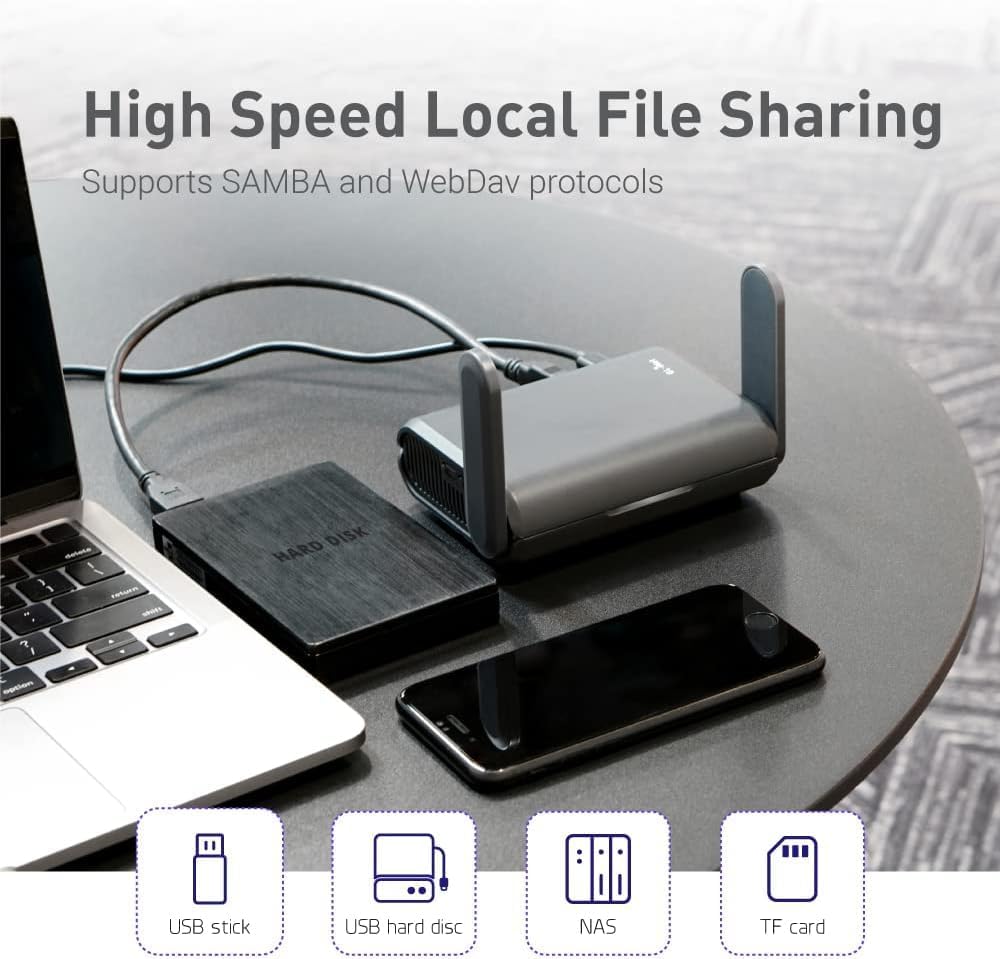
- A USB port turns any external drive into a SAMBA or WebDAV share for the room
Cons
- No built-in cellular modem, so it still needs a hotel line, public hotspot or tethered phone as its source
- Wi-Fi 6 without 6E, so the 6 GHz band is out of reach
- Powered over USB-C with no internal battery, so a wall outlet or power bank has to stay connected
The radio pair is quoted at a combined 1800 Mbps, split as 574-600 Mbps on 2.4 GHz and 1201 Mbps on 5 GHz. In a single hotel room or cabin that is far more headroom than the upstream line will ever supply, so the limiting factor is almost always the network you connect to, not the router.
- MU-MIMO, OFDMA and BSS colouring keep throughput steady when a dozen devices talk at once, which is the real workload on a family trip.
- Up to 120 simultaneous clients are supported, so it also works as a temporary access point at a small event.
- Three gigabit ports mean a wired desk setup stays wired.
Range is modest by design - this is a pocket unit meant to cover one room, not a whole house.
The usual routine takes a couple of minutes. Power the unit from USB-C, join its own network from a phone, then point it at whatever the venue provides.
- Repeater mode converts a public wired or wireless network into your own private one, and it works with captive portal sign-in pages.
- Free hotspots that enforce a time limit will disconnect the router when the clock runs out; you simply reconnect the uplink and every device behind it stays on the same private network.
- Your phones, tablets and console keep one saved network name across every hotel, so nothing needs pairing again on arrival.
Bring a short Ethernet patch lead. Where a room has a wall socket, plugging into it is both faster and more stable than repeating a shared lobby signal.
The unit runs OpenWrt 21.02 firmware, which is what separates it from a consumer travel router.
- OpenVPN and WireGuard clients are pre-installed and compatible with more than 30 VPN providers, so every device behind the router inherits the tunnel with no per-device app.
- WireGuard is quoted up to 550 Mbps and OpenVPN up to 500 Mbps, with wired OpenVPN throughput closer to 120 Mbps in practice.
- IPv6, Cloudflare encrypted DNS and AdGuard Home are all available from the web dashboard.
- Extra packages can be installed from the OpenWrt repository for anyone who wants to go further.
The trade-off is that the dashboard exposes real networking concepts. Anyone who has never touched a firewall rule will spend the first evening reading rather than clicking through a wizard.

Pros
- 【Ultra-Fast 5G & Tri-Band Wi-Fi 7】Powered by Qualcomm Dragonwing
- 【Built-in eSIM + Dual Nano-SIM with Dual Standby Support】No SIM
- 【2.5G Ethernet + 10 Gbps USB-C】Built for pro setups: 2.5 Gbps
- 【Quad-Path Multi-WAN Failover】Run 2.5G Ethernet, Wi-Fi Repeater,
Cons
- Periodic visual inspection recommended to ensure component tightness
- Best placed in well ventilated indoor spaces away from excess moisture
The GLiNet GL.iNet MUDI 7 Wi-Fi 7 5G Travel Router with eSIM Dual SIM offers a refined combination of structural durability and user convenience for Routers setups. Daily usage reveals robust utility supported by 【Ultra-Fast 5G & Tri-Band Wi-Fi 7】Powered by Qualcomm Dragonwing MBB Gen 3 (X72), delivers up to 4.67 Gbps 5G download and tri-band Wi-Fi 7 at 688 Mbps (2.4 GHz) + 2882 Mbps (5 GHz) + 5765 Mbps (6 GHz) — supports up to 64 connected devices for lag-free 4K streaming, gaming, and Zoom/Teams meetings.. Complementing its primary framework, the design also incorporates 【Built-in eSIM + Dual Nano-SIM with Dual Standby Support】No SIM lock — flexibly switch between the onboard eSIM and two physical nano-SIM slots for convenient carrier access while traveling. Access regional and global eSIM data plans for North America and Europe directly on the device with easy QR-code top-up support, or import your own eSIM for flexible connectivity on.
Focusing on material selection, this hardware is constructed to resist ongoing physical fatigue. Reinforced internal elements like 【2.5G Ethernet + 10 Gbps USB-C】Built for pro setups: 2.5 Gbps Ethernet WAN/LAN port for wired backhaul, plus a 10 Gbps USB-C port for tethering, OTG storage and external NAS sync — ideal for content creators offloading 4K/8K footage and remote workers in hotels, Airbnbs, and co-working spaces. maintain steady operational balance under continuous use. Solid structural engineering allows the unit to maintain physical stability under load. User centered design choices streamline routine interactions and enhance practical convenience.
Maintaining optimal hardware conditions involves simple periodic inspection and spatial planning. Featuring 【Quad-Path Multi-WAN Failover】Run 2.5G Ethernet, Wi-Fi Repeater, USB Tethering and 5G Cellular at the same time — if any one link drops, traffic auto-routes to the next in seconds. Built for pop-up retail POS, food trucks, trade-show booths and live media that cannot quality feature a single second of downtime., ongoing operation remains intuitive across varied household routines. Wiping surfaces periodically with a soft cloth prevents dust accumulation in functional crevices. User centered design choices streamline routine interactions and enhance practical convenience. Robust physical construction provides verified peace of mind during heavy daily usage.

Pros
- 𝐑𝐨𝐚𝐦 𝟔 𝐀𝐗𝟑𝟎𝟎𝟎 𝐃𝐮𝐚𝐥-𝐁𝐚𝐧𝐝 𝐒𝐩𝐞𝐞𝐝𝐬 - Up to 2,402 Mbps (5 GHz) and 574
- 𝐏𝐨𝐫𝐭𝐚𝐛𝐥𝐞 𝐚𝐧𝐝 𝐃𝐮𝐫𝐚𝐛𝐥𝐞 𝐃𝐞𝐬𝐢𝐠𝐧 – Roam 6 TL-WR3012X is a pocket-sized
- 𝐒𝐞𝐜𝐮𝐫𝐞 𝐖𝐢-𝐅𝐢 𝐎𝐧-𝐭𝐡𝐞-𝐆𝐨 – Roam 6 TL-WR3012X connects to public Wi-Fi
- 𝐌𝐮𝐥𝐭𝐢𝐩𝐥𝐞 𝐖𝐚𝐲𝐬 𝐭𝐨 𝐂𝐨𝐧𝐧𝐞𝐜𝐭 - (1) Router Mode: Connects to public
Cons
- Requires proper surface alignment during initial installation
- Periodic visual inspection recommended to ensure component tightness
Built for everyday utility, the TP-Link TP-Link Roam 6 AX3000 Portable Wi-Fi 6 Travel Router provides reliable functionality in active Routers settings. Practical hands-on evaluation highlights core functional attributes including 𝐑𝐨𝐚𝐦 𝟔 𝐀𝐗𝟑𝟎𝟎𝟎 𝐃𝐮𝐚𝐥-𝐁𝐚𝐧𝐝 𝐒𝐩𝐞𝐞𝐝𝐬 - Up to 2,402 Mbps (5 GHz) and 574 Mbps (2.4 GHz) for up to 80 devices simultaneously. Actual Wi-Fi speeds vary based on source bandwidth, environment, distance to devices, and obstacles. ◇§. Furthermore, features like 𝐏𝐨𝐫𝐭𝐚𝐛𝐥𝐞 𝐚𝐧𝐝 𝐃𝐮𝐫𝐚𝐛𝐥𝐞 𝐃𝐞𝐬𝐢𝐠𝐧 – Roam 6 TL-WR3012X is a pocket-sized travel router compactly designed for trips and adventures. Its small size is designed for travel-friendly storage. ensure seamless adaptability across varied spatial layouts.
High standards of material craftsmanship ensure the framework manages daily physical loads easily. Materials engineering centers on 𝐒𝐞𝐜𝐮𝐫𝐞 𝐖𝐢-𝐅𝐢 𝐎𝐧-𝐭𝐡𝐞-𝐆𝐨 – Roam 6 TL-WR3012X connects to public Wi-Fi and creates a private, secure network for all your devices. Supports multiple devices at once, ideal for hotels, Airbnbs, airports, and even home use. VPN connectivity enables secure remote work., preserving visual appeal and physical integrity over time. Thoughtful material placement preserves functional responsiveness throughout continuous service. Attention to manufacturing details ensures reliable utility for your Routers. Using proper installation techniques maintains physical stability across daily activities.
To optimize operational lifespan and maintain visual quality, proper setup and care routines are recommended. With user-friendly details such as 𝐌𝐮𝐥𝐭𝐢𝐩𝐥𝐞 𝐖𝐚𝐲𝐬 𝐭𝐨 𝐂𝐨𝐧𝐧𝐞𝐜𝐭 - (1) Router Mode: Connects to public Wi-Fi, ISP, or phone (USB tethering). (2) AP/RE/Client Mode: Adds WiFi to wired setups, extends WiFi, or connects wired devices wirelessly., setting up the equipment requires minimal effort. Routine visual checks ensure that mounting hardware and structural screws stay properly tightened. Attention to manufacturing details ensures reliable utility for your Routers. Using proper installation techniques maintains physical stability across daily activities. This balanced configuration fits smoothly into existing interior designs while maximizing efficiency.
Pros
- Dual 2.5G Ethernet ports (1 WAN, 1 LAN) outpace the single 1G port common on most other pocket travel routers
- WireGuard VPN reaches up to 1100Mbps and OpenVPN-DCO up to 1000Mbps on local network tests, fast enough to avoid becoming the connection's bottleneck
- Supports over 30 VPN service providers pre-installed, so most existing VPN subscriptions can log straight in without extra setup
- Ships with region-specific US, UK, EU or AU plug options, useful for travelers moving between countries
- 512MB of onboard storage leaves room to install extra OpenWrt plugins beyond the base firmware
Cons
- VPN provider compatibility requires an active subscription with one of the supported services - none is included with the router itself
- Advertised speeds are based on local network testing, so real-world throughput depends on the connected network and VPN server distance
- OpenWrt-based firmware and plugin customization assume some comfort with router settings, more involved than a plug-and-forget consumer router
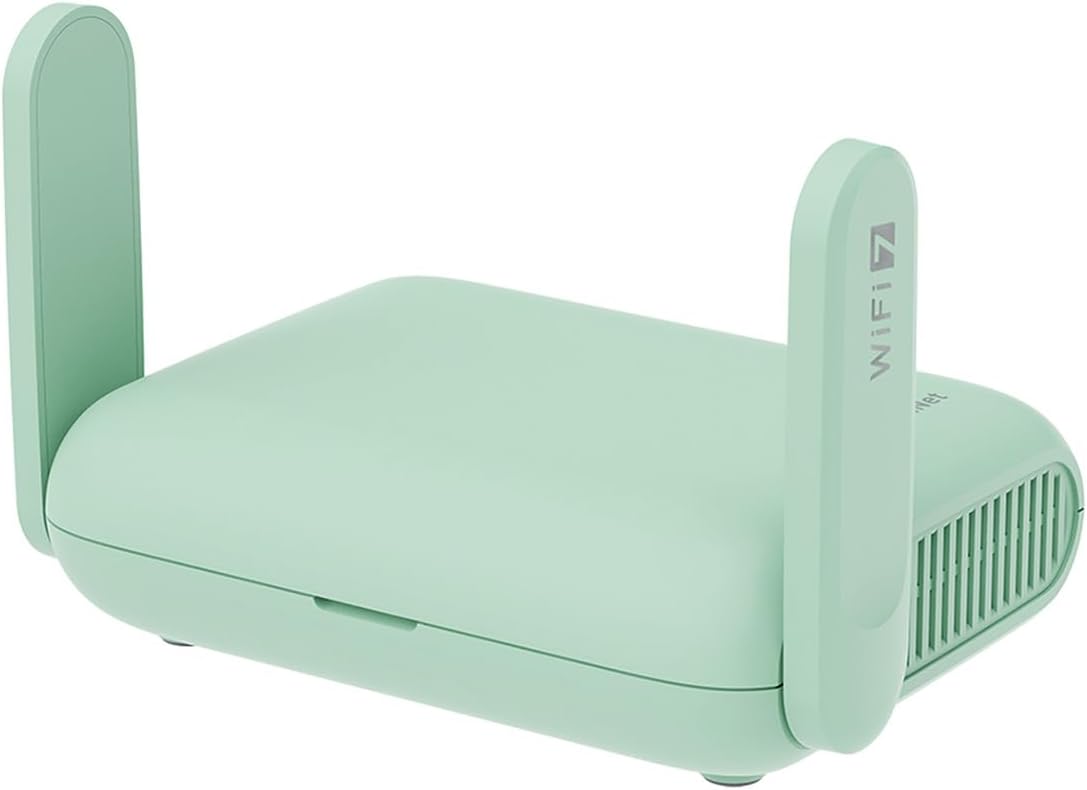
The Beryl 7 runs dual-band Wi-Fi 7 with up to 688Mbps on 2.4GHz and up to 2882Mbps on 5GHz, built to support gaming and streaming across as many as 120 connected devices in hotel rooms, RVs or shared travel spaces. Two 2.5G Ethernet ports (one WAN, one LAN) plus a USB 3.0 port give wired options beyond what most pocket travel routers offer.
- Up to 688Mbps (2.4G) + 2882Mbps (5G)
- Dual 2.5G Ethernet ports (1 WAN, 1 LAN)
- USB 3.0 port included
Note: real-world wireless speed depends on the source network's own connection, since the router cannot exceed the bandwidth of the hotel or venue Wi-Fi it connects through.
Built around OpenWrt 21.02 firmware with 512MB of onboard storage, the Beryl 7 is designed for travelers who want a compact router that logs into existing hotel, cruise ship or public Wi-Fi and re-broadcasts a private, password-protected network. It ships with plug options for US, UK, EU or AU outlets, avoiding the need for a separate adapter in those regions.
- OpenWrt 21.02 (Kernel 5.4.281) firmware
- 512MB onboard storage for plugin installs
- US, UK, EU and AU plug options available
Limitation: getting the most from the OpenWrt plugin ecosystem involves navigating the router's admin settings, more setup depth than a simple pocket Wi-Fi hotspot.
WireGuard and OpenVPN-DCO come pre-installed, reaching up to 1100Mbps and 1000Mbps respectively in local network testing, and the router is compatible with more than 30 VPN service providers - travelers simply log into an existing account rather than configuring VPN settings manually. Once connected, the router encrypts all traffic passing through the network it creates.
- WireGuard up to 1100Mbps, OpenVPN-DCO up to 1000Mbps
- Compatible with 30+ VPN providers
- Automatic traffic encryption once logged in
Note: an active subscription with one of the supported VPN providers is required separately - the router itself does not include or bundle a VPN service.
Pros
- Dual-band Wi-Fi 7 delivers up to 2882 Mbps on 5GHz and 688 Mbps on 2.4GHz, with support for up to 90 connected devices
- 2.5Gbps WAN port paired with a 1Gbps LAN port for wired speeds ahead of most travel routers' single Gigabit port
- Built-in OpenVPN and WireGuard client and server support, plus PPTP and L2TP, for encrypted browsing on public networks
- Seven operating modes, including Router, Hotspot, AP, Range Extender, and Client, cover hotel, cruise, RV, and home setups
- USB 3.0 port doubles as external drive sharing across the private network, powered via a Type-C power input
Cons
- No 6 GHz band support, so this model sits a tier below tri-band Wi-Fi 7 routers on the least congested spectrum
- Designed as a personal travel router for up to 90 devices, below the device ceiling of full home mesh systems
- Requires an existing internet source such as Ethernet, public Wi-Fi, or USB tethering to create its network, it is not a standalone modem
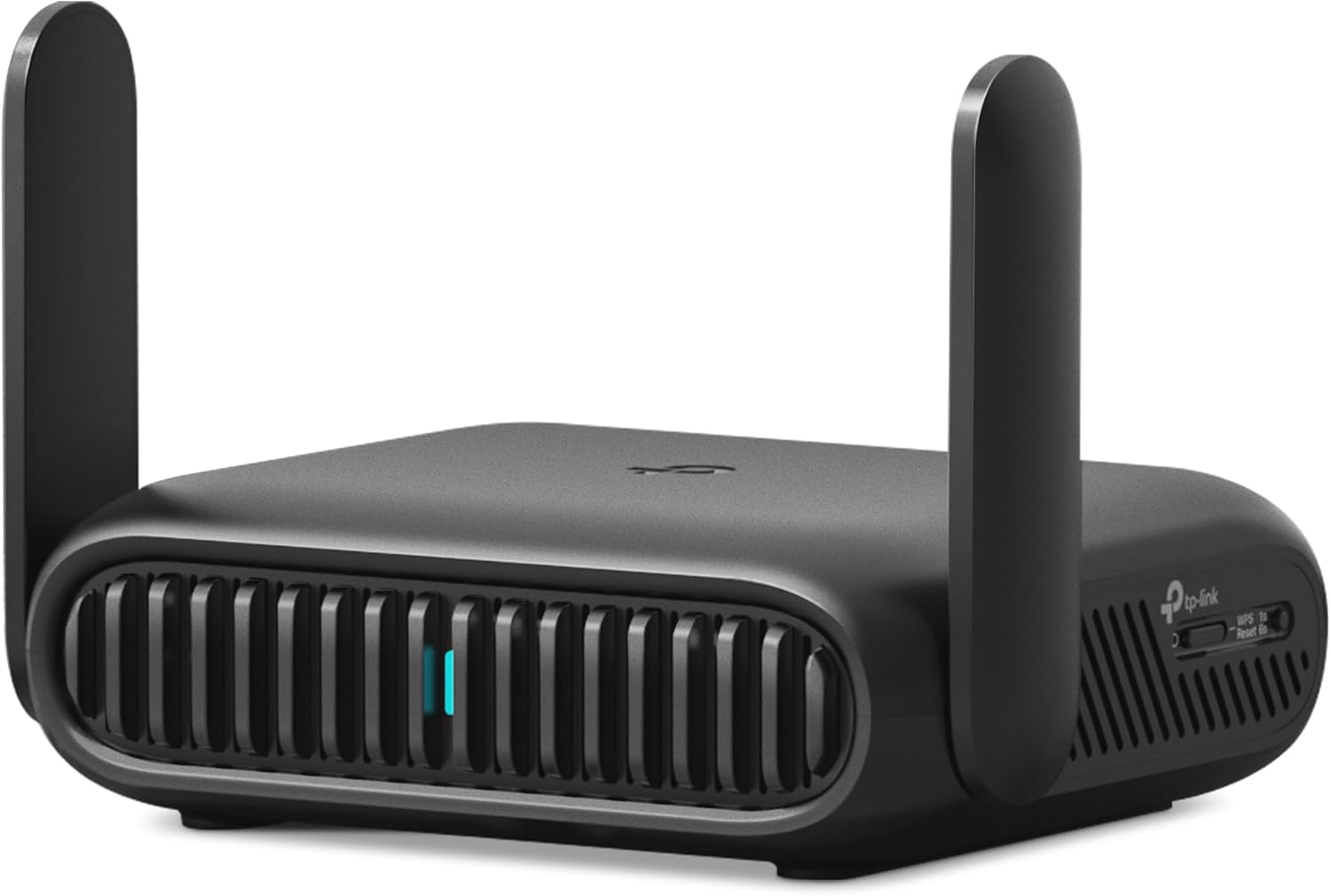
The Roam 7 BE3600 is a dual-band Wi-Fi 7 router, rated for up to 2882 Mbps on the 5 GHz band and 688 Mbps on 2.4 GHz. This model does not include a 6 GHz radio, so it is positioned as a dual-band rather than tri-band Wi-Fi 7 device. Even without 6 GHz, the combined bandwidth is enough to support up to 90 connected devices at once, comfortably covering a group of travelers, a small office, or a family's phones, laptops, and streaming devices on one private network.
- Dual-band Wi-Fi 7, BE3600 class
- Up to 2882 Mbps on 5 GHz, 688 Mbps on 2.4 GHz
- No 6 GHz band on this model
- Supports up to 90 simultaneous devices
For streaming, downloads, or gaming across several devices at once, this level of throughput leaves headroom that many single-band travel routers cannot match.
Rather than a single fixed function, the Roam 7 switches between several operating modes depending on the situation. Router Mode builds a private network from an Ethernet line, USB phone tethering, or a 3G/4G/5G USB modem. Hotspot Mode instead takes an existing public Wi-Fi signal, such as a hotel or airport network, and turns it into a private, password-protected connection for your own devices.
- Router Mode: Ethernet, USB tethering, or USB modem input
- Hotspot Mode converts public Wi-Fi into a private network
- AP, Range Extender, and Client modes for wired-to-wireless flexibility
- 1x 2.5 Gbps WAN port, 1x 1 Gbps LAN port, USB 3.0, USB-C power
AP, Range Extender, and Client modes round out the set, letting the router add wireless access to a wired setup, stretch existing Wi-Fi coverage, or connect a wired-only device to a wireless network, adaptable to hotels, Airbnbs, cruise ships, RVs, and campsites alike.
Security on public networks is a core focus of this router. It supports both OpenVPN and WireGuard as VPN client and server, letting you either route your own traffic through a personal VPN or let other devices connect back into your home network securely. PPTP and L2TP protocols are also supported for broader compatibility with existing VPN services.
- OpenVPN and WireGuard, client and server modes
- PPTP and L2TP protocol support
- TP-Link is a signatory of CISA's Secure-by-Design pledge
- USB 3.0 port for shared external storage across the network
TP-Link notes the device is designed and maintained under its Secure-by-Design commitment, and pairing the VPN options with a USB 3.0 port for external drive sharing means the router can double as a small private file server while traveling.

Pros
- 【AC1200 Dual-band Wireless Router】Simultaneous dual-band with
- 【Easy Setup】Please refer to the User Manual and the Unboxing &
- 【Pocket-friendly】Lightweight design(145g) which designed for your
- 【Full Gigabit Ports】Gigabit Wireless Internet Router with 2 Gigabit
Cons
- Requires proper surface alignment during initial installation
- Periodic visual inspection recommended to ensure component tightness
Designed with precision, the GLiNet GL.iNet GL-SFT1200 Portable WiFi Travel Router Mini VPN delivers versatile performance for modern Routers spaces. Technical integration focuses on functional efficiency, incorporating 【AC1200 Dual-band Wireless Router】Simultaneous dual-band with wireless speed up to 300 Mbps (2.4GHz) + 867 Mbps (5GHz). 2.4GHz band can handles some simple tasks like emails or web browsing while bandwidth intensive tasks such as gaming or 4K video streaming can be handled by the 5GHz band.*Speed tests are conducted on a local network. Real-world speeds may differ depending on your network configuration.*. Its balanced engineering incorporates 【Easy Setup】Please refer to the User Manual and the Unboxing & Setup video guide on quality feature for detailed setup instructions and methods for connecting to the Internet. to streamline day-to-day interactions.
Evaluating build quality and structural execution reveals strong manufacturing standards across components. The physical build incorporates 【Pocket-friendly】Lightweight design(145g) which designed for your next trip or adventure. Alongside its portable, compact design makes it easy to take with you on the go., providing essential protection against surface wear. High tolerance assembly prevents unexpected mechanical looseness during daily operation. Quality craftsmanship supports long term satisfaction for residential and professional settings. User centered design choices streamline routine interactions and enhance practical convenience. Robust physical construction provides verified peace of mind during heavy daily usage. Thoughtful spatial layout allows versatile placement across modern living environments.
Long-term operational satisfaction is supported by adhering to standard installation and cleaning practices. Thanks to 【Full Gigabit Ports】Gigabit Wireless Internet Router with 2 Gigabit LAN ports and 1 Gigabit WAN ports, ideal for lots of internet plan and allow you to connect your wired devices directly., spatial alignment and initial setup progress smoothly for homeowners. Simple preventative care maintains mechanical responsiveness and aesthetic value over extended use. Quality craftsmanship supports long term satisfaction for residential and professional settings. User centered design choices streamline routine interactions and enhance practical convenience. Robust physical construction provides verified peace of mind during heavy daily usage.

Pros
- Dual-band WiFi 7 with Multi-Link Operation reaches combined speeds up to 3600 Mbps
- USB-C Power Delivery input (18W) means one charger can power router, laptop, and phone on the road
- WISP mode creates a private hotspot over hotel or public WiFi networks with a single toggle
- Supports 4G/5G mobile tethering, turning a phone or dongle connection into a shared network
- AiMesh compatibility lets it extend into a larger mesh network as coverage needs grow
Cons
- No built-in 4G/5G modem, mobile hotspot mode depends on a separate phone or USB dongle for cellular data
- Compact travel form factor means fewer Ethernet ports than a full desktop router
- VPN and WISP features require initial setup through the app, adding a step versus a plug-and-forget router
The RT-BE58 Go runs dual-band WiFi 7 with Multi-Link Operation and 4K-QAM support, combining for throughput up to 3600 Mbps across both bands. That level of throughput is aimed at reducing latency for video calls and streaming rather than just raw file transfer speed, which matters more on a shared hotel or public network where congestion is common.
AiMesh support lets the router join a larger mesh network as an extra node, so it can pull double duty as a travel router on the road and a mesh extender at home. Because it is built around a compact travel chassis, port count and antenna size are smaller than full-size home routers, trading some raw range for portability.
A dedicated WISP mode lets the router connect to hotel or public WiFi and rebroadcast it as a private, password-protected network, switched on with a single toggle in the companion app rather than manual configuration. Built-in VPN features add commercial-grade encryption for anyone routing traffic through hotel or cruise ship networks, which are common targets for data interception.
Initial setup runs through the companion app, guiding through WISP mode, VPN configuration, and AiMesh pairing step by step. Because the router does not include a cellular modem, mobile hotspot mode instead tethers to an existing phone's 4G/5G connection or a USB dongle.
This router suits frequent travelers who want consistent, private networking across hotels, rentals, or co-working spaces rather than trusting each location's open WiFi directly. The USB-C Power Delivery (18W) input means one USB-C charger already carried for a laptop or phone can also power the router, cutting down on extra cables and adapters packed for a trip.
Remote workers doing video calls from hotel WiFi benefit most from the WISP privacy toggle and VPN features, while casual travelers who only need occasional web browsing may find the setup more capability than they need. Anyone needing a standalone cellular router with a SIM slot should note this model tethers to an existing phone or dongle instead.

Pros
- Dual-band AC1300: 400 Mbps on 2.4 GHz and 867 Mbps on 5 GHz from a quad-core IPQ4018 at 717 MHz
- WireGuard reaches up to 170 Mbps over the Ethernet path, enough to stream 4K through an encrypted tunnel
- Measures 118 x 84 x 33 mm and weighs 429 g, so it lives in a laptop bag pocket with the cables
- Three gigabit ports plus USB, with SAMBA and WebDAV sharing from any attached USB drive
- Runs OpenWrt 21.02 with full admin access, so extra packages and custom rules can be installed
Cons
- OpenVPN throughput tops out near 28 Mbps, so a fast hotel line is throttled unless you switch to WireGuard
- 802.11ac radios only, so Wi-Fi 6 phones and laptops gain nothing beyond AC speeds
- No internal battery, so it needs the supplied US-plug adapter or a USB power source wherever you set it up
Two figures decide whether this router suits your trip.
- WireGuard: up to 170 Mbps over Ethernet, which is the protocol to use when the hotel line is fast.
- OpenVPN: up to 28 Mbps, adequate for browsing and HD video but a hard ceiling on quicker connections.
- Wireless is 400 Mbps on 2.4 GHz and 867 Mbps on 5 GHz, so the radio is rarely the limiting factor when a tunnel is active.
- The IPQ4018 quad-core CPU at 717 MHz with 256 MB of DDR3L RAM does the encryption work.
Both figures are ceilings measured over the wired path. Real speed also depends on the public network you are joining and the distance to your chosen VPN endpoint.
The usual travel workflow takes a few minutes at check-in.
- Power the unit from the adapter or a USB source, then join its own SSID from your phone.
- Use repeater mode to scan for the hotel or cafe network and connect the router to it.
- When a login portal appears, complete it once through the router; every device behind it then inherits that session.
- Enable your VPN profile, choosing WireGuard where the provider supports it, and switch on the kill switch so traffic stops if the tunnel drops.
Because all your devices sit behind one MAC address, properties that limit connections per guest see a single device. Phone tethering is supported too, which covers RV and airport use where no usable Wi-Fi exists.
For something the size of a paperback there is a reasonable amount of connectivity.
- Three gigabit ports can be set as WAN or LAN, so a wired hotel jack or a laptop plugs straight in.
- The USB port takes an external drive and shares it over SAMBA or WebDAV as private network storage.
- On-board storage is 128 MB NAND plus 4 MB NOR flash, leaving room for extra packages.
- It is compatible with 30 or more VPN providers through the pre-installed clients.
Power comes from the bundled US-plug adapter; there is no battery inside, so a power bank with a suitable USB output is worth packing for airports and long transfers. The box also includes an Ethernet cable, a manual and a 1-year limited warranty.
What Is a Travel Router and How Does It Work?
A travel router is a compact, portable device that creates a personal Wi-Fi network from an existing internet source. Unlike your bulky home router, it is designed to slip into a backpack or laptop bag and draw power from a USB port or small adapter. It bridges the gap between the internet you find on the road and the devices you carry with you.
Most travel routers can take an internet connection from several sources – a hotel Ethernet port, an existing public Wi-Fi hotspot, a tethered phone, or even a mobile SIM in cellular models. It then rebroadcasts that connection as your own encrypted network. This solves several everyday travel headaches at once.
Key Problems a Travel Router Solves
- One login for many devices: Many hotels and cafes limit how many devices can connect. A travel router logs in once, then shares that connection with your phone, laptop, tablet, and smart gadgets.
- Better security: Public networks are risky. Routing your traffic through your own device, especially with a VPN, keeps your data far more private.
- Consistent device names: Your devices always see the same network name and password, so smart home gear and printers reconnect automatically.
- Extended range: Acting as a repeater, a travel router can pull in a weak signal and rebroadcast it stronger and closer to you.
How to Choose the Best Travel Router
Picking the right model comes down to matching features to how you actually travel. Here are the factors that matter most.
1. Wi-Fi Standard and Speed
Wi-Fi standards have advanced quickly. Wi-Fi 6 models such as the GL.iNet Beryl AX and the GL.iNet Slate AX deliver excellent speed and efficiency for most travelers. If you want the latest technology and plan to keep your router for years, Wi-Fi 7 options like the GL.iNet Slate 7, the GL.iNet Beryl 7, and the TP-Link Roam 7 offer higher throughput and better handling of crowded networks. For light browsing and email, even a dual-band Wi-Fi 5 model gets the job done.
2. Connection Type: Wi-Fi Repeater vs. Cellular
Most travel routers rely on an existing internet source, whether wired or wireless. That is perfect for hotels, cruises, and cafes. But if you travel to remote areas or want internet that does not depend on finding a hotspot, consider a cellular model. The GL.iNet MUDI 7 supports 5G with eSIM and dual SIM slots, letting you insert a data plan and get online almost anywhere – ideal for road trips and off-grid work.
3. VPN Support
A built-in VPN is one of the biggest reasons to own a travel router. It encrypts all traffic and can make it appear as though you are browsing from home, which helps with privacy and accessing your usual services abroad. Look for support for modern protocols like WireGuard and OpenVPN. Nearly every model above, including the budget-friendly GL.iNet A1300, offers VPN capability, though faster processors handle encryption with less speed loss.
4. Battery vs. Powered Operation
Some travel routers include an internal battery so you can use them anywhere, even without an outlet. The GL.iNet MUDI 7 stands out here with long battery life for all-day mobility. Most pocket routers, however, are powered by USB-C, meaning you can run them from a power bank, laptop, or wall adapter. Decide whether portability without a plug matters for your typical trips.
5. Ports and Ethernet Speed
If you plan to plug into hotel or cruise Ethernet, faster wired ports help. Several picks, including the GL.iNet Beryl AX and the TP-Link Roam 7, include 2.5G Ethernet for higher wired speeds. A USB 3.0 port, found on the TP-Link Roam 6, adds flexibility for tethering or attaching storage.
6. Size, Weight, and Ease of Setup
The whole point of a travel router is portability. Pocket-sized designs like the GL.iNet Opal and the GL.iNet A1300 weigh almost nothing and are easy to pack. Also consider setup. A simple mobile app or web dashboard makes connecting to captive portals and public hotel logins far less frustrating.
Matching a Travel Router to Your Trip
Different travelers have different priorities. Here is how to narrow your choice based on how you travel.
For Digital Nomads and Remote Workers
If your income depends on staying online, prioritize speed, VPN performance, and reliability. A Wi-Fi 7 model such as the GL.iNet Slate 7 or the ASUS RT-BE58 Go gives you strong throughput and secure connections for video calls and large uploads. Cellular options add a backup connection so a hotel outage does not derail your workday.
For Frequent Flyers and Hotel Stays
Travelers who hop between hotels benefit from easy captive-portal handling and multi-mode flexibility. The TP-Link Roam 6 and the GL.iNet Slate AX shine here, sharing hotel Wi-Fi across all your devices with a single login and keeping your network name consistent from city to city.
For RV, Cruise, and Van Life
Long trips call for versatility. A model that repeats weak signals, accepts wired connections, and optionally runs on cellular is ideal. The GL.iNet Beryl 7 and the GL.iNet MUDI 7 are built for mobile living, with strong range and, in the case of cellular models, independence from external hotspots.
For Budget-Conscious Travelers
You do not need to spend a fortune to get online safely. Affordable picks like the GL.iNet Opal and the GL.iNet A1300 cover the essentials – dual-band Wi-Fi, VPN support, and simple setup – at a fraction of the cost of flagship units. They are a smart starter choice for occasional travelers.
Tips to Get the Most From Your Travel Router
Buying the right hardware is only half the battle. A few habits will help you enjoy a smoother, safer connection on every trip.
- Set it up before you leave: Configure your network name, password, and VPN at home so you are ready to go the moment you arrive.
- Update the firmware: Manufacturers regularly release security and performance updates. Install them before departure.
- Carry a power bank: A compact USB-C power bank keeps a non-battery router running in airports, trains, and anywhere outlets are scarce.
- Use a strong password: Since your router shares one connection with many devices, protect it with a unique, hard-to-guess password.
- Test your VPN in advance: Confirm your VPN connects and performs well before you rely on it abroad.
- Position it wisely: Place the router in an open spot near a window or high on a shelf to grab the strongest incoming signal and spread coverage evenly across your room.
- Label your setup: If you travel with multiple gadgets, note which devices connect automatically so you can troubleshoot quickly if something drops offline.
Frequently Asked Questions About Travel Routers
Do I really need a travel router?
If you travel with more than one device, value your privacy on public networks, or struggle with device-limited hotel Wi-Fi, a travel router quickly pays for itself in convenience and security.
Will a travel router work on a cruise or plane?
Many travelers use routers like the GL.iNet Beryl AX to share cruise and in-flight Wi-Fi across devices. Always check the provider’s terms, since some networks restrict repeating, but repeater-capable models are designed with these scenarios in mind.
Is a cellular travel router better than a repeater model?
It depends on your travel style. Repeater models are cheaper and perfect where Wi-Fi already exists. Cellular models like the GL.iNet MUDI 7 give you independent internet anywhere with signal, which is invaluable for remote areas.
How many devices can a travel router support?
Most modern travel routers comfortably handle a full household of gadgets – phones, laptops, tablets, e-readers, and smart accessories – on a single connection. Higher-end models with faster processors and Wi-Fi 6 or Wi-Fi 7, such as the ASUS RT-BE58 Go, keep performance steady even when many devices stream and browse at once.
Final Thoughts on Choosing the Best Travel Routers
The best travel router is the one that matches your journey. Frequent flyers may prize easy hotel logins, remote workers need speed and rock-solid VPN performance, and RV or cruise travelers benefit from cellular flexibility and long range. Focus on the Wi-Fi standard, connection type, VPN support, and portability that suit your trips, and you will stay connected wherever you roam. Explore the options above, compare the features that matter most to you, and pick the travel companion that keeps you online with confidence.







Comments are closed.
No reviews yet. Be the first to share your experience!