
 Owen Bradley
 The power supply is the least glamorous part of any build and the one that quietly holds everything together. It converts wall power into the clean, stable voltages your components depend on, and when it fails or falls short it can take other parts down with it. Yet PSUs are riddled with confusing terms: wattage ratings, efficiency badges, single versus multiple rails, modular cables. This guide cuts through the jargon and shows you how to size a supply correctly, read the ratings that matter, judge build quality and avoid the cheap units that quietly stress and shorten the life of the expensive hardware around them.
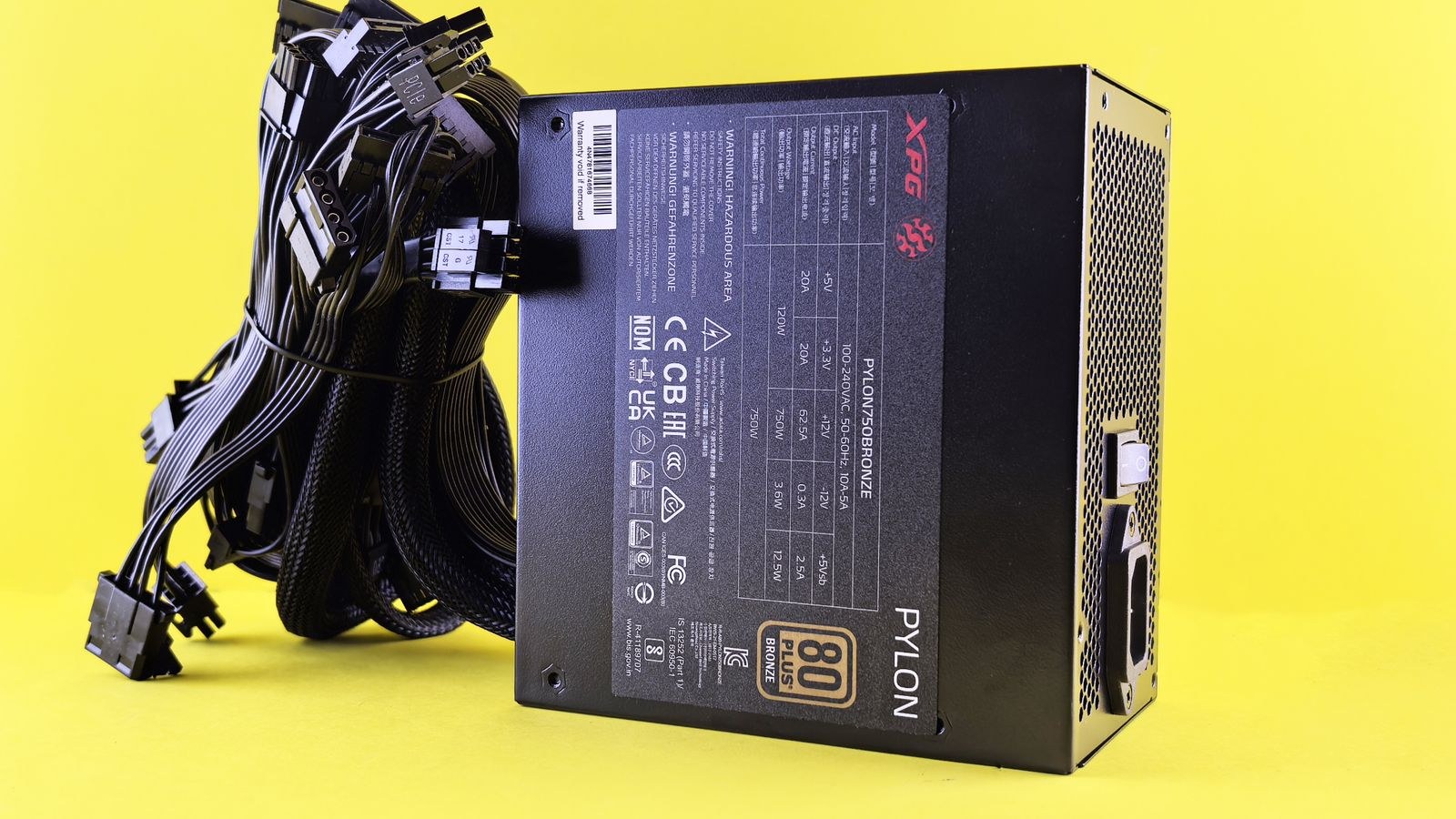
Why the Power Supply Deserves Your Attention
Every other component draws its power through the PSU, so its quality touches the entire system. A good unit delivers steady voltage under load, protects against surges and shuts down safely when something goes wrong. A poor one delivers dirty, fluctuating power that can cause crashes, corrupt data and, in the worst cases, damage the parts it feeds.
Because it does not affect frame rates, the PSU is often where buyers try to save money, and that is exactly the wrong place to cut corners. A reliable supply protects a build that may cost many times its price, and a quality unit will happily survive into your next build. Treat it as an investment in the longevity of everything else, not an afterthought.
Sizing Wattage for Your Build
Wattage is the headline number, and the goal is to match it to your components with sensible headroom, not to buy the biggest figure on the shelf. The graphics card is usually the hungriest part, so it drives most of the calculation. Add up the rough power draw of your GPU and CPU under load, factor in the rest of the system, and aim for a supply that runs comfortably below its maximum during normal use.
A common guideline is to size the unit so your typical load sits around 50 to 80 percent of its rated wattage, which keeps it in its most efficient and quiet range while leaving room for spikes. Overbuying wastes money and can even hurt efficiency at low loads, while underbuying invites instability. For mainstream gaming systems, our guides to the best 750W PSUs for balanced builds and the best 850W PSUs for higher-end GPUs cover the two capacities that suit the majority of desktops.
Understanding Efficiency Ratings
The 80 Plus badges, from White up through Bronze, Gold, Platinum and Titanium, describe how efficiently the unit converts wall power into usable output. A higher rating means less energy wasted as heat, which translates into lower running costs, a cooler case and often a quieter fan. Gold is the sweet spot for most builders, balancing meaningful efficiency against price.
Efficiency is not just about your electricity bill. A more efficient unit runs cooler and stresses its own components less, which tends to correlate with longer life and steadier output. It is not a perfect proxy for quality, since the rating only measures conversion efficiency, but among reputable brands a Gold-rated unit is a dependable starting point. Our roundup of the best 80 Plus Gold PSUs for efficient builds shows where this rating delivers the best value.
Single Rail Versus Multiple Rails
The rail question sounds intimidating but rarely needs to worry a home builder. A rail refers to how the 12-volt output is distributed. A single-rail design pools all the 12-volt power into one channel, giving flexibility for a demanding component like a high-end GPU. A multi-rail design splits it across several channels, each with its own protection limit.
For the vast majority of builds, a quality single-rail unit is simple and effective, delivering full power wherever it is needed without you having to plan cable distribution. Multi-rail designs offer an extra layer of protection that appeals to some enthusiasts and workstation builders. The practical advice is to buy a reputable unit of adequate wattage and not lose sleep over the rail configuration, because a well-designed supply of either type will serve you well.
Build Quality and the Parts You Cannot See
Two units with identical wattage and efficiency ratings can differ enormously in quality. The difference lives in the components inside: the capacitors, the protection circuitry and the fan. High-quality capacitors hold up to heat and years of use, while cheap ones degrade and can fail. Comprehensive protection features guard against over-voltage, over-current, short circuits and overheating.
Because you cannot inspect the internals yourself, brand reputation and the warranty become your best signals. A long warranty, often several years or more on quality units, tells you the manufacturer trusts its own build. Reputable brands also tend to fit better fans that spin quietly or stop entirely at low load. Skimping here is how a bargain PSU ends up damaging the components it was supposed to protect. For systems built around demanding graphics cards, our picks for the best PSUs for gaming systems prioritize exactly this kind of internal quality.
Cabling and Modularity
How the cables attach affects both your build experience and airflow. Non-modular units have every cable permanently fixed, so unused ones must be tucked away inside the case. Fully modular units let you connect only the cables you need, cutting clutter and improving airflow, while semi-modular designs fix the essential cables and leave the rest detachable.
For a clean, easy-to-manage build, especially in a smaller case, a modular design is a genuine quality-of-life improvement. It also makes future upgrades tidier, since you can add or remove cables as your components change. If cable management and airflow matter to you, our guide to the best fully modular PSUs for tidy builds covers units that make wiring painless.
A Simple Buying Checklist
- Size the wattage so your typical load sits around 50 to 80 percent of the rating, driven mainly by your GPU.
- Target 80 Plus Gold for the best balance of efficiency, cost and cooler, quieter operation.
- Favor reputable brands with long warranties, your best clue to the quality of parts you cannot see.
- Choose modularity to match your case, fully modular for tidy or compact builds.
- Confirm the connectors your GPU and motherboard need are included before you buy.
Connectors and Compatibility
Before you commit to a unit, confirm it carries the connectors your build actually needs. Modern graphics cards can demand multiple power connectors, and the latest high-end cards may use a newer connector standard that older supplies lack. Check the number and type of PCIe power connectors against your GPU’s requirements, and make sure the motherboard’s main and CPU power connectors are present in the shapes your board expects.
Cable length matters too, especially in larger cases where the supply sits far from the top of the motherboard. Reputable units ship with generous cable lengths, but it is worth a quick check if you are building in an oversized or unusually shaped enclosure. Getting these practical details right avoids the frustration of a unit that is electrically perfect but physically awkward to wire. It also future-proofs your purchase, since a supply with the right connectors and ample headroom can carry over into a later build. For systems centered on a powerful graphics card, our roundup of the best 850W PSUs for demanding GPUs flags the connector types that matter most so you are not caught short on assembly day.
Frequently Asked Questions
How many watts do I actually need?
Size the supply so your components’ typical load sits comfortably below the maximum, usually around 50 to 80 percent of the rating. The GPU drives most of the requirement, so match the unit to your card with modest headroom rather than buying the biggest number available.
Is a Gold-rated PSU worth the extra cost?
For most builds, yes. Gold units run cooler and more efficiently than Bronze or White, stress their own parts less and often run quieter. The modest price premium usually pays off in longevity and lower running costs over the unit’s life.
Does a bigger wattage PSU use more electricity?
No. The unit only draws what your components need, so a higher-rated supply does not waste power simply by being larger. However, running a big unit at very low load can be slightly less efficient, which is why sizing it sensibly matters.
Can a cheap power supply really damage my PC?
Yes. A poor unit can deliver unstable voltage, lack proper protection circuitry and fail under stress, potentially harming the components it powers. Because the PSU feeds everything else, a quality unit is a safeguard for your entire investment.
Final Thoughts
A power supply will never show up in a benchmark, but it decides whether the rest of your build runs reliably for years or fails in ways that are maddening to diagnose. Get the fundamentals right, size the wattage with sensible headroom, aim for a Gold efficiency rating, buy from a reputable brand with a long warranty, and choose the modularity that suits your case, and you will have a unit that quietly does its job and outlives the components around it. In 2026, the smartest PSU purchase is not the flashiest or the highest wattage, but the well-built one matched properly to your system. Spend thoughtfully here and the rest of your build is on solid ground.









