Owen Bradley
 A soundbar is the rare upgrade that almost everyone notices immediately. Flat panels have no physical space for speakers that move real air, so even an expensive television tends to produce thin, dialogue-swallowing sound. The trouble is that soundbar marketing is a thicket of channel counts, format logos, and acronyms that mean very little on a shelf label. This soundbar buying guide translates them. It covers what channel numbers actually describe, when a subwoofer is essential, why eARC matters more than almost any other connection detail, and how to match a bar to your television size and the shape of your living room rather than to a specification you will never hear.
Start With the Problem You Are Solving
Buyers fall into roughly three groups, and each needs something different. The largest group simply cannot hear dialogue clearly; whispered lines vanish and action scenes are suddenly deafening. That group needs a bar with a genuine dedicated centre channel, and little else.
The second group wants films to feel big: impact, weight, and scale. They need a subwoofer more than they need extra channels. The third group wants a convincing immersive effect with sound around and above them, which means height channels, rear satellites, and a room that can support them.
Identify your group before you look at products. It reorders the entire specification list and usually saves money, because the features that solve your specific problem are rarely the ones that dominate the box.
Decoding Channel Numbers
Channel counts read as three figures, like 3.1.2. The first number is the count of ear-level channels, the second is subwoofers, and the third is height channels. So 2.0 is plain stereo with no sub, 3.1 adds a centre channel and a subwoofer, and 5.1.2 means five ear-level channels, a subwoofer, and two upward-firing height drivers.
The practical hierarchy is simple. Moving from 2.0 to 3.1 is the single biggest improvement available, because it adds both the centre channel that fixes dialogue and the subwoofer that adds weight. Going from 3.1 to 5.1 adds surround information, which matters in larger rooms. Adding height channels is the last step and the most room-dependent.
Virtual Channels Versus Real Ones
Be careful with bars that advertise a high channel count achieved entirely through processing. A 2.0 bar claiming virtual surround has two drivers and some clever mathematics. It is not the same as a bar with discrete drivers aimed in different directions. Look for the physical driver count in the specifications, not just the marketing number on the front of the box.
The Subwoofer Question
A soundbar cabinet is a few inches deep, which physically limits how low it can play. Without a subwoofer you lose the bottom two octaves entirely, which is where explosions, engine notes, and the foundation of most music live. This is why a modest bar with a subwoofer usually outperforms a more expensive bar without one.
Most subwoofers bundled with bars are wireless, meaning they need mains power but no signal cable, so they can go almost anywhere within range. Placement changes the result dramatically. Corners boost output but often make bass boomy and indistinct; a position along the front wall, offset from the centre, usually gives tighter and more even results. Move it before you conclude it is inadequate.
Some bars offer a subwoofer output so you can add one later or upgrade the bundled unit. That flexibility is worth paying a little for. If low-end impact is your priority, comparing dedicated speaker systems with a subwoofer is a useful sanity check on what a given budget buys.
eARC, HDMI, and Why the Connection Matters
HDMI ARC lets audio travel backwards along the HDMI cable from the television to the bar, so one cable does everything and the television remote controls volume. eARC is the enhanced version, and the difference is bandwidth: eARC can carry lossless and object-based audio formats that plain ARC and optical simply cannot fit through.
If you want the highest quality soundtracks from a disc player or a streaming app, both the television and the bar need eARC, and you need a high-speed HDMI cable between them. This is the most common reason someone buys a capable bar and never hears what it can do. Check the port label on your television before you buy; it will be marked ARC or eARC beside the HDMI number.
Passthrough for Consoles
If you connect a games console through the soundbar rather than directly to the television, check what the bar’s HDMI passthrough supports. A bar that cannot pass a high refresh rate signal will quietly cap what your console can output. Connecting the console straight to the television and letting audio return over eARC avoids the problem entirely, which is the arrangement most people should use. For screens designed around this, our roundup of gaming TVs with eARC covers sets that handle both jobs without compromise.
Matching Size to Your Television and Room
As a rough rule, the bar should be somewhere between two-thirds of the screen width and the full width. Much narrower and the soundstage feels pinched relative to the picture; much wider and it looks awkward. For a 55-inch screen, a bar around 40 to 48 inches suits well; for a 65-inch screen, look at 45 to 55 inches.
Height matters more than people expect. If the bar sits on a console in front of the screen, measure the gap between the console surface and the bottom of the panel. A bar taller than that gap will block part of the picture or trigger the television’s infrared receiver problems. Many bars are deliberately built low for this reason, and the specification is always listed.
Room size guides channel count. Under roughly 150 square feet, a 3.1 bar is plenty. Between 150 and 250, a 5.1 configuration or a bar with rear satellites starts to pay off. Above that, or in open-plan spaces, look at the largest bars with real rear speakers, or accept that separates may serve you better.
Height Channels and Room Ceilings
Upward-firing drivers create overhead effects by bouncing sound off the ceiling back down to the listener. This works well with a flat, hard, reflective ceiling roughly eight to ten feet high. It works poorly with vaulted ceilings, exposed beams, heavy sound-absorbing surfaces, or ceilings much above ten feet, because the reflection either scatters or never returns to the sofa.
Look up before paying extra for height channels. If your ceiling is unsuitable, put the money into a better subwoofer or rear satellites instead, both of which work regardless of what is above you.
Budget Tiers and What Each Buys
- Under $150: a 2.0 or 2.1 bar. Better than television speakers, clearer dialogue, limited bass.
- $150 to $300: 2.1 or 3.1 with a wireless subwoofer. The value sweet spot for most homes.
- $300 to $600: 3.1.2 or 5.1 with height channels or bundled rears, plus eARC and better processing.
- $600 to $1,000: larger cabinets, discrete drivers, room calibration, expandable rear satellites.
- Above $1,000: flagship bars that genuinely compete with entry separates in a suitable room.
Most households get the majority of the available improvement in the second and third tiers. Spending beyond that returns diminishing gains unless the room is large and well treated. Our roundup of the best soundbar speakers groups current models by these tiers, which makes it easier to see where each price step genuinely changes what you hear.
Features Worth Paying For, and Ones That Are Not
Worth paying for: a real centre channel, a subwoofer with an output for future upgrades, eARC, automatic room calibration, and the ability to add rear satellites later. Each of these changes what you hear or protects your investment.
Less important than the marketing suggests: enormous virtual channel counts on small bars, streaming services built into the bar when your television already has them, and voice assistants you will control from your phone anyway. Multi-room support matters only if you are actually building a multi-room system.
Also weigh what the television already does. Some sets ship with genuinely capable built-in audio, and our comparison of gaming TVs with a built-in soundbar shows how far that has come. If you are still shopping for the screen itself, the roundup of TV speakers is a useful reference for how much a separate bar actually adds over the panel’s own drivers.
Setup Details That Change the Result
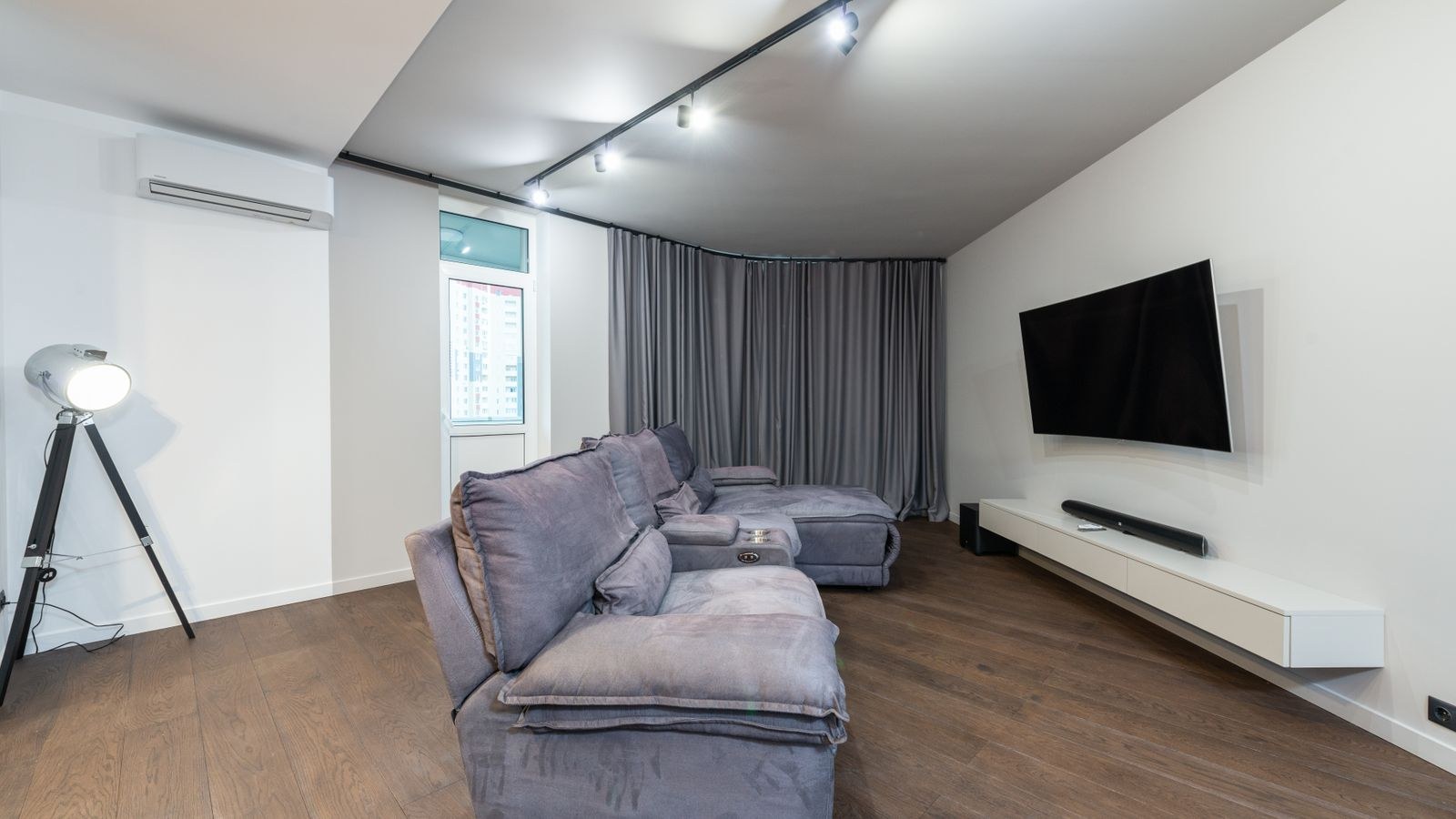
Place the bar directly below the screen, centred, with nothing in front of it. Enclosing it inside a cabinet muffles the output and defeats any upward-firing drivers entirely. Run the automatic calibration if the bar has it, ideally from your normal seating position.
In the television’s audio settings, set output to bitstream or passthrough rather than PCM so the bar receives the original encoded soundtrack and decodes it itself. Then turn off any dynamic range compression or night mode unless you need it; those settings flatten exactly the impact you paid for.
Common Mistakes to Avoid
Buying by channel count alone is the classic error, since a well-engineered 3.1 bar routinely beats a poorly executed 5.1.2 one. Connecting over optical when eARC is available is the second, and it silently caps quality. Third is hiding the subwoofer in a cupboard, where the enclosure resonates and the output turns to mush.
The last mistake is buying a bar wider than the furniture it sits on, or taller than the gap under the screen. Measure the console and the gap first; both numbers are on every product page and both are easy to check before ordering.
Frequently Asked Questions
Do I need a subwoofer with a soundbar?
For films, yes. The bar cabinet is too shallow to produce deep bass, and the subwoofer supplies the weight that makes action scenes convincing. For dialogue-heavy viewing alone, you can manage without one.
Is eARC really necessary?
It is necessary for lossless and object-based audio formats. If you only stream compressed soundtracks, standard ARC copes. Since almost all recent televisions include eARC, there is little reason to buy a bar without it.
What size soundbar for a 65-inch TV?
Something in the 45 to 55 inch range looks and sounds proportionate. Check the bar’s height against the gap between your console and the bottom of the screen so it does not block the picture.
Can I add rear speakers to a soundbar later?
Many mid-range and premium bars support matching wireless rear satellites sold separately. Confirm the specific bar supports expansion before buying if that is your plan, since it is not universal.
Should I mount the soundbar or stand it?
Either works, provided it stays centred below the screen and unobstructed. Wall mounting suits a wall-mounted television and keeps the console clear; standing is simpler and lets you reposition easily.
Final Thoughts
Choosing a soundbar gets straightforward once you stop reading channel numbers as scores. Decide whether your real problem is dialogue, impact, or immersion, then buy the simplest bar that solves it: a 3.1 with a subwoofer for the first two, and a bar with real height channels or rear satellites for the third, but only if your ceiling and room can support them. Connect it over eARC, set the television to pass the original bitstream, place the subwoofer thoughtfully, and run the calibration. Do those five things and a mid-priced bar bought in 2026 will outperform a far more expensive one that was installed carelessly.