Owen Bradley
 Beamforming is one of the most heavily marketed Wi-Fi features on a router box, and also one of the least understood. Manufacturers show glowing diagrams of a signal cone reaching neatly across a floor plan, implying the router somehow throws its radio waves farther than physics allows. The reality is more modest but still genuinely useful: beamforming shapes the signal you already have so more of it lands on your device instead of scattering into walls and furniture. This guide explains beamforming Wi-Fi in plain language, shows where you can actually measure a gain, and makes the case that antenna design, placement, and band choice usually matter far more than the feature itself when you are shopping in 2026.
What Beamforming Actually Does
A traditional router broadcasts more or less equally in all directions, like a bare light bulb in the middle of a room. Most of that energy never reaches the laptop or phone you care about. Beamforming uses multiple antennas transmitting the same data with tiny, deliberate timing offsets so the radio waves reinforce each other in the direction of your device and partially cancel elsewhere. The effect is closer to fitting that bulb with a reflector: the total output is unchanged, but more of it points where you need it.
Because the router is steering energy rather than adding it, beamforming cannot break through regulatory power limits or make a weak radio strong. What it can do is raise the signal-to-noise ratio at the client, and signal-to-noise is what actually determines the data rate your connection negotiates. A better ratio means the link can use a denser modulation scheme, which shows up as higher throughput rather than more bars.
Explicit Versus Implicit Beamforming
There are two flavours. Implicit beamforming lets the router infer direction from the signals a client sends back, so it works with any device, including older ones, but the aim is rough. Explicit beamforming, standardised from 802.11ac onward, has the client send a formal channel-sounding response describing exactly how it hears the router. The router then computes a precise steering matrix. Explicit is far more accurate, but it only works when both ends support it. Practically every phone, laptop, and tablet made in the last several years does.
The Gains You Can Realistically Measure
Independent testing tends to land in a consistent range. At short distances, where the signal is already strong and the link is running at its maximum rate, beamforming changes almost nothing. You cannot improve a connection that is already saturated. The benefit appears in the middle and outer zones of coverage, roughly one to two rooms away or through a wall or two, where throughput is falling off but the connection is still solid.
In that band you might see throughput improvements somewhere between 10 and 30 percent, occasionally more in a clean line-of-sight test and often less in a cluttered home. Expressed as range, that translates to a modest extension, perhaps a few metres of usable distance rather than an entire extra floor. At the very edge of coverage, where the signal is nearly buried in noise, beamforming again does little, because there is not enough signal left to steer.
So the honest summary is this: beamforming makes the good-but-not-great part of your coverage map noticeably better. It does not turn a two-bar corner into a four-bar corner, and it will not rescue a house that simply needs another access point. If your goal is genuinely covering a large or awkward property, start with hardware built for reach, such as the options in our roundup of the best long range routers, rather than relying on a single steering feature.
Why Antennas Matter More Than the Marketing
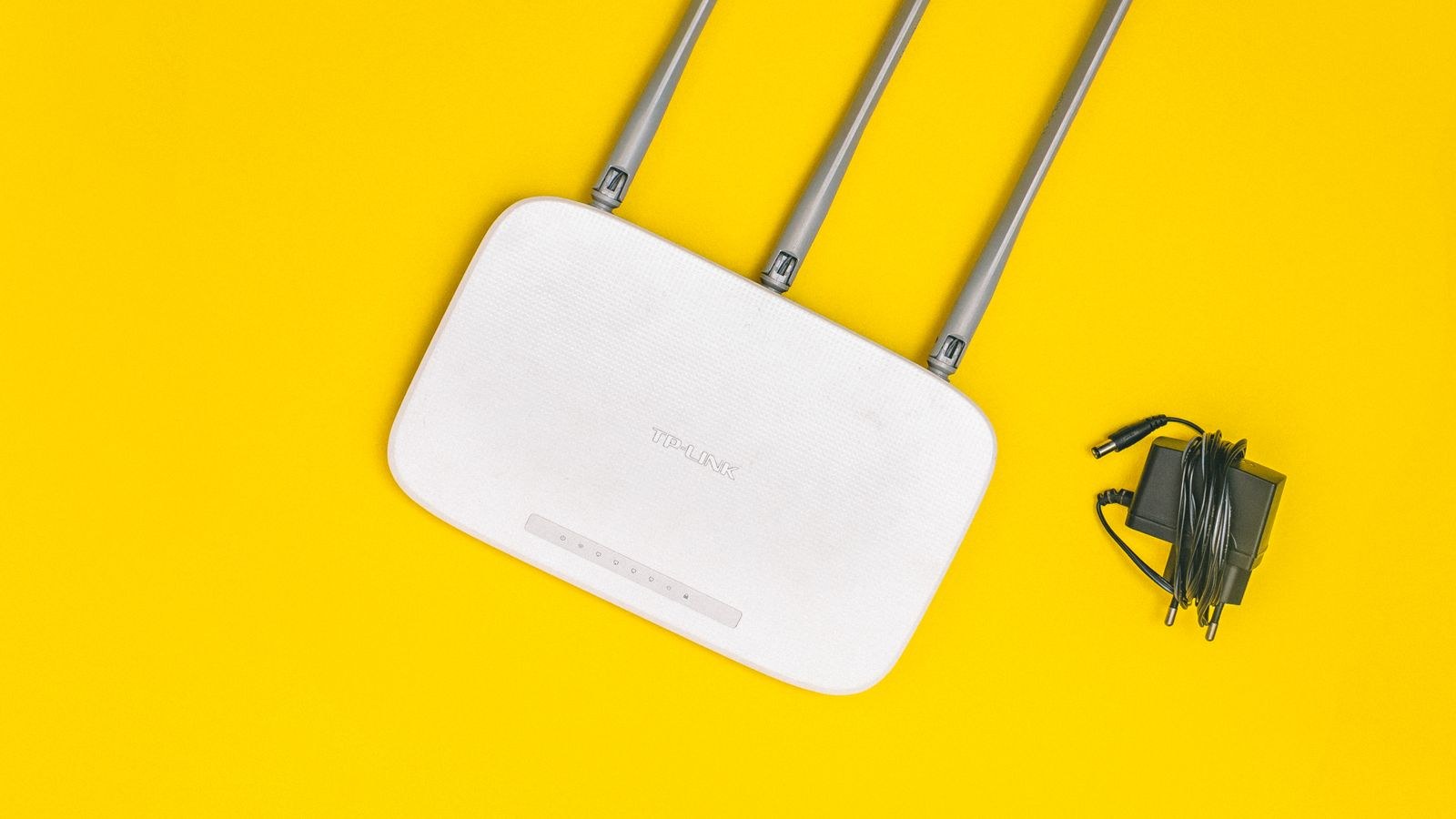
Beamforming only works if the router has multiple transmit chains to work with. A two-stream router has far less steering resolution than a four-stream one, and no amount of firmware cleverness compensates for that. The number and quality of antennas, their spacing, their gain pattern, and how well the manufacturer isolated them from internal interference all set the ceiling that beamforming operates under.
External antennas are not automatically better than internal ones, but they do let you adjust orientation, which is often worth more than any feature on the spec sheet. A router’s antennas radiate in a doughnut shape perpendicular to their length, so all-vertical antennas favour a single floor while an angled or mixed arrangement spreads coverage between levels. Our walkthrough on how to choose and install a router antenna for a better signal covers gain figures, connector types, and the orientation tricks that produce measurable improvements for free.
Height, Position, and Obstruction
No steering algorithm defeats a concrete wall, a metal filing cabinet, or a router shoved into a media cabinet behind a television. Elevating the unit, moving it toward the centre of the area you use, and keeping a metre of clear space around it routinely deliver bigger gains than upgrading to a model with a longer feature list. Water is also a surprisingly effective radio blocker, so aquariums, boilers, and even a well-stocked fridge sit between you and the signal more than people expect.
Beamforming, MU-MIMO, and OFDMA Compared
These three features are often bundled together in marketing copy, but they solve different problems. Beamforming improves the quality of a single link by focusing energy. MU-MIMO lets the router serve several devices simultaneously with separate spatial streams instead of taking turns, which helps when multiple demanding clients are active at once. OFDMA, introduced with Wi-Fi 6, slices each transmission into subcarriers so many small packets from many devices share one airtime slot efficiently.
In a busy home, OFDMA and MU-MIMO often produce a more noticeable improvement than beamforming, because congestion rather than raw range is the usual complaint. They work best together: beamforming keeps each individual link fast, while the other two keep the airtime organised. This combination is one of the strongest arguments for moving to a current-generation router, and the models in our list of the best Wi-Fi 6 routers implement all three as standard rather than as a premium extra.
Where Beamforming Helps Most in a Real Home
- A stationary device two rooms away. Smart TVs, desktop PCs, and consoles that never move are ideal beamforming targets because the steering solution stays valid.
- Homes with a few thick internal walls. Focused energy penetrates a single dense obstruction better than scattered energy.
- The 5GHz band at medium range. Higher frequencies attenuate faster, so anything that improves signal-to-noise pays off sooner.
- Open-plan spaces with one clear direction of use. Fewer reflections mean a cleaner steering calculation.
Conversely, it helps least with devices that move constantly, with old clients that cannot send sounding frames, in dense apartment buildings where channel congestion dominates, and in any situation where the client’s own antenna is the weak link. Phones and small IoT sensors have tiny antennas, and beamforming only improves the downlink direction unless the client also supports steering.
How to Test the Difference Yourself
You do not need lab equipment to see whether beamforming is doing anything in your home. Pick a fixed spot at the edge of your usable coverage, run a local file transfer or an iperf test three times, and record the average throughput rather than trusting the bar icon. Then log into the router’s admin page, disable beamforming, reboot, and repeat exactly the same test from exactly the same position with the same device.
Measure throughput, not signal strength. Beamforming’s benefit shows up as a higher negotiated data rate and steadier transfers, and a bar indicator is too coarse to capture that. Test at several distances too, because the effect is strongest in the middle zone and nearly invisible up close. If the difference is inside the run-to-run noise, your bottleneck lies elsewhere, most likely in placement, channel choice, or your internet plan itself.
Should You Ever Turn It Off?
Rarely. Beamforming costs a small amount of airtime for sounding frames, and on a handful of older firmware builds it interacted badly with certain client chipsets, causing drops. If you are chasing an intermittent disconnect and have exhausted the obvious fixes, toggling it off is a legitimate diagnostic step. For everyday use, leave it enabled and spend your attention on the variables with larger effects.
Buying Advice: How Much Should It Influence Your Choice?
Treat beamforming as a checkbox that any competent modern router already ticks, not as a differentiator. Every Wi-Fi 5, Wi-Fi 6, and Wi-Fi 7 router supports explicit beamforming because the standard requires it. A manufacturer highlighting it prominently is telling you about a baseline capability, not a special advantage, so let it confirm a router is current rather than justify a price premium.
What should drive your decision instead is the number of spatial streams, the radio design, band support, and whether one unit can realistically cover your space at all. If you have compared models and want a shortlist that implements steering well alongside strong radios, the best routers with beamforming collects options where the feature is backed by capable hardware. For larger or multi-storey homes where a single router is the wrong tool regardless of features, the best routers for coverage focuses on whole-home reach and mesh-capable designs.
Budget Tiers and What Changes
At the entry level you get two-stream radios and basic explicit beamforming, which is fine for a small flat with a handful of devices. Mid-range models add more streams, better antenna isolation, and stronger processors that handle the steering maths without throttling other tasks. At the top end, extra bands and higher stream counts give the algorithm far more to work with, though the marginal benefit shrinks quickly unless your home is large or your device count is high. Spending up for radio quality is defensible; spending up for the word beamforming on the box is not.
Common Misconceptions Worth Clearing Up
The first myth is that beamforming increases transmit power. It does not, and cannot, because regulators cap effective radiated power. It redistributes existing energy. The second is that it creates a literal narrow beam you could walk out of. Real-world steering is broad and heavily influenced by reflections, so your device stays connected as you move around a room.
A third misconception is that it works equally in both directions; uploads often improve less because the client’s return path depends on its own antennas. Finally, on virtually all consumer routers the feature is enabled by default and adapts automatically, which is why hunting for a setting usually turns up nothing.
Frequently Asked Questions
Does beamforming increase Wi-Fi range?
Slightly, and only in a specific zone. It improves signal quality at medium distances, which can extend usable range by a few metres. It will not add a floor of coverage or replace a mesh node or access point in a large home.
Do my devices need to support beamforming?
For explicit beamforming, yes, both ends must support it, and nearly all devices from the last several years do. Implicit beamforming works with older clients but is far less precise, so gains are smaller and less consistent.
Is beamforming better on 2.4GHz or 5GHz?
The relative benefit is usually larger on 5GHz and 6GHz because those bands lose strength faster with distance and obstacles, leaving more room for improvement. On 2.4GHz, congestion from neighbouring networks is often the bigger limiter.
Should I choose a router based on beamforming support?
No. Assume any current router has it and compare stream counts, band support, processor capability, and coverage design instead. Those specifications determine how much the steering can actually accomplish.
Will beamforming fix a dead spot?
Almost never. A dead spot means the signal has already fallen too low to work with, and steering needs something to steer. Repositioning the router, adding a mesh node, or running an Ethernet backhaul are the real solutions.
Final Thoughts
Beamforming is real engineering rather than marketing invention, and it does quietly improve the middle of your coverage map by focusing energy where your devices are. It is also a baseline feature in 2026, present on essentially everything worth buying, and its gains are measured in tens of percent at medium range rather than in extra floors of coverage. Judge a router by its antennas, stream count, band support, and how well it suits the size and layout of your home, then place it thoughtfully and leave beamforming switched on to do its modest, useful work in the background. That order of priorities will improve your Wi-Fi far more than any single feature name on the box.