
 Owen Bradley
 If you have ever shopped for a power supply, you have seen the little “80 Plus” badges stamped on the box: Bronze, Silver, Gold, Platinum, Titanium. They look like a video-game loot tier list, and that is roughly how a lot of buyers treat them. But those badges describe something specific and measurable, and understanding what they mean can save you money, reduce heat and noise inside your case, and stop you from overspending on efficiency you will never use. This is 80 Plus ratings explained in plain English, with practical advice on which tier is actually worth buying in 2026.
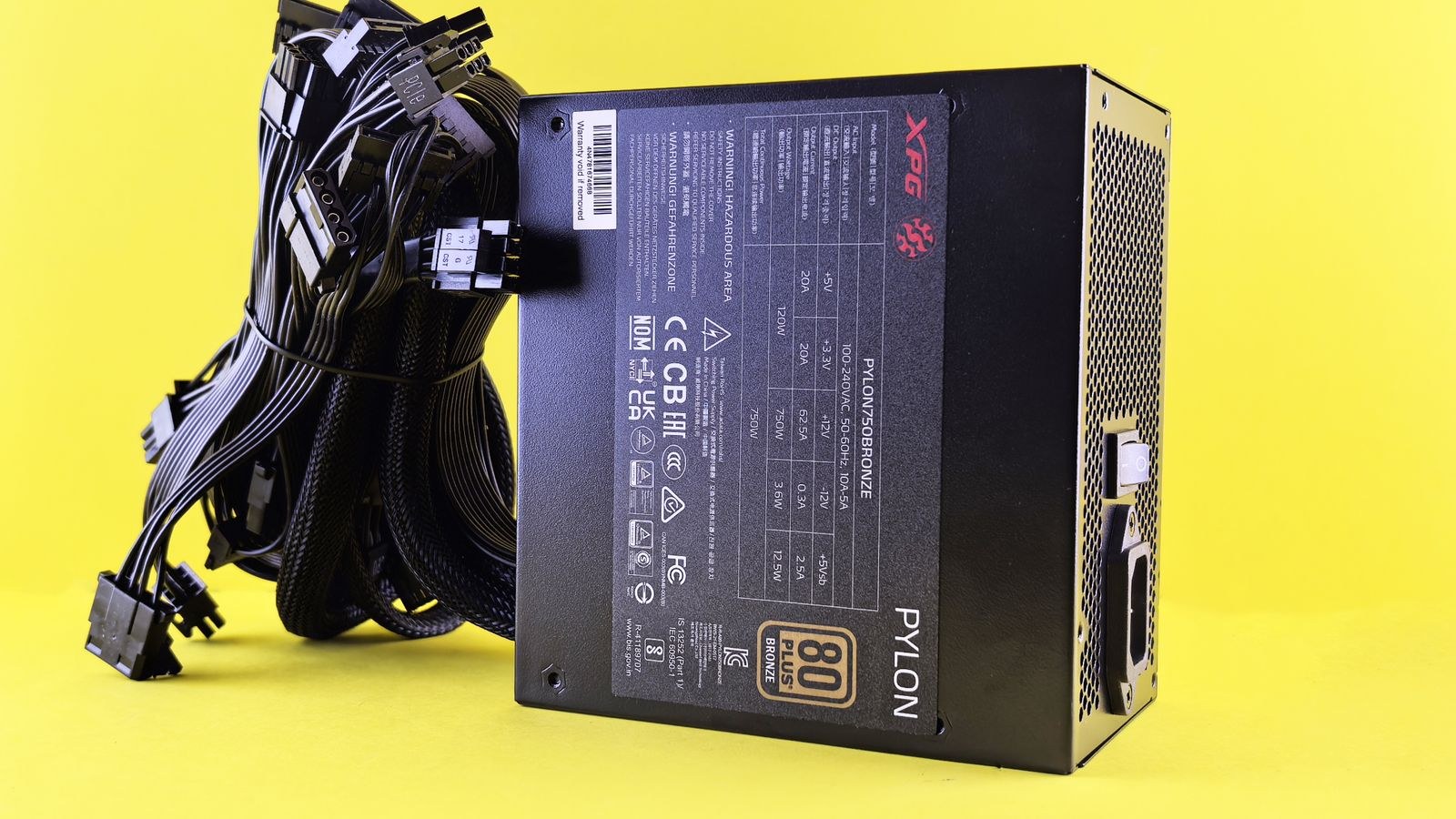
What the 80 Plus Certification Actually Measures
80 Plus is a voluntary certification program that tests how efficiently a power supply converts the alternating current (AC) from your wall outlet into the direct current (DC) your components need. No conversion is perfect. Some energy is always lost as heat during the process. Efficiency is simply the ratio of usable DC power that comes out versus the AC power that goes in.
The name comes from the baseline requirement: to earn any 80 Plus badge, a unit must be at least 80 percent efficient at three defined load points. In practice that means for every 100 watts pulled from the wall, at least 80 watts reach your hardware and no more than 20 watts is wasted as heat. Higher tiers push that efficiency figure up, so less energy is lost and less heat is dumped into your room.
Crucially, the badge is not a measure of wattage, build quality, cable count, or safety on its own. A 550-watt Bronze unit and a 550-watt Gold unit deliver the same amount of power to your PC. The difference is how much extra electricity the wall has to supply to make that happen, and how much heat is produced along the way.
The Testing Load Points That Define Each Tier
Efficiency is not a single number because a power supply behaves differently depending on how hard it is working. The program tests at defined percentages of the unit’s rated capacity, typically 10 percent, 20 percent, 50 percent, and 100 percent load. A supply usually hits its peak efficiency somewhere around the 50 percent mark, which is a big reason experienced builders like to size a unit so that typical usage lands near the middle of its range.
There are also two testing standards worth knowing about. The older 115V “internal” standard is used for typical North American home outlets, while the 230V “internal” standard (used in Europe and for redundant server supplies) allows for slightly higher efficiency numbers at the same tier. When you compare badges, make sure you are comparing units tested on the same voltage standard, or the percentages will not line up.
Bronze to Titanium: The Tiers Explained
Here is where the ranking becomes useful. Each step up the ladder squeezes a few more percentage points of efficiency out of the same job. The gains look small on paper, but they compound over years of use. These figures reference the common 115V desktop testing standard at the 50 percent load point, which is the most representative for a typical build.
- 80 Plus (White): Roughly 80 percent efficient across the load range. The bare minimum, increasingly rare on quality units.
- Bronze: Around 82 to 85 percent efficient. The value workhorse tier, and the floor most enthusiasts recommend.
- Silver: Around 85 to 88 percent. An awkward middle tier that has largely been squeezed out by cheap Gold units.
- Gold: Around 87 to 90 percent. The sweet spot for the majority of gaming and workstation builds.
- Platinum: Around 89 to 92 percent. A meaningful step up for high-draw, always-on systems.
- Titanium: Around 90 to 94 percent, and the only tier that also certifies efficiency at the demanding 10 percent load point. The premium ceiling.
Notice that the jump from Bronze to Gold is larger and cheaper than the jump from Gold to Titanium. That diminishing return is the single most important thing to understand when you decide how much to spend. If you want to see how the top tiers perform in real builds, our roundups of the best 80 Plus Gold power supplies and the best 80 Plus Platinum PSUs break down the standout models.
What Higher Efficiency Actually Buys You
A better badge changes three things you can feel and measure: your power bill, the heat inside your case, and the noise from the fan.
Lower running cost
Wasted watts show up on your electricity bill. The difference between an 85 percent and a 92 percent unit might only be 15 to 25 watts under a heavy gaming load, but a system that runs many hours a day, every day, turns those watts into real money over the life of the unit. For a machine that idles most of the time, the savings are smaller.
Less heat and quieter operation
Every watt that is not converted to useful power becomes heat inside the power supply. A more efficient unit generates less internal heat, which means its fan can spin slower or, on many premium models, stay completely off under light loads. Less heat exhausted from the PSU also means slightly cooler air overall in your case. For a small or quiet-focused build, this can matter more than the electricity savings.
A rough proxy for quality
Manufacturers rarely pair a Titanium-rated platform with bargain-bin capacitors and flimsy protections. Higher tiers usually come on better-engineered platforms with tighter voltage regulation, better components, and longer warranties. The badge does not guarantee quality, but higher tiers correlate with it. When efficiency is a genuine priority, browse the best 80 Plus Titanium power supplies to see what the ceiling looks like.
Why the Badge Is Only Half the Story
An 80 Plus badge tells you about efficiency and nothing else. It says nothing about whether the unit uses quality Japanese capacitors, how good its voltage ripple suppression is, whether it has proper over-current and short-circuit protection, or how quiet the fan really is. Two Gold units can behave very differently under stress.
This is why enthusiasts rely on independent reviews and reputable OEM platforms rather than the badge alone. A well-built Bronze unit from a trusted brand can be a safer choice than a Gold unit from an unknown one. Treat the badge as a starting filter, then look at protections, warranty length, and real-world testing. Our guide to the best high-efficiency PSUs weighs those factors together rather than looking at the sticker in isolation.
Sizing and Load: The Efficiency Curve Trap
Because efficiency peaks near the middle of a unit’s range and drops off at very low loads, buying a wildly oversized power supply can actually hurt real-world efficiency. If you install a 1000-watt unit in a system that only draws 250 watts while gaming, you are running at 25 percent load, well below the efficiency sweet spot, and you paid a premium for capacity you never touch.
A sensible approach is to estimate your peak system draw, add a comfortable buffer for transients and future upgrades, and choose a wattage where your typical load lands in the 40 to 60 percent range. This keeps you in the efficient zone and leaves headroom for a bigger graphics card later. Gamers building around a hungry GPU should look at the best PSUs for gaming to match wattage and efficiency to their hardware.
Which Tier Should You Actually Buy?
Here is the practical recommendation once you cut through the marketing.
- Budget and office builds: A quality Bronze unit is perfectly fine. The efficiency gap from Gold is small at these low power levels and rarely justifies the price bump.
- Mainstream gaming and workstations: Gold is the default sweet spot. It is widely available, often barely more expensive than Bronze, and offers a strong balance of efficiency, quiet operation, and platform quality.
- High-power, always-on rigs: Platinum earns its keep if your machine draws a lot of power for many hours a day, where the efficiency savings and reduced heat add up.
- Silent builds and no-compromise systems: Titanium delivers the best efficiency and often the best fan behavior, but you pay a steep premium for the last few percentage points. Buy it because you want the platform and silence, not because the power savings alone justify it.
For the overwhelming majority of people building a PC this year, the honest answer is Gold. It captures most of the meaningful efficiency gains, comes on well-engineered platforms, and avoids the diminishing returns of the top tiers.
Frequently Asked Questions
Does a higher 80 Plus rating give my PC more power?
No. A 650-watt Bronze and a 650-watt Gold both deliver 650 watts to your components. The rating only affects how much energy is wasted as heat during conversion, not how much power reaches your hardware.
Is 80 Plus Titanium worth the extra money?
For most people, no. Titanium offers the best efficiency, but the improvement over Gold or Platinum is small in percentage terms and expensive. It makes sense for silent builds, extremely high-draw systems, or buyers who simply want the best platform available.
Will a Gold PSU lower my electricity bill noticeably?
It depends on how hard and how often you run the system. Heavy, all-day workloads see real savings over the years; a lightly used office PC will see very little. The bigger everyday benefit for most users is less heat and a quieter fan.
Can I trust the 80 Plus badge as a sign of a good PSU?
Only partly. The badge certifies efficiency, not build quality, protections, or fan noise. Use it as a filter, then confirm with the warranty length, the OEM platform, and independent reviews before you buy.
Final Thoughts
The 80 Plus ladder is a genuinely useful shorthand, as long as you remember what it does and does not measure. It ranks how efficiently a unit turns wall power into computer power, which translates into lower running costs, less heat, and quieter operation as you climb the tiers. What it will not tell you is whether the unit is safe, quiet, or well built, so the badge should guide your shortlist rather than make the final decision. For the vast majority of builds, a reputable Gold unit sized so your normal load sits near the middle of its range hits the ideal balance of price, efficiency, and quality. Spend the money you save on the components that actually change how your PC performs.









