
 Owen Bradley
 A kitchen timer is one of the cheapest tools in the house and one of the few that genuinely changes how food turns out. Pasta that sits ninety seconds too long goes soft, bread that comes out five minutes early stays gummy in the middle, and a roast that overruns by ten minutes loses the juices you spent an hour building. The choice most cooks face is simple on the surface and surprisingly nuanced underneath: a mechanical wind-up dial or a digital countdown unit. This buying guide breaks down how each type works, where each one shines, what specifications actually matter, and how to match a timer to the way you really cook, so the model you bring home in 2026 still earns its place on the counter years later.
How Mechanical and Digital Kitchen Timers Actually Work
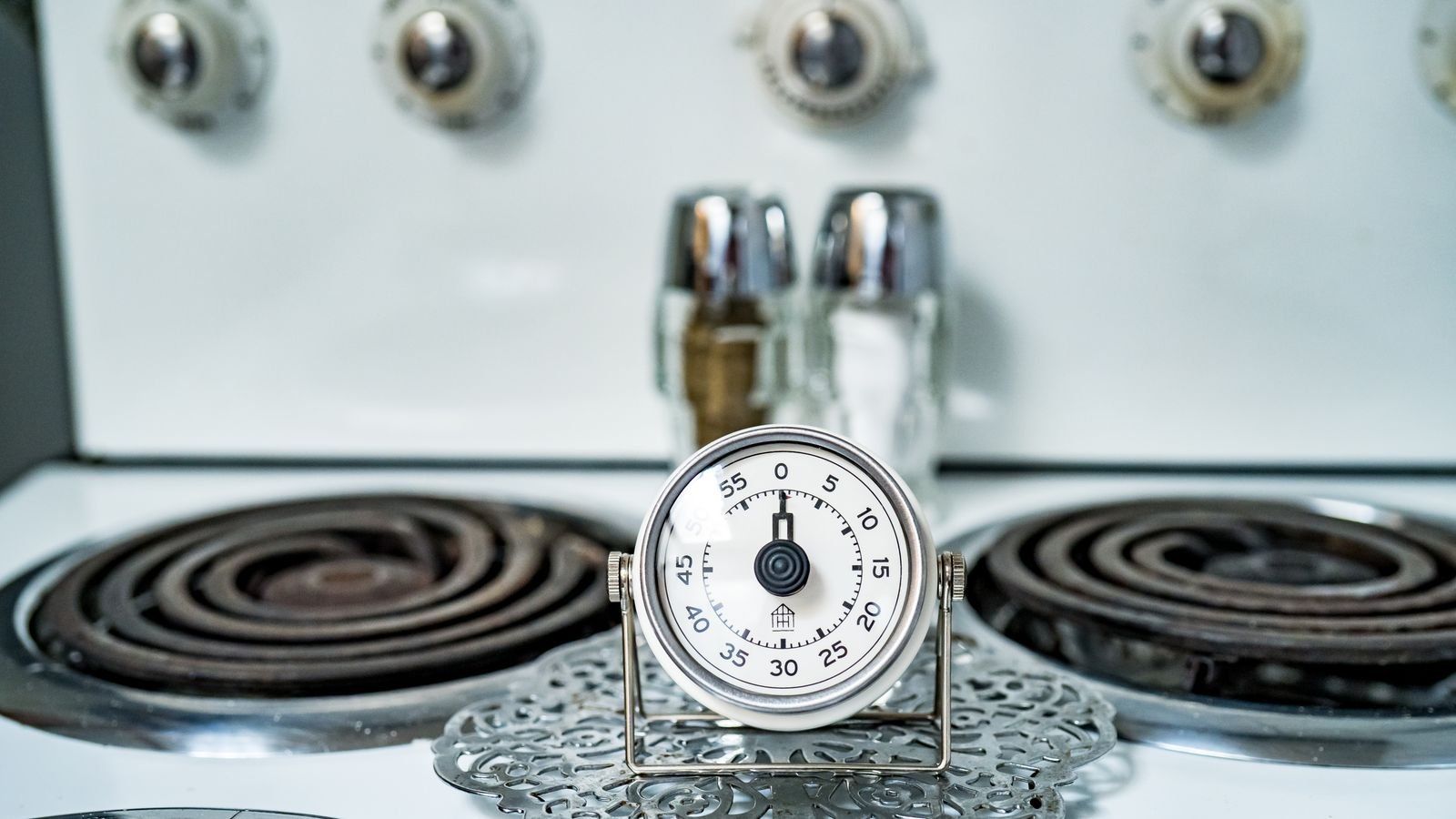
A mechanical timer is a small clockwork machine. Twisting the dial winds a coiled spring, and as that spring unwinds it drives a gear train at a controlled rate. When the gears return to zero, a hammer strikes a bell. There is no circuit, no display, and nothing to charge. The entire mechanism is visible in cross-section if you ever take one apart, and that mechanical simplicity is exactly why these timers have survived unchanged for the better part of a century.
A digital timer counts oscillations from a quartz crystal, exactly as a wristwatch does, and drives a small LCD or LED display plus a piezo buzzer. Because the counting is electronic, it can measure seconds precisely, run multiple countdowns at once, count up as well as down, and remember the last interval you used. The trade-off is that it needs a battery, has buttons that can wear or gum up, and depends on a display that can fade or crack.
Neither approach is objectively better. They fail differently, they are accurate differently, and they suit different kitchens. Understanding those differences is most of the buying decision.
Accuracy: What the Numbers Really Mean
Digital timers win outright on precision. A quartz-driven countdown is accurate to well under a second across an hour, and it starts at exactly the value you entered. If you are brewing pour-over coffee, blanching green beans, or timing a soft-boiled egg where thirty seconds separates runny from chalky, that precision is worth paying for.
Mechanical timers are typically accurate to within a minute or two over a thirty-minute run, and their error grows at the short end. Almost every wind-up dial is noticeably imprecise below about five minutes, because the spring tension at the start of the wind is different from the tension near the end. The classic workaround is to wind the dial well past your target and then turn it back to the mark, which loads the spring evenly. That trick alone removes most of the short-interval error.
For roasting, braising, proofing dough, and simmering, mechanical accuracy is entirely sufficient. Nobody has ever ruined a pot roast because the timer rang ninety seconds late. Precision matters at short intervals, and short intervals are where digital pulls decisively ahead.
The Alarm: Loudness, Tone and Persistence
This is the specification buyers underestimate most and complain about most afterward. A timer that rings where you cannot hear it is a timer that has failed.
- Mechanical bells produce a single sharp ring lasting a couple of seconds. It carries well through a noisy kitchen because the frequency sits in a range that cuts through extractor fans and running water, but it does not repeat. Walk into another room and you will miss it.
- Digital buzzers are usually quieter per pulse but repeat continuously until dismissed, which makes them far better if you leave the kitchen. Cheap units use a thin piezo tone that gets lost under a range hood on high.
- Volume control appears on better digital models, often with a low, medium and high setting. Households with sleeping children or shift workers rate this highly.
- Vibration or flashing alerts matter for anyone with hearing loss, and only digital units offer them.
If you cook with the extractor fan running or with music on, prioritize alarm volume over almost every other feature. Reviews that mention hearing the alarm from an adjacent room are worth more than any spec sheet claim.
Choosing the Right Type for Your Kitchen
The honest answer is that many serious cooks own both. A wind-up dial lives by the oven for long bakes, and a multi-channel digital unit handles the four things happening simultaneously on the stovetop. If you are buying one, though, use the tasks you actually perform as the deciding factor.
Choose mechanical if you bake and roast more than you saute, if you dislike replacing batteries, if you want something a child or an older relative can operate without instructions, or if you want a timer that will still work after a decade in a drawer. Our roundup of the best mechanical kitchen timers covers the models with the most reliable bells and the smoothest dial action.
Choose digital if you regularly time several dishes at once, if you cook short-interval items where seconds count, if you want a magnetic back to stick to the range hood, or if you need a memory function for a recipe you repeat weekly. The best digital timers comparison walks through display size, channel count and alarm loudness across the current field.
Features Worth Paying For
Prices in this category run from a few dollars to well past $40, and the jump is not always justified. These are the features that reliably earn their premium.
- Multiple channels. Three or four independent countdowns on one device replaces a cluster of separate timers and keeps the counter clear. Look for clearly labelled channels so you know which one just went off.
- Count-up mode. Essential for anything you monitor rather than schedule, such as tracking how long a sauce has been reducing or how long meat has rested.
- Magnetic back plus a stand plus a clip. The triple mount is common on better digital units and means the timer works on a steel fridge, a stone counter or an apron pocket.
- Large digits. A display you can read at arm’s length across a kitchen is genuinely useful and a common complaint when it is missing.
- Sealed or splash-resistant buttons. Kitchens are wet places and flour, oil and steam kill cheap membrane keypads first.
- Memory recall. One button to reload the last interval saves real time if you cook the same items repeatedly.
Features that rarely justify their cost include Bluetooth connectivity for a device that already sits an arm’s length away, novelty shapes that make the dial harder to grip, and touchscreens that fail when your hands are greasy.
Build Quality and Materials
Mechanical timers come in painted steel, stainless steel and plastic bodies. Stainless resists the heat and steam near a hob and wipes clean, but it can be slippery to grip with wet hands. Painted steel looks better on an open shelf and chips over time. Plastic is the lightest and cheapest, and it is also the type most likely to slide off a counter when the bell hammers.
On digital units, look at the battery compartment first. A screwed door is a good sign; a snap-fit cover that has to be prised with a knife will eventually break. Check whether the unit takes a common cell such as AAA or a coin cell, and whether replacements are easy to source locally. Check the stand too. A folding wire kickstand is far more durable than a moulded plastic tab.
Budget Tiers: What You Get at Each Price
Under $15 you get a functional single-channel timer of either type. Mechanical units at this price ring properly but may be imprecise at short intervals. Digital ones work but tend to have small displays, quiet buzzers and flimsy stands.
Between $15 and $30 sits the sweet spot for most households. Mechanical timers here have smooth dials, steel bodies and a bell you can hear across the house. Digital units gain multi-channel countdowns, larger displays, volume settings and better mounting hardware.
Timers Beyond the Kitchen
Once you start timing tasks deliberately, the habit spreads. Many households find the same countdown logic useful for lighting, appliances and seasonal decorations, which is where plug-based and switch-based timers come in. A countertop timer tells you when to act; a plug-in timer acts for you.
If you want lamps or small appliances to run on a schedule rather than a reminder, the best outlet timers handle simple daily on-off cycles at the socket. For appliances you want to control from a phone or a voice assistant, the best timer plugs add scheduling with app control. And for bedside and living room fixtures specifically, the best lamp timers cover the compact units designed for lighting loads.
Common Mistakes to Avoid
- Buying on looks alone. A beautiful timer with a weak alarm gets replaced within a month. Decide on function first and aesthetics second.
- Ignoring short-interval accuracy. If you make coffee, tea or eggs daily, a mechanical dial will frustrate you unless you learn the over-wind-then-back trick.
- Overlooking button feel. Digital timers with stiff, unresponsive buttons are miserable to set when a pan is already on the heat.
- Placing a magnetic timer on the hob surround. Direct heat degrades LCDs and batteries quickly. Mount on the fridge or the range hood side instead.
- Buying a single channel when you cook multi-component meals. One countdown for a three-dish dinner means constant mental arithmetic.
Care, Maintenance and Longevity
Mechanical timers need almost nothing. Keep them out of standing water, avoid winding backwards past zero, and do not leave the spring fully wound for months at a time. If the ring becomes weak or muffled, it is usually because grease has found its way onto the hammer, and a careful clean with a cotton bud restores it.
Digital timers benefit from removing the battery if the unit will sit unused for a long period, since leaking cells destroy contacts. Wipe the keypad rather than spraying it, and never submerge a unit that is not explicitly rated for it. If the display starts fading in sections, the fault is nearly always a failing battery or a corroded contact rather than the screen itself, and cleaning the terminals with a pencil eraser often revives it.
Frequently Asked Questions
Are mechanical kitchen timers accurate enough for baking?
Yes, for almost everything above five minutes. Bread, cakes, roasts and casseroles all tolerate a minute of drift without any noticeable difference. The exception is short, precise work such as candy stages or soft-boiled eggs, where a digital countdown is the safer tool.
How many timer channels do I actually need?
Two covers most weeknight cooking, three covers a full meal with a main and two sides, and four is genuinely useful only for holiday cooking or serious batch prep. Beyond that, channels tend to go unused and simply add buttons.
Do digital kitchen timers keep running if the battery dies mid-count?
No. When power drops, the countdown is lost and the display clears. This is the strongest argument for keeping a mechanical timer as a backup for long, unattended bakes, since a wound spring cannot lose power.
Why does my mechanical timer ring early on short settings?
Spring tension is uneven across the dial’s travel. Winding the dial to a longer interval first, then turning it back to your target, evens the tension and dramatically improves short-interval accuracy.
Is a magnetic back worth insisting on?
If you have a steel fridge or range hood, yes. It keeps the counter clear, puts the timer at eye level, and stops the unit being knocked into the sink. Just confirm the magnet is strong.
Final Thoughts
The mechanical versus digital debate has no universal winner, only a better match for your habits. If your cooking is dominated by oven work and you value something that never needs a battery and never needs reading glasses, a well-made wind-up dial will serve you for decades. If you juggle several pans, care about seconds, or want an alarm that keeps sounding until you acknowledge it, a multi-channel digital unit is the more capable tool. Set a realistic budget in the $15 to $30 range, prioritize alarm volume and ease of setting over gimmicks, and pick the type that matches the food you cook most often rather than the food you imagine cooking. Done that way, a timer costing less than a single takeaway meal will quietly improve every dish you make.









