
 Owen Bradley
 A subwoofer that hums is one of the most irritating faults in home audio, because the noise never stops and never quite loud enough to blame on anything obvious. It sits underneath the silence between tracks, ruins quiet film scenes, and gets worse the moment you turn the gain up. The good news is that almost every case traces back to one of four causes: a ground loop between components, interference picked up by an unshielded cable, a gain or connection mismatch, or a failing power supply inside the sub. This guide walks through a systematic set of swap tests that isolate the source in minutes rather than hours, then explains the permanent fix for each one.

Hum Versus Buzz: Identify the Noise First
The character of the noise narrows the diagnosis before you touch anything. A low, smooth hum sits at your mains frequency, 60Hz in North America or 50Hz elsewhere, and almost always points to a ground loop. A harsher buzz contains higher harmonics and usually indicates either a lighting dimmer on the same circuit, a cheap switching power supply nearby, or a mechanical rattle in the cabinet itself.
Listen with your ear close to the driver and then close to the port. If the noise clearly comes out of the driver, it is electrical. If it seems to come from the cabinet joints, a grille clip, or a loose object on a nearby shelf, you have a mechanical rattle and no amount of cable work will help.
Tools You Will Need
- A spare RCA interconnect, ideally a different one from the cable currently in use.
- A cheater extension lead so you can temporarily power the sub from a different outlet.
- A ground loop isolator, inexpensive and the standard permanent fix for a genuine loop.
- A torch for inspecting terminals, and a screwdriver for tightening driver and grille fixings.
- Optionally a multimeter to confirm outlet wiring and ground continuity.
Step 1: Confirm the Noise Is Not the Room or the Source
- Mute the source device entirely, or better, disconnect it from the receiver.
- Leave the subwoofer powered and connected to the receiver, and listen again.
- If the hum persists with no signal playing, the noise is being generated downstream of the source, so ignore the media player, streamer or turntable for now.
- If the hum vanishes, the fault lies with that source component or its cabling, and you can concentrate there.
This one-minute test eliminates half of all possibilities and stops you rewiring an entire system for a fault that lives in a single cheap streaming box.
Step 2: The Isolation Test That Finds Ground Loops
A ground loop occurs when two connected devices reach earth by different paths, creating a small voltage difference that appears as current in the signal ground of the interconnect. Your sub then amplifies that current as a steady hum.
- With the subwoofer powered on, unplug the RCA cable from the sub’s line input.
- If the hum stops immediately, the noise is arriving through the signal cable and you have a ground loop or a shielding problem.
- If the hum continues with nothing connected to the input, the noise originates inside the sub’s own amplifier or power supply.
- Next, keep the RCA connected but plug the subwoofer into the same outlet or power strip as the receiver.
- If the hum disappears, you have confirmed a ground loop caused by two separate outlets on different circuits.
The permanent fix is to put every component of the system on a single outlet or a single conditioned strip, so all devices share one earth reference. Where a long run makes that impractical, fit a ground loop isolator inline on the subwoofer cable. Do not defeat the earth pin with a two-prong adapter; it silences the hum by removing a safety ground and is genuinely dangerous.
Step 3: Check Cable Routing and Quality
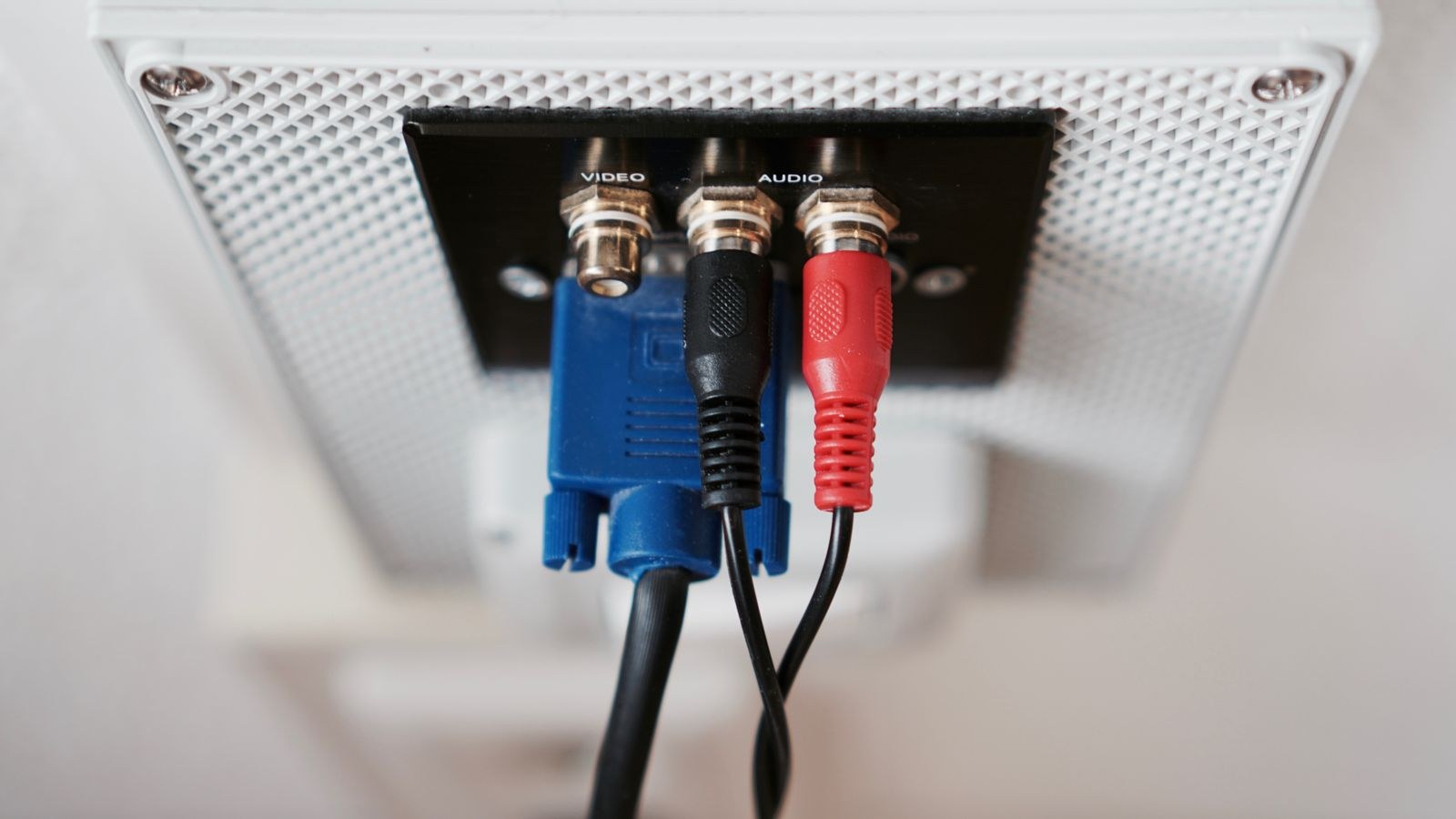
Subwoofer cables carry a low-level signal over long distances, which makes them excellent antennas. Run one alongside a mains lead for 15 feet and it will pick up mains hum by induction alone, no ground loop required.
- Separate the subwoofer interconnect from every power cable by at least a few inches along its whole length.
- Where they must cross, cross at 90 degrees rather than running parallel.
- Use a properly shielded coaxial subwoofer cable rather than a generic thin RCA lead.
- Keep the cable away from wall-wart transformers, router power bricks, and fluorescent or LED driver units.
- Swap in your spare interconnect as a test; a cracked shield inside an old cable causes exactly this symptom.
If the noise changes as you move the cable around, you have found it. Reroute permanently rather than leaving the cable draped where it happened to sound best.
Step 4: Look at Gain Structure and Level Settings
A subwoofer amplifier running near maximum gain amplifies its own noise floor along with the music. If your receiver’s sub output is set low and the sub’s own gain knob is cranked to compensate, you are deliberately turning up the hiss and hum.
Reset the balance instead. Set the sub’s gain knob to roughly the halfway position, then raise the subwoofer channel level in the receiver until the bass matches the main speakers. That order keeps the amplifier operating in its quiet range while still delivering the output you want. If your sub simply cannot reach a satisfying level at moderate gain, it is undersized for the room, and the pairings in our best speakers with subwoofer comparison show what a properly matched system looks like.
Auto-On Sensitivity
Many subs have an auto-standby circuit that wakes on signal. Set too sensitively, it can chatter on and off or leave the amp half-awake, producing intermittent hum. Try switching the sub to always-on for a few days to see whether the noise pattern changes.
Step 5: Rule Out Dimmers and Other Circuit Noise
Light dimmers, variable-speed motors, aquarium pumps, and inexpensive LED drivers all inject harmonic noise onto a household circuit, and that noise shows up as a buzz rather than a smooth hum. Test by turning off every dimmer and switching lights fully on or fully off. If the buzz drops away, the dimmer is the offender.
Solutions range from replacing the dimmer with a better-quality unit to moving the audio system to a different circuit entirely. Where the outlet itself is the weak point, our guide to the best power outlets covers the receptacle types that hold a plug securely and support a clean, dedicated feed for audio gear.
Step 6: Inspect for Mechanical Rattles
Not every buzz is electrical. Play a bass sweep at moderate volume and listen carefully.
- Press gently on the grille and each cabinet panel; if the buzz stops under pressure, tighten the fixings.
- Check the driver mounting bolts, which loosen over years of vibration, and snug them in a star pattern.
- Remove ornaments, remote controls and glassware from nearby shelves, which rattle sympathetically at specific frequencies.
- Slide the sub a few inches off any hollow floor cavity or loose floorboard.
- Fit isolation feet or a dense pad if the sub is transmitting energy directly into a suspended floor.
Step 7: Test the Subwoofer in Isolation
If nothing so far has helped, take the sub to a different room, plug it into a different circuit, and connect nothing to its input. A completely isolated sub that still hums has an internal fault, typically ageing power supply capacitors or a failing plate amplifier. A sub that goes silent in the new room proves the problem lives in your original setup, so return and work through the mains and cabling again.
Plate amplifiers are frequently the first part of a subwoofer to fail, and replacement modules are available for many models. Where a repair is not economic, an external amplifier feeding a passive driver is a durable alternative, and the options in our best amplifier for speakers roundup outline what to look for.
Safety Notes
Never open a subwoofer’s amplifier plate while it is plugged in. Power supply capacitors hold a dangerous charge long after the unit is switched off, and there is no user-serviceable part behind that panel for most owners. Never remove or bypass the earth pin on a mains plug to cure hum. If a multimeter shows an outlet is wired with reversed polarity or a missing ground, stop and call an electrician rather than working around it.
Common Mistakes
- Buying an expensive replacement cable before running the unplug test that proves the cable is even involved.
- Using a ground-lift adapter, which trades a safety earth for silence.
- Turning the sub gain to maximum and blaming the sub for the resulting noise floor.
- Assuming a buzz is electrical without checking grille clips and driver bolts first.
- Testing changes at different volume levels, which makes results impossible to compare.
Frequently Asked Questions
Why does my subwoofer only hum when the TV is on?
That pattern points to a ground loop through the cable or satellite feed, which carries its own earth. A coaxial ground loop isolator on the aerial lead usually clears it completely.
Is a small amount of hum normal?
A faint hiss audible with your ear at the driver is normal for any powered amplifier. Anything you can hear from the listening seat is not, and it is worth chasing down.
Will a power conditioner fix hum?
Sometimes, because a conditioner gathers everything onto one earth reference. It will not help if the noise is induced into a badly routed cable or generated inside the sub.
Does a wireless subwoofer kit avoid the problem?
It removes the signal cable and therefore the loop through it, but the sub still needs mains power, so a supply-side ground loop can persist. It is a useful test tool rather than a guaranteed cure.
Can room placement cause buzzing?
Placement will not create electrical noise, but a corner position can excite panels, floorboards and loose fittings enough to produce audible rattles that sound like a fault. Deep-bass models like those in our best speakers with high bass guide are especially good at finding every loose object in a room.
Final Thoughts
Work the tests in order and you will rarely need more than fifteen minutes: silence the source, unplug the input, move everything to one outlet, reroute the cable away from mains, then reset gain structure sensibly. Ground loops cause the majority of cases and a single shared outlet or an inline isolator solves them permanently. If the sub still hums alone in an empty room on a different circuit, the amplifier itself needs attention. Whichever cause you land on, resist the temptation to defeat the safety earth, and check the best home theater speakers pairings if you conclude the sub was never a good match for the rest of the system.









