
 Owen Bradley
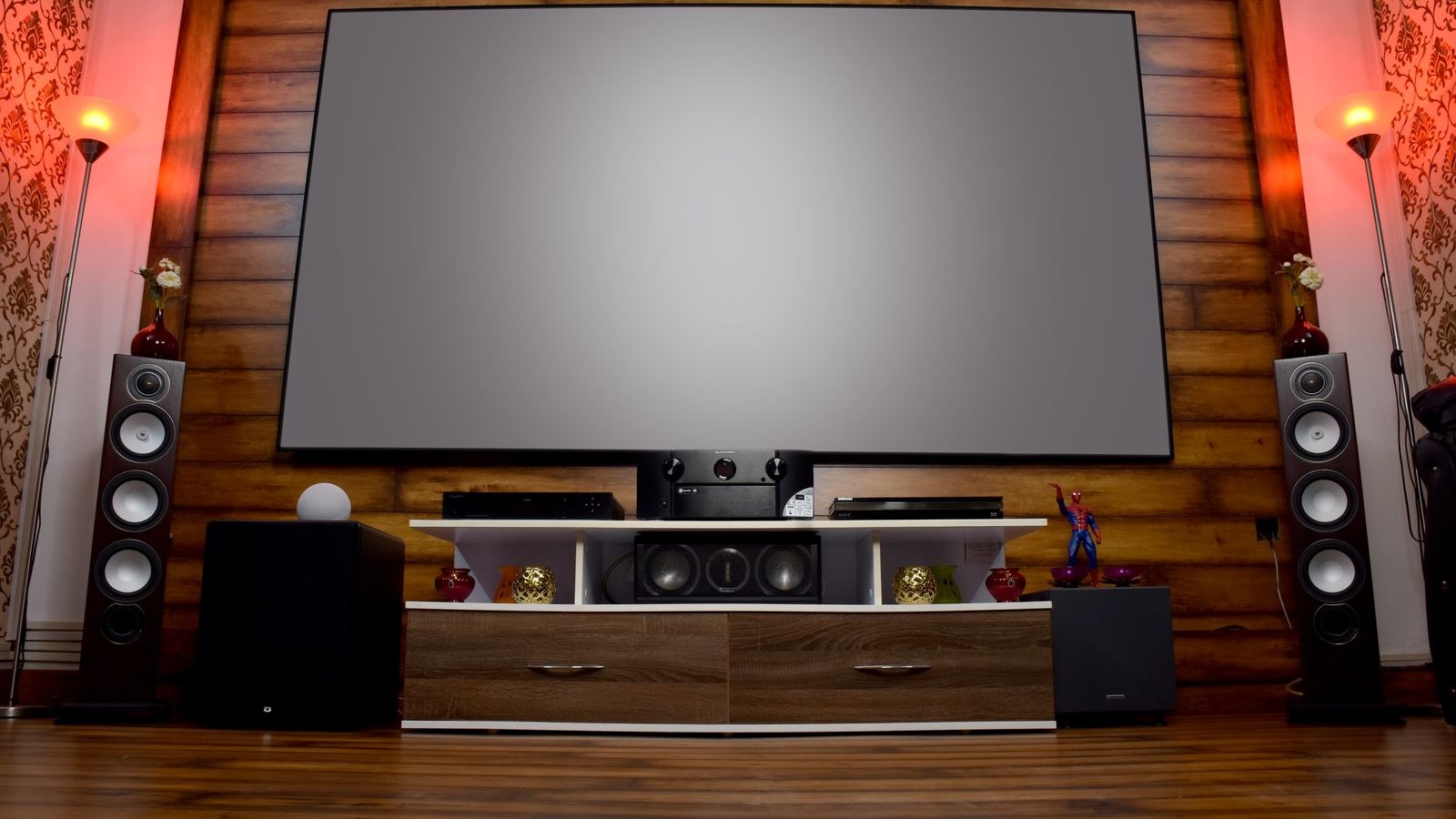
 Most subwoofers arrive sounding either bloated or invisible, and both problems come down to the same two controls: crossover and phase. Get them right and the sub disappears as a separate object, leaving one seamless soundstage where bass simply extends downward from the main speakers. Get them wrong and you either hear a boomy lump around 80Hz or a hollow gap where the lowest notes of a bass guitar should be. The subwoofer crossover setting decides which frequencies go where, and phase decides whether the sub and the mains push air together or fight each other. This guide shows how to dial both in by ear at the main listening seat, with no measurement microphone required.
What the Crossover Control Actually Does
The crossover is a frequency divider. Everything below the crossover point is sent to the subwoofer, everything above goes to the main speakers. Two filters are involved: a low-pass filter on the sub and a high-pass filter on the mains. The aim is for the two curves to overlap smoothly so their combined output is flat through the handover region.
Because the filters are gentle slopes rather than brick walls, a sub set to 80Hz still produces useful output above that, and mains set to 80Hz still produce some output below it. That overlap is why the setting is a starting point rather than an exact answer, and why a small adjustment either way audibly changes the balance.
What Phase Does and Why It Matters
Phase describes the timing relationship between the sub and the mains at the frequencies they both reproduce. Because your sub sits in a different location from your main speakers, its output arrives at your ears at a slightly different moment. Where the two are out of step in the crossover region, they cancel, and you lose exactly the band you were trying to reinforce.
Most subs offer either a 0 or 180 degree switch, or a continuously variable dial. Neither setting is inherently correct; the right one depends entirely on your sub position, your seat, and your crossover point. It is decided by listening, not by rule.
Before You Start: Set the Foundations
- Position the sub first. Corner placement gives maximum output but often the least even response; a position along the front wall between the mains is a good compromise.
- Set the sub’s own internal low-pass filter to bypass or LFE if your receiver is handling bass management, so you are not stacking two filters.
- Set the sub gain to around the halfway mark and adjust the level in the receiver rather than on the sub.
- Turn off any room correction and any bass boost or loudness contour while you tune.
- Choose two or three familiar tracks with real bass content and a film scene you know well.
Step 1: Choose a Starting Crossover Frequency
Set the crossover roughly 10Hz above the point where your main speakers start rolling off. Manufacturers publish a frequency response range, and the low figure is the useful guide.
- Small satellites and compact speakers: 120Hz or higher.
- Standard bookshelf speakers: 80Hz is the near-universal starting point.
- Large bookshelves or small towers: 60 to 70Hz.
- Full-range floorstanders: 40 to 60Hz, or leave them full-range and let the sub cover only the lowest octave.
The 80Hz convention exists for a reason: bass below that frequency is hard to localise, so the sub stays acoustically invisible. Push the crossover above about 100Hz and you begin to hear the sub as a separate source, especially with male voices. Compact models such as those in our best bookshelf speakers guide almost always sound best crossed at 80Hz rather than run full-range.
Step 2: Set Level Before You Judge Anything Else
Crossover and phase are impossible to judge if the sub is simply too loud. Play a track with steady, repeating bass and set the sub level so the bass sounds equal in weight to the midrange rather than dominant. A good check is to walk out of the room; if you can clearly hear bass through the wall but little else, the level is too high.
Aim slightly lower than feels exciting at first. Over-set bass fatigues quickly and masks detail, and it also hides the phase cancellation you are about to hunt for.
Step 3: Find the Right Phase by Listening
- Sit in your main listening seat, not on the floor beside the sub.
- Play a piece of music with a repeating bass line, ideally a loop of a few seconds.
- Flip the phase switch from 0 to 180 and listen to the same passage in both positions.
- Choose whichever setting sounds fuller and more solid through the crossover region. The difference is usually obvious once you know to listen for it.
- If your sub has a variable phase dial, step through it in 45 degree increments and settle on the loudest, most connected result.
The counterintuitive part is that the correct setting is simply the louder one. Cancellation removes energy, so the position with more bass is the position where sub and mains are working together. Ask someone else to flip the switch while you listen if you cannot reach it from the seat.
When Neither Phase Setting Sounds Right
If both positions sound equally mediocre, the problem is usually placement rather than phase. Move the sub 12 to 18 inches along the wall and repeat the test. Small position changes alter the room modes far more than any control on the back panel.
Step 4: Fine-Tune the Crossover by Ear
With phase settled, revisit the crossover in small steps. Listen for two specific faults.
- A thick, one-note quality around the upper bass means the crossover is too high and the sub is duplicating what the mains already do well. Lower it by 10Hz.
- A thin, disconnected sound with a gap between the bass and the midrange means the crossover is too low and neither speaker is covering that band properly. Raise it by 10Hz.
- Male voices sounding chesty or boxy is the classic sign of a crossover set above 100Hz.
- Bass that seems to come from the corner rather than the screen also indicates the crossover is too high.
Change one thing at a time and always return to the same passage. Systems built around packages like the best 5.1 speakers sets usually settle quickly at 80Hz once phase is right.
Step 5: Verify With Real Content
Test tones tell you about steady state; music and film tell you about the result. Run a bass sweep first to check there is no obvious hole or peak, then move to a well-recorded acoustic bass, a kick drum, and a film scene with sustained low-frequency effects. Bass should feel like it comes from the front of the room, start and stop cleanly, and never call attention to the sub as a separate box.
Walk around the room briefly. Bass will always vary from seat to seat, but the main listening position is the one that matters, so trust what you hear there rather than trying to please every chair.
Step 6: Recheck After Any Change
Moving the sub, moving the mains, adding furniture, or changing the receiver all shift the acoustic timing that phase depends on. Any of those changes is a reason to repeat the phase flip test, which takes under two minutes. Speakers with strong low-end capability, like those covered in the best speakers with high bass guide, need this recheck most, because they overlap the sub across a wider band.
Common Mistakes
- Leaving both the sub’s internal low-pass and the receiver’s crossover active, stacking two filters and creating a suckout.
- Tuning while kneeling next to the sub instead of sitting in the listening seat.
- Setting the crossover far above 100Hz with small speakers and then wondering why the sub is audible as a separate source.
- Judging phase with the sub level far too high, which masks the cancellation you are trying to hear.
- Assuming 0 degrees is correct because it is the default.
Frequently Asked Questions
Should I set the crossover on the sub or on the receiver?
Use the receiver whenever it offers bass management, and set the sub’s own filter to bypass or LFE. Doing both creates a steeper slope than intended and a dip in the handover region.
Is 80Hz always the right answer?
It is the best default for most speakers and the reason it appears as a standard. Small satellites need higher, large towers can go lower, but 80Hz is where you should start every time.
Does phase matter if my sub is right next to the mains?
Yes, though the difference is usually smaller. Cabinet design and internal filtering both introduce delay, so the correct setting is still worth confirming by ear.
What if my receiver has a delay or distance setting for the sub?
Distance compensation is a more precise form of the same adjustment. Set the measured distance first, then use the phase control to fine-tune what remains.
Do two subwoofers make tuning easier?
Two subs even out room modes considerably, giving more consistent bass across seats. Tune them to matching phase and level, and integration with matched pairings such as the best speakers with subwoofer combinations becomes noticeably simpler.
Final Thoughts
Integration is a sequence, not a single knob. Place the sub, disable duplicate filters, set a sane level, flip phase and keep whichever sounds fuller, then nudge the crossover in 10Hz steps until voices are clean and the bass connects smoothly to the midrange. Verify with music and film from the seat you actually use, and repeat the phase check whenever anything moves. Done properly, the result is bass you feel rather than locate, and a system that sounds like a whole rather than a set of parts. If you are still assembling the room, the best home theater speakers guide covers matched sets that integrate with minimal fuss.









