
 Marcus Bell
A slow drive is one of the quietest ways to wreck a recording session. Plugins take longer to load, sample libraries stutter on playback, and your DAW starts dropping frames right when a take is going well. Finding the best SSDs for music production means balancing raw transfer speed against the storage capacity that big orchestral or drum libraries actually demand. This guide walks through what separates a solid studio drive from a bottleneck, then breaks down our top 10 picks by the way producers actually use them.
Quick answer: Heading into 2026, the best SSDs for music production list is topped by the Samsung 990 PRO 2TB — our #1 rated choice for combining NVMe speed with enough room for a growing sample collection. Full comparisons and buying advice are below.

Pros
- Sequential speeds up to 3,500 MB/s read and 2,500 MB/s write over a PCIe 3.0 x4 link
- Random reads up to 500,000 IOPS at 4KB QD32, which is what makes application launches feel instant
- Backed by a 5-year limited warranty or 600 TBW, roughly 300 GB written every day for five years
- Thermal management throttles the controller under sustained load rather than allowing a failure, useful in a laptop bay with no airflow
- M.2 2280 form factor with AES 256-bit hardware encryption for data at rest
Cons
- PCIe 3.0 interface, so fitting it to a PCIe 4.0 or 5.0 motherboard will not lift it past its quoted ceiling
- No heatsink is included, so a tight laptop or console bay leaves the drive relying entirely on its own thermal throttling
- The cloning, firmware and health utility is a Windows application, leaving Mac and Linux users without a dashboard
Sequential figures are up to 3,500 MB/s read and 2,500 MB/s write, with random reads up to 500,000 IOPS at 4KB QD32. Those come from the controller paired with stacked NAND and a caching layer that stages incoming writes in fast single-bit mode.
Two practical notes for sustained work:
- Once that write buffer fills during a very large single transfer, speed steps down to the native NAND rate until it drains
- Thermal management trims performance when the drive gets hot rather than letting it fail, which matters most in a laptop bay with no airflow
Endurance is 600 TBW on this 1TB drive. That is roughly 300 GB written every day for five years before the figure is reached, far beyond a normal desktop workload.
This is an M.2 2280 NVMe drive, meaning 22 mm wide and 80 mm long, running over four PCIe lanes. Before you fit it, check three things on the host machine:
- The M.2 slot must be keyed for NVMe/PCIe, not SATA only. A SATA-only M.2 slot will not detect this drive at all
- There must be room for the full 80 mm length, since some compact laptops only take 2242 or 2260 modules
- The interface is PCIe 3.0, so a PCIe 4.0 board will run it at 3.0 speeds
No heatsink is supplied. Desktop boards with an M.2 shield handle the heat well. In a laptop or a games console bay the drive leans on its own throttling instead, which is safe but does trim sustained speed.
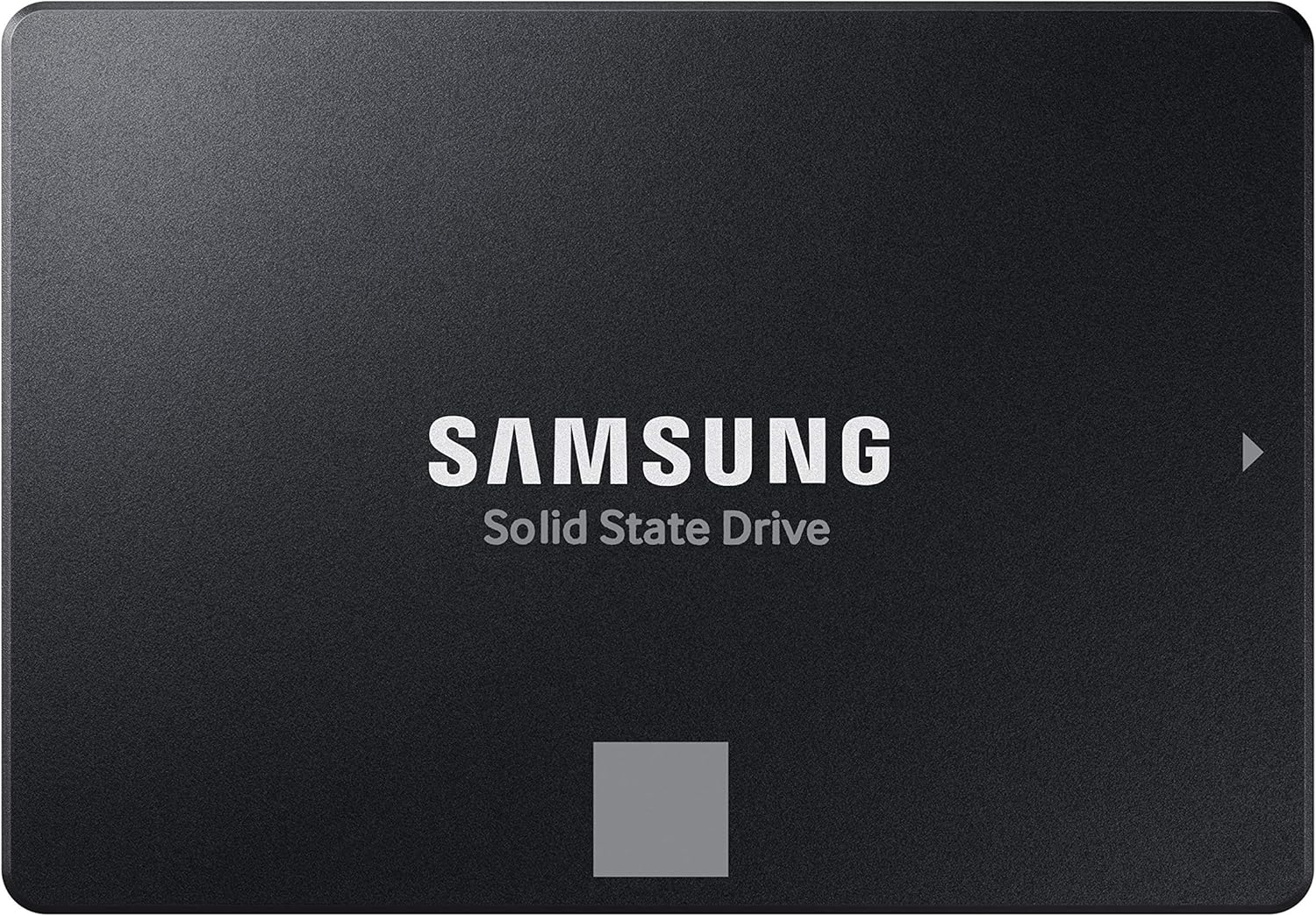
Pros
- Sequential reads to 560 MB/s and writes to 530 MB/s, which saturates the SATA III interface rather than the flash
- Warranted for 600 TBW at the 1TB capacity under a 5-year limited warranty
- Standard 2.5-inch 7mm form factor drops into desktop bays, laptop caddies and NAS trays alike
- Bundled management software reports S.M.A.R.T. health, applies firmware updates and runs secure erase from Windows
- A larger variable write buffer holds speed through long transfers such as 8K video ingest instead of collapsing part way
Cons
- SATA III caps throughput near 560 MB/s, so a free M.2 PCIe slot would deliver several times the sequential speed
- No mounting bracket or SATA cable in the box, so 3.5-inch desktop bays need an adapter tray sourced separately
- Cover ends at five years or 600 TBW written, whichever arrives first
Sequential throughput reaches 560 MB/s reading and 530 MB/s writing, which is the ceiling of the SATA III interface rather than a limit of the flash itself. A larger variable write buffer holds that speed through long transfers instead of collapsing part way into a big file copy.
- Endurance: the 1TB capacity is warranted for 600 TBW, which works out to roughly 300GB written every day for five years.
- Warranty: five years limited, ending at five years or 600 TBW, whichever arrives first.
- S.M.A.R.T. reporting is supported, so wear levels and drive health can be tracked long before failure.
For everyday desktop work, boot and application loading feel close to identical to far faster NVMe drives, because those tasks are dominated by small random reads rather than sequential bandwidth.
The drive uses the standard 2.5-inch 7mm SATA form factor, the same shape as the mechanical laptop drives it usually replaces. That makes it one of the few upgrades that still fits machines a decade old, provided they have a spare SATA port and a bay.
- Desktops: mounts in a 2.5-inch bay, or a 3.5-inch bay with an adapter tray that is not supplied.
- Laptops: drops into any 7mm caddy, while older 9.5mm bays need a spacer to sit tight.
- NAS and video recorders: compatibility has been tested across major chipsets, motherboards and recording devices.
Migration software clones an existing system across so Windows does not need reinstalling, and the management utility then handles firmware updates, health checks and secure erase once the drive is in place.
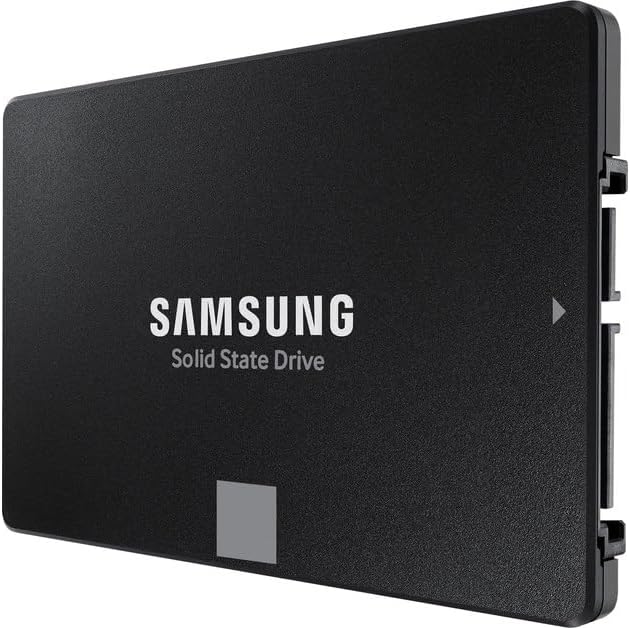
Pros
- Interface achieves the maximum SATA limit of 560 530 MB s sequential
- Intelligent Turbo Write accelerates write speed and maintains long-term
- Samsung Magician 6 Software manage your drive with a range of useful
- Designed for anyone with a desktop PC or laptop that supports a
- Available capacity 1 TB

Pros
- PCIe 4.0 interface reaches up to 7,000 MB/s sequential read, close to double a PCIe 3.0 drive's throughput
- Endurance rated to 600 TBW, enough for years of daily gaming and video editing workloads
- Nickel-coated heat spreader with Dynamic Thermal Guard limits throttling during long sustained transfers
- Compact M.2 2280 form factor slots into desktop motherboards and the PS5 storage expansion bay
- DirectStorage support on Windows 11 speeds up game asset loading
Cons
- Needs a PCIe 4.0 motherboard such as an X570, B550 or TRX40 chipset to reach its rated speeds; PCIe 3.0 boards cap throughput near half that
- M.2 2280 only, with no shorter 2242 option for compact laptops that use a smaller M.2 bay
- Sustained write speed can drop once a transfer outpaces the drive's cache on very large file copies

Pros
- PCIe 4.0 x4 link delivers sequential reads to 7,450 MB/s and writes to 6,900 MB/s
- Endurance quoted at 1,200 TBW on the 2 TB capacity, around 650 GB written daily for five years
- Single-sided M.2 2280 stick, 80 mm long, so it clears thin ultrabook and mini-PC chassis
- Nickel-coated controller plus a heat-spreader label and Dynamic Thermal Guard step-down protection
- Bundled management software reports drive health, remaining endurance and pushes firmware updates
Cons
- Ships bare with no heatsink, so a PS5 install needs a separate M.2 cooler bought alongside it
- Full speed needs a PCIe 4.0 slot; in a PCIe 3.0 board the drive works but tops out near 3,500 MB/s
- The management and migration utility is Windows-only, so macOS and Linux owners must update firmware from a bootable ISO
The 2 TB model runs on a PCIe 4.0 x4 link, with sequential reads quoted up to 7,450 MB/s and writes up to 6,900 MB/s. Those figures come from the controller and all four lanes working together, so a slower slot roughly halves them.
- Endurance is 1,200 TBW at this capacity, which works out near 650 GB written every day for five years
- Very large sustained transfers, such as ProRes footage, drop below peak once the SLC write cache fills
- Random read performance, not the headline sequential number, is what shortens boot and game load times
For 4K editing scratch discs and shader-heavy game libraries the headroom over a SATA drive is the part you notice every day, rather than in a benchmark run.

Pros
- Value optimized SSD Built with Samsung V-NAND Technology, the 860 QVO
- Enhanced read write speeds Sequential read and write performance levels
- Intelligent Turbowrite Accelerates write speeds and maintains long-term
- Secure encryption Protect data by selecting security options, including
- Warranty and compatibility 3-year limited warranty

Pros
- Sequential read speeds up to 7450 MB/s and write speeds up to 6900 MB/s on PCIe 4.0
- M.2 2280 form factor fits standard motherboard NVMe slots without an adapter
- Random performance improves more than 55 percent over the previous-generation 980 PRO
- In-house controller with smart heat control targets sustained speeds under extended write loads
- Also sold in 1TB and 4TB capacities if 2TB is not the right fit
Cons
- Requires a PCIe 4.0-capable motherboard slot to hit rated speeds; PCIe 3.0 systems will bottleneck well below 7450 MB/s
- No heatsink is included on this specific model, so thermal throttling is possible in cases with limited M.2 slot airflow
- Rated sequential figures were measured on a specific reference test system, so real-world throughput will vary with your own hardware and OS
This listing covers the 2TB capacity point, positioned between the 1TB and 4TB options in the same 990 PRO line for users who need more headroom than a boot-only drive but don't require the largest available size. The drive is aimed at gaming, video editing, and heavy workstation tasks where sustained transfer speed matters as much as raw capacity.
- 2TB capacity sits between 1TB and 4TB options
- Best paired with a PCIe 4.0 or newer motherboard
- Consider a heatsink-equipped variant for airflow-limited cases
Builders currently on SATA SSDs or older NVMe drives get the largest practical jump from this upgrade, while systems already running PCIe 4.0 drives near this speed class will see a smaller day-to-day difference.

Pros
- 2TB capacity in a 2.5-inch SATA III drive suits large game libraries or media collections
- Sequential read/write speeds reach up to 560/530 MB/s under SATA III's bandwidth limit
- AES 256-bit hardware encryption plus TCG Opal and IEEE 1667 compliance support enterprise-grade security setups
- Refined MJX controller and V-NAND combine for consistent speeds even under heavy multitasking
- Broad OS compatibility spans Windows 8/7/Vista/XP, Mac OSX, and Linux
Cons
- SATA III interface caps throughput below what PCIe NVMe drives reach at similar capacities
- Rated operating temperature tops out at 70 degrees Celsius, so airflow matters in dense builds
- 2TB capacity carries a higher up-front cost than smaller-capacity SATA drives in the same lineup

Pros
- Sequential speeds up to 3,500MB/s read and 2,700MB/s write over PCIe Gen 3.0 x4 NVMe
- Random read performance up to 500,000 IOPS at 4KB, QD32
- V-NAND technology plus a Phoenix controller are built for sustained heavy workloads
- Nickel-coated controller and heat spreader are designed to dissipate heat and limit thermal throttling
- Samsung Magician software adds firmware updates, cloning tools and drive health monitoring
Cons
- Compact M.2 2280 form factor generates enough heat under sustained load that a motherboard heatsink is worth adding in a case with limited airflow
- PCIe Gen 3.0 x4 interface is a generation behind current PCIe Gen 4 and Gen 5 drives on the market
- Samsung Magician software and firmware updates are Windows-focused, offering fewer management tools on Mac or Linux
This drive targets tech enthusiasts, high-end gamers and creators working with 4K or 3D content who need consistent, high sequential and random performance rather than the entry-level speeds of a low-cost SSD. Sequential write of 2,700MB/s is roughly 30% faster than Samsung's previous generation NVMe drives in the same class.
- Aimed at demanding workstation workloads
- Roughly 30% faster writes than the prior generation
- PCIe Gen 3.0 x4 interface
Buyers on a motherboard with PCIe Gen 4 or Gen 5 M.2 slots can still use this drive, but will not see speeds beyond its Gen 3.0 ceiling.

Pros
- Sequential speeds quoted up to 1,050 MB/s read and 1,000 MB/s write over USB 3.2 Gen 2, roughly twice the previous generation drive
- IP65 sealing against dust and water jets, tested under a water flow of 100 kPa for 3 minutes
- Survives drops from 9.8 ft, or 3 metres, thanks to an elastomer outer shell over the PCIe NVMe module
- Dynamic Thermal Guard manages controller heat so long transfers do not throttle as sharply as an unmanaged enclosure
- Works with PC, Mac, Android devices and gaming consoles, with capacities from 1TB to 4TB in the same palm-sized body
Cons
- USB 3.2 Gen 2 tops out at 10 Gbps, so it cannot approach the throughput of a Thunderbolt or USB4 enclosure
- IP65 covers dust and water jets, not submersion, so the drive must not be dipped or left in standing water
- Quoted speeds require a host and cable that both support USB 3.2 Gen 2 with UASP enabled, or the link negotiates down
The Shield name refers to the elastomer outer layer wrapped around the drive body.
- IP65 sealing for dust and water jets, tested under a water flow of 100 kPa for 3 minutes
- Dust testing used 2 kg per cubic metre of active dust under 2 kPa for 8 hours
- Drop tested to 9.8 ft, or 3 metres, under controlled conditions
That specification set is aimed at photographers and video crews working outdoors, where a drive lives in a jacket pocket or a camera bag on a beach or a building site. Read the sealing claim precisely: jets of water are covered, submersion is not, so rain and splashes are fine while dropping it in a river is not. The rubberised shell also stops it sliding off a sloped surface.
What to Look for in an SSD for Music Production
Not every fast drive is the right fit for a studio rig. Before comparing specific models, it helps to know which specs actually change how your sessions feel to work in.
NVMe vs SATA: Does the Difference Matter in a DAW?
NVMe drives connect through the M.2 slot and read data many times faster than older SATA drives, which is noticeable the moment you load a heavy Kontakt or orchestral patch. SATA SSDs (2.5-inch drives) are still far quicker than a spinning hard drive, though, and plenty of producers run their sample libraries on SATA without any real slowdown.
Where NVMe earns its keep is in sessions with dozens of sample-based tracks streaming at once, since higher throughput means less waiting and fewer dropped notes during playback. If your sessions stay lighter — a handful of virtual instruments plus audio tracks — a good SATA drive is often plenty.
Capacity: How Much Space Sample Libraries Actually Need
Modern orchestral and cinematic libraries can eat 50GB to 200GB each, so a 500GB drive fills up faster than most new producers expect. A 1TB drive covers a moderate collection plus your active projects, while 2TB gives you breathing room if you plan to add more instrument libraries over time.
It’s also worth thinking about your RAM setup for music production alongside storage, since sample-heavy templates lean on both fast memory and fast disk access to stream audio without hiccups.
Endurance and Drive Longevity for Constant Read/Write
Studio drives get hammered with constant reads and writes as you bounce stems, render mixes, and stream samples for hours at a time. Look at the TBW (terabytes written) rating in the product listing — PRO-series drives typically carry a higher endurance rating than budget lines, which matters if this will be your main working drive rather than occasional storage.
Best SSDs for Music Production by Studio Setup
Once you know your speed and capacity needs, matching a drive to your actual workflow is the next step. These picks come from our list of 10 options, grouped by how producers use them day to day.
Best Overall for Large Sample Libraries
The Samsung 990 PRO 2TB pairs PCIe 4.0 speed with enough room for a serious Kontakt or Omnisphere collection, so you’re not juggling libraries across multiple drives. Sustained write speeds this high mean bouncing a full mix or freezing a dozen tracks happens in seconds rather than minutes.
It’s overkill if you’re running a laptop rig with two or three virtual instruments, but for anyone building out a full orchestral template, the extra headroom pays off quickly. This is the drive we’d point most serious home-studio producers toward first.
Best Value NVMe for Everyday DAW Projects
The Samsung 970 EVO 1TB is the most reviewed drive on this list, and the rating reflects years of reliable use in music production rigs. It delivers real NVMe speed for typical sessions — a mix of audio tracks, a few sample instruments, and standard plugin loads — without the higher price tag of the newest PRO models.
If your main goal is faster load times than your current drive without stretching the budget, this is where most producers land. It’s a dependable pick for a primary sample or project drive in a mid-size studio.
Best Affordable Way to Add SATA Storage
The Samsung 860 QVO 1TB is the most affordable option here, and it still beats any spinning hard drive by a wide margin for load times. It works well as a secondary drive for finished projects, sample packs you use occasionally, or plugin installs that don’t need NVMe-level speed.
Don’t expect PRO-tier endurance at this price — it’s better suited to archiving and lighter-duty storage than as your only working drive. Pairing it with a faster NVMe drive for active sessions gives you the best of both.
Best Portable SSD for Producers on the Move
The Samsung T7 Shield 2TB is a rugged external drive rated IP65 water resistant, built for producers who track sessions at different studios or bring a laptop rig to a gig. USB 3.2 speeds aren’t quite NVMe-fast, but they’re more than enough for streaming samples and recording live audio on location.
If you split time between a home studio and a laptop setup, keeping your session files on a drive like this avoids the hassle of copying huge folders back and forth before every trip. It also doubles as a straightforward backup for finished projects.
Best High-Capacity Backup Drive
The Samsung 860 PRO 2TB carries a higher endurance rating than standard SATA drives, which makes it a solid choice for archiving finished sessions, stems, and sample libraries you’re not actively streaming from. Think of it as long-term storage rather than your main working drive.
Because it’s 2.5-inch SATA, it fits easily into most desktop towers or external enclosures without needing a spare M.2 slot. If your current drive is filling up with old project folders, this is a practical place to move them.
Best Mid-Range NVMe for Plugin-Heavy Setups
The Samsung 980 PRO 1TB brings PCIe 4.0 speed at a lower price point than the 990 series, which suits producers running plugin-heavy templates without needing the largest capacity available. It handles sample streaming and multitrack sessions comfortably.
This is a smart middle ground if the 990 PRO feels like more drive than you need but you still want a meaningful upgrade over an older SATA setup. Compare specs against your current bottleneck before deciding which tier makes sense.
Internal vs External Storage for Your DAW Rig
Most desktop producers run an internal NVMe drive for their operating system and active sample libraries, since that connection gives the lowest latency for real-time playback. External drives, whether SSD or the portable T7 Shield above, work well for backups, finished projects, or session files you move between locations.
If you’re also building out the rest of your workspace, it’s worth thinking about how storage fits into the bigger picture. A cramped setup makes cable management and drive swaps harder than they need to be, so browsing desks built for music production can solve more than one problem at once. Producers who mix and master for long stretches also tend to notice fatigue in their ears before their drives — pairing solid storage with a comfortable pair from our headsets for music production roundup rounds out a setup that holds up over long sessions.
Common Mistakes to Avoid When Buying Storage for Music Production
The most common mistake is buying based on price per gigabyte alone and ending up with a drive that can’t sustain writes during long recording sessions. A drive that slows down under sustained load will cause dropouts exactly when you can least afford them.
Another frequent error is running your operating system, sample libraries, and recorded audio all from one nearly full drive. Splitting these across at least two drives, even a fast NVMe plus an affordable SATA drive, keeps performance more consistent as your project files grow. Finally, don’t ignore endurance ratings if this will be a daily-use drive — a budget model built for light storage wears out faster under constant studio use.
Setting Up Your SSD for the Fastest Possible DAW Performance
Once you’ve picked a drive, a few habits keep it running at full speed. Leave some free space on your main NVMe drive rather than filling it past 80-90%, since SSD write speeds can drop as they approach capacity. Keep your sample libraries on the same physical drive as your project files when possible, since that reduces the back-and-forth your system has to manage during playback.
If you’re also editing video alongside music — scoring, content creation, or mixing for video — the storage math changes since video files are larger and more sequential. Our SSDs for video production guide covers that use case in more detail if it applies to your workflow.
Frequently Asked Questions
Do I need an NVMe SSD for music production, or is SATA enough?
SATA SSDs handle most home-studio sessions fine, especially lighter projects with a handful of virtual instruments. NVMe becomes worth the extra cost once you’re streaming large sample libraries or running dozens of tracks at once.
How much SSD storage do I need for a home studio?
1TB covers a moderate sample collection plus active projects for most producers. If you work with large orchestral or cinematic libraries, 2TB gives you room to grow without constantly managing free space.
Should I keep sample libraries on the same drive as my operating system?
It’s fine on a fast NVMe drive with enough free space, but many producers prefer a separate drive for samples to keep the OS drive lighter and more responsive. Either setup works as long as neither drive gets too full.
Are external SSDs fast enough for real-time recording?
Yes, a good USB 3.2 external SSD like the T7 Shield handles real-time multitrack recording and sample streaming without issues. It won’t quite match internal NVMe speeds, but it’s rarely the bottleneck in a typical session.
Does SSD speed affect plugin loading and DAW latency?
Faster drives shorten plugin and project load times noticeably, especially with sample-heavy instruments. Audio latency itself is mostly controlled by your buffer size and audio interface, but a slow drive can still cause dropouts under heavy disk streaming.
The right SSD depends less on chasing the fastest benchmark and more on matching a drive to how you actually record, mix, and store sessions. Start with the capacity your sample library realistically needs, decide whether NVMe speed solves a real bottleneck for you, and check the current price on Amazon for whichever tier fits your budget. A well-matched drive won’t make you a better producer, but it will stop getting in the way of the work.


