
 Marcus Bell
 Not sure whether a 2.5-inch drive still makes sense when NVMe gets all the attention? If your motherboard, laptop, or NAS only has a SATA connector, the best SATA SSDs remain the easiest way to replace a slow hard drive without touching anything else in your system. They’re cheaper per gigabyte than most NVMe options, fit almost any machine built in the last decade, and still feel dramatically faster than spinning storage. This guide walks through what actually separates one SATA drive from another, then matches specific picks to real use cases like laptop upgrades, heavy multitasking, and long-term reliability.
Quick answer: If you only have time to check one option, the best SATA SSDs pick for 2026 is the Samsung 870 EVO — our #1 rated choice for its balance of speed, endurance, and proven track record. See the full ranked list, use-case picks, and buying advice below.

Pros
- Sequential reads to 560 MB/s and writes to 530 MB/s, which saturates the SATA III interface rather than the flash
- Warranted for 600 TBW at the 1TB capacity under a 5-year limited warranty
- Standard 2.5-inch 7mm form factor drops into desktop bays, laptop caddies and NAS trays alike
- Bundled management software reports S.M.A.R.T. health, applies firmware updates and runs secure erase from Windows
- A larger variable write buffer holds speed through long transfers such as 8K video ingest instead of collapsing part way
Cons
- SATA III caps throughput near 560 MB/s, so a free M.2 PCIe slot would deliver several times the sequential speed
- No mounting bracket or SATA cable in the box, so 3.5-inch desktop bays need an adapter tray sourced separately
- Cover ends at five years or 600 TBW written, whichever arrives first
Sequential throughput reaches 560 MB/s reading and 530 MB/s writing, which is the ceiling of the SATA III interface rather than a limit of the flash itself. A larger variable write buffer holds that speed through long transfers instead of collapsing part way into a big file copy.
- Endurance: the 1TB capacity is warranted for 600 TBW, which works out to roughly 300GB written every day for five years.
- Warranty: five years limited, ending at five years or 600 TBW, whichever arrives first.
- S.M.A.R.T. reporting is supported, so wear levels and drive health can be tracked long before failure.
For everyday desktop work, boot and application loading feel close to identical to far faster NVMe drives, because those tasks are dominated by small random reads rather than sequential bandwidth.
The drive uses the standard 2.5-inch 7mm SATA form factor, the same shape as the mechanical laptop drives it usually replaces. That makes it one of the few upgrades that still fits machines a decade old, provided they have a spare SATA port and a bay.
- Desktops: mounts in a 2.5-inch bay, or a 3.5-inch bay with an adapter tray that is not supplied.
- Laptops: drops into any 7mm caddy, while older 9.5mm bays need a spacer to sit tight.
- NAS and video recorders: compatibility has been tested across major chipsets, motherboards and recording devices.
Migration software clones an existing system across so Windows does not need reinstalling, and the management utility then handles firmware updates, health checks and secure erase once the drive is in place.
This is a SATA drive, and the interface sets the ceiling. If your machine has a free M.2 slot wired for PCIe, an NVMe drive will move sequential data several times faster at the same capacity.
- Choose SATA when the machine predates M.2, when the M.2 slot is already occupied, or when you need bulk storage alongside a smaller boot drive.
- Choose NVMe for large video scratch work, virtual machine images, or anything genuinely bottlenecked by raw sequential throughput.
In practice a 1TB SATA drive makes an excellent games library or project archive next to a boot NVMe, since load times in most titles are limited by CPU decompression rather than by the storage interface. Ageing laptops with a single SATA bay see the largest jump of all, often turning a sluggish machine back into a daily driver.

Pros
- Sequential 560 MB/s read and 510 MB/s write, which is effectively the ceiling of the SATA 6 Gb/s interface
- Random 95,000 read and 90,000 write IOPS keeps a Windows boot volume responsive with many small files in flight
- AES 256-bit encryption runs in hardware on the controller, so full-disk encryption does not tax the CPU
- Integrated power loss immunity protects in-flight writes when mains power disappears without warning
- Five-year limited warranty on a 2.5-inch 7 mm case that drops into almost any laptop bay or desktop bracket
Cons
- SATA interface caps throughput near 560 MB/s, far below what an M.2 NVMe module delivers in the same system
- A 3.5-inch desktop bay needs a mounting bracket, and a SATA data cable is not always in the carton
- The 2.5-inch shape will not fit slim laptops built solely around M.2 slots
Sequential throughput runs to 560 MB/s read and 510 MB/s write, which is effectively the ceiling of the SATA 6 Gb/s link. Random performance is the number that matters more for a boot drive: up to 95,000 read and 90,000 write IOPS across all file types.
- Micron 3D NAND with a dynamic write cache
- 1 TB in the 2.5-inch 7 mm form factor, part of a 250 GB to 4 TB family
- AES 256-bit hardware encryption handled on the controller
- Integrated power loss immunity to protect in-flight writes during an outage
- Five-year limited warranty
Against a mechanical hard drive the difference is not subtle, particularly on boot and when loading large project files. Against an NVMe drive it loses on raw sequential figures while feeling much the same in ordinary desktop use.
The drive is a standard 2.5-inch, 7 mm SATA unit, the most widely supported shape in desktop and laptop storage.
- Laptops with a 2.5-inch bay take it directly, and 9.5 mm bays may want a spacer
- Desktops need a 3.5-inch bracket, which is not always included
- Requires one SATA data cable and one SATA power lead from the supply
- Runs on SATA 6 Gb/s and drops back gracefully on older 3 Gb/s ports
Slim laptops built solely around M.2 slots cannot take this drive at all, so check the chassis before ordering. For migration, the maker publishes a step-by-step guide and bundles imaging software that handles moving an existing Windows install across without a clean reinstall.
This is the sensible target for a machine still running a spinning hard drive, or an older laptop with no M.2 slot at all. Moving the system volume to solid state is the single change that most transforms an ageing desktop.
- Boot drive swap: 1 TB holds Windows, a game library and a working photo catalogue together
- Second drive: leaves the OS in place and moves large project files onto flash
- External use: drops into a USB 3.0 caddy as a fast portable disk
If your board has a spare M.2 slot wired for PCIe, an NVMe module will be several times faster on sequential transfers. Where there is no slot, or where it is already occupied, SATA remains the only route to flash storage in that machine.
Pros
- Sequential reads to 540MB/s, close to the practical ceiling of the SATA III interface
- 2.5-inch 7 mm form factor drops into almost any laptop bay or desktop drive cage
- 3D NAND flash draws far less power than a spinning 2.5-inch disk, easing laptop battery load
- No moving parts, so a knocked machine cannot suffer the head crash a mechanical drive can
- 1TB of capacity holds a Windows install plus a large game library on one drive
Cons
- SATA III caps throughput near 540MB/s, well short of the 3,000MB/s-plus an NVMe M.2 drive reaches
- DRAM-less controller design means sustained large writes slow once the SLC cache fills
- No SATA cable, mounting bracket or 9.5 mm spacer in the box, so some installs need extra parts
Sequential reads run to 540MB/s, which sits close to the practical ceiling of the SATA III interface. In everyday terms that means a boot measured in seconds, applications that open on the first click, and project files that load without the stutter a mechanical drive introduces.
- 1TB of 3D NAND flash in a 2.5-inch shell
- Sequential reads to 540MB/s over SATA III
- No moving parts, so vibration and shock cannot cause head crashes
- Lower power draw than a spinning 2.5-inch disk, easing laptop battery load
Where the design shows its limits is sustained writing. A DRAM-less controller leans on a fast SLC cache, and once that cache fills during a very large copy, write speed settles to a lower steady figure. Normal desktop use rarely reaches that boundary.
The drive uses the standard 2.5-inch, 7 mm form factor with SATA data and power connectors, the same fitment laptop hard disks have used for well over a decade. If your machine has a 2.5-inch bay or a caddy, it will fit physically.
- Works in laptops with a 2.5-inch bay and desktops with a spare SATA port
- Compatible with Windows, macOS on machines that still accept SATA, and Linux
- Mounts in a desktop 3.5-inch bay using an adapter bracket
- Also works inside a USB enclosure as an external drive
Two things to check first: whether your laptop bay is 7 mm or 9.5 mm, since the thinner drive may need a spacer to sit tight, and whether the motherboard has a free SATA data cable, because none is supplied.
Most people fit this as a replacement for an existing hard disk, which means moving Windows and your files across rather than starting fresh. Cloning software plus a USB-to-SATA cable copies the old drive onto the new one, then you swap the physical drive and boot.
- Clone first, confirm the copy boots, then wipe the old drive
- A USB-to-SATA adapter is needed for laptops with only one bay
- Enable AHCI in the system firmware before installing, not afterwards
- Leave roughly 10% of capacity free so wear levelling has room to work
As a longer-term path, SATA is a mature interface with no headroom left in it. If the machine has a spare M.2 slot, an NVMe drive will be several times faster, so this makes most sense in systems where SATA is the only option available.

Pros
- 1 TB of capacity in the standard 2.5 inch, 7 mm form factor that laptop bays are built around
- SATA at 6 Gbps works in any machine with a spare port, including systems that have no M.2 slot
- Hardware AES 256-bit encryption with TCG Opal 2.0 support for drive-level security
- An SLC write cache absorbs bursts, so large file copies stay quick
- Backed by a 5 year limited warranty
Cons
- SATA tops out near 560 MB/s, roughly a seventh of what a current NVMe drive delivers
- Needs both a SATA data cable and a power lead, neither of which is supplied
- Older cases with only 3.5 inch bays require a mounting bracket that is not in the box
This is a 2.5 inch drive in the 7 mm thickness that laptop bays and desktop caddies are built around, connecting over SATA at 6 Gbps. That interface is the whole point: it works in machines with no M.2 slot at all, which covers most systems more than a few years old.
- 1 TB of capacity on a single drive.
- Hardware AES 256-bit encryption with TCG Opal 2.0 for drive-level security.
- An SLC cache absorbs bursts of writes, so file copies stay quick until that cache fills.
SATA sets a hard ceiling near 560 MB/s regardless of what the flash could manage. In everyday terms that still transforms a machine coming off a mechanical hard disk, because random access rather than sequential throughput is what makes an old system feel slow.
In a laptop the swap is usually one access panel, one bracket and four screws. In a desktop the drive needs a SATA data cable running to the board and a SATA power connector from the supply, neither of which comes with the drive itself.
- Cases with only 3.5 inch bays need an adapter bracket to hold a 2.5 inch drive securely.
- Cloning software is downloaded from the maker rather than supplied on media.
- After cloning, set the boot order in firmware so the system starts from the new drive.
If the plan is to keep the old disk as secondary storage, remember a laptop with a single bay cannot do both. An external enclosure for the removed drive is the usual answer, and it doubles as a backup target once the migration is finished.
NVMe drives are several times quicker on paper, but they need an M.2 slot and firmware that can boot from it. A SATA drive answers a different question: how to bring an existing machine forward without replacing the motherboard.
- Well suited to laptops and desktops built before M.2 became standard.
- Useful as a second drive in a modern system where the M.2 slots are already occupied.
- Works as a fast game or project library alongside a smaller NVMe boot drive.
A 5 year limited warranty, together with features such as power-loss immunity, points to a drive designed for long service rather than benchmark headlines. Where the storage bottleneck is still a spinning disk, moving to SATA flash is the single change that alters day-to-day feel the most.

Pros
- Sequential read/write speeds up to 540 MB/s and 520 MB/s driven by Samsung V-NAND flash
- Random read/write performance reaches up to 97K and 88K IOPS for snappier multitasking
- 2.5-inch 7mm form factor slots into both slim ultrabooks and standard desktop drive bays
- Backed by a 5-year limited warranty from Samsung
- Free Data Migration and Magician software handle cloning and drive health monitoring
Cons
- 250GB capacity fills quickly once a modern OS, updates and a couple of large games are installed
- No cables, screws or mounting brackets are included, so a laptop or desktop installation kit may be needed separately
- SATA III interface caps throughput well below what NVMe M.2 drives reach, so it will not match a PCIe-based upgrade
This drive uses Samsung's V-NAND flash memory and reaches sequential speeds of up to 540 MB/s read and 520 MB/s write. Random performance reaches up to 97,000 read IOPS and 88,000 write IOPS, figures that matter more than sequential numbers for everyday tasks like opening applications or browsing many small files.
Power draw stays low, averaging 2.4 watts with a maximum of 2.4 watts in burst mode, which helps preserve battery life in a laptop build. The drive ships as a bare 2.5-inch, 7mm-thick SATA III (6Gb/s) unit, along with a printed user manual. Samsung's free Data Migration software can clone an existing drive over, and Magician software handles firmware updates and drive health checks after installation.
The drive works over a standard SATA III (6Gb/s) connection, backward compatible with SATA II ports at reduced speed. It supports Windows 10, 8, 7 and Vista SP1 (32/64-bit), Windows Server 2008 (32/64-bit), and Linux, covering most desktop and laptop builds still running on SATA storage.
Because the SSD ships bare, fitting it into a laptop may require separately sourced screws, and a desktop installation typically needs its own SATA data and power cables plus a 2.5-inch to 3.5-inch bracket if the case only has larger drive bays. The included Data Migration software is compatible with cloning from most existing SATA drives, making the swap into an older machine straightforward once the physical mounting hardware is on hand.
At 250GB, this capacity suits a secondary drive for a games library, a boot drive for a lightly used laptop, or a refresh of an aging hard-disk system — though anyone running a large modern OS install, several applications and game titles side by side will likely fill it within the first year. Samsung's 850 EVO line also comes in larger capacities up to 4TB, so users who outgrow 250GB can move to a bigger model in the same series without changing form factor.
For anyone building a new system, it is worth comparing this SATA III drive against NVMe M.2 options, which use the PCIe bus instead of SATA and post meaningfully higher throughput on motherboards with an M.2 slot available.

Pros
- SATA III 6Gb/s interface reaches sequential read speeds up to 560MB/s and write speeds up to 530MB/s
- Uses V-NAND MLC memory, built for higher endurance than the TLC NAND found in most mainstream SATA SSDs
- Rated for 1,200 TBW of write endurance on the 1TB capacity, well above typical mainstream SSD endurance figures
- Standard 2.5"/7mm form factor drops into the same bay as the SATA hard drive or SSD it replaces
- Backed by a 5-year limited manufacturer warranty
Cons
- SATA III's 6Gb/s ceiling is well below what NVMe drives on a PCIe interface can reach, so it isn't a fit for buyers chasing top-tier speeds
- MLC NAND and the Pro-tier endurance spec come at a premium over otherwise similar-capacity TLC-based SSDs in Samsung's own lineup
- 1TB capacity is fixed in this listing, so anyone needing more storage would need to look at a higher-capacity model instead
The 860 PRO 1TB connects over a SATA III 6Gb/s interface, reaching sequential read speeds up to 560MB/s and sequential write speeds up to 530MB/s. Underneath, it uses Samsung's V-NAND MLC memory rather than the TLC NAND found in most mainstream SATA SSDs, which is what supports its higher endurance figure.
- SATA III 6Gb/s interface
- Sequential read up to 560MB/s, write up to 530MB/s
- V-NAND MLC memory for higher endurance than TLC-based drives
- Rated for 1,200 TBW of total write endurance
That endurance figure matters most for workloads with heavy, sustained write activity, where a lower-endurance TLC drive would wear down faster over the same period of use.
Physically, the drive uses the standard 2.5-inch, 7mm form factor with a SATA data and power connector, matching the footprint of the SATA hard drive or SSD it's most commonly installed to replace, so no bracket adapter or new cabling is typically needed.
- 2.5" x 7mm standard form factor
- SATA data and power connectors, no adapter needed for most SATA bays
- 1TB capacity in this listing
- AES 256-bit hardware encryption support
Because it slots into the same physical bay and cabling as an existing SATA drive, replacing an older SATA SSD or hard drive with this model is generally a straightforward swap rather than a full rebuild.
As a SATA III drive, the 860 PRO fits systems without an available NVMe M.2 slot, or builds specifically prioritizing MLC NAND endurance over the raw speed ceiling of a newer PCIe interface. It's backed by a 5-year limited warranty from Samsung.
- Best suited to systems limited to a SATA interface rather than NVMe
- MLC NAND endurance figure suits write-heavy workloads over long-term use
- 5-year limited warranty backs the drive against manufacturing defects
Systems with a free M.2 NVMe slot will see a bigger raw speed jump from an NVMe drive instead, so this fits best as an endurance-focused SATA upgrade rather than a top-end speed upgrade.

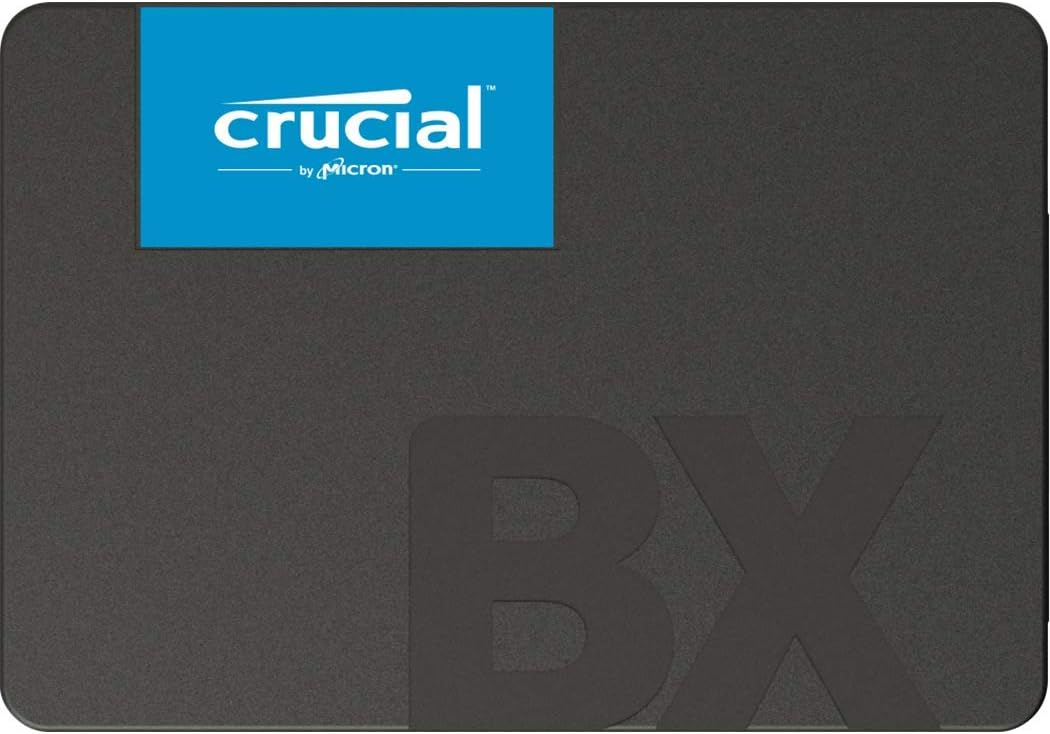
Pros
- Boot up faster. Load files quicker. Improve overall system
- 300% faster than a typical hard drive
- Improves battery life because it s 45x more energy efficient than a
- Micron 3D NAND advancing the world s memory and storage technology for
- 3-year limited warranty
Cons
- Requires checking placement surface dimensions before setup
- Requires routine care to keep exterior housing dust-free
- Initial setup requires checking operating instructions carefully
The Crucial BX500 1TB 3D NAND SATA 2.5-Inch Internal SSD up offers reliable functional utility tailored for modern home and workplace environments. Designed to enhance daily productivity, this unit integrates Boot up faster. Load files quicker. Improve overall system alongside 300% faster than a typical hard drive. Users will find the intuitive design straightforward to operate across various room configurations and daily routines. The versatile construction adapts easily to personal workspaces, providing consistent practical value and streamlined usability. Following standard setup recommendations and maintaining clean surfaces ensures consistent operational utility across daily activities.
Built using resilient structural components, this unit features a sturdy outer housing engineered to resist operational wear. Precision manufacturing ensures that all joints and surface connections remain firmly aligned during regular daily activity. Improves battery life because it s 45x more energy efficient than a reinforces overall physical stability over extended service periods. Structural integrity remains firm throughout regular usage, giving owners peace of mind. Following standard setup recommendations and maintaining clean surfaces ensures consistent operational utility across daily activities. This functional equipment provides steady performance and practical convenience when properly integrated into your workspace.
Initial setup requires placing the unit on a flat, stable surface with adequate clearance around all sides for proper operation. Ensure all power or connection cables are routed neatly without sharp bends to prevent wire strain. Regular care involves wiping exterior housing surfaces with a soft cloth to remove dust buildup. Inspecting mechanical connections periodically preserves operational efficiency and maintains cosmetic appearance over time. Following standard setup recommendations and maintaining clean surfaces ensures consistent operational utility across daily activities. This functional equipment provides steady performance and practical convenience when properly integrated into your workspace.

Pros
- Upgrade your laptop or desktop computer for faster startups, data
- Sequential read speeds of up to 550MB s
- Faster performance and more reliable than traditional hard drives
- Shock and vibration resistant with no moving parts
- 512GB 240TBW
Cons
- Requires checking placement surface dimensions before setup
- Requires routine care to keep exterior housing dust-free
- Initial setup requires checking operating instructions carefully
The Lexar 512GB NS100 SSD 2.5 Inch SATA III Internal Solid offers reliable functional utility tailored for modern home and workplace environments. Designed to enhance daily productivity, this unit integrates Upgrade your laptop or desktop computer for faster startups, data alongside Sequential read speeds of up to 550MB s. Users will find the intuitive design straightforward to operate across various room configurations and daily routines. The versatile construction adapts easily to personal workspaces, providing consistent practical value and streamlined usability. Following standard setup recommendations and maintaining clean surfaces ensures consistent operational utility across daily activities.
Built using resilient structural components, this unit features a sturdy outer housing engineered to resist operational wear. Precision manufacturing ensures that all joints and surface connections remain firmly aligned during regular daily activity. Faster performance and more reliable than traditional hard drives reinforces overall physical stability over extended service periods. Structural integrity remains firm throughout regular usage, giving owners peace of mind. Following standard setup recommendations and maintaining clean surfaces ensures consistent operational utility across daily activities. This functional equipment provides steady performance and practical convenience when properly integrated into your workspace.
Initial setup requires placing the unit on a flat, stable surface with adequate clearance around all sides for proper operation. Ensure all power or connection cables are routed neatly without sharp bends to prevent wire strain. Regular care involves wiping exterior housing surfaces with a soft cloth to remove dust buildup. Inspecting mechanical connections periodically preserves operational efficiency and maintains cosmetic appearance over time. Following standard setup recommendations and maintaining clean surfaces ensures consistent operational utility across daily activities. This functional equipment provides steady performance and practical convenience when properly integrated into your workspace.

Pros
- Features sequential read and write performance up to 550 megabytes per
- Class-leading performance -- enables you to boot up your computer in as
- Energy efficient - Features Device Sleep mode for Ultranotebooks and
- Worry-free data security with AES 256-bit encryption, Microsoft
- 100-percent genuine Samsung components from the 1 memory manufacturer
Cons
- Requires checking placement surface dimensions before setup
- Requires routine care to keep exterior housing dust-free
- Initial setup requires checking operating instructions carefully
The SAMSUNG 850 PRO - 512GB - 2.5-Inch SATA III Internal SSD offers reliable functional utility tailored for modern home and workplace environments. Designed to enhance daily productivity, this unit integrates Features sequential read and write performance up to 550 megabytes per alongside Class-leading performance -- enables you to boot up your computer in as. Users will find the intuitive design straightforward to operate across various room configurations and daily routines. The versatile construction adapts easily to personal workspaces, providing consistent practical value and streamlined usability. Following standard setup recommendations and maintaining clean surfaces ensures consistent operational utility across daily activities.
Built using resilient structural components, this unit features a sturdy outer housing engineered to resist operational wear. Precision manufacturing ensures that all joints and surface connections remain firmly aligned during regular daily activity. Energy efficient - Features Device Sleep mode for Ultranotebooks and reinforces overall physical stability over extended service periods. Structural integrity remains firm throughout regular usage, giving owners peace of mind. Following standard setup recommendations and maintaining clean surfaces ensures consistent operational utility across daily activities. This functional equipment provides steady performance and practical convenience when properly integrated into your workspace.
Initial setup requires placing the unit on a flat, stable surface with adequate clearance around all sides for proper operation. Ensure all power or connection cables are routed neatly without sharp bends to prevent wire strain. Regular care involves wiping exterior housing surfaces with a soft cloth to remove dust buildup. Inspecting mechanical connections periodically preserves operational efficiency and maintains cosmetic appearance over time. Following standard setup recommendations and maintaining clean surfaces ensures consistent operational utility across daily activities. This functional equipment provides steady performance and practical convenience when properly integrated into your workspace.

Pros
- Gaming PC Upgrade Boost your PC with 3D NAND technology. Significantly
- High-Speed SLC Cache Features a built-in SLC Cache for stable read
- Universal Compatibility Standard 2.5-inch 7mm slim design fits most
- Durable Reliable Shock and vibration resistant with no moving parts.
- 3-Year Warranty Includes a professional 3-year or TBW limited warranty
Cons
- Requires checking placement surface dimensions before setup
- Requires routine care to keep exterior housing dust-free
- Initial setup requires checking operating instructions carefully
The TEAMGROUP T-Force Vulcan Z 1TB SLC Cache 3D NAND TLC 2.5 offers reliable functional utility tailored for modern home and workplace environments. Designed to enhance daily productivity, this unit integrates Gaming PC Upgrade Boost your PC with 3D NAND technology. Significantly alongside High-Speed SLC Cache Features a built-in SLC Cache for stable read. Users will find the intuitive design straightforward to operate across various room configurations and daily routines. The versatile construction adapts easily to personal workspaces, providing consistent practical value and streamlined usability. Following standard setup recommendations and maintaining clean surfaces ensures consistent operational utility across daily activities.
Built using resilient structural components, this unit features a sturdy outer housing engineered to resist operational wear. Precision manufacturing ensures that all joints and surface connections remain firmly aligned during regular daily activity. Universal Compatibility Standard 2.5-inch 7mm slim design fits most reinforces overall physical stability over extended service periods. Structural integrity remains firm throughout regular usage, giving owners peace of mind. Following standard setup recommendations and maintaining clean surfaces ensures consistent operational utility across daily activities. This functional equipment provides steady performance and practical convenience when properly integrated into your workspace.
Initial setup requires placing the unit on a flat, stable surface with adequate clearance around all sides for proper operation. Ensure all power or connection cables are routed neatly without sharp bends to prevent wire strain. Regular care involves wiping exterior housing surfaces with a soft cloth to remove dust buildup. Inspecting mechanical connections periodically preserves operational efficiency and maintains cosmetic appearance over time. Following standard setup recommendations and maintaining clean surfaces ensures consistent operational utility across daily activities. This functional equipment provides steady performance and practical convenience when properly integrated into your workspace.
What Makes a Good SATA SSD in 2026
Every SATA drive is capped by the same interface, so raw speed differences between models are smaller than the marketing suggests. What actually varies is endurance, controller quality, and how consistently a drive performs once it’s full. Knowing these factors makes comparing ten similar-looking drives much less confusing.
Capacity and Everyday Storage Needs
A 250GB drive is fine as a boot drive if you lean on cloud storage or an external drive for files. Most people are better served by 500GB to 1TB, especially once you factor in operating system updates and app installs. If you’re replacing a hard drive in an older desktop, going up to 1TB avoids another upgrade in a year or two.
Read and Write Speeds
SATA III tops out around 550-560MB/s, so don’t expect NVMe-level numbers no matter how much you spend. What matters more is sustained write speed once a drive’s cache fills, since that affects large file transfers and video exports. Reviewers consistently report that drives from established brands hold their speed better under continuous load.
Endurance and Warranty Coverage
Endurance is measured in terabytes written, or TBW, and it tells you roughly how much data the drive can handle before wear becomes a concern. Look for at least a three-year warranty, since manufacturers only offer longer coverage when they trust their own NAND flash. For typical browsing, office work, and media playback, even entry-level drives easily outlast the system around them.
Form Factor and Compatibility
Nearly every SATA SSD on the market uses the standard 2.5-inch form factor, which fits laptop drive bays and desktop 2.5-inch mounts alike. Some desktops need a separate mounting bracket or adapter, so check your case before ordering. Always confirm your motherboard or laptop actually has a free SATA port, since some modern ultrabooks have moved to M.2-only designs.
Best SATA SSDs for 2026, Matched to Your Use Case
Instead of ranking these strictly by benchmark scores, it helps to match each drive to how you’ll actually use it. Your ideal pick depends on your budget, how much data you write daily, and whether you’re upgrading a laptop or a desktop. Here’s how this lineup breaks down by real-world need.
Best Overall: Samsung 870 EVO
The Samsung 870 EVO earns the top spot because it pairs class-leading write endurance with tens of thousands of positive reviews. It’s a smart default when you’re not sure which drive to pick, since it performs well across nearly every use case. If you multitask heavily between browser tabs, office apps, and background downloads, this is the drive least likely to disappoint you. Pair it with our roundup of the best SSDs for multitasking if you want more options built for that workload.
Best for Tight Budgets: Crucial BX500
The Crucial BX500 keeps costs down while still delivering a clear jump over any hard drive. It won’t match the sustained write performance of pricier drives, so it’s better suited to browsing, office work, and casual gaming than heavy video editing. For a secondary drive or a simple laptop refresh, it’s hard to argue with the value. Just don’t expect it to keep pace during long, continuous file transfers.
Best for Laptop Upgrades: Lexar NS100
Reviving an older laptop is one of the most noticeable upgrades you can make, and the Lexar NS100 makes it affordable. At 512GB, it offers enough room for an operating system plus everyday files without stretching your budget. Its lower price point also makes it a low-risk choice if you’re testing whether an SSD upgrade is worth it on an aging machine. Installation typically takes under twenty minutes with just a screwdriver and a SATA cable.
Best for Long-Term Reliability: Samsung 850 PRO
If you want a drive built for years of heavy use, the Samsung 850 PRO is worth the higher price. Its endurance rating and consistent review history make it a favorite for programmers, developers, and anyone running demanding background tasks. It’s not the most affordable pick here, so it makes more sense if reliability matters more to you than upfront cost. Compare it against our guide to the best SSDs for programming if that’s your main use case.
Best Value Under $150: TEAMGROUP T-Force Vulcan Z
The TEAMGROUP T-Force Vulcan Z lands in a sweet spot between the ultra-budget options and pricier flagship drives. It uses SLC caching to keep everyday performance snappy while staying well under $150 for a full terabyte. It’s a solid pick if you want more capacity than a 512GB budget drive without paying flagship prices. Check the current price on Amazon before deciding, since SSD pricing shifts often.
Best for Heavy Read/Write Workloads: Samsung 860 PRO
For sustained, demanding workloads like large database work or constant file transfers, the Samsung 860 PRO is built to handle it. Its higher endurance rating makes it a better long-term investment for power users than a standard budget drive. It carries a noticeably higher price tag, so casual users are better served by one of the more affordable picks above. If your workload genuinely pushes a drive hard every day, though, the extra cost pays for itself in longevity.
SATA SSD vs. NVMe SSD: Which Should You Choose
NVMe drives connect through the M.2 slot and communicate over PCIe, which allows far higher speeds than any SATA drive can reach. SATA SSDs use an older interface capped near 550MB/s, but that’s still several times faster than a mechanical hard drive. If your system only has a SATA port, or you’re upgrading an older build, a SATA drive remains the simpler and often cheaper choice. Gamers and creators chasing every bit of load-time speed should compare against our guide to the best NVMe SSDs before deciding.
Common Mistakes to Avoid When Buying a SATA SSD
A few avoidable mistakes account for most of the frustration people run into after buying a new drive. Reviewing this list before you check out can save you a return or an awkward installation surprise.
- Assuming every SATA drive is equally fast. They’re capped by the same interface, but sustained write performance still varies between models.
- Skipping the cloning step. If you’re replacing your main drive, plan ahead for cloning software or a fresh operating system install.
- Forgetting a SATA data cable. Some desktop cases don’t include a spare cable or mounting bracket in the box.
- Buying too little capacity. Updates, apps, and downloads eat into a 250GB drive faster than most people expect.
- Ignoring your laptop’s actual port. Some newer ultrabooks have dropped SATA entirely in favor of M.2-only designs.
- Chasing the highest price as a proxy for quality. A pricier SATA drive won’t beat the interface’s speed ceiling — you’re mainly paying for endurance and consistency.
Who Should (and Shouldn’t) Buy a SATA SSD
SATA SSDs make the most sense for older laptops, budget desktop builds, and anyone replacing a mechanical hard drive without upgrading anything else. They’re also a practical choice for secondary storage, backups, or a NAS that doesn’t support NVMe drives. If you’re building a new gaming rig or doing serious video editing, though, you’ll likely notice the ceiling on SATA speeds sooner than you’d like. In that case, stepping up to our picks for the best 1TB SSDs in NVMe form factors is worth the extra research. For everyday computing, students, and general upgrades, the drives above cover nearly every practical need.
Frequently Asked Questions
Is a SATA SSD still worth buying in 2026?
Yes, especially for older systems or laptops without an M.2 slot. It’s still dramatically faster than a hard drive, and prices have dropped enough to make it an easy upgrade.
How much faster is a SATA SSD than a hard drive?
Most SATA SSDs read and write several times faster than a typical mechanical drive. Boot times, app launches, and file transfers all feel noticeably quicker after switching.
Can I use a SATA SSD as my only drive in a laptop?
Absolutely. A 500GB to 1TB SATA SSD comfortably handles an operating system, common applications, and everyday files for most users.
Do SATA SSDs wear out faster than NVMe drives?
Not under normal use. Endurance depends more on the specific drive’s NAND and controller than on the interface itself, and most SATA drives easily outlast typical ownership periods.
What tools do I need to install a SATA SSD myself?
Usually just a screwdriver and, for desktops, a spare SATA data and power cable. Most installations take well under thirty minutes, even for a first attempt.
Choosing between these options comes down to matching capacity and endurance to how you actually use your PC, rather than chasing the biggest number on the box. Any drive on this list will outperform a mechanical hard drive by a wide margin, so the real differences show up in sustained performance and long-term reliability. See current pricing on your top pick, confirm it fits your system’s connectors, and you can have faster storage running the same afternoon. If you’re planning a broader storage upgrade, matching your new drive to the rest of your build is worth the extra ten minutes of research.






