
 Hannah Lindqvist
 Choosing one of the best battery powered video doorbells is one of the easiest ways to add real security to your front door without hiring an electrician or drilling into your wiring. Battery models install in minutes, work with renters and homeowners alike, and still deliver the same core features you expect from a modern smart doorbell: sharp video, motion alerts, and two-way talk. But with so many options across brands, resolutions, and subscription models, picking the right one can feel overwhelming. This guide walks you through everything that matters so you can buy with confidence.
Below you will find a curated shortlist of popular battery powered doorbells worth comparing, followed by a practical breakdown of the features, trade-offs, and buying factors that separate a great pick from a frustrating one.

Pros
- Choose hardwired (8-24V) operation for continuous 24/7 recording, or run on the built-in 10,000mAh battery for up to 8 months per charge
- 2K QHD resolution with a 180-degree head-to-toe field of view captures more of the doorstep than a narrower-angle camera
- Subscription-free local storage via microSD card, with optional cloud storage if wanted
- Free AI-based person, package, and vehicle detection included, no subscription required for basic alerts
- Ring Call answers visitors through a phone call without opening the Tapo app first
Cons
- 2.4GHz Wi-Fi only, no 5GHz support, so it depends on the router broadcasting the older band
- microSD card is sold separately, and actual local storage capacity depends on the card size purchased
- Included chime is for indoor use only, so outdoor chime placement is not supported
The D225 measures 5.91 x 1.97 x 1.51 inches and installs either hardwired to existing doorbell wiring rated 8-24V, enabling continuous 24/7 recording, or fully wireless using its built-in 10,000mAh battery, rated for up to 8 months between charges depending on usage. That flexibility lets it fit homes with or without existing doorbell wiring.
- Hardwired (8-24V) or battery-powered (10,000mAh) installation
- Up to 8 months battery life per charge, usage-dependent
- 180-degree head-to-toe field of view
- 2.4GHz Wi-Fi only; 5GHz is not supported
Battery life depends on recording time, live view usage, device settings, router specifications, and environmental factors, so heavy live-view use or frequent motion events will shorten the interval between charges versus the rated maximum.
Video can be stored locally on a microSD card, sold separately, with actual capacity depending on the card size used, avoiding a mandatory subscription for basic recording. An optional cloud storage subscription is available for those who want off-device backup instead of or alongside local storage.
- Subscription-free local storage via microSD card, sold separately
- Optional cloud storage subscription available
- Free AI person, package, and vehicle detection included
- Full-color night vision for after-dark footage
2K QHD resolution combined with the 180-degree field of view is aimed at reducing blind spots directly below the camera, a common gap on narrower-angle doorbells, while the AI detection system filters alerts to relevant activity rather than every passing car or leaf.
The included chime works for indoor use only, so a plan for hearing doorbell rings in larger homes or outbuildings may require an additional smart speaker or display. Ring Call allows answering visitors via a regular phone call without opening the Tapo app, which is useful when away from the phone's home screen.
- Included chime is indoor use only
- Two-way audio for talking with visitors remotely
- Compatible with Alexa and Google Assistant-supported displays
- 2.4GHz Wi-Fi network required for setup
Because 5GHz Wi-Fi is not supported, confirming the router broadcasts a 2.4GHz network, or a dedicated 2.4GHz band on a mesh system, before installation avoids a common setup snag with this doorbell.

Pros
- Retinal 2K resolution with up to 6x Enhanced Zoom, so faces and package labels stay clear from across a yard
- Built-in battery recharges over USB-C once removed from the wall bracket with the included tool
- Two-Way Talk streams live audio and video so you can speak with whoever is at the door in real time
- Motion detection pushes real-time alerts to your phone the moment someone steps into frame
- Works with Alexa-enabled Echo Show and Echo Dot for hands-free live view and custom announcements
Cons
- Rewatching past events and AI-powered alerts require a separate Ring Protect subscription, not included
- Recharging means detaching the whole unit from its wall bracket with the included tool, leaving the doorway camera-free until it is remounted
- USB-C charging cable is not included in the box
The doorbell separates from its wall bracket using the included release tool, which is also how you reach the built-in battery for charging. Rather than swapping in a spare battery pack, you unclip the entire unit, connect it to USB-C power, and click it back onto the bracket once it has topped up.
- Wall bracket ships in the box for a permanent mounted install
- Battery detaches with the release tool rather than sliding out on its own
- USB-C cable is not included, so a compatible cable needs to come from elsewhere
Because charging pulls the doorbell off the wall, plan for a short stretch with no camera coverage at the door while it recharges. Keeping the release tool somewhere easy to find also helps if the mounting angle ever needs a later adjustment.
Motion events trigger real-time alerts on your phone without any subscription attached, but scrolling back through recorded clips or getting AI-powered summaries of what happened depends on a separate Ring Protect plan, which is not bundled with the doorbell.
- Live View and Two-Way Talk work with no subscription required
- Video history and AI-powered alerts require Ring Protect
- Compatible with Alexa-enabled devices for voice announcements
Without an active plan, the doorbell still functions as a live camera and intercom in the moment, but there is no way to pull up footage after the fact. Anyone who wants a searchable history of visitors and packages should factor in the ongoing plan, since the hardware alone only covers what happens live.
This doorbell connects to a home Wi-Fi network to send alerts and stream Live View, so a stable 2.4GHz signal reaching the front door is necessary before setup can finish.
- A smartphone with the Ring app for setup and daily use
- A USB-C cable for recharging, since one is not included
- An optional Ring Protect subscription for recording and AI alerts
- An optional Alexa-enabled Echo device for voice announcements
Because the doorbell runs on a removable internal battery instead of hardwired chime power, there is no wiring to plan around, but a weak Wi-Fi signal at the door is the most common reason motion alerts get missed, so checking signal strength there before mounting can prevent missed alerts later.

Pros
- Retinal 2K resolution with wide-angle video captures more of the porch area in a single frame
- Up to 6x Enhanced Zoom lets you inspect faces or details after the fact without losing clarity
- Quick Release Battery Pack pops out for recharging and snaps back in without removing the whole doorbell
- Automatically switches from true color to black-and-white Night Vision as light drops
- Two-Way Talk and Live View let you see, hear and speak to visitors in real time
Cons
- Scroll-back video history and AI-powered alerts require a separate Ring Protect subscription
- Battery-powered design means the pack needs periodic removal and recharging rather than staying on constant mains power
- No hardwired power option is included in this listing if constant mains power is preferred
The Plus model steps up to Retinal 2K wide-angle video, giving a broader view of the porch area than a standard 1080p doorbell.
- Up to 6x Enhanced Zoom allows closer inspection of details at a distance
- Night Vision keeps color video longer before automatically switching to crisp black-and-white in total darkness
- Live View and Two-Way Talk provide real-time conversation with whoever is at the door
The wider frame from the 2K wide-angle sensor is particularly useful for porches or entryways where a narrower field of view would miss activity near the edges of the frame, such as package drop zones off to the side.
Power comes from a Quick Release Battery Pack, designed to be removed for charging and snapped back into the doorbell body afterward.
- No hardwiring is required, allowing mounting flexibility around a home or business entrance
- Motion Detection triggers instant mobile alerts when activity is sensed
- The battery pack's removable design means charging happens off the mounted unit rather than in place
That mounting flexibility is the main tradeoff against hardwired doorbells: installation is simpler since there is no chime wiring to match, but the battery still needs periodic removal and recharging depending on how much motion activity and Live View use it handles.
Core doorbell functions, live view, motion alerts and two-way talk, work without any add-on service.
- A Ring Protect subscription is needed to unlock scroll-back video history
- AI-powered alerts that describe what is happening in a clip also depend on the same subscription
- The Quick Release Battery Pack is the only power option included; a hardwired transformer kit would be a separate accessory
Anyone planning to watch back missed footage after the fact, rather than only receiving live alerts, should factor in the separate subscription needed for that scroll-back feature, since the doorbell itself does not store extended video history on its own.
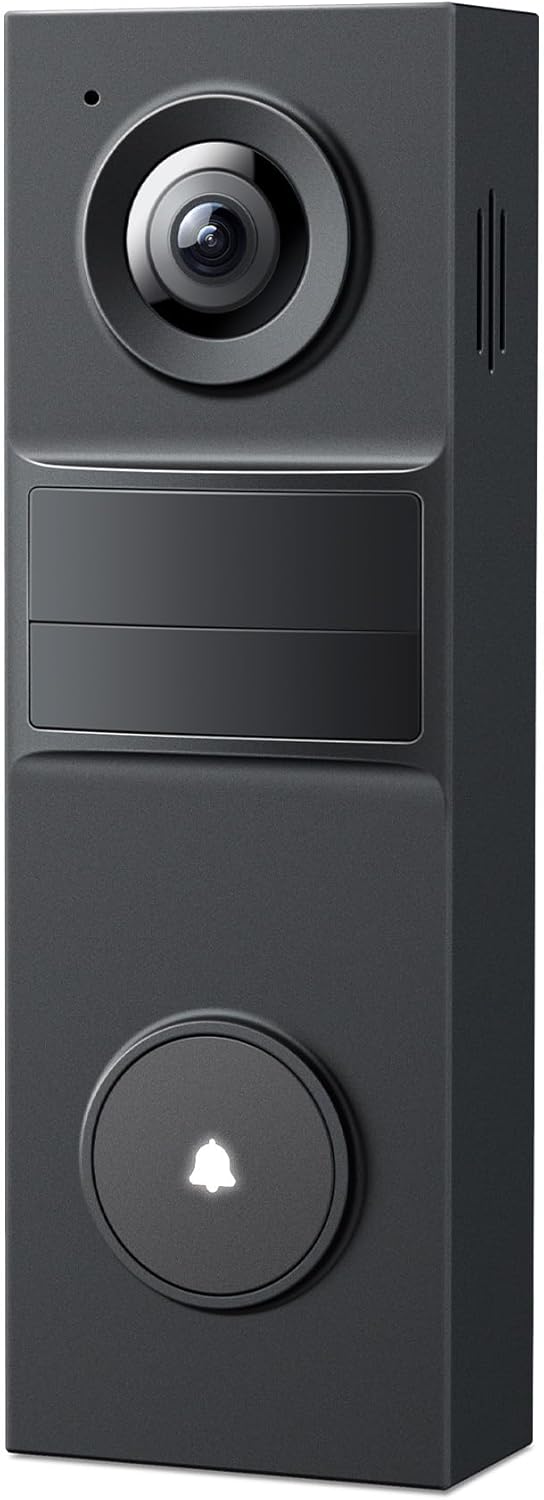
Pros
- 2K resolution with a 160° field of view covers wider entryways than standard 1080p doorbells with narrower lenses
- Built-in 5,200mAh battery is rated for up to 180 days of use between charges
- On-device AI person detection sends alerts without a monthly subscription fee for that feature
- Custom activity zones limit alerts to specific areas of the frame, cutting down on unrelated motion notifications
- IP54 weather resistance is built to handle rain, dust, and seasonal outdoor conditions
Cons
- Chime is not included in the box, so a phone call or app alert is the default notification without one
- Local microSD storage caps out at 512GB and is sold separately, so recording storage is not included out of the box
- Cloud recording still requires a separate Tapo Care subscription for features beyond local microSD storage
Power comes from a built-in 5,200mAh rechargeable battery rated for up to 180 days of use per charge, so the doorbell does not require a hardwired connection to existing doorbell wiring for basic operation. A 160-degree field of view captures a wider angle than many standard doorbell cameras.
- 5,200mAh battery is rated for up to 180 days between charges
- 160° field of view covers wide entryways and porch areas
- Wire-free installation avoids the need for existing doorbell wiring
Because it runs on battery power, placement is not limited to spots with existing doorbell wiring already in place.
Recordings can be stored locally on a microSD card up to 512GB, sold separately, without a required subscription, or routed to an optional cloud storage plan for off-device backup. Custom activity zones limit alerts to specific parts of the frame rather than the entire field of view.
- Local microSD storage up to 512GB works without a subscription
- Optional cloud plan adds off-device backup storage
- Custom activity zones focus alerts on chosen areas of the frame
Because local storage is available without a subscription, ongoing recording access does not depend on maintaining a paid cloud plan.
A chime is not included in the box, so notifications default to the app and phone-call-style alerts rather than an audible in-home chime unless one is purchased separately. A microSD card is also needed if local storage is the preferred recording method.
- Chime hardware is sold separately from the doorbell itself
- microSD card must be purchased separately for local recording
- Cloud subscription is optional and only needed for cloud storage features
Because these accessories are not bundled, setting up the full experience with a physical chime and local storage means planning for a couple of extra purchases.

Pros
- Retinal 4K resolution captures both wide entryway views and zoomed-in detail from the same camera
- Digital zoom reaches up to 10x, enough to make out details like a package label at a distance
- Radar-powered 3D Motion Detection reduces false alerts by tracking motion path, not just triggering
- Quick Release Ultra Battery Pack detaches for charging without unmounting the doorbell shell from the wall
- Automatic switch to black-and-white Night Vision keeps footage usable in low light
Cons
- Video history and AI-powered alert features require a compatible Ring Protect subscription to unlock
- Battery-powered operation means the Quick Release pack needs periodic removal and recharging
- Two-way talk and live view depend on a stable home WiFi connection to function
The Retinal 4K sensor captures both a wide-angle view of the entryway and finer detail when needed, with digital zoom reaching up to 10x to make out details like a face or package label from a distance. Color video continues into low light before switching automatically to black-and-white Night Vision in full darkness.
- Retinal 4K resolution supports both wide framing and closer digital zoom from one camera
- Up to 10x Enhanced Zoom helps inspect details without moving the camera
- Automatic switch to black-and-white Night Vision keeps footage usable after dark
This combination suits homes wanting to both monitor a full porch view and zoom in on specific activity without installing a second camera.
Power comes from the Quick Release Ultra Battery Pack, which detaches from the doorbell shell for charging without needing to unmount the entire unit from the wall. This is described as Ring's fastest-charging battery pack to date, reducing the time the doorbell is offline during a recharge.
- Quick Release battery pack detaches for charging without removing the mounting bracket
- No wiring is required, unlike a hardwired doorbell installation
- Radar-powered 3D Motion Detection delivers real-time alerts based on movement path, not just triggers
Because it runs on battery rather than existing doorbell wiring, it needs periodic recharging, and installation is simpler but relies on remembering to keep the battery topped up.
Live View and Two-Way Talk with Audio+ let a homeowner see, hear and speak to visitors in real time over a stable WiFi connection. Extended features such as scrolling back through recorded video and AI-powered activity alerts require a compatible Ring Protect subscription, sold separately from the doorbell itself.
- Live View and Two-Way Talk work without a subscription, using the home WiFi connection
- Recorded video history and AI-powered alerts are subscription-dependent features
- 3D Motion Detection sends real-time alerts to a connected phone as movement is detected
Buyers who only want live viewing and instant alerts can use the doorbell without a subscription, while those wanting recorded history will need to add one.

Pros
- The Nest Doorbell has built-in intelligence and can tell the
- Easily check in from anywhere 24/7 with live HD video with HDR and
- If your Wi-Fi goes down or there’s a power outage, the Nest
- The Nest Doorbell is easy to install wired or wire-free; the
- Dimensions of 0.95 x 1.8 x 6.3 inches engineered for optimal spatial fitting
Cons
- Requires verifying placement clearance for 0.95 x 1.8 x 6.3 inches prior to installation
- Best placed in well ventilated indoor spaces away from excess moisture
The quality feature Renewed Google Nest Doorbell - Wireless Doorbell Camera 960x1280 is engineered to address the operational demands of Video Doorbells environments. Key physical design elements prioritize user comfort through The Nest Doorbell has built-in intelligence and can tell the difference between a person, package, animal, and vehicles and send you an alert in the Google Home app no subscription required. Equipped with Easily check in from anywhere 24/7 with live HD video with HDR and night vision[1]; see what you missed with 3 hours of free event video history[2]; or add a Nest Aware subscription (sold separately) for up to 60 days of event video history[3], the hardware delivers reliable structural support under regular demands. Measurements of 0.95 x 1.8 x 6.3 inches provide clear dimensional boundaries for precise space planning.
Component assessment indicates careful selection of durable materials tailored for active usage. Key structural features including If your Wi-Fi goes down or there’s a power outage, the Nest Doorbell will store up to 1 hour of recorded events so you can see what you missed[4] support overall longevity during regular operational cycles. Careful manufacturing ensures that frame connections retain rigidity over long term use. Thoughtful spatial layout allows versatile placement across modern living environments. Dependable hardware performance ensures consistent operational output throughout the year. Precision engineering delivers a stable foundation tailored for active household demands.
Preserving structural integrity over extended service life is achieved through consistent daily care. Attributes like The Nest Doorbell is easy to install wired or wire-free; the built-in battery means it works with any door, or connect it to your existing doorbell wires with the included wire connector allow hassle-free integration into existing room configurations. Preventing prolonged exposure to harsh environmental factors helps preserve original finish quality. Thoughtful spatial layout allows versatile placement across modern living environments. Dependable hardware performance ensures consistent operational output throughout the year. Precision engineering delivers a stable foundation tailored for active household demands.
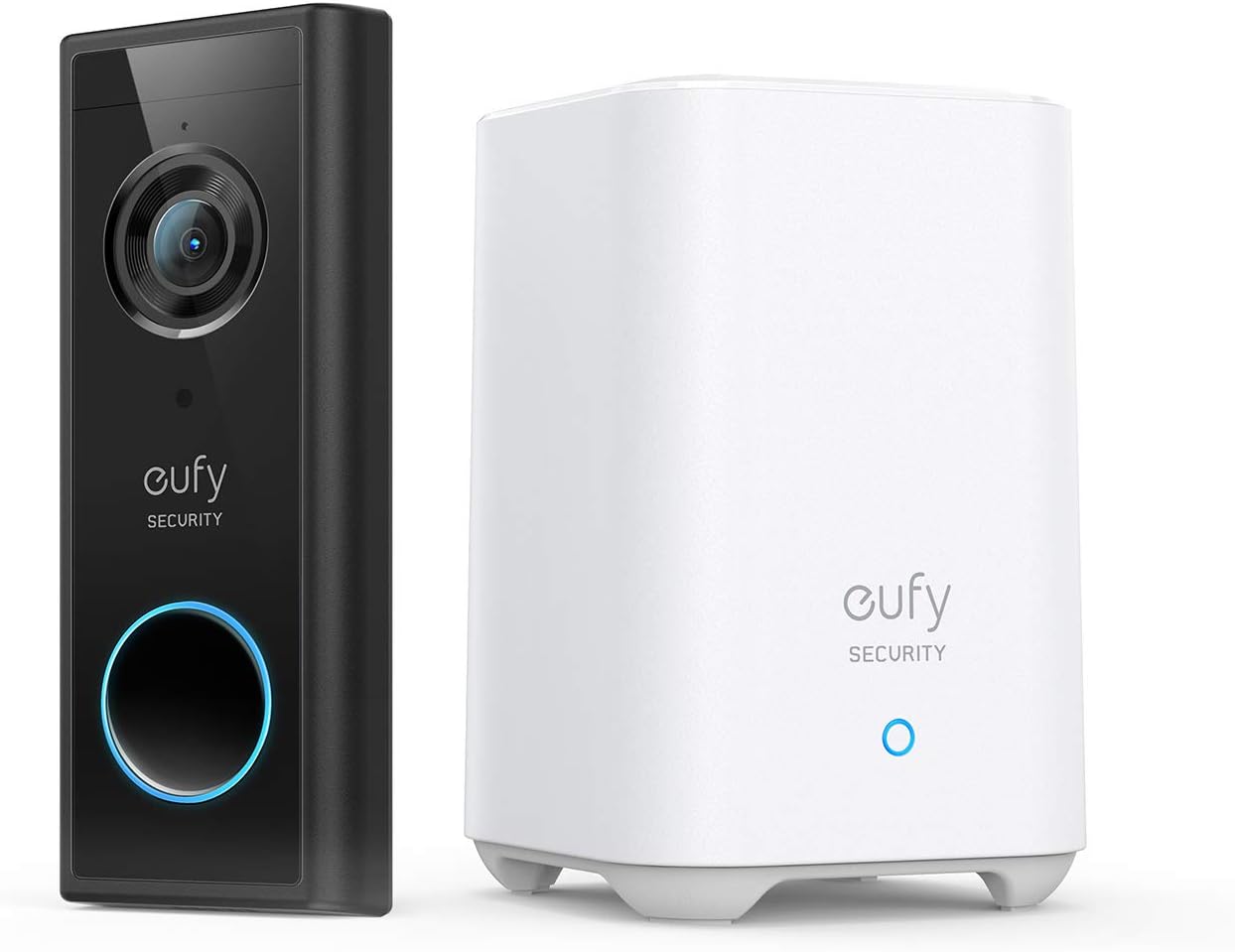
Pros
- Always Alert to Your Needs: Experience precise peace of mind with
- Crystal-Clear Oversight: The 2K sensor and professional-grade lens
- Secure Without the Subscription: Enjoy robust security with no
- Full-Scope Front Door Coverage: With a 4:3 Aspect Ratio, get a
- Dimensions of 5.51 x 2.13 x 1.1 inches engineered for optimal spatial fitting
Cons
- Requires verifying placement clearance for 5.51 x 2.13 x 1.1 inches prior to installation
- Requires proper surface alignment during initial installation
Tailored for residential and professional settings, the eufy Security Video Doorbell S220 Kit Security Camera - 2K addresses routine requirements effectively. Technical integration focuses on functional efficiency, incorporating Always Alert to Your Needs: Experience precise peace of mind with smart human detection and real-time alerts**, ensuring you're informed of important activity in customizable zones.. Its balanced engineering incorporates Crystal-Clear Oversight: The 2K sensor and professional-grade lens deliver superior video quality, capturing every detail with clarity, day or night. to streamline day-to-day interactions. Measurements of 5.51 x 2.13 x 1.1 inches provide clear dimensional boundaries for precise space planning.
Evaluating build quality and structural execution reveals strong manufacturing standards across components. The physical build incorporates Secure Without the Subscription: Enjoy robust security with no monthly fees, as local data storage* keeps your footage accessible and your costs down., providing essential protection against surface wear. High tolerance assembly prevents unexpected mechanical looseness during daily operation. Using proper installation techniques maintains physical stability across daily activities. This balanced configuration fits smoothly into existing interior designs while maximizing efficiency. Quality craftsmanship supports long term satisfaction for residential and professional settings. User centered design choices streamline routine interactions and enhance practical convenience.
Long-term operational satisfaction is supported by adhering to standard installation and cleaning practices. Thanks to Full-Scope Front Door Coverage: With a 4:3 Aspect Ratio, get a head-to-toe view every time someone approaches, ensuring complete coverage without blind spots., spatial alignment and initial setup progress smoothly for homeowners. Simple preventative care maintains mechanical responsiveness and aesthetic value over extended use. Using proper installation techniques maintains physical stability across daily activities. This balanced configuration fits smoothly into existing interior designs while maximizing efficiency. Quality craftsmanship supports long term satisfaction for residential and professional settings. User centered design choices streamline routine interactions and enhance practical convenience.

Pros
- Built-in rechargeable battery allows wire-free installation on any door, with an option to connect to existing doorbell wiring for continuous power
- On-device intelligence tells people, packages, animals and vehicles apart and sends alerts through the Google Home app with no subscription required
- Stores up to 1 hour of recorded events locally if Wi-Fi or power drops, so a brief outage doesn't create a blind gap
- 3:4 vertical field of view is shaped to capture porch packages and full-body visitors rather than just faces
- Compact 0.95 x 1.8 x 6.3-inch housing mounts on standard door frames without a bulky visible unit
Cons
- Even with a paid Nest Aware plan, the battery-powered version cannot record continuous 24/7 video, unlike some wired competitors
- Free event history is capped at 3 hours, so extended playback beyond that window depends on adding a subscription
- Core features including notifications, live view and recording all require a stable Wi-Fi and internet connection to function
The doorbell can be installed wired or wire-free. Its built-in rechargeable battery means it works on any door regardless of existing wiring, while connecting it to your existing doorbell wires via the included wire connector keeps the battery topped up automatically for more consistent uptime.
- Built-in battery supports fully wire-free installation on any door
- Optional wiring connection keeps the battery charged continuously
- Compact housing at 0.95 x 1.8 x 6.3 inches fits standard door frame mounts
Because the wire-free option relies on battery charge, doorbells that see very high traffic and frequent recording may need more regular battery recharging than a version connected to existing doorbell wiring.
On-device intelligence distinguishes between people, packages, animals and vehicles, sending an alert through the Google Home app without a required subscription for that detection. Free accounts get 3 hours of event video history, and a separate Nest Aware subscription extends that to up to 60 days of stored events.
- Smart alerts for person, package, animal and vehicle detection, no subscription needed for this feature
- 3 hours of free event video history included by default
- Up to 1 hour of events stored locally during a Wi-Fi or power outage
Even with a Nest Aware subscription active, the battery-powered doorbell does not support continuous 24/7 video recording, a limitation that carries over regardless of wired or wire-free installation.
Beyond the doorbell itself, a stable home Wi-Fi and internet connection is required for live view, mobile notifications and video recording to function; without connectivity, the doorbell cannot stream or alert. A vertical 3:4 field of view is built specifically to capture full-body visitors and packages left on the ground near the door, rather than the wider horizontal view typical of standard security cameras.
- Working Wi-Fi and internet access is required for remote notifications and live streaming
- 3:4 vertical field of view captures packages at ground level along with visitors
- A wall plug or existing doorbell wiring is optional but useful for continuous charging
Anyone in an area with unreliable home internet should weigh that dependency before relying on this doorbell as a primary security notification tool.

Pros
- Dual cameras cover both the front approach and a downward view of packages at the door
- Stores up to 8GB of motion-triggered video locally with AES 128-bit encryption, no subscription needed
- Runs on a 10,000mAh battery or wired power (8-24V, over 10VA) for flexible installation
- Delivers 2K QHD video with infrared night vision for clear footage after dark
- Includes an indoor chime in the box, so no separate chime purchase is needed
Cons
- Live streaming is limited to the front camera only, not the downward-facing lens
- Wired power requires an existing 8-24V doorbell circuit, which older homes may lack
- 8GB of local storage is fixed, with no listed option to expand via memory card
This doorbell uses two separate cameras: a front-facing lens for identifying visitors and a downward-angled camera aimed at the doorstep to catch package deliveries and pickups that a single front camera would miss. Both feed into 2K QHD video with infrared night vision, so footage stays readable after dark rather than dropping to a grainy black-and-white feed.
- Dual front and downward-facing cameras
- 2K QHD resolution
- Infrared night vision
- Motion detection with app alerts
Live streaming, however, is limited to the front camera only — the downward lens contributes to recorded motion clips but is not available for real-time viewing.
Recorded video is stored locally, up to 8GB, with AES 128-bit encryption and no monthly subscription required to access footage. This suits anyone wanting to avoid recurring cloud storage plans, though the 8GB capacity is fixed and the listing does not mention a memory card slot to expand it.
- 8GB local video storage
- AES 128-bit encryption
- No subscription required
- Motion-activated recording only, not continuous
Because storage isn't expandable, very active entryways that trigger frequent motion events will cycle through the 8GB buffer faster than a low-traffic side door.
The doorbell can run on its 10,000mAh rechargeable battery for cord-free installation, or connect to existing doorbell wiring rated between 8-24V and over 10VA for continuous power without recharging. It ships with an indoor chime, so there's no need to buy one separately, and it works with Alexa and Google Assistant for voice-based alerts.
- 10,000mAh battery or 8-24V wired power
- Indoor chime included
- 2-way audio built in
- Compatible with Alexa and Google Assistant
Homes without an existing low-voltage doorbell circuit in that 8-24V range will need to rely on battery power alone, which means periodic recharging rather than fully hands-off use.

Pros
- Captures a 180° head-to-toe field of view, showing full-body detail rather than just a face at the door
- Supports both wireless battery power and wired trickle-charge installation, fitting more homes than a battery-only doorbell
- Sealed to IP65 for weather resistance, standing up to rain, heat, and cold in an outdoor mount
- AI-based person, vehicle, and package detection cuts down on generic motion alerts from passing cars or animals
- Connects over 2.4 GHz Wi-Fi, a band with stronger range through walls than 5 GHz-only devices
Cons
- 2K resolution and 180° field of view depend on stable Wi-Fi; a weak signal can soften stream quality
- Advanced AI detection and extended video history beyond the trial period require an ongoing subscription
- Wireless battery installation still needs periodic recharging, adding upkeep versus a fully hardwired doorbell
The doorbell captures a 180° field of view for a full head-to-toe image at 2K resolution, useful for confirming who is at the door and seeing packages left on the ground. Built-in AI distinguishes between people, vehicles, and packages, aiming to cut down on generic motion alerts triggered by passing cars or blowing leaves.
- 180° head-to-toe field of view at 2K resolution
- Person, vehicle, and package recognition
- Custom activity zones and privacy zones
Two-way audio lets you talk with a visitor or delivery driver directly through the app, and night vision keeps the same detection working after dark.
This doorbell can be installed either wire-free with a rechargeable battery or hardwired to existing doorbell wiring for continuous trickle charging, giving flexibility depending on what wiring is already in place. The housing is sealed to IP65, built to withstand rain, heat, and cold in an exposed outdoor mount.
- Wireless battery or wired trickle-charge setup
- IP65 weather-resistant housing
- 2.4 GHz Wi-Fi connectivity
Households without existing doorbell wiring can start wire-free and recharge the battery periodically, while those with wiring already run can hardwire it for charging that never needs manual attention.
Live streaming, motion alerts, and two-way audio work without any added service. An included trial of an early-warning smart detection system adds 60-day video history and expanded AI detection, features that continue only with an active subscription plan after the trial period ends.
- Live streaming and motion alerts work without a subscription
- Included trial unlocks extended video history
- Custom activity and privacy zones configurable in-app
Anyone planning to rely on scroll-back video history or advanced AI alerts long-term should factor in maintaining an active subscription plan once the included trial period lapses.
Why Choose a Battery Powered Video Doorbell?
Wired doorbells rely on existing low-voltage chime wiring, which not every home has and many renters cannot touch. A battery powered video doorbell removes that barrier entirely. You mount it, charge it, and connect it to Wi-Fi – no professional installation, no risk of damaging your electrical system, and no landlord permission required.
The flexibility goes further than installation. Because they are not tied to a fixed wiring location, battery doorbells can be placed exactly where you get the best view of your porch, gate, or entryway. Models like the eufy Video Doorbell S220 advertise up to 180 days of battery life per charge, meaning you may only need to recharge it twice a year. For most households, that convenience easily outweighs the small trade-off of occasional charging.
Battery vs. Wired: What You Give Up
Battery doorbells do have a few compromises. They typically wake from sleep when motion is detected, which can add a fraction of a second before recording starts. Continuous 24/7 recording is usually reserved for wired power. And in very cold climates, battery performance can drop. That said, many modern units – including the Tapo 2K+ D225 and the Philips Security Doorbell – support both battery and wired operation, so you can start on battery and hardwire later if your needs change.
Key Features to Compare Before You Buy
Not all doorbells are created equal. When you shortlist a few candidates, focus on the features below rather than marketing headlines. These are the details that shape your day-to-day experience.
Video Resolution and Field of View
Resolution determines how much detail you can make out – a face, a license plate, a package label. Entry-level units record in HD (around 1080p), while most current favorites step up to 2K for noticeably crisper footage. The Ring Battery Doorbell and Arlo Video Doorbell 2K both target this sweet spot, and premium options like the Ring Battery Doorbell Pro push all the way to 4K for the sharpest zoom.
Field of view matters just as much as resolution. A wider angle lets you see more of your porch and, importantly, capture packages left on the ground. Look for a “head-to-toe” or wide aspect ratio if you receive frequent deliveries. Ultra-wide models such as the Tapo 2K D205 cover up to 160 degrees, while some Tapo units reach a full 180-degree view.
Smart Detection and Alerts
The best battery powered video doorbells filter out noise so you only get alerts that matter. Basic motion detection triggers on anything that moves – cars, shadows, swaying trees. Smarter units distinguish between people, vehicles, and packages. If you want fewer false alarms, prioritize doorbells with person and package detection. Several models here, including the Ring Battery Doorbell Plus and Arlo’s doorbell, offer person and vehicle recognition to keep notifications relevant.
Two-Way Audio and Night Vision
Two-way talk lets you speak to visitors, delivery drivers, or anyone at your door straight from your phone, whether you are home or away. It is now standard, but audio quality varies, so it is worth reading reviews on clarity. Night vision is equally essential – most incidents at the front door happen after dark, and every doorbell on this list includes infrared or HDR-enhanced night vision so you keep a clear picture around the clock.
Subscription Fees vs. Local Storage
This is the factor buyers most often overlook, and it can cost you more than the doorbell itself over time. Video doorbells store footage in one of two ways: in the cloud (usually behind a monthly subscription) or locally on the device or a hub.
Cloud-first ecosystems like Ring and Google Nest offer polished apps and convenient access, but many features – including saved video history – require a paid plan. If you prefer to avoid recurring fees, look for doorbells that emphasize subscription-free local storage. The Tapo D225, eufy S220, and Philips doorbell all advertise no monthly fees with built-in or local storage, which can save you real money year after year.
Even within cloud brands there is nuance. The Google Nest Doorbell (Battery) includes some free event recording and 3 hours of snapshot history without a plan, while unlocking full history needs a Nest Aware subscription. Decide upfront whether you value the convenience of an ecosystem or the long-term savings of local storage.
Smart Home Compatibility
Your doorbell should fit the ecosystem you already use. If your home runs on Amazon Alexa, look for a doorbell that can announce visitors on your Echo devices and stream to an Echo Show. Google Home households will want a device that streams to Nest displays and works with the Google Home app – the Google Nest Doorbell integrates natively and even works with Gemini on newer setups.
Many third-party doorbells stay flexible by supporting both platforms. The Philips doorbell, for example, works with Alexa and Google Assistant, giving you room to switch ecosystems later without replacing hardware. If voice control and display streaming matter to you, confirm compatibility before purchasing rather than assuming it.
How to Choose the Right One for Your Home
With the key features covered, matching a doorbell to your situation becomes straightforward. Use these quick profiles to narrow your shortlist.
For Renters and First-Time Buyers
If you want something affordable and truly plug-and-play, start with a budget-friendly option that skips subscriptions. A model like the Tapo D205 delivers 2K video, wide coverage, and free local storage at an entry price, making it ideal for a first doorbell or a rental where you cannot alter wiring.
For Ecosystem Loyalists
Already invested in Ring or Google? Stick with your ecosystem for the smoothest app experience. The Ring Battery Doorbell is a reliable mainstream pick, and if you want a removable battery pack so you never have to take the whole unit down to charge, step up to the Ring Doorbell Plus. Google households can choose between the current Nest Battery doorbell or a certified renewed unit to save money.
For Maximum Detail and Coverage
If clarity is your top priority – for reading plates, identifying faces, or zooming into distant activity – invest in a higher-resolution model. The Ring Battery Doorbell Pro with 4K and up to 10x zoom sits at the premium end, while dual-camera designs like the Philips doorbell add a downward view to catch packages at your feet.
For Long Battery Life and No Fees
Tired of charging and monthly bills? Prioritize battery endurance and local storage together. The eufy S220 pairs up to 180-day battery life with no subscription, and the Arlo Doorbell 2K offers flexible wireless or wired installation with strong smart detection for those who want options.
Installation and Setup Tips
Getting the most from your doorbell starts with smart placement. Mount it roughly 48 inches above the ground so it captures faces rather than the tops of heads, and angle it to include the area where deliveries are left. Before drilling, fully charge the battery and test the Wi-Fi signal at the door – a weak connection is the most common cause of laggy video and missed alerts.
Most battery doorbells come with a mounting plate, screws, and a wedge to angle the camera toward your walkway. Follow the in-app setup to connect to your network, adjust motion zones to ignore the street, and set notification schedules so you are not pinged all night. A few minutes of tuning here dramatically improves your experience.
Common Questions About Battery Doorbells
How often will I need to recharge?
It depends on how much traffic your door sees and how many alerts are triggered each day. A quiet entryway might go three to six months between charges, while a busy street-facing door with constant motion may need a top-up every one to two months. Enabling person-only detection and tightening your motion zones both extend battery life significantly.
Do battery doorbells work with an existing chime?
Many do, either through a bundled wireless chime or by connecting to a compatible speaker or smart display. The Philips doorbell and several Tapo models include a chime in the box, so you get an audible ring indoors without buying extra accessories. Check the listing to confirm what is included before you order.
Are they secure against hacking?
Reputable brands encrypt video in transit and at rest, and local-storage models like the eufy S220 keep footage off the cloud entirely, which appeals to privacy-minded buyers. Whatever you choose, protect your account with a strong, unique password and enable two-factor authentication for the best protection.
Final Thoughts
The best battery powered video doorbells combine easy installation, clear video, smart alerts, and a storage model that fits your budget. Start by deciding whether you want subscription-free local storage or the convenience of a cloud ecosystem, then match resolution, field of view, and smart home support to your needs. Whether you choose a budget-friendly Tapo, a mainstream Ring, an endurance-focused eufy, or a high-resolution Pro model, any of the options above will give your front door a serious security upgrade. Compare the shortlist, weigh the trade-offs that matter most to you, and pick the doorbell that will keep watch for years to come.




