
 Owen Bradley
 A standing desk only delivers its benefits if it is set to the right height for your body. Set it too high or too low and you trade sitting strain for standing strain, with sore wrists, shoulders, or a stiff neck to show for it. The good news is that dialing in the correct height takes just a few minutes and a few simple reference points. This guide walks you through setting up your standing desk correctly for your height, step by step.
What You Need Before You Start
Setting up a standing desk requires nothing more than the desk itself and a few minutes of attention. It helps to have your usual shoes on, since standing barefoot changes your height, and to have your monitor and keyboard in their normal positions. If your desk has memory presets, keep the manual handy so you can save your ideal heights once you find them.
Step-by-Step: Setting Your Standing Desk Height
- Stand naturally at the desk. Wear the shoes you normally work in, stand upright with relaxed shoulders, and let your arms hang at your sides. This is your baseline posture.
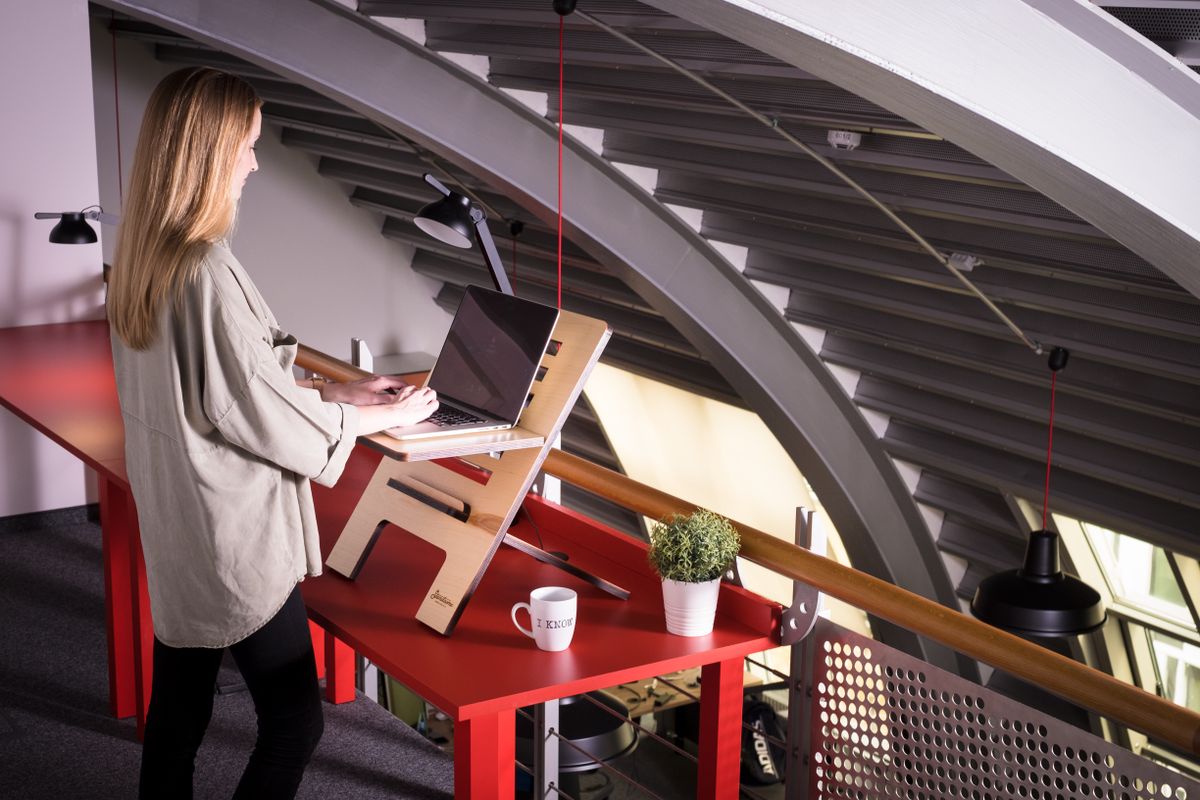
- Raise the desk to elbow height. Bend your elbows to about 90 degrees with your forearms parallel to the floor. Adjust the desk until the keyboard surface meets your hands at that height. Your wrists should stay straight, not bent up or down.
- Check your wrists. When typing, your wrists should remain neutral and flat. If they bend upward to reach the keys, the desk is too high; if they drop, it is too low. Fine-tune until they stay level.
- Position your monitor. The top of the screen should sit at or just below eye level, about an arm’s length away. You should look slightly downward at the center of the screen without tilting your head up or down.
- Confirm your shoulders are relaxed. Your shoulders should not shrug up to reach the keyboard. If they do, lower the desk slightly.
- Save the height. If your desk has memory presets, save this standing height now so you can return to it with one button.
Setting Your Sitting Height Too
A standing desk works best when you alternate, so set your sitting position with the same care. Lower the desk until, seated in your chair, your elbows again reach about 90 degrees with the keyboard. Your feet should rest flat on the floor with your thighs parallel to the ground, and the monitor should stay at eye level. Save this as a second preset so switching between sitting and standing takes a single tap. Getting both heights right is what makes alternating effortless, and effortless switching is what keeps you doing it. If your current desk cannot reach these heights comfortably, it may be time to upgrade to one of the best electric standing desks, which offer wide height ranges and one-button presets.
Common Height Mistakes to Avoid
- Setting the desk to a fixed number: Height guidelines online are only starting points. Always adjust to your own elbow and eye level, not a chart.
- Forgetting your shoes: If you usually wear shoes at your desk, set the height in them, since they change your standing height.
- Ignoring the monitor: A perfect keyboard height means little if the screen sits too low and forces you to look down, straining your neck.
- Standing rigidly for hours: Even a perfect height becomes tiring if held too long. Alternate with sitting and shift your weight.
Extra Tips for Standing Comfort
Once your height is dialed in, a few habits keep standing comfortable. Stand on an anti-fatigue mat to cushion your feet and encourage small movements. Keep frequently used items within easy reach so you are not overreaching. Shift your weight from foot to foot and take short walking breaks. Start with shorter standing intervals and build up gradually rather than forcing long sessions from day one. These small adjustments turn a correctly set desk into a genuinely comfortable one. If you are still shopping for the right desk to set up, browse the best standing desks for models with the stability and range that make correct setup easy.
Frequently Asked Questions
How high should my standing desk be?
There is no universal number. Set it so your elbows bend to about 90 degrees with your wrists flat while typing, and your monitor sits at eye level. This varies with your height and your shoes.
Should my monitor be at eye level when standing?
The top of the screen should be at or just below eye level, about an arm’s length away, so you look slightly downward at the center without tilting your head.
How long should I stand at my desk?
Start with short intervals and alternate regularly with sitting. Variety and movement matter more than any fixed duration, so listen to your body and switch positions often.
Why Correct Height Matters So Much
It is tempting to treat standing desk height as a minor detail, but getting it wrong quietly undoes the benefits you bought the desk for. A desk set too high forces your shoulders to shrug and your wrists to bend upward, creating tension that travels into your neck and forearms over a long day. A desk set too low makes you hunch forward to reach the keyboard, rounding your back and straining your lower spine, the very problem standing was meant to relieve. Because these strains build gradually, many people blame the desk itself or give up on standing altogether, when the real issue was simply an inch or two of misadjustment. Taking a few minutes to set the height precisely, and resetting it whenever you change shoes or share the desk, protects you from these hidden costs and ensures every standing session actually helps rather than harms.
Fine-Tuning Over the First Week
Your ideal height often shifts slightly as your body adapts to standing work, so treat the first week as a tuning period rather than a one-time setup. Pay attention to where you feel tension at the end of each day. Sore wrists suggest the desk is a touch high, while a stiff lower back or a tendency to lean on the desk hints that it is too low or that you are standing too long. Adjust in small increments and give each change a day or two before judging it. Once you settle on heights that leave you comfortable, save them as presets and note them somewhere, so you can restore your setup instantly if the desk is ever moved or reset. This short period of attention pays off in months of comfortable, productive standing.
Final Thoughts
Setting up a standing desk correctly for your height comes down to a few reference points: elbows at about 90 degrees, wrists flat, monitor at eye level, and shoulders relaxed. Set both your standing and sitting heights, save them as presets if you can, and pair the setup with an anti-fatigue mat and regular movement. A few minutes of careful adjustment turns your standing desk from a source of new aches into a comfortable, healthy way to work.









