
 Daniel Okafor
 A monitor is one of the biggest visual anchors on any desk, and if the rest of your setup leans light and minimal, a dark bezel can throw the whole look off. That’s why so many home offices and streaming corners are swapping the usual black frame for something brighter. This guide to the best white monitors breaks down what actually matters — panel type, resolution, adjustability, and desk fit — before pointing you toward specific models for different budgets and use cases. Whether you’re building a bright, Scandinavian-style workspace or just want your gear to match a white desk, you’ll find a fit below.
Quick answer: If you only look at one option, the best white monitors pick for 2026 is the KTC 32″ 4K White Monitor — our #1 rated choice thanks to its sharp 4K resolution, fully adjustable stand, and clean matte-white finish. See the full ranked comparison, alternatives, and buying advice below.

Pros
- 31.5-inch IPS panel at 1920 x 1080 resolution gives a wide-angle, color-accurate picture up to 178 degrees off-center
- 4ms response time keeps fast-moving video and casual gaming reasonably smooth for an IPS panel
- Dual connectivity with HDMI 1.4 and VGA (VGA cable included) covers both modern and older source devices
- Kensington lock slot lets you physically secure the monitor in a shared or public space
- VESA mount compatible for wall or arm mounting instead of the included stand
Cons
- 60Hz refresh rate is a standard figure, not a high-refresh panel for fast competitive gaming
- Full HD 1920 x 1080 resolution is lower-density than QHD or 4K panels at this 31.5-inch size, so text and images appear less sharp up close
- Only 1 HDMI port is available, so connecting more than one HDMI source means switching cables
This 31.5-inch IPS panel runs at Full HD 1920 x 1080 resolution with a 60Hz refresh rate and a 4ms response time, aimed at everyday desktop use rather than high-refresh gaming. IPS technology keeps color accurate up to 178 degrees off-center, so the picture doesn't wash out when viewed from the side.
- 31.5-inch IPS panel, 1920 x 1080 resolution
- 60Hz refresh rate, 4ms response time
- 178-degree wide viewing angle
- Overall size: 7.09 in D x 28.7 in W x 19.1 in H
At this screen size, the 1080p pixel density is noticeably softer up close than a QHD or 4K panel of the same width, so viewing distance matters more for text sharpness than it would on a smaller 1080p monitor.
Connectivity covers 1 HDMI 1.4 port and 1 VGA port, with a VGA cable included in the box, letting the monitor pair with either a modern HDMI source or an older VGA-only device without a separate cable purchase. A Kensington lock slot is built in for physical security in shared spaces.
- 1x HDMI 1.4 port
- 1x VGA port (cable included)
- Kensington lock slot
- VESA mount compatible for wall or monitor-arm mounting
With only one HDMI port, switching between two HDMI sources - say, a laptop and a game console - means unplugging and replugging a cable each time rather than switching inputs electronically, since there's no built-in switcher.
The combination of a large 31.5-inch screen, IPS color accuracy, and a 60Hz/4ms panel suits everyday desktop work, media viewing, and casual gaming rather than competitive high-refresh gaming or color-critical professional editing. VESA mounting and a Kensington slot also make it a reasonable pick for a shared office or classroom setup.
- Good fit for everyday desktop use, browsing, and media
- Reasonable for casual gaming at 60Hz rather than fast-paced competitive titles
- VESA and Kensington slot support suit shared or public-facing setups
It's a weaker fit for anyone specifically chasing a high refresh rate for competitive gaming or a 4K panel for detailed photo and video editing work, since both fall outside this monitor's core Full HD, 60Hz spec.

Pros
- 3840x2160 4K UHD VA panel with 3000:1 contrast ratio delivers deeper blacks than typical IPS monitors
- 99% sRGB color coverage with ΔE<2 accuracy suits colour-sensitive photo and design work
- Stand adjusts for height, tilt, swivel and pivot, so the screen can rotate to portrait orientation
- Two HDMI 2.0 ports plus one DisplayPort 1.4 all support 4K at 60Hz for flexible multi-device hookups
- Low blue light and flicker-free backlighting aim to reduce eye fatigue across a full workday
Cons
- 60Hz refresh rate and 7ms response time trail behind gaming-focused monitors built for fast-paced titles
- VA panel contrast is strong but viewing angles narrow more than an IPS panel when seated off-center
- Large 28.2-inch-wide, 21.1-inch-tall footprint needs a correspondingly deep desk to sit at a comfortable distance
The 32-inch VA panel runs at native 3840 x 2160 (4K UHD) resolution with a 3000:1 contrast ratio, giving deeper black levels than the roughly 1000:1 typical of IPS panels at a similar size. Colour coverage reaches 99% sRGB with a claimed ΔE under 2, a level of accuracy relevant to photo editing, design work, or any task where colour consistency matters more than raw refresh speed.
HDR10 support adds extra dynamic range for compatible content, layering brighter highlights and richer shadow detail on top of the base contrast figure. Refresh rate sits at 60Hz with a 7ms response time, specs suited to office work, media, and general desktop use rather than to competitive gaming, where 144Hz-plus monitors respond faster.
Connectivity covers two HDMI 2.0 ports and one DisplayPort 1.4, all three capable of driving the panel at 4K resolution and 60Hz, which allows two full-4K sources — a desktop and a laptop, for instance — to stay connected at once and be switched between without unplugging cables. This makes the monitor a reasonable hub for a mixed home-office and entertainment setup.
Because both HDMI and DisplayPort inputs top out at 60Hz for 4K, anyone pairing this monitor with a graphics card capable of higher 4K refresh rates will still be capped at 60Hz here rather than gaining the benefit of a faster GPU. VESA mount compatibility is included on the stand for anyone wanting to swap to a monitor arm later.
The included stand supports height adjustment, tilt, swivel, and pivot rotation, letting the screen be raised or lowered to eye level, angled to reduce glare, or turned to portrait orientation for reading long documents or scrolling code. Combined with low blue light and flicker-free backlighting, the setup is aimed at reducing neck and eye strain across a full workday.
Overall footprint is 28.2 inches wide by 21.1 inches tall, with the stand base adding 9.8 inches of desk depth, so a sufficiently deep desk is needed to position the screen at a comfortable viewing distance. The white exterior suits lighter, minimalist desk setups more than darker workstation aesthetics.

Pros
- 200Hz refresh rate (with 180Hz and 165Hz also supported) is well above the 144Hz ceiling common on many gaming monitors
- Fast IPS panel covers 130% sRGB and 95% DCI-P3, a wider gamut than the standard 100% sRGB baseline on general monitors
- VESA 100x100 mount compatibility allows swapping the included stand for a monitor arm or wall mount
- TÜV Rheinland certification confirms hardware-level low blue light and anti-flicker performance, not just a software filter
- Four video inputs (2x HDMI 2.0, 2x DisplayPort 1.4) support multiple simultaneous source connections
Cons
- HDMI 2.0 ports are capped at 1440p 144Hz, so hitting the full 200Hz refresh rate requires a DisplayPort connection instead
- No built-in speakers are included, so external speakers or headphones are needed for audio
- HDR400 is the base tier of the DisplayHDR certification scale, with lower peak brightness than higher HDR tiers
This 27-inch monitor runs a Fast IPS panel at 2560x1440 WQHD resolution, with a refresh rate up to 200Hz (180Hz and 165Hz also supported) and a 1ms MPRT response time. Color coverage reaches 130% sRGB and 95% DCI-P3 using an 8-bit plus FRC panel.
- Panel: 27" Fast IPS, WQHD 2560x1440
- Refresh rate: up to 200Hz
- Response time: 1ms (MPRT)
- Color: 130% sRGB, 95% DCI-P3, 8-bit+FRC
- HDR: HDR400 certified
The 1000:1 contrast ratio and wide color coverage are aimed at both gaming and creative work where accurate, saturated colors matter. Reaching the full 200Hz refresh rate requires a DisplayPort connection, since the HDMI 2.0 ports on this monitor are limited to 1440p at 144Hz.
Video input options include two HDMI 2.0 ports and two DisplayPort 1.4 ports, with the monitor supporting VESA 100x100 mounting for arm or wall-mount setups. TÜV Rheinland certification covers hardware-level low blue light and anti-flicker/anti-glare performance.
- Ports: 2x HDMI 2.0, 2x DisplayPort 1.4
- VESA mount: 100x100mm
- TÜV Rheinland certified low blue light and anti-flicker
- No built-in speakers
Because the hardware-level blue light reduction works at the panel level rather than through a software overlay, it applies consistently regardless of which application or game is displayed. The VESA 100x100 mount pattern is a widely supported standard, making it straightforward to pair with most third-party monitor arms if the included stand is swapped out.
Beyond the core refresh rate and panel specs, the monitor includes FPS, RTS, and RPG game mode presets, an AI crosshair assist overlay, adjustable screen size options, and a night vision mode for improved visibility in dark game scenes, alongside Adaptive-Sync support.
- Game mode presets: FPS, RTS, RPG
- AI crosshair assist overlay
- Night Vision mode for dark scenes
- Adaptive-Sync for tear-free gameplay
These presets adjust display settings such as sharpness, brightness, and contrast to suit different genres without manual recalibration between games. The panel is backed by a 1-year zero-bright-dot warranty covering major pixel defects, so it is worth inspecting closely on arrival within that window.
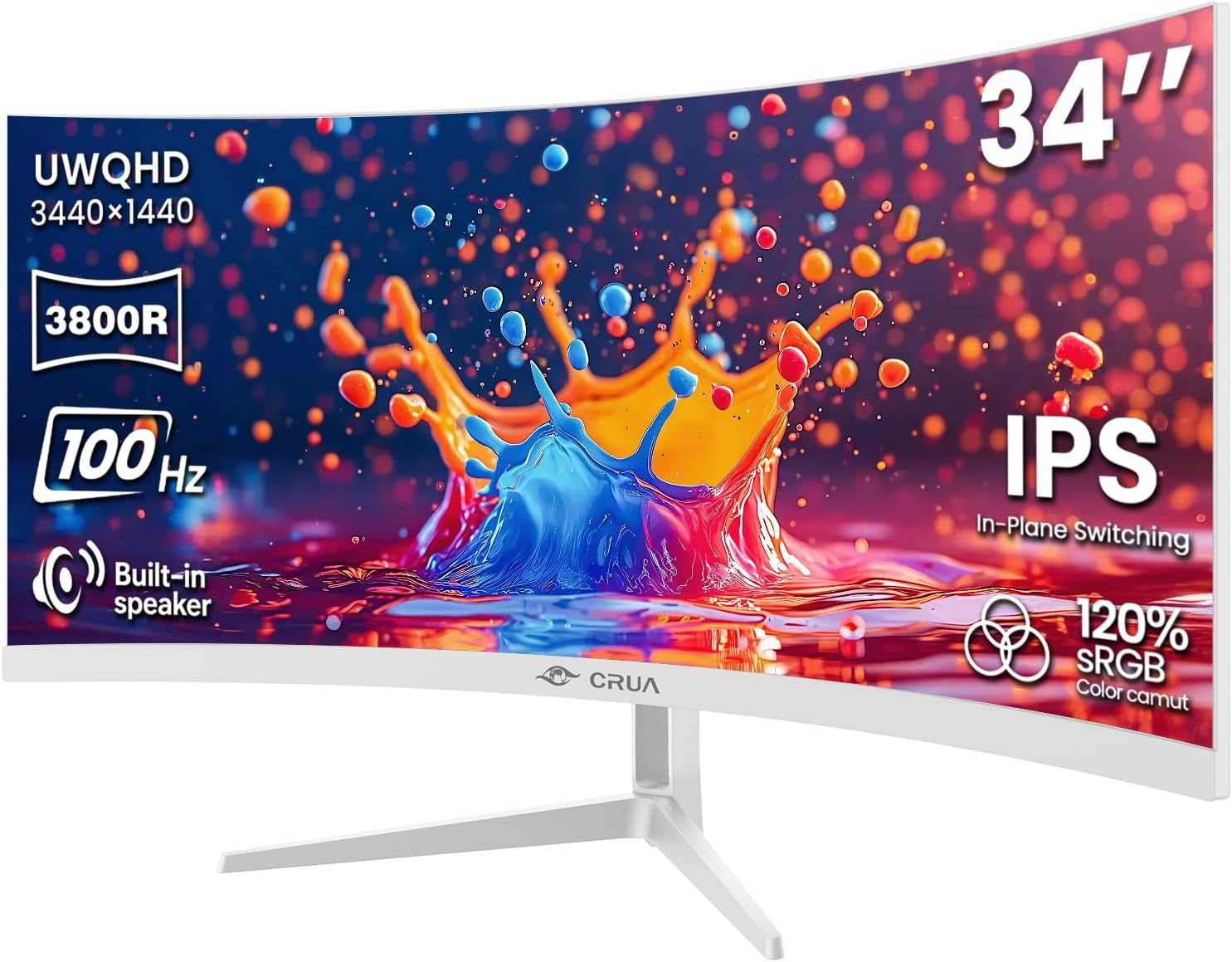
Pros
- 34" ultrawide 3440×1440 gives 50% more width than 16:9
- 100Hz with FreeSync and IPS 178° viewing angles
- 120% sRGB, 92% DCI-P3, 1.07B colors for editing
- 3800R curve and built-in speakers
Cons
- 100Hz max, not 144+ for competitive gaming
- Single white finish only
The CRUA ultrawide monitor features a 34-inch 3440-by-1440 pixel IPS display providing 50 percent more horizontal workspace than standard 27-inch 16:9 monitors. The ultrawide aspect ratio enables viewing multiple windows side-by-side without tab-switching or window resizing, dramatically improving productivity for multitasking workflows. The IPS panel technology delivers consistent brightness and accurate colors across a 178-degree viewing angle, making it ideal for color-critical work like video editing, photo retouching, and graphic design.
- 3440-by-1440 ultrawide resolution spans 34-inch display.
- 120 percent sRGB and 92 percent DCI-P3 color gamut.
- 1.07 billion color support (8-bit plus frame-rate conversion) ensures smooth gradients.
- 350 candelas-per-square-meter brightness with 1000-to-1 contrast ratio.
- 178-degree IPS viewing angle maintains color accuracy from sides.
The extreme horizontal expansion enables spreadsheet analysis, video timeline editing, and multi-window programming without workspace congestion. Professional color accuracy serves photographers, designers, and video professionals.
The 100-hertz refresh rate with AMD FreeSync technology eliminates screen tearing and stuttering during scrolling and video playback. The 3800-radius millimeter curved screen gently wraps around your natural field of view, reducing eye movement and neck strain during extended editing sessions. While the 100-hertz refresh falls short of competitive gaming requirements, it excels for content creation, photo editing, and general productivity workflows. FreeSync synchronizes refresh with your AMD graphics card, eliminating synchronization artifacts.
- 100-hertz refresh rate reduces motion blur versus 60-hertz displays.
- AMD FreeSync adaptive sync eliminates screen tearing.
- 3800-millimeter radius curve provides natural immersion.
- Ideal for content creation and productivity applications.
- Curved design reduces neck and eye strain.
The curved design is particularly beneficial during eight-hour editing sessions by maintaining more content within natural field of view. FreeSync support ensures smooth performance on AMD-based systems.
Multiple connectivity options ensure compatibility with desktops, laptops, and gaming consoles. The HDMI 2.0 port supports 4K gaming on PlayStation 5 and Xbox Series X. DisplayPort 1.4 provides high-bandwidth PC connectivity. Built-in stereo speakers deliver basic audio output eliminating the need for a separate soundbar. The 100-by-100 millimeter VESA mount socket accepts standard monitor arms for ergonomic positioning and saves desk space.
- HDMI 2.0 enables 4K gaming console connectivity.
- DisplayPort 1.4 provides high-bandwidth PC connection.
- 100-by-100 millimeter VESA mount for monitor arm installation.
- Integrated stereo speakers provide basic audio output.
- Accommodates creative professionals and casual users equally.
The built-in speakers eliminate peripheral speaker clutter, though serious audiophiles should prioritize external audio systems. Standard mount compatibility enables ergonomic monitor positioning.

Pros
- Elevated entertainment The QHD resolution and 1500 1 contrast ratio
- Hear the audio difference Immerse yourself in sound with integrated
- Eye comfort Prioritize visual comfort with this T V-certified display.
- Designed for comfort Adjust your monitor to suit your preference
- Display and Peripheral Manager Experience s singular,
Cons
- Requires verifying desktop clearance for 7.95"D x 24.07"W x 15.36"H dimensions
- Requires routine care to keep exterior housing dust-free
- Initial setup requires checking operating instructions carefully
The Dell 27 Plus QHD Monitor - S2725DSM - 27-inch QHD 144Hz offers reliable functional utility tailored for modern home and workplace environments. Designed to enhance daily productivity, this unit integrates Elevated entertainment The QHD resolution and 1500 1 contrast ratio alongside Hear the audio difference Immerse yourself in sound with integrated. Users will find the intuitive design straightforward to operate across various room configurations and daily routines. The versatile construction adapts easily to personal workspaces, providing consistent practical value and streamlined usability. Physical dimensions measuring 7.95"D x 24.07"W x 15.36"H allow for straightforward spatial planning prior to final placement.
Built using resilient structural components, this unit features a sturdy outer housing engineered to resist operational wear. Precision manufacturing ensures that all joints and surface connections remain firmly aligned during regular daily activity. Eye comfort Prioritize visual comfort with this T V-certified display. reinforces overall physical stability over extended service periods. Structural integrity remains firm throughout regular usage, giving owners peace of mind. Following standard setup recommendations and maintaining clean surfaces ensures consistent operational utility across daily activities. This functional equipment provides steady performance and practical convenience when properly integrated into your workspace.
Initial setup requires placing the unit on a flat, stable surface with adequate clearance around all sides for proper operation. Ensure all power or connection cables are routed neatly without sharp bends to prevent wire strain. Regular care involves wiping exterior housing surfaces with a soft cloth to remove dust buildup. Inspecting mechanical connections periodically preserves operational efficiency and maintains cosmetic appearance over time. Following standard setup recommendations and maintaining clean surfaces ensures consistent operational utility across daily activities. This functional equipment provides steady performance and practical convenience when properly integrated into your workspace.

Pros
- 144Hz refresh with 1ms MPRT keeps fast pans free of smearing
- 1500:1 contrast ratio holds detail in dark scenes without crushing shadows
- Dual 3W speakers remove the need for a separate desktop set
- TUV-certified eye comfort mode cuts blue light without washing out colour
- Tilt, height and swivel adjustment on the included stand
Cons
- 1920x1080 across 27 inches works out to roughly 81 pixels per inch, so text looks softer than on a 1440p panel of the same size
- Built-in speakers reach normal desk volume but have almost no low end
- Single HDMI input limits how many devices you can leave permanently connected
The 27-inch panel runs at 1920x1080 with a 144Hz refresh ceiling and a 1ms moving picture response time. Contrast sits at 1500:1, which is higher than the 1000:1 typical of comparable desktop panels. In practice that means night scenes and dark game environments keep separation between shades instead of collapsing into flat black.
- The 144Hz ceiling gives 6.9ms between frames instead of the 16.7ms of a 60Hz panel.
- 1ms MPRT reduces the trailing blur visible behind fast horizontal camera movement.
- 1500:1 contrast keeps shadow detail readable in dim scenes and dark interfaces.
- The FHD resolution keeps GPU load low, so mid-range cards can sustain high frame counts.
- TUV eye comfort certification limits blue light while leaving colour balance intact.
Anyone running competitive shooters or racing titles will feel the refresh jump immediately. Users doing photo work should note that FHD at this diagonal is a comfort choice rather than a detail one.
Video comes in over HDMI, and two 3W drivers sit inside the chassis. The speakers cover a wider frequency spread than the single-driver arrangements found on many desk monitors, which makes voice calls and video clearly intelligible without extra hardware. They are not a substitute for dedicated desk speakers when music matters.
- Dual 3W drivers handle conference audio and system sounds at normal desk distance.
- HDMI carries both picture and sound on one cable from a console or laptop.
- Removing a separate speaker pair frees roughly 20cm of desk width on each side.
- Volume is controlled from the on-screen menu rather than a physical dial.
- A headphone connection remains the better route for anything bass-heavy.
For a shared desk or a secondary machine, the integrated audio genuinely reduces cable clutter. Treat it as a convenience feature rather than a reason to retire an existing speaker set.
The stand allows tilt, height and swivel adjustment, so the panel can be set square to your eye line rather than propped on books. A 27-inch 16:9 screen occupies roughly 60cm of desk width, which fits most 120cm desks alongside a keyboard and a second smaller display. Cable routing runs through the stand column.
- Height adjustment lets you place the top bezel level with your eyes to reduce neck strain.
- Swivel makes it practical to angle the screen toward a colleague without moving the base.
- Tilt corrects the reflection angle when overhead lighting sits behind you.
- A 27-inch diagonal suits a viewing distance of roughly 60 to 80cm.
- The stand column routes the power and video cables out of sight.
Measure your desk depth before ordering, since 27 inches at close range forces head movement to track the edges. Around 70cm of clearance is the comfortable minimum.

Pros
- Built-in water tank design supports plumbing-free kitchen installation
- Dual rotary spray arms provide 360-degree high-pressure dish cleaning
- High-temperature sanitation cycle cleans tableware and baby bottles
- Compact cabinet size fits easily under upper kitchen wall units
- Front glass door panel allows observing active wash progress
Cons
- Top water tank refilling requires verifying vertical cabinet clearance
- Dish rack capacity holds service settings suited for small families
Designing automatic dishwashing convenience for small kitchens, this compact countertop dishwasher fits neatly on kitchen counters in apartments, dorm rooms, RVs, and studio apartments. Rotating dual spray arms blast water jets across plates, bowls, and cutlery to break down stubborn food residue and grease. The high-temperature wash cycle heats water to sanitize tableware, baby bottles, and coffee mugs thoroughly. Small households can save time and water compared to hand washing dishes in the sink daily, ensuring clean dinnerware across every family meal and daily cooking routine for your home.
Featuring dual water intake options, the dishwasher operates using its built-in internal water reservoir or connects directly to kitchen faucets via supplied hoses. An intuitive LED control panel allows choosing between multiple wash cycles including Normal, Quick, Heavy, and Fruit washing modes. Integrated hot air drying leaves dinnerware dry, spot-free, and ready for cabinet placement immediately after cycle completion, eliminating manual towel drying and keeping kitchen counters uncluttered during daily meal preparation routines and family dining cleanups across small spaces.
Setting up this countertop dishwasher is simple by placing the compact frame on a stable surface next to your kitchen sink. Connect the flexible drain hose so rinse water discharges directly into the sink drain. Make sure overhead cabinet clearance allows easy lifting of the water tank cover for manual filling. Rinsing the removable filter screen underneath the bottom spray arm removes food particles, ensuring clean wash cycles and fresh interior conditions across daily meal cleanups and family kitchen routines for your home.

Pros
- Thick plastic body shields tools and equipment against impact
- Perimeter rubber gasket seal keeps rain, dust, and pests out
- Dual side latch clamps lock lid securely under heavy storage loads
- Top lid grooves support safe vertical stacking on garage racks
- Molded side handles facilitate comfortable lifting and carrying
Cons
- Outer plastic shell adds minor weight when empty
- Box unlatching is required to inspect stored contents
Built for heavy-duty utility storage, this waterproof plastic box protects power tools, camping gear, seasonal clothes, and hardware from dampness and dirt across basements, attics, and outdoor sheds. Made from thick impact-resistant plastic, it resists denting or cracking under heavy loads and vertical stacking pressure. An integrated rubber lid gasket prevents moisture, dust, and pests from entering, making it an ideal choice for storing paper documents, tools, hardware, and clothing safely in basements, sheds, or attics with full environmental protection for all your household items.
Dual heavy-duty side latches snap firmly onto the container rim, securing the lid and maintaining constant rubber gasket pressure against moisture. Molded channels on top of the lid interlock securely with matching container bottoms, enabling stable vertical stacking on storage shelves or garage floors. Integrated side handle grips provide a strong hand grip when carrying heavy equipment around your home, workshop, or vehicle during seasonal storage organization, home cleanups, and garage reorganization tasks throughout the entire year for homeowners and DIYers.
Before installing tote containers on metal garage shelving, verify vertical shelf height clearance so the box slides smoothly into place. Washing the outer plastic housing requires simple spraying with a hose or wiping down with a damp cloth after outdoor use. Ensuring all stored camping supplies, fabrics, and equipment are dry before snapping the latches closed prevents trapping interior moisture, maintaining long-term container utility for home organizing across all seasons of the year for your home and garage space layout.

Pros
- 24-inch Full HD 1920x1080 resolution delivers sharp visual clarity
- IPS panel technology offers wide viewing angles and vivid colors
- Less Blue Light and anti-flicker technology protect eye comfort
- VESA mount compatible design allows flexible wall or arm mounting
- HDMI and VGA ports connect easily to desktop computers and laptops
Cons
- Integrated speakers provide basic audio suitable for casual listening
- Fixed tilt stand offers basic angle adjustments without height adjustment
The MSI PRO MP241W E14V 24-inch office monitor features Full HD 1920x1080 resolution paired with an advanced IPS display panel, delivering sharp text and consistent color reproduction across wide 178-degree viewing angles. Ideal for business professionals, students, and home office workers, this display presents spreadsheets, web pages, and documents clearly without color distortion. The narrow bezel design creates an immersive viewing experience while making multi-monitor desk setups look clean and seamless, allowing users to increase productivity when managing multiple software applications simultaneously.
Engineered for extended workday comfort, the monitor incorporates MSI Less Blue Light and Anti-Flicker technologies to reduce eye fatigue, dryness, and strain during long computer work hours. An anti-glare screen coating minimizes ambient window reflections, maintaining clear readability under bright office lighting. The included monitor stand allows smooth forward and backward tilt adjustments to optimize your viewing angle. VESA 75x75mm mounting compatibility offers the option to attach the display to adjustable monitor arms or wall brackets for an ergonomic desktop arrangement.
Rear display inputs include HDMI and VGA ports, ensuring broad compatibility with modern desktop PC towers, laptops, and older computer hardware. Built-in dual speakers provide convenient audio output for video calls and system notifications without requiring external desktop speakers. Setting up the monitor takes minutes by attaching the base stand and connecting your preferred video cable. Its slim profile and clean white finish complement modern office desks, providing a reliable and professional display solution for daily work demands and remote assignments.

Pros
- 34-inch UWQHD 3440x1440 curved display expands multi-window workspace
- 1500R curvature provides an immersive, comfortable viewing angle
- IPS-grade panel technology delivers vibrant color depth and wide angles
- Less Blue Light PRO technology preserves true color while protecting eyes
- USB Type-C port with 98W power delivery charges laptops directly
Cons
- Curved 34-inch ultrawide desktop footprint requires a spacious work desk
- UWQHD resolution requires a compatible graphics card for full 1440p output
The MSI Modern MD342CQPW 34-inch curved computer monitor features an ultrawide UWQHD 3440x1440 resolution paired with an ergonomic 1500R screen curvature. Designed for business professionals, video editors, and financial analysts, the 21:9 aspect ratio provides vast screen space, allowing users to view multiple documents, spreadsheets, and timeline tracks side-by-side without needing dual monitor setups. The subtle curvature wraps the display around your natural field of view, maintaining uniform focal distances across screen edges to reduce eye strain during long working hours in home offices or corporate workspaces.
Engineered for productivity, the monitor includes built-in Less Blue Light PRO hardware technology that filters harmful blue light emissions while maintaining accurate color fidelity without yellow tinting. A multifunctional USB Type-C port provides high-speed data transfer, video display signals, and powerful 98W power delivery over a single cable to charge connected laptops directly. Integrated dual speakers provide clear audio for video calls, while a 120Hz refresh rate and 1ms response time ensure smooth visual motion across all desktop applications, financial spreadsheets, and media playback.
Featuring a clean white chassis aesthetic, this ultrawide monitor includes an ergonomic stand with height adjustment, tilt, and swivel capabilities to customize your viewing position. Rear VESA 75x75mm mounting support lets you attach the display to heavy-duty monitor arms to clear desk space. Setting up the monitor takes minutes by connecting the HDMI, DisplayPort, or USB Type-C cable. Its clean design and vast screen area create an organized, highly productive desktop workstation environment for daily remote work tasks and professional computer work.
How We Picked the Best White Monitors for 2026
Not every “white” monitor looks the same in person. Some brands use a bright, almost snow-white shell, while others ship a warmer off-white or light-gray finish that reads differently under office lighting. We prioritized models with a genuinely light-colored chassis and stand, not just a white box hiding a black bezel underneath.
Beyond color, we weighed four practical factors: panel quality, resolution versus price, stand adjustability, and connectivity. A monitor that looks great but only tilts gets frustrating fast once you’re six hours into a workday and your neck is aching from the wrong height.
We also cross-checked rating and review counts before shortlisting anything, so you’re not gambling on an unproven model. Every pick below has real owner feedback behind it, not just marketing copy.
Port selection matters more than most buyers expect, too. HDMI 2.0 or 2.1 handles most everyday connections, but if you plan to run a laptop over a single cable, look for DisplayPort or USB-C with power delivery, since that lets you charge a device and send video at once instead of juggling a separate charger.
Best White Monitors by Use Case
Instead of ranking these strictly by price, we grouped them by the situation you’re actually shopping for. Match your daily use to a category below, then compare specs within it.
Best for 4K Productivity and Multitasking
If you spend your day juggling spreadsheets, browser tabs, and design files, extra pixels make a real difference. The KTC 32″ 4K White Monitor is our top overall pick, pairing a 32-inch VA panel with 99% sRGB coverage and a stand that tilts, swivels, pivots, and adjusts for height. At $249.98, it undercuts most 4K displays twice its price.
Want something sharper and more compact for a tighter desk? The LG 27US550-W Ultrafine packs the same 4K resolution into a 27-inch IPS panel with HDR10 support, though you’ll pay closer to $296.27 for the smaller footprint and stronger color accuracy.
Best for Gaming Setups
Gamers care about refresh rate and response time as much as resolution. The ASUS ROG Strix XG27ACG-W is built for speed, running a 180Hz Fast IPS panel with G-Sync compatibility and a 1ms response time that keeps fast-motion scenes clean during competitive play. It’s a premium pick at $278.00, backed by a 3-year warranty.
For a more budget-friendly gaming option, the Amzfast AMZG27F6Q delivers a 200Hz WQHD panel with HDR400 and adaptive sync for $149.98, making it one of the least expensive routes into high-refresh gaming in a white finish.
Best for Ultrawide Multitasking
If you’d rather span one huge canvas than juggle two separate screens, an ultrawide is worth the extra desk space. The CRUA 34″ Ultrawide Curved Monitor covers 120% sRGB with a gentle 3800R curve and built-in speakers for $189.99, making it one of the more approachable ways into a true 21:9 workspace.
If you also want a single-cable docking setup, look at the msi Modern MD342CQPW. It adds USB-C with 98W power delivery and a built-in KVM switch, so you can charge a laptop and swap inputs without extra cables — a real convenience if you run two machines from one desk.
Best Budget Pick for Small Desks
Not everyone needs 4K resolution or a curved ultrawide panel. The msi PRO MP241W is a compact 24-inch FHD monitor with a 144Hz refresh rate and slim bezels for just $84.99, making it a sensible starting point for a secondary desk or a first home office setup. The Acer EZ321Q is another value option worth checking, offering a larger 31.5-inch screen at a similarly low price, though its VGA-included bundle points to an older port selection than the newer models on this list.
Panel Type, Resolution, and Stand Adjustability Explained
IPS panels (In-Plane Switching) are usually the safer choice for office work and color-sensitive tasks, because they hold accurate color at wide viewing angles. That matters if you sit off to one side or someone glances at your screen from across the room. VA panels, used in models like the KTC and msi Modern, trade a bit of viewing-angle accuracy for deeper contrast, which can make dark scenes and video look richer.
Refresh rate is measured in Hertz (Hz) and describes how many times per second the screen redraws an image. A standard 60Hz panel is fine for spreadsheets and browsing, but gamers and anyone scrolling long documents all day will notice smoother motion on a 144Hz or 200Hz panel.
Stand adjustability is easy to overlook until your neck starts aching. Look for tilt, height, swivel, and pivot support rather than a fixed, tilt-only stand — the KTC and both Dell models above include full adjustment ranges as standard equipment.
Matching a White Monitor to the Rest of Your Desk
A white monitor looks best when it isn’t fighting the rest of your setup. If you’re assembling a full light-toned workstation, start with the surface itself — our guide to the best white desks covers finishes and sizes that pair well with a light-colored monitor stand.
Peripherals matter just as much as the desk. A dark keyboard next to a white monitor can look accidental rather than intentional, so it’s worth browsing the best white keyboards if yours still doesn’t match. If your networking gear sits in view on the same shelf, swapping to one of the best white routers keeps the whole setup looking coordinated instead of like an afterthought.
If 4K output matters more to you than color-matching, it’s also worth comparing this list against our broader roundup of the best 4K monitors, which covers both black and white options side by side.
Common Mistakes to Avoid When Buying a White Monitor
The white shade itself varies more than people expect. Some panels are a crisp, bright white, while others lean toward warm ivory or cool gray. Check product photos closely, and read a few reviews mentioning the actual finish before you commit, especially if you’re trying to match an existing desk or shelf.
Buyers also tend to skip VESA mount compatibility, then discover their new monitor arm doesn’t fit. Confirm the mounting pattern before ordering if you’re planning to go arm-mounted instead of using the included stand.
Another common slip is chasing resolution beyond what your desk distance or graphics card can actually support. A 4K panel looks stunning in photos, but if you sit close to a 24-inch screen, you may not notice the extra sharpness — and older GPUs can struggle to drive 4K smoothly in games.
Finally, be honest about who these monitors aren’t for. If you do color-critical photo or video work, a VA panel’s narrower viewing angles may not meet your standards, and you’re better off prioritizing an IPS model instead. If your desk is on the smaller side, measure your clearance before buying anything in the 32-inch-and-up range — an oversized screen can crowd out everything else on a compact surface.
Frequently Asked Questions About White Monitors
Are white monitors more expensive than black ones?
Not usually. Pricing is driven mainly by panel type, resolution, and refresh rate rather than color. You’ll find white options at nearly every price point, from budget FHD displays to premium 4K panels.
Do white monitors show dirt and yellowing over time?
Light-colored plastics can show dust and fingerprints more visibly than black ones, and older plastics can yellow with UV exposure over the years. A quick wipe-down with a microfiber cloth keeps most models looking fresh.
What size white monitor is best for a small desk?
Something in the 24- to 27-inch range is usually the sweet spot for compact desks. It gives you room to work without overwhelming the surface or forcing you to sit too far back to see the corners clearly.
Can I mount a white monitor on a monitor arm?
Most modern displays, including the models above, support standard 100x100mm VESA mounting. Check the specific listing before buying an arm, since a few compact or budget models use a different pattern.
Is a curved white monitor worth it over a flat one?
It depends on screen size more than preference. On anything 34 inches or wider, a gentle curve like the one on the CRUA above keeps the far edges within easy eye movement. On smaller 24- to 27-inch screens, the difference is minor, so a flat panel is perfectly fine.
Picking the right display comes down to matching the panel and stand to how you actually work, not just grabbing whatever looks brightest in a thumbnail. Use the use-case breakdown above to narrow things down, then check the current price on Amazon for whichever model fits your desk and your budget.






