
 Marcus Bell
Picking the best SSDs for data analysis is not the same as picking a drive for everyday browsing. Data analysts move enormous CSV exports, train models on local samples, and switch between spreadsheets, notebooks, and databases without warning. A slow drive turns a five-minute query into a coffee break, and a cramped one forces you to delete last month’s work just to make room for this month’s. This guide walks you through the specs that actually matter for analytics work, then points you toward 10 drives that hold up under real workloads. You will find fast NVMe options for heavy computation and high-capacity picks for archiving raw datasets you cannot afford to lose.
Quick answer: If you need one drive that keeps large datasets, notebooks, and databases moving fast, our top pick among the best SSDs for data analysis in 2026 is the Samsung 990 PRO 2TB — our #1 rated pick for raw speed, capacity, and reliability. See the full ranked list, budget alternatives, and buying advice below.
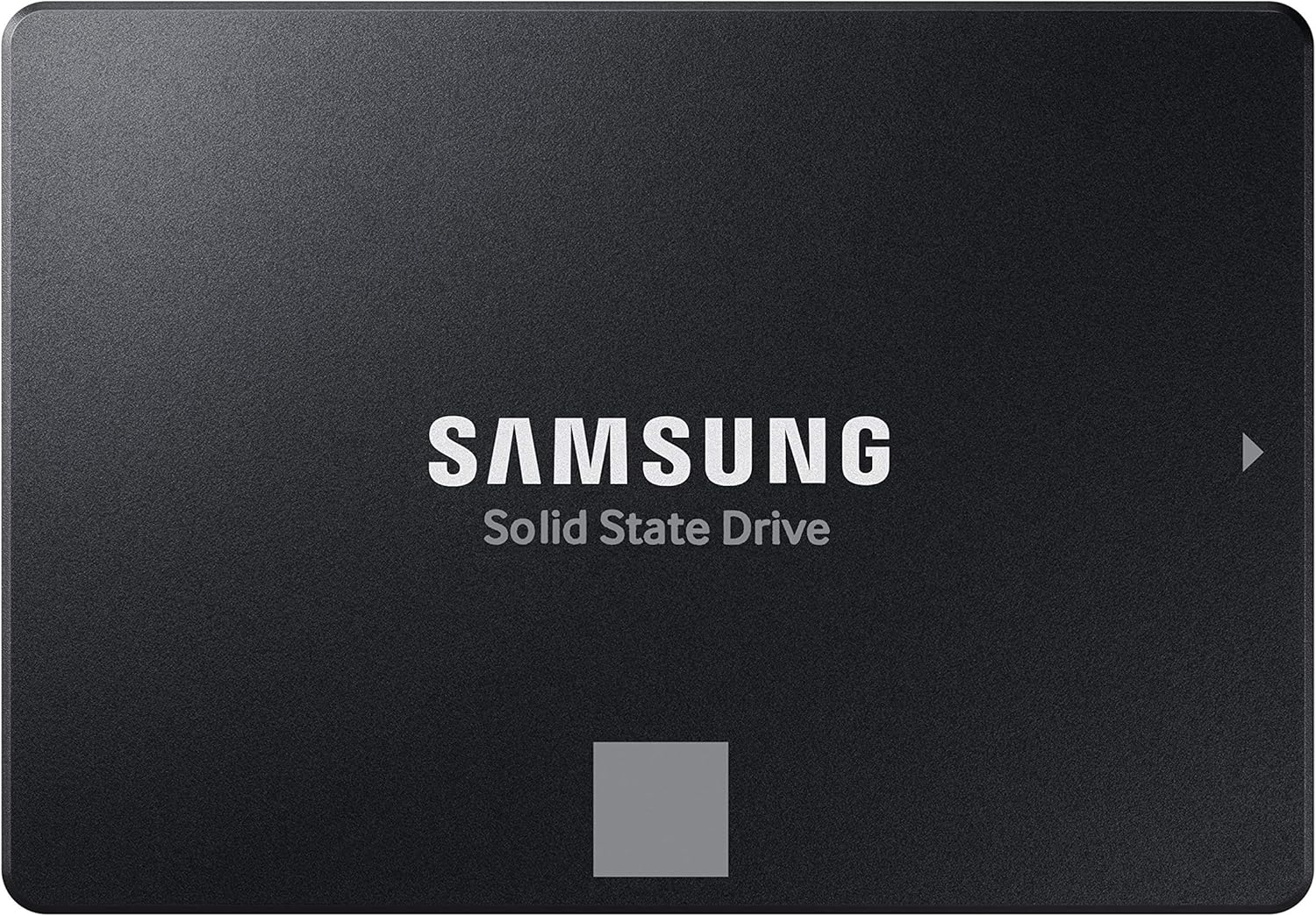
Pros
- Sequential reads to 560 MB/s and writes to 530 MB/s, which saturates the SATA III interface rather than the flash
- Warranted for 600 TBW at the 1TB capacity under a 5-year limited warranty
- Standard 2.5-inch 7mm form factor drops into desktop bays, laptop caddies and NAS trays alike
- Bundled management software reports S.M.A.R.T. health, applies firmware updates and runs secure erase from Windows
- A larger variable write buffer holds speed through long transfers such as 8K video ingest instead of collapsing part way
Cons
- SATA III caps throughput near 560 MB/s, so a free M.2 PCIe slot would deliver several times the sequential speed
- No mounting bracket or SATA cable in the box, so 3.5-inch desktop bays need an adapter tray sourced separately
- Cover ends at five years or 600 TBW written, whichever arrives first
Sequential throughput reaches 560 MB/s reading and 530 MB/s writing, which is the ceiling of the SATA III interface rather than a limit of the flash itself. A larger variable write buffer holds that speed through long transfers instead of collapsing part way into a big file copy.
- Endurance: the 1TB capacity is warranted for 600 TBW, which works out to roughly 300GB written every day for five years.
- Warranty: five years limited, ending at five years or 600 TBW, whichever arrives first.
- S.M.A.R.T. reporting is supported, so wear levels and drive health can be tracked long before failure.
For everyday desktop work, boot and application loading feel close to identical to far faster NVMe drives, because those tasks are dominated by small random reads rather than sequential bandwidth.
The drive uses the standard 2.5-inch 7mm SATA form factor, the same shape as the mechanical laptop drives it usually replaces. That makes it one of the few upgrades that still fits machines a decade old, provided they have a spare SATA port and a bay.
- Desktops: mounts in a 2.5-inch bay, or a 3.5-inch bay with an adapter tray that is not supplied.
- Laptops: drops into any 7mm caddy, while older 9.5mm bays need a spacer to sit tight.
- NAS and video recorders: compatibility has been tested across major chipsets, motherboards and recording devices.
Migration software clones an existing system across so Windows does not need reinstalling, and the management utility then handles firmware updates, health checks and secure erase once the drive is in place.
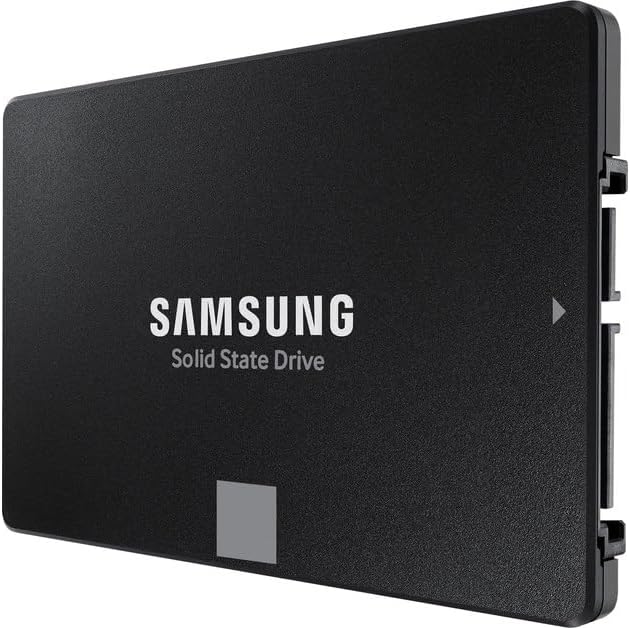
Pros
- Interface achieves the maximum SATA limit of 560 530 MB s sequential
- Intelligent Turbo Write accelerates write speed and maintains long-term
- Samsung Magician 6 Software manage your drive with a range of useful
- Designed for anyone with a desktop PC or laptop that supports a
- Available capacity 1 TB

Pros
- 8 TB in a 2.5-inch 7 mm shell, the largest capacity offered in a mainstream client SATA drive
- Sequential 560 MB/s read and 530 MB/s write, filling the SATA 6 Gb/s link
- Endurance quoted at 2,880 TBW on the 8 TB model, around 1.5 TB written every day for five years
- Backward compatible with 3 Gb/s and 1.5 Gb/s SATA ports, so it works in older desktops and laptops
- Bundled desktop utility reports drive health and applies firmware updates without a boot disk
Cons
- QLC NAND behind an SLC-behaving write buffer, so sustained transfers slow markedly once that buffer is exhausted
- SATA interface caps sequential speed near 560 MB/s, well below any NVMe module
The headline is 8 TB in a 2.5-inch 7 mm shell, the largest offered in a mainstream client SATA drive. Sequential performance reaches 560 MB/s read and 530 MB/s write, which fills the SATA 6 Gb/s link.
- Second-generation QLC NAND with an SLC-behaving write buffer
- Endurance quoted at 2,880 TBW on the 8 TB model, roughly 1.5 TB written every day for five years
- Refined ECC algorithm for stability as the drive fills
- Also sold in 1, 2 and 4 TB capacities in the same family
QLC behaviour is the thing to understand. Short transfers land in the fast buffer and complete at full speed, while a sustained multi-hundred-gigabyte copy exhausts it and drops to native QLC write speed. For a media library read far more often than it is written, that is exactly the right trade.

Pros
- PCIe 4.0 interface reaches up to 7,000 MB/s sequential read, close to double a PCIe 3.0 drive's throughput
- Endurance rated to 600 TBW, enough for years of daily gaming and video editing workloads
- Nickel-coated heat spreader with Dynamic Thermal Guard limits throttling during long sustained transfers
- Compact M.2 2280 form factor slots into desktop motherboards and the PS5 storage expansion bay
- DirectStorage support on Windows 11 speeds up game asset loading
Cons
- Needs a PCIe 4.0 motherboard such as an X570, B550 or TRX40 chipset to reach its rated speeds; PCIe 3.0 boards cap throughput near half that
- M.2 2280 only, with no shorter 2242 option for compact laptops that use a smaller M.2 bay
- Sustained write speed can drop once a transfer outpaces the drive's cache on very large file copies

Pros
- PCIe 4.0 x4 link delivers sequential reads to 7,450 MB/s and writes to 6,900 MB/s
- Endurance quoted at 1,200 TBW on the 2 TB capacity, around 650 GB written daily for five years
- Single-sided M.2 2280 stick, 80 mm long, so it clears thin ultrabook and mini-PC chassis
- Nickel-coated controller plus a heat-spreader label and Dynamic Thermal Guard step-down protection
- Bundled management software reports drive health, remaining endurance and pushes firmware updates
Cons
- Ships bare with no heatsink, so a PS5 install needs a separate M.2 cooler bought alongside it
- Full speed needs a PCIe 4.0 slot; in a PCIe 3.0 board the drive works but tops out near 3,500 MB/s
- The management and migration utility is Windows-only, so macOS and Linux owners must update firmware from a bootable ISO
The 2 TB model runs on a PCIe 4.0 x4 link, with sequential reads quoted up to 7,450 MB/s and writes up to 6,900 MB/s. Those figures come from the controller and all four lanes working together, so a slower slot roughly halves them.
- Endurance is 1,200 TBW at this capacity, which works out near 650 GB written every day for five years
- Very large sustained transfers, such as ProRes footage, drop below peak once the SLC write cache fills
- Random read performance, not the headline sequential number, is what shortens boot and game load times
For 4K editing scratch discs and shader-heavy game libraries the headroom over a SATA drive is the part you notice every day, rather than in a benchmark run.

Pros
- Sequential read speeds up to 7450 MB/s and write speeds up to 6900 MB/s on PCIe 4.0
- M.2 2280 form factor fits standard motherboard NVMe slots without an adapter
- Random performance improves more than 55 percent over the previous-generation 980 PRO
- In-house controller with smart heat control targets sustained speeds under extended write loads
- Also sold in 1TB and 4TB capacities if 2TB is not the right fit
Cons
- Requires a PCIe 4.0-capable motherboard slot to hit rated speeds; PCIe 3.0 systems will bottleneck well below 7450 MB/s
- No heatsink is included on this specific model, so thermal throttling is possible in cases with limited M.2 slot airflow
- Rated sequential figures were measured on a specific reference test system, so real-world throughput will vary with your own hardware and OS
This listing covers the 2TB capacity point, positioned between the 1TB and 4TB options in the same 990 PRO line for users who need more headroom than a boot-only drive but don't require the largest available size. The drive is aimed at gaming, video editing, and heavy workstation tasks where sustained transfer speed matters as much as raw capacity.
- 2TB capacity sits between 1TB and 4TB options
- Best paired with a PCIe 4.0 or newer motherboard
- Consider a heatsink-equipped variant for airflow-limited cases
Builders currently on SATA SSDs or older NVMe drives get the largest practical jump from this upgrade, while systems already running PCIe 4.0 drives near this speed class will see a smaller day-to-day difference.

Pros
- Sequential read speeds up to 7,100 MB/s and write speeds up to 6,000 MB/s on PCIe Gen4 systems
- 1TB of capacity in a standard M.2 2280 form factor fits both desktop motherboards and handheld gaming consoles
- Backward compatible with PCIe Gen3 systems, so it still installs in older motherboards at reduced speed
- Compatible with handheld consoles including ROG Ally X, Lenovo Legion Go and AYANEO Kun
- Includes Acronis True Image software for cloning or backing up an existing drive during setup
Cons
- Rated speeds of 7,100 MB/s read apply only on PCIe Gen4-capable motherboards; Gen3 systems cap throughput well below that figure
- 1TB is the only capacity in this listing, so users needing more storage must look at other Crucial P310 SKUs
- Drive ships without a heatsink, so sustained heavy workloads may need a separate cooling solution on motherboards without an M.2 heatsink slot

Pros
- Sequential read speeds up to 6,600 MB/s and write speeds up to 5,000 MB/s over PCIe Gen4 NVMe
- 2TB of capacity for large game libraries, video projects, or extensive document and photo storage
- Backward compatible with Gen3 systems, so it works in older motherboards without a full platform upgrade
- Includes hardware-based encryption and adaptive thermal protection built into the controller
Cons
- Full rated speeds require a PCIe Gen4 slot; Gen3 systems will run the drive at Gen3 ceiling speeds instead
- No heatsink is stated as included, which matters for sustained workloads that push adaptive thermal protection
- M.2 2280 form factor needs a compatible motherboard slot, ruling out 2.5-inch SATA bays without an adapter

Pros
- Read speeds up to 7,100MB/s, about 30% faster than the prior WD Blue SSD generation
- M.2 2280 form factor and PCIe Gen 4.0 interface fit the great majority of current desktop and laptop motherboards
- Sandisk nCache 4.0 technology speeds up copying large files or project folders
- Backed by a 5-year limited warranty on the drive
- Free Acronis True Image download handles migrating files from an old drive to the new SSD
Cons
- Rated top speed of 7,100MB/s applies to the 1TB-2TB models, so smaller capacities in the lineup run slower
- PCIe Gen 4.0 interface will not reach its full rated speed on an older PCIe Gen 3.0 motherboard slot
- No listed heatsink included, so sustained heavy workloads may need a separate cooling solution in a cramped case
The SN5100 is built in the M.2 2280 form factor and communicates over a PCIe Gen 4.0 interface, reaching read speeds up to 7,100MB/s on the 1TB-2TB models, about 30% faster than WD's prior-generation Blue SSD. Sandisk's 3D CBA NAND technology and nCache 4.0 caching layer work together to keep large file transfers, such as copying full project folders, moving at speed rather than slowing down partway through.
- M.2 2280 form factor, PCIe Gen 4.0 interface
- Read speeds up to 7,100MB/s (1TB-2TB models)
- Sandisk 3D CBA NAND with nCache 4.0
This particular listing is the 1TB capacity, positioned as a general storage upgrade for PCs and laptops rather than the higher-capacity 2TB option in the same line.

Pros
- Sequential speeds up to 7200 MB/s read and 6300 MB/s write over a PCIe 4.0 x4, NVMe 2.0 interface
- Random performance reaches 990K IOPS read and 997K IOPS write for snappier small-file access
- HMB and SLC Cache support speed up game loads and file transfers without extra onboard DRAM
- Idle power draw of just 0.048W helps conserve battery in a laptop when the drive is not active
- Companion software adds drive cloning and health monitoring tools at no extra cost
Cons
- Rated working temperature caps at 70°C, so a well-ventilated M.2 slot matters under sustained load
- No dimensions or weight listed beyond the standard M.2 2280 form factor
- 1TB capacity sits at the low end of the GM7 lineup, which also offers 2TB and 4TB versions
This 1TB GM7 drive delivers 7200 MB/s sequential read and 6300 MB/s sequential write speeds, with random performance of 990K IOPS read and 997K IOPS write. Power draw sits at 3.82W during read and 5.18W during write, dropping to just 0.048W at idle.
- 7200 MB/s read, 6300 MB/s write sequential speeds
- 990K/997K IOPS random read/write performance
- 0.048W idle power draw
HMB and SLC Cache technology work together to sustain those speeds across longer transfers and game load sequences, rather than tapering off once a small onboard cache fills up.
The drive runs on PCIe Gen 4 x4 with the NVMe 2.0 protocol in a standard M.2 2280 form factor, fitting current desktop motherboards, Gen4-capable laptops, and the PS5's M.2 expansion slot. Rated working temperature runs 0°C to 70°C, with storage tolerance from -40°C to 85°C.
- M.2 2280, PCIe Gen 4 x4, NVMe 2.0
- Compatible with desktop, laptop, and PS5 M.2 slots
- Working range 0°C to 70°C, storage -40°C to 85°C
Systems without a motherboard-integrated M.2 heat spreader may see thermal throttling sooner under sustained transfers, since the drive itself does not include an aftermarket-style heat sink in the box.
The GM7 series also comes in 2TB and 4TB capacities sharing the same PCIe Gen4 interface, so this 1TB model can serve as an entry point for buyers planning to add a second drive later rather than replace this one. The included companion software supports drive cloning for migrating data to a larger GM7 down the line.
- Shares its interface with 2TB and 4TB GM7 variants
- Companion software for cloning and health checks
- Fits as a primary or secondary drive in most modern builds
Because 1TB fills quickly with modern game installs, buyers who expect to outgrow the capacity soon may want to plan for the cloning step to a larger GM7 drive within the same product family.
What Makes an SSD Good for Data Analysis Work
Not every fast drive is a good fit for analytics. You need consistent performance when a query pulls millions of rows, not just a flashy number on the box. A few specs matter more than the rest, and it helps to understand what each one actually does before you compare prices.
- Interface and speed. NVMe drives connect over PCIe and move data far faster than older SATA drives, which cap out around 560MB/s. If you regularly load large datasets into memory, a fast NVMe SSD saves real time every day.
- Capacity. Raw data, cleaned exports, and cached model files pile up quickly. 1TB works for light analytics, but 2TB or more gives you room to keep several projects live at once.
- Sustained write performance. Some budget drives slow down once their cache fills during a long write. That matters when you are exporting a huge processed dataset, not just copying a few photos.
- Endurance (TBW). TBW, or terabytes written, tells you how much data a drive can handle before wear becomes a concern. Analysts who rewrite temp files constantly should not cut corners here.
- Random read/write performance. Databases and indexed files rely on random access, not just big sequential transfers, so look for drives that hold up in both scenarios.
Best SSDs for Data Analysis by Use Case
Here are the best SSDs for data analysis, organized by the way you actually work rather than by spec-sheet bragging rights. Match your own habits to the use cases below instead of just chasing the highest number.
Best Overall for Data Analysis
For most analytics workloads, the Samsung 990 PRO 2TB hits the best balance of speed and space. It reads up to 7,450MB/s and writes up to 6,900MB/s over PCIe 4.0, so loading large datasets into pandas or a local database feels instant. Rated 4.8 stars across more than 15,000 reviews, it holds up under repeated read and write cycles from ETL jobs and notebook checkpoints. Pair the extra capacity with a fast interface and you rarely wait on storage during a session. This is the pick to buy if you only get one drive, and it leaves enough headroom that you will not need to upgrade again soon.
Best for Large Local Datasets and Archiving
If your work involves keeping raw exports, scraped data, or years of historical files on hand, capacity beats raw speed. The Samsung 870 QVO 8TB gives you enough room to archive entire data warehouses locally instead of juggling external drives. It is a SATA drive, so it will not match NVMe speeds, but 560MB/s is still plenty for sequential reads of files you are not actively querying. Use it as a bulk archive drive alongside a faster NVMe boot drive for active projects, and you get the best of both worlds without paying NVMe prices for cold storage.
Best Budget Pick
You do not need the priciest drive to get solid analytics performance. The Crucial P310 1TB reads up to 7,100MB/s over PCIe Gen4 and comes bundled with Acronis data recovery software, a nice safety net for anyone handling client datasets. The WD Blue SN5100 1TB is another strong value option with similar 7,100MB/s read speeds and a compact M.2 2280 form factor that fits most laptops and small desktops. Either drive suits students and freelance analysts who need NVMe speed without the premium price attached to flagship models.
Best for Heavy Multitasking Workstations
Analysts running several notebooks, a local database, and a browser full of dashboards at once need a drive built for sustained load. The Samsung SSD 990 PRO 2TB is built for heavy-duty workstation use, holding consistent PCIe 4.0 performance even when multiple applications hit the drive at the same time. If you want more options built for this style of work, our guide to the best SSDs for multitasking covers additional picks. This model also works well as a second internal drive dedicated to active project files, keeping your main drive free for the operating system.
Best High-Capacity Secondary Drive
When your primary drive fills up with datasets and virtual environments, a second high-capacity NVMe drive keeps things organized. The Crucial P5 Plus 2TB uses PCIe 4.0 and gives you room to separate raw data storage from your operating system and applications. Keeping data on its own drive also makes backups and migrations simpler, since you can wipe or swap your main drive without touching stored datasets. If you are comparing capacity tiers, check our breakdown of the best 2TB SSDs for more context.
Best Reliable SATA Option
Not every setup supports NVMe drives, especially older laptops and prebuilt desktops. The Samsung 870 EVO 1TB is a dependable SATA choice with a 4.8-star rating backed by tens of thousands of reviews. It will not touch NVMe speeds, but it is a major step up from a spinning hard drive for anyone still running one. Choose this option if your motherboard or laptop lacks an M.2 NVMe slot, or if you just need a reliable secondary drive for backups.
Best for Cross-Use with Creative or Coding Work
Many analysts also code, build charts, or edit presentation videos, so a drive that handles mixed workloads is worth considering. The Samsung 980 PRO 1TB and Acer Predator GM7 1TB both deliver NVMe speeds well past 7,000MB/s, making them equally comfortable running IDEs, compiling code, or exporting visuals. If coding fills more of your day than spreadsheets, our list of the best SSDs for programming digs deeper into that use case and the specs that matter most for it.
How Much Storage Do Data Analysts Actually Need
Storage needs vary a lot depending on the type of data analysis work you do. A few starting points help you avoid buying too little or paying for space you will never touch.
If you mostly work with spreadsheets, dashboards, and moderate-sized exports, 1TB is usually enough. Analysts handling raw log files, image datasets, or multiple client projects at once should plan for 2TB as a working minimum. If you archive full data warehouses locally instead of pulling from cloud storage each time, an 8TB drive like the Samsung 870 QVO removes that bottleneck entirely.
A common approach is splitting the load: a fast NVMe drive for active projects and a larger, slower drive for cold storage. This keeps your system drive fast while still giving you room to keep old datasets on hand, and it also limits how much wear your primary drive takes on over time.
Common Mistakes When Buying an SSD for Data Analysis
A few buying mistakes show up again and again, and they are easy to avoid once you know what to check before you add a drive to your cart.
- Chasing capacity and ignoring speed. A huge SATA drive will not help if your daily work involves querying data repeatedly; interface speed matters as much as size.
- Overlooking sustained write performance. Some drives slow down noticeably once their cache fills during a long export. Check sustained speed figures, not just the peak burst number.
- Skipping endurance ratings. If you rewrite temp files and cache data all day, a low TBW rating can shorten a drive’s useful life faster than expected.
- Assuming every laptop supports NVMe. Confirm your device has an M.2 NVMe slot before buying; otherwise a SATA drive is your only internal option.
- Skipping backups. No single drive, no matter how reliable, replaces a backup of datasets you cannot recreate.
Frequently Asked Questions
Is NVMe worth it for data analysis over SATA?
Yes, in most cases. NVMe drives load large files and databases noticeably faster than SATA, which matters when you query data repeatedly throughout the day and cannot afford to wait on storage.
How much SSD storage do I need for data analysis?
1TB covers light spreadsheet and dashboard work, while 2TB or more suits analysts handling raw logs, images, or several active projects at once without running out of space.
Can I use an external SSD instead of an internal one for data analysis?
You can, but internal NVMe drives typically offer faster and more consistent speeds than external drives connected over USB, especially for heavy random access during queries.
Do I need a high-endurance drive for data analysis work?
If you rewrite temp files, cache data, or run frequent exports, a drive with a solid TBW rating will hold up better over years of daily use.
Should I keep data on a separate drive from my operating system?
Yes, keeping datasets on a dedicated drive makes backups, migrations, and cleanup simpler while keeping your main drive free for applications and the OS.
The right drive depends on how you actually work, not just the fastest number on a spec sheet. If you move huge datasets daily, prioritize a fast NVMe drive with room to grow. If you archive years of files, capacity wins instead. Compare specs and availability for the picks above, and choose the drive that matches your workflow rather than the biggest name on the shelf.


