
 Marcus Bell
 Best Router Companies: How to Choose a Brand You Can Trust
Shopping for a new wireless router can feel overwhelming, and a big part of the confusion comes down to one simple question: which brand should you actually buy from? The best router companies have earned their reputations by delivering reliable hardware, consistent firmware updates, and support that does not leave you stranded when something goes wrong. But not every brand is a fit for every home, and the “best” name on paper is not always the best pick for your specific setup, budget, or internet plan.
This guide takes a buyer-first approach. Instead of ranking individual models one by one, we look at what separates a great router company from a mediocre one, how the leading brands position themselves, and how to match a manufacturer’s strengths to what you need. By the end you will know how to shop with confidence, whether you want a budget workhorse, a travel companion, or a future-proof Wi-Fi 7 powerhouse.
Pros
- Dual-band Wi-Fi 6 reaches 574 Mbps on 2.4 GHz and 1201 Mbps on 5 GHz, enough for a hotel room full of streaming devices
- WireGuard tunnels run up to 550 Mbps over the wired ports, so encryption does not throttle a fast hotel line
- Three gigabit Ethernet ports let a games console and a work laptop stay wired while phones use the radio
- A 1.2 GHz quad-core chip with 512 MB DDR3L RAM handles up to 120 connected clients
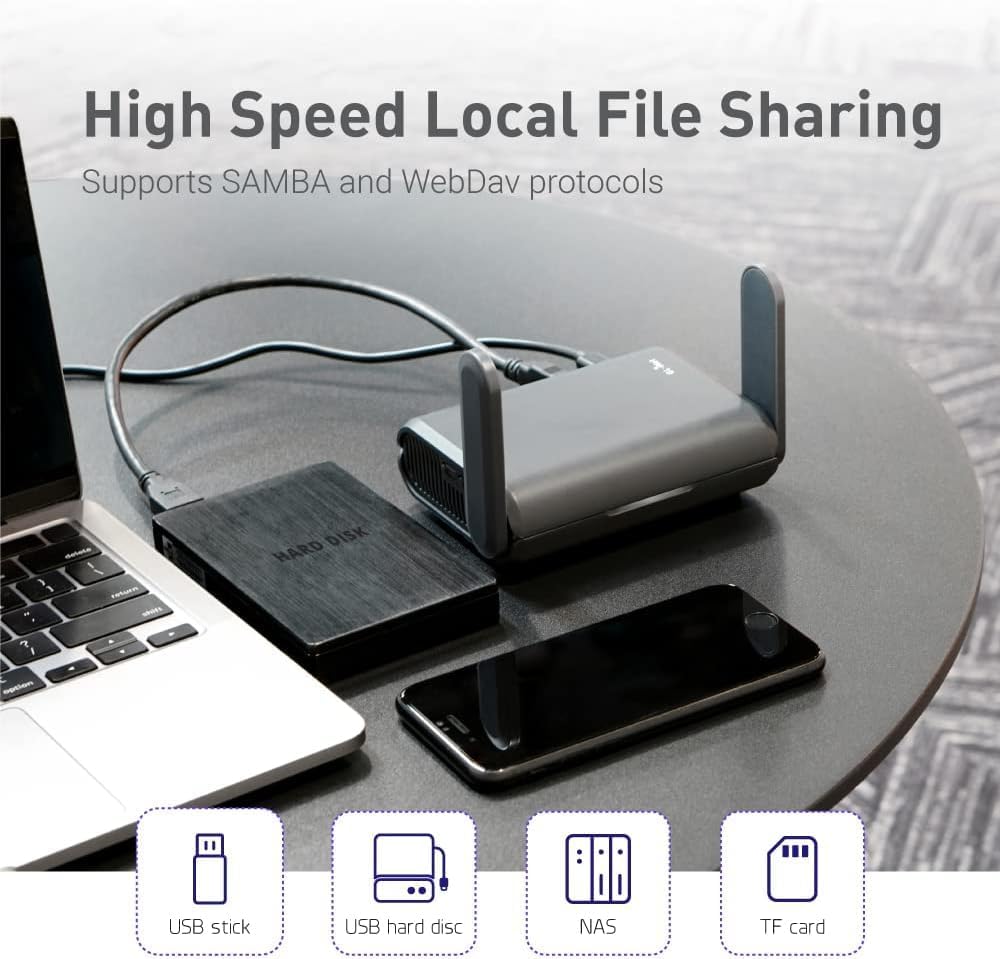
- A USB port turns any external drive into a SAMBA or WebDAV share for the room
Cons
- No built-in cellular modem, so it still needs a hotel line, public hotspot or tethered phone as its source
- Wi-Fi 6 without 6E, so the 6 GHz band is out of reach
- Powered over USB-C with no internal battery, so a wall outlet or power bank has to stay connected
The radio pair is quoted at a combined 1800 Mbps, split as 574-600 Mbps on 2.4 GHz and 1201 Mbps on 5 GHz. In a single hotel room or cabin that is far more headroom than the upstream line will ever supply, so the limiting factor is almost always the network you connect to, not the router.
- MU-MIMO, OFDMA and BSS colouring keep throughput steady when a dozen devices talk at once, which is the real workload on a family trip.
- Up to 120 simultaneous clients are supported, so it also works as a temporary access point at a small event.
- Three gigabit ports mean a wired desk setup stays wired.
Range is modest by design - this is a pocket unit meant to cover one room, not a whole house.
The usual routine takes a couple of minutes. Power the unit from USB-C, join its own network from a phone, then point it at whatever the venue provides.
- Repeater mode converts a public wired or wireless network into your own private one, and it works with captive portal sign-in pages.
- Free hotspots that enforce a time limit will disconnect the router when the clock runs out; you simply reconnect the uplink and every device behind it stays on the same private network.
- Your phones, tablets and console keep one saved network name across every hotel, so nothing needs pairing again on arrival.
Bring a short Ethernet patch lead. Where a room has a wall socket, plugging into it is both faster and more stable than repeating a shared lobby signal.
The unit runs OpenWrt 21.02 firmware, which is what separates it from a consumer travel router.
- OpenVPN and WireGuard clients are pre-installed and compatible with more than 30 VPN providers, so every device behind the router inherits the tunnel with no per-device app.
- WireGuard is quoted up to 550 Mbps and OpenVPN up to 500 Mbps, with wired OpenVPN throughput closer to 120 Mbps in practice.
- IPv6, Cloudflare encrypted DNS and AdGuard Home are all available from the web dashboard.
- Extra packages can be installed from the OpenWrt repository for anyone who wants to go further.
The trade-off is that the dashboard exposes real networking concepts. Anyone who has never touched a firewall rule will spend the first evening reading rather than clicking through a wizard.

Pros
- Up to 1200 Mbps on 5 GHz plus 574 Mbps on 2.4 GHz for 1.8 Gbps of combined bandwidth
- Four high-gain external antennas with beamforming to focus signal toward distant devices
- OFDMA scheduling keeps dozens of smart-home devices from congesting the available airtime
- Joins an EasyMesh network, so a compatible extender shares one network name across a house
- Built-in OpenVPN and PPTP server plus a 2-year warranty on the hardware
Cons
- Dual-band only - there is no 6 GHz radio, so Wi-Fi 6E and 7 clients gain nothing extra
- WAN and LAN ports top out at gigabit, which bottlenecks any internet plan faster than 1 Gbps
- A separate modem is still required for most internet services, since none is built in
Bandwidth splits into up to 1200 Mbps on 5 GHz and up to 574 Mbps on 2.4 GHz, which is where the AX1800 label comes from. Those are link speeds shared across connected devices, not a guaranteed per-device figure.
- 5 GHz carries the fast traffic - 4K streaming, gaming, large downloads - over shorter distances.
- 2.4 GHz travels further through walls and is where most smart plugs, cameras and sensors live.
- Four high-gain antennas plus beamforming aim signal at devices rather than radiating evenly.
OFDMA lets the router talk to several devices within the same transmission slot, which is the practical Wi-Fi 6 gain in a busy household: fewer stalls when a dozen devices all want airtime at once.
Initial setup runs through a phone app that walks through connection type, network name and password, so no browser configuration page is needed to get online.
- Parental controls allow per-profile time limits and content filtering.
- Guest networks can be raised on both bands to keep visitors off the main network.
- Quality-of-service settings prioritise a chosen device, useful when one machine handles video calls.
The router can also act as an OpenVPN or PPTP server, letting a laptop away from home reach the home network. It joins an EasyMesh setup with compatible units, so coverage can be extended later without replacing it. Note that the more advanced security and parental control features move to a paid tier once the included trial ends.
Wiring is conventional: a gigabit WAN port for the modem and four gigabit LAN ports for wired devices such as a desktop, console, NAS or television.
- Every port is gigabit, so a plan above 1 Gbps cannot be delivered in full through this router.
- Plans up to about 940 Mbps are matched comfortably.
- A modem or ONT from the internet service is still needed - this is a router, not a combined unit.
It works with the major cable, fibre and DSL services in the same way any standalone router does, since the connection type is set in software during setup. If the existing service supplies a combined modem-router, that unit usually has to be switched to bridge mode before this one takes over routing.

Pros
- Tri-band WiFi 7 reaches up to 9.3 Gbps combined across 2.4, 5 and 6 GHz bands
- 2.5 Gig internet WAN port plus wired LAN ports support multi-gig fiber or cable plans
- 320 MHz channels handle up to 100 connected devices at once
- Covers up to 2,500 sq ft, with a compact 4-inch by 5.9-inch by 9.8-inch footprint
- Includes a 30-day NETGEAR Armor trial for network-level malware and hacker protection
Cons
- Router only - a separate cable modem with coax input is required for internet service
- Continued NETGEAR Armor protection needs a subscription after the 30-day trial ends
- Built for United States use only, limiting availability of full features elsewhere
This tri-band WiFi 7 router spans 2.4GHz, 5GHz and 6GHz bands for combined speeds up to 9.3 Gbps, using 320MHz-wide channels to support as many as 100 connected devices. Coverage is rated up to 2,500 sq ft in a compact 4in x 5.9in x 9.8in body.
- Tri-band WiFi 7, up to 9.3 Gbps combined
- Coverage up to 2,500 sq ft
- Supports up to 100 connected devices
The 6GHz band in particular reduces interference from neighboring 2.4GHz and 5GHz networks, which helps sustain higher speeds for demanding devices like 4K/8K streaming boxes or gaming PCs.
Setup and management run through the Nighthawk app, with two 2.5 Gig and two 1 Gig Ethernet LAN ports available for wired high-speed devices. NETGEAR Armor adds security scanning and malware protection, included as a 30-day trial.
- Managed through the Nighthawk app
- 2x 2.5 Gig and 2x 1 Gig wired LAN ports
- NETGEAR Armor included for a 30-day trial
Continuing Armor protection past the trial period requires a paid subscription, so anyone relying on it long-term should plan for that renewal separately from the router itself.
A 2.5 Gig internet WAN port supports multi-gig cable or fiber plans, but this is a router only - it has no built-in modem, so a separate modem with coax input is required for cable service.
- 2.5 Gig WAN port for multi-gig plans
- Router only, no built-in modem
- Made for use in the United States only
Anyone on a slower internet plan will not see the full 2.5 Gig benefit until the ISP connection itself is upgraded, and satellite or DSL users should confirm compatibility with their specific modem before buying.

Pros
- WiFi 7 Dual-Band Speed, 2.4 GHz + 5 GHz: Up to 3.6 Gbps, 1.2x
- Compatible with Cable, Fiber, DSL & Satellite: Works with most
- Router Only, Modem Required, Works with Most ISPs: Standalone WiFi
- 2.5 Gig WAN Port for Multi-Gig Internet + 4 Gigabit LAN Ports:
Cons
- Requires proper surface alignment during initial installation
- Periodic visual inspection recommended to ensure component tightness
Tailored for residential and professional settings, the NETGEAR NETGEAR Nighthawk Dual-Band WiFi 7 Router Router Only addresses routine requirements effectively. Technical integration focuses on functional efficiency, incorporating WiFi 7 Dual-Band Speed, 2.4 GHz + 5 GHz: Up to 3.6 Gbps, 1.2x faster than WiFi 6. Real-world speeds depend on your connected devices and internet plan. Quad-core 2.0 GHz processor handles gaming, 4K streaming, video conferencing, and smart home devices.. Its balanced engineering incorporates Compatible with Cable, Fiber, DSL & Satellite: Works with most internet service providers when connected to an existing modem or ISP gateway. Some ISP-provided gateways, particularly fiber, may require bridge mode or additional configuration before setup. to streamline day-to-day interactions.
Evaluating build quality and structural execution reveals strong manufacturing standards across components. The physical build incorporates Router Only, Modem Required, Works with Most ISPs: Standalone WiFi router, not a modem. A separate modem with RJ45 ethernet port is required; no coax input. Compatible with most ISPs. Customers with all-in-one gateways may not need a separate router., providing essential protection against surface wear. High tolerance assembly prevents unexpected mechanical looseness during daily operation. Dependable hardware performance ensures consistent operational output throughout the year. Precision engineering delivers a stable foundation tailored for active household demands. Carefully selected components ensure minimal maintenance overhead over long service life.
Long-term operational satisfaction is supported by adhering to standard installation and cleaning practices. Thanks to 2.5 Gig WAN Port for Multi-Gig Internet + 4 Gigabit LAN Ports: Connects to your modem via ethernet only; no coax. The 2.5 Gig port is the WAN input only. Four 1 Gig Ethernet LAN ports connect computers, gaming consoles, smart TVs, and storage drives., spatial alignment and initial setup progress smoothly for homeowners. Simple preventative care maintains mechanical responsiveness and aesthetic value over extended use. Dependable hardware performance ensures consistent operational output throughout the year. Precision engineering delivers a stable foundation tailored for active household demands.

Pros
- AX1800 WiFi 6 delivers combined speeds up to 1.8 Gbps across the 2.4 GHz and 5 GHz bands
- Covers up to 1,500 sq ft in open layouts, suited to small and medium homes
- Handles up to 20 connected devices at once without a mesh add-on
- Four Gigabit Ethernet LAN ports support wired connections for consoles or desktops
- Backward compatible with WiFi 6 and earlier client devices
Cons
- Router only - no built-in modem, so it needs a separate modem or ISP gateway
- No coax input, and cannot be paired with a second router to extend range
- Limited to United States use, and larger or multi-story homes may outgrow its 1,500 sq ft coverage
This WiFi 6 AX1800 router combines 2.4GHz and 5GHz bands for speeds up to 1.8 Gbps, and it is rated to cover up to 1,500 sq ft in open layouts. It supports up to 20 connected devices at once, aimed at small to medium homes running streaming, gaming and video calls together.
- AX1800 combined speed up to 1.8 Gbps
- Coverage up to 1,500 sq ft in open layouts
- Supports up to 20 connected devices
Real-world throughput depends on the connected devices and the internet plan behind it, and walls, floors and interference will reduce the effective range below the rated maximum.
Setup runs through the free NETGEAR Nighthawk app on iOS or Android, or through any web browser on a computer, with guided steps that do not require the app to keep operating afterward. Four Gigabit Ethernet LAN ports are available for wired devices like desktops or consoles.
- Guided setup via Nighthawk app or browser
- App not required for day-to-day operation
- 4 Gigabit Ethernet LAN ports for wired connections
The modem needs to already have an active internet connection before setup begins, since this router does not include a modem of its own - it simply connects to whatever gateway is already online.
The router works with cable, fiber, DSL and satellite ISPs when connected to an existing modem or gateway over Ethernet. It has no coax input, so it cannot connect directly to a cable line the way a modem-router combo would.
- Works with cable, fiber, DSL and satellite service
- No built-in modem or coax input
- Cannot be paired with a second router to extend range
It is built for use in the United States only, and it cannot form a mesh with a second unit - anyone needing whole-home coverage beyond 1,500 sq ft would need a mesh system instead.

Pros
- 5x 2.5G Ethernet ports, more than the single 2.5G port typical on consumer Wi-Fi 6 routers
- WireGuard and OpenVPN both reach up to 680Mbps in testing, useful for households routing all traffic through a VPN
- Rated to cover up to 2,500 square feet, suited to larger homes rather than single apartments
- Built-in AdGuard Home support blocks tracking domains network-wide without installing anything on individual devices
- Supports MLO (Multi-Link Operation) and 4K-QAM for reduced latency in dense-device homes
Cons
- VPN throughput figures are based on local network testing, so real-world speeds depend on internet plan, VPN provider and server distance
- No listed dimensions or weight on this listing, making shelf or desk placement harder to plan ahead of delivery
- Advanced features like plugin installs and AdGuard configuration assume comfort with a router's admin interface, not a fully hands-off setup
GL.iNet rates the Flint 3e for coverage up to 2,500 square feet, positioning it for larger homes or offices rather than a single studio apartment. It supports Multi-Link Operation (MLO) alongside 4K-QAM, enhanced OFDMA, preamble puncturing and Multi-RU, features aimed at reducing latency and keeping connections stable in homes running many devices on Wi-Fi 7 at once.
- Up to 2,500 sq ft of rated coverage
- MLO and 4K-QAM for high-density device environments
- Built for over 100 connected devices simultaneously
Note: actual coverage depends on wall material, floor count and interference from neighboring networks, so the 2,500 sq ft figure represents open, single-level conditions rather than every home layout.
The router includes 5 Ethernet ports rated at 2.5G, giving wired devices like a NAS, desktop or gaming console a faster wired connection than the single 1G port common on older routers. It can run as a router, access point or other network mode depending on the setup, and supports installing extra OpenWrt plugins for DIY network configuration.
- 5x 2.5G Ethernet ports
- Multiple network modes (router, access point, and more)
- OpenWrt-based plugin support for custom setups
Limitation: the plugin and mode-switching features are aimed at users comfortable navigating a router's admin panel; a household wanting a pure plug-and-forget experience will use only a fraction of what is configurable here.
Both WireGuard and OpenVPN are pre-installed and reach up to 680Mbps in local network testing, letting a household route gaming, streaming and work traffic through a VPN without a major speed penalty compared to routers with weaker VPN processors. AdGuard Home is also supported, adding network-wide DNS filtering that blocks tracking domains for every connected device.
- WireGuard and OpenVPN up to 680Mbps (local network testing)
- AdGuard Home DNS filtering built in
- 5x 2.5G ports for fiber or multi-gigabit ISP connections
Note: real-world VPN speed varies by internet service provider, chosen VPN server location and the VPN provider's own network conditions, so the 680Mbps figure is a ceiling rather than a guarantee.
What Makes a Router Company Worth Your Money
Before you compare price tags, it helps to understand what you are really paying for when you buy from one of the best router companies. Hardware specs matter, but the surrounding ecosystem often decides whether you love or regret your purchase two years down the road.
Long-Term Firmware and Security Support
A router is a small computer that sits at the front door of your entire network. The best manufacturers push regular firmware updates that patch security holes, improve stability, and sometimes add new features long after launch. Cheaper or lesser-known brands often abandon a product within a year, leaving you exposed. When you weigh brands, treat update frequency as seriously as raw speed.
Customer Support and Warranty
Even the most reliable hardware occasionally needs help. Companies that advertise free expert support, generous warranties, and responsive troubleshooting give you real peace of mind. Several of the top brands now bundle live setup help, which is invaluable if networking is not your comfort zone.
App Experience and Ease of Setup
The days of typing IP addresses into a browser are fading. Leading router companies offer polished mobile apps that walk you through installation, parental controls, guest networks, and device monitoring in minutes. If you value simplicity, the quality of the companion app should weigh heavily in your decision.
The Major Router Brands and Where They Shine
Each of the big names has carved out its own identity. Understanding those personalities is the fastest way to narrow your shortlist.
TP-Link: The Value Champion
TP-Link has become one of the most popular router companies in the world by pairing solid performance with aggressive pricing. Its mainstream lineup covers everything from entry-level dual-band units to high-end mesh systems, and the brand is known for firmware that stays useful for years. If you want dependable Wi-Fi 6 coverage without overspending, the TP-Link Archer AX21 is a textbook example of the value formula: modern standards, easy mesh support, and voice-assistant compatibility at a price that undercuts most rivals. For many households, this is the sweet spot where a trusted brand meets a friendly budget.
NETGEAR: The Performance and Range Specialist
NETGEAR built its Nighthawk name around raw performance, wide coverage, and gaming-grade features. The company tends to lead on cutting-edge standards, and its catalog spans from affordable Wi-Fi 6 routers to tri-band Wi-Fi 7 flagships. If you have a large home, a dense collection of smart devices, or a fast fiber plan you want to fully exploit, NETGEAR is usually near the top of the list.
For future-proofing, the NETGEAR Nighthawk BE9300 targets big houses and heavy device counts with tri-band Wi-Fi 7 and a multi-gig internet port. Households that want the newer standard without the flagship price can look at the NETGEAR Nighthawk RS90, a dual-band Wi-Fi 7 option built for mid-size coverage. And if you simply need a reliable Wi-Fi 6 upgrade, the NETGEAR R6700AX keeps things affordable while still carrying the brand’s coverage pedigree.
GL.iNet: The Specialist for Travel and Privacy
Not every great router company chases the mainstream. GL.iNet has built a devoted following among travelers, remote workers, and privacy enthusiasts by making compact routers with deep VPN support and open, tinker-friendly firmware. These are not your typical living-room boxes; they are purpose-built tools.
The pocket-sized GL.iNet Slate AX is a favorite for hotels, cruises, RVs, and business trips, offering Wi-Fi 6 speeds and built-in VPN in a package you can slip into a bag. For a home base with the same privacy-first philosophy, the GL.iNet Flint 3e steps up to Wi-Fi 7 with multiple 2.5G Ethernet ports, making it a strong choice for fiber connections and users who want more control than a typical consumer router allows.
Matching a Brand to Your Needs
The best router companies all make good products, so the real skill is matching a manufacturer’s strengths to your situation. Here is how to think it through.
If You Want the Best Value
Budget-conscious buyers should focus on brands that keep older models supported and priced fairly. A value-oriented Wi-Fi 6 router from a mainstream company will comfortably handle streaming, video calls, and everyday browsing for a typical family. You do not need the newest standard to be happy, and stretching for flagship features you will never use is an easy way to overspend.
If You Have a Large or Busy Home
Coverage and device capacity become critical once you add smart bulbs, cameras, thermostats, and a household full of phones and laptops. Look to brands that specialize in range and high device counts, and consider tri-band or Wi-Fi 7 hardware. The extra bandwidth headroom keeps everything responsive even when dozens of gadgets are online at once.
If You Travel or Prioritize Privacy
Frequent travelers and privacy-minded users are better served by specialist brands than by mass-market names. Compact routers with native VPN support let you create a secure, familiar network wherever you go, shielding your traffic on untrusted public Wi-Fi. This is a niche the biggest companies often ignore, which is exactly why the specialists thrive there.
If You Want to Future-Proof
Wi-Fi 7 is the newest standard, and buying into it now can extend the useful life of your purchase. If you have a fast internet plan, plan to stay in your home for years, or simply hate upgrading often, paying more upfront for a Wi-Fi 7 router from a reputable brand can pay off over time. Just be honest about whether your devices and internet speed can actually take advantage of it yet.
Key Features to Compare Across Brands
Once you have a shortlist of companies, compare the features that will affect your daily experience rather than the marketing numbers on the box.
- Wi-Fi standard: Wi-Fi 6 is the reliable mainstream choice, while Wi-Fi 7 offers more headroom for the future.
- Coverage area: Match the rated square footage to your home, and add margin for walls and multiple floors.
- Ethernet ports: Multi-gig ports matter if you have fiber or plan to upgrade your internet plan.
- Device capacity: Smart homes with many connected gadgets need routers rated for higher device counts.
- VPN and security: Built-in VPN, guest networks, and strong default security protect your household.
- Mesh compatibility: If you may expand coverage later, choose a brand with easy mesh support.
Common Mistakes When Choosing a Router Brand
Even smart shoppers stumble over a few recurring traps. Avoiding them will save you money and frustration.
The first mistake is buying purely on speed ratings. The advertised gigabit figures are theoretical maximums you will rarely hit in real life, and they say little about coverage, stability, or how the router behaves under a heavy load. A slightly slower router with better range and firmware often delivers a superior everyday experience.
The second mistake is ignoring the ecosystem. A router from an unknown brand might look like a bargain, but if the company disappears or stops issuing updates, you inherit a security liability. Sticking with the established best router companies is a form of insurance.
The third mistake is overbuying. It is tempting to grab the most powerful flagship available, but if your internet plan tops out well below what the router can handle, you are paying for potential you cannot use. Buy for the home and plan you actually have, with a reasonable amount of headroom for growth.
How to Make Your Final Decision
Start by writing down three things: the size of your home, the number of devices you connect, and the speed of your internet plan. Those numbers instantly rule out routers that are too weak or wastefully powerful. Next, decide which brand personality fits you best. If value and simplicity matter most, a mainstream brand like TP-Link is a safe bet. If coverage and cutting-edge performance top your list, NETGEAR’s Nighthawk range is built for it. If travel and privacy define your needs, a specialist like GL.iNet will serve you far better than any generalist.
Finally, read recent owner feedback with a critical eye, focusing on reliability and support rather than isolated speed complaints. The best router companies consistently earn trust across thousands of reviews, and that pattern of dependability is worth more than any single flashy specification.
Final Thoughts
Choosing among the best router companies is less about finding a mythical “number one” brand and more about matching a manufacturer’s strengths to your home, budget, and habits. TP-Link rewards value seekers, NETGEAR pleases power users and large households, and GL.iNet excels for travelers and privacy fans. Any of the products highlighted above comes from a company with a proven track record, so once you know what you need, you can buy with real confidence. Take a moment to weigh your priorities, pick the brand that aligns with them, and enjoy the fast, stable, worry-free connection a well-chosen router delivers.






