
 Priya Raghavan
Finding the best mouse under $50 shouldn’t feel like a guessing game. Specs like DPI and polling rate all look similar on paper, but the real differences show up after weeks of daily use. Some budget mice develop double-click issues or cursor drift within months. Others last for years and feel better the longer you use them. This guide breaks down sensor quality, wireless reliability, grip comfort, and button durability so you can match a mouse to how you actually work or play in 2026. Whether you need something for spreadsheets, ranked matches, or a shared family computer, there’s a sensible pick below, and you won’t need to spend a cent more than necessary to get it.
Quick answer: For most shoppers in 2026, the best mouse under $50 is the Logitech G502 Hero — our #1 rated pick for sensor accuracy, build quality, and a huge track record of satisfied owners. See the full ranked list, alternatives, and buying advice below.
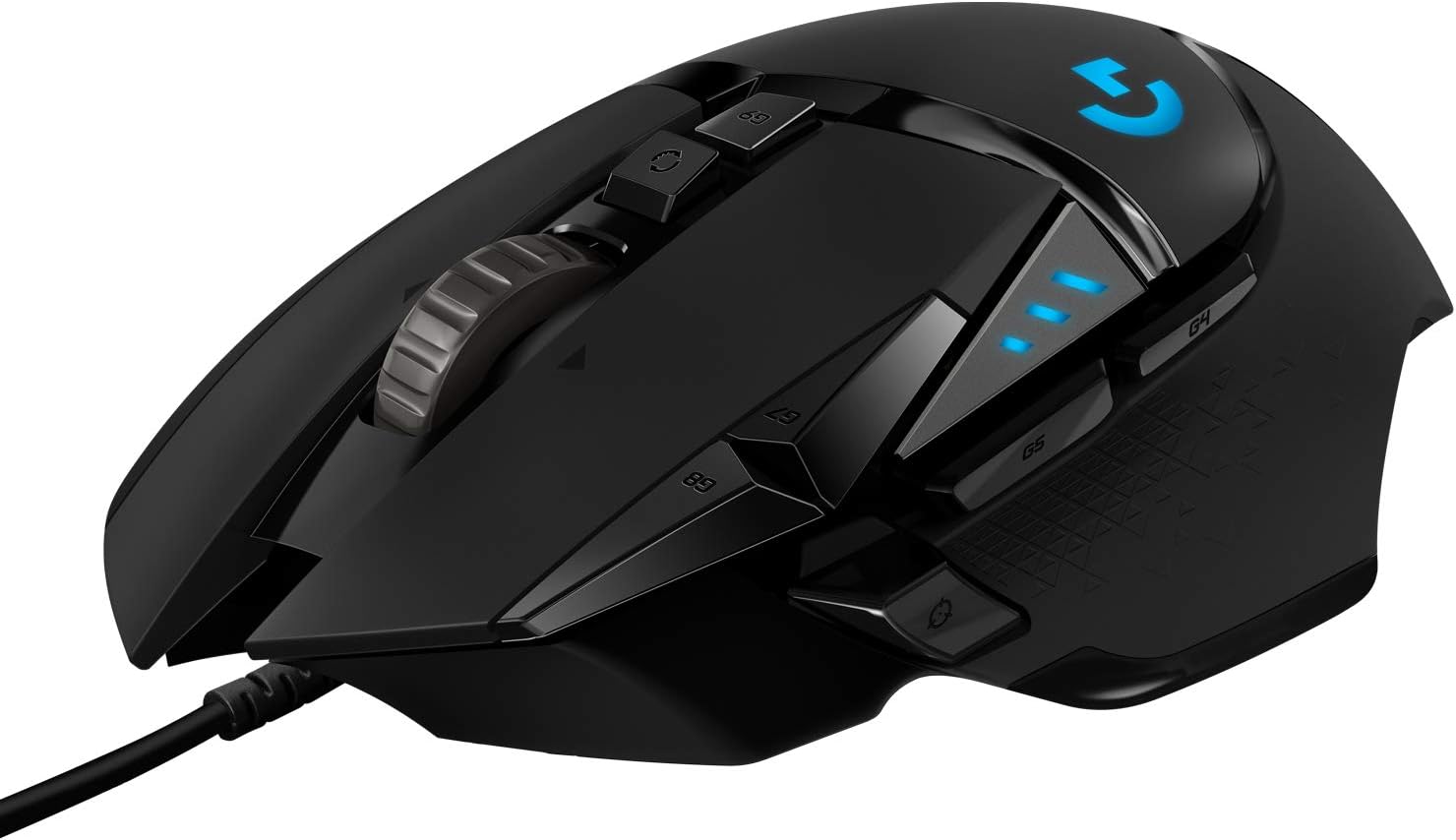
Pros
- HERO 25K sensor tracks to 25,600 DPI with no smoothing, filtering or acceleration across the span
- 11 programmable buttons with onboard memory, so profiles travel with the mouse to another machine
- Up to five 3.6 g weights drop into a tray to tune total mass and front-to-back balance
- Dual-mode wheel switches between ratcheted clicks and free-spin for long documents and inventory lists
- Metal spring tensioning and metal pivot hinges sit under the two main click buttons
Cons
- Wired only, with a fixed braided cable rather than a detachable one, so a bungee helps keep drag off the pad
- Lighting effects and button remapping need the desktop software installed at least once before settings can be written
- Right-handed contour with both thumb buttons on one side, so left-handed players are ruled out
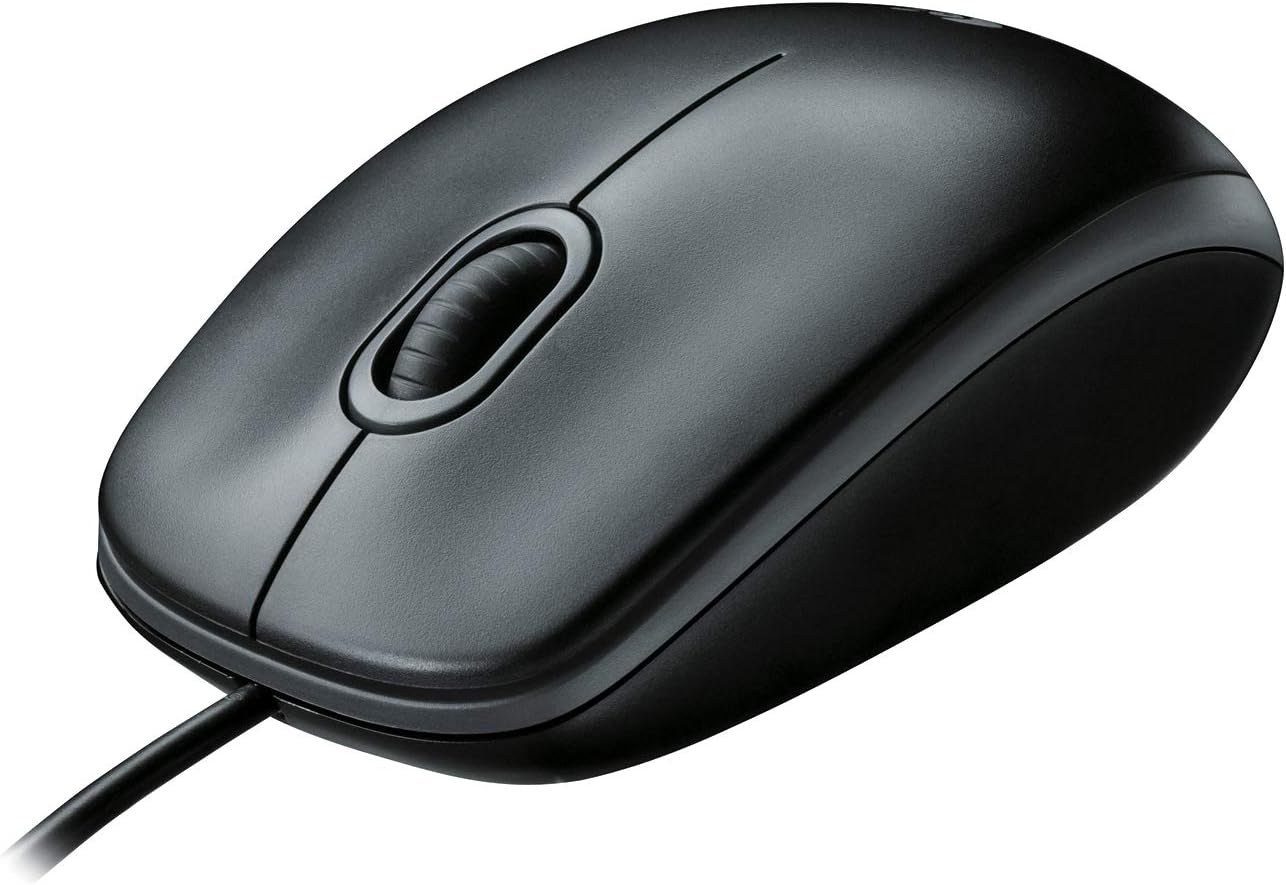
Pros
- 800 DPI optical sensor gives predictable pointer travel for spreadsheets and document editing on a 1080p screen
- Mirror-image shell works in either hand with only the primary button swapped in system settings
- Plugs into USB and works with no driver, software or firmware step on locked-down machines
- Housing uses 72 percent certified post-consumer recycled plastic in black and 56 percent in off-white
- Published product carbon footprint of 1.73 kg CO2e
Cons
- Fixed 800 DPI with no sensitivity button, so 4K or dual-monitor users must raise pointer speed in the OS
- Corded only, tethering the desk to a free USB port with no wireless option
- Symmetrical body means no thumb rest and no side buttons for browser back and forward

Pros
- HERO optical sensor spans 200 to 12,000 DPI with no acceleration or smoothing applied in firmware
- Lightspeed radio reports at a 1 ms interval, matching a wired 1000 Hz polling link
- Up to 250 hours of play on a single AA cell, so a spare restores it in seconds with no charging downtime
- Six programmable buttons with onboard memory that survives moving to a machine with no software installed
- The USB receiver stows in a compartment under the top shell instead of loose in a bag
Cons
- No Bluetooth on this model, so the USB receiver must occupy a port on every machine used
- Comes in at roughly 99 g with the AA fitted, heavier than the sub-60 g competition-focused mice
- Side buttons sit on the left flank only, leaving left-handed users without them despite the symmetric outline
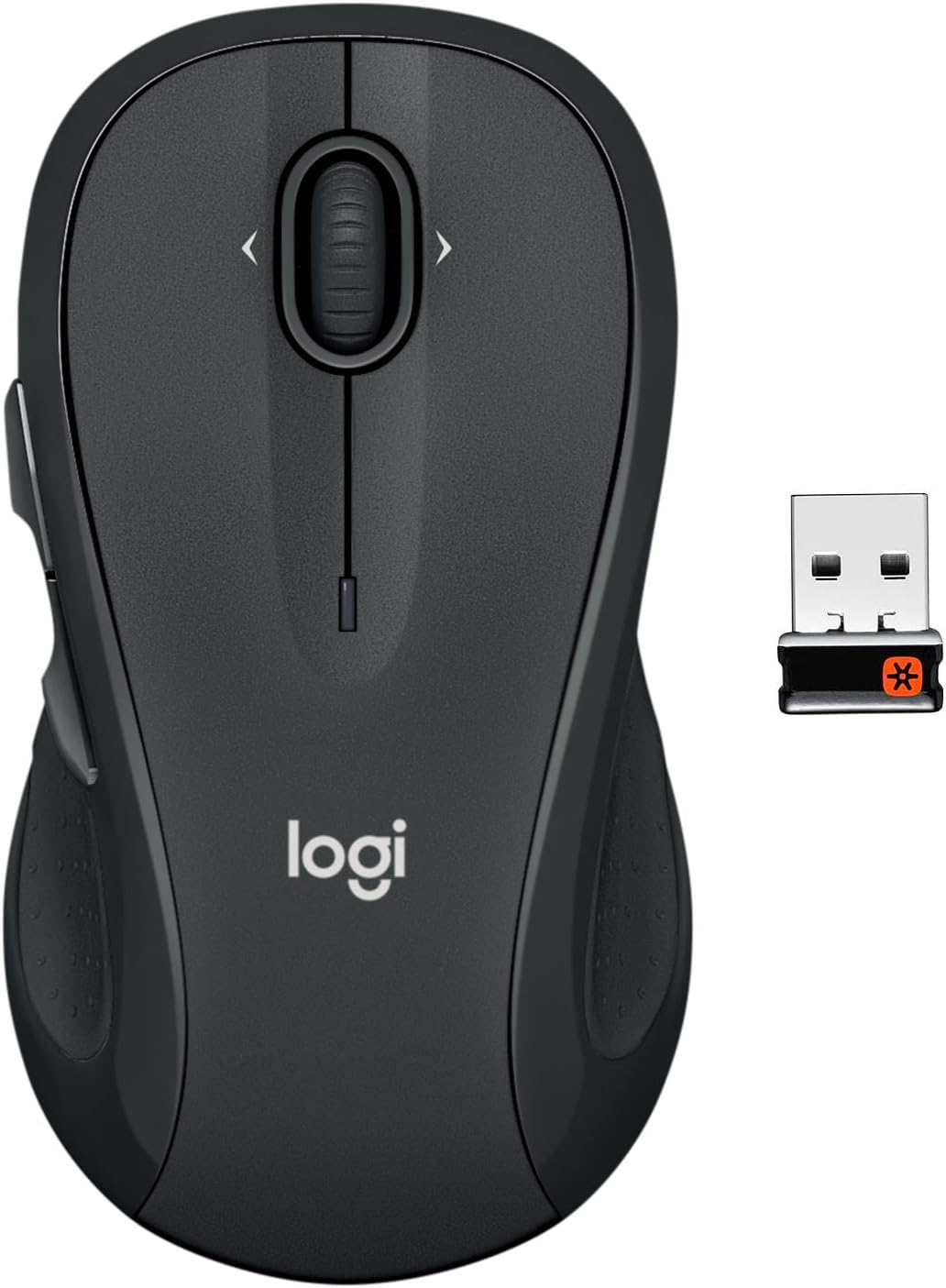
Pros
- Your hand can relax in comfort hour after hour with this ergonomically
- You ve got the control to do more, faster. Flipping through photo
- Two years of battery life practically eliminates the need to replace
- The tiny Logitech Unifying receiver stays in your laptop. There s no

Pros
- COMFORTABLE DESIGN Contoured, wireless optical mouse with 3-button
- multi-OS (1), multi-device optical mouse and gives you the freedom to
- WIRELESS CONVENIENCE Go cordless with 2.4 GHz USB-A connectivity that
- USB nano receiver stores inside the mouse for easy portability
- MULTI-SURFACE PERFORMANCE Be ready for anything with LED multi-surface

Pros
- ICONIC DESIGN WITH THUMB REST — PC gaming mouse favored by millions
- 11 BUTTONS — Assign macros and secondary functions across 11
- TILT WHEEL — Speed through content with a scroll wheel that
- 11 RAZER CHROMA RGB ZONES — Customize each zone from over 16.8

Pros
- SmartWheel switches between line-by-line precision scrolling and fast free-spin scrolling with a flick
- Rated for up to 24 months of use on a single AA battery
- Connects via Bluetooth Low Energy or the included Logi Bolt USB receiver
- Full-size shape with rubber side grips is built specifically for larger hands
Cons
- Full L size is designed for larger hands, so users with smaller hands may find it oversized to grip comfortably
- Runs on a single replaceable AA battery rather than a rechargeable built-in cell, adding a battery to keep on hand
- Requires either a Bluetooth connection or the specific Logi Bolt receiver, so a lost receiver limits it to Bluetooth-only pairing

Pros
- A 2.4 GHz nano receiver holds the link at up to 33 feet, or 10 m, from the machine
- Smart sleep mode stretches a single AA cell toward 12 months of use
- Symmetrical shell works the same in a left or a right hand
- The black version uses 77 per cent post-consumer recycled plastic
- Plug and play on Windows, macOS and Chrome OS with no driver install
Cons
- The receiver needs a USB-A port, so USB-C-only laptops require an adapter or a hub
- Fixed sensor sensitivity with no on-mouse DPI buttons for switching between a laptop screen and a large display
- The compact shell suits small to medium hands, so a full palm grip on a large hand leaves fingers hanging over the edge
Connection is over a 2.4 GHz link to a nano receiver that sits nearly flush in a USB-A port. There is no pairing step and no driver install: plug the receiver in and the cursor moves within a couple of seconds on Windows, macOS or Chrome OS.
- The link holds to roughly 33 feet, or 10 m, which covers presenting from across a meeting room.
- One AA cell is included, and a sleep mode stretches it toward 12 months.
- The receiver stows inside the battery compartment for travel.
The 2.4 GHz approach trades Bluetooth flexibility for reliability. It does not need the host to have a radio at all, so it works in a firmware setup screen or on a machine with Bluetooth switched off. The trade is a permanently occupied USB-A port.
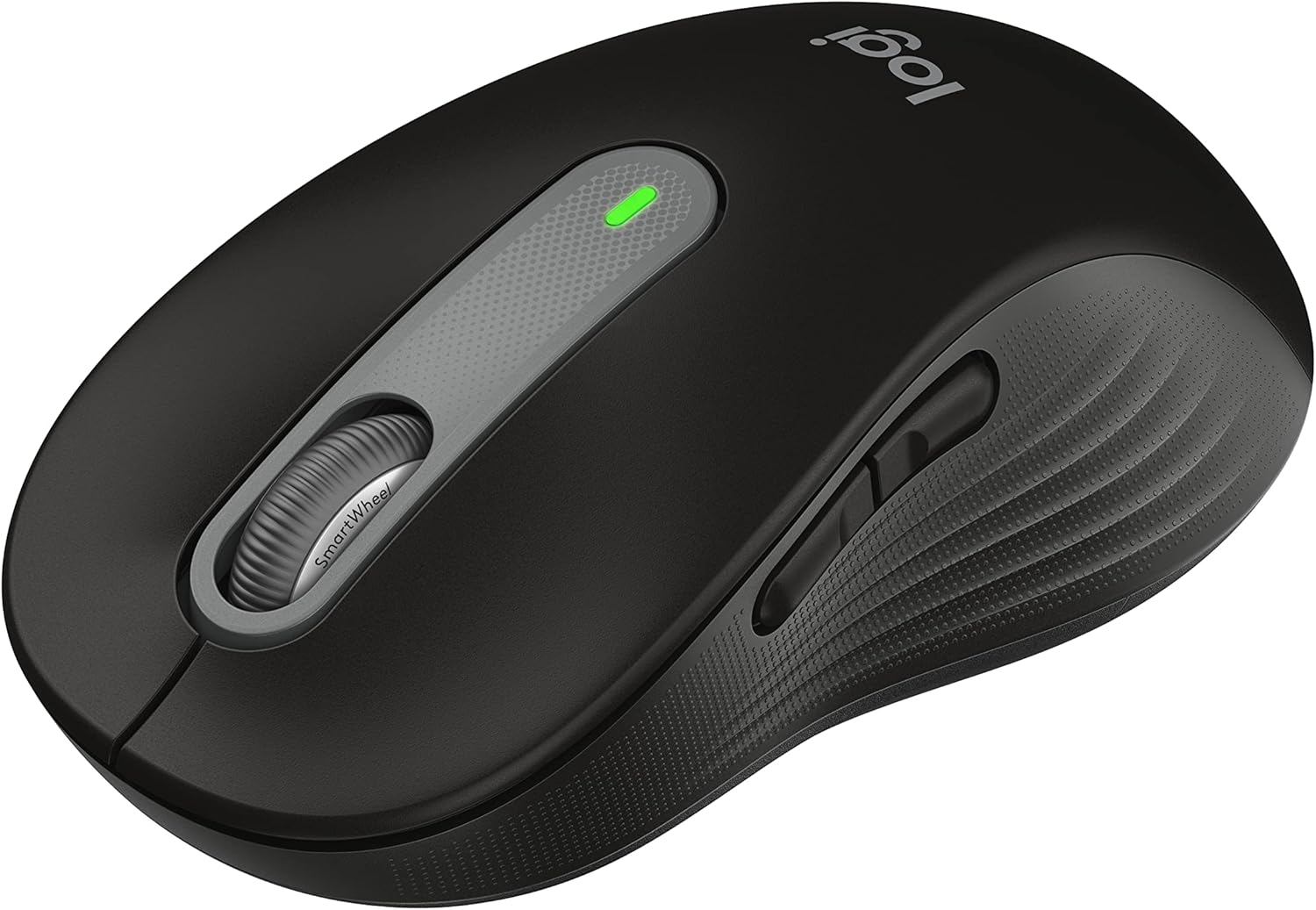
Pros
- SmartWheel flicks between line-by-line precision scrolling and fast free-spin scrolling for long pages
- Connects via Bluetooth Low Energy or the included USB receiver, covering two connection types
- Runs up to 24 months on a single AA battery, included in the box
- Side buttons are remappable through companion software for shortcuts like back/forward or copy/paste
Cons
- Sized for larger hands only — no dedicated version for small or medium hands in this listing
- Requires free companion software to customize buttons; out of the box, side buttons default to browser back/forward
- Uses a single AA battery rather than a built-in rechargeable cell, so battery swaps are part of the maintenance routine

Pros
- Rated for up to 3 years of use on a single set of batteries
- 5 customizable buttons, including 2 thumb buttons for forward and back navigation
- Laser-grade tracking works on glossy and wood-grain surfaces that trip up standard optical mice
- Dual-mode scroll wheel switches between free-spin speed scrolling and line-by-line precision
- Compatible with Windows, Mac, and Linux, and certified for Chrome
Cons
- Uses a 2.4 GHz USB-A Nano receiver rather than Bluetooth, so USB-C-only laptops need an adapter
- Runs on replaceable batteries rather than an internal rechargeable cell, so you're swapping cells instead of charging via cable
- Right-hand contoured shape only, with no ambidextrous or left-hand version
What to Look for in a Mouse Under $50
Not every cheap mouse is a good deal. At this price, you’re really paying for sensor consistency and switch durability, not flashy marketing. Here’s what separates a lasting pick from a disposable one.
- Sensor type: Optical sensors track more reliably than older laser designs, especially on cloth mousepads.
- Connection: Wired mice never lag or need charging; wireless models trade a tiny bit of latency for freedom from cables.
- Grip style: Palm, claw, and fingertip grips all feel different on the same shape, so hand size matters.
- Button durability: Switches rated for tens of millions of clicks resist the dreaded double-click bug longer.
- Battery life: Wireless models under $50 range from a few months to well over a year per charge or battery set.
Polling rate matters too, especially for gaming. A higher polling rate means your cursor position gets reported to your PC more often, which translates to smoother, more responsive tracking during fast flicks. Most mice in this price range now report at 1000Hz, which used to be reserved for premium models a few years ago. Keep all of these factors in mind, and almost any option on this list will serve you well for years.
The Best Mouse Under $50 for Most People
If you only read one section, make it this one. The Logitech G502 Hero earns its spot through sheer versatility. It works equally well for spreadsheets, browsing, and competitive gaming.
Its 25,600 DPI sensor is far more precise than most people will ever need, which also means it tracks small movements smoothly. Eleven programmable buttons let you assign shortcuts for whatever software you use daily.
The adjustable weight system is a small touch that matters more than it sounds. You can add or remove weights until the mouse feels balanced in your hand. With a 4.6 rating across tens of thousands of reviews, it’s the safest general recommendation here. The trade-off: it’s wired only, so if you want to cut the cord, look at the wireless picks below.
Best Wireless Options for Everyday Work
Not everyone wants a cable running across their desk. For everyday tasks like email, browsing, and document editing, a reliable wireless mouse is usually the better fit.
The Logitech M510 is a full-size wireless mouse with a tilt-to-scroll wheel and roughly two years of battery life per charge cycle. It suits anyone who wants to set it up once and mostly forget about it. The tilt-to-scroll wheel is especially handy in wide spreadsheets, letting you push it sideways to move through columns instead of dragging a scrollbar.
If you want something smaller for travel or a laptop bag, the HP X3000 G3 covers the basics at a lower price with a 15-month battery estimate. Neither model is built for competitive gaming, but both are dependable for daily productivity use, and both pair over a simple USB receiver with no software installation required.
Best Picks for Gaming and Fast Reflexes
Gamers care about different things than office workers: low latency, consistent tracking at high speeds, and buttons that survive rapid clicking. Two options stand out if you’re after a gaming-focused mouse under this budget.
The Logitech G305 Lightspeed uses the same wireless technology found in Logitech’s higher-end gaming lineup, just without the premium price. It’s lightweight, which reduces fatigue during long sessions, and its 250-hour battery life means you won’t be swapping batteries often.
For players who prefer a wired connection with zero input delay, the Razer Basilisk V3 brings an ergonomic shape, a 26,000 DPI optical sensor, and eleven programmable buttons. Its scroll wheel can switch between notched and free-spin modes, which is handy for both gaming and scrolling through long documents. The RGB lighting is a nice bonus, though it won’t affect how the mouse actually performs.
Best Mouse for Larger Hands
Standard mouse shapes can feel cramped if you have larger hands, causing your fingers to curl awkwardly over the edges. Logitech’s Signature line addresses this directly with wider, taller shells.
The Logitech M550 is built specifically for larger hands, pairing a roomy shape with silent clicks and roughly two years of battery life. It’s a good choice if you share a workspace or have family members nearby who are sensitive to clicking noise.
The Logitech M650 offers a similar large-hand fit if you’d rather have an alternative color or slightly different button layout. Both prioritize comfort over flashy features, which is exactly what long work sessions call for. If your hands are on the smaller side, though, these shells may feel oversized, so a compact model is a better match.
Best Budget-Friendly Picks Under $15
Not every task needs 25,000 DPI or programmable buttons. Sometimes you just need something that works reliably every day.
The Logitech B100 is about as simple as a mouse gets: plug it in and it works, with no drivers or software required. If you’d rather skip cables entirely, our guide to the best wired mouse options walks through similar plug-and-play picks that avoid battery replacement altogether.
For a step up in comfort without spending more, the Logitech M185 adds wireless convenience and roughly a year of battery life. Both are excellent secondary mice for a guest laptop, a classroom computer, or a spare desk where premium features simply aren’t necessary.
Best Mouse for Office and Productivity
If you spend most of your day scrolling through documents, spreadsheets, or long email threads, a mouse built for endurance matters more than raw speed.
The Logitech M705 Marathon is designed exactly for this. Its hyper-fast scroll wheel flies through long pages in seconds, then switches to a notched mode for precise line-by-line scrolling. Five customizable buttons let you assign back, forward, or app shortcuts you use constantly.
Pairing a comfortable mouse with the rest of your setup makes a bigger difference than people expect. If you’re upgrading your whole desk, our roundup of the best headsets under $50 is a natural next stop for calls and meetings.
Who Should Spend More Than $50
Honesty matters more than a sale, so it’s worth saying where this price range hits its limits. Competitive esports players chasing the lowest possible click latency may notice a difference with mice built around premium optical switches and specialized sensors.
Designers working in detailed image or CAD software sometimes prefer higher-end mice with finer sensitivity adjustment dials. If neither describes you, the picks above will cover day-to-day use, casual and even serious gaming, and general productivity without any noticeable downside.
Mistakes to Avoid When Buying a Cheap Mouse
A low price doesn’t guarantee a good experience. Watch for these common mistakes before you check out.
- Ignoring DPI adjustability: A fixed high DPI can feel twitchy for everyday browsing; look for models with adjustable sensitivity.
- Skipping the return window: Grip comfort is personal, so buy from a seller with an easy return policy in case the shape doesn’t suit your hand.
- Overlooking software requirements: Some button-remapping features only work with manufacturer software, which isn’t always available on every operating system.
- Choosing wireless without checking battery type: Rechargeable and replaceable-battery models have very different long-term costs.
- Buying the wrong size sight unseen: A mouse that looks fine in photos can feel too small or too large once it’s actually in your hand.
A little research upfront saves you from returning or replacing a mouse within the first few months.
Frequently Asked Questions
Is a mouse under $50 good enough for gaming?
Yes, for the vast majority of players. Sensors like those in the G305 and Basilisk V3 match or beat far more expensive mice in raw tracking accuracy.
Does higher DPI always mean better performance?
Not necessarily. DPI affects cursor speed, not accuracy, and most people never need more than a few thousand DPI for daily use.
Should I choose a wired or wireless mouse?
Wired mice remove any concern about latency or charging, while wireless models offer more freedom on your desk. Both perform well at this price point.
How long do batteries last on a wireless mouse under $50?
It varies widely, from around a year on compact models to well over two years on full-size designs with efficient sensors.
Can a cheap mouse cause wrist or hand pain?
An ill-fitting shape can contribute to discomfort over long sessions. Choosing a size that matches your hand and taking regular breaks helps prevent strain.
Do I need manufacturer software to use these mice?
Most work fine out of the box. Software is only needed if you want to remap buttons or create custom profiles for specific programs.
The right mouse depends on how you actually spend your day, not which model has the flashiest marketing. If you split time between work and gaming, the G502 Hero covers both without compromise. If comfort during long sessions matters most, prioritize the wireless and large-hand options above. Whichever you choose, compare specs and current pricing before you commit, since prices on these models shift often.


