
 Priya Raghavan
 Finding the best mouse under $30 shouldn’t mean settling for a flaky sensor, a mushy click, or a mouse that dies mid-session. At this price point, you can get reliable wireless tracking, a comfortable grip, and even gaming-grade responsiveness if you know what specs actually matter and which ones are just marketing noise. This guide breaks down what separates a good budget mouse from a frustrating one, then walks through picks suited to gaming, office work, travel, and everyday browsing. You’ll also get a rundown of the buying mistakes that trip up most shoppers in this price range, plus quick answers to the questions people ask most before checking out.
Quick answer: For most people in 2026, the best mouse under $30 is the Logitech G305 Lightspeed — our #1 rated choice. See the full ranked comparison, alternatives and buying advice below.

Pros
- HERO optical sensor tracks from 200 to 12,000 DPI at up to 400 IPS
- The Lightspeed link reports at 1 ms, matching a wired connection in feel
- 99 g total weight including the AA cell
- Up to 250 hours of continuous play, or roughly 9 months in endurance mode
- The nano receiver stores in a bay inside the shell, so nothing rattles loose in a laptop bag
Cons
- Runs on a disposable AA cell rather than an internal rechargeable battery
- No wired fallback mode, so a flat cell stops play until a fresh AA goes in
- At 99 g it is heavy against the sub-60 g shells built for competitive play
The HERO optical sensor is the core of this mouse: 200 to 12,000 DPI in fine steps, tracking to 400 IPS, with no smoothing or acceleration applied in firmware. That matters most to low-sensitivity players who make large arm sweeps, where a lesser sensor starts to drift or cap out mid-flick.
- Sensitivity steps are stored in onboard memory, so they survive on a machine without the software installed.
- The report rate is 1 ms over the Lightspeed link.
- Six programmable buttons, including the sensitivity shift below the wheel.
HERO was also designed around power efficiency, which is why a mouse that reports every millisecond still runs for weeks on a single cell. The sensor and the battery story are the same engineering decision viewed from two directions.
A single AA drives up to 250 hours of continuous play in performance mode. Switching to endurance mode in the G HUB software lowers the report rate but pushes usable life toward 9 months, which suits a mouse that mostly does desktop work with gaming in between.
- The nano receiver clips into a bay inside the shell, under the battery door, for travel.
- Removing the cell is also the quickest way to cut weight if you prefer a lighter feel to long runtime.
- An indicator warns when the cell is running low.
The compromise is that there is no cable to fall back on. This model has no wired mode at all, so an empty cell means finding a fresh AA rather than plugging in and carrying on, and that is worth planning for before a long session.
At 99 g with the cell fitted, this sits in the middle of the modern weight range: far lighter than the wireless mice of a decade ago, noticeably heavier than the shells built for competitive play. The body is a compact ambidextrous shape with both thumb buttons on the left flank.
- The compact length favours claw and fingertip grips; large hands using a full palm grip will find it small.
- The receiver stows internally, so nothing loose ends up in a bag.
- Plain plastic flanks mean no rubber grips to peel or go tacky over years of use.
Because the mass comes largely from the AA cell sitting centrally, balance stays neutral rather than tail-heavy, which is why it feels lighter in motion than the figure on paper suggests.
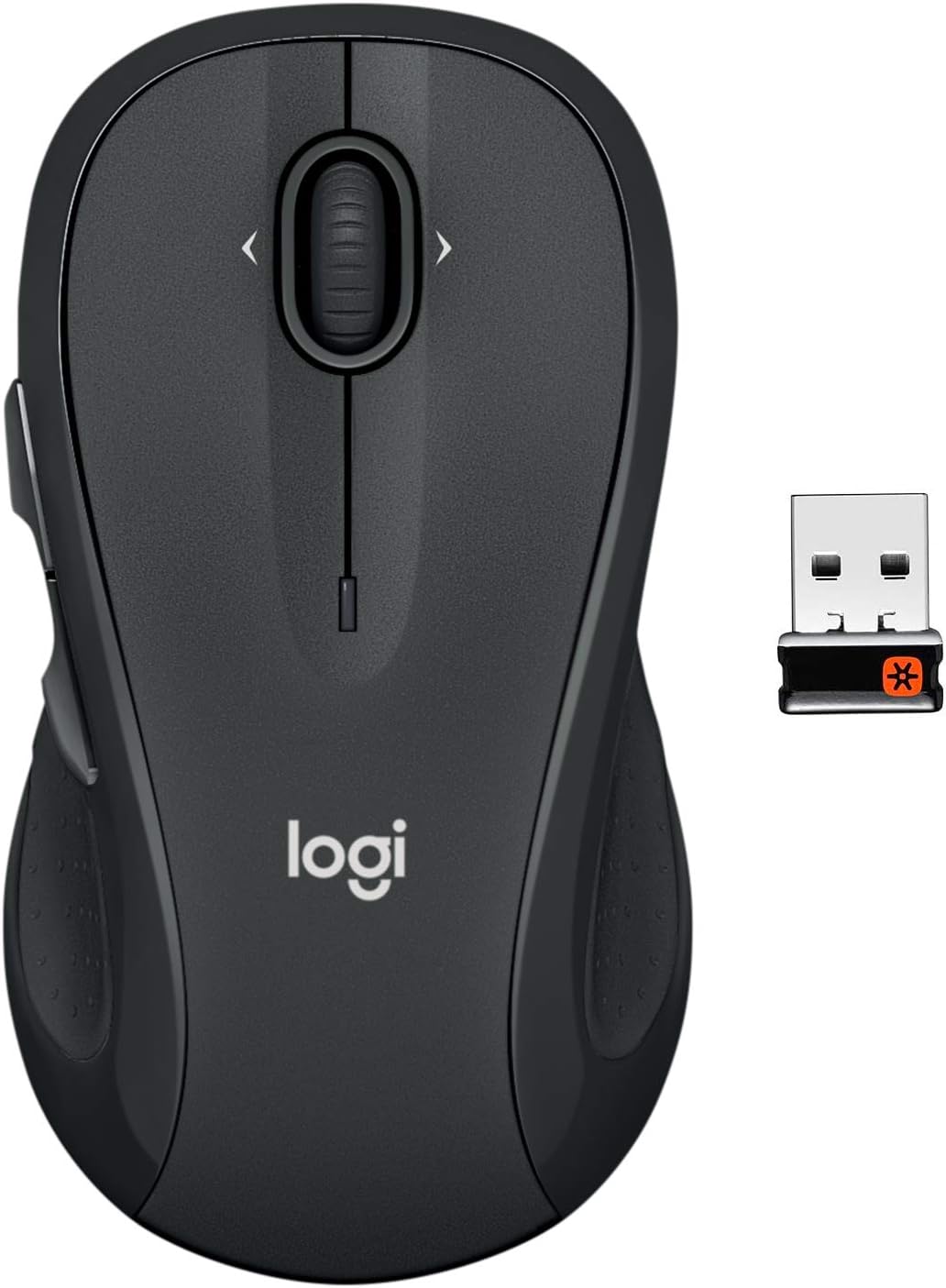
Pros
- Your hand can relax in comfort hour after hour with this ergonomically
- You ve got the control to do more, faster. Flipping through photo
- Two years of battery life practically eliminates the need to replace
- The tiny Logitech Unifying receiver stays in your laptop. There s no
Cons
- Requires checking placement surface dimensions before setup
- Requires routine care to keep exterior housing dust-free
- Initial setup requires checking operating instructions carefully
The Logitech M510 Full Size Ambidextrous 2.4 GHz Wireless offers reliable functional utility tailored for modern home and workplace environments. Designed to enhance daily productivity, this unit integrates Your hand can relax in comfort hour after hour with this ergonomically alongside You ve got the control to do more, faster. Flipping through photo. Users will find the intuitive design straightforward to operate across various room configurations and daily routines. The versatile construction adapts easily to personal workspaces, providing consistent practical value and streamlined usability. Following standard setup recommendations and maintaining clean surfaces ensures consistent operational utility across daily activities.
Built using resilient structural components, this unit features a sturdy outer housing engineered to resist operational wear. Precision manufacturing ensures that all joints and surface connections remain firmly aligned during regular daily activity. Two years of battery life practically eliminates the need to replace reinforces overall physical stability over extended service periods. Structural integrity remains firm throughout regular usage, giving owners peace of mind. Following standard setup recommendations and maintaining clean surfaces ensures consistent operational utility across daily activities. This functional equipment provides steady performance and practical convenience when properly integrated into your workspace.
Initial setup requires placing the unit on a flat, stable surface with adequate clearance around all sides for proper operation. Ensure all power or connection cables are routed neatly without sharp bends to prevent wire strain. Regular care involves wiping exterior housing surfaces with a soft cloth to remove dust buildup. Inspecting mechanical connections periodically preserves operational efficiency and maintains cosmetic appearance over time. Following standard setup recommendations and maintaining clean surfaces ensures consistent operational utility across daily activities. This functional equipment provides steady performance and practical convenience when properly integrated into your workspace.

Pros
- SilentTouch technology cuts click noise by more than 90% compared to standard mechanical mouse switches
- Rated for 18 months of battery life on a single AA battery, with auto-sleep mode extending that further
- Wireless range reaches up to 33 feet (10 meters) with 128-bit encryption between the mouse and USB-A receiver
- Plug-and-play USB-A nano receiver works across Windows, macOS, ChromeOS and Linux without extra drivers
- Plastic housing includes 76% certified post-consumer recycled content in the black finish
Cons
- Shaped for right-handed use only, so left-handed users lose the contoured grip benefit
- 1000 DPI optical tracking is modest next to gaming mice that offer several times that sensitivity
- Runs on a single included AA battery rather than a built-in rechargeable cell, so batteries need periodic replacement
The M330 is built around Logitech's SilentTouch technology, which reduces clicking sound by more than 90% compared to a standard mechanical mouse switch, based on independent lab testing against Logitech's own M170 model. Comfort details:
- Contoured plastic grip shaped for right-handed users
- Full-size mouse body rather than a compact travel shape
- Precision scroll wheel with tactile, line-by-line feel
- Plastic glide feet designed to reduce surface drag
The reduced click noise mainly benefits shared spaces such as open offices, libraries or a room where someone else is sleeping nearby, while the full-size contoured shape is built for extended desk sessions rather than being carried loose in a bag as a compact travel mouse.
Power comes from a single AA battery, included in the box, rated for roughly 18 months of use thanks to an auto-sleep mode that powers down the mouse during idle periods. Connectivity specs:
- 18-month rated battery life on one AA battery
- Auto-sleep power-saving mode
- Wireless range up to 33 feet (10 meters)
- 128-bit encryption between the mouse and USB-A nano receiver
The 10-meter range is generous for a desktop mouse, giving flexibility to present from across a room or move the mouse while a laptop stays docked, though as with any AA-powered device, the battery is a replaceable consumable rather than a rechargeable built-in cell.
The bundled USB-A nano receiver handles pairing automatically, and the mouse runs across the major desktop platforms without extra software. Supported systems:
- Windows
- macOS
- ChromeOS
- Linux
Because the receiver is plug-and-play, no driver installation is required on any of the supported systems, and the receiver ships either inside the mouse's battery compartment or alongside it, so it's easy to keep track of when the mouse travels between a laptop bag and a desk. Optical tracking is rated at 1000 DPI, which suits general productivity and browsing use rather than high-precision creative or competitive gaming tasks that typically call for adjustable, higher-DPI sensors.

Pros
- 6 selectable DPI levels from 800 to 4800 let you match sensitivity to detailed work or fast browsing
- Dual Bluetooth (5.0/3.0) and 2.4G USB connections let it pair with two devices and switch with one button press
- Silent-click design keeps clicks near-inaudible for shared offices or late-night use
- Runs on 2 AAA batteries rather than a sealed rechargeable cell, so dead batteries can be swapped instantly
- Compatible across Windows, macOS, Chrome OS, and Linux for mixed-device households
Cons
- Side buttons do not function on macOS, so Mac users are limited to the standard left/right/scroll/DPI controls
- Sized for small-to-medium hands, which large-handed users may find cramped over long sessions
- Requires 2 AAA batteries to be supplied and replaced periodically, rather than an included rechargeable battery
This mouse offers six selectable DPI levels, 4800, 3200, 2400, 1600, 1200, and 800, letting you switch between high-sensitivity tracking for fast cursor movement and lower sensitivity for detailed, precise work like photo editing. Six total buttons are packed into the compact body, giving more input options than a basic three-button mouse.
- 6 DPI levels: 800 to 4800
- 6 programmable buttons
- Silent-click switches
- Ergonomic shape sized for small-to-medium hands
Click switches are built for silent use, cutting the audible click sound most mice produce, which matters in shared offices, libraries, or late-night use near a sleeping household. The DPI level can be cycled on the fly using a dedicated button rather than digging through software settings.
The mouse connects via Bluetooth 5.0/3.0 or a 2.4G USB receiver, and can stay paired to two devices at once, switching between them with a slide of a physical button rather than re-pairing each time. This suits anyone regularly moving between a laptop and a desktop, or a work and personal machine.
- Bluetooth 5.0/3.0 and 2.4G USB dual connection
- Two-device pairing with physical switch
- Compatible with Windows, macOS, Chrome OS, and Linux
- Actual wireless range depends on the surrounding environment
Side buttons are explicitly not supported on macOS, so Mac users get core click and scroll functionality but lose the extra programmable buttons that Windows and Linux users can access. Setup for either connection type does not require additional software to get basic functions working.
The ergonomic shape is built primarily for small-to-medium hands, with a curved profile meant to reduce wrist strain during extended use; users with larger hands may find the body a little compact for a full palm grip. Power comes from 2 AAA batteries rather than a sealed rechargeable pack.
- Ergonomic design for S/M hand sizes
- Powered by 2 AAA batteries
- No built-in rechargeable cell
- Compatible with laptop and desktop setups alike
Because it runs on replaceable AAA batteries, there is no charging cable to manage and no downtime waiting for a recharge; a fresh set of batteries gets it running again immediately, which some users prefer over a mouse that goes dead mid-task with only a USB cable as backup.

Pros
- Connects two devices at once via Bluetooth 3.0/5.0 or a USB-A receiver, switching between them with a single slide
- 6 adjustable DPI levels from 800 up to 4800, covering both detailed work and fast cursor movement
- Rechargeable battery reaches roughly 3 months of runtime on 2 hours of daily use, from a 1.5 to 2 hour charge
- Silent-click buttons cut noise for shared offices or libraries
- 6 programmable buttons add shortcut controls beyond a standard two-button scroll mouse
Cons
- Sized for small to medium hands, so users with larger hands may find the body cramped over long sessions
- Connection can become unstable as the battery runs low, a signal to recharge rather than a fixed low-battery indicator
- Only 2 devices can be paired and switched between at a time, not a wider multi-device roster
Six adjustable DPI levels - 800, 1200, 1600, 2400, 3200, and 4800 - let the sensor scale from precise, slow movement for detailed work up to fast tracking for quick navigation. Six buttons total give room for a couple of programmable shortcuts beyond the standard click and scroll functions, and silent-click switches cut the noise on every press.
- DPI range: 800 to 4800, adjustable across 6 levels.
- Button count: 6 buttons total.
- Silent clicks: reduced noise on press, suited to shared spaces.
The body is shaped for small to medium hands specifically, a detail worth checking against hand size before buying, since it is not marketed as a full-size mouse.
The mouse pairs with two devices at the same time - one over Bluetooth 3.0 or 5.0, and a second through the included USB-A receiver - and a physical slide switch toggles between them instantly. That setup covers common combinations like a laptop and a desktop, or a work computer and a personal one, without repairing each time.
- Bluetooth 3.0/5.0: pairs directly with supported devices.
- USB-A receiver: a second wireless connection for devices without Bluetooth.
- Instant switch: a slide toggle moves between the two paired devices.
Because only two devices can be registered at once, adding a third means re-pairing over one of the existing slots rather than simply adding another connection.
A full charge takes 1.5 to 2 hours and is built to deliver around 3 months of use at roughly 2 hours of daily operation, a runtime aimed at reducing how often the included charging cable needs to come out. As the battery runs low, the wireless connection can become less stable, functioning as an informal low-battery warning.
- Charge time: 1.5 to 2 hours for a full charge.
- Estimated runtime: around 3 months at 2 hours of daily use.
- Charging cable included: no separate battery or dock purchase needed.
There is no battery percentage indicator built in, so a noticeably laggy connection is the practical cue that it is time to plug in and recharge.

Pros
- Pentakill, 5 DPI Levels - Geared with 5 redefinable DPI levels
- Any Button is Reassignable - 11 programmable buttons are all
- Comfort Grip with Details - The skin-friendly frosted coating is
- 5 Decent Backlit Modes - Turn the backlit on and make some kills in
Cons
- Periodic visual inspection recommended to ensure component tightness
- Best placed in well ventilated indoor spaces away from excess moisture
Built for everyday utility, the Redragon M612 Predator RGB Gaming Mouse 8000 DPI Wired provides reliable functionality in active Gaming Mice settings. Daily usage reveals robust utility supported by Pentakill, 5 DPI Levels - Geared with 5 redefinable DPI levels (default as: 500/1000/2000/3000/4000), easy to switch between different game needs. Dedicated demand of DPI options between 500-8000 is also available to be processed by software.. Complementing its primary framework, the design also incorporates Any Button is Reassignable - 11 programmable buttons are all editable with customizable tactical keybinds in whatever game or work you are engaging. 1 rapid fire + 2 side macro buttons offer you a better gaming and working experience. to optimize routine handling.
Focusing on material selection, this hardware is constructed to resist ongoing physical fatigue. Reinforced internal elements like Comfort Grip with Details - The skin-friendly frosted coating is the main comfort grip of the mouse surface, which offers you the most enjoyable fingerprint-free tactility. The left side equipped with rubber texture strengthened the friction and made the mouse easier to control. maintain steady operational balance under continuous use. Solid structural engineering allows the unit to maintain physical stability under load. Attention to manufacturing details ensures reliable utility for your Gaming Mice. Using proper installation techniques maintains physical stability across daily activities.
Maintaining optimal hardware conditions involves simple periodic inspection and spatial planning. Featuring 5 Decent Backlit Modes - Turn the backlit on and make some kills in your gaming battlefield. The hyped dynamic RGB backlit vibe will never let you down when decorating your gaming space, it would be better with other Redragon accessories with lights on., ongoing operation remains intuitive across varied household routines. Wiping surfaces periodically with a soft cloth prevents dust accumulation in functional crevices. Attention to manufacturing details ensures reliable utility for your Gaming Mice. Using proper installation techniques maintains physical stability across daily activities.

Pros
- COMFORTABLE DESIGN Contoured, wireless optical mouse with 3-button
- multi-OS (1), multi-device optical mouse and gives you the freedom to
- WIRELESS CONVENIENCE Go cordless with 2.4 GHz USB-A connectivity that
- USB nano receiver stores inside the mouse for easy portability
- MULTI-SURFACE PERFORMANCE Be ready for anything with LED multi-surface
Cons
- Requires checking placement surface dimensions before setup
- Requires routine care to keep exterior housing dust-free
- Initial setup requires checking operating instructions carefully
The HP X3000 G3 Wireless Mouse - Black 15-Month Battery Side offers reliable functional utility tailored for modern home and workplace environments. Designed to enhance daily productivity, this unit integrates COMFORTABLE DESIGN Contoured, wireless optical mouse with 3-button alongside multi-OS (1), multi-device optical mouse and gives you the freedom to. Users will find the intuitive design straightforward to operate across various room configurations and daily routines. The versatile construction adapts easily to personal workspaces, providing consistent practical value and streamlined usability. Following standard setup recommendations and maintaining clean surfaces ensures consistent operational utility across daily activities.
Built using resilient structural components, this unit features a sturdy outer housing engineered to resist operational wear. Precision manufacturing ensures that all joints and surface connections remain firmly aligned during regular daily activity. WIRELESS CONVENIENCE Go cordless with 2.4 GHz USB-A connectivity that reinforces overall physical stability over extended service periods. Structural integrity remains firm throughout regular usage, giving owners peace of mind. Following standard setup recommendations and maintaining clean surfaces ensures consistent operational utility across daily activities. This functional equipment provides steady performance and practical convenience when properly integrated into your workspace.
Initial setup requires placing the unit on a flat, stable surface with adequate clearance around all sides for proper operation. Ensure all power or connection cables are routed neatly without sharp bends to prevent wire strain. Regular care involves wiping exterior housing surfaces with a soft cloth to remove dust buildup. Inspecting mechanical connections periodically preserves operational efficiency and maintains cosmetic appearance over time. Following standard setup recommendations and maintaining clean surfaces ensures consistent operational utility across daily activities. This functional equipment provides steady performance and practical convenience when properly integrated into your workspace.

Pros
- SmartWheel switches between line-by-line precision scrolling and fast free-spin scrolling with a flick
- Rated for up to 24 months of use on a single AA battery
- SilentTouch technology cuts click noise by about 90% compared with a standard mouse
- Connects via Bluetooth Low Energy or the included Logi Bolt USB receiver
- Full-size shape with rubber side grips is built specifically for larger hands
Cons
- Full L size is designed for larger hands, so users with smaller hands may find it oversized to grip comfortably
- Runs on a single replaceable AA battery rather than a rechargeable built-in cell, adding a battery to keep on hand
- Requires either a Bluetooth connection or the specific Logi Bolt receiver, so a lost receiver limits it to Bluetooth-only pairing
The M550 L is a full-size mouse shaped specifically for larger hands, with a contoured body, a soft thumb area and rubber side grips designed to keep the hand in place during long sessions. Logitech also offers a smaller M550 sizing for those with smaller-to-medium hands.
- Full-size body for larger hands
- Contoured shape with soft thumb area
- Rubber side grips
Choosing the wrong size relative to hand size can undercut the ergonomic benefit, so checking Logitech's sizing guide before buying is worth the extra minute.
A SmartWheel scroll wheel switches automatically between line-by-line precision, useful for scrolling through spreadsheets or documents, and a fast free-spin mode for flying through long web pages, activated with a flick of the finger. SilentTouch technology on the clicks is built to cut click noise by around 90% versus a standard mouse.
- SmartWheel dual scroll modes
- Automatic mode switching on a flick
- SilentTouch quiet clicks, about 90% less noise
That reduced click noise is aimed at shared workspaces or late-night use where a loud clicking mouse would otherwise be disruptive.
A single AA battery, included in the box, is rated to power the mouse for up to 24 months, reducing how often a battery swap is needed compared with many rechargeable mice that need charging every few weeks. Connectivity runs through Bluetooth Low Energy or the included Logi Bolt USB receiver.
- Up to 24 months on one AA battery
- Bluetooth Low Energy or Logi Bolt receiver
- Compatible with Windows, macOS, Linux, Chrome OS, iPadOS and Android
Because it supports both connection types, the mouse can pair to one device over Bluetooth while still using the receiver with another, useful for switching between a laptop and a desktop.

Pros
- A 2.4 GHz nano receiver holds the link at up to 33 feet, or 10 m, from the machine
- Smart sleep mode stretches a single AA cell toward 12 months of use
- Symmetrical shell works the same in a left or a right hand
- The black version uses 77 per cent post-consumer recycled plastic
- Plug and play on Windows, macOS and Chrome OS with no driver install
Cons
- The receiver needs a USB-A port, so USB-C-only laptops require an adapter or a hub
- Fixed sensor sensitivity with no on-mouse DPI buttons for switching between a laptop screen and a large display
- The compact shell suits small to medium hands, so a full palm grip on a large hand leaves fingers hanging over the edge
The shell is symmetrical, with the same contour on both flanks, so it works in either hand without relearning anything. That symmetry costs it thumb buttons, but it makes the mouse genuinely usable for left-handers, which most contoured office mice are not.
- A compact body aimed at small to medium hands and at tight desks.
- Two main buttons and a line-by-line scroll wheel, with no side buttons or sensitivity switch.
- The low profile suits a claw or fingertip grip more than a full palm rest.
If your hand is large, expect the heel of your palm to sit on the mat rather than on the mouse. That is comfortable for short bursts and less so across an eight hour day, which is the main reason to check the dimensions before committing to it as a daily driver.
Connection is over a 2.4 GHz link to a nano receiver that sits nearly flush in a USB-A port. There is no pairing step and no driver install: plug the receiver in and the cursor moves within a couple of seconds on Windows, macOS or Chrome OS.
- The link holds to roughly 33 feet, or 10 m, which covers presenting from across a meeting room.
- One AA cell is included, and a sleep mode stretches it toward 12 months.
- The receiver stows inside the battery compartment for travel.
The 2.4 GHz approach trades Bluetooth flexibility for reliability. It does not need the host to have a radio at all, so it works in a firmware setup screen or on a machine with Bluetooth switched off. The trade is a permanently occupied USB-A port.
This is a laptop companion first. The intended user is someone tired of a trackpad, working from a kitchen table, a hot desk or a hotel room, who wants a pointer that works everywhere and does not need charging on a schedule.
- Suits document work, spreadsheets, browsing and presentations.
- Sensible for shared or loaner machines, since setup amounts to inserting the receiver.
- Travels well, because nothing needs charging and one spare AA is a whole year of insurance.
It is not aimed at gaming, where the fixed sensitivity and the lack of extra buttons show immediately, nor at photo or CAD work where a higher-resolution sensor helps across a large display. Within its brief, though, the combination of an ambidextrous shape, a year-long cell and no-setup connection is hard to argue with.
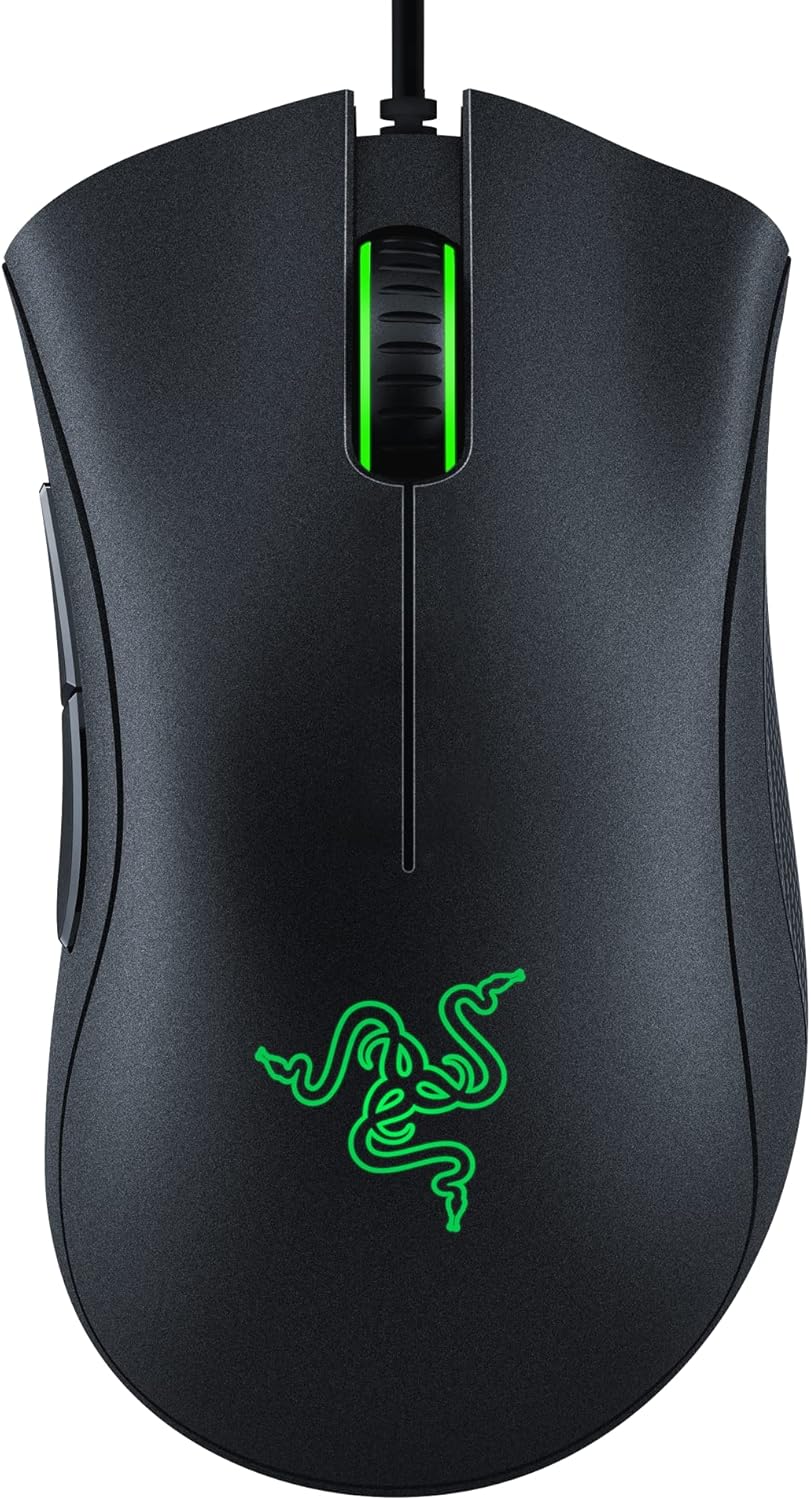
Pros
- Optical sensor tops out at 6400 DPI with on-the-fly sensitivity switching via dedicated buttons
- Mechanical switches are rated for 10 million clicks, backed by a 2-year warranty
- 5 programmable buttons support macro assignment through dedicated companion software
- Ridged rubberized scroll wheel adds grip for controlled scrolling under fast input
- Rubber side grips maintain hold during long sessions without a separate grip tape purchase
Cons
- Wired-only connection, so there is no wireless or Bluetooth option on this model
- Companion software is required for remapping buttons, adding a setup step beyond plug-and-play
- Fixed right-handed ergonomic shape is not suited to left-handed use
The optical sensor tops out at 6400 DPI, with dedicated on-mouse buttons cycling through sensitivity presets on the fly instead of requiring a software menu mid-game. That range covers everything from precise low-DPI aiming to fast high-DPI sweeps across a large monitor or multi-monitor setup.
Underneath the sensor, mechanical switches are rated for 10 million clicks, backed by a 2-year warranty, which is built to hold up under the repetitive clicking of both competitive gaming and everyday desktop use without the switches developing a mushy or inconsistent feel over time.
Five programmable buttons cover the two primary clicks, the DPI switch, and two thumb buttons, all of which can be remapped or assigned macro functions through the companion software. That software layer is where sensitivity presets, button assignments, and macros all get configured and saved to the mouse.
A ridged, rubberized scroll wheel adds small tactile bumps for more controlled scrolling in fast-paced situations, rather than a smooth wheel that can overshoot. Setup itself is plug-and-play for basic use, with the software only required once custom button mapping or macros are wanted.
The ergonomic shape follows the classic DeathAdder form factor, with rubber side grips positioned for a right-handed palm or claw grip through long sessions. That fixed shape is comfortable for right-handed users but is not mirrored or adjustable for left-handed players.
Build quality centers on the 10 million click figure for the mechanical switches, which is the main durability spec backing extended daily use. Because the mouse connects over a wired-only USB cable, there is no battery to manage and no wireless dropout risk, at the cost of not offering a cordless option for anyone preferring one.
How to Choose the Best Mouse Under $30
Not every budget mouse cuts corners in the same place. Some sacrifice battery life, others skimp on button quality, and a few simply feel wrong in your hand after twenty minutes at a desk. Knowing what to check before you buy saves you a return trip and a restocking fee, and it helps you avoid paying for features you’ll never actually use.
DPI, Sensor, and Precision
DPI (dots per inch) measures how far the cursor moves per inch of physical mouse movement. Higher DPI isn’t automatically better — it just means more sensitivity, which matters more for gaming than for typing up a spreadsheet. Look for an optical sensor rated at 1000 DPI or higher for smooth, jitter-free tracking on most desks. Gaming-focused models in this price range often push past 6000 DPI, useful for fast-paced titles but overkill for daily productivity, where a stable, accurate low-DPI setting usually feels more predictable anyway.
Wireless, Bluetooth, or Wired
Wireless mice using a USB nano receiver tend to have the lowest input lag and the widest compatibility, since they work the moment you plug in the dongle. Bluetooth models skip the receiver entirely, which helps if you’re short on USB ports, but pairing can be fussier on older laptops. Wired mice remain the most affordable and most lag-free option, and they never need charging — a real advantage for competitive gaming sessions or all-day desk work where a dead battery would be a genuine problem.
Comfort and Grip Style
Hand size and grip style — palm, claw, or fingertip — determine which shape actually feels good after an hour of use. Ambidextrous designs work for both left- and right-handed users but rarely fit larger hands as well as a contoured, right-hand-specific shape. If comfort during long sessions is your priority, our ergonomic mouse guide covers shapes built specifically to reduce wrist strain, which matters even more if you’re already pairing your setup with an ergonomic keyboard or chair.
Matching a Budget Mouse to How You Actually Work
Specs only tell half the story. The right pick under $30 also depends on your daily routine, desk setup, and how many devices you juggle.
- Multitasking between two computers: look for models with an easy-switch button, like the dual-connection TECKNET options, so you’re not unplugging a receiver every time you swap devices.
- Shared office or quiet household: a silent-click design cuts down on distracting noise without sacrificing tracking accuracy.
- Travel or a secondary laptop bag: a compact, inexpensive model that won’t be a big loss if it gets left behind or damaged in transit is the practical choice.
- Competitive gaming: prioritize a wired connection and a genuine optical sensor over flashy lighting or an inflated DPI figure.
- Larger hands: a full-size or large-format shape prevents the cramped, claw-grip feel that smaller mice tend to cause over a long shift.
Top Wireless Picks for Home and Office
If you spend most of your time in a browser, an inbox, or an office spreadsheet, a wireless mouse with strong battery life and a comfortable shape covers nearly every need under $30. For a broader look at cordless options across every price range, see our wireless mouse guide.
The Logitech G305 Lightspeed mentioned above earns its #1 spot even outside gaming: its Hero sensor and lag-free Lightspeed connection make it a genuinely versatile all-rounder for $29.99, with battery life rated up to 250 hours on a single AA battery. For a quieter office setting, the Logitech M330 Silent Plus ditches the audible click sound entirely — a small detail that matters in shared workspaces or late-night sessions next to someone asleep.
Need to connect two computers, like a laptop and a desktop? The Logitech M510 offers a full-size ambidextrous shape with a two-year battery life and a tilt-to-scroll wheel, handy for wide spreadsheets and long documents. If your hands run larger, the Logitech Signature M550 L is built specifically for bigger palms without pushing past the $30 mark, and its silent clicks make it a solid fit for open-plan offices too.
Want modern Bluetooth pairing plus a classic USB receiver as backup? TECKNET’s dual-connection wireless mice cover both, switching between two paired devices at the press of a button — useful if you split time between a work laptop and a personal PC. One version favors a fully silent click, while a rechargeable variant skips AA batteries entirely in favor of a built-in cell you top up over USB.
For sheer reliability, the Logitech M185 is one of the most reviewed mice on this list, and for good reason: it’s a no-frills ambidextrous wireless mouse that simply works for years without drama. If a fully ambidextrous shape is a priority for you specifically, our ambidextrous mouse roundup digs deeper into that category alone.
Best Wired and Gaming Mice for Under $30
If competitive gaming is the priority, wired connections still edge out wireless for the lowest possible latency, and you don’t have to spend big to get a legitimate gaming sensor.
The Razer DeathAdder Essential brings a proven ergonomic shape and a 6400 DPI optical sensor with genuine mechanical switches rated for tens of millions of clicks — a real upgrade over the membrane switches found in most budget mice. The Redragon M612 pushes further on paper, with 8000 DPI, remappable buttons, and RGB lighting, appealing if you want a customizable feel without paying gaming-brand prices. Both are strong candidates if you’re shopping our best gaming mouse picks but want to stay under budget.
Not gaming, just need something dependable for a secondary desk or a travel bag? The HP X3000 G3 is one of the least expensive picks here, with a 15-month battery estimate and simple plug-and-go wireless setup — a sensible spare rather than a daily driver for power users who need every ounce of precision.
Mistakes to Avoid When Shopping for an Affordable Mouse
Shoppers in this price range make a handful of predictable mistakes. Here’s what to watch for before you check out:
- Chasing DPI as the only spec that matters. A high DPI number sounds impressive, but sensor accuracy and polling rate affect real-world feel more than the number alone.
- Ignoring battery type. A mouse that runs on a single AA can last for months, while a built-in rechargeable battery needs more frequent USB top-ups — decide which trade-off suits your routine before you buy.
- Picking an ambidextrous shape when you need contoured support. If you deal with wrist fatigue, a shape-specific mouse usually feels better over a full workday than a symmetrical design.
- Skipping the return window. Grip feel is personal, so buy from a seller with an easy return policy in case the shape doesn’t suit your hand once it arrives.
- Assuming “gaming” always means pricier. Several wired gaming mice under $30 include mechanical switches and sensors that outperform pricier wireless office mice on paper.
Frequently Asked Questions
Is a mouse under $30 good enough for gaming?
Yes, for most genres. Wired gaming mice in this range include real optical sensors and mechanical switches capable of competitive-level accuracy. You’d need to spend more only for ultra-lightweight designs or professional-grade wireless latency aimed at esports players.
Do cheaper wireless mice have noticeable input lag?
Not usually, if they use a 2.4GHz USB receiver rather than Bluetooth alone. Bluetooth can introduce a small delay on some systems, but for browsing, writing, and non-competitive use it’s rarely noticeable in daily practice.
How long do batteries last on a budget wireless mouse?
It varies by model, from around 12 months on AA-powered designs to shorter stretches on compact rechargeable models used daily. Check the specific battery rating in the product listing before buying if this matters to you, especially if you travel often.
Should I choose a silent-click mouse?
If you work in a shared office, dorm, or a room where others are nearby, a silent-click model reduces distracting clicking noise with no meaningful trade-off in performance or accuracy.
What’s the difference between ambidextrous and ergonomic mouse shapes?
Ambidextrous mice are symmetrical and work for either hand, while ergonomic, contoured shapes are molded for one hand and generally offer better wrist support during long sessions at a desk.
Your ideal pick comes down to how you actually use a mouse day to day. Office workers juggling multiple devices should lean toward the M510 or M185, silent-click fans will appreciate the M330 or the M550 L, and anyone gaming competitively gets real value from the Razer or Redragon options instead. Whichever you choose, every mouse on this list proves you don’t need to spend big to get one worth keeping on your desk for years to come.






